1998 FORD EXPLORER engine
[x] Cancel search: enginePage 170 of 210

²5.0L engine
1. Start the engine and let it run until it reaches normal operating
temperature (the engine coolant temperature gauge will be near the
center of the NORMAL band).
2. While the engine idles, turn the steering wheel left and right several
times.
3. Turn the engine off.
4. Check the fluid level in the reservoir.
5.If your vehicle is equipped with a 4.0L EFI engine,the fluid level
should be in the FULL HOT range. Do not add fluid if the level is in this
range.
6.If your vehicle is equipped with a 4.0L SOHC engine or a 5.0L
engine,the fluid level should be between the MIN and MAX lines. Do
not add fluid if the level is in this range.
7. If the fluid is low, add fluid in small amounts, continuously checking
the level until it reaches the correct operating range. Be sure to put the
cap back on the reservoir.
TRANSMISSION FLUID
Checking and adding automatic transmission fluid
Follow the scheduled service intervals outlined in the ``Service Guide''.
Before adding any fluid, make sure the correct type is used. The type of
fluid used is normally indicated on the dipstick and/or dipstick handle
and also in theLubricant specificationssection in theCapacities and
specificationschapter.
Maintenance and care
170
Page 172 of 210
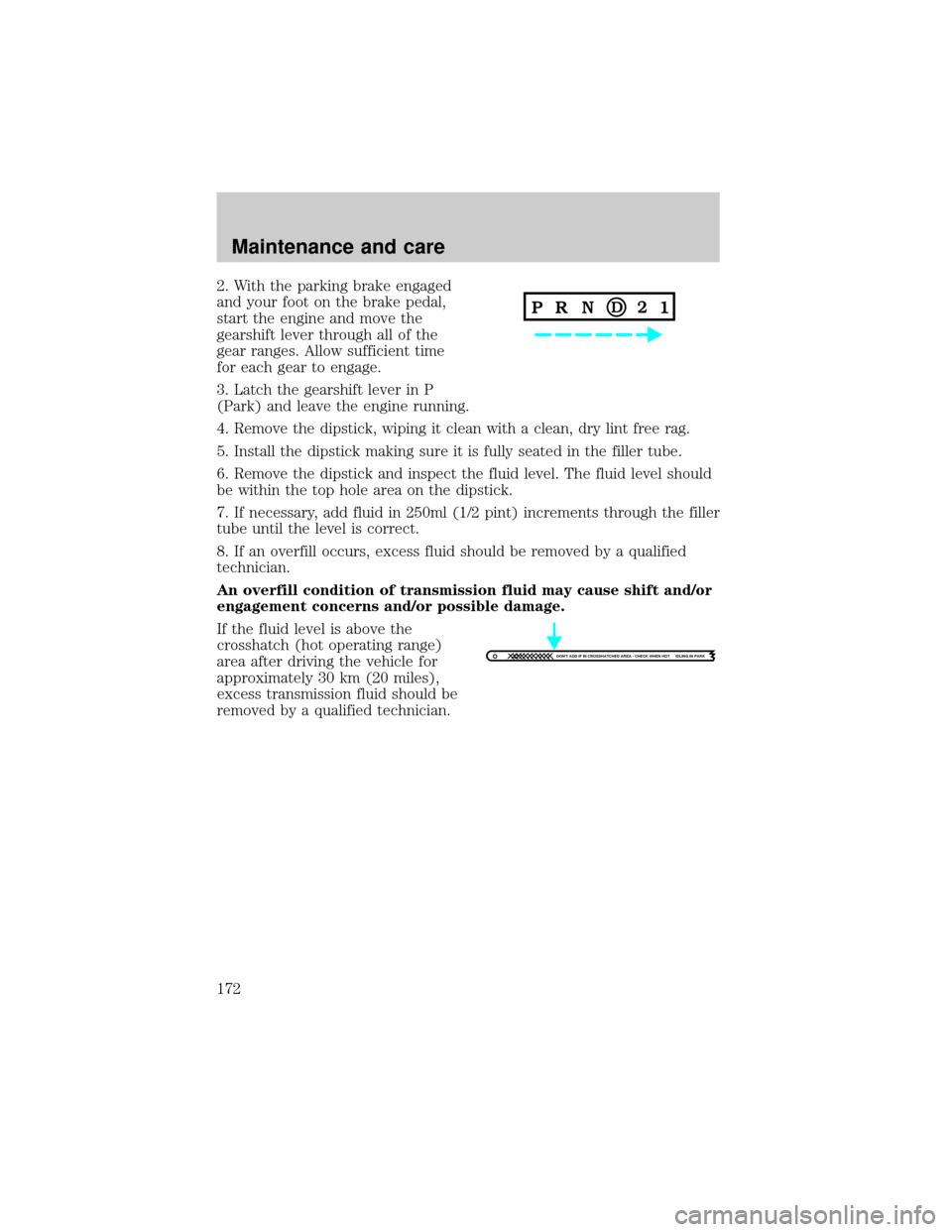
2. With the parking brake engaged
and your foot on the brake pedal,
start the engine and move the
gearshift lever through all of the
gear ranges. Allow sufficient time
for each gear to engage.
3. Latch the gearshift lever in P
(Park) and leave the engine running.
4. Remove the dipstick, wiping it clean with a clean, dry lint free rag.
5. Install the dipstick making sure it is fully seated in the filler tube.
6. Remove the dipstick and inspect the fluid level. The fluid level should
be within the top hole area on the dipstick.
7. If necessary, add fluid in 250ml (1/2 pint) increments through the filler
tube until the level is correct.
8. If an overfill occurs, excess fluid should be removed by a qualified
technician.
An overfill condition of transmission fluid may cause shift and/or
engagement concerns and/or possible damage.
If the fluid level is above the
crosshatch (hot operating range)
area after driving the vehicle for
approximately 30 km (20 miles),
excess transmission fluid should be
removed by a qualified technician.
DON'T ADD IF IN CROSSHATCHED AREA • CHECK WHEN HOT IDLING IN PARK
Maintenance and care
172
Page 175 of 210
DRIVELINE UNIVERSAL JOINT AND SLIP YOKE
The universal joints standard with your vehicle do not require
lubrication. If the original universal joints are replaced with universal
joints equipped with grease fittings, lubrication will be necessary.
BATTERY
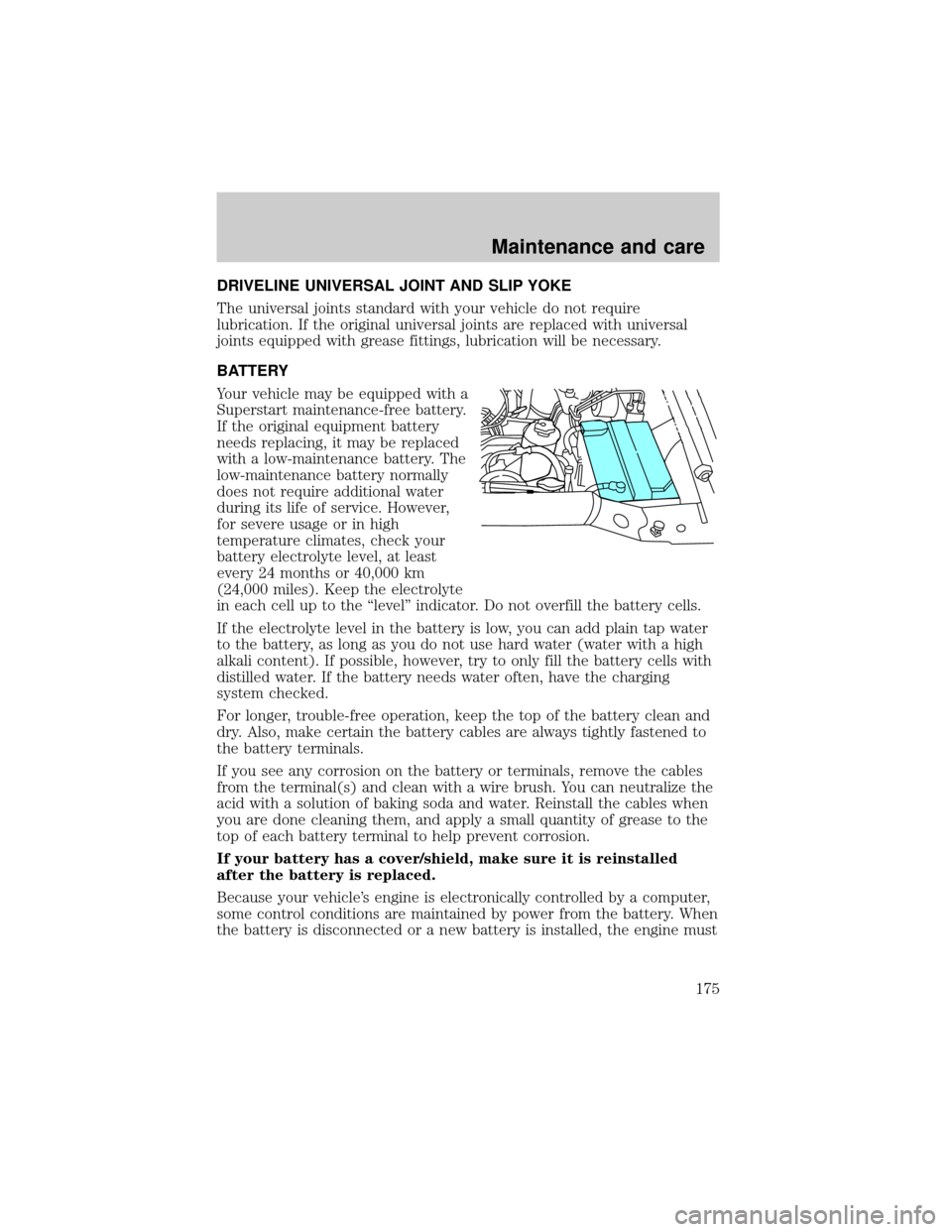
Your vehicle may be equipped with a
Superstart maintenance-free battery.
If the original equipment battery
needs replacing, it may be replaced
with a low-maintenance battery. The
low-maintenance battery normally
does not require additional water
during its life of service. However,
for severe usage or in high
temperature climates, check your
battery electrolyte level, at least
every 24 months or 40,000 km
(24,000 miles). Keep the electrolyte
in each cell up to the ``level'' indicator. Do not overfill the battery cells.
If the electrolyte level in the battery is low, you can add plain tap water
to the battery, as long as you do not use hard water (water with a high
alkali content). If possible, however, try to only fill the battery cells with
distilled water. If the battery needs water often, have the charging
system checked.
For longer, trouble-free operation, keep the top of the battery clean and
dry. Also, make certain the battery cables are always tightly fastened to
the battery terminals.
If you see any corrosion on the battery or terminals, remove the cables
from the terminal(s) and clean with a wire brush. You can neutralize the
acid with a solution of baking soda and water. Reinstall the cables when
you are done cleaning them, and apply a small quantity of grease to the
top of each battery terminal to help prevent corrosion.
If your battery has a cover/shield, make sure it is reinstalled
after the battery is replaced.
Because your vehicle's engine is electronically controlled by a computer,
some control conditions are maintained by power from the battery. When
the battery is disconnected or a new battery is installed, the engine must
Maintenance and care
175
Page 176 of 210
relearn its idle conditions before your vehicle will drive properly. To
begin this process:
1. Put the gearshift in P (Park) (automatic transmissions) or the neutral
position (manual transmissions), turn off all accessories and start the
vehicle.
2. Let the engine idle for at least one minute.
3. The relearning process will automatically complete as you drive the
vehicle.
²If you do not allow the engine to relearn its idle, the idle quality of
your vehicle may be adversely affected until the idle is eventually
relearned.
²If the battery has been disconnected or a new battery has been
installed, the clock and the preset radio stations must be reset once
the battery is reconnected.
²Always dispose of automotive
batteries in a responsible manner.
Follow your community's
standards for disposal. Call your
local recycling center to find out
more about recycling automotive
batteries.
WINDSHIELD WIPER BLADES
Check the wiper blades at least twice a year or when they seem less
effective. Substances such as tree sap and some hot wax treatments used
by commercial car washes reduce the effectiveness of wiper blades.
Checking the wiper blades
If the wiper blades do not wipe properly, clean both the windshield and
wiper blades using undiluted windshield wiper solution or a mild
detergent. Rinse thoroughly with clean water. To avoid damaging the
blades, do not use fuel, kerosene, paint thinner or other solvents.
Changing the wiper blades
When replacing wiper blade assemblies, always use a Motorcraft part or
equivalent. To make replacing the wipers easy, turn the ignition to ACC,
then turn the wipers on. When the wipers reach the vertical position,
turn the ignition to LOCK.
Maintenance and care
176
Page 183 of 210
²If fuel is splashed in the eyes, remove contact lenses, flush with water
for 15 minutes and seek medical attention.
²Be particularly careful if you are taking ``Antabuse'' or other forms of
disulfiram for the treatment of alcoholism. Breathing gasoline vapors
or skin contact could cause an adverse reaction. Consult a physician
immediately.
Choosing the right fuel
Use only UNLEADED FUEL. The use of leaded fuel is prohibited by law
and could damage your vehicle.
Your vehicle was not designed to use fuel or fuel additives with metallic
compounds, including manganese-based compounds containing MMT.
Vehicles certified to California emission standards (indicated on the
underhood Vehicle Emissions Control Information label) are designed to
operate on California reformulated gasolines. If California reformulated
gasoline is not available when you refuel, your vehicle can be operated
on non-California fuels. However, even though your engine will perform
adequately on other gasolines, the performance of the emission control
devices and systems may be adversely affected.
Repair of damage caused by using a fuel that your vehicle was not
designed for may not be covered by your warranty.
Octane recommendations
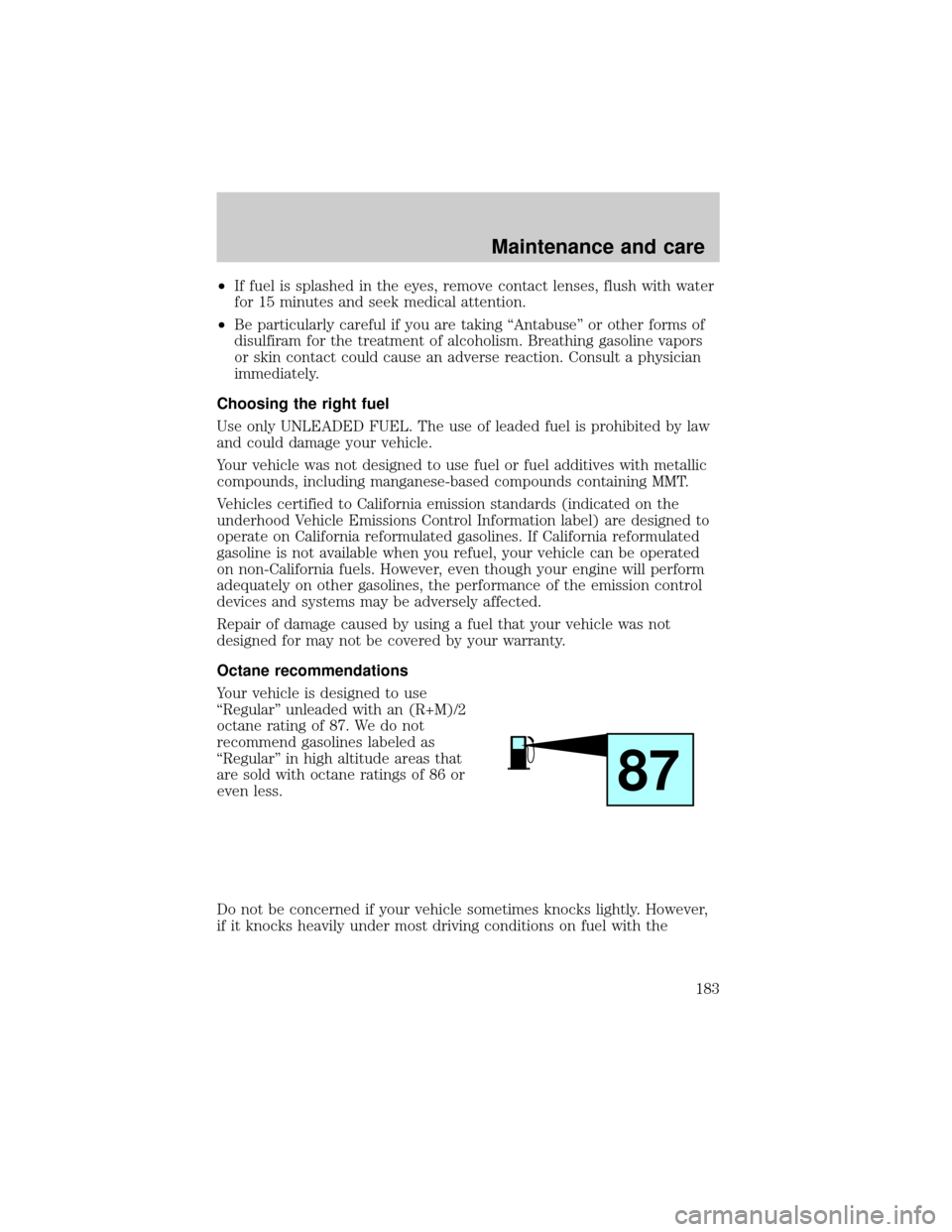
Your vehicle is designed to use
``Regular'' unleaded with an (R+M)/2
octane rating of 87. We do not
recommend gasolines labeled as
``Regular'' in high altitude areas that
are sold with octane ratings of 86 or
even less.
Do not be concerned if your vehicle sometimes knocks lightly. However,
if it knocks heavily under most driving conditions on fuel with the
87
Maintenance and care
183
Page 184 of 210

recommended octane, see your dealer or a qualified service technician to
prevent any engine damage.
Fuel quality
If you are experiencing starting, rough idle or hesitation driveability
problems during a cold start, try a different brand of ``Regular'' gasoline.
``Premium'' gasoline is not recommended (particularly in the United
States) because it may cause these problems to become more
pronounced. If the problems persist, see your dealer or a qualified
service technician.
The American Automobile Manufacturers Association (AAMA) issued a
gasoline specification to provide information on high quality fuels that
optimize the performance of your vehicle. We recommend the use of
gasolines that meet the AAMA specification if they are available.
It should not be necessary to add any aftermarket products to your fuel
tank if you continue to use a high-quality fuel.
Cleaner air
Ford approves the use of gasolines to improve air quality, including
reformulated gasolines that contain oxygenates up to 10% ethanol or
15% MTBE.
Do not use gasolines containing methanol, which can damage critical fuel
system components. Damage resulting from the use of methanol may not
be covered by your warranty.
Calculating fuel economy
To accurately calculate your vehicle's fuel economy:
1. Fill the tank completely and record the initial odometer reading.
2. Each time you fill the tank, record the amount of fuel added (in liters
or gallons).
3. After at least three to five fuel tank fill-ups, fill the fuel tank and
record the current mileage reading.
4. Use one of the following equations to calculate fuel economy.
Liters used x 1004Total kilometers traveled
Total miles traveled4Total gallons used
Keep a record for at least one month. This will provide an accurate
estimate of the vehicle's fuel economy.
Maintenance and care
184
Page 185 of 210

EMISSION CONTROL SYSTEM
Your vehicle is equipped with various emission control components and a
catalytic converter which will enable your vehicle to comply with
applicable exhaust emission standards. To make sure that the catalytic
converter and other emission control components continue to work
properly:
²Use only unleaded fuel.
²Avoid running out of fuel.
²Do not turn off the ignition while your vehicle is moving, especially at
high speeds.
²Have the services listed in your ``Service Guide'' performed according
to the specified schedule.
The Scheduled Maintenance Services listed in the ``Service Guide'' are
required because they are considered essential to the life and
performance of your vehicle and to its emissions system.
If other than Ford, Motorcraft or Ford authorized parts are used for
maintenance replacements or for service of components affecting
emission control such non-Ford parts should be equivalent to genuine
Ford Motor Company parts in performance and durability.
Do not park, idle, or drive your vehicle in dry grass or other dry
ground cover. The emission system heats up the engine
compartment and exhaust system, which can start a fire.
Watch for fluid leaks, strange odors, smoke, loss of oil pressure, the
charging system warning light, the ``Check Engine'' light or the
temperature warning light. These events could indicate that the emission
control system is not working properly.
If you smell exhaust fumes of any kind inside your vehicle, have
the dealer inspect and fix your vehicle immediately. Do not drive
if you smell exhaust fumes. These fumes are harmful and could kill
you.
Do not make any unauthorized changes to your vehicle or engine. By
law, vehicle owners and anyone who manufactures, repairs, services,
sells, leases, trades vehicles, or supervises a fleet of vehicles are not
permitted to intentionally remove an emission control device or prevent
it from working. Information about your vehicle's emission system is on
Maintenance and care
185
Page 186 of 210

the Vehicle Emission Control Information Decal located on or near the
engine. This decal identifies engine displacement and gives some tune up
specifications.
Please consult your ``Warranty Guide'' for complete emission warranty
information.
Readiness for inspection/maintenance (I/M) testing
In some localities, it may be a legal requirement to pass an I/M test of
the on-board diagnostic (OBD-II) system. If your ``check engine/service
engine soon'' light is on, reference the applicable light description in the
Warning Lights and Chimessection of your owners guide. Your vehicle
may not pass the I/M test with the ``check engine/service engine soon''
light on.
If the vehicle's powertrain system or its battery has just been serviced,
the OBD-II system is reset to a ``not ready for I/M test'' condition. To
ready the OBD-II system for I/M testing, a minimum of 30 minutes of city
and highway driving is necessary as described below:
²First, at least 10 minutes of driving on an expressway or highway.
²Next, at least 20 minutes driving in stop and go, city type traffic with
at least four idle periods.
Allow the vehicle to sit for at least eight hours without starting the
engine. Then, start the engine and complete the above driving cycle. The
engine must warm up to its normal operating temperature. Once started,
do not turn off the engine until the above driving cycle is complete.
EXTERIOR BULBS
Replacing exterior bulbs
Check the operation of the following lamps frequently:
²headlamps
²foglamps
²high-mount brakelamp
²brakelamps
²turn signals
²license plate lamp
²tail lamps
Maintenance and care
186