Page 26 of 191
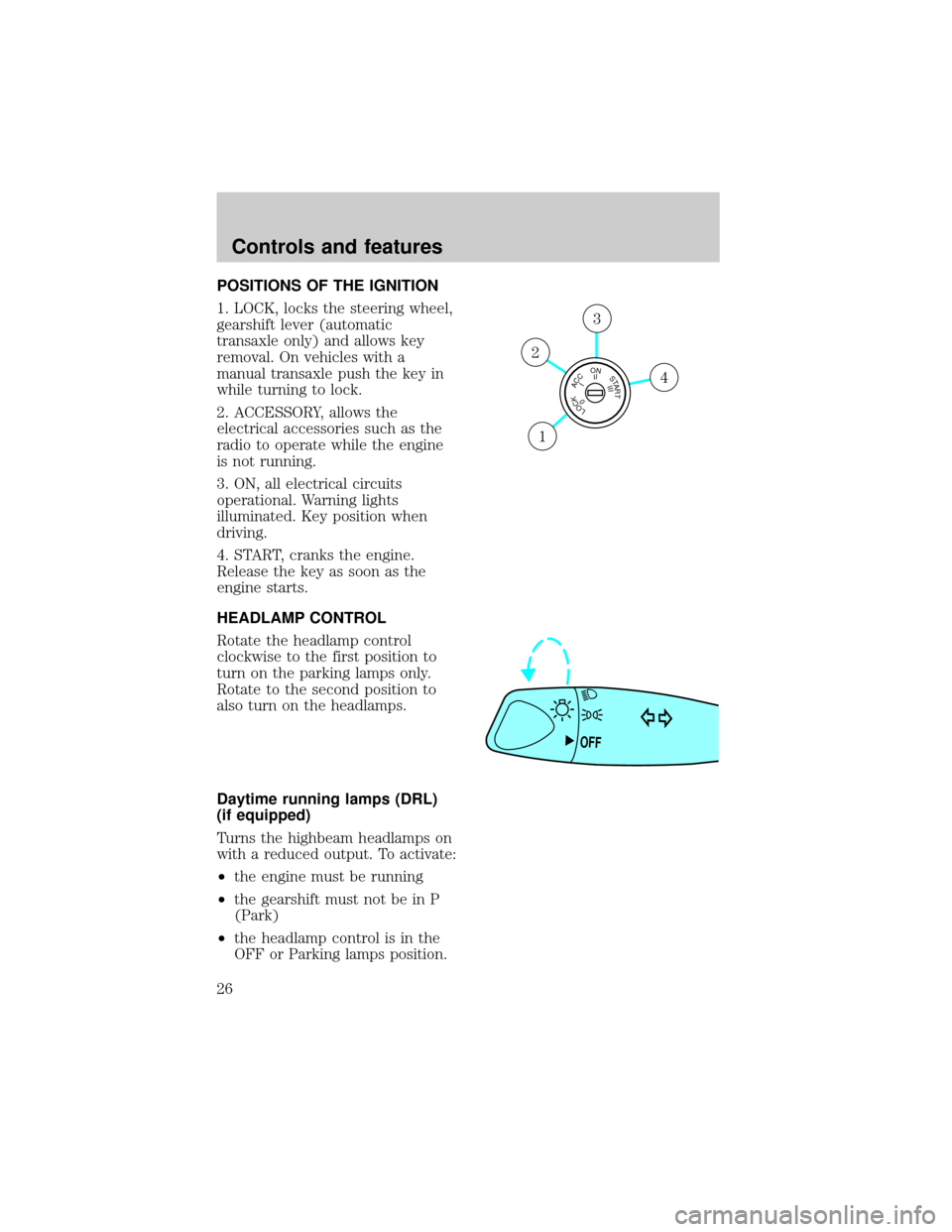
POSITIONS OF THE IGNITION
1. LOCK, locks the steering wheel,
gearshift lever (automatic
transaxle only) and allows key
removal. On vehicles with a
manual transaxle push the key in
while turning to lock.
2. ACCESSORY, allows the
electrical accessories such as the
radio to operate while the engine
is not running.
3. ON, all electrical circuits
operational. Warning lights
illuminated. Key position when
driving.
4. START, cranks the engine.
Release the key as soon as the
engine starts.
HEADLAMP CONTROL
Rotate the headlamp control
clockwise to the first position to
turn on the parking lamps only.
Rotate to the second position to
also turn on the headlamps.
Daytime running lamps (DRL)
(if equipped)
Turns the highbeam headlamps on
with a reduced output. To activate:
²the engine must be running
²the gearshift must not be in P
(Park)
²the headlamp control is in the
OFF or Parking lamps position.
LOCKACCONSTART0IIIIII4
3
2
1
OFF
Controls and features
26
Page 29 of 191
To turn speed control off
²Press OFF or
²Turn off the vehicle ignition.
Once speed control is switched off,
the previously programmed set
speed will be erased.
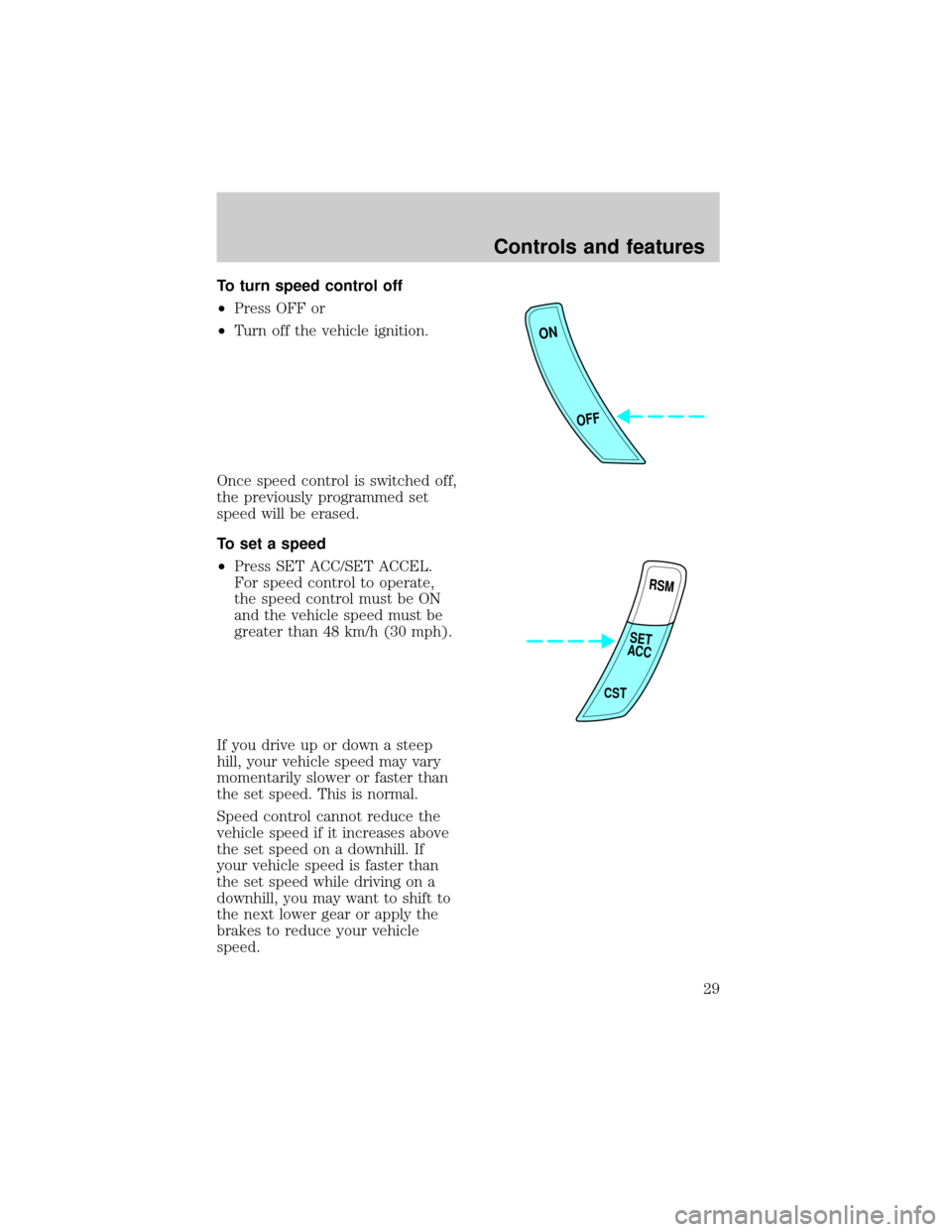
To set a speed
²Press SET ACC/SET ACCEL.
For speed control to operate,
the speed control must be ON
and the vehicle speed must be
greater than 48 km/h (30 mph).
If you drive up or down a steep
hill, your vehicle speed may vary
momentarily slower or faster than
the set speed. This is normal.
Speed control cannot reduce the
vehicle speed if it increases above
the set speed on a downhill. If
your vehicle speed is faster than
the set speed while driving on a
downhill, you may want to shift to
the next lower gear or apply the
brakes to reduce your vehicle
speed.
ON
OFF
RSM
CST
SET
ACC
Controls and features
29
Page 40 of 191
The all-door remote entry system
allows you to:
²lock or unlock all vehicle doors
without a key.
²arm and disarm the anti-theft
system. (For more information
on the anti-theft system, refer to
Anti-theft systemin this
chapter.)
²open the trunk.
²activate the panic alarm.
The driver's door only entry
system allows you to:
²lock the driver's door and
liftgate (wagons)
²unlock the driver's door only
without a key.
²activate the panic alarm.
²open the trunk or unlock liftgate
(wagons).
The remote entry features only
operate with the ignition in the
OFF position.
Unlocking the doors
Press this control to unlock the
driver's door. The interior lamps
will illuminate.
With the all-door remote entry
system, press the control a second
time within five seconds to unlock
all doors (on wagons, this will not
unlock the liftgate).
Controls and features
40
Page 42 of 191

Sounding a panic alarm
Press this control to activate the
alarm.
To deactivate the alarm, press the
control again or turn the ignition
to ACC or ON.
This device complies with part 15
of the FCC rules and with RS-210
of Industry Canada. Operation is
subject to the following two
conditions: (1) This device may
not cause harmful interference,
and (2) This device must accept
any interference received,
including interference that may
cause undesired operation.
Changes or modifications not
expressly approved by the
party responsible for
compliance could void the
user's authority to operate the
equipment.
Replacing the batteries
The transmitter is powered by two
coin type three-volt lithium
batteries. Typical operating range
will allow you to be up to 10
meters (33 feet) away from your
vehicle. A decrease in operating
range can be caused by:
²battery failure
²weather conditions
²nearby radio towers
²structures around the vehicle
²other vehicles parked next to
the vehicle
To replace the batteries:
Controls and features
42
Page 43 of 191
1. Twist a thin coin between the
two halves of the transmitter. DO
NOT TAKE THE FRONT PART OF
THE TRANSMITTER APART.
2. Place the positive (+) side of
new batteries down. Refer to the
diagram inside the transmitter
unit.
3. Snap the two halves back
together.
Replacing lost transmitters
Take all your vehicle's transmitters
to your dealer for reprogramming
if:
²a transmitter is lost or
²you want to purchase additional
transmitters (up to four may be
programmed).
To reprogram the transmitters,
place the key in the ignition and
switch from OFF to ON eight times
in rapid succession (within 10
seconds). After doors lock/unlock,
press any button on all
transmitters (up to four). With
each button press of the
transmitters, the door should cycle
(lock/unlock) to confirm
programming. When completed,
switch the ignition to OFF. The
door locks should cycle
(lock/unlock) one last time to
confirm completion of
programming.
Controls and features
43
Page 44 of 191
All transmitters must be
programmed at the same time.
Illuminated entry
Interior lamps will illuminate when
UNLOCK is pressed. The lamps
will illuminate for approximately 20
seconds or until the key is inserted
in the ignition and turned to ON or
until LOCK is pressed. The dome
lamp must be set to the DOOR
position in order for the
illuminated entry system to
operate.
ANTI-THEFT SYSTEM
(IF EQUIPPED)
When armed, the anti-theft system
will help protect your vehicle from
unauthorized entry.
Arming the anti-theft system
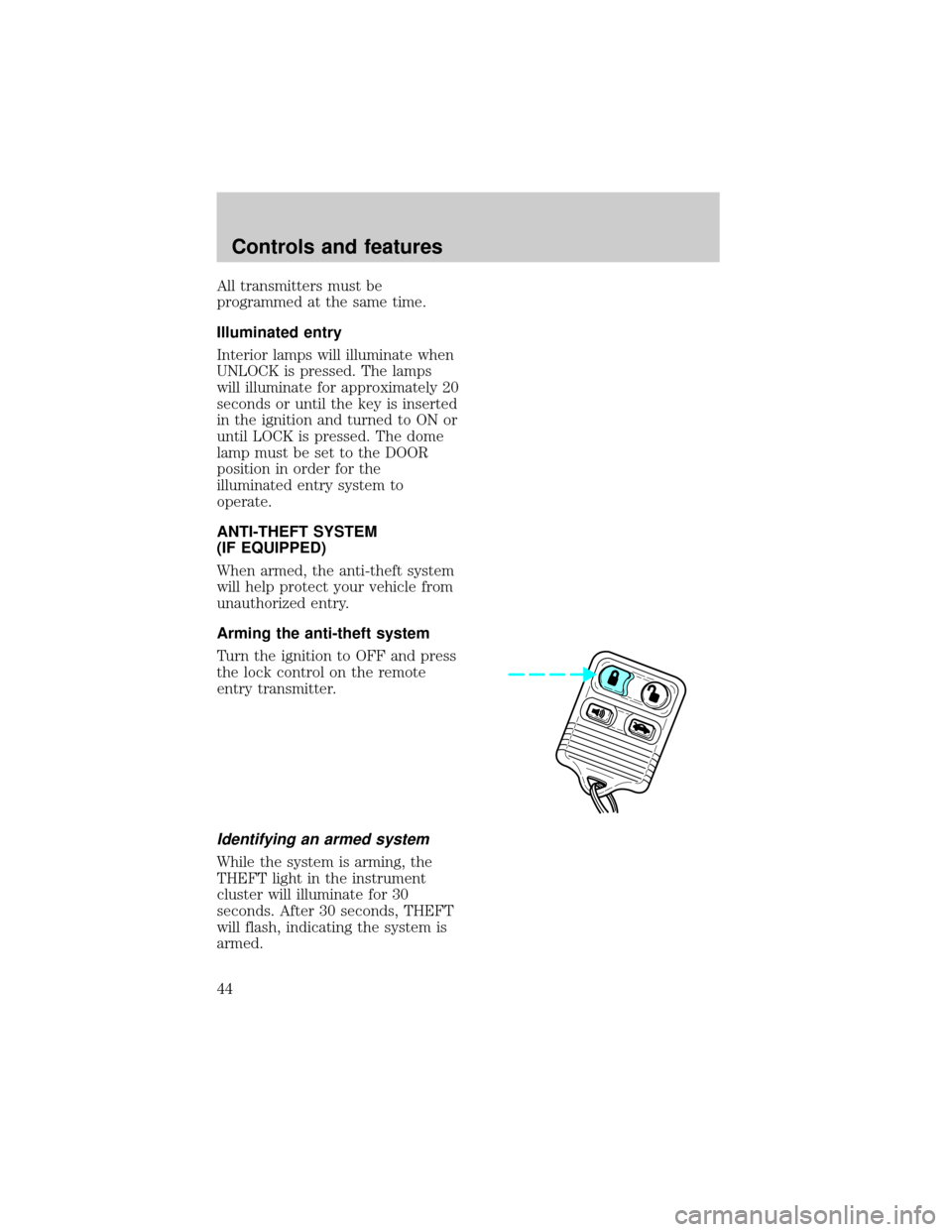
Turn the ignition to OFF and press
the lock control on the remote
entry transmitter.
Identifying an armed system
While the system is arming, the
THEFT light in the instrument
cluster will illuminate for 30
seconds. After 30 seconds, THEFT
will flash, indicating the system is
armed.
Controls and features
44
Page 45 of 191
If the system is arming with the
doors open, the THEFT light will
stay illuminated until all the doors
are closed and then illuminate for
30 seconds and begin flashing.
When an unauthorized entry
occurs, the activated system will:
²flash the parking lamps and the
THEFT light
²sound the horn
The flashing parklamps and the
honking horn automatically shut
off after about three minutes and
will remain off unless another
unauthorized entry is attempted.
Disarming the anti-theft system
Disarming an untriggered
anti-theft system
Press the unlock control to disarm
the untriggered system. If the
driver armed the system but did
not exit the vehicle, disarm the
system by inserting the key and
turning the ignition to ON/ACC.
Using the ignition key to unlock
doors/trunk/liftgate will not disarm
the anti-theft system.
Controls and features
45
Page 46 of 191
Disarming a triggered anti-theft
system
Press either the unlock or panic
control to disarm the system.
A triggered system may also be
disarmed by inserting the key and
turning the ignition to ACC or ON.
Controls and features
46