1998 CHEVROLET CORVETTE change time
[x] Cancel search: change timePage 175 of 378
Downloaded from www.Manualslib.com manuals search engine PROG (2): Press this button to play the other side of
the tape.
NEXT (3): Press this button or the right SEEK arrow to
go to the next selection on the tape. If you hold the
button or press it more than once, the player will
continue moving forward through the tape. Your tape
must have at least three seconds of silence between each
selection for
NEXT or SEEK to work. The tape
direction arrow blinks during
NEXT or SEEK operation.
The sound will mute during
NEXT or SEEK operation.
Press this button or one of the SEEK arrows again to
return to normal play.
REV (4): Press this button to reverse the tape rapidly.
Press it again to return to playing speed. The radio will
play the last-selected station while the tape reverses.
flu (5): Press this button to reduce background
noise. Note that the double-D symbol will appear
on the display.
Dolby@ Noise Reduction is manufactured under a
license from Dolby Laboratories Licensing Corporation.
Dolby and the double-D symbol are trademarks of
Dolby Laboratories Licensing Corporation.
FWD (6): Press this button to advance quickly to
another part of the tape. Press the button again to return to playing speed.
The radio will play the last-selected
station while the tape advances.
AM-FM: Press this button to play the radio when a tape
is in the player.
TAPE AUX: Press this button to change to the tape
function when the radio is on. The tape symbol with an
arrow will appear on the display when the tape is active.
If your system is equipped with a remote playback
device, pressing this button a second time will allow the
remote device to play.
EJECT: Press this button to remove the tape. The radio
will play. EJECT may be activated with either the
ignition or radio off. Cassettes may be loaded
with the
radio
off if this button is pressed first. If you leave a
cassette tape in the player while listening to the radio, it
may become warm.
CLN: If this message appears on the display, the
cassette tape player needs
to be cleaned. It will still play
tapes, but you should clean it as soon as possible to
prevent damage to the tapes and player. See “Care
of
Your Cassette Tape Player” in the Index. After you clean
the player, press and hold EJECT for five seconds to
reset the CLN indicator. The radio will display
--- to
show the indicator was reset.
3-16
Page 180 of 378
Downloaded from www.Manualslib.com manuals search engine RECALL: Press this button to see which track is
playing. Press it again within five seconds to see how
long it has been playing (elapsed time). The track
number also appears when you change the volume or
when a new track starts to play.
AM-FM: Press this button to play the radio when a disc
is in the player. The letters
CD will go off the display.
CD AUX: Press this button to change to the disc
function when the radio is on.
A CD icon will appear on
the display when the disc is in the player, whether it is
active or not. If your system is equipped with a remote
playback device, pressing this button a second time will
allow the remote device to play.
EJECT Press this button to remove the disc. The radio
will play. The disc will start at the first track when you
reinsert it.
If you turn off the ignition or radio with a disc in the
player, it will stay in the player. When you turn on the
ignition or system, the disc will start playing where it
was stopped. If you press EJECT but don’t remove
the disc, the player will pull the disc back in to protect
it after about one minute. If you leave a compact disc
in the player while listening to the radio, it may
become warm.
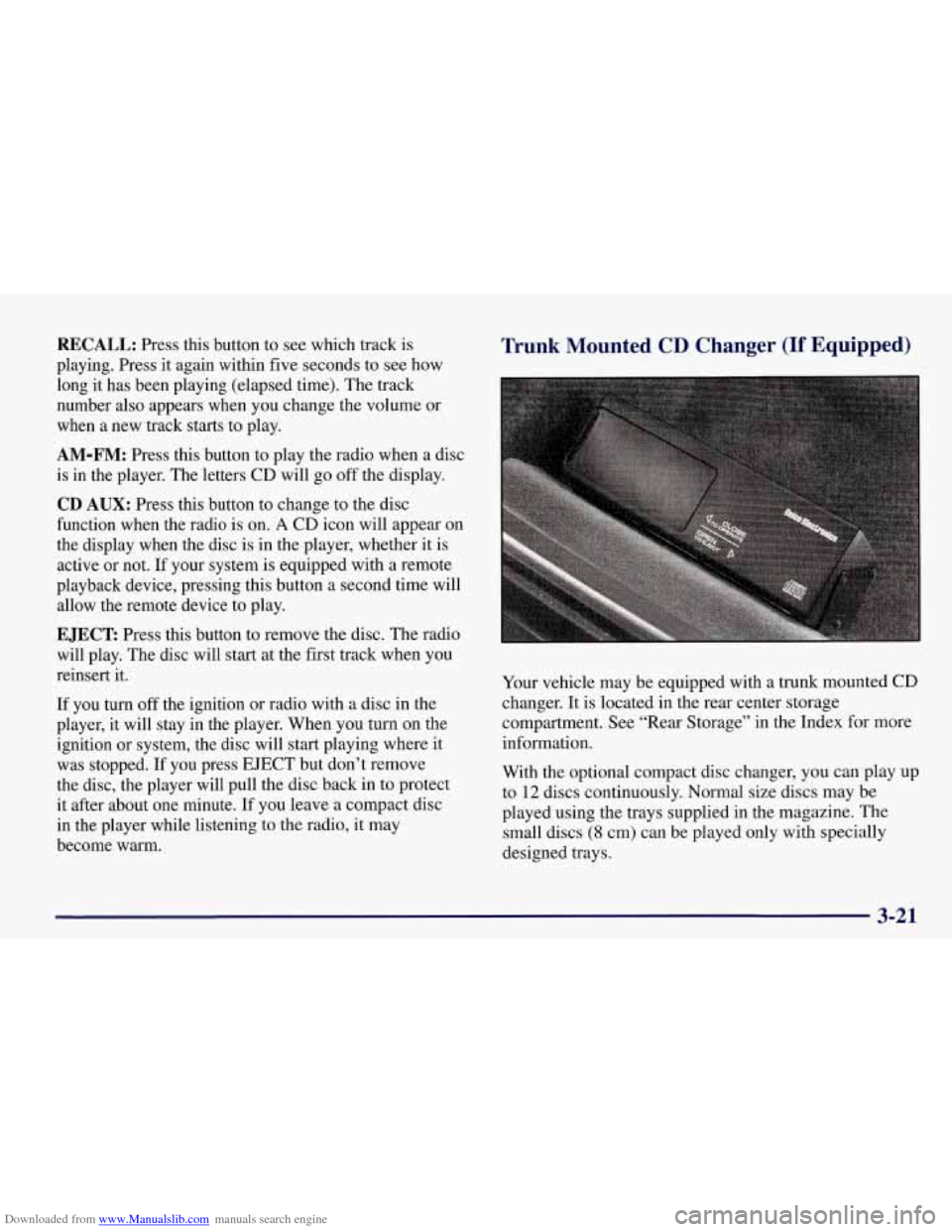
Trunk Mounted CD Changer (If Equipped)
Your vehicle may be equipped with a trunk mounted CD
changer. It is located in the rear center storage
compartment. See “Rear Storage” in the Index for more
information.
With the optional compact disc changer, you can play up
to
12 discs continuously. Normal size discs may be
played using the trays supplied in the magazine. The
small discs
(8 cm) can be played only with specially
designed trays.
3-21
Page 184 of 378
Downloaded from www.Manualslib.com manuals search engine An empty magazine is inserted in the CD changer.
Try the magazine again with a disc loaded on one of
the trays.
If any error occurs repeatedly or if an error cannot be
corrected, please contact your dealer.
Theft-Deterrent Feature
THEFTLOCK" is designed to discourage theft of your
radio. It works by using a secret code to disable all radio
functions whenever battery power is removed.
The THEFTLOCK feature for the radio may be used or
ignored.
If ignored, the system plays normally and the
radio is not protected by the feature. If THEFTLOCK is
activated, your radio will not operate if stolen.
When THEFTLOCK is activated, the radio will display
LOC to indicate a locked condition anytime battery
power has been interrupted. If your battery loses power
for any reason, you must unlock the radio with the secret
code before it will operate.
Activating the Theft-Deterrent Feature
The instructions which follow explain how to enter your
secret code to activate the THEFTLOCK system. It is
recommended that you read through
all nine steps
before starting the procedure. NOTE:
If you allow more than 15 seconds to elapse
between any steps, the radio automatically reverts to
time and you must start the procedure over at Step
4.
1. Write down any three or four-digit number from
000 to 1999 and keep it in a safe place separate
from the vehicle.
2. Turn the ignition to ACCESSORY or ON.
3. Turn the radio off.
4. Press the 1 and 4 buttons together. Hold them down
until
--- shows on the display. Next you will use the
secret code number which you have written down.
5. Press MN and
000 will appear on the display.
6. Press MN again to make the last two digits agree
with your code.
7. Press HR to make the first one or two digits agree
with your code.
8. Press AM-FM after you have confirmed that the
code matches the secret code you have written down.
The display will show REP to let you know that you
need to repeat Steps
5 through 7 to confirm your
secret code.
9. Press AM-FM and this time the display will show
SEC to let you know that your radio is secure. The
indicator by the volume control will begin flashing
when the ignition is turned
off.
Page 199 of 378
Downloaded from www.Manualslib.com manuals search engine The anti-lock system can change the brake pressure faster
than any driver could. The computer is programmed to
make the most of available
tire and road conditions.
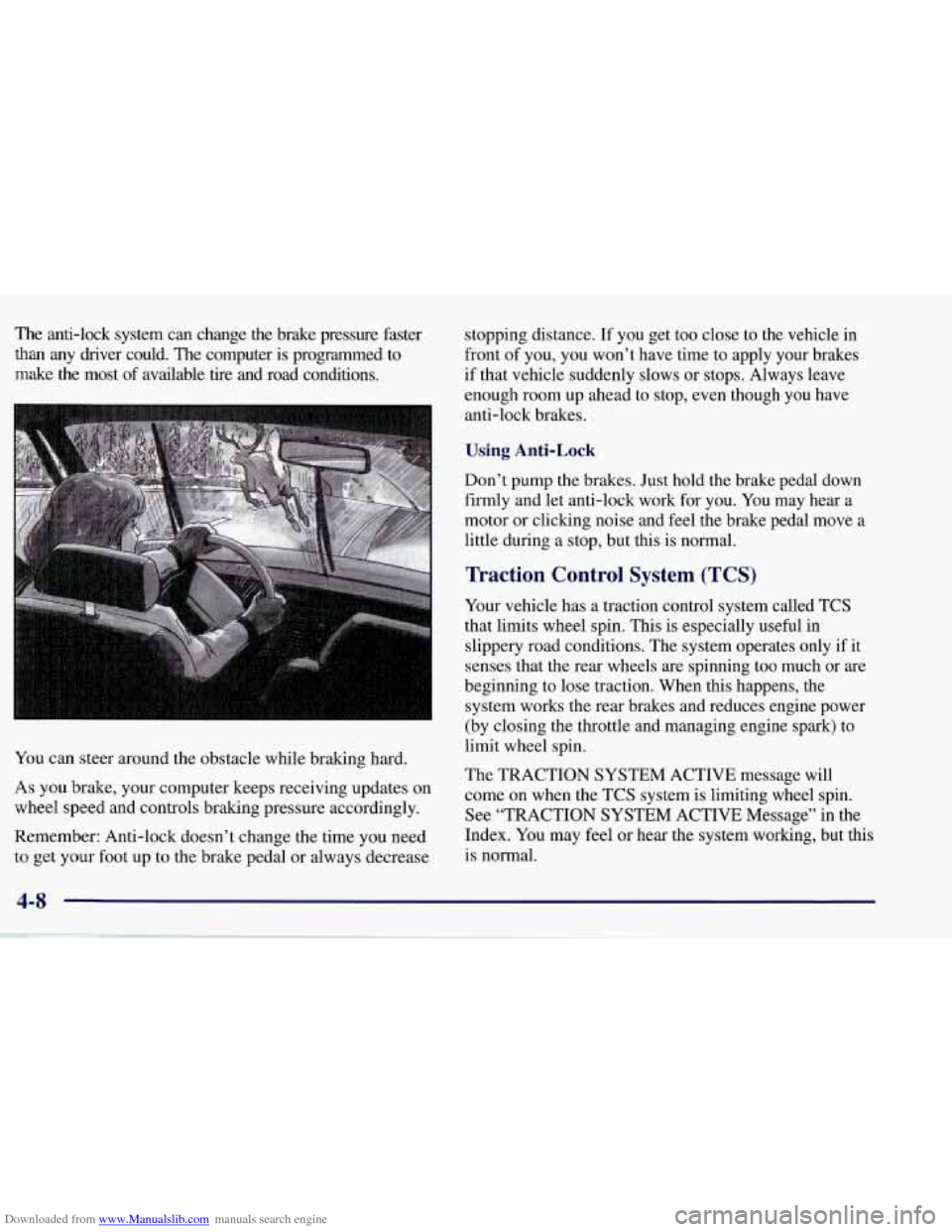
You can steer around the obstacle while braking hard.
As you brake, your computer keeps receiving updates on
wheel speed and controls braking pressure accordingly.
Remember: Anti-lock doesn’t change the time you need to get your foot up to the brake pedal or always decrease stopping distance.
If you get too close to the vehicle in
front of you, you won’t have time to apply your brakes
if that vehicle suddenly slows or stops. Always leave
enough room up ahead to stop, even though you have
anti-lock brakes.
Using Anti-Lock
Don’t pump the brakes. Just hold the brake pedal down
firmly and let anti-lock work for you. You may hear a
motor or clicking noise and feel the brake pedal move
a
little during a stop, but this is normal.
Traction Control System (TCS)
Your vehicle has a traction control system called TCS
that limits wheel spin. This is especially useful in
slippery road conditions. The system operates only if it
senses that the rear wheels are spinning too much or are
beginning to lose traction. When this happens, the
system works the rear brakes and reduces engine power
(by closing the throttle and managing engine spark) to
limit wheel spin.
The TRACTION SYSTEM ACTIVE message will
come on when the TCS system
is limiting wheel spin.
See “TRACTION SYSTEM ACTIVE Message” in the
Index. You may feel or hear the system working, but this
is normal.
4-8
Page 204 of 378
Downloaded from www.Manualslib.com manuals search engine 0
0
0
Do not get too close to the vehicle you want to
pass while you’re awaiting an opportunity. For one
thmg, following too closely reduces your area of
vision, especially if you’re following a larger
vehicle. Also, you won’t have adequate space if the
vehicle ahead suddenly slows or stops. Keep back a
reasonable distance.
When it looks like a chance to pass is coming up,
start to accelerate but stay in the right lane and don’t
get too close. Time your move
so you will be
increasing speed
as the time comes to move into the
other lane. If the way is clear to pass, you will have a
“running start” that more than makes up for the
distance you would lose by dropping back. And if
something happens
to cause you to cancel your pass,
you need only slow down and drop back again and
wait for another opportunity.
If other cars are lined up to pass a slow vehicle, wait
your turn. But take care that someone isn’t trying to
pass you as you pull out to pass the slow vehicle.
Remember to glance over your shoulder and check
the blind spot.
0
0
0
0
Check your mirrors, glance over your shoulder, and start your left lane change signal before moving out
of the right lane to pass. When you are far enough
ahead of the passed vehicle to see its front in your
inside mirror, activate your right lane change signal
and move back intu the right lane. (Remember that
your right outside mirror is convex. The vehicle you
just passed may seem to be farther away from you
than it really is.)
Try not to pass more than one vehicle at a time
on two-lane roads. Reconsider before passing the
next vehicle.
Don’t overtake a slowly moving vehicle too rapidly.
Even though the brake lamps are not flashing, it may
be slowing down or starting to turn.
If you’re being passed, make it easy for the
following driver to get ahead of you. Perhaps you
can ease a little to the right.
Loss of Control
Let’s review what driving experts say about what
happens when the three control systems (brakes, steering
and acceleration) don’t have enough friction where the
tires meet the road to do what the driver has asked.
In any emergency, don’t give up. Keep trying to steer and
constantly seek an escape route or area of less danger.
Page 264 of 378
Downloaded from www.Manualslib.com manuals search engine Change both the fluid and filter every 50,000 miles
(80 000 km) if the vehicle is mainly driven under one of
these conditions:
In heavy city traffic where the outside temperature
regularly reaches
90 OF (32 O C) or higher.
In hilly or mountainous terrain.
High performance operation.
If you do not use your vehicle under one of
these conditions. Change the fluid and filter every
100,000 miles (166 000 km).
See “Scheduled Maintenance Services” in the Index for
the proper service intervals for the transmission fluid
and filter.
Manual Transmission Fluid
When to Check
How to Check
Because this operation can be difficult, you may
choose to have this done at your Chevrolet dealership
Service Department.
If you do it yourself, be sure to follow all the
instructions here, or you could get a false reading.
NOTICE:
Too much or too little fluid can damage your
transmission. Too much can mean that some
of the fluid could come out and fall on hot exhaust system parts, starting a fire. Be sure
to
get an accurate reading if you check your
transmission fluid.
A good time to have it checked is when the engine oil
is changed. However, the fluid in your manual
transmission doesn’t require changing. Check the fluid level
only when your engine is off, the
vehicle
is parked on a level place and the transmission is
cool enough for you to rest your fingers on the
transmission case.
6-19
Page 277 of 378
Downloaded from www.Manualslib.com manuals search engine Replacing Brake System Parts
The braking system on a modern vehicle is complex. Its
many parts have to be of top quality and work well
together
if the vehicle is to have really good braking.
Your vehicle was designed and tested with top-quality
GM brake parts. When you replace parts of your braking
system
-- for example, when your brake linings wear
down and you have to have new ones put in
-- be sure
you get new approved GM replacement parts. If you
don’t, your brakes may no longer work properly. For example,
if someone puts in brake linings that are wrong
for your vehicle, the balance between your front and
rear brakes can change
-- for the worse. The braking
performance you’ve come to expect can change
in many
other ways if someone puts in the wrong replacement
brake parts.
Battery
Every new Corvette has a Delco Freedom@ battery. You
never have to add water to one of these. When it’s time f\
or
a new battery, we recommend a Delco Freedom battery.
Get one that has the replacement number shown on the original battery’s label. For battery replacement, see your
dealer or the Corvette Service Manual.
To purchase a
service manual,
see “Service and Owner Publications”
in the Index. After the battery has been
replaced, refer to the “Remote Function Actuation System”
in the Index to resynchronize your transmitter(s).
Vehicle Storage
If you’re not going to drive your vehicle for 25 days
or more, remove the black, negative
(-) cable from
the battery. This will help keep your battery from
running down.
Batteries have acid that can burn you and gas
that can explode.
You can be badly hurt if you
aren’t careful. See “Jump Starting” in the Index
for tips
on working around a battery without
getting hurt.
Contact your dealer to learn how to prepare your vehicle
for longer storage periods.
Also, for your audio system, see “Theft-Deterrent
Feature” in the Index.
6-32
Page 294 of 378
Downloaded from www.Manualslib.com manuals search engine A CAUTION:
Using the wrong replacement wheels, wheel bolts
or wheel nuts on your vehicle can be dangerous.
It could affect the braking and handling of your
vehicle, make your tires lose air and make you
lose control. You could have a collision in which
you or others could be injured. Always use the
correct wheel, wheel bolts and wheel nuts
for replacement.
I NOTICE:
The wrong wheel can also cause problems with
bearing life, brake cooling, speedometer or
odometer calibration, headlamp aim, bumper
height, vehicle ground clearance and tire
clearance to the body and chassis.
A CAUTION:
Rust or dirt on the wheel, or on the parts to
which
it is fastened, can make the wheel nuts
become loose after a time. The wheel could come
off and cause an accident. When you change a
wheel, remove any rust or dirt from the places
where the wheel attaches to the vehicle. In an
emergency, you can use a cloth or paper towel to
do this; but be sure to use a scraper or wire brush
later,
if you need to, to get all the rust or dirt off.
I A CAUTION:
I
Never use oil or grease on studs or nuts. If you
do, the nuts might come loose. Your wheel could
fall off, causing a serious accident.
6-49