Page 169 of 346
Downloaded from www.Manualslib.com manuals search engine Trunk Mounted CD Changer (Option)
With the compact disc changer, you can play up to
12 discs continuously. Normal size discs may be
played using the trays supplied in the magazine. The
smaller discs
(8 cm) can be played only with specially
designed trays.
1 L
.. .... . ..... . ..... . . ". ...... .. . . , .. ..:. :~::::::::. .. , .
1 .-.
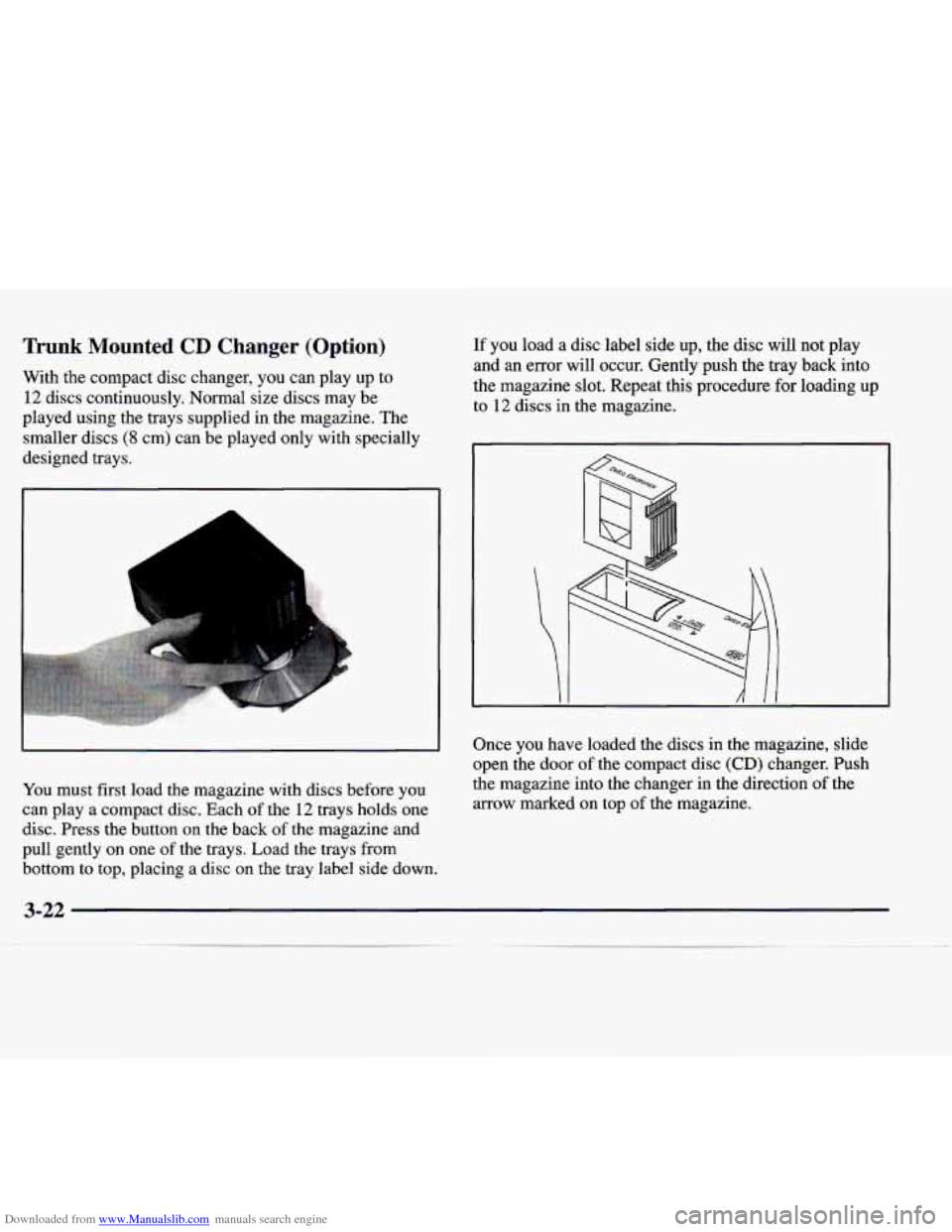
You must first load the magazine with discs before you
can play a compact disc. Each
of the 12 trays holds one
disc. Press the button on
the back of the magazine and
pull gently on one of the trays. Load the trays from
If you load a disc label side up, the disc will not play
and an error will occur. Gently push the tray back into
the magazine slot. Repeat this procedure for loading
up
to 12 discs in the magazine.
Once you have loaded the discs in the magazine, slide
open the door of the compact disc
(CD) changer. Push
the magazine into the changer in the direction of the
arrow marked on top
of the magazine.
bottom to top, placing a disc
on the tray label side down.
3-22
~_____ ~
Page 173 of 346
Downloaded from www.Manualslib.com manuals search engine Theft-Deterrent Feature
THEFTLOCK@ is designed to discourage theft of your
radio. Your vehicle has a “built-in” theft-deterrent
feature
on each radio that is automatic -- there is no
programming required. The radio in your vehicle cannot
be used in any other vehicle. When the radio was
originally installed in your vehicle at the factory, it
stored the Vehicle Identification Number (VIN). Each
time the ignition is turned on, the VIN is verified. If the
vehicle’s VIN does
not match the VIN stored in the
radio, the radio/audio system will not play. If the radio is
removed from your vehicle, the original
VIN in the
radio can be used to trace the radio back to your vehicle.
Audio Steering Wheel Controls
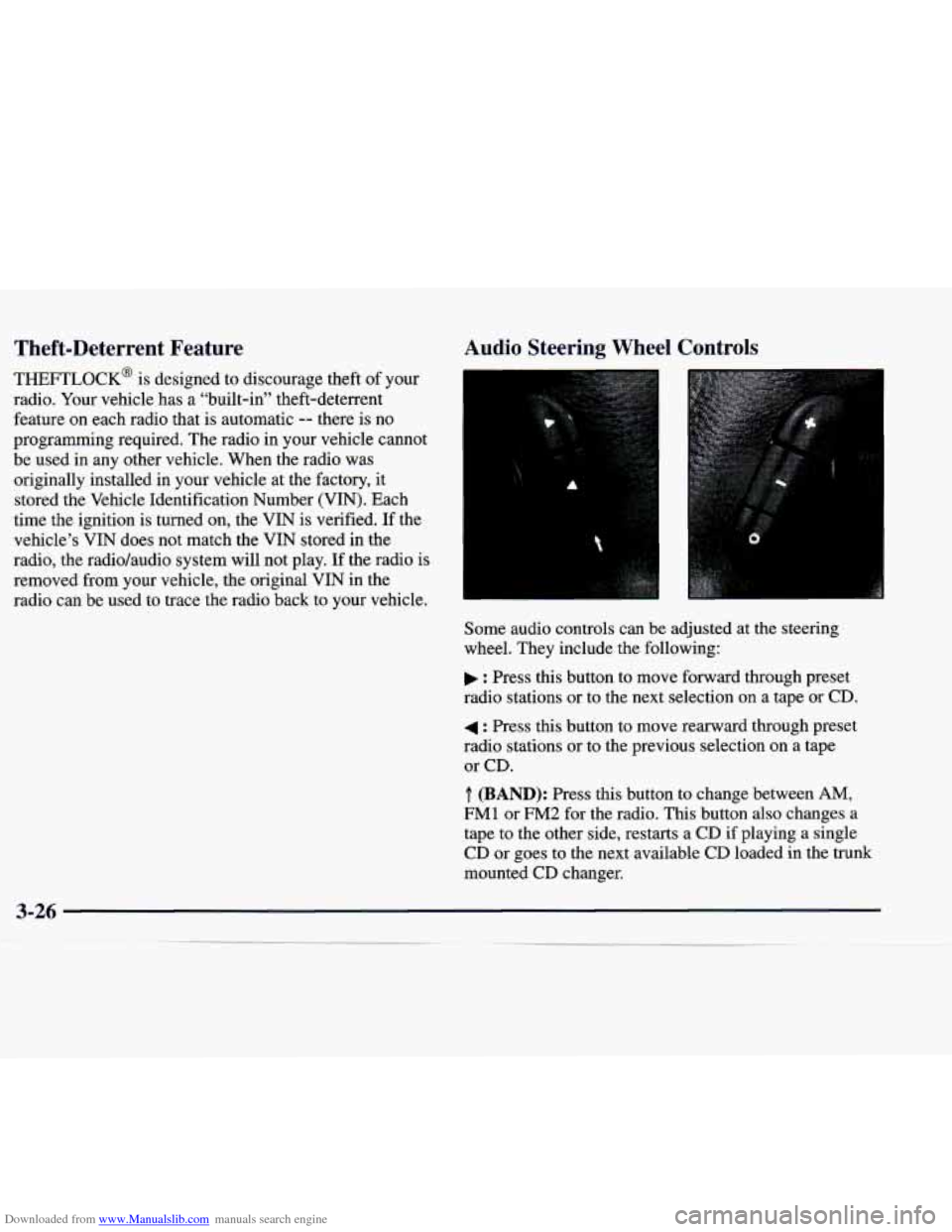
Some audio controls can be adjusted at the steering
wheel. They include the following:
: Press this button to move forward through preset
radio stations or to the next selection on a tape
or CD.
4 : Press this button to move rearward through preset
radio stations or to the previous selection
on a tape
or CD.
.T. (BAND): Press this button to change between AM,
FM1 or FM2 for the radio. This button also changes a
tape to the other side, restarts a
CD if playing a single
CD or goes to the next available
CD loaded in the trunk
mounted CD changer.
Page 208 of 346

Downloaded from www.Manualslib.com manuals search engine MFD BY GENERAL MOTORS CORP
DATE
GVWR GAWR FRT GAWR RR
THIS VEHICLE CONFORMS TO ALL APPLI-
CABLE
U.S. FEDERAL MOTOR VEHICLE
SAFETY, BUMPER, AND
THEFT PREVENTION
STANDARDS
IN EFFECT ON THE DATE OF
MANUFACTURE SHOWN ABOVE.
The other label is the certification label, found on the
rear edge
of the driver’s door. It tells you the gross
weight capacity
of your vehicle, called the Gross
Vehicle Weight Rating (GVWR). The GVWR includes
the weight
of the vehicle, all occupants, fuel and
cargo. Never exceed
the GVWR for your vehicle,
or the Gross Axle Weight Rating (GAWR) for either
the front or rear axle.
If you do have a heavy load, you should spread it out.
Don’t carry more than
176 lbs. (80 kg) in the trunk.
A Cr‘ TJTION:
Do not load your vehicle any heavier than
the
GVWR, or either the maximum front or
rear
GAWR. If you do, parts on your vehicle
can break, or it can change the way your
vehicle handles. These could cause you to lose
control. Also, overloading can shorten the life
of your vehicle.
NOTICE:
Your warranty does not cover parts or
components that
fail because of overloading.
If you put things inside your vehicle -- like suitcases,
tools, packages or anything else
-- they will go as fast as
the vehicle goes. If you have to stop or turn quickly, or
if there
is a crash, they’ll keep going.
Page 209 of 346
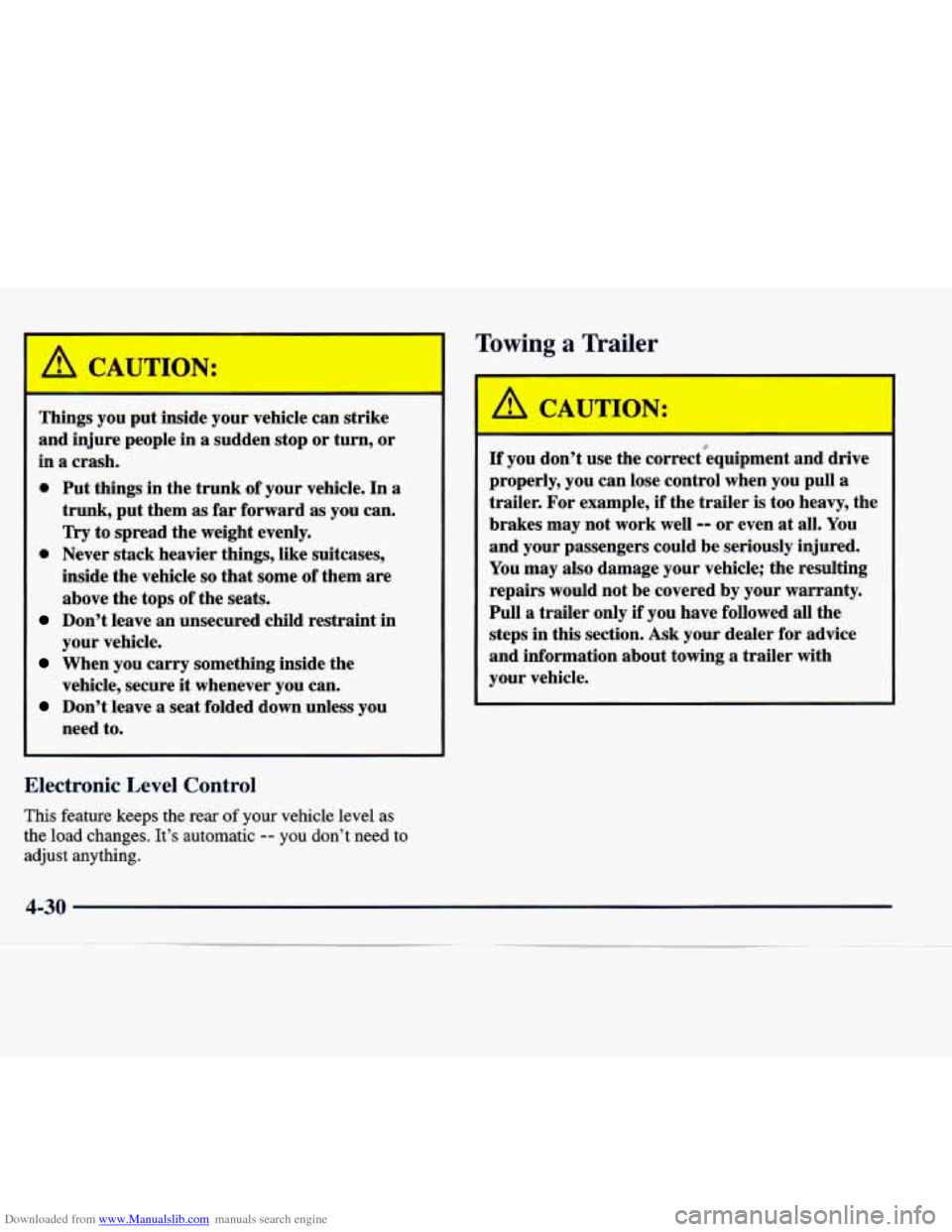
Downloaded from www.Manualslib.com manuals search engine CAUTION:
Things you put inside your vehicle can strike
and injure people in
a sudden stop or turn, or
in
a crash.
0 Put things in the trunk of your vehicle. In a
trunk, put them as far forward as you can.
Try to spread the weight evenly.
0 Never stack heavier things, like suitcases,
inside the vehicle
so that some of them are
above the tops of the seats.
Don’t leave an unsecured child restraint in
your vehicle.
When you carry something inside the
vehicle, secure
it whenever you can.
Don’t leave a seat folded down unless you
need to.
Electronic Level Control
This feature keeps the sf your vehicle level as
the load changes. It’s automatic
-- you don’t need to
adjust anything.
Towing a Trailer
: CAUTION:
If you don’t use the correct”equipment and drive
properly, you can lose control when you pull a
trailer. For example, if the trailer is too heavy, the
brakes may not work well
-- or even at all. You
and your passengers could be seriously injured.
You may also damage your vehicle; the resulting
repairs would not be covered by your warranty.
Pull a trailer only if you have followed all the
steps in this section.
Ask your dealer for advice
and information about towing a trailer with
your vehicle.
4-30
Page 237 of 346
Downloaded from www.Manualslib.com manuals search engine Removing the Spare Tire and Tools
I
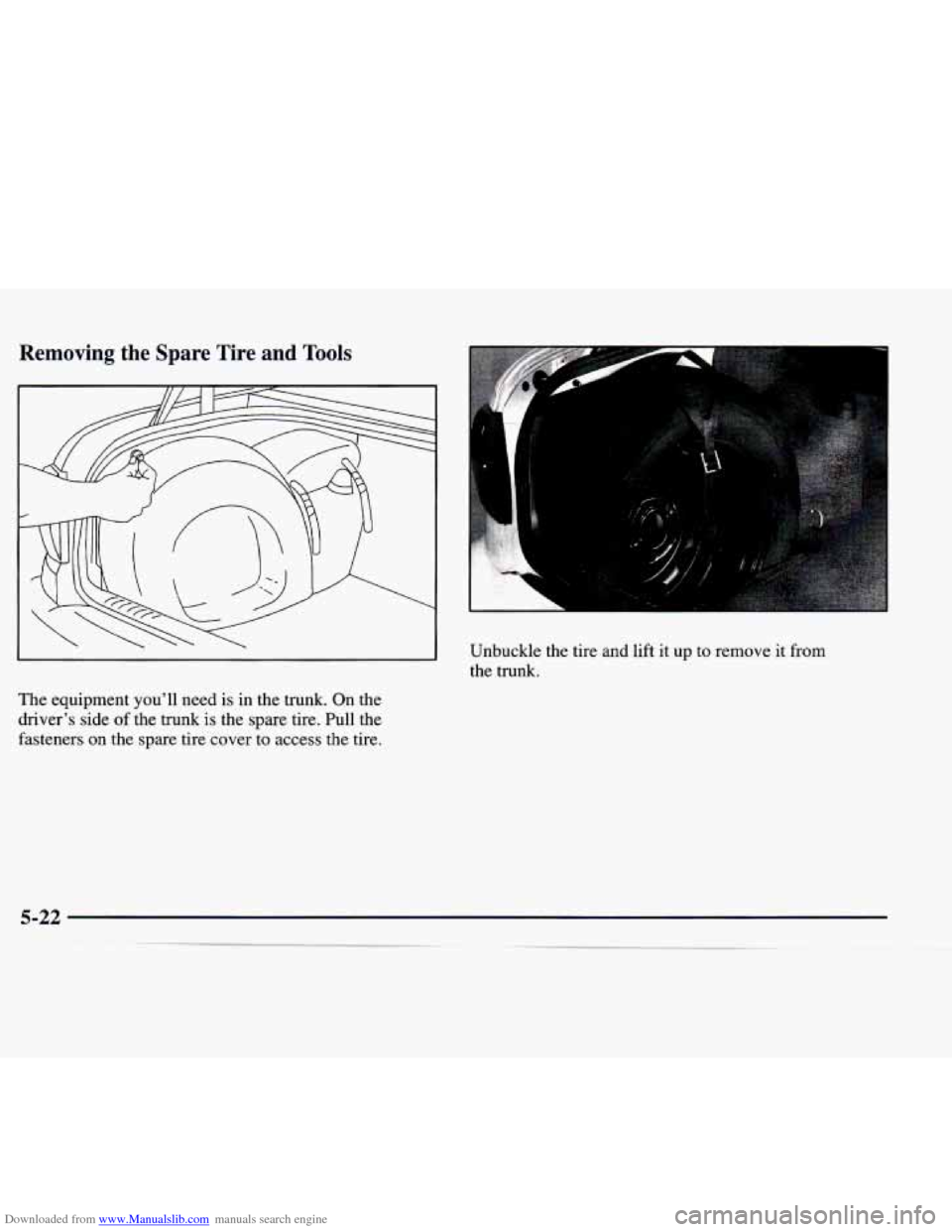
The equipment you’ll need is in the trunk. On the
driver’s side of the trunk is the spare tire. Pull the
fasteners on the spare tire cover to access the tire. Unbuckle the tire and lift
it up to remove it from
the trunk.
Page 238 of 346
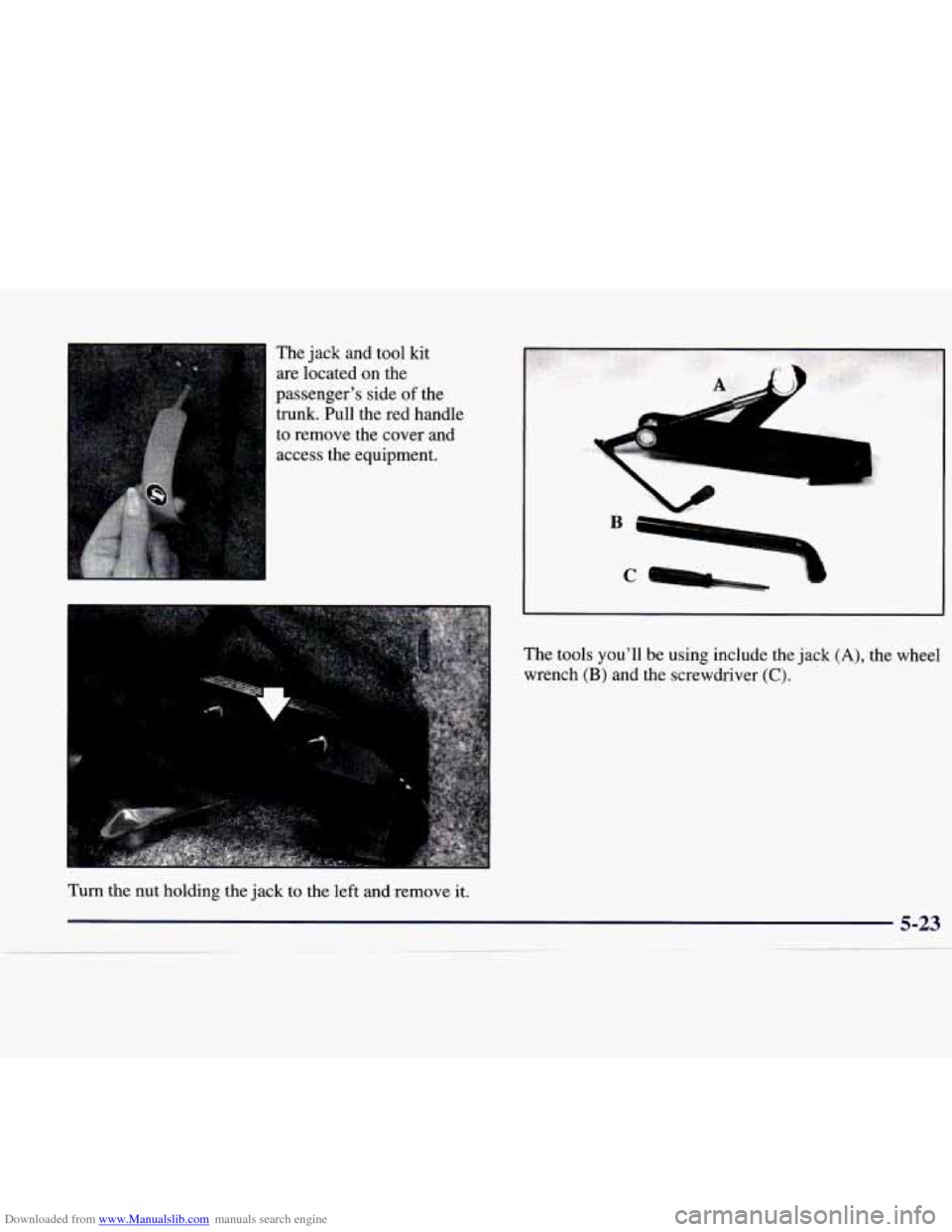
Downloaded from www.Manualslib.com manuals search engine The jack and tool kit
are located
on the
passenger’s side
of the
trunk. Pull the red handle
I to remove the cover and
access the equipment.
..
The tools you’ll be using include the jack (A), the wheel
wrench
(B) and the screwdriver (C).
Turn the nut holding the jack to the left and remove it.
5-23
-- I___.___..--.......... ~ - -- ~ ~~ ~. ~ ~ --__I ._. -
Page 245 of 346
Downloaded from www.Manualslib.com manuals search engine NOTICE:
Improperly tightened wheel bolts can lead to
brake pulsation and rotor damage.
To avoid
expensive brake repairs, evenly tighten the wheel
bolts in the proper sequence and to the proper
torque specification.
Storin- a Flat or Spare Tire and Tools
CAU I ION:
Storing a jack, a tire or other equipment in the
passenger compartment
of the vehicle could
cause injury. In a sudden stop or collision, loose
equipment could strike someone. Store all these
in the proper place. After you’ve
put the spare tire on your vehicle, you’ll
need to store the flat tire in the trunk. Use the following
procedure to secure the flat tire in the trunk.
I LEFT SIDE OF TRUNK:
I
Put the flat tire in the trunk
where the spare is stored
(driver’s side wheel well).
Secure the flat tire with the
straps that are used to hold
the spare in place.
Page 246 of 346
Downloaded from www.Manualslib.com manuals search engine RIGHT SIDE OF TRUNK:
A JACK
SCREWDRIVER
- ‘WRENCH
The jacking tools are stored on the passenger’s side
of the trunk behind the panel with the red pull handle.
Make sure these tools are properly secured when not
in use.
If You’re Stuck: In Sand, Mud,
Ice or Snow
What you don’t want to do when your vehicle is stuck
is to spin your wheels too fast. The method known as
“rocking” can help you get out when you’re stuck, but
you must use caution.
If you let your tires spin at high speed, they can
explode, and you or others could be injured.
And, the transmission or other parts
of the
vehicle can overheat. That could cause
an engine
compartment fire or other damage. When you’re
stuck, spin the wheels
as little as possible. Don’t
spin the wheels above
35 mph (55 km/h) as
shown on the speedometer.