Page 67 of 179
66
With the different versions you can dis-
play not only the time and the date, but
also information e.g., on economical
driving and warnings on defective sys-
tems.
The following applies to all versions:
The unit will reject implausible entries.
When entering numerical values with
the number entry keys, the numerical
value is increased by one each time the
key is pressed and after each additional
half second with the key held down.
Numbers can be entered in any order.
The entries are saved in the memory by
pressing the SET/RES or SET key.
Any interruption in the power supply,
e.g., when changing the battery, will
result in the loss of all data saved in the
memory. After the power supply is
restored, you will need to re-enter the
time, date and any switch-on times, the
distance or speed warning threshold.
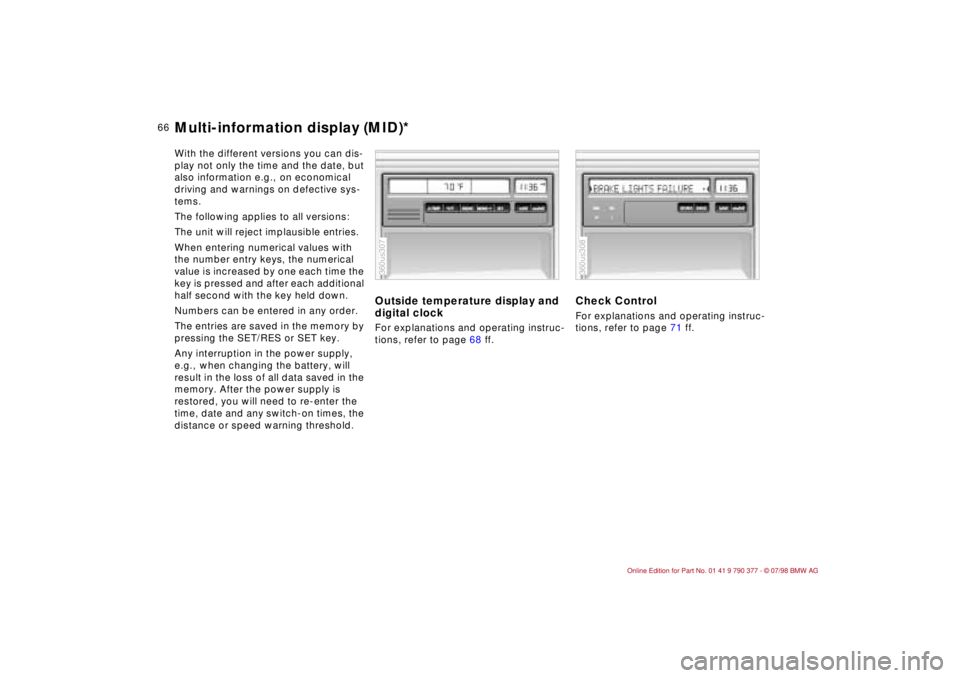
Outside temperature display and
digital clockFor explanations and operating instruc-
tions, refer to page 68 ff.
Check ControlFor explanations and operating instruc-
tions, refer to page 71 ff.
360us307
360us308
Multi-information display (MID)*
Page 68 of 179
67
At a glanceControls Car careRepairsTechnicalDataIndex
Check Control with outside
temperature display and digital
clockFor explanations and operating instruc-
tions, refer to page 74 ff.
Onboard computerFor explanations and operating instruc-
tions, refer to page 77 ff.
360us309
360us310
Multi-information display (MID)*
Page 69 of 179
68
You can
ddisplay the time and date
dpre-program an hourly reminder sig-
nal (memo) e.g., a reminder of the
news
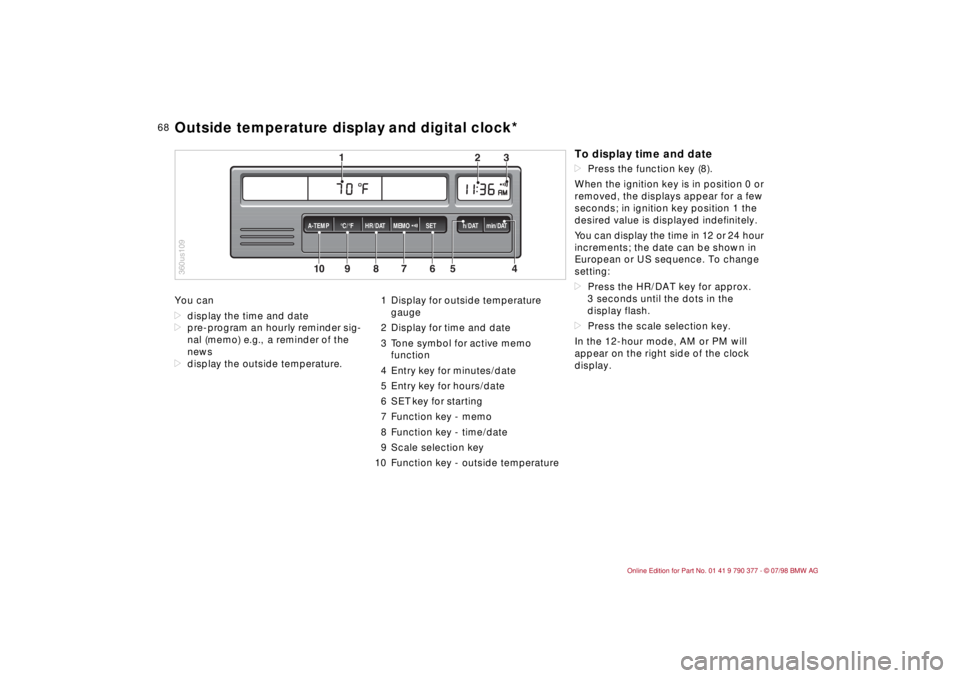
ddisplay the outside temperature.1 Display for outside temperature
gauge
2 Display for time and date
3 Tone symbol for active memo
function
4 Entry key for minutes/date
5 Entry key for hours/date
6 SET key for starting
7 Function key - memo
8 Function key - time/date
9 Scale selection key
10 Function key - outside temperature
10
MEMO
9
8
7
6
5
43
2
1
HR/DAT A-TEMP°C/°F SET h/DAT min/DAT
360us109Outside temperature display and digital clock*
To display time and datedPress the function key (8).
When the ignition key is in position 0 or
removed, the displays appear for a few
seconds; in ignition key position 1 the
desired value is displayed indefinitely.
You can display the time in 12 or 24 hour
increments; the date can be shown in
European or US sequence. To change
setting:
dPress the HR/DAT key for approx.
3 seconds until the dots in the
display flash.
dPress the scale selection key.
In the 12-hour mode, AM or PM will
appear on the right side of the clock
display.
Page 70 of 179

69
At a glanceControls Car careRepairsTechnicalDataIndex
Memo modePress the MEMO key to activate or
deactivate the signal. When MEMO is
active, a tone symbol appears in the
right display. The signal sounds every
hour at the pre-programmed time or
without programming 15 seconds
before each full hour.Outside temperatureData request: Press TEMP key.
If the outside temperature drops below
37.5 5F (+36), a warning signal sounds,
the temperature display automatically
appears and the unit of measure flashes
for 8 seconds.
The warning is repeated whenever the
temperature has increased to 43 5F
(+66) at least once before falling to
37.5 5F (+36) again.a
The temperature warning device
does nothing to alter the fact that sur-
face ice can still form at temperatures
above 37.5 5F (+36), e.g., on bridges
and on shade-covered road surfaces.c
EntriesAll numbers for the time and date are
entered with the entry keys according
to the following principle: The numbers
can be entered in any order. Each time
the key is pressed, or for each half sec-
ond the key is held down, the numerical
value increases by one.
Pressing the key longer starts the rapid-
advance function.
After a power failureThe dots in the display flash.
dPress the scale selection key as
required.
dEnter the time with the h/DAT and
min/DAT entry keys.
dPress SET. The clock starts.
dPress the HR/DAT key.
dEnter the date with the entry keys.
dPress SET.
dConfirm the year by pressing the SET
key or correct with the entry key and
complete the number entry by press-
ing the SET key.
360us321
Outside temperature display and digital clock*
Page 71 of 179
70
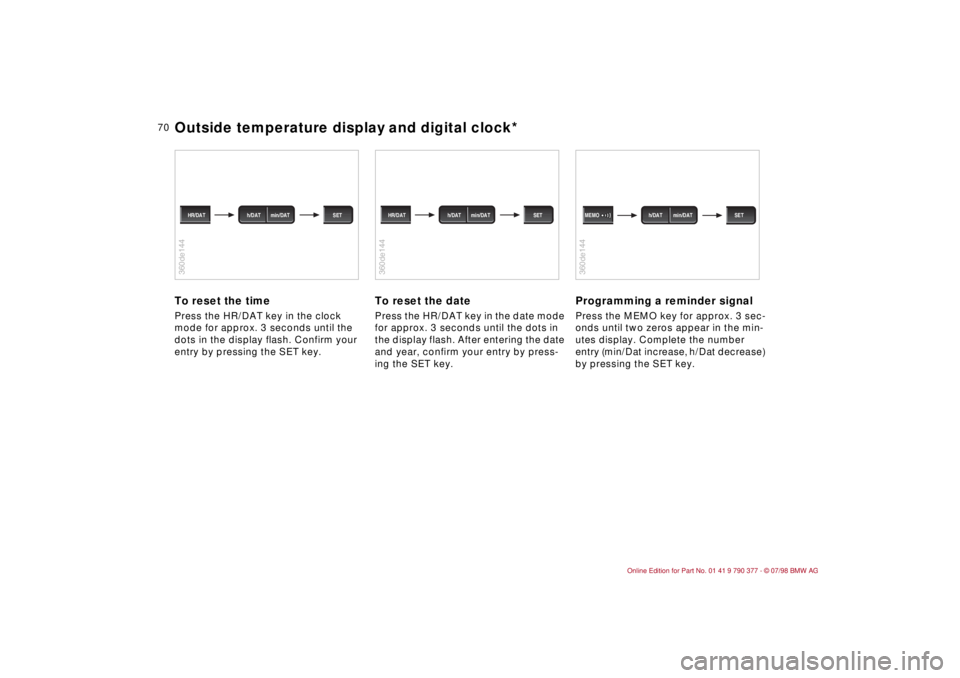
To reset the timePress the HR/DAT key in the clock
mode for approx. 3 seconds until the
dots in the display flash. Confirm your
entry by pressing the SET key.
To reset the datePress the HR/DAT key in the date mode
for approx. 3 seconds until the dots in
the display flash. After entering the date
and year, confirm your entry by press-
ing the SET key.
Programming a reminder signalPress the MEMO key for approx. 3 sec-
onds until two zeros appear in the min-
utes display. Complete the number
entry (min/Dat increase, h/Dat decrease)
by pressing the SET key.
360de144
h/DAT min/DAT HR/DAT SET
360de144
h/DAT min/DAT HR/DAT SET
360de144
h/DAT min/DAT MEMO SET
Outside temperature display and digital clock*
Page 72 of 179

71
At a glanceControls Car careRepairsTechnicalDataIndex
Texts with messages and warnings are
used to alert the driver to defective sys-
tems. In addition, there is a warning
lamp in the instrument panel.
The time and date can be displayed
with the digital clock.
1 Status report symbol
2 Display
3 Plus symbol for additional messages
4 CHECK key
The defective-system messages are
divided into 3 different priorities:
Priority 1These defects are indicated immedi-
ately with the flashing warning lamp and
the flashing warning symbol (1). Several
simultaneous defects are displayed
consecutively. After 20 seconds or
when the CHECK key is pressed, the
warning lamp in the instrument cluster
stops flashing.
The messages continue to be displayed
until the defects are eliminated and can
not be deleted by pressing the CHECK
key (4).
Brake lamp electrical system
The brake lamps have failed. Fuse or
electrical circuit is defective. Refer to
page 151 or consult your BMW Retailer.
360us110Check Control*
Brake lamps defective
Brake lamps have failed - bulbs
defective.
Replace bulbs. Refer to page 143.Priority 2These defects appear when the ignition
key is in position 2. The warning sym-
bols remain after the message disap-
pears. If the plus symbol (3) appears:
Additional messages are present and
can be displayed by pressing the
CHECK key.
1 Brake lamp defective
A bulb has failed. Refer to page 143.
Low beams defective,
Backup lamps defective,
License plate lamp
Bulb has failed or fuse or electrical
circuit defective. Refer to pages 141,
143, 145 or visit a BMW Retailer.
Washer fluid low
Too low, top up at next opportunity.
Refer to page 124.
Check Control inactive
Messages and warnings can not be
displayed. See BMW Retailer.
Page 73 of 179
72
Priority 3These status reports usually appear
after the car is parked and the ignition
key returned to position 0 (if several
messages have been recorded, they will
appear consecutively, with Priority 3
messages following Priority 1 and 2
messages).
Messages remain available for a period
of approx. two minutes after the display
goes out and the ignition key has been
removed, and can be displayed by
pressing the CHECK key.
The messages can also be displayed
before you start driving with the ignition
key in position 2. The texts then go out
after a short time or when you start driv-
ing, and no warning symbols remain.
Messages are not displayed again until
the ignition key is turned to position 0.
If a plus symbol appears: display addi-
tional messages by pressing the CHECK
key.Check coolant levelIndicates that coolant is almost down to
minimum level. Top up at the next
opportunity. Refer to page 127.To check the Check Control display
(only when no messages are displayed):
Press the CHECK key with the ignition
key in position 2: CHECK CONTROL
OK appears in the display.
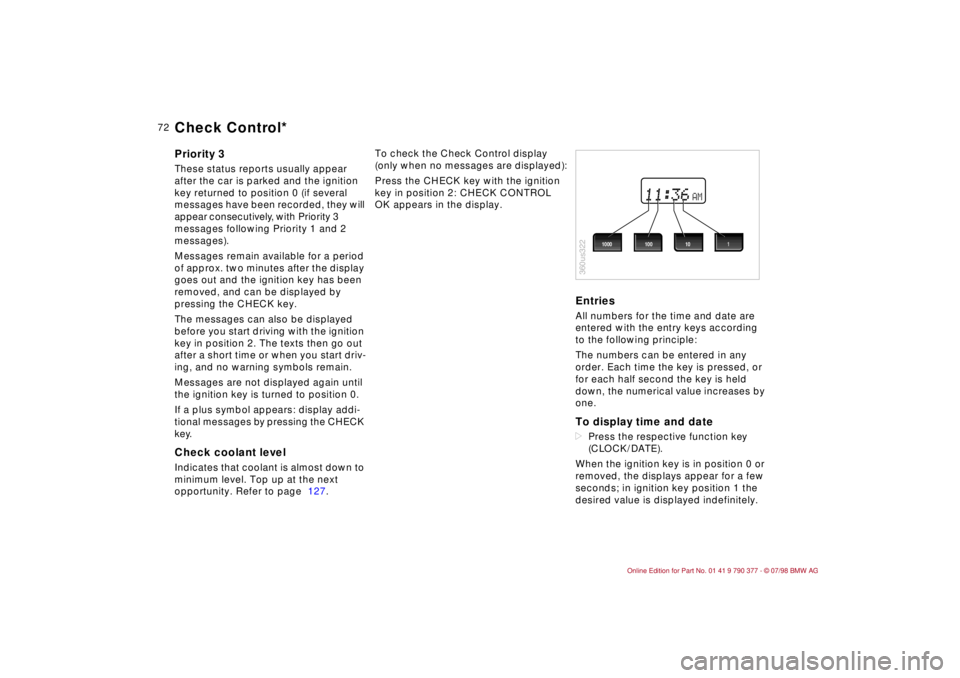
EntriesAll numbers for the time and date are
entered with the entry keys according
to the following principle:
The numbers can be entered in any
order. Each time the key is pressed, or
for each half second the key is held
down, the numerical value increases by
one.To display time and datedPress the respective function key
(CLOCK/DATE).
When the ignition key is in position 0 or
removed, the displays appear for a few
seconds; in ignition key position 1 the
desired value is displayed indefinitely.
AM
360us322
1000 1001 10
Check Control*
Page 74 of 179
73
At a glanceControls Car careRepairsTechnicalDataIndex
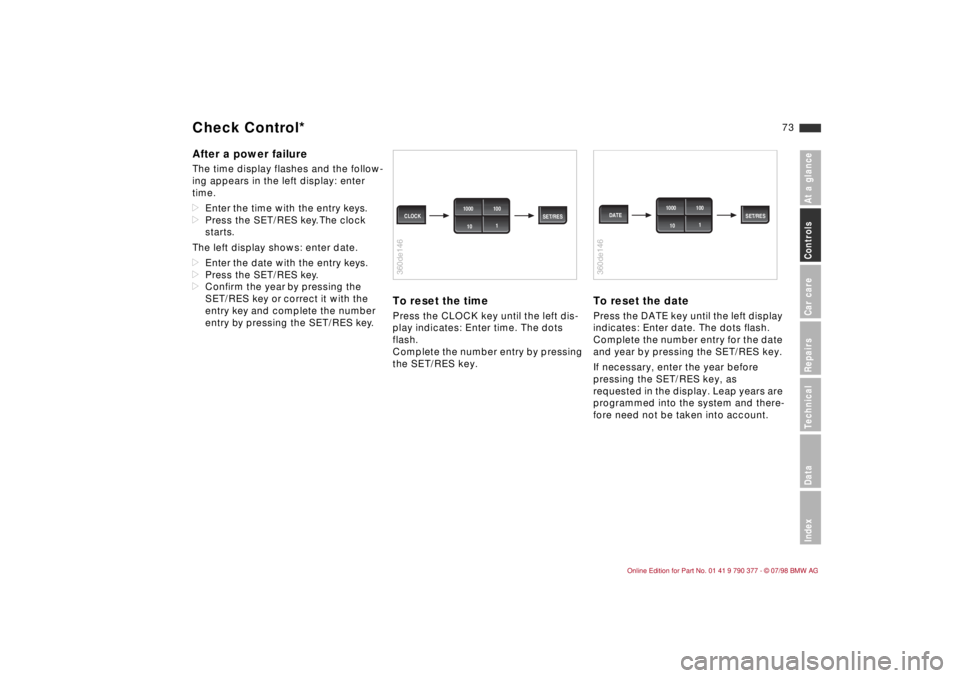
After a power failureThe time display flashes and the follow-
ing appears in the left display: enter
time.
dEnter the time with the entry keys.
dPress the SET/RES key. The clock
starts.
The left display shows: enter date.
dEnter the date with the entry keys.
dPress the SET/RES key.
dConfirm the year by pressing the
SET/RES key or correct it with the
entry key and complete the number
entry by pressing the SET/RES key.
To reset the timePress the CLOCK key until the left dis-
play indicates: Enter time. The dots
flash.
Complete the number entry by pressing
the SET/RES key.
To reset the datePress the DATE key until the left display
indicates: Enter date. The dots flash.
Complete the number entry for the date
and year by pressing the SET/RES key.
If necessary, enter the year before
pressing the SET/RES key, as
requested in the display. Leap years are
programmed into the system and there-
fore need not be taken into account.
360de146
SET/RES CLOCK1000 100
1
10
360de146
SET/RES DATE1000 100
1
10
Check Control*