1998 BMW 740I engine
[x] Cancel search: enginePage 86 of 211
85n
RepairsIndexOverview Controls Car care Technology Data
Onboard computerAverage fuel consumptionThe computer can calculate average
fuel consumption rates for two different
distances at the same time (simulta-
neous data for an entire journey and for
a single segment of it, for instance).
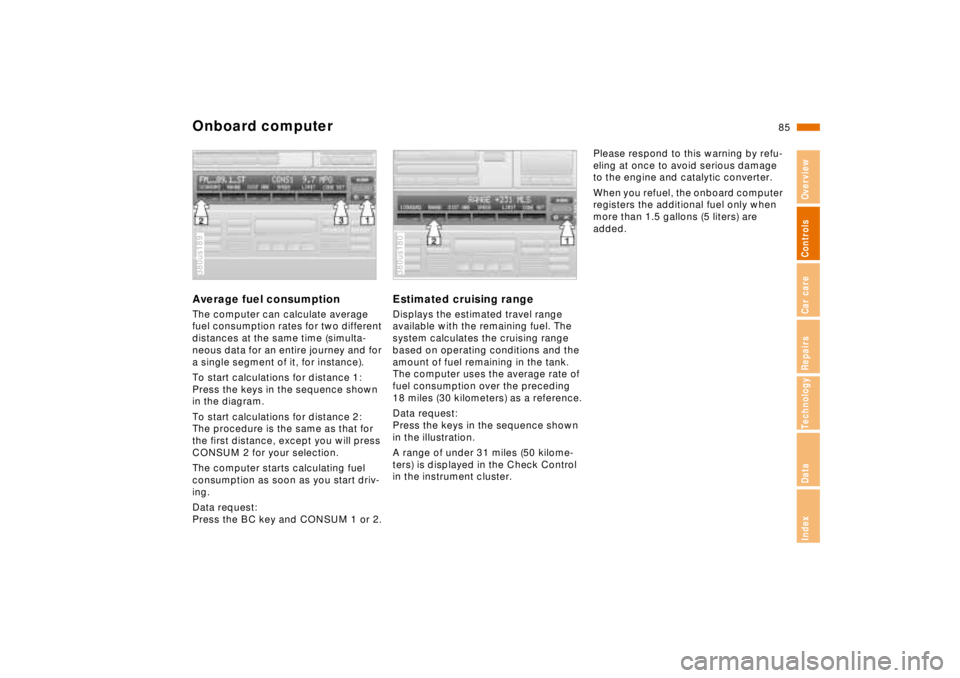
To start calculations for distance 1:
Press the keys in the sequence shown
in the diagram.
To start calculations for distance 2:
The procedure is the same as that for
the first distance, except you will press
CONSUM 2 for your selection.
The computer starts calculating fuel
consumption as soon as you start driv-
ing.
Data request:
Press the BC key and CONSUM 1 or 2.380us189
Estimated cruising rangeDisplays the estimated travel range
available with the remaining fuel. The
system calculates the cruising range
based on operating conditions and the
amount of fuel remaining in the tank.
The computer uses the average rate of
fuel consumption over the preceding
18 miles (30 kilometers) as a reference.
Data request:
Press the keys in the sequence shown
in the illustration.
A range of under 31 miles (50 kilome-
ters) is displayed in the Check Control
in the instrument cluster.380us180
Please respond to this warning by refu-
eling at once to avoid serious damage
to the engine and catalytic converter.
When you refuel, the onboard computer
registers the additional fuel only when
more than 1.5 gallons (5 liters) are
added.
Page 87 of 211
86n
Onboard computerAverage speedTo start calculations:
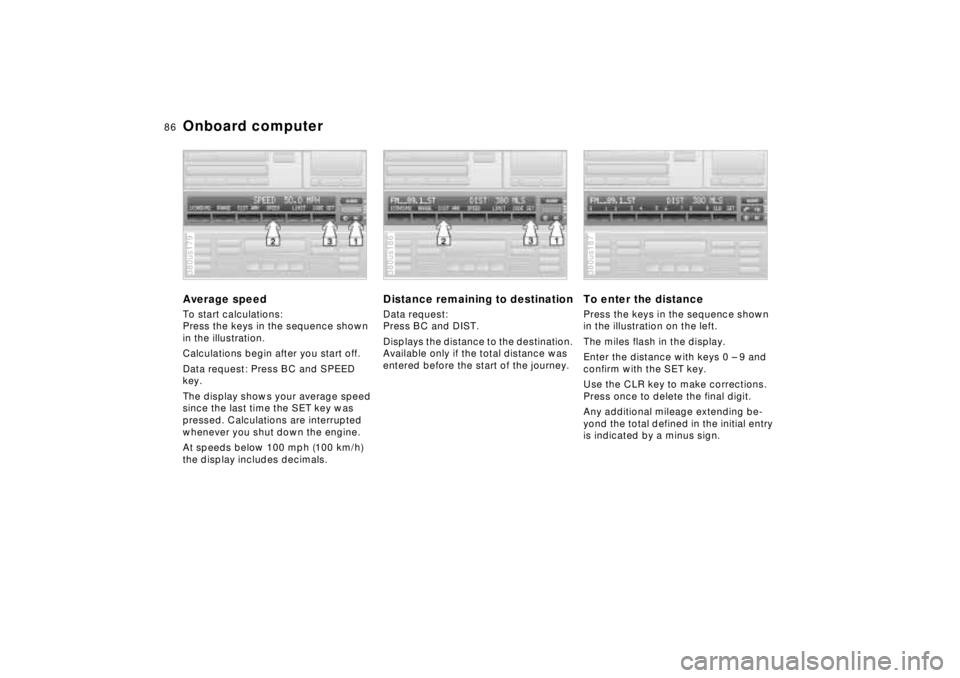
Press the keys in the sequence shown
in the illustration.
Calculations begin after you start off.
Data request: Press BC and SPEED
key.
The display shows your average speed
since the last time the SET key was
pressed. Calculations are interrupted
whenever you shut down the engine.
At speeds below 100 mph (100 km/h)
the display includes decimals.380us179
Distance remaining to destinationData request:
Press BC and DIST.
Displays the distance to the destination.
Available only if the total distance was
entered before the start of the journey.380us186
To enter the distancePress the keys in the sequence shown
in the illustration on the left.
The miles flash in the display.
Enter the distance with keys 0 – 9 and
confirm with the SET key.
Use the CLR key to make corrections.
Press once to delete the final digit.
Any additional mileage extending be-
yond the total defined in the initial entry
is indicated by a minus sign.380us187
Page 89 of 211
88n
Onboard computerCodeYou can program a code into the on-
board computer for supplementary pro-
tection against unauthorized attempts
to start the engine or tamper with the
vehicle. This feature provides you with
an extra measure of security extending
beyond that furnished by the vehicle im-
mobilization system (refer to page 31).
The system prevents the engine from
starting.
A code number is used to arm the sys-
tem. The code is then required for sub-
sequent starting attempts. Therefore:
Always remember the code number.
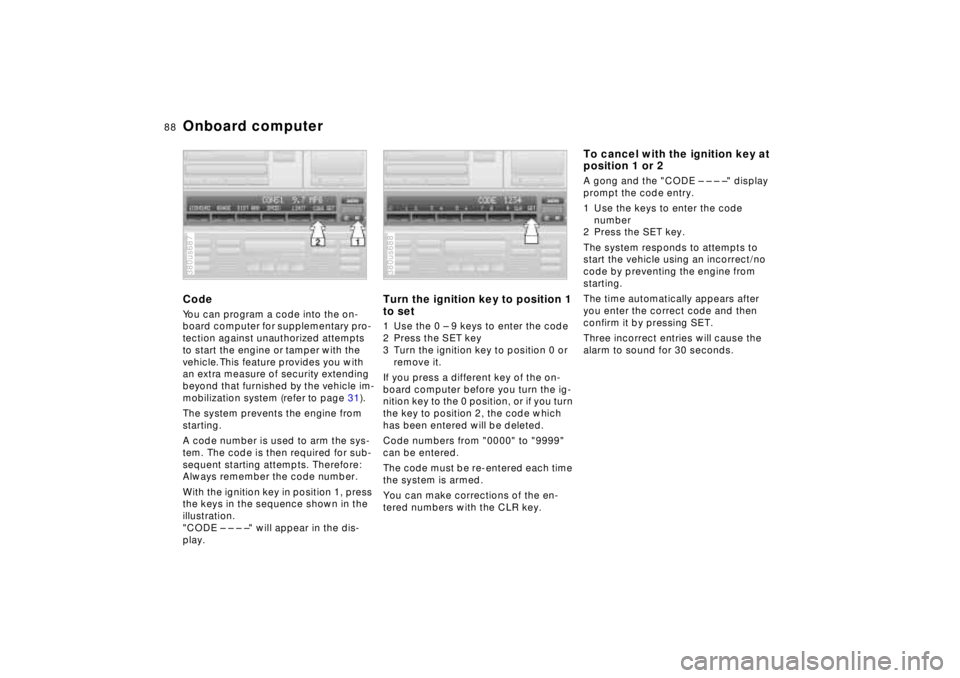
With the ignition key in position 1, press
the keys in the sequence shown in the
illustration.
"CODE – – – –" will appear in the dis-
play.380us687
Turn the ignition key to position 1
to set1 Use the 0 – 9 keys to enter the code
2 Press the SET key
3 Turn the ignition key to position 0 or
remove it.
If you press a different key of the on-
board computer before you turn the ig-
nition key to the 0 position, or if you turn
the key to position 2, the code which
has been entered will be deleted.
Code numbers from "0000" to "9999"
can be entered.
The code must be re-entered each time
the system is armed.
You can make corrections of the en-
tered numbers with the CLR key.380us688
To cancel with the ignition key at
position 1 or 2A gong and the "CODE – – – –" display
prompt the code entry.
1 Use the keys to enter the code
number
2 Press the SET key.
The system responds to attempts to
start the vehicle using an incorrect/no
code by preventing the engine from
starting.
The time automatically appears after
you enter the correct code and then
confirm it by pressing SET.
Three incorrect entries will cause the
alarm to sound for 30 seconds.
Page 93 of 211
92n
ASC+T/DSC
*
Automatic Stability Control plus
Traction (ASC+T)/Dynamic
Stability Control (DSC)
*
These systems help provide additional
dynamic stability, particularly when ac-
celerating and cornering.
The DSC system enhances the benefits
of the ASC+T. In addition to optimizing
vehicle stability and traction when ac-
celerating or starting from a standstill,
another benefit is realized in cornering
stability. Of course, this is subject to the
limits imposed by the laws of physics.
The system activates automatically
each time you start the engine.380de621
Indicator lamp
The indicator light in the instru-
ment cluster goes out shortly af-
ter you switch on the ignition.
Refer to page 21.
Indicator lamp flashes:
The system is actively regulating drive
torque in response to monitored vehicle
operating conditions.
If the indicator lamp fails to go out after
the engine is started, or if it comes on
during normal driving:
If the system has not been deactivated,
there is a system malfunction. The vehi-
cle remains operational, but without
ASC+T/DSC. Consult your authorized
BMW center for repair.
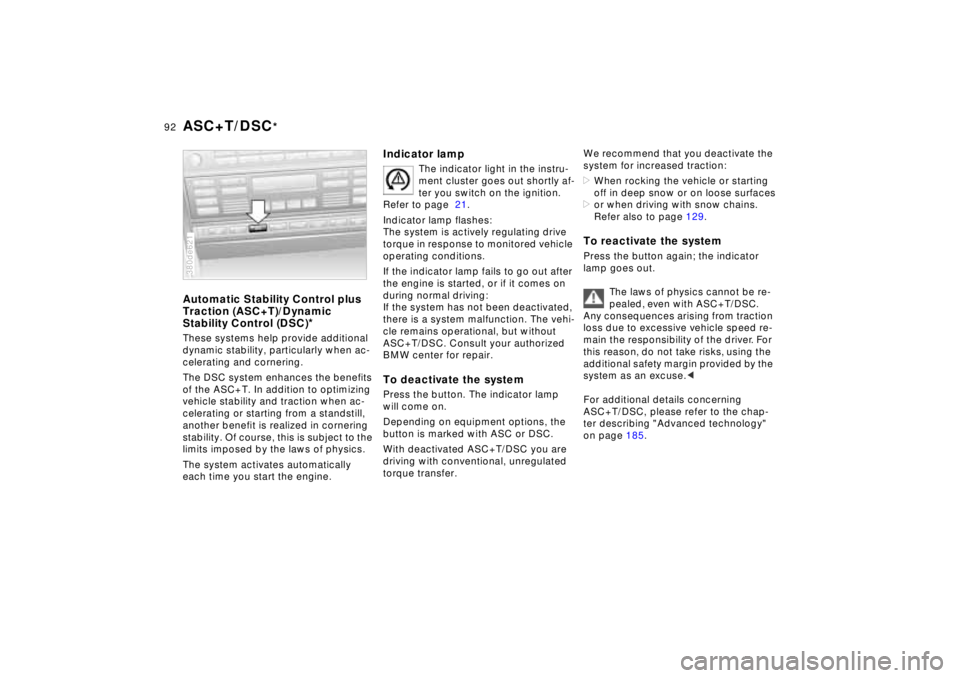
To deactivate the systemPress the button. The indicator lamp
will come on.
Depending on equipment options, the
button is marked with ASC or DSC.
With deactivated ASC+T/DSC you are
driving with conventional, unregulated
torque transfer.
We recommend that you deactivate the
system for increased traction:
>When rocking the vehicle or starting
off in deep snow or on loose surfaces
>or when driving with snow chains.
Refer also to page 129.To reactivate the systemPress the button again; the indicator
lamp goes out.
The laws of physics cannot be re-
pealed, even with ASC+T/DSC.
Any consequences arising from traction
loss due to excessive vehicle speed re-
main the responsibility of the driver. For
this reason, do not take risks, using the
additional safety margin provided by the
system as an excuse.<
For additional details concerning
ASC+T/DSC, please refer to the chap-
ter describing "Advanced technology"
on page 185.
Page 94 of 211
93n
RepairsIndexOverview Controls Car care Technology Data
Electronic Damper Control (EDC)
*
The system automatically ensures
damping of the running gear on de-
mand and thus increases comfort and
driving safety.Automatic adaptationAutomatic adaptation is activated after
every engine start. It can be maintained
throughout the entire vehicle speed
range and for all load conditions. If op-
erating parameters (road-surface qual-
ity, driving conditions such as steering,
braking, others) change, the damping
system adapts automatically to the new
factors in fractions of a second.380de620
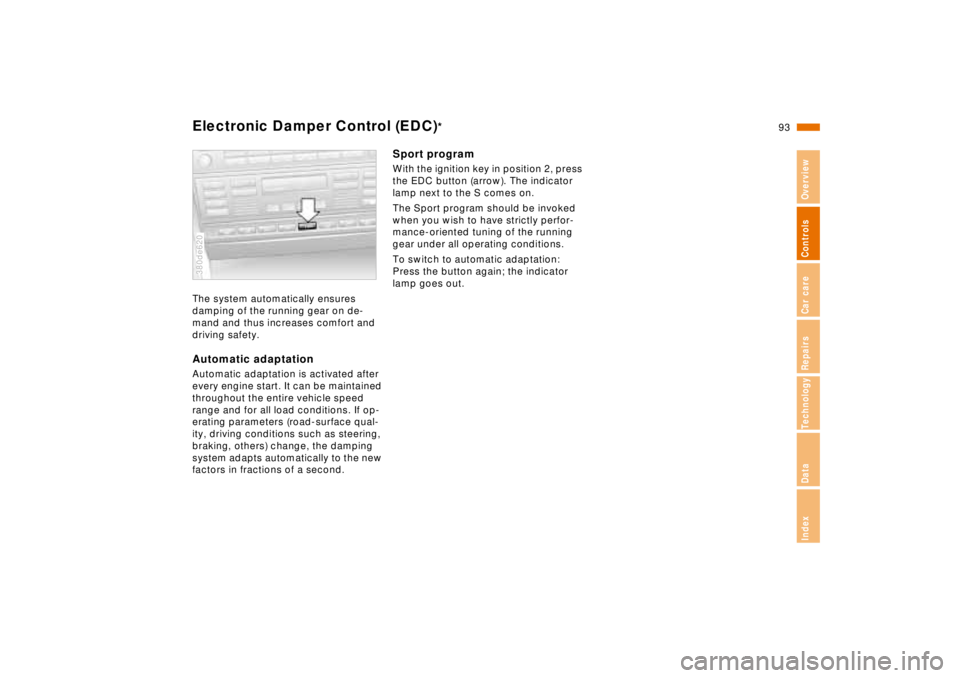
Sport programWith the ignition key in position 2, press
the EDC button (arrow). The indicator
lamp next to the S comes on.
The Sport program should be invoked
when you wish to have strictly perfor-
mance-oriented tuning of the running
gear under all operating conditions.
To switch to automatic adaptation:
Press the button again; the indicator
lamp goes out.
Page 95 of 211
94n
Tire Pressure Control (RDC)
*
The conceptRDC monitors the tire pressures at all
four wheels, even when the vehicle is
moving. The system provides an alert
whenever the inflation pressure drops
significantly below the specified pres-
sure in one or more tires.
In order for the RDC to "learn" the cor-
rect tire inflation pressure, check the in-
flation pressure in all tires. Refer to the
table of "Tire inflation pressures" on
page 26 and make corrections if neces-
sary. Then activate the system.
The Check Control will inform you if the
tire pressure is not correct.
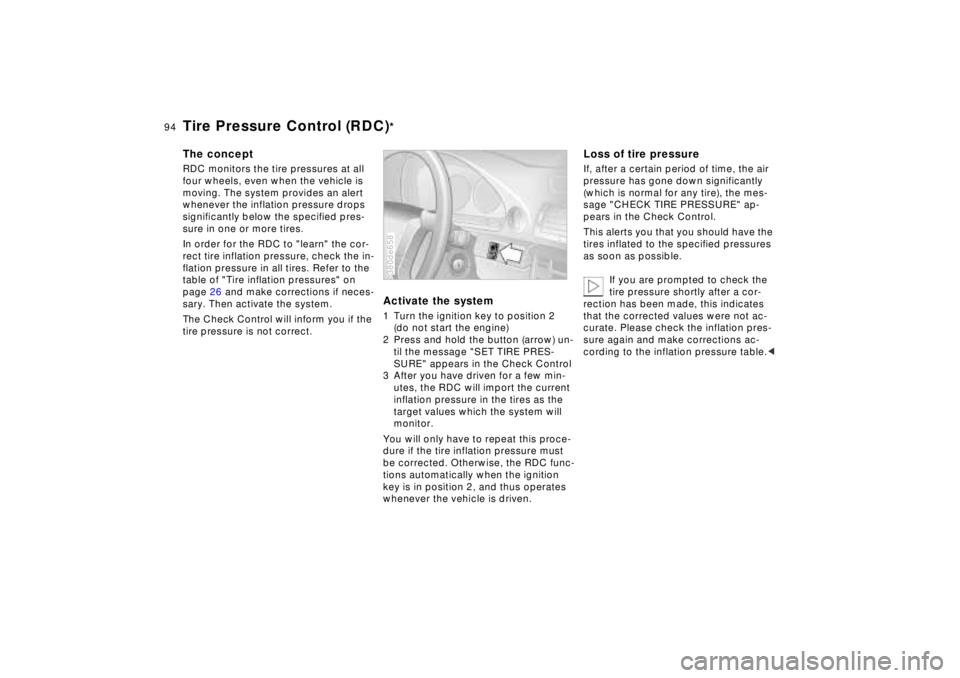
Activate the system1 Turn the ignition key to position 2
(do not start the engine)
2 Press and hold the button (arrow) un-
til the message "SET TIRE PRES-
SURE" appears in the Check Control
3 After you have driven for a few min-
utes, the RDC will import the current
inflation pressure in the tires as the
target values which the system will
monitor.
You will only have to repeat this proce-
dure if the tire inflation pressure must
be corrected. Otherwise, the RDC func-
tions automatically when the ignition
key is in position 2, and thus operates
whenever the vehicle is driven.380de658
Loss of tire pressureIf, after a certain period of time, the air
pressure has gone down significantly
(which is normal for any tire), the mes-
sage "CHECK TIRE PRESSURE" ap-
pears in the Check Control.
This alerts you that you should have the
tires inflated to the specified pressures
as soon as possible.
If you are prompted to check the
tire pressure shortly after a cor-
rection has been made, this indicates
that the corrected values were not ac-
curate. Please check the inflation pres-
sure again and make corrections ac-
cording to the inflation pressure table.<
Page 105 of 211
104n
Automatic climate controlResidual heat mode
The heat which is stored in
the engine is utilized for
heating of the interior when the engine
has been switched off (while waiting at
a railroad crossing, for instance).
In ignition key position 1, you can alter
the settings of the automatic climate
control. In ignition key position 0, the
system automatically directs heated air
to the windshield, side windows and
footwells.
This function may be activated
when the outside temperature is
below approx. 597 (156), the engine
is at operating temperature, and the
battery is adequately charged.<
Draft-free ventilationYou can adjust the vent outlets for the
upper body area for individual selection
of air-flow rates and directions:
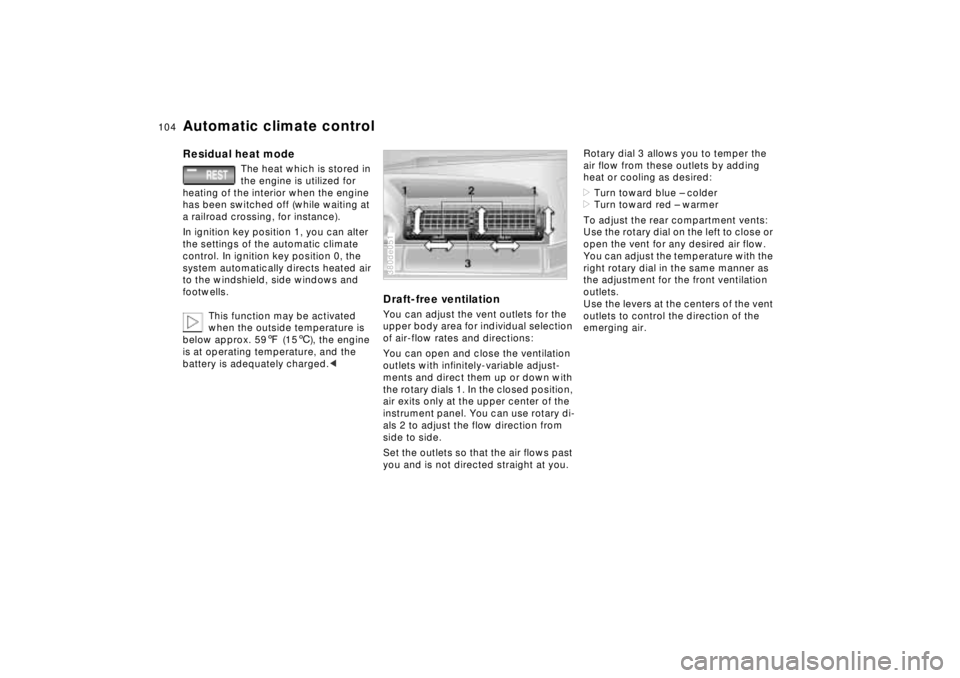
You can open and close the ventilation
outlets with infinitely-variable adjust-
ments and direct them up or down with
the rotary dials 1. In the closed position,
air exits only at the upper center of the
instrument panel. You can use rotary di-
als 2 to adjust the flow direction from
side to side.
Set the outlets so that the air flows past
you and is not directed straight at you.380de051
Rotary dial 3 allows you to temper the
air flow from these outlets by adding
heat or cooling as desired:
>Turn toward blue – colder
>Turn toward red – warmer
To adjust the rear compartment vents:
Use the rotary dial on the left to close or
open the vent for any desired air flow.
You can adjust the temperature with the
right rotary dial in the same manner as
the adjustment for the front ventilation
outlets.
Use the levers at the centers of the vent
outlets to control the direction of the
emerging air.
Page 122 of 211
Overview
Controls and features
Operation, care
and maintenance
Owner service procedures
Technical data
Index Advanced technology
121n
RepairsIndexOverview Controls Car care Technology Data
Special operating instructions:
Break-in procedure122
Driving notes123
Catalytic converter124
Antilock Brake System
(ABS)125
Disc brakes126
Brake system128
Winter operation128
Power steering130
Level control system130
Cellular phone131
Radio reception131
Wheels and tires:
Tire inflation pressure132
Tire condition132
Tire replacement133
Tire rotation133
Wheel and tire
combinations134
Winter tires135
Snow chains135
Approved wheel and tire
specifications136Under the hood:
Hood137
Engine compartment138
Washer fluids142
Washer nozzles142
Engine oil143
Coolant146
Brake fluid147
Oil for power steering/
Level control system148
Vehicle Identification
Number148
Care and maintenance:
The BMW Maintenance
System149
Caring for your car150
Airbags156
Vehicle storage156
Laws and regulations:
Technical modifications to the
vehicle157
OBD connector158