1998 BMW 740I remote control
[x] Cancel search: remote controlPage 53 of 211
52n
Seat, mirror and steering wheel memory
You can make the settings of your
vehicle in such a manner that,
when you unlock the car with your per-
sonalized remote control, your own per-
sonalized settings for the seat position
and the mirror and steering wheel ad-
justments are initiated.<
When you make use of this fea-
ture, be sure that the footwell be-
hind the driver's seat is not obstructed
before unlocking the car. Otherwise,
any objects which are behind the seat
might be damaged by any rearward
movement of the seat.<
Passenger side exterior mirror tilt
function(automatic curb monitor)
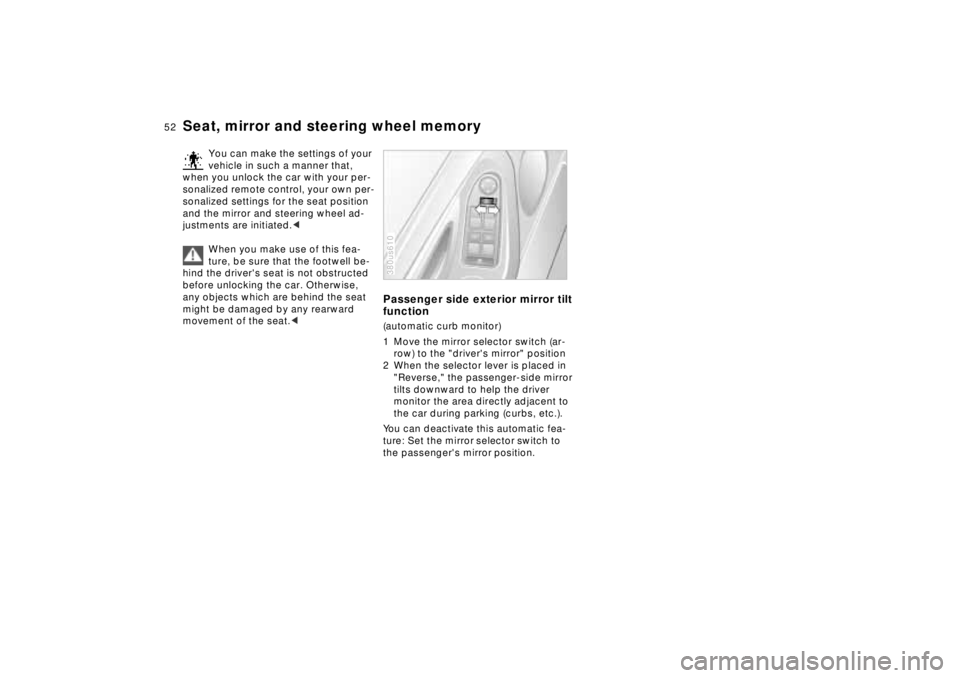
1 Move the mirror selector switch (ar-
row) to the "driver's mirror" position
2 When the selector lever is placed in
"Reverse," the passenger-side mirror
tilts downward to help the driver
monitor the area directly adjacent to
the car during parking (curbs, etc.).
You can deactivate this automatic fea-
ture: Set the mirror selector switch to
the passenger's mirror position.380us610
Page 54 of 211
53n
RepairsIndexOverview Controls Car care Technology Data
Car Memory, Key MemoryHow the system functionsYou have probably frequently wished
that you could configure individual
functions of your vehicles to reflect your
own personal requirements. In engi-
neering your vehicle, BMW has in-
cluded several user-defined functions
in the vehicle's design. Your authorized
BMW center can make these settings
for you.
There are settings related to the vehicle
("Car Memory") and settings related to
individuals ("Key Memory"). You can
have two different basic settings ad-
justed for two different persons. The
only requirement is that each person
uses his or her own remote control key.380de626
When your vehicle is unlocked with the
remote control, the vehicle recognizes
the individual user by means of a data
exchange with the key, and makes ad-
justments accordingly.
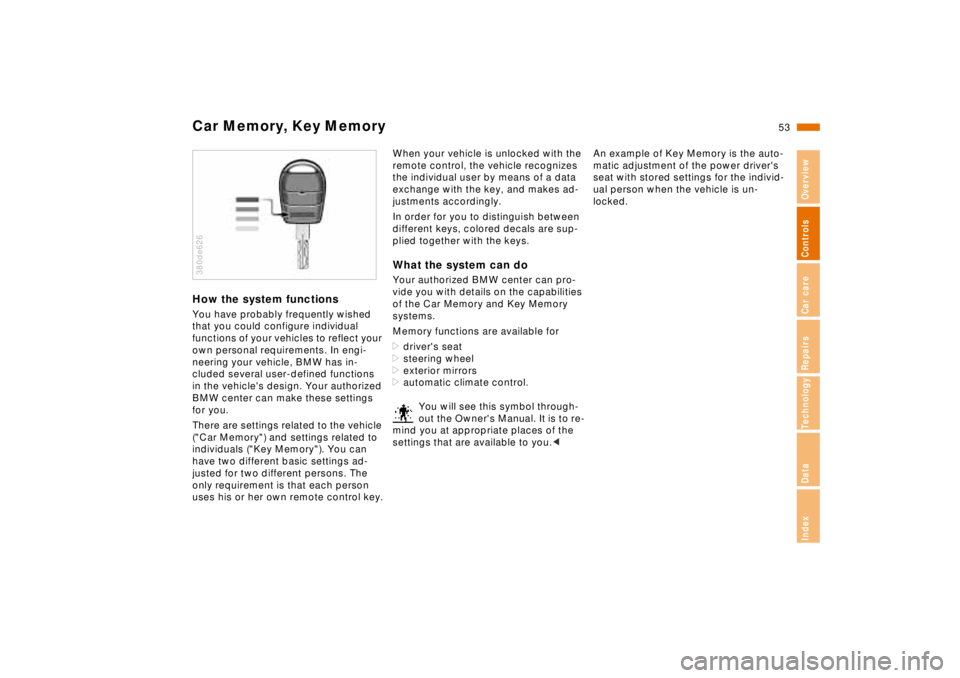
In order for you to distinguish between
different keys, colored decals are sup-
plied together with the keys.What the system can doYour authorized BMW center can pro-
vide you with details on the capabilities
of the Car Memory and Key Memory
systems.
Memory functions are available for
>driver's seat
>steering wheel
>exterior mirrors
>automatic climate control.
You will see this symbol through-
out the Owner's Manual. It is to re-
mind you at appropriate places of the
settings that are available to you.<
An example of Key Memory is the auto-
matic adjustment of the power driver's
seat with stored settings for the individ-
ual person when the vehicle is un-
locked.
Page 77 of 211

76n
Check ControlPriority 2
These alerts for problems are reported
for 20 seconds when the ignition key is
in position 2. The status reports remain
after the message disappears. You can
view the message again by pressing the
CHECK button.
>TRUNK LID OPEN
This message is given only when ini-
tially starting off.
>DOOR OPEN
This is displayed after a minimum
vehicle speed is exceeded.
>FASTEN SEAT BELTS
*
In addition, the indicator lamp with
the safety belt symbol appears and
an acoustic signal is heard.
>WASHER FLUID LOW
The washer fluid is too low. Top up
the fluid at the earliest opportunity.
Refer to page 142.
>CHECK ENGINE OIL
Add engine oil as soon as possible.
Refer to page 143.
>OUTSIDE TEMPERATURE 247
(–5.06)
This display is only an example. The
current reading appears at an outside
temperature of 37.57 (+36) and
below. Refer also to page 72.>TIRE PRESSURE SET
*
The RDC has imported the current in-
flation pressure in the tires as the tar-
get values which the system will
monitor.
Refer to page 94.
>CHECK TIRE PRESSURE
*
Check and correct the tire inflation
pressure to specifications at the earli-
est opportunity (next stop for fuel).
Refer to page 94.
>TIRE CHECK INACTIVE
*
A temporary interference of the RDC
or a system fault. Refer to page 95
>BRAKE LAMP CIRCUIT
A bulb has failed or the circuit has a
malfunction. Refer to pages 163, 176
or consult an authorized BMW center.
>CHECK LOWBEAMS
CHECK SIDE LAMPS
CHECK REAR LAMPS
CHECK FRONT FOGLAMPS
CHECK LICPLATE LAMP
CHECK TRAILER LIGHTS
CHECK HIGHBEAMS
CHECK BACKUP LAMPS
Defective bulb or circuit. Refer to
pages 163, 176 or consult an autho-
rized BMW center.
>TRANS. FAILSAFE PROG
Please consult the nearest authorized
BMW center. Refer to pages 64, 67.>CHECK BRAKE LININGS
Have the brake pads inspected by
your BMW center. Refer to page 126.
>REMOTE KEY BATTERY
Change the battery. Refer to
page 168.
>CHECK COOLANT LEVEL
The coolant is too low. Top up at the
next opportunity. Refer to page 146.
>ENGINE FAILSAFE PROG
Fault in the Electronic Engine Power
Control EML. When braking, higher
brake application pressure may be
necessary and brake pedal travel may
be significantly longer.
Please have the system inspected by
your authorized BMW center.
Page 85 of 211
84n
Onboard computerThe onboard computer operates at igni-
tion key positions 1 and 2.
Information for safe and economical
driving can be called up for display.
You can use the key with the clock
symbol to
>display the time and date
>program an hourly reminder signal
(Memo), to remind you of the next
news broadcast, for instance
>operate the independent ventilation
system.
Refer to page 79 for information and
details on using the digital clock.380us178
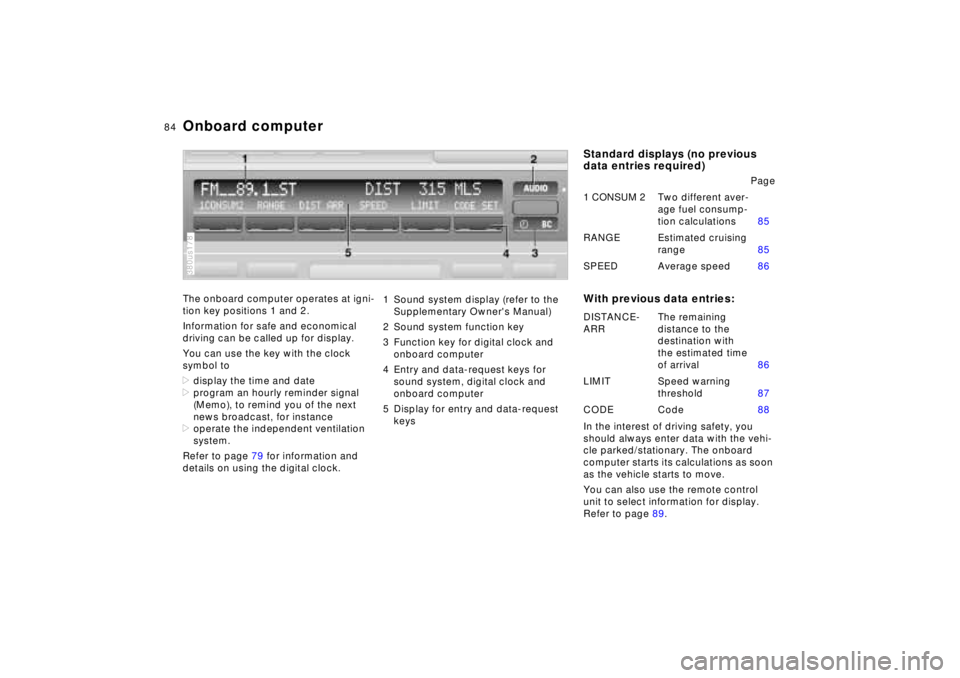
1 Sound system display (refer to the
Supplementary Owner's Manual)
2 Sound system function key
3 Function key for digital clock and
onboard computer
4 Entry and data-request keys for
sound system, digital clock and
onboard computer
5 Display for entry and data-request
keys
Standard displays (no previous
data entries required)
With previous data entries:In the interest of driving safety, you
should always enter data with the vehi-
cle parked/stationary. The onboard
computer starts its calculations as soon
as the vehicle starts to move.
You can also use the remote control
unit to select information for display.
Refer to page 89.Page
1 CONSUM 2Two different aver-
age fuel consump-
tion calculations85
RANGE Estimated cruising
range85
SPEED Average speed86
DISTANCE-
ARRThe remaining
distance to the
destination with
the estimated time
of arrival86
LIMIT Speed warning
threshold87
CODE Code88
Page 90 of 211
89n
RepairsIndexOverview Controls Car care Technology Data
Onboard computerRemote controlYou can display all information for the
onboard computer and digital clock
with the switch in the turn signal lever.
You can also display selected informa-
tion in the Check Control in the instru-
ment cluster following specific entries.
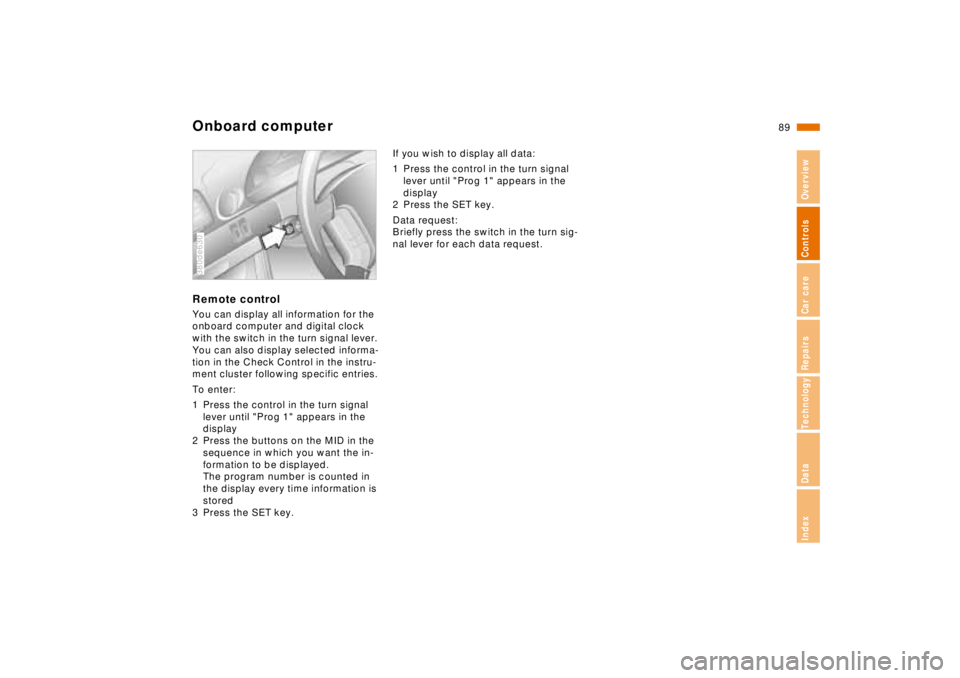
To enter:
1 Press the control in the turn signal
lever until "Prog 1" appears in the
display
2 Press the buttons on the MID in the
sequence in which you want the in-
formation to be displayed.
The program number is counted in
the display every time information is
stored
3 Press the SET key.380de630
If you wish to display all data:
1 Press the control in the turn signal
lever until "Prog 1" appears in the
display
2 Press the SET key.
Data request:
Briefly press the switch in the turn sig-
nal lever for each data request.
Page 103 of 211
102n
Automatic climate controlTips for pleasant drivingUse the automatic system, i.e., press
AUTO button 4. Select an interior tem-
perature that is comfortable for you -
we recommend 707 (226) as a com-
fortable setting. When the outside tem-
perature is above 427 (56), you can
also use the air conditioning system 14.
This will dry the air and prevent window
fogging, for example if people are wear-
ing damp clothes in the vehicle. Set the
outlets 2 so that the air flows past you
and does not flow directly at you. Set
the rotary dial between the air outlets 2
for the upper body to a medium posi-
tion, since air that is somewhat cooler
promotes driving without fatigue.
The following description will guide you
through additional individual settings.
You can make the settings of your
vehicle in such a manner that,
when you unlock the car with your per-
sonalized remote control, your own per-
sonalized setting of the automatic cli-
mate control is initiated.<
Automatic air distribution
The AUTO program as-
sumes the adjustment of
the air distribution and the air supply for
you and in addition adapts the tempera-
ture to external influences (summer,
winter) to meet preferences you can
specify. This program maintains a com-
fortable in-car climate regardless of the
season. Select an interior temperature
that is comfortable for you - we recom-
mend 707 (226) as a comfortable
setting.
The temperature setting and the word
"AUTO" for the air flow appear in the
display 7 (refer to the overview on
page 100). Open the ventilation outlet
for the upper body area. Switch on the
air conditioner in warm weather. The
maximum cooling capacity is achieved
when you set the rotary dial 3 (refer to
page 104) to cold.
Individual air distribution
You can cancel the AUTO
program by selecting spe-
cific distribution patterns to
suit your own individual re-
quirements. You can direct
air to flow onto the windows , toward
the upper body , and into the footwell
.
To defrost windshield and door
windows
This program quickly removes
ice and condensation from the
windshield and the side windows.
Air conditioner
The air is cooled and dehumidi-
fied and - depending on the tem-
perature setting - warmed again when
the air conditioner system is switched
on.
Depending on the weather, the wind-
shield may fog over briefly when the en-
gine is started.
At outside temperatures below approx.
427 (56), switch off the air condi-
tioner. This will help to prevent the win-
dows from fogging up.
If the windows fog over immediately af-
ter the air conditioner is switched off,
switch it back on.
Condensation forms in the air con-
ditioner system during operation,
which then exits under the vehicle.
Traces of condensed water of this kind
are thus normal.<
Page 109 of 211
108n
Integrated Universal Remote Control
*
The conceptThe Integrated Universal Remote Con-
trol replaces up to three hand-held
transmitters of different devices such as
garage-door openers, alarm systems,
or door locking systems. The Integrated
Universal Remote Control recognizes
and "learns" the transmitted signal of
each of the original hand-held transmit-
ters.
The signal of an original hand-held
transmitter can be programmed on one
of the three channel keys. Following
that, each of the devices can be actu-
ated with the appropriately-program-
med channel key. Transmission of the
signal is signaled by the indicator lamp.
If the vehicle is sold, the memory of the
channel keys should be cleared as de-
scribed on page 110.
During programming and before
every remote actuation of a pro-
grammed device by the Integrated Uni-
versal Remote Control, check to be
sure that there are no persons, animals
or objects within the actuation range of
the device in order to prevent possible
injuries or damage. Also, comply with
the safety precautions of the original
hand-held transmitter.<
To Canadian residents:
During programming, your hand-
held transmitter may automatically stop
transmitting after two seconds, which
may not be long enough to program the
BMW Universal Transmitter. If you are
programming from one of these hand-
held transmitters, the Universal Trans-
mitter's light may begin to flash in a se-
ries of double-blinks. If this occurs,
continue to hold the button on the Uni-
versal Transmitter while you reactivate
your hand-held transmitter. You may
have to repeat this function several
times while programming.<
Before programming, read the
"User information" section on
page 110.<
Original hand-held transmitter
If this symbol is present on the
packaging or in the instructions
of the original hand-held trans-
mitter, it may be assumed that this
hand-held transmitter is compatible
with the Integrated Universal Remote
Control.
Checking for the conversion codeTo determine whether the original
hand-held transmitter is provided with a
conversion-code system, you may ei-
ther read the instructions for the original
hand-held transmitter or program a
channel key as described on page 109
(left-hand column under "Program-
ming").
Then press and hold the programmed
channel key of the Integrated Universal
Remote Control. If the indicator lamp of
the Integrated Universal Remote Con-
trol flashes for two seconds and then
comes on steadily, the original hand-
held transmitter is provided with a con-
version-code system. With a conver-
sion-code system, program the channel
keys as described on page 109 (right-
hand column under "Programming a
hand-held transmitter with conversion
code").
If you have additional questions,
please consult your BMW center
or call 1-800-355-3515.<
Page 110 of 211
109n
RepairsIndexOverview Controls Car care Technology Data
Integrated Universal Remote Control
*
Programming1 Channel keys
2 Indicator lamp
3 Receiver for programming
Read and comply with the safety
precautions on page 108.<
1 Ignition key position 2
2 For initial use: Press and hold both
outside keys 1 until the indicator lamp
2 flashes, and then release them. The
three channel keys are cleared380us202
3 Hold the original hand-held transmit-
ter toward the receiver 3 a maximum
of 2 inches (5 cm) away
4 Press the transmission key of the
original hand-held transmitters
(arrow 2) and the desired channel key
of the Integrated Universal Remote
Control (arrow 1) simultaneously. Re-
lease both keys as soon as the indi-
cator lamp flashes rapidly
5 To program other original hand-held
transmitters, repeat steps 3 and 4.
The corresponding channel key is now
programmed with the signal of the orig-
inal hand-held transmitter.380de668
Programming a hand-held
transmitter with conversion code
Read and comply with the safety
precautions on page 108.<
When programming the Integrated Uni-
versal Remote Control, consult the in-
structions for the specific device. For
using the Integrated Universal Remote
Control with a conversion-code system,
note the following supplemental pro-
gramming instructions:
A second person facilitates pro-
gramming of the Integrated Uni-
versal Remote Control.<
1 Program the Integrated Universal Re-
mote Control as described previously
under "Programming"
2 Press and hold the programming key
on the receiver of the device for ap-
proximately two seconds until the
programming light on the device
comes on
3 Press the desired channel key of the
Integrated Universal Remote Control
three times.
If you have additional questions,
please consult your BMW center.<