Page 34 of 211
33n
RepairsIndexOverview Controls Car care Technology Data
Radio remote controlThe remote control makes opening and
locking the doors of your vehicle very
convenient. Furthermore, it provides
three additional functions which can
only be executed by means of the re-
mote control:
>Switching on the interior lamps and il-
luminating the exterior door handles.
With this function, you can also
"search for" your vehicle, when
parked in an underground garage, for
instance
>To open luggage compartment lid
The luggage compartment lid will
open slightly, regardless of whether
the lid was previously locked or un-
locked
>Panic Mode
In case of danger, you can trigger an
alarm.
The anti-theft system is also deacti-
vated/activated simultaneously with
the unlocking or locking of the vehicle,
and the alarm system is disarmed/
armed.
When the vehicle is unlocked, the inte-
rior lamps and the exterior door handle
illumination are switched on.
Master keysKeys with a transmitter for remote con-
trol are master keys. Refer to page 30.
Since children might be able to
lock the doors from the inside,
take the vehicle's keys with you so that
the vehicle can be opened again from
the outside at any time.<
Every transmission is indicated by a
light signal. If the signal no longer lights
up when a button is pressed and lock-
ing with the remote control no longer
functions:
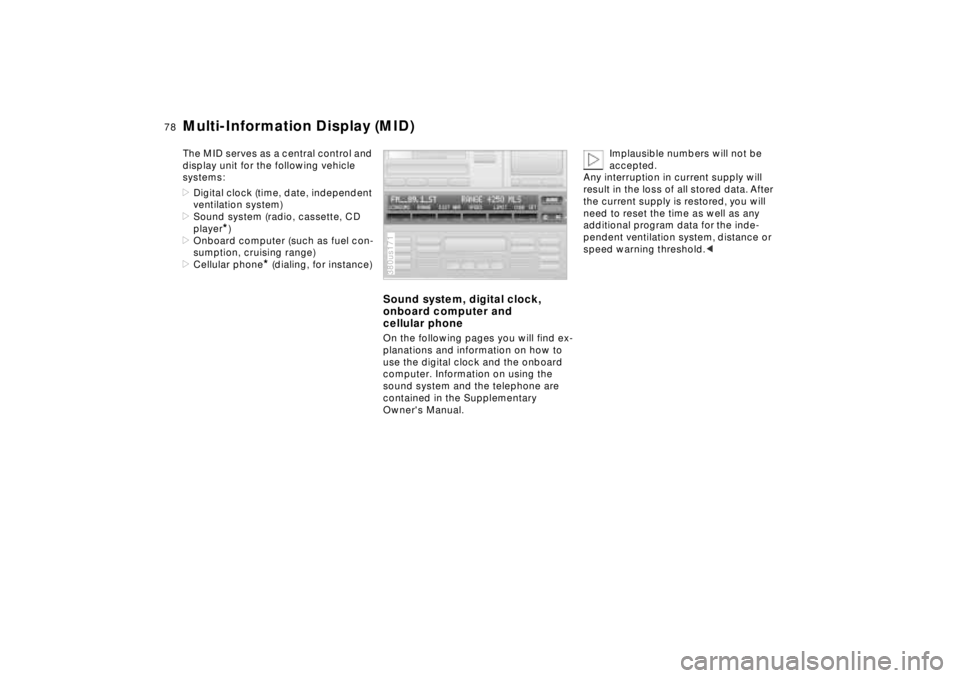
Change the battery. Refer to page 168.380us644
Unlocking and convenience
opening modeTo release: Press button 1.
Press the button once to unlock the
driver's door only; press a second time
to unlock all remaining doors as well as
the luggage compartment and fuel filler
door.
Convenience opening mode: Press and
hold button 1. The electric power win-
dows and the sliding/tilt sunroof are
opened.
If you desire, you can have this
feature set so that it is related to
specific keys.< 380us645
Page 35 of 211
34n
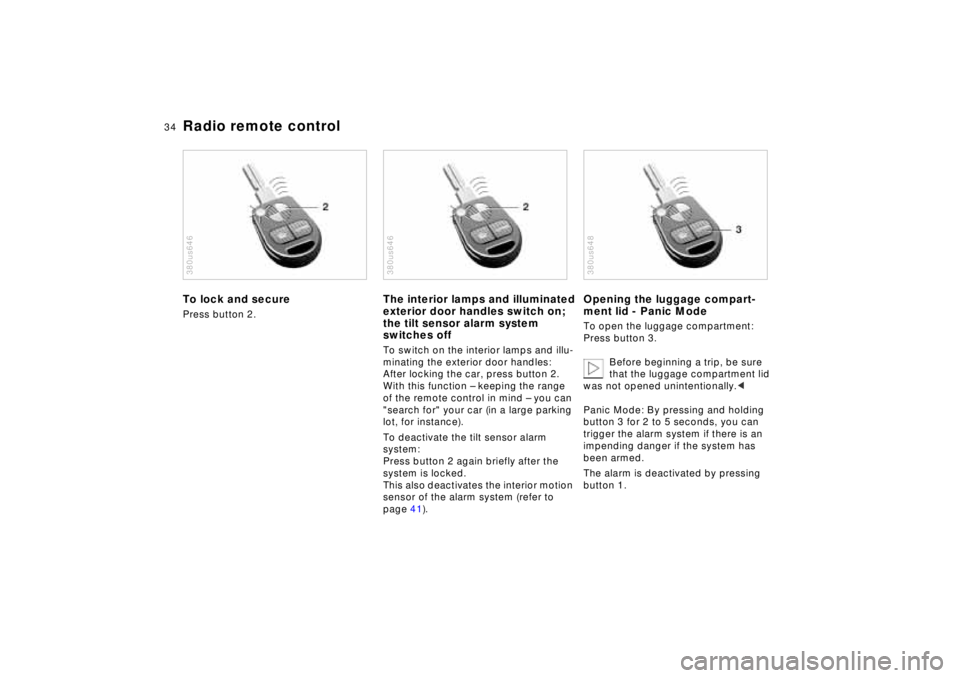
Radio remote controlTo lock and securePress button 2.380us646
The interior lamps and illuminated
exterior door handles switch on;
the tilt sensor alarm system
switches offTo switch on the interior lamps and illu-
minating the exterior door handles:
After locking the car, press button 2.
With this function – keeping the range
of the remote control in mind – you can
"search for" your car (in a large parking
lot, for instance).
To deactivate the tilt sensor alarm
system:
Press button 2 again briefly after the
system is locked.
This also deactivates the interior motion
sensor of the alarm system (refer to
page 41).380us646
Opening the luggage compart-
ment lid - Panic ModeTo open the luggage compartment:
Press button 3.
Before beginning a trip, be sure
that the luggage compartment lid
was not opened unintentionally.<
Panic Mode: By pressing and holding
button 3 for 2 to 5 seconds, you can
trigger the alarm system if there is an
impending danger if the system has
been armed.
The alarm is deactivated by pressing
button 1.380us648
Page 36 of 211
35n
RepairsIndexOverview Controls Car care Technology Data
Radio remote controlSame-frequency interferenceOperation of the remote control system
may be affected by other units or equip-
ment employing the same transmission
frequency in the immediate vicinity of
your car.
For US owners onlyThe transmitter and receiver units com-
ply with part 15 of the FCC (Federal
Communications Commission) regula-
tions. Operation is governed by the fol-
lowing:
FCC ID: LX8EWS
LX8FZVS
LX8FZVE
Compliance statement:
This device complies with part 15 of the
FCC Rules. Operation is subject to the
following two conditions:
>This device may not cause harmful in-
terference, and
>this device must accept any interfer-
ence received, including interference
that may cause undesired operation.
Any unauthorized modifications to
these devices could void the
user's authority to operate the equip-
ment.<
Page 45 of 211
44n
Sliding/Tilt sunroof
To prevent injuries, exercise care
when closing the sliding/tilt sun-
roof and keep it in your field of vision
until it is shut.
Before leaving the car, switch off the
electric sunroof mechanism by taking
out the ignition key. Do not leave
children unattended in the vehicle with
access to vehicle keys. Use of the key
can result in starting of the engine and
operation of vehicle systems such as
power sunroof, etc. Unsupervised use
of these systems can result in serious
personal injury.<
To avoid pressure or drafts in the pas-
senger compartment when the sunroof
is open or lifted, keep the air vents in
the dashboard open and increase
the air supply if necessary. Refer to
pages 100, 104.
For the convenience operating mode
via the door lock or the radio remote
control, refer to page 32 or page 33.
Safety featureIf the sliding/tilt sunroof encounters re-
sistance at a point roughly past the
middle of its travel when it is closing,
the closing cycle is interrupted and the
sunroof will open again slightly.
Despite this safety feature, be ex-
tremely careful that the closing
path of the sunroof is not obstructed
whenever it is closed. Otherwise, trig-
gering the closing-force limitation may
not be ensured in some situations (with
very thin objects, for instance). You can
override this safety feature by pressing
the switch beyond the resistance point
and holding it.<
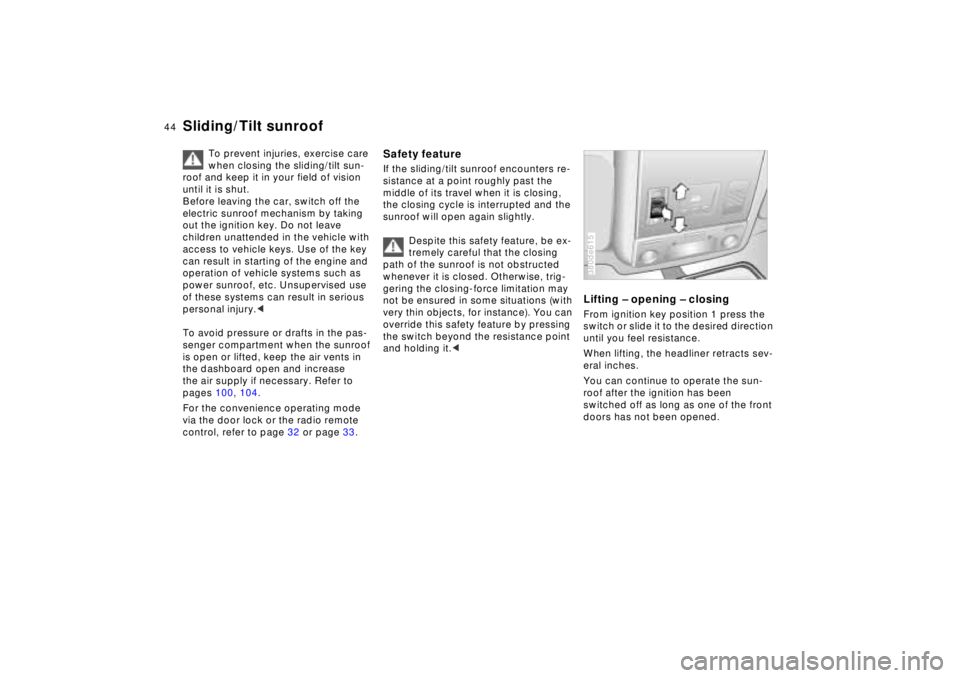
Lifting – opening – closingFrom ignition key position 1 press the
switch or slide it to the desired direction
until you feel resistance.
When lifting, the headliner retracts sev-
eral inches.
You can continue to operate the sun-
roof after the ignition has been
switched off as long as one of the front
doors has not been opened.380de615
Page 79 of 211
78n
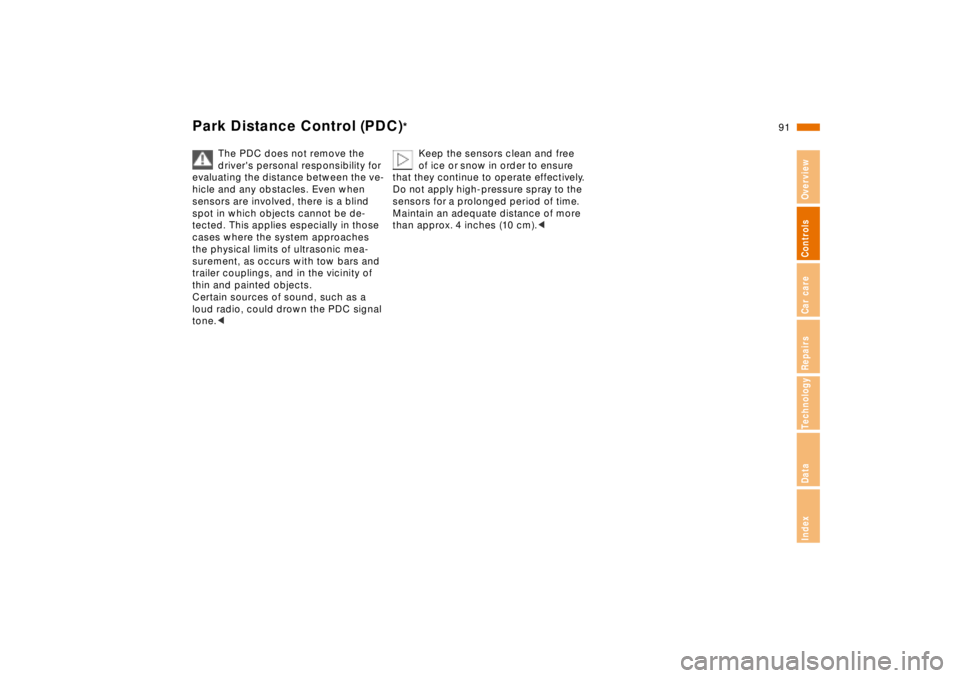
Multi-Information Display (MID)The MID serves as a central control and
display unit for the following vehicle
systems:
>Digital clock (time, date, independent
ventilation system)
>Sound system (radio, cassette, CD
player
*)
>Onboard computer (such as fuel con-
sumption, cruising range)
>Cellular phone
* (dialing, for instance)
Sound system, digital clock,
onboard computer and
cellular phoneOn the following pages you will find ex-
planations and information on how to
use the digital clock and the onboard
computer. Information on using the
sound system and the telephone are
contained in the Supplementary
Owner's Manual.380us171
Implausible numbers will not be
accepted.
Any interruption in current supply will
result in the loss of all stored data. After
the current supply is restored, you will
need to reset the time as well as any
additional program data for the inde-
pendent ventilation system, distance or
speed warning threshold.<
Page 92 of 211
91n
RepairsIndexOverview Controls Car care Technology Data
Park Distance Control (PDC)
*
The PDC does not remove the
driver's personal responsibility for
evaluating the distance between the ve-
hicle and any obstacles. Even when
sensors are involved, there is a blind
spot in which objects cannot be de-
tected. This applies especially in those
cases where the system approaches
the physical limits of ultrasonic mea-
surement, as occurs with tow bars and
trailer couplings, and in the vicinity of
thin and painted objects.
Certain sources of sound, such as a
loud radio, could drown the PDC signal
tone.<
Keep the sensors clean and free
of ice or snow in order to ensure
that they continue to operate effectively.
Do not apply high-pressure spray to the
sensors for a prolonged period of time.
Maintain an adequate distance of more
than approx. 4 inches (10 cm).<
Page 96 of 211
95n
RepairsIndexOverview Controls Car care Technology Data
Tire Pressure Control (RDC)
*
Flat tireIf there is a tire failure with a loss of air
pressure, the message "TIRE DEFECT"
appears in the Check Control. In addi-
tion, a gong sounds.
If this occurs, reduce vehicle speed im-
mediately and stop the vehicle. Avoid
hard brake applications. Do not over-
steer. Replace the wheel and flat tire.
The spare tire which is available in
your vehicle as standard equip-
ment is equipped with the electronics
required for RDC and, following activa-
tion of the system, is also monitored af-
ter it is mounted.<
The RDC cannot alert you to se-
vere and sudden tire damage
caused by external factors.<
Have the tires changed by your
authorized BMW center.
Your authorized BMW center has been
trained to work with the RDC system
and is equipped with the necessary
special tools to do so.<
System interferenceUnder certain local conditions, the RDC
may malfunction for brief periods be-
cause of interference from outside sys-
tems or electronic devices which have
the same radio frequency.
During the period of the malfunction,
the message "TIRE CONTROL INAC-
TIVE" appears in the Check Control.
You will also see the same message
>in the event of a system fault
>if a wheel is mounted without the
RDC electronics
>if, in addition to the spare tire, addi-
tional wheels with RDC electronics
are on board.
Please contact your authorized BMW
center for additional information.
Page 113 of 211
112n
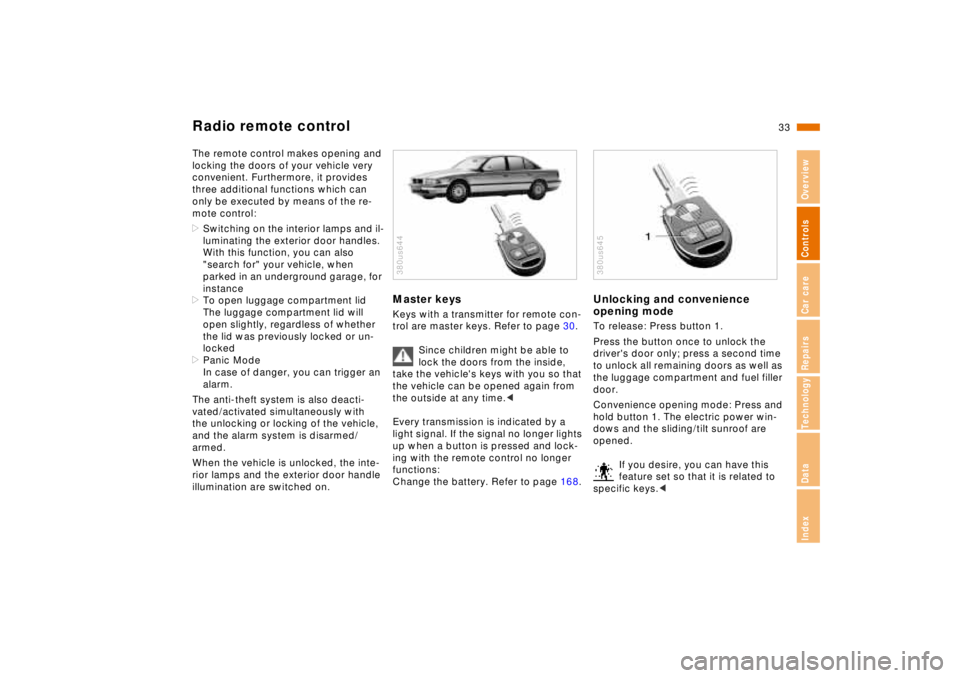
Center armrestsMulti-function armrest, rear
*
In order to operate certain functions
from the rear seat, corresponding con-
trols are integrated into the center arm-
rest.
Fold out the armrest and open the
cover. Refer to "Rear armrest."
The illustration shows the maximum
possible number of controls, corre-
sponding to a full range of optional
equipment. Refer to the descriptions of
the individual accessories for addi-
tional details on the equipment options.
1 Multi-Information Display for operat-
ing the radio and onboard computer
(with limited function range)380de201
2 Actuation of the power rear window
blind
3 Front passenger side shoulder
support
4 Tandem telephone
5 Power adjustment, front passenger's
seat
6 Seat memory for the front passenger
Front armrestPress the button at the front for front/
rear adjustment (arrow 1).
Press the side-mounted buttons for
access to the storage compartments
(arrows 2).380de223