Page 184 of 419
Trunk Mounted CD Changer (If Equipped)
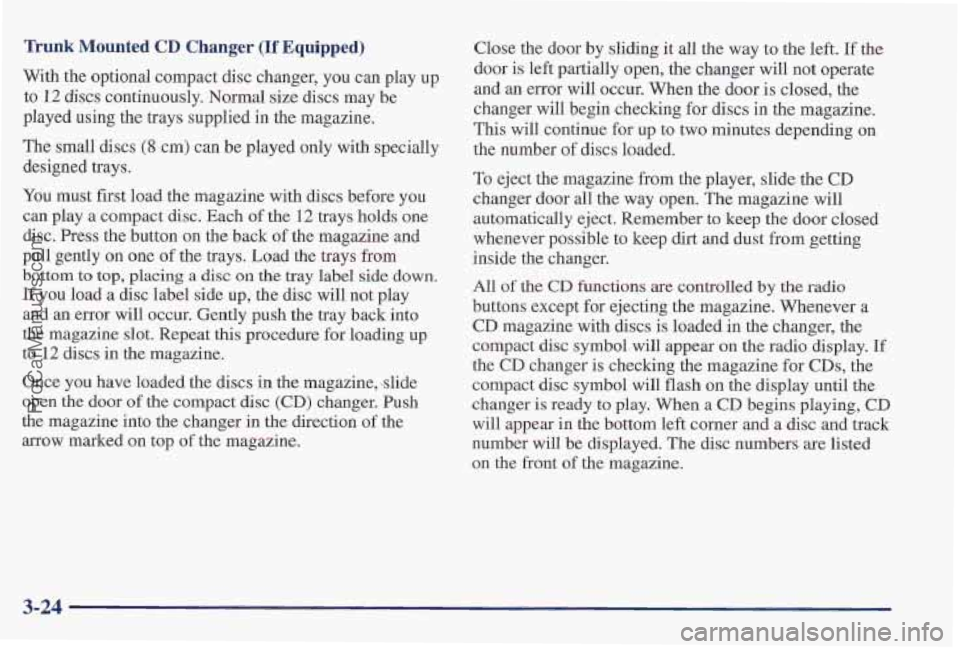
With the optional compact disc changer, you can play up
to 12 discs continuously. Normal size discs may be
played using
the trays supplied in the magazine.
The small discs
(8 cm) can be played only with specially
designed trays.
You must first load the magazine with discs before you
can play
a compact disc. Each of the 12 trays holds one
disc. Press the button on the back of the magazine and
pull gently
on one of the trays. Load the trays from
bottom to top, placing a disc on the tray label side down.
If you load a disc label side up, the disc will not play
and an error will occur. Gently push the tray back into
the magazine slot. Repeat this procedure for loading up
to
12 discs in the magazine.
Once you have loaded the discs in the magazine, -slide
open
the door of the compact disc (CD) changer. Push
the magazine into the changer in the direction
of the
arrow marked on top
of the magazine. Close
the door by sliding it all the way to the left. If the
door is left partially open, the changer will not operate
and an error will occur. When the door is closed, the
changer will begin checking for discs in the magazine.
This will continue for up to two minutes depending on
the number
of discs loaded.
To eject the magazine from the player, slide the CD
changer door all the way open. The magazine will
automatically eject. Remember
to keep the door closed
whenever possible to keep dirt and dust from getting
inside the changer.
All
of the CD functions are controlled by the radio
buttons except for ejelcting the magazine. Whenever a
CD magazine with discs is loaded in the changer, the
compact disc symbol will appear on the radio display.
If
the CD changer is checking the magazine for CDs, the
compact disc symbol will flash on the display until the
changer is ready
to play. When a CD begins playing, CD
will appear in the bottom left corner and a disc and track
number will be displayed. The disc numbers are listed
on the front of the magazine.
3-24
ProCarManuals.com
Page 189 of 419
Steering Wheel Controls (If Equipped) MUTE: Press this button to silence the system. Press it
again, or any other radio button, to turn on the sound.
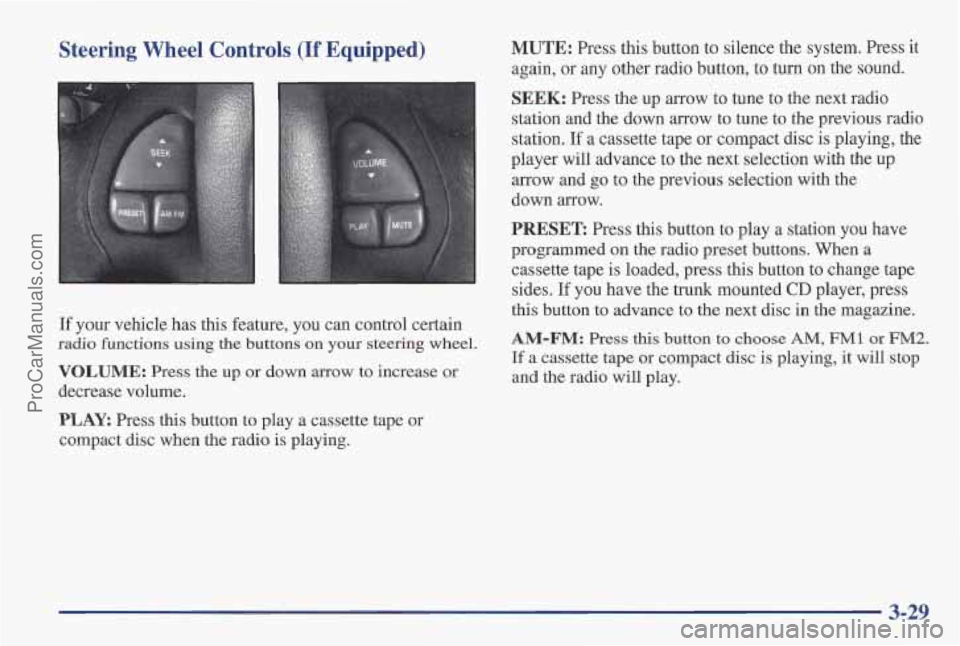
If your vehicle has this feature, you can control certain
radio functions using the buttons on your steering wheel.
VOLUME: Press the up or down arrow to increase or
decrease volume.
PLAY. Press this button to play a cassette tape or
compact disc when the radio is playing.
SEEK: Press the up arrow to tune to the next radio
station and the down arrow to tune to
the previous radio
station.
If a cassette tape or compact disc is playing, the
player will advance to the next selection with the
up
arrow and go to the previous selection with the
down arrow.
PRESET Press this button to play a station you have
programmed
on the radio preset buttons. When a
cassette tape is loaded, press this button to change tape
sides.
If you have the trunk mounted CD player, press
this button to advance to the next disc in the magazine.
AM-FM: Press this button to choose AM, FM1 or FM2.
If a cassette tape or compact disc is playing, it will stop
and the radio will play.
3-29
ProCarManuals.com
Page 219 of 419
Winter Driving
Here are some tips for winter driving:
Have your Pontiac in good shape for winter.
You may want to put winter emergency supplies in
your trunk. Include
an ice scraper, a small brush or broom, a supply
of windshield washer fluid, a rag, some winter outer
clothing, a small shovel,
a flashlight, a red cloth and a
couple
of reflective warning triangles. And, if you will
be driving under severe conditions, include a small bag
of sand, a piece of old carpet or a couple of burlap bags
to help provide traction.
Be sure you properly secure
these items
in your vehicle.
ProCarManuals.com
Page 223 of 419

Run your engine only as long as you must. This saves
fuel. When you run the engine, make it
go a little faster
than just idle. That
is, push the accelerator slightly. This
uses less fuel for the heat that you get and it keeps the
battery charged. You will need a well-charged battery
to restart the vehicle, and possibly for signaling later on
with your headlamps. Let the heater run for a while.
Then, shut the engine off and close the window almost
all the way to preserve the heat. Start the engine again
and repeat this only when you feel really uncomfortable
from the cold. But do it as little as possible. Preserve the
fuel as long as
you can. To help keep warm, you can get
out of the vehicle and do some fairly vigorous exercises
every half hour or
so until help comes.
Loading Your Vehicle
/@ OCCUPANTS
VEHICLE CAP. WT.
TIRE-LOADING INFORMATION
FRT. CTR.
RR. TOTAL LBS. KG
~-
MAX. LOADING & GVWR SAME AS VEHICLE
CAPACITY
WEIGHT XXX COLD TIRE
TIRE
SIZE SPEED PRESSURE
RTG PSI/KPa
FRT.
RR.
SPA.
IF TIRES ARE HOT, ADD 4PS1/28KPa
SEE OWNER'S MANUAL FOR ADDITIONAL
INFORMATION
Two labels on your vehicle show how much weight it
may properly
carry. The Tire-Loading Information label
is on the inside of the trunk lid. The label tells you the
proper size, speed rating and recommended inflation
pressures for the tires on your vehicle.
It also gives you
important information about the number of people that
can be in your vehicle and the total weight you can
carry. This weight is called the vehicle capacity weight
and includes the
weight of all occupants, cargo and all
nonfactory-installed options.
ProCarManuals.com
Page 224 of 419
MFD BY GENERAL MOTORS CORP
DATE GVWR GAWR FRT GAWR RR
THIS VEHICLE CONFORMS TO ALL APPLI-
CABLE U.S. FEDERAL MOTOR VEHICLE
SAFETY, BUMPER, AND THEFT PREVENTION
STANDARDS IN EFFECT ON THE DATE OF
MANUFACTURE SHOWN ABOVE.
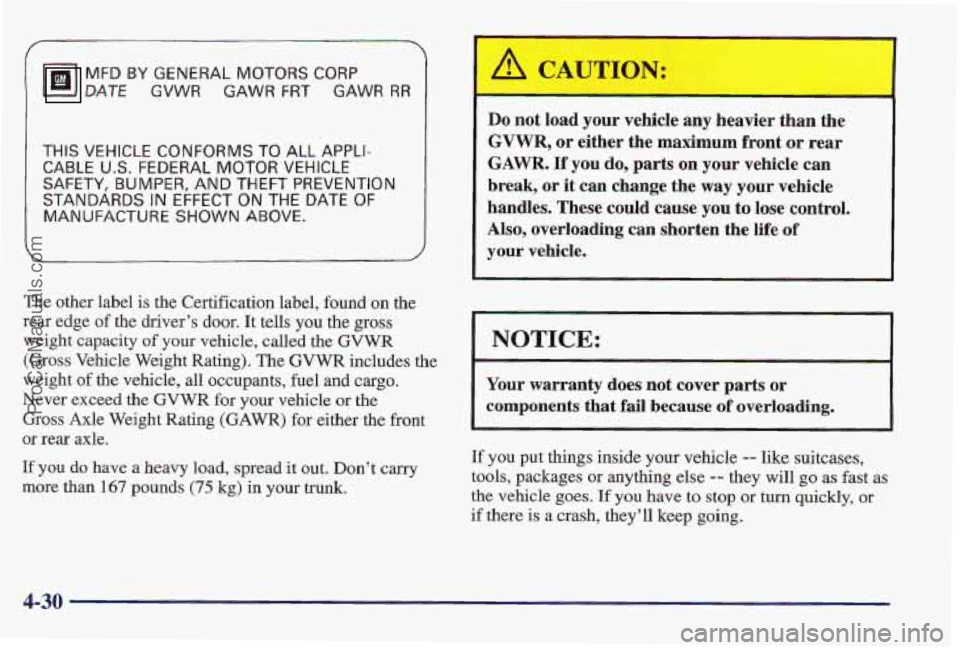
The other label is the Certification label, found on the
rear edge of the driver’s door. It tells you the gross
weight capacity
of your vehicle, called the GVWR
(Gross Vehicle Weight Rating).
The GVWR includes the
weight of the vehicle, all occupants, fuel and cargo.
Never exceed the GVWR for your vehicle or the
Gross Axle Weight Rating
(GAWR) for either the front
or rear axle.
If you do have a heavy load, spread it out. Don’t carry
more than 167 pounds (75 kg) in your trunk.
Do not load your vehicle any heavier than the
GVWR, or either the maximum front or rear
GAWR. If you do, parts on your vehicle can
break, or it can change the way your vehi’cle
handles. These could cause you to lose control.
Also, overloading
can shorten the life of
your vehicle.
NOTICE:
Your warranty does not cover parts or
components that
fail because of overloading.
If you put things inside your vehicle -- like suitcases,
tools, packages or anything else
-= they will go as fast as
the vehicle goes. If you hav’e to stop or turn quickly, or
if there is a crash, they’ll keep going.
4-30
ProCarManuals.com
Page 225 of 419
I
Towing a Trailer
Things you put inside your vehicle can strike
and injure people
in a sudden stop or turn, or
in
a crash.
Put things in the trunk of your vehicle. In a
1 trunk, put them as far forward as you can.
Never stack heavier things, like suitcases,
Try to spread the weight evenly.
inside the vehicle
so that some of them are
above the tops
of the seats.
Don’t leave an unsecured child restraint in
your vehicle.
When you carry something inside the
’ vehicle, secure it whenever you can.
Don’t leave a seat folded down unless you
need to.
If you don’t use the correct equipment and drive
properly, you can lose control when you pull
a
trailer. For example, if the trailer is too heavy, the
brakes may not work well
-- or even at all. You
and your passenger passengers could be seriously
injured. Pull
a trailer only if you have followed
all the steps in this section. Ask your Pontiac
dealer
for advice and information about towing a
trailer
with your vehicle.
4-31
ProCarManuals.com
Page 228 of 419
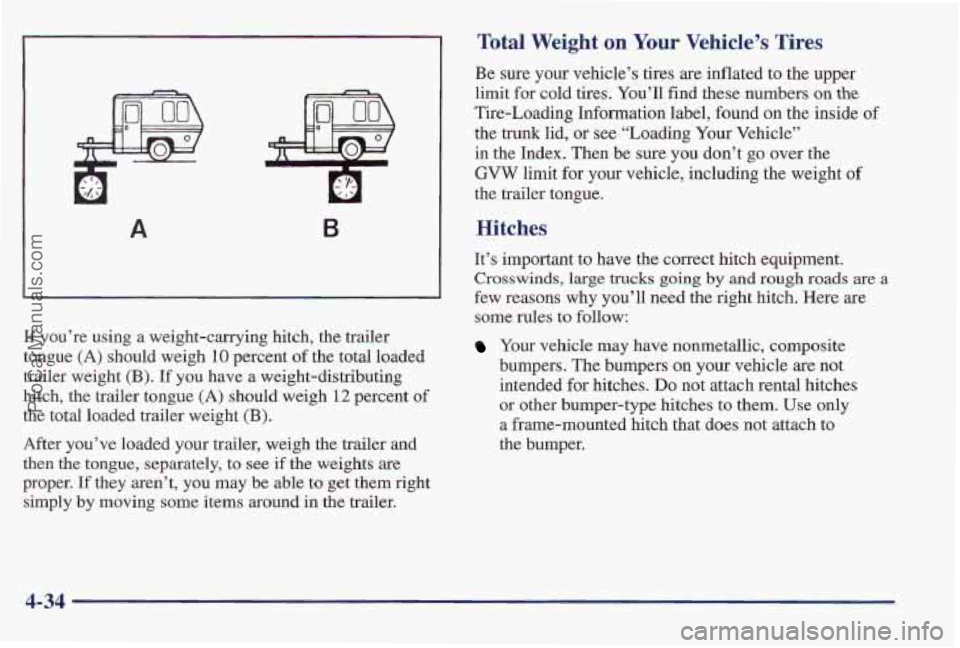
B
If you’re using a weight-carrying hitch, the trailer
tongue
(A) should weigh 10 percent of the total loaded
trailer weight
(€3). If you have a weight-distributing
hitch, the trailer tongue (A) should weigh
12 percent of
the total loaded trailer weight (E).
After you’ve loaded your trailer, weigh the trailer and
then the tongue, separately, to see if the weights are
proper. If they aren’t, you may be able
to get them right
simply by moving some items around in the trailer.
Total Weight on Your Vehicle’s Tires
Be sure your vehicle’s tires are inflated to the upper
limit for cold tires. You’ll find these numbers
on the
Tire-Loading Information label, found on the inside of
the
trunk lid, or see “Loading Your Vehicle”
in the Index. Then be sure you don’t go over the
‘GVW limit for your vehicle, including the weight of
the trailer tongue,
Hitches
It’s important to have the correct hitch equipment.
‘Crosswinds, large trucks going by and rough roads are a
few reasons why you’ll need the right hitch. Here are
some rules
to follow:
Your vehicle may have nonmetallic, composite
bumpers. The bumpers on your vehicle are not
intended
for bitches. DO not attach rental hitches
or other bumper-type hitches to them. Use only
a frame-mounted hitch that does not attach to
the bumper.
.,, .
4-34
ProCarManuals.com
Page 259 of 419
Removing the Spare Tire and Tools
I
The equipment you’ll
need
is in the trunk. Turn
the center nut on the
compact spare cover
counterclockwise to
remove
it. Lift and
remove the cover.
Pull the carpeted mat up from the floor of the trunk.
Then lift and remove the cover. Remove the
spare tire.
5-25
ProCarManuals.com

