1997 GMC SIERRA heating
[x] Cancel search: heatingPage 134 of 436
Rear Ashtray (If Equipped)
To use a rear ashtray, if you have them, pull at the top of
the ashtray door to flip the door open.
To remove a rear ashtray, press down on the inside tabs
and open the door fully.
NOTICE:
If you store paper or other things that burn
in your ashtrays, they could be set on fire by
cigarettes
or other smoking materials. That could
cause a fire and possibly damage your vehicle.
Do
not store papers and other things that burn in
your ashtrays.
To use the cigarette lighter, push it in all the way, and let
go. When it’s ready, it will pop back by itself.
NOTICE:
Holding a cigarette lighter in with your hand
while it is heating can make it overload,
damaging the lighter and the heating element.
Just push the lighter all the way
in and let go.
When it’s done, it will
pop back by itself.
2-60
ProCarManuals.com
Page 146 of 436
Anti-Lock Brake System Warning Light
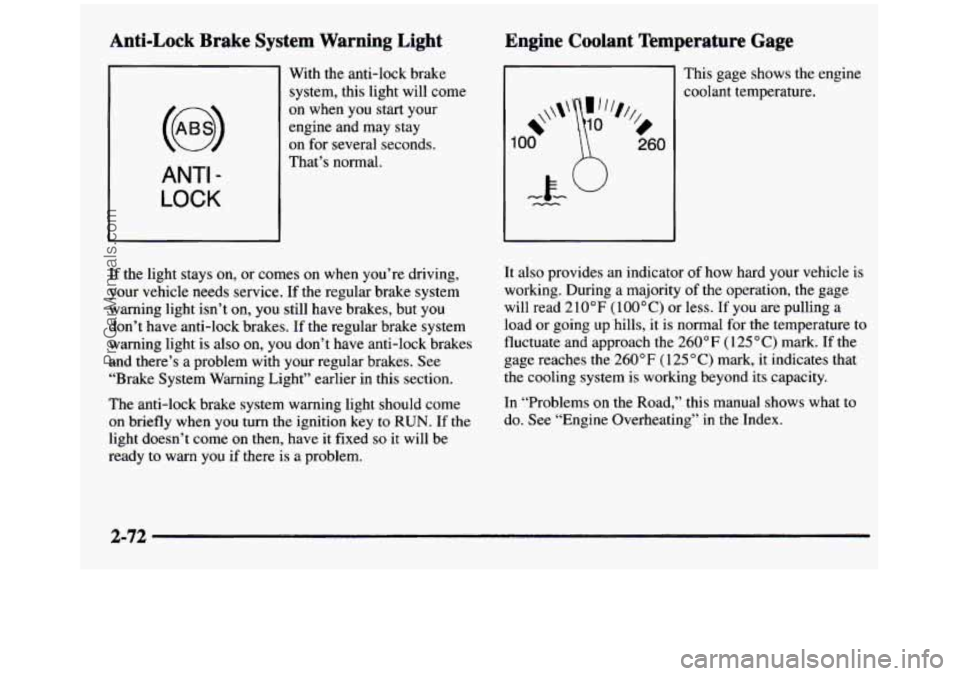
ANTI -
LOCK
With the anti-lock brake
system, this light will come
on when you start your
engine and may stay
on for several seconds.
That’s normal.
If the light stays on, or comes
on when you’re driving,
your vehicle needs service. If
the regular brake system
warning light isn’t on, you still have brakes, but you
don’t have anti-lock brakes. If the regular brake system
warning light is
also on, you don’t have anti-lock brakes
and there’s a problem with your regular brakes. See
“Brake System Warning Light” earlier in this section.
The anti-lock brake system warning light should come
on briefly when you
turn the ignition key to RUN. If the
light doesn’t come on then, have it fixed
so it will be
ready to warn you
if there is a problem.
Engine Coolant Temperature Gage
Ill This gage shows the engine
1
*\\I‘
00
%,
0
260
coolant temperature.
It also provides an indicator
of how hard your vehicle is
working. During a majority of the operation, the gage
will read 210°F
(lOO°C) or less. If you are pulling a
load or going up hills, it is normal for
the temperature to
fluctuate and approach the
260°F (125°C) mark. If the
gage reaches the 260°F ( 125 “C) mark, it indicates that
the cooling system is working beyond its capacity.
In “Problems on the Road,” this manual shows what to
do. See “Engine Overheating” in the Index.
2-72
ProCarManuals.com
Page 153 of 436
Section 3 Comfort Controls and Audio Systems
In this section, you’ll find out how to operate the comfort control and audio systems offered with your vehicle. Be
sure to read about the particular systems supplied with your vehicle.
3-2
3-4
3-4
3-5
3-6 3-6
3-7
3-7
3-8 3-8
3-9
3- 12 Comfort Controls
Air Conditioning
Heating
Ventilation System
Defogging and Defrosting
Rear Window Defogger
Audio Systems Setting the Clock
AM-FM Stereo Radio
Playing the Radio
AM-FM Stereo with Cassette Tape Player
AM-FM Stereo with Cassette Tape and
Automatic Tone Control
3- 15
3- 16
3-20
3-21
3-23 3-24
3-25
3-26
3-26 CD
Adapter Kit
AM-FM Stereo with Compact Disc Player and
Automatic Tone Control
Playing a Compact Disc in the Single Remote
Disc Player
Theft-Deterrent Feature
Understanding Radio Reception
Tips About Your Audio System Care
of Your Cassette Tape Player
Care of Your Compact Discs
Fixed Mast Antenna
3-1
ProCarManuals.com
Page 154 of 436
Comfort Controls
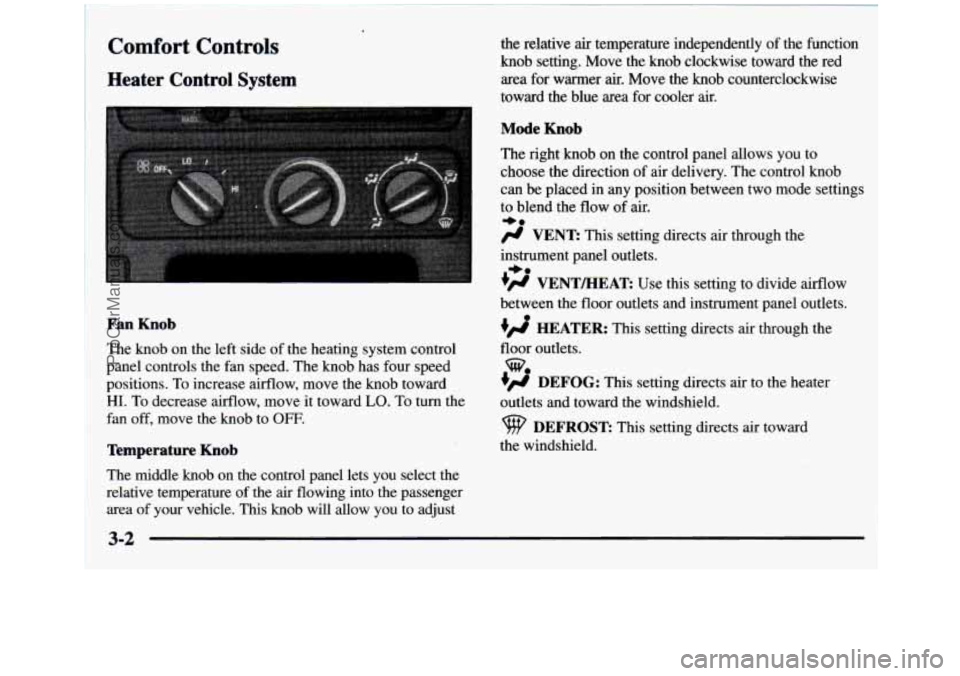
Heater Control System
the relative air temperature independently of the function
knob setting. Move the knob clockwise toward the red
area for warmer
air. Move the knob counterclockwise
toward the blue area for cooler air.
Mode Knob
The right knob on the control panel allows you to
choose the direction of
air delivery. The control knob
can be placed in any position between two mode settings
to blend the flow of
air.
-0
/J VENT: This setting directs air through the
instrument panel outlets.
+# VENTEEAT: Use this setting to divide airflow
+0
between the floor outlets and instrument panel outlets.
HEATER: This setting directs air through the
floor outlets.
w
DEFOG: This setting directs air to the heater
outlets and toward the windshield.
DEFROST This setting directs air toward
the windshield.
Fan Knob
The knob on the left side of the heating system control
panel controls the fan speed. The knob has four speed
positions. To increase airflow, move the knob toward
HI. To decrease airflow, move it toward LO. To turn the
fan off, move
the knob to OFF.
Temperature Knob
The middle knob on the control panel lets you select the
relative temperature of the air flowing into the passenger
area of your vehicle. This knob will allow you to adjust
3-2
ProCarManuals.com
Page 155 of 436
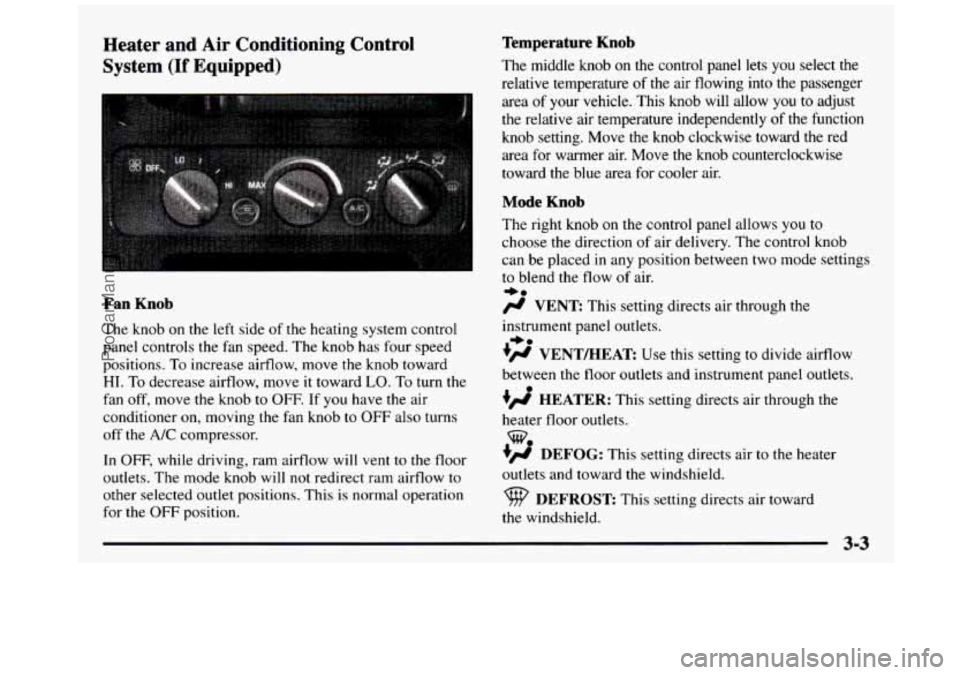
Heater and Air Conditioning Control
System
(If Equipped)
Fan Knob
The knob on the le.ft side of the heating system control
panel controls the fan speed. The knob has four speed
positions. To increase airflow, move
the knob toward
HI. To decrease airflow, move it toward LO. To turn the
fan off, move the knob to OFF. If you have the air
conditioner
on, moving the fan knob to OFF also turns
off the A/C compressor.
In
OFF, while driving, ram airflow will vent to the floor
outlets. The mode knob will not redirect ram airflow
to
other selected outlet positions. This is normal operation
for the
OFF position.
Temperature Knob
The middle knob on the control panel lets you select the
relative temperature
of the air flowing into the passenger
area
of your vehicle. This knob will allow you to adjust
the relative air temperature independently of the function
knob setting. Move the
knob clockwise toward the red
area
for warmer air. Move the knob counterclockwise
toward the blue area for cooler air.
Mode Knob
The right knob on the control panel allows you to
choose the direction of air delivery. The control knob
can be placed in any position between two mode settings
to blend the flow of air.
e0
/J VENT: This setting directs air through the
instrument panel outlets.
?# VENT/HEAT Use this setting to divide airflow
between the
floor outlets and instrument panel outlets.
+’ HEATER: This setting directs air through the
heater floor outlets.
+’ DEFOG: This setting directs air to the heater
outlets and toward
the windshield.
*.
w.
DEFROST This setting directs air toward
the windshield.
ProCarManuals.com
Page 156 of 436
Air Conditioning
On hot days, open the windows long enough to let hot
air inside escape. This reduces the time it takes for your
vehicle to cool down. Then keep your windows closed
for the air conditioner to work its best.
The recirculation button, between the fan and
temperature knobs, allows the air inside your vehicle to
be recirculated. This setting helps to maximize your air
conditioner’s performance and your vehicle’s fuel
economy. This setting also
cools the air the fastest and
can be used to keep unwanted odors and/or dust from
entering the vehicle. When using the air conditioner,
turn off recirculation after the vehicle reaches a
comfortable interior temperature. When the right knob
on the control panel is between
HEATER and
DEFROST, the recirculation feature will not function.
The
A/C button, between the temperature and mode
knobs, allows the air coming into your vehicle to be
cooled. This setting is useful for normal cooling on hot
days. When you use A/C with
the recirculation button
pushed in, turn
off recirculation as soon as the vehicle
reaches
a comfortable interior temperature. With the
A/C on,
move the temperature knob to MAX
for maximum cooling. This setting also puts the system
in the recirculation mode and helps to maximize your
air conditioner’s performance and your vehicle’s fuel
economy. This setting also cools the air the fastest. After
the vehicle’s interior reaches a comfortable temperature,
move the temperature knob clockwise to place the air
conditioning system in the normal mode.
Heating
The heater works best if you keep your windows closed
while using it. On cold days, use the HEATER
or
VENTMEAT setting with the temperature knob in
the red area.
If you use the engine coolant heater before starting your
engine in cold weather,
20°F (-8OC) or lower, your
heating system will produce warmer air faster, to heat
the passenger compartment in cold weather.
The use of an engine coolant heater also reduces the ,
time it takes for the engine to reach normal operating
temperature, and shortens the time it takes the heater to
reach full output. For more information, see “Engine
Coolant Heater” in the Index.
3-4
ProCarManuals.com
Page 157 of 436
Ventilation System
For mild outside temperatures when little heating or
cooling is needed, use
VENT to direct outside air
through your vehicle.
Air will flow through the
instrument panel outlets.
Your vehicle’s ventilation system supplies outside
air to
the inside
of your vehicle when it is moving. With the side
windows closed,
air will flow into the front air inlet grrlles,
through the vehicle, and out the
air exhaust valves.
Outside air will also enter the vehicle when the heater or
the air conditioning fan is running, unless you have the
recirculation button pushed in. For more information on
the recirculation button, see “Air Conditioning” earlier
in this section.
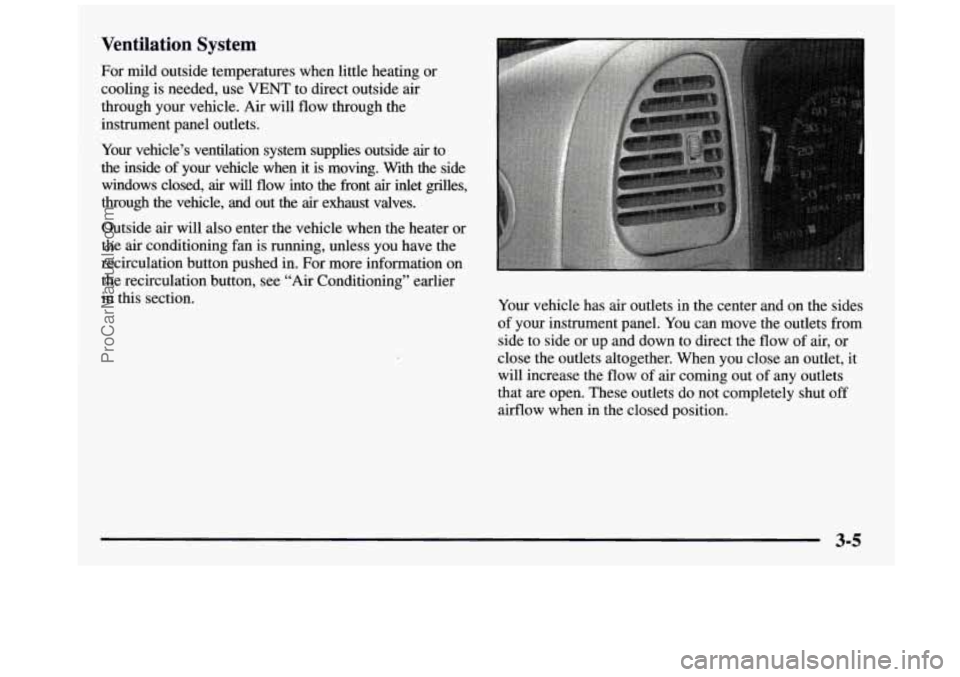
Your vehicle has air outlets in the center and on the sides
of your instrument panel. You can move the outlets from
side to side or up and down to direct the flow of air, or
close the outlets altogether. When you close
an outlet, it
will increase the flow
of air coming out of any outlets
that are open. These outlets do not completely shut
off
airflow when in the closed position.
ProCarManuals.com
Page 158 of 436
Ventilation Tips
0
0
0
0
Keep the hood and front air inlet free of ice, snow or
any other obstruction
(such as leaves). The heater
and defroster will work far better, reducing the
chance of fogging the inside of your windows.
When you enter
a vehicle in cold weather, turn the
blower
fan to HI for a few moments before driving.
This helps clear the intake ducts of snow and
moisture, and reduces the
chance of fogging the
inside of your windows.
Keep
the air path under the front seats clear of
objects. This helps air to circulate throughout
your vehicle.
The use of hood air deflectors may adversely
affect the performance of the heating and air
conditioning system.
Defogging and Defrosting
On cool, humid days, use DEFOG to keep the
windshield and side windows clear. Use
DEFROST to
remove fog
or ice from the windshield in extremely
humid or cold conditions. Use
DEFROST with the
temperature
knob toward the red area and the fan control
toward
HI.
Rear Window Defogger (If Equipped)
If you see lines running across the rear window, you
have a rear window defogger. The lines warm the glass.
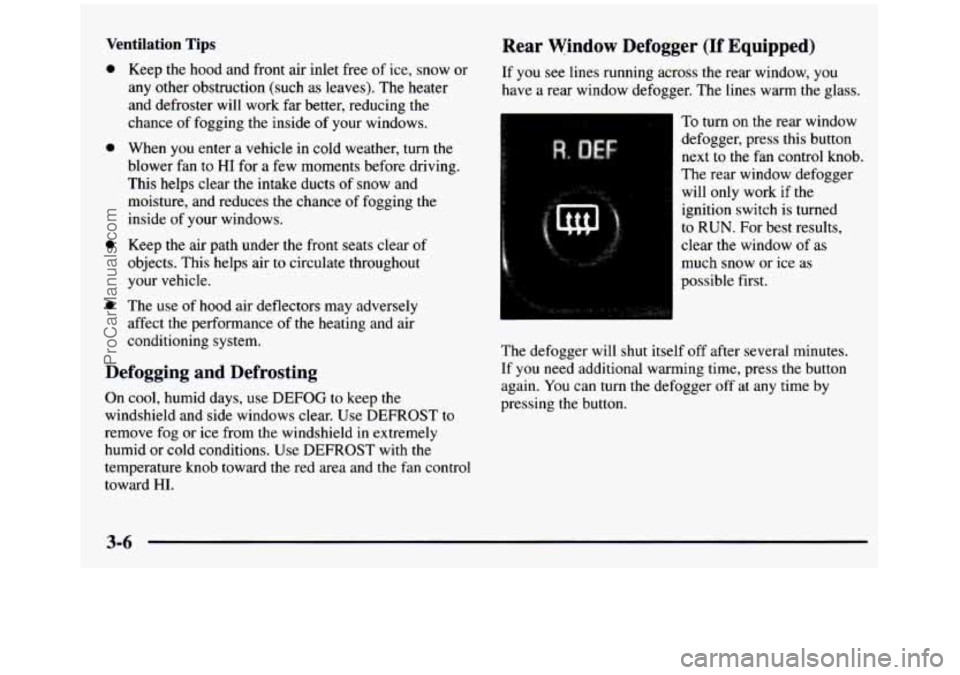
To turn
on the rear window
defogger, press this button
next to
the fan control knob.
The rear window defogger
will only work if the
ignition switch is turned
to RUN. For best results,
clear
the window of as
much snow or ice as
possible first.
The defogger will shut itself off after several minutes.
If you need additional warming time, press the button
again. You can turn the defogger off at any time by
pressing the button.
ProCarManuals.com