Page 22 of 236
2. With the brake lamps, parking
lamps and headlamps off, turn the
ignition switch to ON or ACC.
3. After M/C briefly illuminates
(about two seconds), press the
brake pedal. If ªCHECK
EXTERIOR LAMPSº is displayed,
then a brake lamp is burned out. If
this message is not displayed,
proceed to the next step.
4. Turn the light switch to the
parking lamp positions. If ªCHECK
EXTERIOR LAMPSº is displayed,
then a rear side marker is burned
out. If this message is not
displayed, proceed to the next
step.
5. Turn the light switch to the
headlamp position. If ªCHECK
EXTERIOR LAMPSº is displayed,
then a low beam headlamp is
burned out.
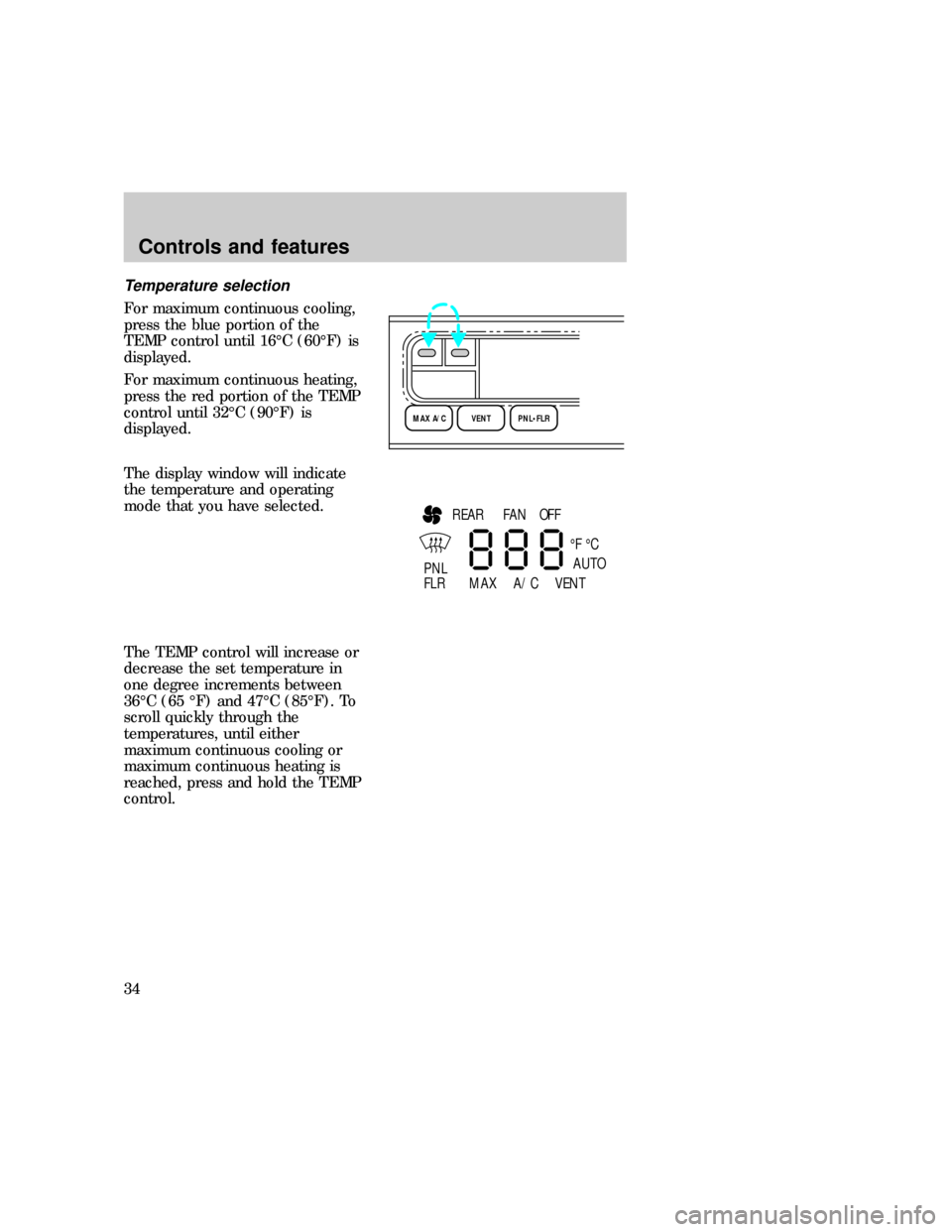
If you use additional lights, such as
trailer lights, or replace bulbs with
equipment that is not equal to the
original Ford equipment, you may
0P RND21
UNLEADED
FUEL ONLY
RPM x 100012345
6H
C
F
E
RSM
SET
ACC
COAST OFF ONOFF
SRS
OFF
DIM
020
1030405060
70
80
90
110
120000000oooo
km/h10020406080100
120
140
160
180
Instrumentation
23
Page 32 of 236
The EATC feature will maintain a
selected temperature and
automatically control airflow. You
may manually override the EATC
operation. The EATC will only
operate with the ignition in the On
position.
To maximize system efficiency:
²Do not put items under the
front seats that will interfere
with the air flow to the rear
seats.
²Keep the air intake vents clear
of any snow, ice or leaves.
Automatic operation
To turn on the EATC:
²Press AUTO or any the six
override controls.
²Select the desired temperature.
To turn off the EATC:
²Press the OFF control.
²When the system is off, the
display window will be blank.
When AUTO is selected, the
system will automatically
determine fan speed and airflow
location and under normal
conditions should need no
additional adjustment.
¡F
AUTO
uno_automatic_operation
uno_temperature_select
Controls and features
33
Page 33 of 236
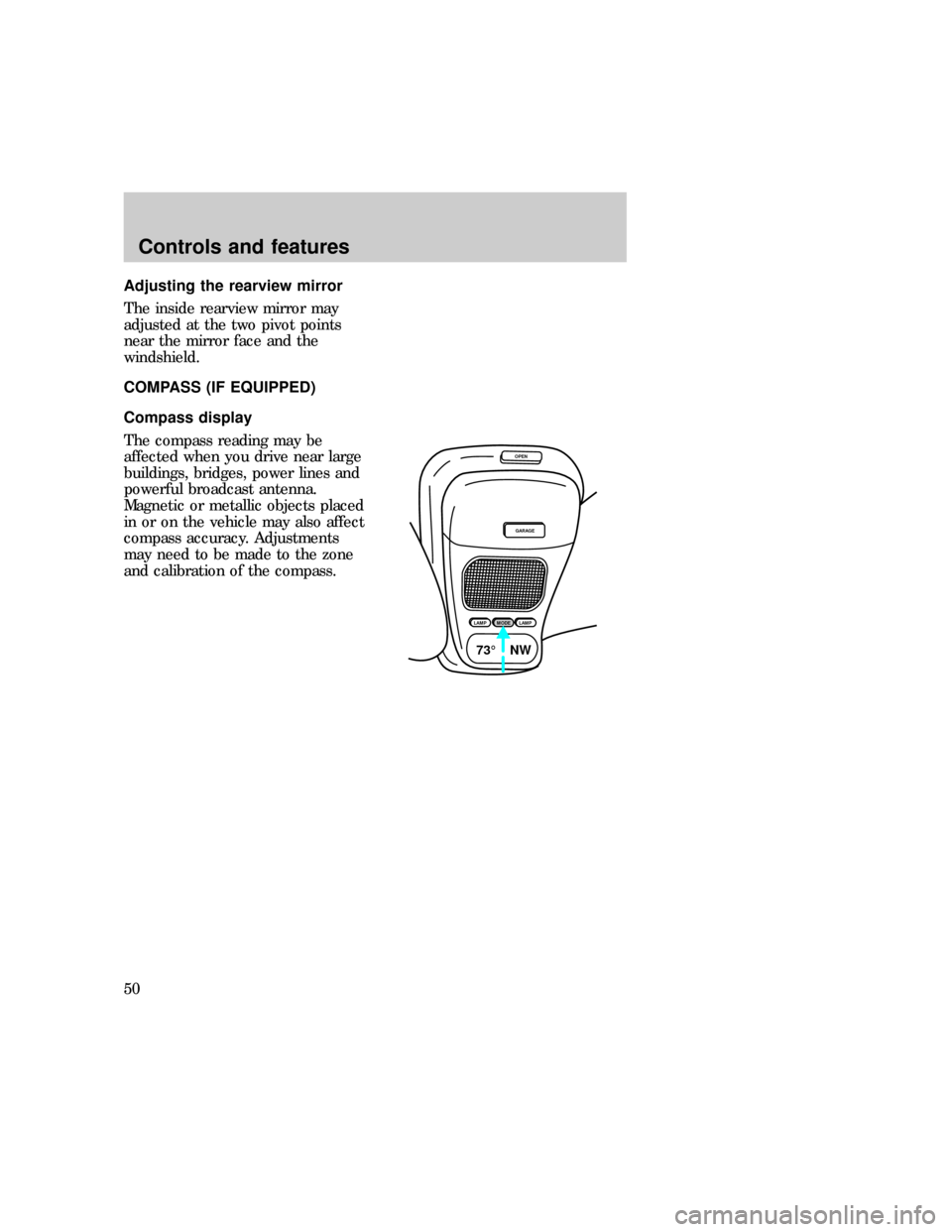
Temperature selection
For maximum continuous cooling,
press the blue portion of the
TEMP control until 16ÉC (60ÉF) is
displayed.
For maximum continuous heating,
press the red portion of the TEMP
control until 32ÉC (90ÉF) is
displayed.
The display window will indicate
the temperature and operating
mode that you have selected.
The TEMP control will increase or
decrease the set temperature in
one degree increments between
36ÉC (65 ÉF) and 47ÉC (85ÉF). To
scroll quickly through the
temperatures, until either
maximum continuous cooling or
maximum continuous heating is
reached, press and hold the TEMP
control.
MAX A/C VENT PNL•FLR
REAR
PNL
FLR¡F ¡C
MAX A/C VENTFAN OFF
AUTO
uno_fan_speed
Controls and features
34
Page 35 of 236
²OFF ÐOutside air is shut out
and the fan will not operate.
²PNL & FLR ÐDirects air
through the instrument panel
registers and front floor vent
and rear air ducts (if equipped).
²FLOOR ÐDirects airflow
through the front floor vent and
rear air ducts (if equipped).
²FLR & DEF ÐDirects outside
air through the floor vents and
defroster.
²DEFROST ÐDirects outside
air through the defroster. Use
this mode to demist and defog
the windshield. In humid
weather, select DEF before
starting your engine to help to
prevent windshield fogging.
To toggle between Fahrenheit and
Celsius:
²Press the MAX A/C and
OFF control at the same
time.
²If the battery is disconnected,
the display will revert to
Fahrenheit.
Servicing the EATC
If the EATC is not operating
properly, consult your dealer or
qualified service technician.
AUDIO SYSTEM
Refer to theAudio Guidefor
instructions on how to operate the
audio system.
uno_servicing_eatc
com_audio_guide
uno_title_rear_washer
Controls and features
36
Page 49 of 236
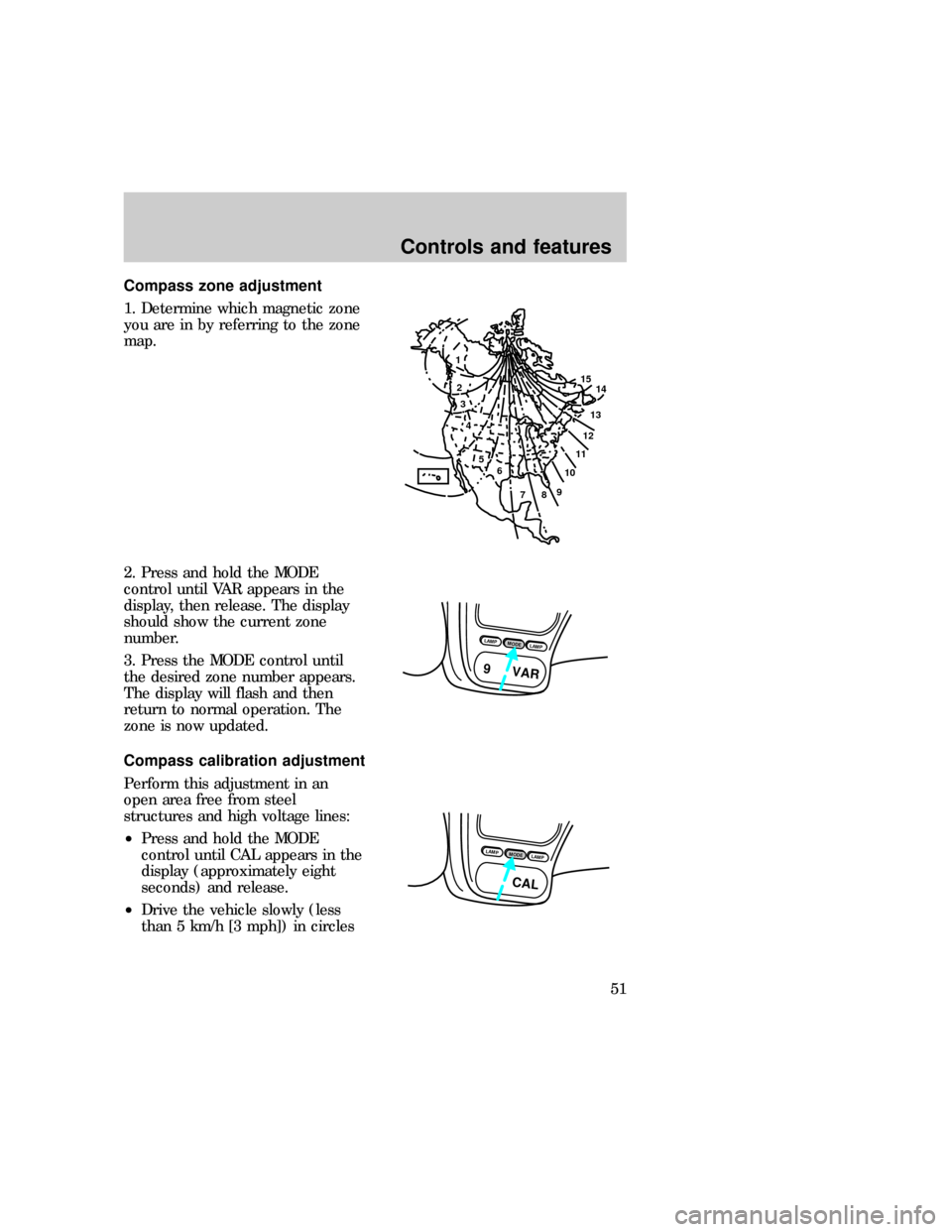
Adjusting the rearview mirror
The inside rearview mirror may
adjusted at the two pivot points
near the mirror face and the
windshield.
COMPASS (IF EQUIPPED)
Compass display
The compass reading may be
affected when you drive near large
buildings, bridges, power lines and
powerful broadcast antenna.
Magnetic or metallic objects placed
in or on the vehicle may also affect
compass accuracy. Adjustments
may need to be made to the zone
and calibration of the compass.
OPEN
GARAGE
LAMPMODELAMP
73¡ NW
uno_compass-head
uno_compass_temp_display
uno_adjust-zone
Controls and features
50
Page 50 of 236
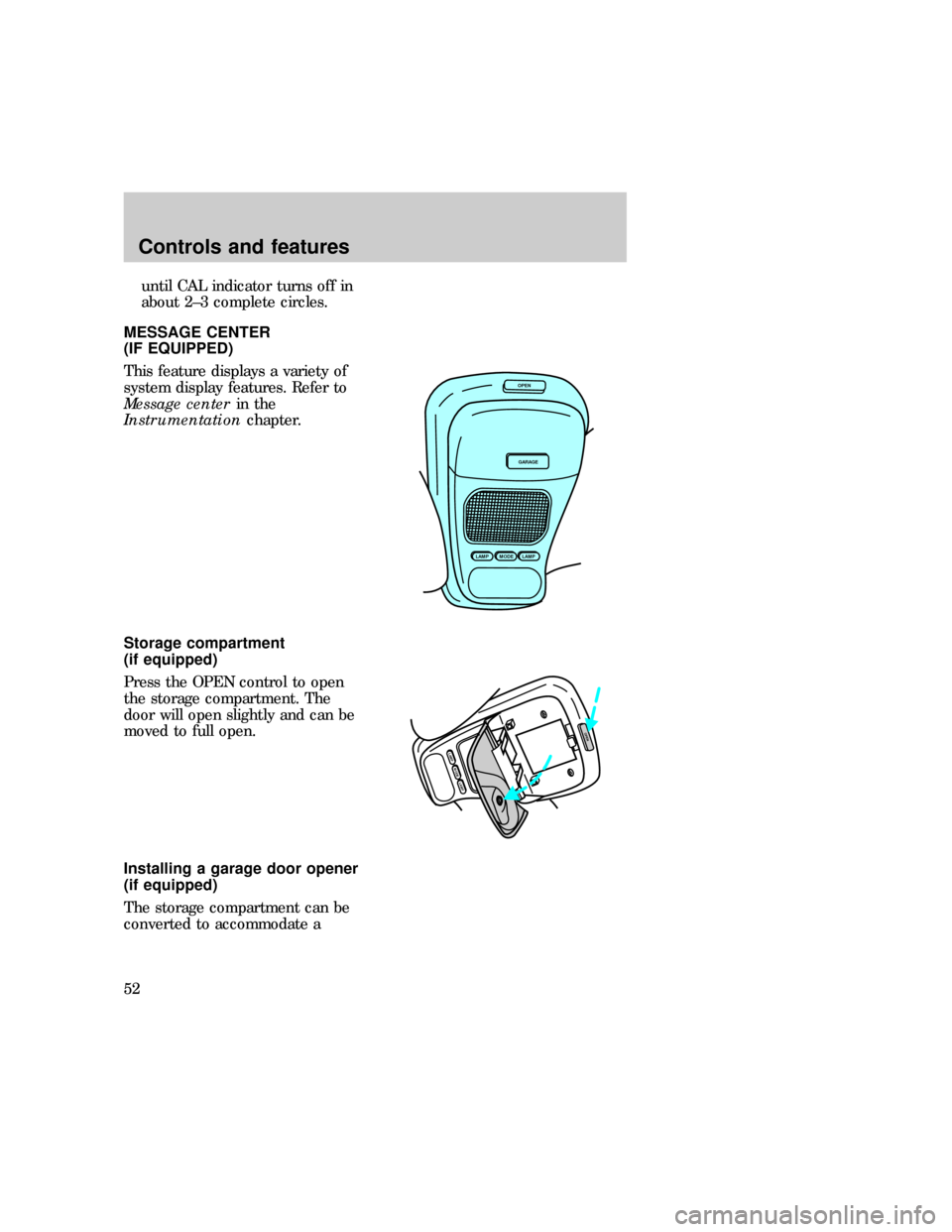
Compass zone adjustment
1. Determine which magnetic zone
you are in by referring to the zone
map.
2. Press and hold the MODE
control until VAR appears in the
display, then release. The display
should show the current zone
number.
3. Press the MODE control until
the desired zone number appears.
The display will flash and then
return to normal operation. The
zone is now updated.
Compass calibration adjustment
Perform this adjustment in an
open area free from steel
structures and high voltage lines:
²Press and hold the MODE
control until CAL appears in the
display (approximately eight
seconds) and release.
²Drive the vehicle slowly (less
than 5 km/h [3 mph]) in circles
1
2
3
4
5
6
7891011121314 15
LAMPMODELAMP
9 VAR
LAMPMODELAMP
CAL
uno_adjust-calibration
Controls and features
51
Page 51 of 236
until CAL indicator turns off in
about 2±3 complete circles.
MESSAGE CENTER
(IF EQUIPPED)
This feature displays a variety of
system display features. Refer to
Message centerin the
Instrumentationchapter.
Storage compartment
(if equipped)
Press the OPEN control to open
the storage compartment. The
door will open slightly and can be
moved to full open.
Installing a garage door opener
(if equipped)
The storage compartment can be
converted to accommodate a
OPEN
GARAGE
LAMPMODELAMP
MODELAMP
LAMP
OPEN
uno_message_center uno_storage_overhead
uno_garage_opener_stow
Controls and features
52
Page 121 of 236

the brake pedal is depressed. If
you cannot move the gearshift
lever from P (Park) with the brake
pedal depressed:
1. Apply the parking brake.
2. Turn the ignition key to Lock,
then remove the key.
3. Insert the key and turn the
ignition off.
4. Apply the brake pedal and shift
into N (Neutral).
5. Start the vehicle.
If it is necessary to use this
procedure to move the gearshift
lever , it is possible that a fuse
may have blown and the vehicle's
brakelamps may not be working.
Refer toFuses and relaysin the
Roadside emergencieschapter.
Driving (4R70W
transmission-5.0L engines only)
DOverdriveThe normal driving
position for the best fuel economy.
Transmission operates in gears one
through four.
Dcan be deactivated by pressing
the switch selector lever. The
O/D
OFFlight will illuminate.
D DriveNot shown on the display.
Activate by pressing the
transmission control switch.
O/D
OFFwill illuminate in the
instrument cluster. Transmission
operates in gears one through
three. D (Drive) provides more
engine braking than
D(Overdrive) and is useful when
uno_4r70w
Driving
122