Page 19 of 224
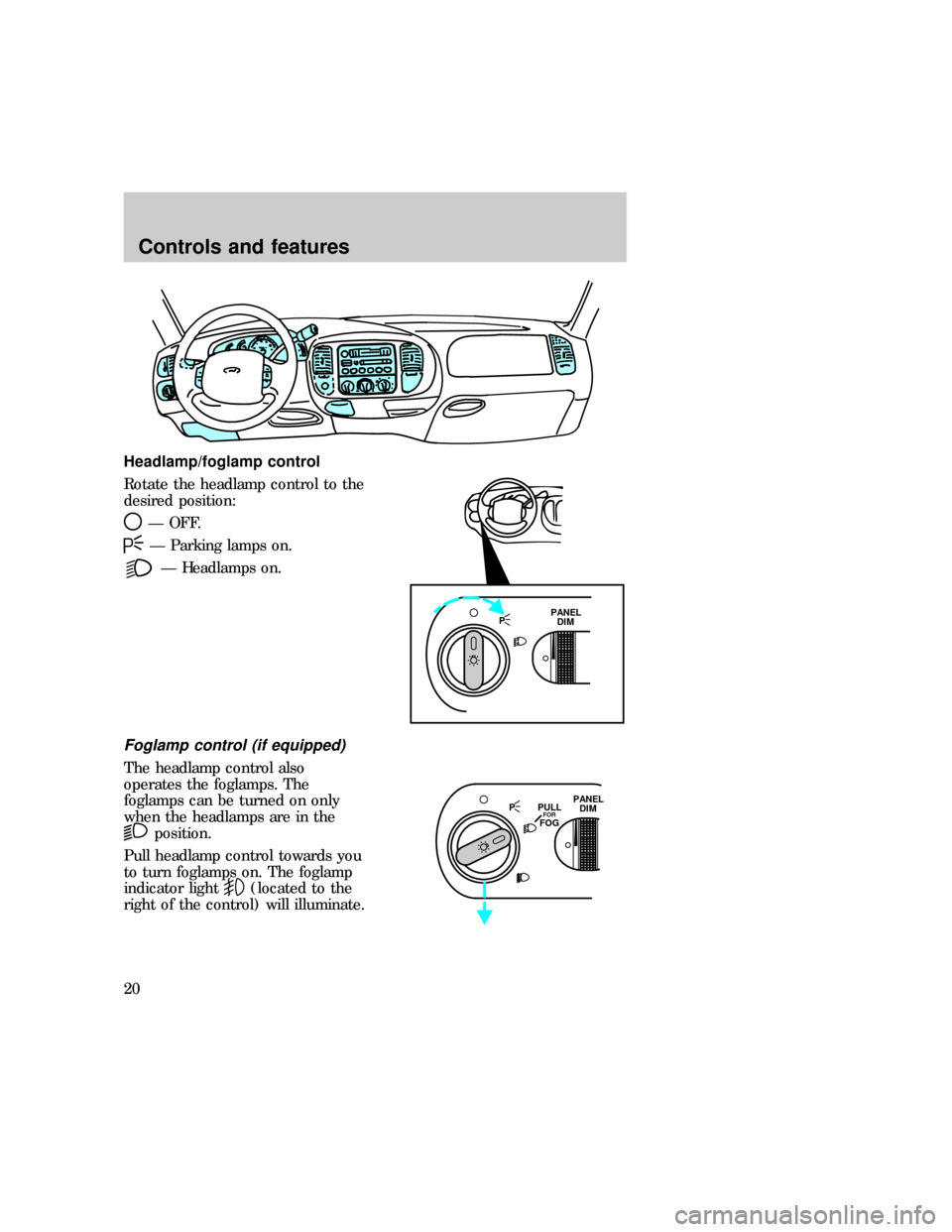
Headlamp/foglamp control
Rotate the headlamp control to the
desired position:
Ð OFF.
Ð Parking lamps on.
Ð Headlamps on.
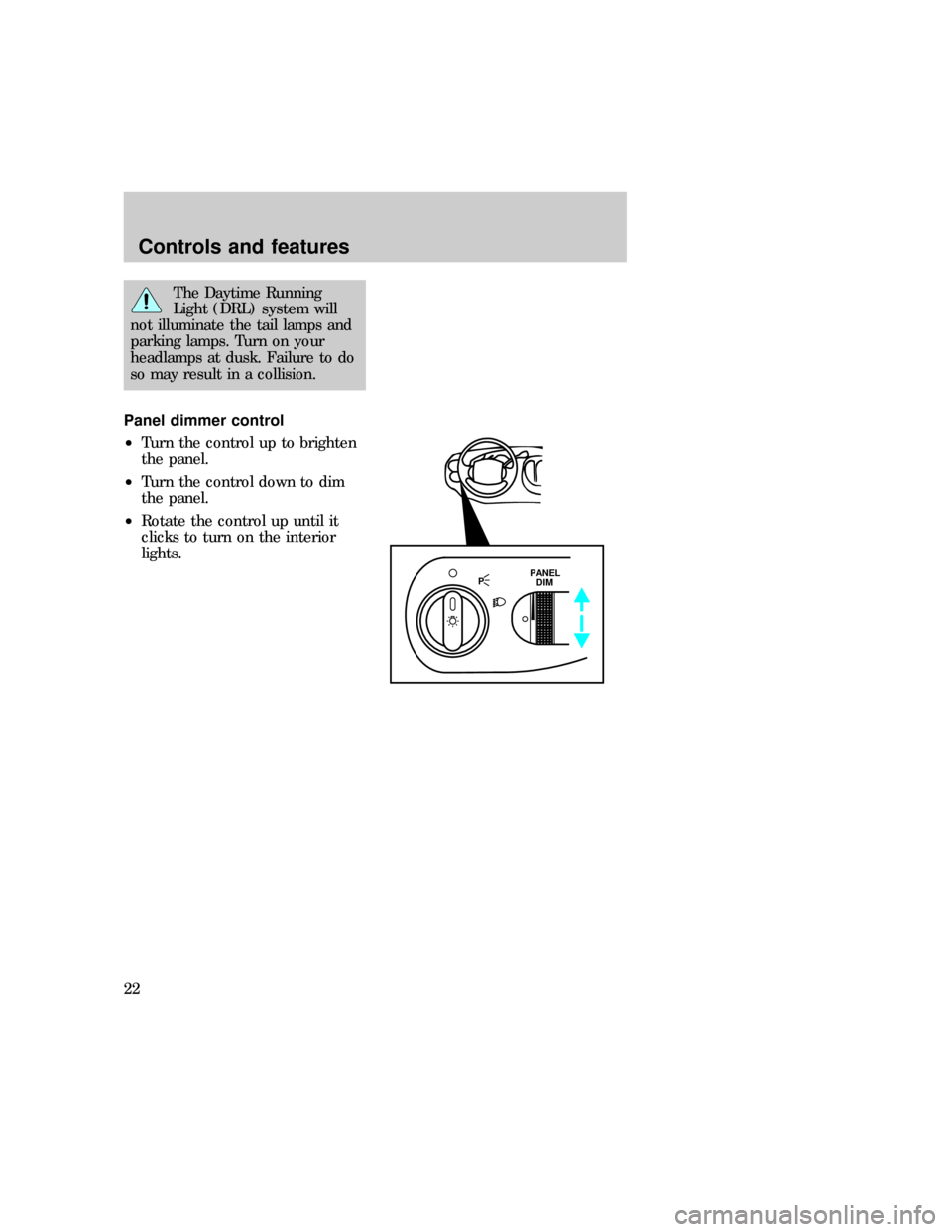
Foglamp control (if equipped)
The headlamp control also
operates the foglamps. The
foglamps can be turned on only
when the headlamps are in the
position.
Pull headlamp control towards you
to turn foglamps on. The foglamp
indicator light
(located to the
right of the control) will illuminate.
PPANEL
DIM
PPANEL
DIM PULLFORFOG
exd_headlamp
exd_autolamp_operation
Controls and features
20
Page 20 of 224
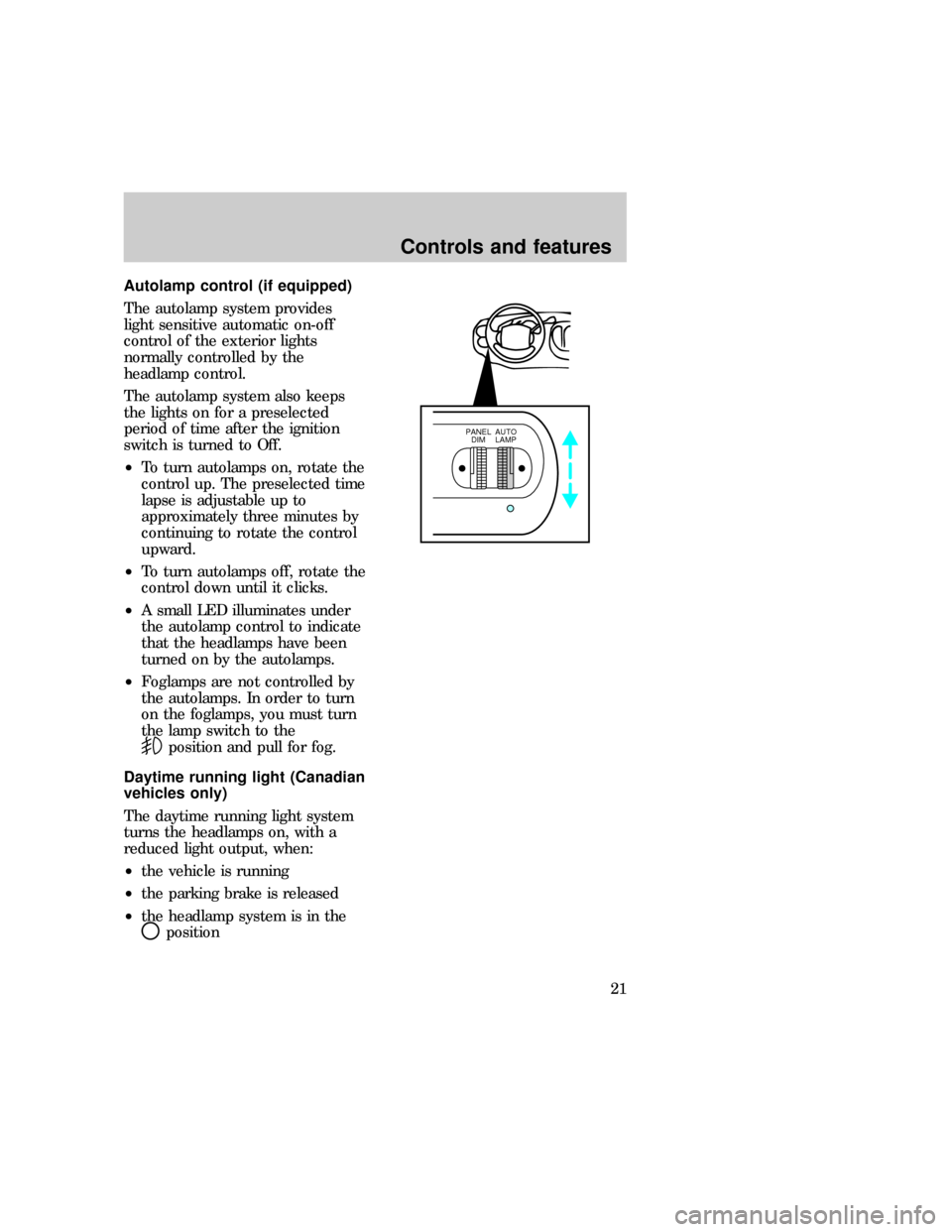
Autolamp control (if equipped)
The autolamp system provides
light sensitive automatic on-off
control of the exterior lights
normally controlled by the
headlamp control.
The autolamp system also keeps
the lights on for a preselected
period of time after the ignition
switch is turned to Off.
²To turn autolamps on, rotate the
control up. The preselected time
lapse is adjustable up to
approximately three minutes by
continuing to rotate the control
upward.
²To turn autolamps off, rotate the
control down until it clicks.
²A small LED illuminates under
the autolamp control to indicate
that the headlamps have been
turned on by the autolamps.
²Foglamps are not controlled by
the autolamps. In order to turn
on the foglamps, you must turn
the lamp switch to the
position and pull for fog.
Daytime running light (Canadian
vehicles only)
The daytime running light system
turns the headlamps on, with a
reduced light output, when:
²the vehicle is running
²the parking brake is released
²the headlamp system is in the
position
PANEL
DIMAUTO
LAMP
exd_drl
Controls and features
21
Page 21 of 224
The Daytime Running
Light (DRL) system will
not illuminate the tail lamps and
parking lamps. Turn on your
headlamps at dusk. Failure to do
so may result in a collision.
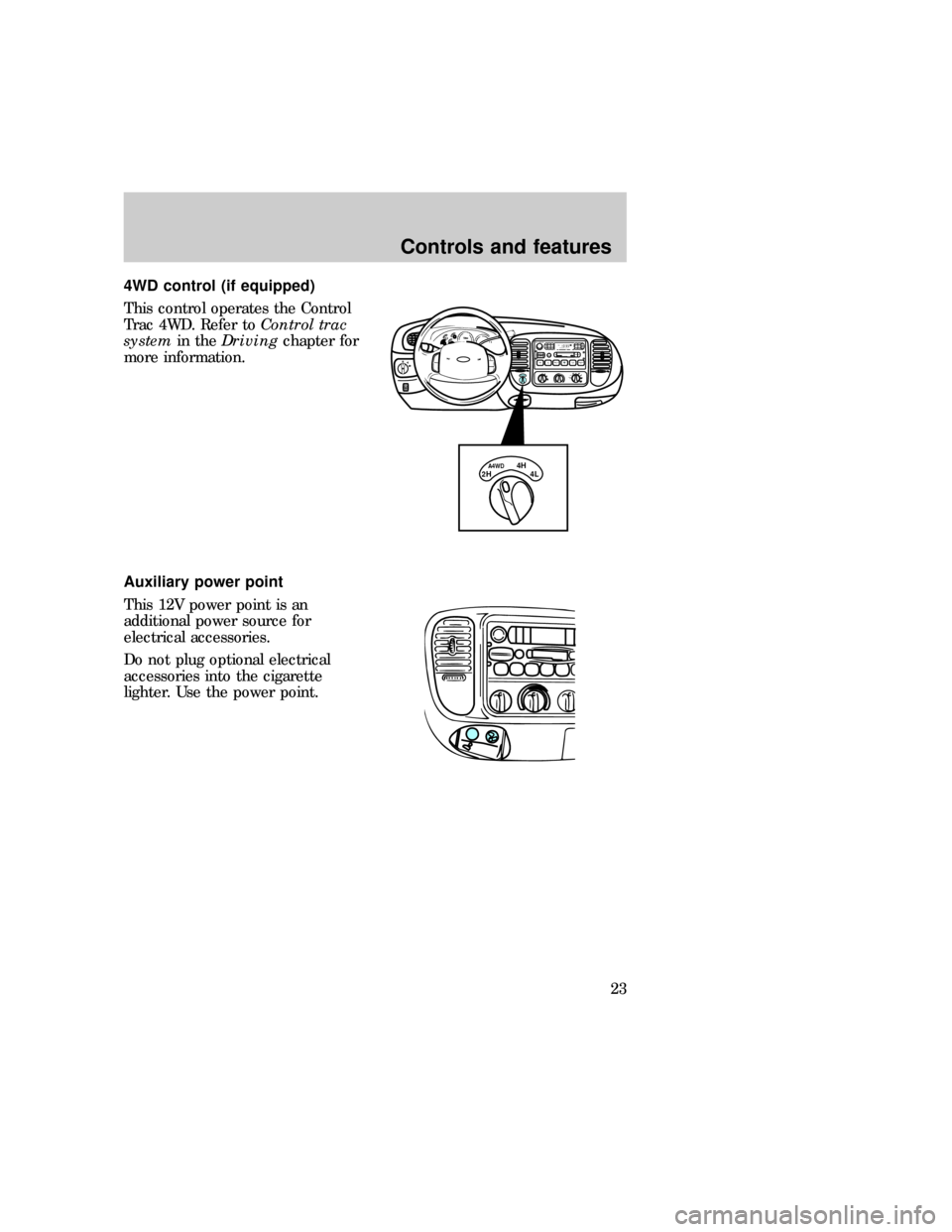
Panel dimmer control
²Turn the control up to brighten
the panel.
²Turn the control down to dim
the panel.
²Rotate the control up until it
clicks to turn on the interior
lights.
PPANEL
DIM
exd_ip_dimmer_operation
exd_4wd_control
Controls and features
22
Page 22 of 224
4WD control (if equipped)
This control operates the Control
Trac 4WD. Refer toControl trac
systemin theDrivingchapter for
more information.
Auxiliary power point
This 12V power point is an
additional power source for
electrical accessories.
Do not plug optional electrical
accessories into the cigarette
lighter. Use the power point.
PHI LO
2H4LA4WD4HOFF*A/C*MAX
A/CREW
1FF
2SIDE 1-2
3
FM 1STVOL – PUSH ON
AM
FMBASS TREBBAL FADE
AUTO
SET CLKSEEKTUNE
DISCSSCAN4DOLBY SYSTEMEJTAPE CDCOMP5SHUFFLE
6
2H 4LA4WD4H
exd_power_point
exd_audio_location
Controls and features
23
Page 39 of 224
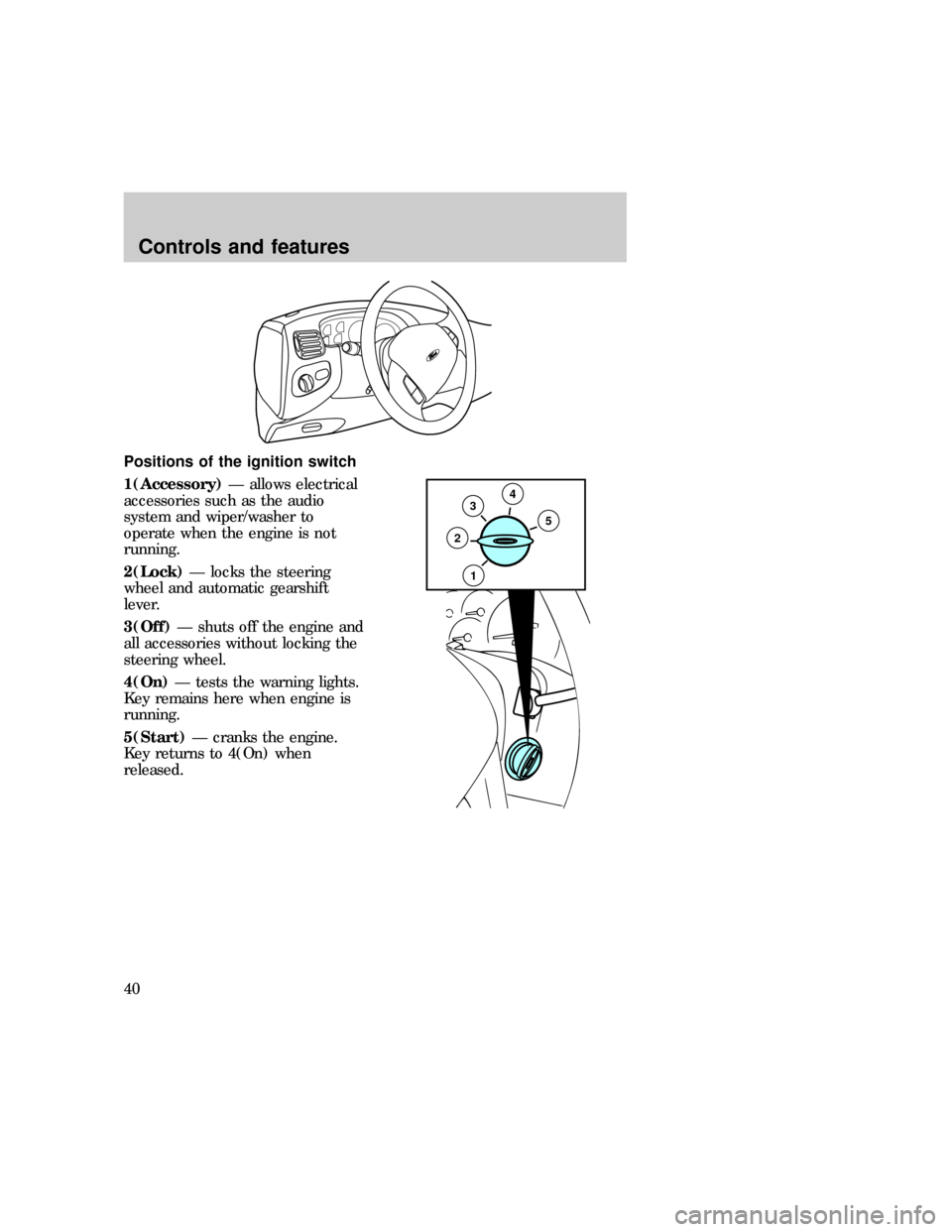
Positions of the ignition switch
1(Accessory)Ð allows electrical
accessories such as the audio
system and wiper/washer to
operate when the engine is not
running.
2(Lock)Ð locks the steering
wheel and automatic gearshift
lever.
3(Off)Ð shuts off the engine and
all accessories without locking the
steering wheel.
4(On)Ð tests the warning lights.
Key remains here when engine is
running.
5(Start)Ð cranks the engine.
Key returns to 4(On) when
released.
35
2
4
1
exd_ignition_positions
exd_speed_control_title
Controls and features
40
Page 47 of 224
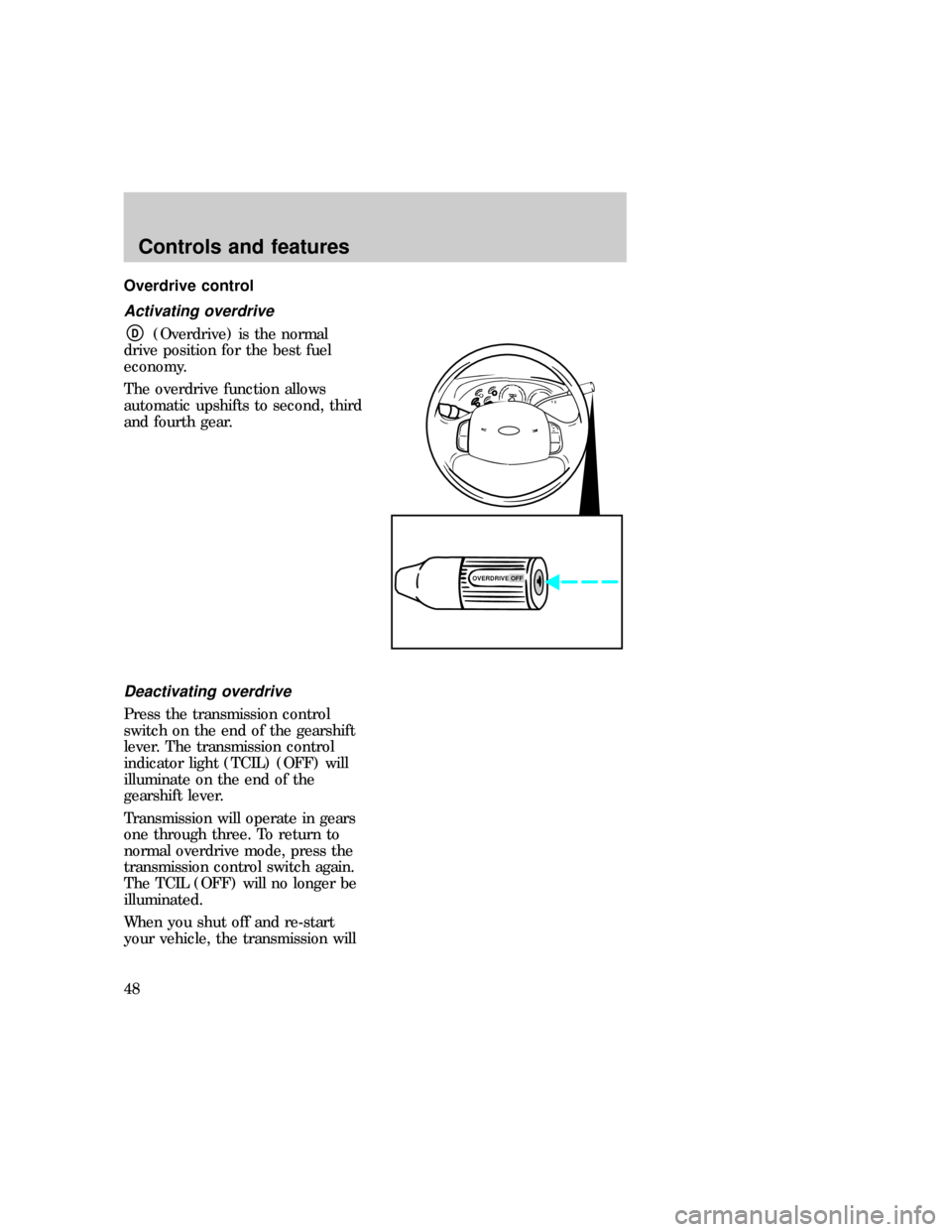
Overdrive control
Activating overdrive
D(Overdrive) is the normal
drive position for the best fuel
economy.
The overdrive function allows
automatic upshifts to second, third
and fourth gear.
Deactivating overdrive
Press the transmission control
switch on the end of the gearshift
lever. The transmission control
indicator light (TCIL) (OFF) will
illuminate on the end of the
gearshift lever.
Transmission will operate in gears
one through three. To return to
normal overdrive mode, press the
transmission control switch again.
The TCIL (OFF) will no longer be
illuminated.
When you shut off and re-start
your vehicle, the transmission will
OVERDRIVE OFF
exd_deactivating_overdrive
Controls and features
48
Page 48 of 224
automatically return to normalD(Overdrive) mode.
Deactivate overdrive whenever
driving conditions (i.e., city traffic,
hilly terrain, etc.) cause the
transmission to shift excessively
between
D(Overdrive) and
D(Drive) ranges. Also deactivate
D(Overdrive) when:
²driving with a heavy load
²towing a trailer up or down
steep hills
²additional engine braking is
desired
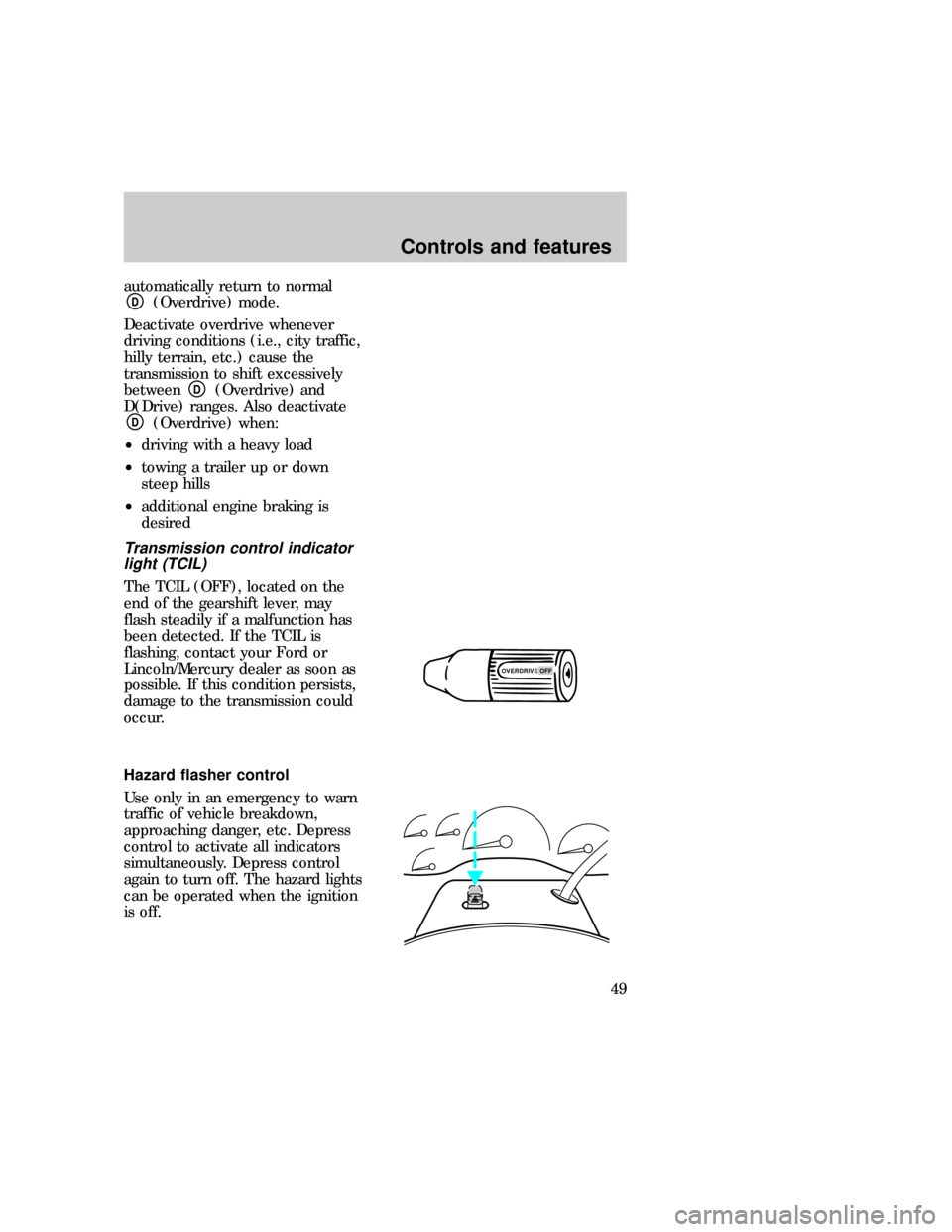
Transmission control indicator
light (TCIL)
The TCIL (OFF), located on the
end of the gearshift lever, may
flash steadily if a malfunction has
been detected. If the TCIL is
flashing, contact your Ford or
Lincoln/Mercury dealer as soon as
possible. If this condition persists,
damage to the transmission could
occur.
Hazard flasher control
Use only in an emergency to warn
traffic of vehicle breakdown,
approaching danger, etc. Depress
control to activate all indicators
simultaneously. Depress control
again to turn off. The hazard lights
can be operated when the ignition
is off.
OVERDRIVE OFFexd_hazards
exd_tilt_steering
Controls and features
49
Page 53 of 224
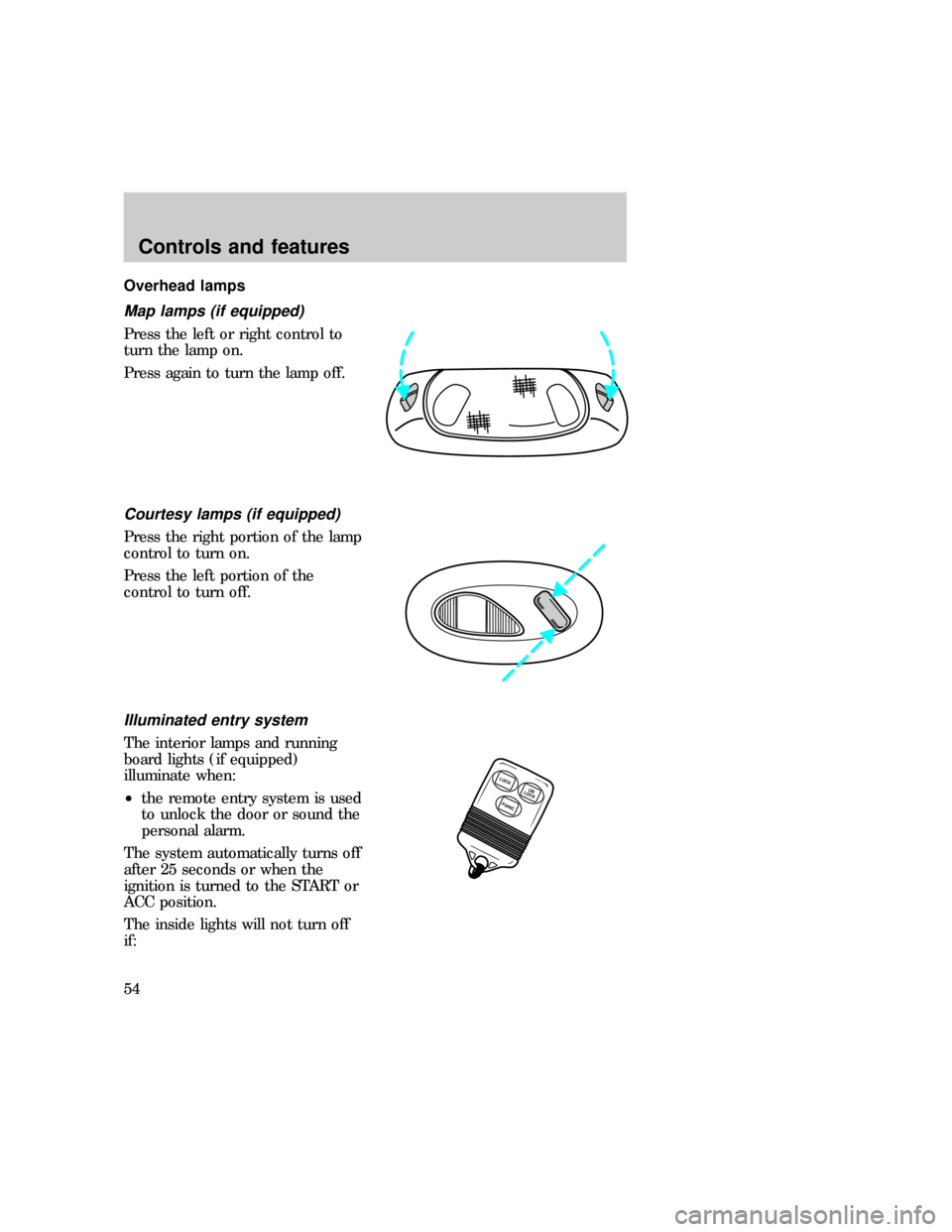
Overhead lamps
Map lamps (if equipped)
Press the left or right control to
turn the lamp on.
Press again to turn the lamp off.
Courtesy lamps (if equipped)
Press the right portion of the lamp
control to turn on.
Press the left portion of the
control to turn off.
Illuminated entry system
The interior lamps and running
board lights (if equipped)
illuminate when:
²the remote entry system is used
to unlock the door or sound the
personal alarm.
The system automatically turns off
after 25 seconds or when the
ignition is turned to the START or
ACC position.
The inside lights will not turn off
if:
LOCK
PANICUN
LOCK
exd_map_lamps exd_courtesy_lamps
uno_illuminated_entry
Controls and features
54