1997 CHEVROLET S10 display
[x] Cancel search: displayPage 126 of 402
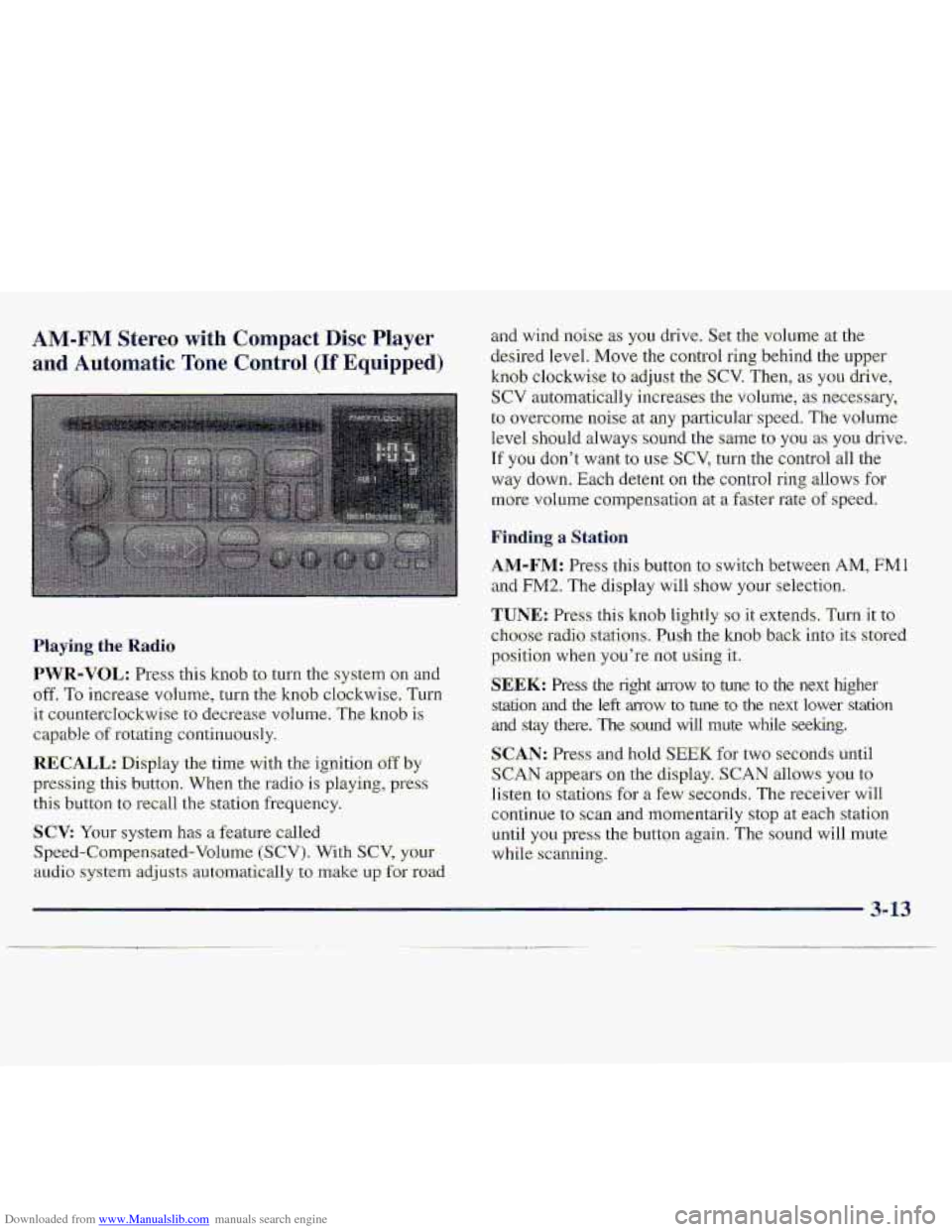
Downloaded from www.Manualslib.com manuals search engine AM-FM Stereo with Compact Disc Player
and Automatic Tone Control (If Equipped)
Haying. the Radio
PWR-VOL: Press: this kmb to turn the system on an-d
off. To increase vohlme, turn the knob clockwise, Turn
it: countercIockwise to decrease volume. The knob is
capable of rotating continuously.
RECALL.: Display the time with the ignition off by
pressing thi-s button. When the radio is playing, press
this button to recall the station frequ.ency.
SCV: Your system has a feature called
Speed-Compensated-Volumc (SCV). With SCV, your
au.cli.0 system adjusts automat-ically t:, make u~,f~r road
and-wind .noise as you drive. Set the volume xthe
desired Ievel.
Move the control ring behind the upper
knob clockwise to adjust the SCV. Then; as you drive,
SCV automatically increases the volume, as necessary,
to overcome- noise at any particular speed. The volume
level
.should always sound the same to you as YOU. drive.
If you don't want to we SCV, turn. the control all the
way down. Each detent on the co.nt1-ol ring allows for
mo.re volume compensatio.n at -a fastm-ate of speed.
Finding a Station
AM-FM: Press this button to swi.tch between AM, FMl
and FM2. The display will show YOLII' selection.
TUNE.: Press this knob lightly so it extends. Turn it to
cho-ose radio. stations. Push the knob- back into its stored
position
when you're not using it..
SEEK: Press the right arrow to tune to the next higher
srdtion and the left mow to tune to the next lower station
and stay there. The sound wfl1 mute while seeking.
SCAN: Pres and hold; SEEK for two seconds until
S,CAN appears on the display. SCAN allows you to
Iisten to stations for a few seconds. The receiver will
continue to scan -and lmmentarily
stop at each station
until
you press the button again. The sound will mute
while.
scanning.
3- 13
Page 128 of 402
Downloaded from www.Manualslib.com manuals search engine BASS: Press lightly on this knob tu release it from its
stored positi.on.
TLI~II the knob clockwise to increase
bass and counterclockwise, to decrease bass. When the
BASS colitrol is rotakd, the AUTO TONE setting will
chmge to MAN.
"TREB: Press lightly on this knob to release it from its
stored position. Turn the knob clockwise to increase
treble and counterclockwise
to decrease treble. Whe.n
the TREB con.h-oJ. is rotated, thc AUTO TONE. setting
will change.
to MAN. If a station is weak -or noisy, you
may want to decrease the tteble.
Push thae knobs back into their stored positi.ons when
you'r-e not using than.
AUTO TONE: Press this button to select among the
five preset.-equalization s-ettings and tailor .the sound to
the music or voice being heard. Ehch time you press th-e
button, the selection
will switch to one of the preset
settings of CLASSIC-, NEWS, ROCK, POP or JAZZ.
The display will shy.w which made the receiver is. in. To
return to-the ~~anual mode, press and release this buttqn
until. MAN appears 01.1 the. d:kplay. This wilI return the
t0n.e adjnstment tQ the BASS and TREB- controls. If a
BASS or TREB contfol is rotated, the AUTO TONE
settingwill change to MAN.
BAL.: Press- lightly or-this k-noh to release- it from its
stored position.
'Turn the control clodwise to adjust
sound
to the right speakers and counteTc1o;ckwise. to
.adjust sound to the left speakers. The middle position
balances the sound between the speakers.
FADE: Press lightly on this knob to release it from its
stored position.
Turn the control clockwise to adjust the
s.ound to the front
and counterclockwise for the. rear
speakers.
The middle .position.balancas the sound
.between
the: speakers.
Push these
knobs hack into their stored positims when.
you're not using them.
FIay,ing a. Compact .Disc
PWR: Press this: knob. to turn the system on.
(Please ndte that
you can also turn the system on when
you insert a compact disc into the player with the-
ignition on.)
Insert a disc partway info the slot, label side up. The
player will pull it in. Wait a few seconds- and the- disc.
should plzy. CD and a CD symbol wiill also appear on
the display. Anytime you
are playing-a CD, the letters
CD will be next to the CD symbod.
3-15
Page 130 of 402
Downloaded from www.Manualslib.com manuals search engine THEFTLOCK is designed to distlourage theft -of .yo-ur
radio.. It works by wing a secret cod9. to disable all m&o
functions whenever batrery power is- removed.
The .THEFTLOCK feature for the radio may be used.. or
igrrared. If igriofed,. the system plays. normally -and ~e
:radio is not ptected by'the featufe, If THEFTLO'CM is
activated, your radio will no.t operate if-stolen.
When THEFTLOCK-is 8c.tivated;the-radio will display
L0.C to in.&cate a 1ocked:conditian anytime battery
power
is re;lnoved. If YOU^ battery loses powerfor any
rewon, you must unlock the radio with the seem code
before it will op-erare.
The instructions which follow ,explain how to enter. your
secfe't code to activate the THEFTLOCK system. It is
recommended that. you read through all niad s,teps
befure starting the procedure.
Page 131 of 402
Downloaded from www.Manualslib.com manuals search engine 1. Write down any three or €our-digit:numbex from
000 to 199.9 and Beep it i.n a safe pla-ce separtite from
the vehicle.
2. Turn the ignitbn t.0 ACCESSORY .or RUN.
3.. Turn the iradio off.
4. Press the 1 and 4 buttons .together. Hold them down
until
--- shdws on the display. Next you will use the:
semet code number which you h-me. written d.own.
5. Press MN &ad 006' will ,appear on the Bisplay.
6. Pres:$ MN again to -mke the last two di.gits agree
wi.th your code.
7. Press HR to make the first one or two digits agre:e
8. Pres;s AM-FM after you have confirmed that the
with your c.ode.
code matches- the sixrat code. you Rave- written down.
The ,display.will show REIp to 1e.t you know that ypu
.need to repeat Steeps- 5 through 7 to confirm your
secretwde.
IJn1ockin.g ,the ThefWeterrent Feature After a
Power LOSS
Enter -your secret c.ode as fsllows-; pause, n.0. more. than
1.5 -secbnds between steps:
1. LQC appears wheri the igni-ticm is OD.
2. Press MN and 000. will appear oh the display.
3. Press MN again to make the last two digits agree
with your .code.
4. Press-HR to make the first one or- tvmdigits agree
with your
code.
5. Press AM-FM after you hme c0nfirrne.d .that the,
code matches the secret code you hav&written dawn.
The display will show SEC, indi-ca-tin,g.the radio is
now Qperable and se;cure.
If you enter the wrong code. eight times; INOP will
appear on the.display. You will have-to wait an hour
with th-e ignition on before ya.u can rry agah. When.you
try-again';you will only have-three chances tc, enter the.
&-rect c.ode.before INC)P-appemsi-
Page 132 of 402
Downloaded from www.Manualslib.com manuals search engine Disabling the Theft-Deterrent Feat-ure
Enter yoor secret-code as follows; pause no mor'e than
15 seconds between steps:
1. Turn the ignition to ACCESSORY or RUN.
2. Turn the. radio off.
3. Piess the 1 and 4 buttons together. Hold them aown
4. Press MNand 000 will appear cm the display.
5. PPess MNagain tu make the last two digits agree
.until
SEC shows--ox~ the display.
with your
Code.
6. Press I3.R to make the €irst one or two di@ zgree
with;yGur codei
7. Press AM-FM af1e.r yau have confirmed that the
code matches
the secret code you have written down.
The display will show ---j indicating that the radio is
no longer secured.
If the wde.. entered is .incorre.ct, SEC will appear on the
display.
The rad.io will remain secured until the correct
code is
entered.
-When battery power is removed and later app1ie:d to a
J secure.d radio, the radia won't. turn sind LOC will
appearon the-display.
To:unlock a secured radio, see "Unlrxking the
Theft-Det-errent Feature After a Power Loss" earlier i.n
this section.
ff" Stereo
FM. ste.ere.0 will give. you the best sound. B.ut FM signals
will reach only about 10 to 40 miles (16. to 65 km). Tall
buildings or:hills
can inte?fere with FM signals, causing.
the
sound to: dome and. go.
AM
The range for most AM stations is greater than fm FM,
especially at n.ight. The longer rangc, however, can
c&e stxioris to intwfeit-with each other. AM can pick
up noise from things like storms and pawer lines. Try
reducing
the treble-@ reduce this noise- if you ever get it.
Tips About Your Au,dio System
Hearing -damage from loud noise is almos1 undet.ectabk
until
it is too late, Your hearing. can .adapt to higher
volumes
of sound. Sound that seems normal c8n be loud
and harmful to your hearing. Take. precautions by
adjusting-the volume cuntrol, on your radio to a safe
sound lwei before your hearing adapts to it.
3-19