Page 49 of 354
Downloaded from www.Manualslib.com manuals search engine Securing a Child Restraint in the Center
Rear Seat Position
U
You’ll be using the lap belt.
See the earlier part about the top strap if the child
restraint has one.
1.
2.
3.
4.
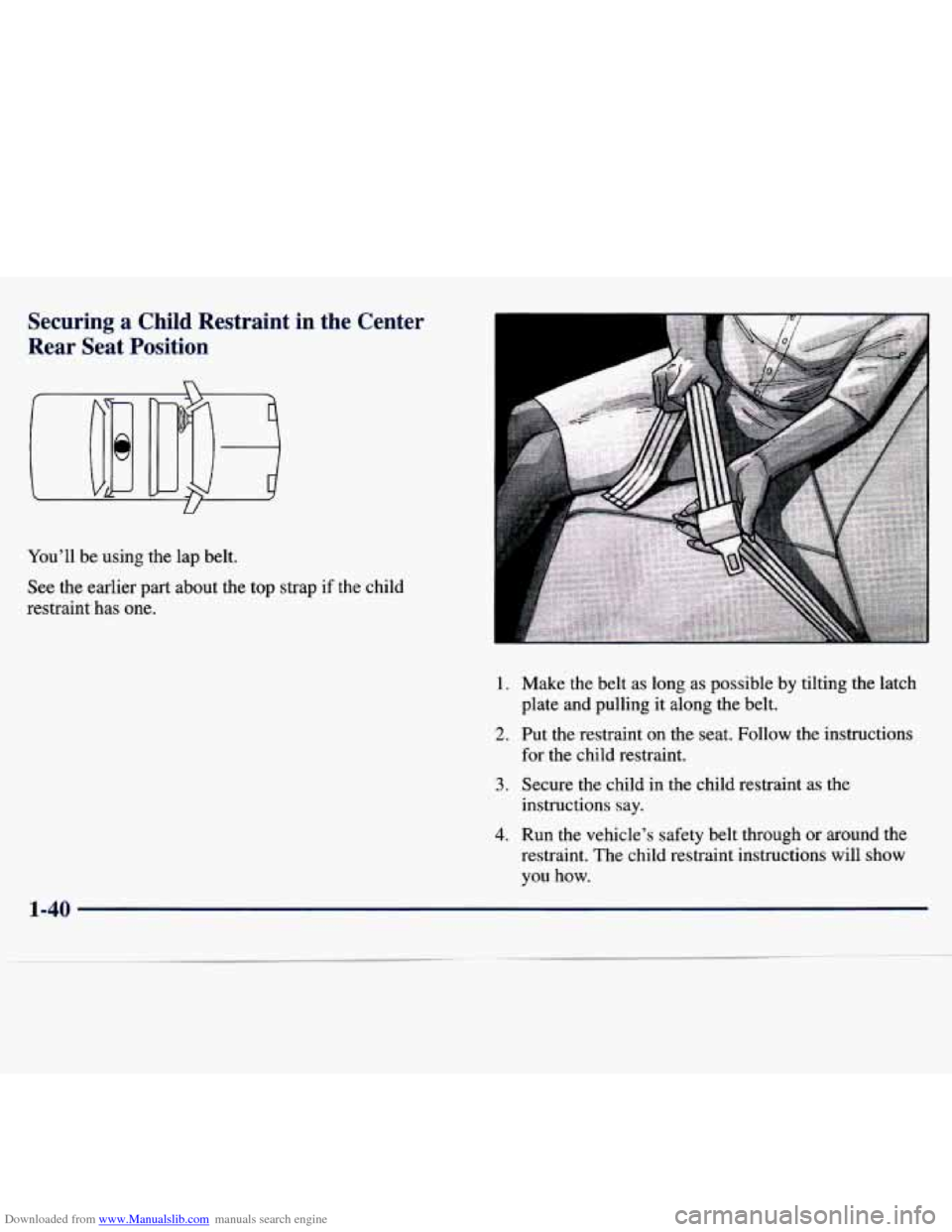
Make the belt as long as possible by tilting the latch
plate and pulling it along the belt.
Put the restraint on the seat.
Follow the instructions
for the child restraint.
Secure the child in the child restraint as the
instructions say.
Run the vehicle’s safety belt through or around the
restraint. The child restraint instructions will show
you how.
1-40
Page 50 of 354
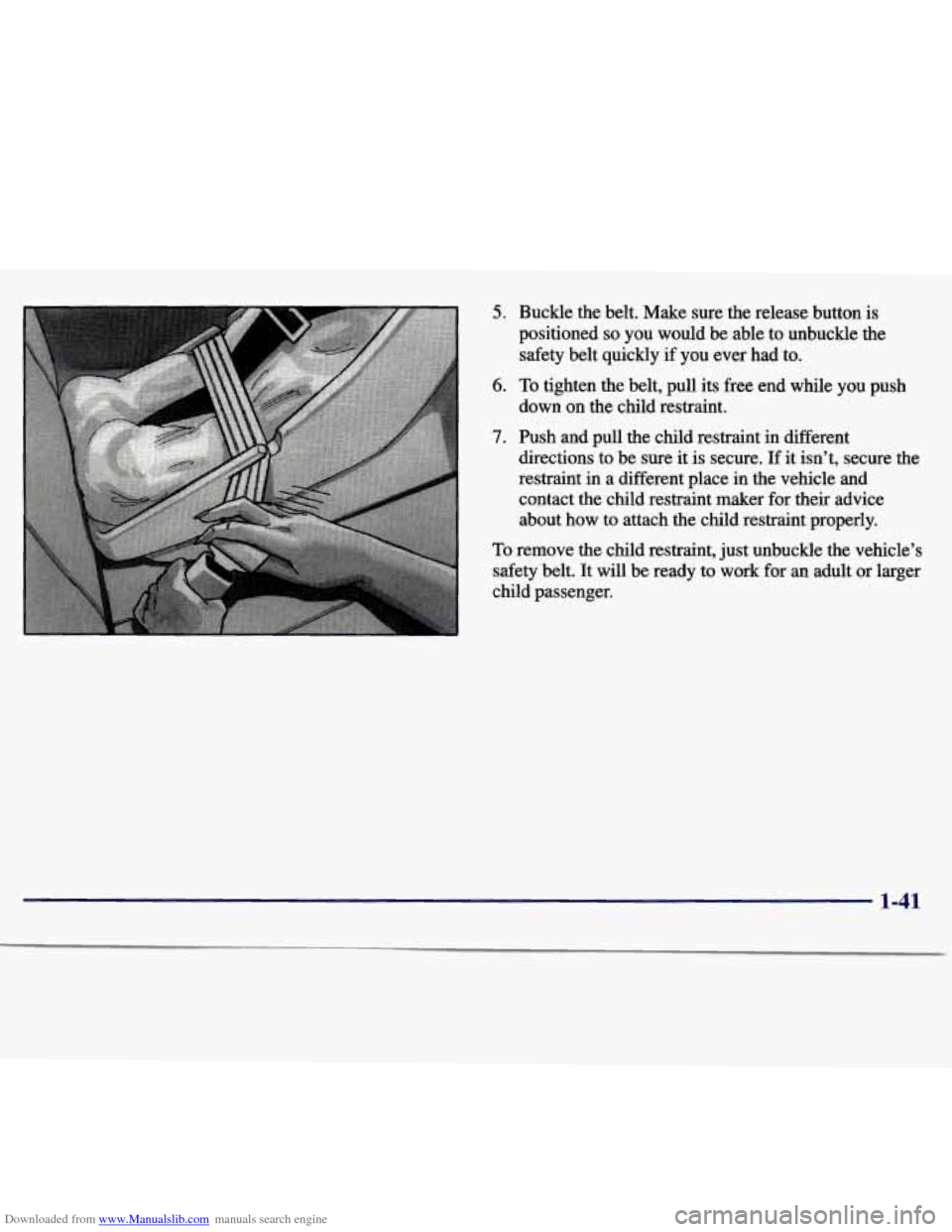
Downloaded from www.Manualslib.com manuals search engine 5. Buckle the belt. Make sure the release button is
positioned
so you would be able to unbuckle the
safety belt quickly
if you ever had to.
6. To tighten the belt, pull its free end while you push
down on the child restraint.
7. Push and pull the child restraint in different
directions to be sure it is secure.
If it isn’t, secure the
restraint
in a different place in the vehicle and
contact the child restraint maker for their advice
about how to attach the child restraint properly.
To remove the child restraint, just unbuckle the vehicle’s
safety belt. It
will be ready to work for an adult or larger
child passenger.
1-41
Page 51 of 354
Downloaded from www.Manualslib.com manuals search engine Securing a Child Restraint in the Right
Front Seat Position
Pour vehicle has a right front passenger air bag. Never
put a rear-facing child restraint in this seat. Here’s why:
PL CAUTION:
A child in a rear-facing child restraint can be
seriously injured if the right front passenger’s air
bag inflates. This is because the back of a rearfacing child restraint would be very close to
the inflating air bag. Always secure
a rearfacing
child restraint in the rear seat.
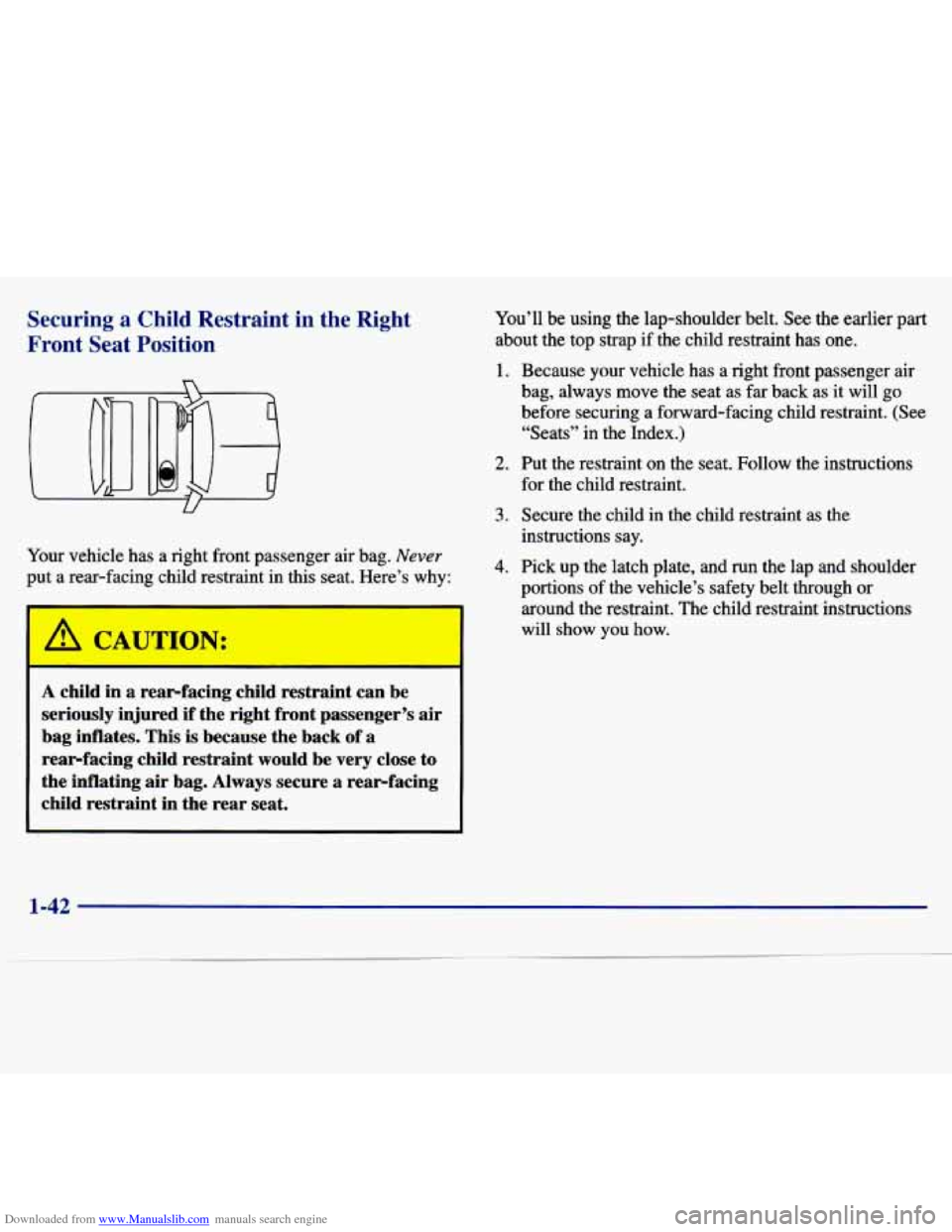
You’ll be using the lap-shoulder belt. See the earlier part
about the top strap if the child restraint has one.
1. Because your vehicle has a right front passenger air
bag, always move the seat as far back as it will go
before securing a forward-facing child restraint. (See
“Seats” in the Index.)
2. Put the restraint on the seat. Follow the instructions
for the child restraint.
3. Secure the child in the child restraint as the
instructions say.
4. Pick up the latch plate, and run the lap and shoulder
portions of the vehicle’s safety belt through or
around the restraint. The child restraint instructions
will show you how.
1-42
Page 53 of 354
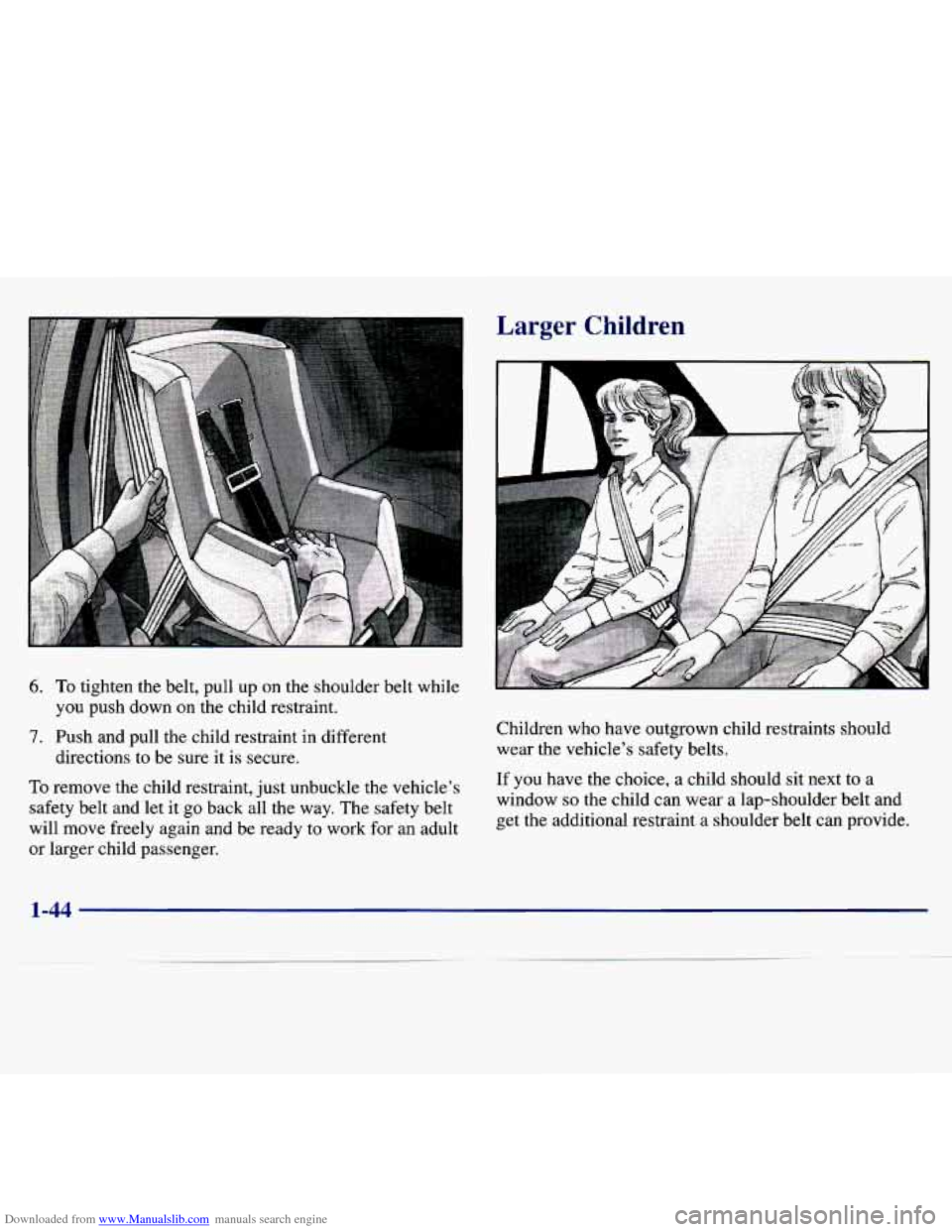
Downloaded from www.Manualslib.com manuals search engine 6. To tighten the belt, pull up on the shoulder belt while
7. Push and pull the child restraint in different you push down on the child restraint.
directions
to be sure it is secure.
To remove the child restraint, just unbuckle the vehicle’s
safety belt and let it go back all the way. The safety belt
will move freely again and be ready to work for an adult
or larger child passenger,
Larger Children
Children who have outgrown child restraints should
wear the vehicle’s safety belts.
If you have the choice, a child should sit next to a
window
so the child can wear a lap-shoulder belt and
get the additional restraint a shoulder belt can provide.
1-44
Page 58 of 354
Downloaded from www.Manualslib.com manuals search engine Section 2 Features and Controls
2-2
2-4
2-5
2-6 2- 8
2-1
1
2-13 2-13
2- 14
2-
17
2-18
2-22
2-22
2-26
Here you can learn about the many standard and optional featur\
es on your Chevrolet, and information
on starting,
shifting and braking. Also explained are the instrument panel and the warning systems that tell you if everything is
working properly
-- and what to do if you have a problem.
Important Information About Keys
Door Locks Operation of Child Security Locks
Keyless Entry System
Battery Replacement for Keyless
Entry System
Preventing Theft
of Your Vehicle
New Vehicle “Break-In”
Ignition Positions
Tips on Starting Your Engine
Using the Engine Coolant Heater
Automatic Transaxle Operation
Second-Gear Start
Parking Brake Guidelines
Important Information on Engine Exhaust 2-27
2-28
2-29
2-30
2-30
2-33
2-36 2-37
2-3 8
2-40
2-42
2-47
2-48
2-52 Operation
of Your Windows
Adjusting the Tilt Steering Wheel
Functions of the Multifunction Lever
How to Use the High/Low Beam
Headlamp Changer
Windshield Wipers and Fluid
Using Cruise Control
Exterior Lamps Daytime Running Lamps (DRL)
Interior Lamps Rearview Mirrors
Storage Compartments
Sunroof
Instrument Panel Overview
All About Your Warning Lights and Gages
Page 62 of 354
Downloaded from www.Manualslib.com manuals search engine Power Door Locks (If Equipped)
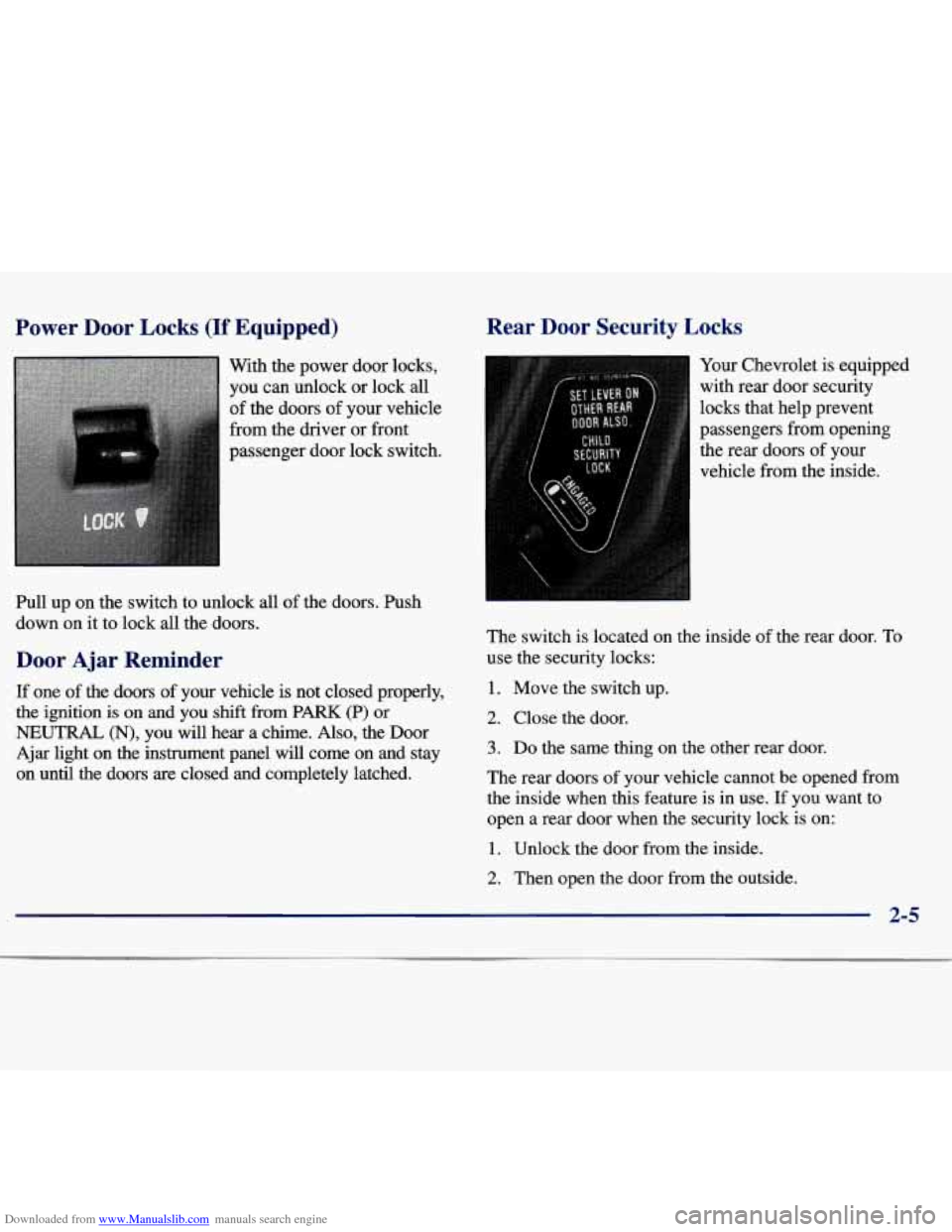
With the power door locks,
you can unlock or lock
all
of the doors of your vehicle
from the driver or front
passenger door lock switch.
Pull up on the switch to unlock all of the doors. Push
down on it to lock
all the doors.
Door Ajar Reminder
If one of the doors of your vehicle is not closed properly,
the ignition is on and you shift from PARK (P) or
NEUTRAL (N), you will hear a chime. Also, the Door
Ajar light on the instrument panel will come on and stay
on until the doors are closed and completely latched.
Rear Door Security Locks
-
Your Chevrolet is equipped
with rear door security
locks that help prevent
passengers from opening
the rear doors
of your
vehicle from the inside.
The switch is located on the inside of the rear door.
To
use the security locks:
1. Move the switch up.
2. Close the door.
3. Do the same thing on the other rear door.
The rear doors of your vehicle cannot be opened from
the inside when this feature is in use.
If you want to
open
a rear door when the security lock is on:
1. Unlock the door from the inside.
2. Then open the door from the outside.
2-5
Page 63 of 354
Downloaded from www.Manualslib.com manuals search engine If you don’t cancel the security lock feature, adults or
older children who ride in the rear won’t be able to open
the rear door from the inside. You should let adults and
older children know how these security locks work, and how to cancel the locks.
To cancel the rear door lock:
1. Unlock the door from the inside and open it from
the outside.
2. Move the switch down.
3. Do the same for the other rear door.
The rear doors will now work normally.
Leaving Your Vehicle
Keyless Entry System (If Equipped)
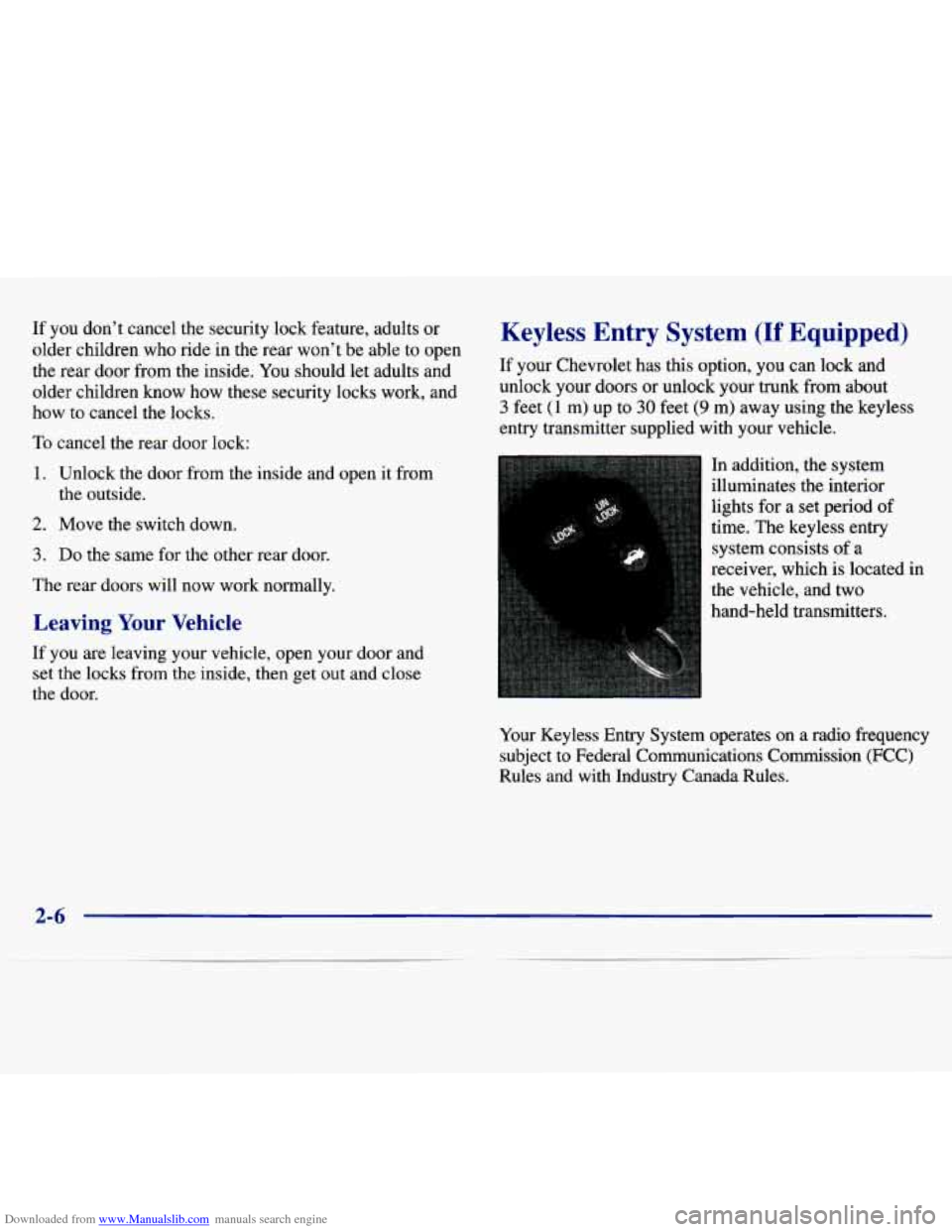
If your Chevrolet has this option, you can lock and unlock your doors or unlock your trunk from about
3 feet (1 m) up to 30 feet (9 m) away using the keyless
entry transmitter supplied with your vehicle.
In addition, the system
illuminates the interior
lights for a set period of
time. The keyless entry
system consists of a
receiver, which is located in
the vehicle, and two
hand-held transmitters.
If you are leaving your vehicle, open your door and
set the locks
from the inside, then get out and close
the door.
Your Keyless Entry System operates on a radio frequency
subject to Federal Communications Commission (FCC)
Rules and
with Industry Canada Rules.
2-6
Page 66 of 354
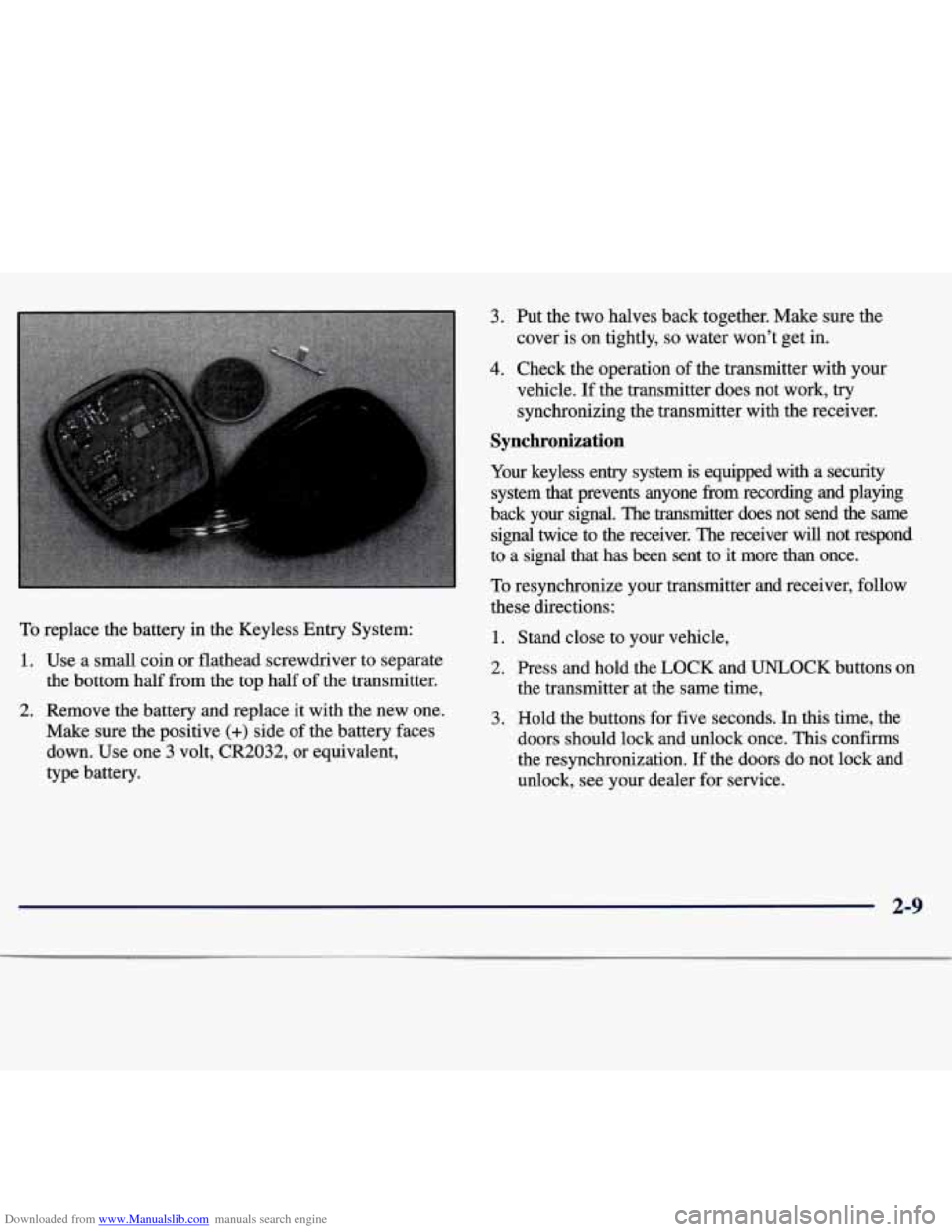
Downloaded from www.Manualslib.com manuals search engine To replace the battery in the Keyless Entry System:
1. Use a small coin or flathead screwdriver to separate
the bottom half from the top half of the transmitter.
2. Remove the battery and replace it with the new one.
Make sure the positive
(+) side of the battery faces
down. Use one
3 volt, CR2032, or equivalent,
type battery.
3. Put the two halves back together. Make sure the
cover is on tightly,
so water won’t get in.
4. Check the operation of the transmitter with your
vehicle.
If the transmitter does not work, try
synchronizing the transmitter with the receiver.
Synchronization
Your keyless entry system is equipped with a security
system that prevents anyone fi-om recording and playing
back your signal. The transmitter does not send the same
signal twice to the receiver. The receiver will not respond
to a signal that has been sent to it more than once.
To resynchronize your transmitter and receiver, follow
these directions:
1. Stand close to your vehicle,
2. Press and hold the LOCK and UNLOCK buttons on
the transmitter at the same time,
3. Hold the buttons for five seconds. In this time, the
doors should lock and unlock once. This confirms
the resynchronization.
If the doors do not lock and
unlock, see your dealer for service.
2-9