Page 104 of 388
Downloaded from www.Manualslib.com manuals search engine To reactivate the interior lamps, either:
The ignition must be turned on,
The activated lamp switch must be turned off, then
A front door must be opened.
The battery rundown protection feature will also be
activated when any door
is left open.
If your vehicle is left with the ignition
off for over
24 days, the battery power to the clock and audio system
will turn off to reduce the battery drain. When the
ignition
is turned on again, battery power will be
resupplied. Under these conditions it will be necessary
to reset the clock and audio system settings. on,
OR
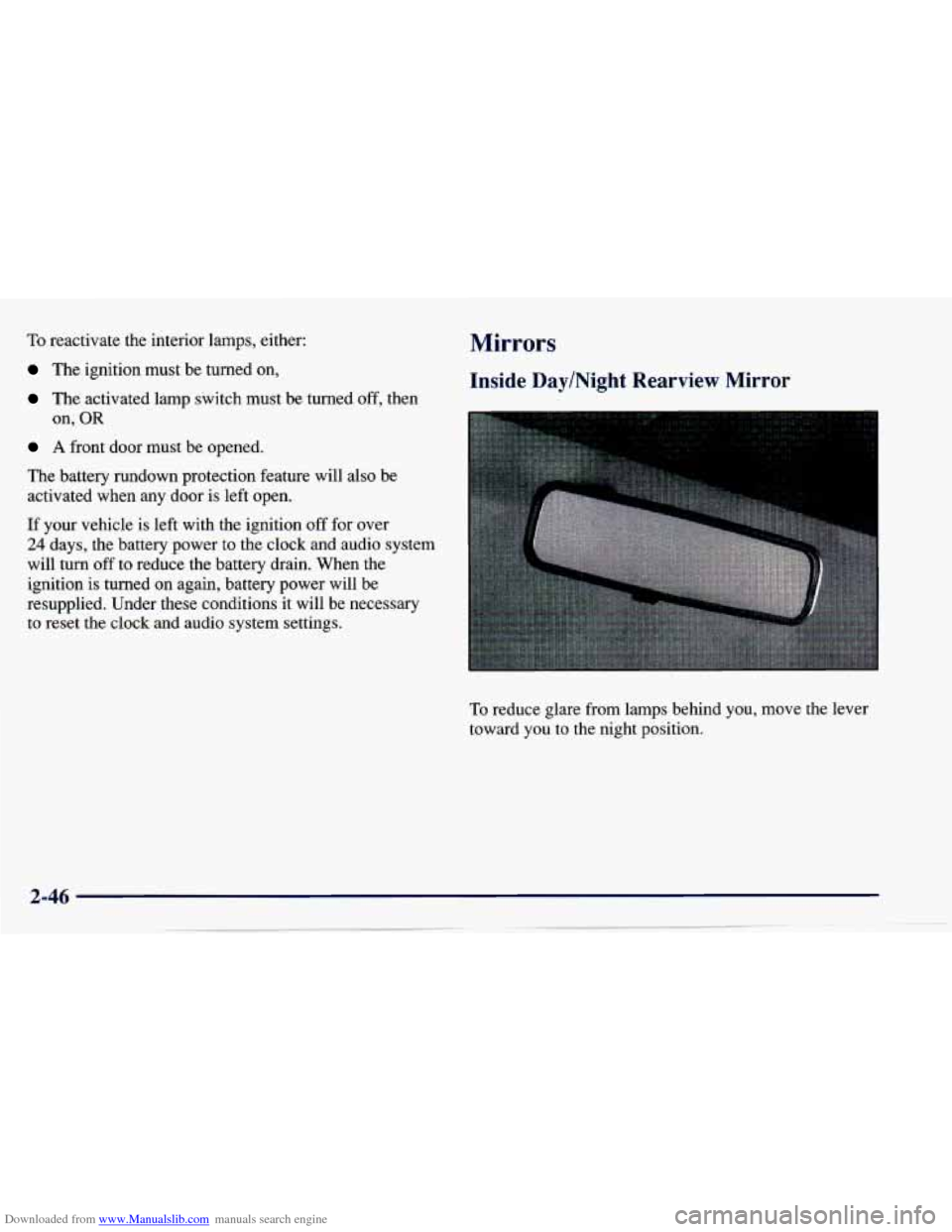
Mirrors
Inside Day/Night Rearview Mirror
To reduce glare from lamps behind you, move the lever
toward you to the night position.
Page 150 of 388
Downloaded from www.Manualslib.com manuals search engine PUSHBUTTONS: The six numbered pushbuttons let
you return to your favorite stations. You can set up to
18 stations (six AM, six FM1 and six FM2). Just:
1. Turn the radio on.
2. Press AM-FM to select the band.
3. Tune in the desired station,
4. Press AUTO TONE to select the equalization that
best suits the type of station selected.
5. Press and hold one of the six numbered buttons. The
sound will mute. When
it returns, release the button.
Whenever you press that numbered button, the station you set will return and the AUTO TONE
equalization that you selected will also be
automatically selected for that button.
6. Repeat the steps for each pushbutton.
P.SCAN: Press this button to listen to each of your
favorite stations stored on your pushbuttons for a few
seconds. The radio will scan through each of the stations
stored on your pushbuttons, except those stations with
weak reception. The AUTO TONE setting stored for
that pushbutton will be automatically chosen. Press P.SCAN or one of the pushbuttons again to stop
scanning. P.SCAN will be displayed whenever the tuner
is in the P.SCAN mode. The channel number (P1 -P6)
will appear momentarily just before the frequency
is
displayed. In FM mode, this function will scan through
both
FMl and FM2 preset stations and FM1 or FM2 will
appear on the display.
Setting the Tone
BASS: Press this knob lightly so it extends. Turn the
knob clockwise to increase bass and counterclockwise to
decrease bass. When you use this control, the radio’s
AUTO TONE setting will switch to manual.
TREB: Press this knob lightly so it extends. Turn the
knob clockwise to increase treble and counterclockwise
to decrease treble. When you use this control, the radio’s
AUTO TONE setting will switch to manual. If a station
is weak or noisy, you may want to decrease the treble.
Push these knobs back into their stored positions when you’re not using them.
AUTO TONE: This feature allows you to choose preset
bass and treble equalization settings designed for classical,
news, rock,
pop, country/western and jazz stations. C/W
will appear on the display when you first press AUTO
TONE. Each time you press it, another setting will appear
on the display. Press it again after
JAZZ appears and the
AUTO TONE display will go blank. Tone control will
return to the
BASS and TREB knobs. Also, if you use the
BASS and TREB knobs, control will return to them and the
AUTO TONE display will go blank.
3-14
Page 155 of 388
Downloaded from www.Manualslib.com manuals search engine P.SCAN: Press this button to listen to each of your
favorite stations stored on your pushbuttons for
a few
seconds. The radio will scan through each of the stations
stored on your pushbuttons, except those stations with
weak reception. The
AUTO TONE setting stored for
that pushbutton will
be automatically chosen. Press
P.SCAN or one of the pushbuttons again to stop
scanning. P.SCAN will be displayed whenever the tuner
is
in the P.SCAN mode. The channel number (Pl-P6)
will appear momentarily just before the fi-equency
is displayed.
Setting the Tone
BASS: Press this knob lightly so it extends. Turn the
knob clockwise
to increase bass and counterclockwise to
decrease bass. When you use this control, the radio’s
AUTO TONE setting will switch to manual.
TREB: Press this knob lightly so it extends. Turn the
knob clockwise to increase treble and counterclockwise
to decrease treble. When you use this control, the radio’s
AUTO
TONE setting will switch to manual. If a station
is weak or noisy, you may want to decrease the treble.
Push these knobs back into their stored positions when
you’re not using them.
AUTO TONE: This feature allows you to choose preset
bass and treble equalization settings designed for
classical, news, rock, pop, country/western and jazz
stations.
C/W will appear on the display when you first
press AUTO TONE. Each time
you press it, another
setting
will appear on the display. Press it again after
JAZZ appears and the AUTO TONE display will go
blank. Tone control will return to the
BASS and TREB
knobs. Also, if you use the
BASS and TREB knobs,
control will return to them and the
AUTO TONE
display
will go blank.
Adjusting the Speakers
BAL: Press this knob lightly so it extends.
Turn the knob clockwise for the right speakers and
counterclockwise for the left speakers. The middle
position balances the sound between the speakers.
FADE: Press this knob lightly so it extends. Turn the
knob clockwise to adjust the sound to the front speakers
and counterclockwise for the rear speakers. The middle
position balances the sound between the speakers.
Push these knobs back into their stored positions when
you’re not using them.
3-19