Page 92 of 388
Downloaded from www.Manualslib.com manuals search engine lhrn Signal and Lane Change Indicator
The turn signal has two upward (for right) and two
downward (for left) positions. These positions allow you
to signal a turn or a lane change.
To signal a turn, move the lever all the way up or down.
When
the turn is finished, the lever will return automatically.
An arrow on the instrument
panel will flash in the
direction of the turn or
lane change.
To signal a lane change, just raise or lower the lever
until the arrow starts to flash. Hold
it there until you
complete your lane change. The lever will return by
itself when you release it.
As you signal a turn or a lane change, if the arrows don’t
flash rapidly, a signal bulb may be burned out and other drivers won’t see your turn signal.
If a bulb is burned out, replace it to help avoid an
accident.
If the arrows don’t go on at all when you
signal a turn, check the fuse (see “Fuses and Circuit
Breakers” in the Index) and for burned-out bulbs.
Page 134 of 388

Downloaded from www.Manualslib.com manuals search engine Oil Pressure Warning Light
If you have a low engine oil
pressure problem, this light
will
stay on after you start
your engine, or
conze 012
when you are driving. This
indicates that your engine is
not receiving enough oil.
The engine could be low on oil, or could have some
other oil problem. Have it fixed immediately.
The oil light could also come on in three other situations:
0 When the ignition is on but the engine is not running,
the light
will come on as a test to show you it is
working, but the light will
go out when you turn the
ignition to START. If it doesn’t come on with the
ignition
on, you may have a problem with the fuse or
bulb. Have it fixed right away.
If you’re idling at a stop sign, the light may blink on
If you make a hard stop, the light may come on for a
and then
off.
moment. This is normal.
Don’t keep driving if the oil pressure is low.
If
you do, your engine can become so hot that it
catches fire. You or others could
be burned.
Check your oil
as soon as possible and have your
vehicle serviced.
I NOTICE:
Damage to your engine from neglected oil
problems can be costly and
is not covered by
your warranty.
Page 203 of 388
Downloaded from www.Manualslib.com manuals search engine Backing Up
Hold the bottom of the steering wheel with one hand.
Then, to move the trailer to the left, just move that hand
to the left. To move the trailer to the right, move your
hand to the right. Always back up slowly and, if possible,
have someone guide you.
Making Turns
1 NOTICE:
Making very sharp turns while trailering could
cause the trailer to come in contact with the
vehicle. Your vehicle could be damaged. Avoid
making very sharp turns while trailering.
When you’re turning with a trailer, make wider turns than
normal.
Do this so your trailer won’t strike soft shoulders,
curbs, road signs, trees or other objects. Avoid jerky or
sudden maneuvers. Signal well
in advance.
Turn Signals When Towing a Trailer
The green arrows on your instrument panel will flash
whenever you signal a turn or lane change. Properly
hooked up, the trailer lamps will also flash, telling other
drivers you’re about to turn, change lanes or stop.
When towing a trailer, the green arrows on your
instrument panel will flash for turns even if the bulbs on
the trailer are burned out. Thus, you may think drivers
behind you are seeing your signal when they are not.
It’s important to check occasionally to be sure the trailer
bulbs are still working.
4-41
Page 243 of 388
Downloaded from www.Manualslib.com manuals search engine Section 6 Service and Appearance Care
Here you will find information about the care of your Chevrolet. This section begins with service and fuel
information, and then it shows how to check important fluid and lubricant levels. There is also technical information
about your vehicle, and a part devoted to its appearance care.
6-3
6-6
6-8
6-12
6-17
6-18
6-2
1
6-22
6-24
6-25
6-28 Fuel
Filling
Your Tank
Checking Things Under the Hood
Engine Oil
Air Cleaner
Automatic Transaxle Fluid
(Except 2.4L Code T Engine)
Automatic Transaxle Fluid
(2.4L Code T Engine Only)
Manual Transaxle Fluid
Hydraulic Clutch
Engine Coolant Surge Tank Pressure Cap 6-29
6-30
6-3
1
6-35
6-35
6-40
6-52
6-55
6-56
6-56
6-58
6-58
6-64 Power Steering Fluid
Windshield Washer Fluid
Brakes
Battery
Halogen Bulbs Tires
Care of Safety Belts
Cleaning Tires
Finish Damage Underbody Maintenance Service Parts Identification Label
Electrical System Air Conditioning Refrigerants
Page 277 of 388
Downloaded from www.Manualslib.com manuals search engine Battery
Every new Chevrolet has a Delco Freedom@ battery.
You never have to add water to one of these. When it’s
time for a new battery, we recommend
a Delco Freedom
battery. Get one that has the replacement number shown
on the original battery’s label.
Vehicle Storage
If you’re not going to drive your vehicle for 25 days or more,
take off the black, negative (-) cable from the battery. This
will help keep your battery from running down. Also, for
your audio system,
see “Theft-Deterrent
Feature’’ in the Index.
Bulb Replacement
For any bulb changing procedure not listed in this
section, contact your Chevrolet dealer’s service
department.
Halogen Bulbs
1
Batteries have acid that can burn you and gas
that can explode. You can be badly hurt if
you
aren’t careful. See “Jump Starting” in the Index
for tips on working around
a battery without
getting hurt.
Contact your dealer to learn how
to prepare your vehicle
for longer storage periods.
1 CAUTION:
I
Halogen bulbs have pressurized gas inside and
can burst if you drop or scratch the bulb. You
or
others could be injured. Be sure to read and
follow the instructions on the bulb package.
Page 278 of 388
Downloaded from www.Manualslib.com manuals search engine Front Exterior
Headlamps
For the type of bulb to use, see “Replacement Bulbs” in
the Index.
To replace one of your headlamp bulbs, do
the following:
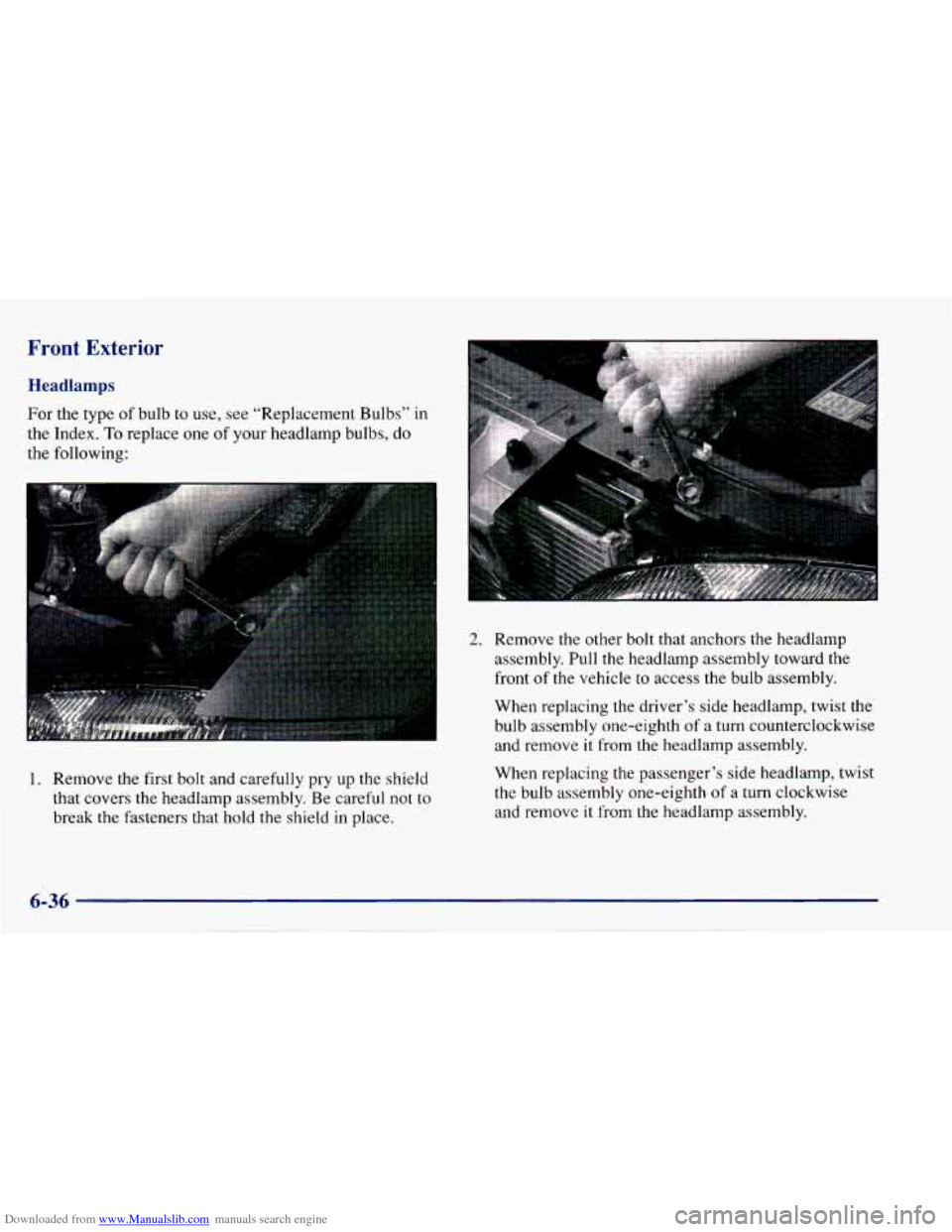
1. Remove the first bolt and carefully pry up the shield
that covers the headlamp assembly. Be careful not to
break the fasteners that hold the shield in place.
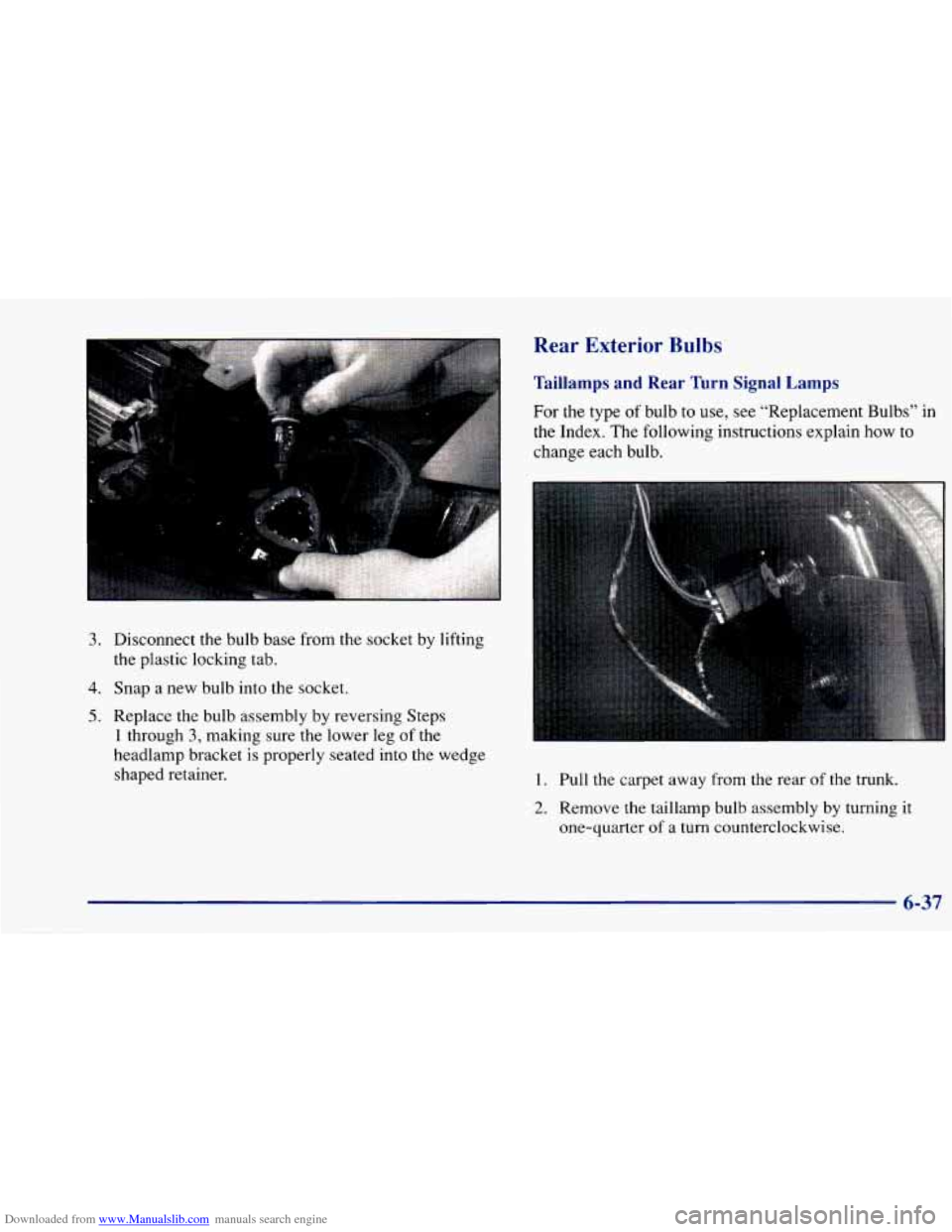
2. Remove the other bolt that anchors the headlamp
assembly. Pull the headlamp assembly toward the
front of the vehicle
to access the bulb assembly.
When replacing the driver’s side headlamp, twist the bulb assembly one-eighth of a turn counterclockwise
and remove it from the headlamp assembly.
When replacing the passenger’s side headlamp, twist
the bulb assembly one-eighth
of a turn clockwise
and remove
it from the headlamp assembly,
6-36
Page 279 of 388
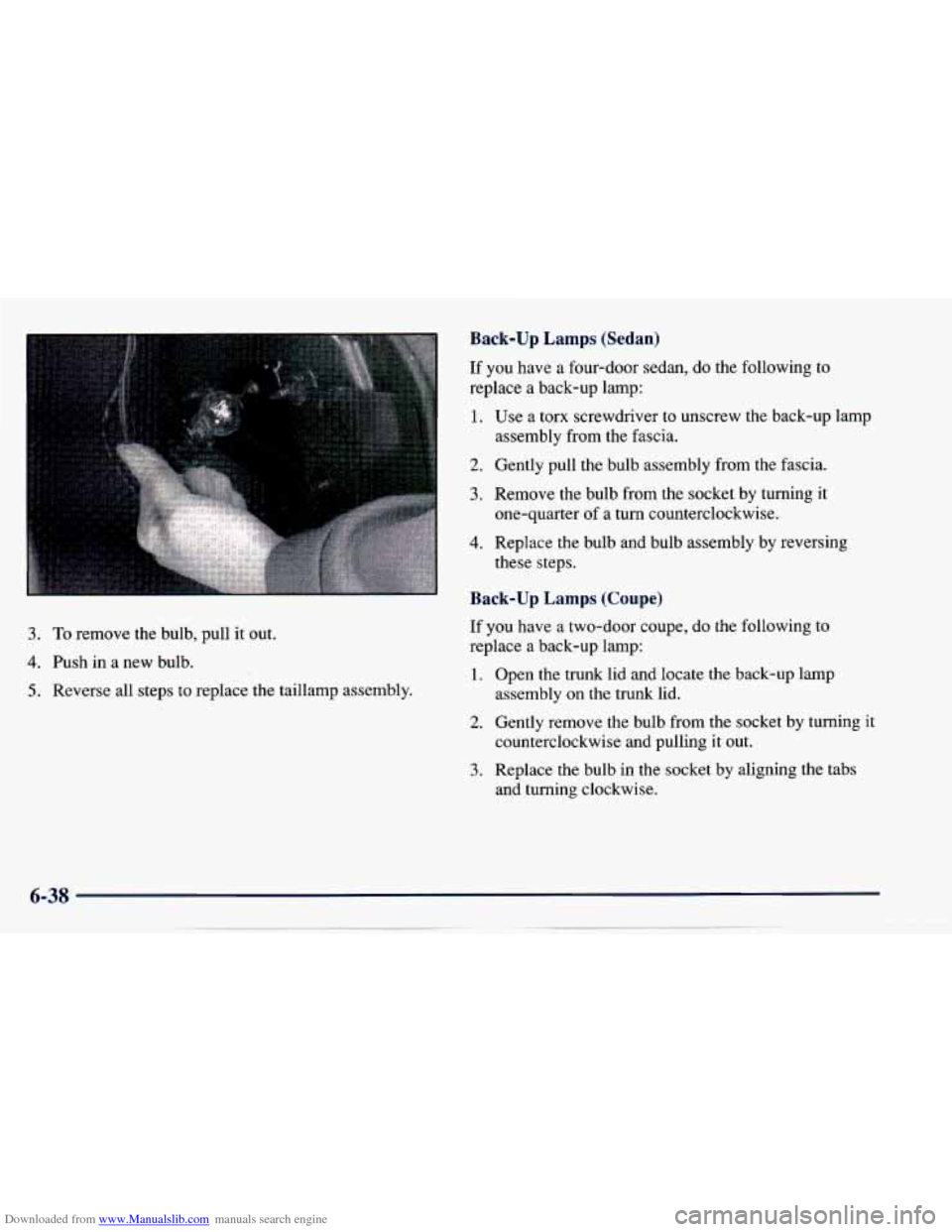
Downloaded from www.Manualslib.com manuals search engine 3. Disconnect the bulb base from the socket by lifting
the plastic locking tab.
4. Snap a new bulb into the socket.
5. Replace the bulb assembly by reversing Steps
1 through 3, making sure the lower leg of the
headlamp bracket is properly seated into the wedge
shaped retainer.
Rear Exterior Bulbs
Taillamps and Rear Turn Signal Lamps
For the type of bulb to use, see “Replacement Bulbs” in
the Index. The following instructions explain how to
change each bulb.
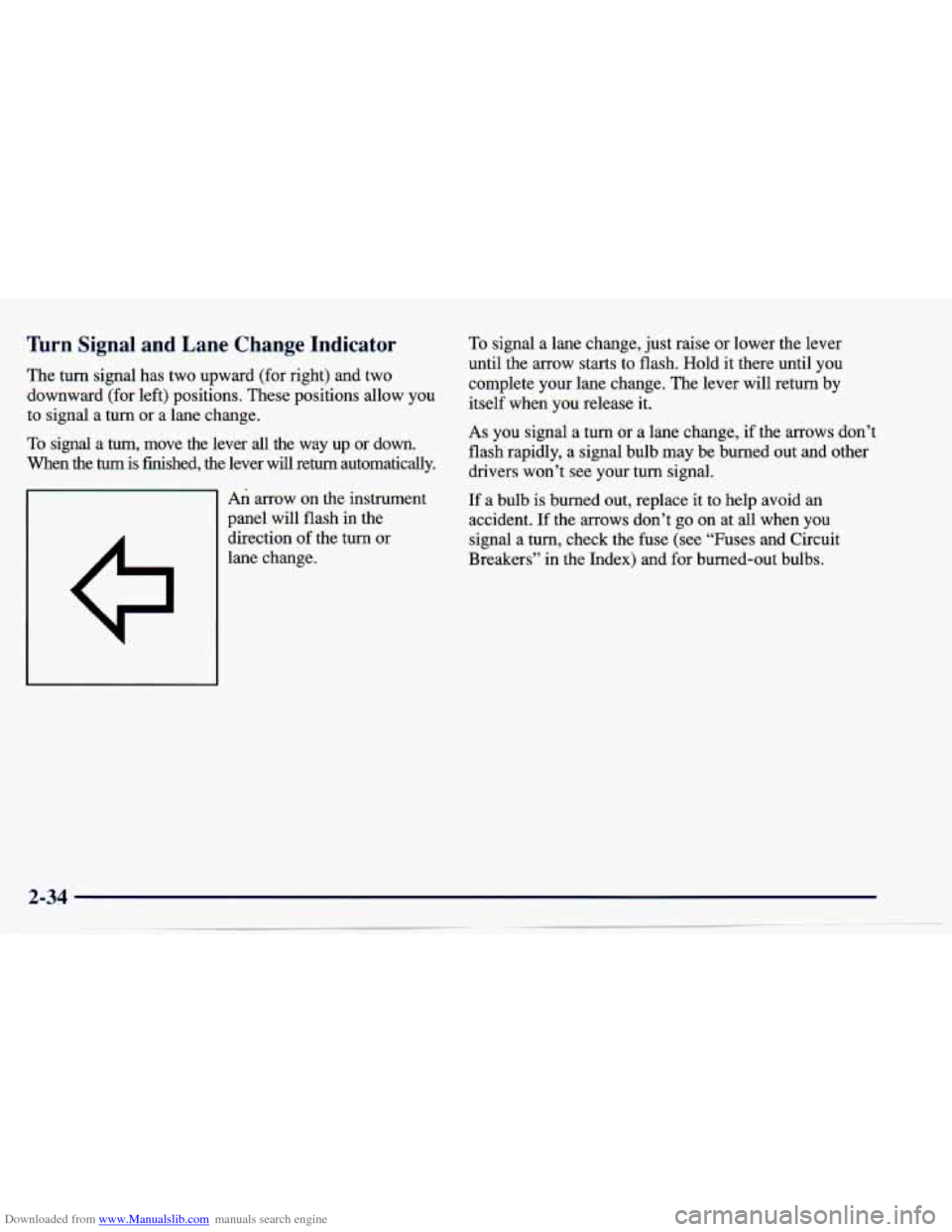
1. Pull the carpet away from the rear of the trunk.
2. Remove the taillamp bulb assembly by turning it
one-quarter of a turn counterclockwise.
6-37
Page 280 of 388
Downloaded from www.Manualslib.com manuals search engine Back-up Lamps (Sedan)
If you have a four-door sedan, do the following to
replace
a back-up lamp:
3. To remove the bulb, pull it out.
4. Push in a new bulb.
5. Reverse all steps to replace the taillamp assembly.
1.
2.
3.
4.
Use a torx screwdriver to unscrew the back-up lamp
assembly from the fascia.
Gently pull the bulb assembly from the fascia.
Remove the bulb from the socket
by turning it
one-quarter of
a turn counterclockwise.
Replace the bulb and bulb assembly by reversing
these steps.
Back-up Lamps (Coupe)
If you have a two-door coupe, do the following to
replace a back-up lamp:
1.
2.
3.
Open the trunk lid and locate the back-up lamp
assembly on the trunk lid.
Gently remove the bulb from the socket by turning
it
counterclockwise and pulling it out.
Replace the bulb in the socket by aligning the tabs
and turning clockwise.