1997 CHEVROLET CAMARO key
[x] Cancel search: keyPage 67 of 404
Downloaded from www.Manualslib.com manuals search engine PASS-Key@ I1
Your vehicle is equipped
with the PASS-Key I1
(Personalized Automotive
Security System)
theft-deterrent system.
PASS-Key
I1 is a passive
theft-deterrent system. It works when you insert
or remove the key from
the ignition.
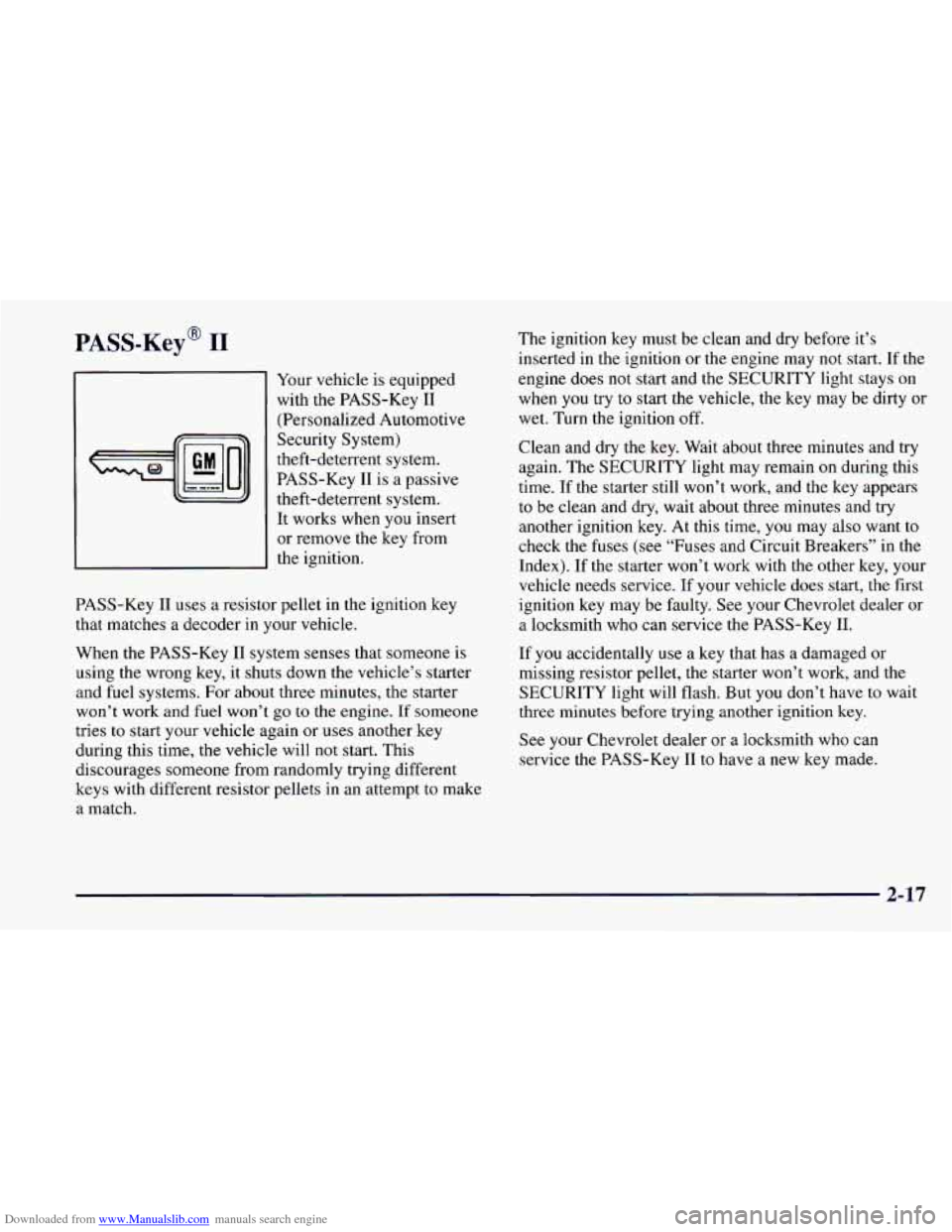
PASS-Key 11 uses a resistor pellet in the ignition key
that matches a decoder in your vehicle.
When the PASS-Key I1 system senses that someone is
using the wrong key, it shuts down the vehicle’s starter
and fuel systems. For about three minutes, the starter
won’t work and fuel won’t
go to the engine. If someone
tries
to start your vehicle again or uses another key
during this time, the vehicle will not start. This
discourages someone from randomly trying different
keys with different resistor pellets in an attempt to make
a match. The
ignition key must be clean and dry before it’s
inserted in the ignition
or the engine may not start. If the
engine does not start and the SECURITY light stays on
when
you try to start the vehicle, the key may be dirty or
wet. Turn the ignition
off.
Clean and dry the key. Wait about three minutes and try
again. The SECURITY light may remain
on during this
time.
If the starter still won’t work, and the key appears
to be clean and dry, wait about three minutes and try
another ignition key. At this time,
you may also want to
check the fuses
(see “Fuses and Circuit Breakers” in the
Index). If the starter won’t work with the other key, your
vehicle needs service. If your vehicle does start, the first
ignition key may be faulty. See your Chevrolet dealer or
a locksmith who can service the PASS-Key 11.
If
you accidentally use a key that has a damaged or
missing resistor pellet, the starter won’t work, and
the
SECURITY light will flash. But you don’t have to wait
three minutes before trying another ignition key.
See your Chevrolet dealer or a locksmith who can
service the PASS-Key
I1 to have a new key made.
2-17
Page 68 of 404

Downloaded from www.Manualslib.com manuals search engine If you’re ever driving and the SECURITY light comes
on and stays on, you will be able
to restart your engine if
you turn
it off. Your PASS-Key I1 system, however, is
not working properly and must be serviced by your
Chevrolet dealer. Your vehicle is not protected by the
PASS-Key
I1 system.
If you lose or damage a PASS-Key
I1 ignition key, see
your Chevrolet dealer
or a locksmith who can service
PASS-Key I1 to have a new key made. In an emergency,
call the Chevrolet Roadside Assistance Program at
1-800-CHEV-USA (1-800-243-8872).
Feature Customization (If Equipped)
Your Chevrolet’s locks and lighting systems can be
programmed with several different features. The
features you can program depend upon the options that
came with your vehicle. The following list tells
you the
features that can be programmed. Listed next to each
feature is the option you need
to have on your vehicle in
order to be able to program that particular feature.
Exit Lighting (available for all)
0 Delayed Illumination (available for all)
0 Last Door Closed Locking (if equipped with power
door locks)
Lockout Prevention (if equipped with power
door locks)
Remote Keyless Entry Verification (if equipped with
Vehicle and Content Theft-Deterrent/Alarm System)
Theft-Deterrent Arming Method (if equipped with
Vehicle and Content Theft-DeterrentIAlarm System)
Theft-Deterrent Arming Verification (if equipped
with Vehicle and Content Theft-DeterrendAlarm
System)
Driver’s Door Alarm Delay (if equipped with
Vehicle and Content Theft-DeterredAlarm System)
Shock Sensor Enable (if equipped with Vehicle and
Content Theft-DeterrenVAlarm System)
2-18
Page 69 of 404

Downloaded from www.Manualslib.com manuals search engine To program features, your vehicle must be in the
programming mode. Follow these steps:
1.
2.
3.
4.
5,
Put your key in the ignition.
Turn the ignition to the
RUN position to disarm the
Vehicle and Content Theft-DeterrentlAlarm System.
Turn the ignition to the
OFF position.
Remove
the RADIO fuse. This fuse is in the main
fuse block, located on the left side
of your
instrument panel. When the main fuse block is open,
the RADIO fuse is located in the lower right hand
corner of the fuse panel. See “Fuses and Circuit
Breakers’’ in the Index.
Turn the ignition
to the ACC position.
You should hear a chime to verify that the system is
in programming mode, If the chime sounds once,
you will be able to program Exit Lighting, Delayed
Illumination, Last
Door Closed Locking and Lockout
Prevention only. If the chime sounds twice and your
vehicle is equipped with the Vehicle and Content
Theft-Deterrent System,
you will also be able to set
Remote Keyless Entry Verification, Arming Method,
Arming Verification, Driver’s Door Delay and Shock
Sensor Enable.
Exit Lighting and Delayed Illumination
Exit Lighting: Your interior lights will come on for up
to 25 seconds when the key is removed from the
ignition switch.
Delayed Illumination: Your interior lights will come
on
and stay on for up to 25 seconds when entering the vehicle
and for up
to five seconds when leaving your vehicle.
Your vehicle comes with both features enabled. (Mode 4)
To change the factory setting, do the following:
1. Turn the courtesy la~nps on by turning the instrument
panel brightness control knob all the way up.
2. Count the number of chimes you hear. The number
of chimes tells you which mode your vehicle is
set for.
3. Turn the courtesy lamp switch to OFF.
4. Turn the courtesy lamp switch from ON to OFF until
you hear the number of chimes that correspond to the
mode selection you want.
Mode 1: Both Off
Mode 2: Delayed Illumination Only
Mode 3: Exit Lighting Only
Mode 4: Both On
2-19
Page 70 of 404

Downloaded from www.Manualslib.com manuals search engine Last Door Closed Locking and
Lockout Prevention
Your vehicle comes with this feature set in Mode 2. This
means that your power door locks will not lock when
the keys are in the ignition and a door is open. To
change the factory setting, do the following:
1. Press the LOCK switch on the door.
2. Count the number of chimes you hear. The number of
chimes tells
you which mode your vehicle is set for.
3. Press the LOCK switch on the door until you hear
the number
of chimes that correspond to the mode
selection you want.
Mode 1: Both Off (Doors will lockhnlock when you
press the power door lock switch).
Mode 2: Lockout Prevention Only (If you leave your
keys in the ignition and get out the driver’s door,
you
won’t be able to lock the doors with the power door
lock switch).
Mode 3: Last Door Closed Locking Only (If the power
door lock switch is used to lock the vehicle while any
door is open,
you will hear three chimes. The doors will
not lock until after all doors are closed).
Remote Keyless Entry Verification
Your vehicle comes with this feature set in Mode 5. This
means that when you use the key chain transmitter to
lockhnlock your vehicle, your parking lamps will flash
briefly upon the first push
on LOCK. Your horn will
sound briefly, your parking lamps will flash briefly upon
the second push
on LOCK and your parking lamps will
flash briefly upon
any push on UNLOCK. To change the
factory setting, do the following:
1. Press the UNLOCK switch on the Remote Keyless
Entry transmitter.
2. Count the number of chimes you hear. The number of
chimes tells
you which mode your vehicle is set for.
3. Press the UNLOCK switch on the Remote Keyless
Entry transmitter until
you hear the number of chimes
that correspond to the mode selection
you want.
Mode 1: All Off (The headlamps will not flash and the
horn will not sound to provide
you feedback that a
lockhnlock command has been received by the Remote
Keyless Entry transmitter).
Mode 4: Both On (This combines Mode 2 and 3).
Page 71 of 404

Downloaded from www.Manualslib.com manuals search engine Mode 2: Horn and Lamps/Lamps (Your horn will sound
briefly and your parlung lamps will flash when you
press LOCK
on the key chain transmitter. Only your
parking lamps will flash when you press UNLOCK).
Mode 3: Horn and Lamps (Your horn will sound briefly
and your parking lamps will flash every time you push
LOCK and UNLOCK).
Mode 4: Lamps (Your parking lamps will flash every
time you push LOCK and UNLOCK).
Mode 5: Lamps/Horn and LampsLamps (Your lamps
will flash upon the first push
on LOCK, your lamps
will flash and your horn will sound upon the second
push on LOCK and your lamps will flash upon any push
on UNLOCK).
Theft-Deterrent Arming Method
Your vehicle comes with this feature set in Mode 3. This
means that both your Remote Keyless Entry transmitter
and the power door lock switch will actively arm
the
system. To change the factory setting, do the following:
1. Press the UNLOCK switch on the door.
2. Count the number of chimes you hear. The number of
chimes tells
you which mode your vehicle is set for.
3. Press the UNLOCK switch on the door until you
hear the number of chimes that correspond to the
mode selection you want.
Mode 1: Alarm System Off (The system will not arm).
Mode 2: Remote Keyless Entry Transmitter Lock
(When
you lock your doors using the Key Chain
Transmitter, the system will arm itself).
Mode 3: Remote Keyless Entry Transmitter/Power
Door Lock Switch (If
you use either the Remote Keyless
Entry transmitter or the power door lock switch
to lock
the doors, the system will arm itself).
Mode 4: Passive arming and Remote Keyless Entry
Transmitter/Power Door Lock Switch Arming (The
system will arm itself after all doors are closed, plus
arming per mode
3).
2-21
Page 72 of 404

Downloaded from www.Manualslib.com manuals search engine Theft-Deterrent Arming Verification
Your vehicle comes with this feature set in Mode 3.
This means that if you arm the system using the key
chain transmitter, your parking lamps will flash and your
horn will chirp twice to verify that the system is armed.
If it only chirps once, the hatch is open or unlatched. If
you arm the system using either the power door lock
switch or by passive arming, only the parking lamps will
flash for verification. To change the factory setting, do
the following:
1. Press the LOCK switch on the Remote Keyless
Entry Transmitter.
2. Count the number of chimes you hear. The number of
chimes tells you which mode your vehicle is
set for.
3. Press the LOCK switch on the transmitter until you
hear the number of chimes that correspond to the
mode selection you want.
Mode 1: All Off (No horn chirps or parking lamp flash).
Mode 2: Horn and Lamps (Your parking lamps will
flash and your horn will chirp twice
to verify the system
is armed using any arming method).
Mode 3: Horn and LampsLamps (If you use the
transmitter to arm the system, your parking lamps will
flash and your horn will chirp twice to verify that the
system is armed. If you use either the power door lock
switch
or passive arming, only your lamps will flash
for verification).
Mode 4: Lamps (When your vehicle arms, only your
parking lamps will flash for verification).
Driver’s Door Alarm Delay and Shock
Sensor Enable
Your vehicle comes with this feature set in Mode 4. This
means that if you open the driver’s door using your key,
the alarm will not sound for eight seconds. Also the shock
sensor, able
to detect sharp blows to your vehicle is active.
To change the factory setting, do the following:
1. Turn the parking lamps on and off.
2. Count the number of chimes you hear. The number of
chimes tells you which mode your vehicle
is set for.
3. Turn the parking lamps on and off until you hear the
number of chimes that correspond to the mode
selection you want.
2-22
Page 73 of 404
Downloaded from www.Manualslib.com manuals search engine Mode 1: Zero Delay and Shock Sensor Disabled
(The alarm will sound immediately if the driver’s door
is opened with your key and the shock sensor
will not
be available to measure sharp blows to your vehicle).
Mode 2: Eight Second Delay and Shock Sensor
Disabled (The alarm will sound eight seconds after the
driver’s door is opened with your key and the shock
sensor will not be available to measure sharp blows to
your vehicle).
Mode 3: Zero Delay and Shock Sensor Enabled (The
alarm will sound immediately after the driver’s door is
opened with your key and
the shock sensor will be
available to measure sharp blows to your vehicle).
Mode 4: Eight Second Delay and Shock Sensor Enabled
(The
alarm will sound eight seconds after the driver’s
door is opened with your key and the shock sensor will
be available to measure sharp blows to your vehicle).
Leaving Programming Mode
When programming is done, turn the ignition switch to
the
OFF position and replace the RADIO fuse.
New Vehicle “Break-In”
NOTICE:
Your modern Chevrolet doesn’t need an
elaborate “break-in.” But
it will perform better
in the long run if you follow these guidelines:
0 Keep your speed at 55 mph (88 km/h) or
less for the
first 500 miles (805 km).
0 Don’t drive at any one speed -- fast or
slow
-- for the first 500 miles (805 km).
Don’t make full-throttle starts.
200 miles (322 km) or so. During this time
your new brake linings aren’t yet broken
in. Hard stops with new linings can mean
premature wear and earlier replacement.
Follow
this breaking-in guideline every
time you get new brake linings.
See “Towing
a Trailer” in the Index for
more information.
0 Avoid making hard stops for the first
0 Don’t tow a trailer during break-in.
2-23
Page 74 of 404

Downloaded from www.Manualslib.com manuals search engine Ignition Positions
With the ignition key in the ignition switch, you can turn
the switch to five positions.
C
A E
ACC (A): Position in which you can operate your
electrical power accessories. Press in the ignition switch
as you turn the top
of it toward you.
LOCK (B): The only position in which you can remove
the key. This locks your steering wheel, ignition and
automatic transmission.
If you have an automatic transmission, the ignition
switch can’t be turned
to LOCK unless the shift lever is
in the PARK
(P) position.
OFF (C): Unlocks the steering wheel, ignition and
automatic transmission, but does not send electrical
power to any accessories. Use this position if your
vehicle must be pushed or towed.
A warning tone will
sound if you open the driver’s door when the ignition
is
in OFF and the key is in the ignition.
RUN (D): Position to which the switch returns after
you start your engine and release
the switch. The switch
stays in the
RUN position when the engine is running.
But even when the engine is
not running, you can
use
RUN to operate your electrical power accessories
and to display some instrument panel warning and
indicator lights.
2-24