1997 CHEVROLET BLAZER transmission
[x] Cancel search: transmissionPage 85 of 402
Downloaded from www.Manualslib.com manuals search engine Shifting from 4LO to 4HI or 2HI
To shift from 4LO to 4HI or 2H1, your vehicle must be
stopped or moving less than 3 mph (4.8 kmh) with the
transmission in NEUTRAL (N) or the clutch pedal
engaged. The preferred method for shifting out
of
4LO is to have your vehicle moving 1 to 2 mph (1.6 to
3.2 km/h). Press and release the 4HI switch. You must
wait for the
4HI indicator light to stop flashing and
remain illuminated before shifting your transmission
into gear or releasing
the clutch pedal.
If the 4HI switch is pressed when your vehicle is in gear
and/or moving, the
4HI indicator light will flash for
30 seconds but not complete the shift unless the
vehicle is moving slower than
3 mph (4.8 km/h) and
the transmission
is in NEUTRAL (N) or the clutch
pedal engaged.
On automatic transmission equipped vehicles, if your
transfer case does not shift into
4H1, your transmission
indicator switch may require adjustment. With your
transmission in NEUTRAL
(N), press and release the
4HI switch. While the 4HI indicator light is flashing,
shift your transmission into PARK
(P). Wait until the
4HI indicator light remains illuminated before shifting
your transmission into gear. This will get
you into 4HI.
but you should
take your vehicle in for service to restore
normal operation.
2-2s
Page 87 of 402
Downloaded from www.Manualslib.com manuals search engine Shifting Into PARK (P) (Automatic
Transmission
Models Only)
A CAUTION:
~~
It can be dangerous to get out of your vehicle .. ,. if I
the shift lever is not fully in PARK (P) with the
parking brake firmly set. Your vehicle can roll.
If you have left the engine running, the vehicle can
move suddenly. You
or others could be injured.
To be sure your vehicle won’t move, even when
you’re
on fairly level ground, use the steps that
follow.
If you have fourwheel drive with a manual
transfer case shift lever
and your transfer case is
in NEUTRAL (N), your vehicle will be free to roll,
even
if your shift lever is in PARK (P). So, be sure
the transfer case is in
a drive gear -- not in
NEUTRAL (N). If you’re pulling a trailer, see
“Towing a ’Iltailer” in the Index.
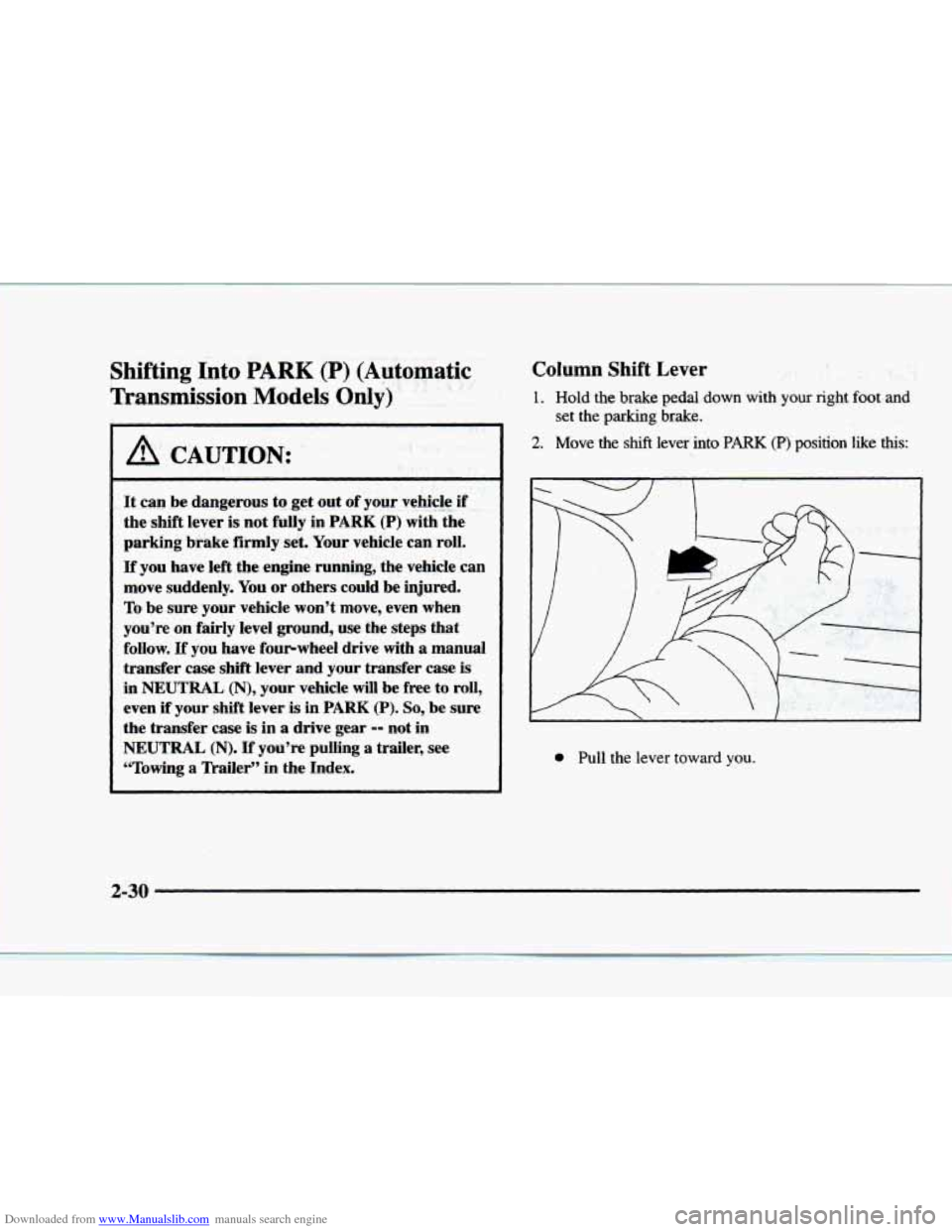
Column Shift Lever
1. Hold the brake pedal down with your right foot and
2. Move the shift lever into PARK (P) position ‘like this:
set the parking brake.
0 Pull the lever toward you.
2-30
Page 89 of 402
Downloaded from www.Manualslib.com manuals search engine Leaving Your Vehicle With the Engine
Running (Automatic Transmission
Models Only)
I A CAUTION:
It can be dangerous to leave your vehicle with the
engine running. Your vehicle could move suddenly
if the shift lever is not fully in PARK (P) with the
parking brake firmly
set. If you have four-wheel
drive with
a manual transfer case shift lever and
your transfer case is in NEUTRAL (N), your
vehicle will
be free to roll, even if your shift lever
is in PARK (P). So be sure the transfer case is in a
drive gear -- not in NEUTRAL (N). And, if you
leave the vehicle with the engine running, it could
overheat and even catch fire. You or others could
be injured. Don't leave your vehicle with the
engine running unless you have to.
If you have to leave your vehicle with the engine
running, be sure your vehicle is
in PARK (P) and your parking brake
is firmly set before
you leave it. After
you've moved the shift lever into the
PARK (P)
position, hold the regular brake pedal down. Then, see
if you can move the shift lever away from PARK (P)
without first pulling it toward you (or pressing the
button
on a console shift lever). If you can, it means that
the shift lever wasn't
fully locked into PARK (P).
Torque Lock (Automatic Transmission)
If you are parking on a hill and you don't shift your
transmission
into PARK (PI properly, the weight of the
vehicle may
put too much force on the parlung pawl in the
tr'msmission.
You may find it difficult to pull the shift
Icver out of PARK (P). This is called "torque lock." To
prevent torque lock, set the parking brake and then shift
into
PARK (P) properly before you leave the driver's seat.
To find out how, see "Shifting Into PARK (P)" in
the Index.
When you are ready to drive, move the shift lever out
of
PARK (P) before you release the parking brake.
If torque lock does occur. you may need to have another
vehicle push yours a little uphill
to take some of the
pressure from the parking pawl
in the transmission, so
you can pull the shift lever out of PARK (P).
2-32
Page 90 of 402
Downloaded from www.Manualslib.com manuals search engine Shifting Out of PARK (P)
(Automatic Transmission)
Your vehicle has a brake-transmission shift interlock.
You have
to fully apply your regular brake before you
can shift from PARK (P) when the ignition is in the
RUN position. See “Automatic Transmission Operation”
in the Index.
If
you cannot shift out of PARK (P), ease pressure on
the shift lever
-- push the shift lever all the way into
PARK (P) as you maintain brake application. Then
move the shift lever into the gear
you want (you must
press the shift lever button if
you have the console
shift lever).
If you ever hold the brake pedal down but still can’t
shift out
of PARK (P), try this:
1. Turn the key to OFF.
2. Apply and hold the brake until the end of Step 4.
3. Shift to NEUTRAL (N).
4. Start the vehicle and then shift to the drive gear
you want.
5. Have the vehicle fixed as soon as you can.
Parking Your Vehicle (Manual
Transmission Models Only)
Before you get out of your vehicle, turn off your engine,
put your manual transmission in
REVERSE (R) and
firmly apply the parking brake.
If you have four-wheel drive with a manual transfer case
shift lever,
be sure your transfer case is in a drive gear.
Your vehicle could roll
if it isn’t.
If
you are parking on a hill, or if your vehicle is pulling
a trailer, see “Towing
a Trailer” in the Index.
2-33
Page 92 of 402
Downloaded from www.Manualslib.com manuals search engine Running Your Engine While You’re
Parked (Automatic Transmission)
It’s better not to park with the engine running. But if
ever have
to, here are some things to know.
A CAUTION:
Idling the engine with the air system control
off could allow dangerous exhaust into
your vehicle (see the earlier Caution under
“Engine Exhaust”).
Also, idling in
a closed-in place can let deadly
carbon monoxide
(CO) into your vehicle even if
the fan switch is at the highest setting. One place
this can happen is
a garage. Exhaust 9- with
CO -- can come in easily. NEVER park in a
garage
with the engine running.
Another closed-in place can be a blizzard.
(See “Blizzard” in the Index.)
I A CAUTION:
It can be dangerous to get out of your vehicle if
the shift lever
is not fully in PARK (P) with the
parking brake firmly set. Your vehicle can roll.
Don’t leave your vehicle when the engine
is
running unless you have to. If you’ve left the
engine running, the vehicle can move suddenly.
You or others could be injured.
To be sure your
vehicle won’t move, even when you’re on fairly
level ground, always set your parking brake and
move the shift lever to PARK
(P).
If you have four-wheel drive with a manual transfer case
shift lever and your transfer case
is in NEUTRAL (N),
your vehicle will be free to roll, even if your shift lever
is
in PARK (P). So, be sure the transfer case is in a drive
gear
-- not in NEUTRAL (N). Always set your parking
brake. Follow the proper steps
to be sure your vehicle
won’t move. See “Shifting Into PARK
(P)” in the Index.
If you’re pulling a trailer, see ”Towing a Trailer”
in
the Index.
2-35
Page 99 of 402
Downloaded from www.Manualslib.com manuals search engine Cruise Control (If Equipped)
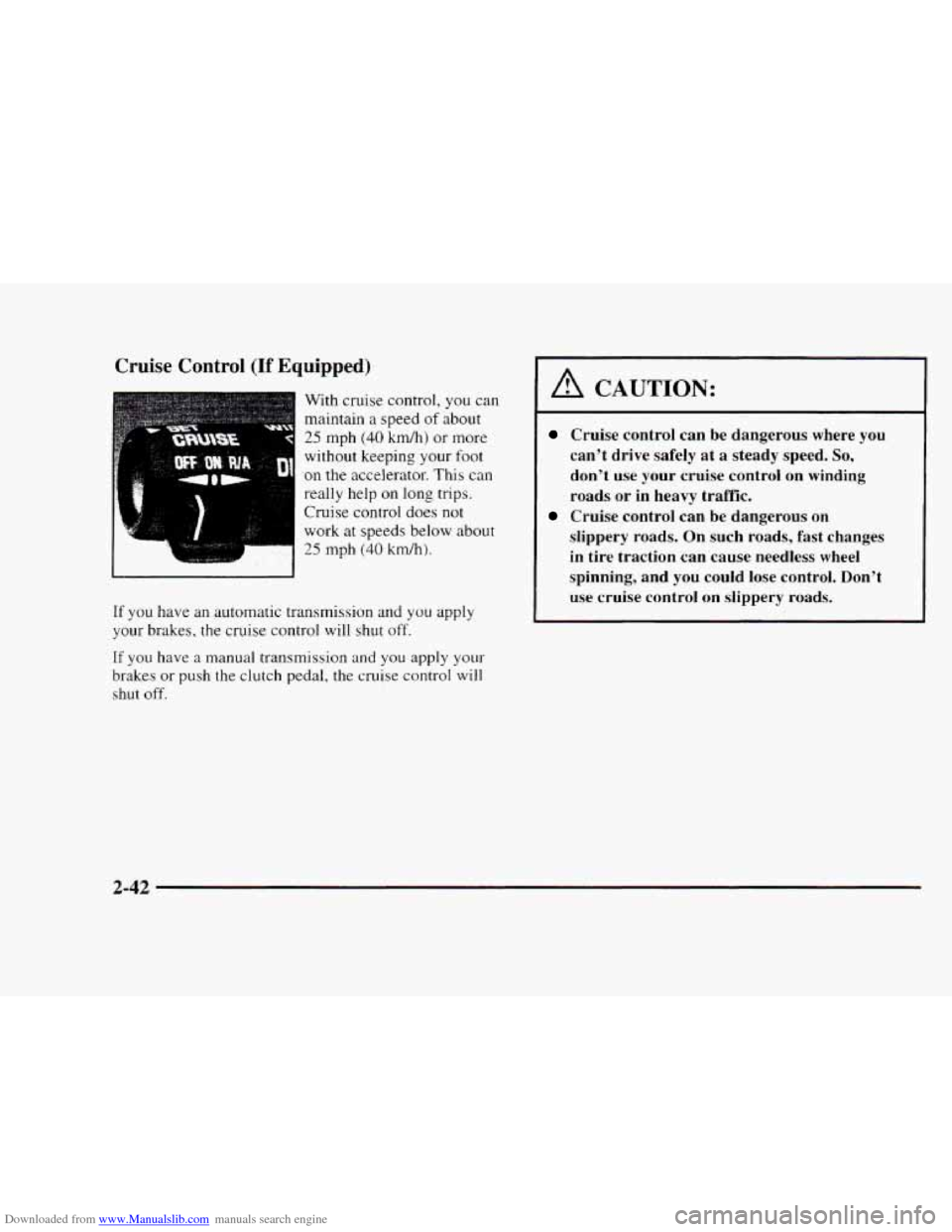
With cruise control, you can
maintain a speed
of about
25 mph (40 km/h) or more
without keeping
your foot
on the accelerator. This can
really help on long trips.
Cruise control does
not
work at speeds below about
25 mph (40 krdh).
If you have an automatic transmission and you apply
your brakes, the cruise control
will shut off.
If you have a manual transmission and you apply your-
brakes or push the clutch pedal, the cruise control will
shut off.
A CAUTION:
Cruise control can be dangerous where you
can't drive safely at a steady speed.
So,
don't use your cruise control on winding
roads
or in heavy traffic.
slippery roads. On
such roads, fast changes
in tire traction can cause needless wheel
spinning, and you could lose control. Don't
use cruise control on siippery roads.
Cruise control can be dangerous on
2-42
Page 101 of 402
Downloaded from www.Manualslib.com manuals search engine Increasing Speed While Using Cruise Controi
There are two ways to go to a higher speed:
Use the accelerator pedal to get to the higher speed.
Press the button at the end of the lever, then release
the button and
the accelerator pedal. You'll now
cruise at the higher speed.
Move the cruise switch from ON to R/A. Hold it
there until you get up to the speed you want. and
then release the switch.
(To increase your speed in
very small amounts. move the switch to R/A. Each
time
you do this, your vehicle will go about 1 mph
(1.6
km/h) faster.)
Reducing Speed While Using Cruise Control
Press in the button at the end of the lever until you reach
the lower speed you want. then release it.
To slow down in very small amounts, press the button
for less than a half a second. Each time you do this.
you'll
go 1 mph ( I .6 kndh) slower.
Passing Another Vehicle While Using Cruise Control
Use the accelerator pedal tu increase your speed. When
you take your foot off the pedal. your vehicle \vi11 slow
down to the cruise control speed you set earlier.
Using Cruise Control on Hills
How well your cruise control will work on hills depends
upon your speed. load and the steepness
of the hills.
When going
up steep hills. you may want to step on the
accelerator pedal to maintain your speed. When going
downhill, you may have
to brake or shift to a lower gear
to keep your speed down. Of course. applying the brake
takes
you out of cruise control. Many drivers find this to
be too rnuch trouble and don't use cruise control on
steep hills.
Ending Cruise Control
There are two ways to turn off the cruise control:
Step lightly on the brake pedal or push the clutch
pedal,
if you have a manual transmission.
Move the cruise switch to OFF.
Erasing Speed Memory
When you turn oft' the cruise control or the ignition.
your cruise control set speed memory
is erased.
2-44
Page 123 of 402
Downloaded from www.Manualslib.com manuals search engine Operating the Transmitter
Press and hold the appropriate button on the universal
transmitter.
The red light comes on while the signal is
being transmitted.
Note
that the effective transmission range of the
universal transmitter may differ from the hand-held
transmitter
and from one channel to another.
Erasing Channels
To erase all three programmed channels. hold down
the two outside buttons
until the red light begins to
flash. Individual channels cannot be erased, but can be
reprogrammed using the procedure for programming the transmitter explained earlier.
Training a Garage Opener with a “Rolling
Code” Feature
If you programmed the universal transmitter, but the
garage door
will not open. and if your garage door opener
was manufactured after
1995, your garage door may have
a security feature that changes the ”code” of your garage
door opener every time
it is opened or closed.
To determine if your garage door opener has this
“rolling code” feature, press the appropriate button on
the universal transmitter that was programmed.
If the
red light flashes rapidly for
one to two seconds. then
turns solid, your ,oarage door opener
has this feature.
To program a garage door opener with the rolling code
feature, do the following:
1.
2.
3.
3.
5.
6.
Program your hand-held transmitter to the universal
transmitter by following the steps provided under
“Programming
the Transmitter“ earlier in this section.
Remove the cover panel from the garage door opener
receiver.
It is located near the garage door opener motor.
Locate the training button on the garage door opener
receiver. The exact location and color will vary
among brands.
Press the training button on the garage door opener
receiver for one to two seconds.
Return to your vehicle and press the programmed
button on the universal transmitter until the red light
flashes rapidly (about two seconds).
Release the button. then repress it to confirm
it was
programmed to
the garage door opener receiver.
You may now use either
the universal transmitter or
the hand-held transmitter to open your garage door.
If you still have difficulty in programming and require
assistance, please
call 1-800-355-35 15.
Accessories
Accessories for the universal transmitter are available
from the manufacturer of the unit.
If you would like
additional information. please call
1-800-355-35 15.
2-66