1997 CHEVROLET BLAZER wheel
[x] Cancel search: wheelPage 71 of 402
Downloaded from www.Manualslib.com manuals search engine NOTICE:
Don’t operate accessories in the ACCESSORY
position for long periods
of time. Prolonged
operation
of accessories in the ACCESSORY
position could drain your battery and prevent
you from starting your vehicle.
LOCK
(B): This position locks your ignition, steering
wheel and transmission. It’s
a theft-deterrent feature.
You will only be able to remove your key when the
ignition
is turned to LOCK.
OFF (C): This position lets you turn off the engine but
still turn the steering wheel. Use OFF if you must have
your vehicle
in motion while the engine is off (for
example,
if your vehicle is being towed).
RUN (D): This is the position for driving.
START (E): This starts your engine.
A CAUTION:
On manual transmission vehicles, turning the key
to LOCK will lock the steering column and result
in
a loss of ability to steer the vehicle. This could
cause a collision.
If you need to turn the engine
off while the vehicle is moving, turn the key only
to
OFF. Don’t press the key release button while
the vehicle
is moving.
_. .
NOTICE^^' Y!’> .‘sa !-
If your key seems stuck in LOCK and you can’t
turn it, be sure you are using the correct key; if
so, is it all the way in? If it is, then turn the
steering wheel left and right while you turn the
key hard. But turn the key only with your hand.
Using a tool to force
it could break the key or the
ignition switch.
If none of this works, then your
vehicle needs service.
2-14
Page 75 of 402
Downloaded from www.Manualslib.com manuals search engine Automatic Transmission Operation
Your automatic transmission may have a shift lever
located
on the console between the seats or on the
steering column.
There are several different positions
for your shift lever.
If your vehicle is equipped with a coiunm shift lever, it
features an electronic shift position indicator within the
instrument cluster. This display must be powered
anytime the shift lever is capable of being moved out of
the
PARK (P) position. This means that if your key is in
the
OFF position, but not locked, there will be a small
current drain
on your battery which could discharge
your battery over
a period of time. If you need to leave
your key
in the ignition in the OFF position for an
extended period, it is recommended that you disconnect
the battery cable from the battery to prevent discharging
your battery.
PARK (P): This locks your rear wheels. It’s the best
position to use when you start your engine because your
vehicle can‘t move easily.
A CAUTION:
It is dangerous to get out of your vehicle if the
shift lever
is not fully in PARK (P) with the
parking brake firmly set. Your vehicle can roll.
Don’t leave your vehicle when the engine
is
running unless you have to. If you have left the
engine running, the vehicle can move suddenly.
You or others
could be injured. To be sure your
vehicie won’t move, even when you’re on fairly
level ground, always set your parking brake and
move the shift lever to
PARK (P).
If you have four-wheel drive, your vehicle will
be free to
roll -- even if your shift lever is
in PARK (P) -- if your transfer case is in
NEUTRAL (N). So, be sure the transfer case is in
a drive gear, two-wheel high (2HI) or four-wheel
high (4HI) or four-wheel low (4LO) -- not in
NEUTRAL (Nj. See “Shifting Into PARK (P)” in
the Index.
If you’re pulling a trailer, see “Towing
a Trailer” in the Index.
2-18
Page 76 of 402
Downloaded from www.Manualslib.com manuals search engine Ensure the shift lever is fully in PARK (P) range before
starting
the engine. Your vehicle has a brake-transmission
shift interlock.
You have to fully apply your regular brakes
before you can shift from
PARK (P) when the ignition
key is
in the RUN position. If you cannot shift out of
PARK (P), ease pressure on the shift lever -- push the shift
lever all
the way into PARK (P) (press the button in on the
console shift lever)
as you maintain brake application.
Then move the shift lever into
the gear you wish. See
“Shifting Out
of PARK (P)” in the Index.
REVERSE
(R): Use this gear to back up.
NOTICE:
Shifting to REVERSE (R) while your vehicle
is moving forward could damage your
transmission. Shift to REVERSE (R) only
after your vehicle is stopped.
To rock your vehicle back and forth to get out of snow,
ice or sand without damaging your transmission, see
“Stuck: In Sand, Mud, Ice or
Snow” in the Index. NEUTRAL
(N): In this position, your engine doesn’t
connect with the wheels.
To restart when you’re already
moving, use
NEUTRAL (N) only.
I A CAUTION:
Shifting out of PARK (P) or NEUTRAL (N) while
your engine is “racing” (running at high speed)
is
dangerous. Unless your foot is firmly on the
brake pedal, your vehicle could move very
rapidly.
You could lose control and hit people or
objects. Don’t shift
out of PARK (P) or
NEUTRAL
(N) while your engine is racing.
I NOTICE:
Damage to your transmission caused by shifting
out of
PARK (P) or NEUTRAL (N) with the
engine racing isn’t covered by your warranty.
2-19
Page 77 of 402
Downloaded from www.Manualslib.com manuals search engine AUTOMATIC OVERDRIVE (0): This position is for
normal driving. If
you need more power for passing,
and you’re:
Going less than about 35 mph (56 km/h), push your
Going about 35 mph (56 km/h) or more, push the
accelerator
pedal about halfway down.
accelerator all the way down.
You’ll shift down to the
next gear and have more power.
AUTOMATIC OVERDRIVE
(@j should not be used
when towing
a trailer, carrying a heavy load. driving on
steep hills, or for off-road driving. Select DRIVE (D)
when operating the vehicle under any of these conditions.
DRIVE (D): This position is also used for normal
driving, however
it offers more power and lower fuel
economy than AUTOMATIC OVERDRIVE
(@). You
should use DRIVE (D) when towing a trailer, carrying a
heavy load, driving on steep hills or winding roads or
for off-road driving.
SECOND (2): This position gives you more power but
lower fuel economy.
You can use SECOND (2) on hills.
It can help control your speed as
you go down steep
mountain roads, but then
you would also want to use
your brakes off and on.
You can also use SECOND (2) for starting your vehicle
from a stop on slippery road surfaces.
FIRST (1): This position gives you even more power
(but lower
fuel economy) than SECOND (2). You can
use it
on very steep hills, or in deep snow or mud. If the
selector lever is put in
FIRST (1) while the vehicle is
moving forward,
the transmission won’t shift into
FIRST (1) until the vehicle is going slowly enough.
I NOTICE:
If your rear wheels can’t rotate, don’t try to
drive. This might happen if you were stuck in
very deep sand or mud or were up against a solid
object.
You could damage your transmission.
Also, if you stop when going uphill, don’t hold
your vehicle there with only the accelerator
pedal. This could overheat and damage the
transmission. Use your brakes or shift into
PARK
(P) to hold your vehicle in position
on a
hill.
2-20
Page 80 of 402
Downloaded from www.Manualslib.com manuals search engine A CAUTION:
If you skip more than one gear when you
downshift, you could
lose control of your vehicle.
And you could injure yourself or others. Don’t shift
down
more than one gear when you downshift.
If your vehicle has four-wheel drive and is equipped
with a manual transmission, disregard
the shift light
when
the transfer case is in 4LO.
Locking Rear Axle
If you have this feature, your rear axle can give you
additional traction on snow, mud, ice, sand or gravel. It
works like
a standard axle most of the time, but when
one
of the rear wheels has no traction and the other does,
the locking feature will allow the wheel with traction
to
move the vehicle.
All-Wheel Drive (If Equipped)
If your vehicle has all-wheel drive, your engine’s
driving power is sent
to all four wheels for extra
traction. This is like four-wheel drive, but there is no
lever or switch
to engage or disengage the front axle.
It is fully automatic and adjusts itself as needed
for
road conditions.
Four-wheel Drive (If Equipped)
If your vehicle has four-wheel drive, you can send your
engine’s driving power
to all four wheels for extra
traction.
To shift out of two-wheel drive and into
four-wheel drive, move the transfer case shift lever
to
4HI or 4LO. You should use 2HI for most normal
driving conditions.
NOTICE:
Driving in the 4HI or 4LO positions for a long
time on dry or wet pavement could shorten the
life
of your vehicle’s drivetrain.
2-23
Page 81 of 402
Downloaded from www.Manualslib.com manuals search engine Manual Transfer Case
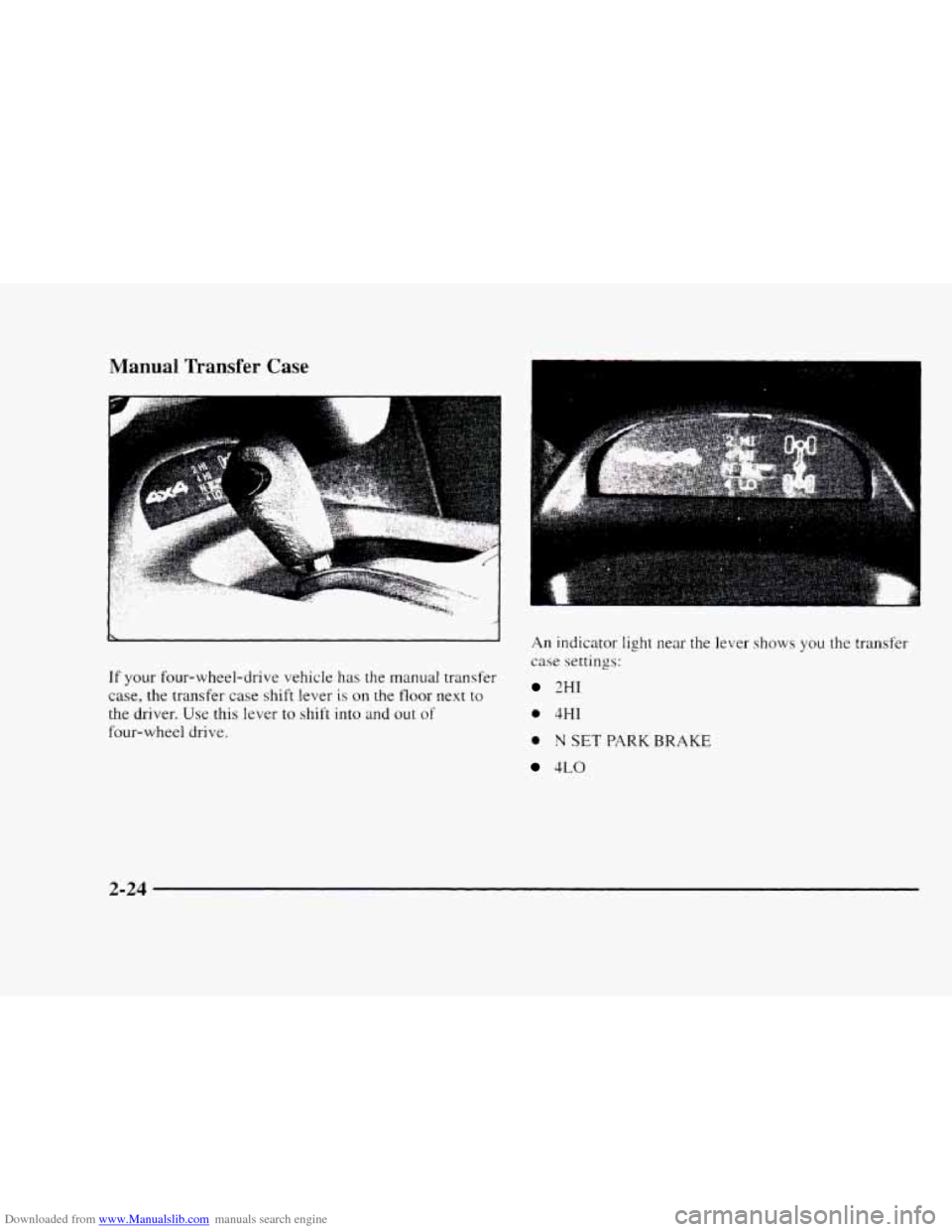
If your four-wheel-drive vehicle has the manual transfer
case,
the transfer case shift lever is on the floor next to
the driver. Use this lever to shift into and out of
four-wheel drive.
An indicator light near the lever shows you the transfer
case settings:
2HI
0 4HI
0 N SET PARK BRAKE
4LO
2-24
Page 82 of 402

Downloaded from www.Manualslib.com manuals search engine The front axle portion of the diagram on the indicator
will light up when you shift
into four-wheel drive. A
slight delay between shifting and the pattern’s lighting is
normal. If the pattern does not light up, or if the front
axle lights do not go out after you shift out of
four-wheel drive, have your dealer check your system.
Turn the INT LIGHTS switch located to the right of
your headlamp switch
to dim your transfer case
indicator light when your headlamps or parking lamps
are on. This will also cause your instrument panel lights
to dim.
2HI: This setting is for driving in most street and
highway situations. Your front axle is
not engaged in
two-wheel drive.
4HI: This setting engages your front axle to help
drive
your vehicle. Use 4HI when you need extra
traction, such as on snowy
or icy roads, or in most
off-road situations.
N SET PARK BRAKE: Shift to this neutral setting
only when your vehicle needs to be towed.
4LO: This setting also engages your front axle to give
you extra traction and provides extra gear reduction.
You may never need 4LO. It sends the maximum power
to all four wheels. You might choose 4LO if you were
driving off-road in sand, mud or deep snow and
climbing or descending steep hills.
You can shift from 2HI to 4HI or from 4HI to 2HI while
the vehicle is moving. Do not press the transfer case
shift lever button when shifting from 2HI
to 4HI or
from 4HI to 2HI.
To shift your transfer case into N SET PARK BRAKE:
1. Stop the vehicle and shift your transmission into
NEUTRAL
(N).
2. Set the parking brake. Your vehicle can roll unless
the brakes are applied.
3. Pull the transfer case shift lever into N SET
PARK BRAISE.
2-25
Page 83 of 402
Downloaded from www.Manualslib.com manuals search engine To shift into or out of 4LO:
1. The vehicle must be moving less than 3 mph
(4.8
kmh) with the transmission in NEUTRAL (N)
for an automatic transmission. For a manual
transmission, the clutch pedal must be engaged.
The preferred method for shifting into
or out of 4LO
is to have your vehicle moving 1 to 2 mph (1.6 to
3.2 km/h).
2. Press the transfer case shift button and shift in one
continuous motion.
Don't pause in
N SET PARK BRAKE as you shift into
or out
of 4L0, or your gears could clash.
Remember that driving
in 4HI or 4LO may reduce fuel
economy. Also. driving in four-wheel drive on dry
pavement could cause
your tires to wear faster and
make your transfer case harder to shift and reduce
powertrain longevity.
Electronic Transfer Case (U' Equipped)
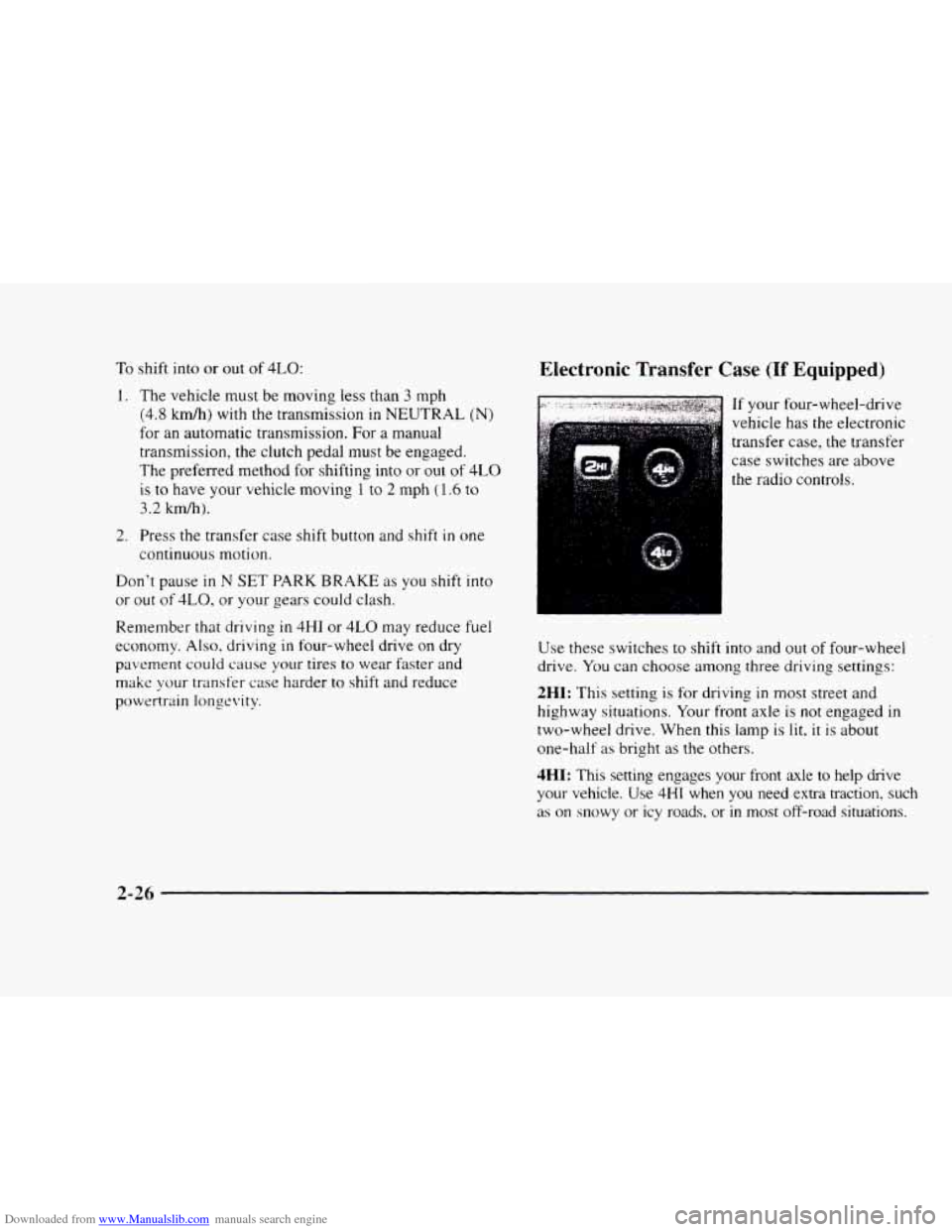
. . ... If your four-wheel-drive
vehicle has the electronic
transfer case,
the transfer
case switches are above
Use these switches
to shift into and out of four-wheel
drive.
You can choose among three driving settings:
2HI: This setting is for driving in most street and
highway situations. Your front axle is not engaged in
two-wheel drive. When this lamp
is lit, it is about
one-half
as bright as the others.
4HI: This setting engages your front axle to help drive
your vehicle. Use
4HI when you need extra traction, such
as on snowy or icy roads, or in most off-road situations.
2-26