1997 CHEVROLET ASTRO battery
[x] Cancel search: batteryPage 126 of 404
Downloaded from www.Manualslib.com manuals search engine Visor Vanity Mirror (If Equipped)
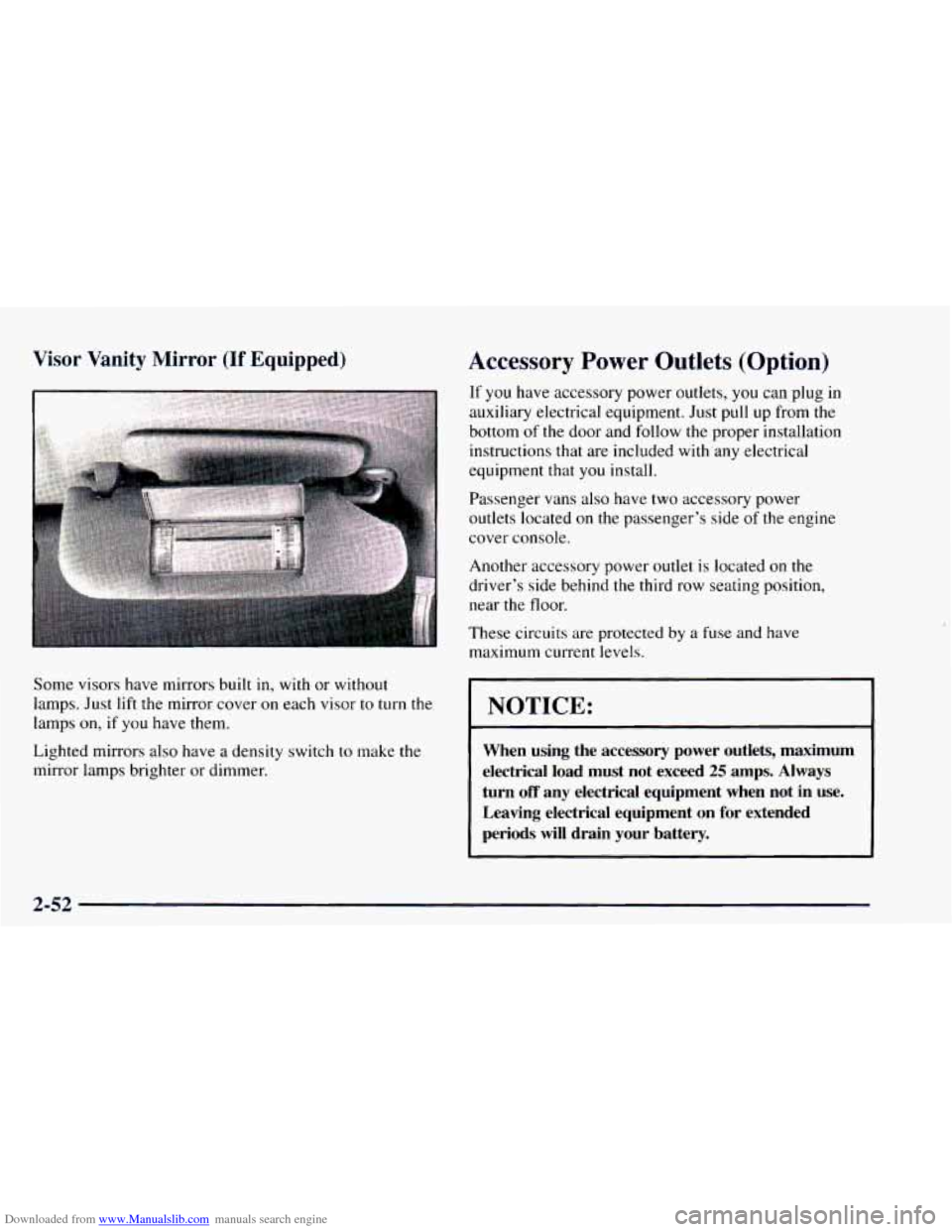
Some visors have mirrors built in, with or without
lamps. Just lift the mirror cover
on each visor to turn the
lamps on, if you have them.
Lighted mirrors also have a density switch
to make the
mirror lamps brighter or dimmer.
Accessory Power Outlets (Option)
If you have accessory power outlets, you can plug in
auxiliary electrical equipment. Just pull up from the
bottom of the door and follow the proper installation
instructions that are included with any electrical
equipment that you install.
Passenger vans also have
two accessory power
outlets located
on the passenger’s side of the engine
cover console.
Another accessory power outlet
is located on the
driver’s side behind the third row seating position,
near the floor.
These circuits are protected
by a fuse and have
maximum current levels.
NOTICE:
When using the accessory power outlets, maximum
electrical load must not exceed
25 amps. Always
turn
off any electrical equipment when not in use.
Leaving electrical equipment on
for extended
periods
will drain your battery.
2-52
Page 127 of 404
Downloaded from www.Manualslib.com manuals search engine Universal Transmitter (Option)
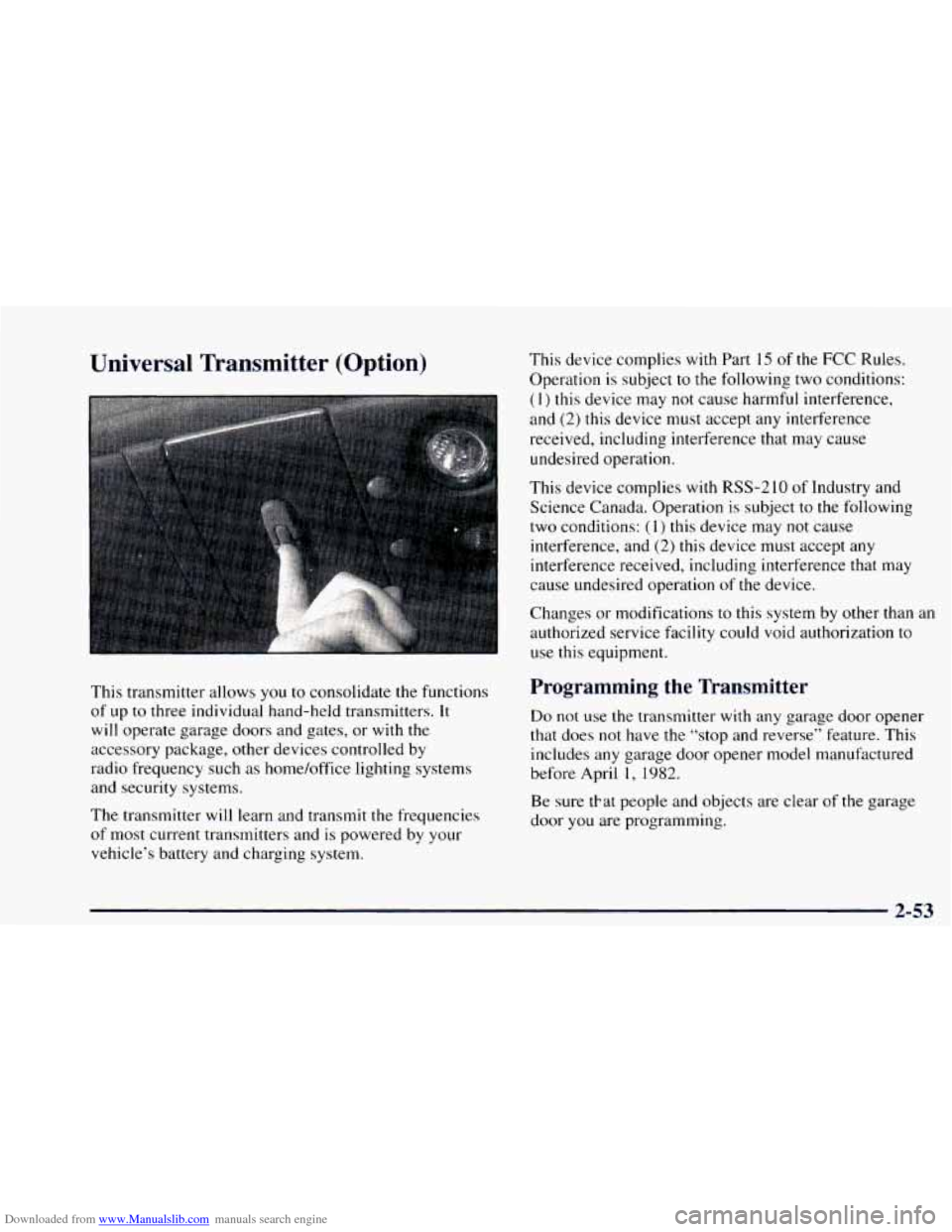
This transmitter allows you to consolidate the functions
of up to three individual hand-held transmitters.
It
will operate garage doors and gates, or with the
accessory package, other devices controlled by
radio frequency such as home/office lighting systems
and security systems.
The transmitter will learn and transmit the frequencies
of most current transmitters and is powered by your
vehicle’s battery and charging system. This device
complies with Part
15 of the FCC Rules.
Operation is subject to the following two conditions:
( 1) this device may not cause harmful interference,
and (2) this device must accept any interference
received, including interference that may cause
undesired operation.
This device complies with RSS-2
10 of Industry and
Science Canada. Operation is subject
to the following
two conditions:
(1) this device may not cause
interference, and
(2) this device must accept any
interference received, including interference that may
cause undesired operation
of the device.
Changes or modifications to this system by other than an
authorized service facility could void authorization
to
use this equipment.
Programming the Transmitter
Do not use the transmitter with any garage door opener
that does not have the “stop and reverse” feature. This
includes any garage door opener model manufactured
before April
1, 1982.
Be sure tkat people and objects are clear of the garage
door
you are programming.
2-53
Page 128 of 404
Downloaded from www.Manualslib.com manuals search engine Your vehicle’s engine should be turned off while
programming the transmitter. Follow these steps to
program up to three channels:
1.
2.
3.
4.
If you have previously programmed a universal
channel, proceed
to Step 2. Otherwise, hold down
the two outside buttons
on the universal transmitter
until the red light begins
to flash rapidly
(approximately
20 seconds). Then release the
buttons. This procedure initializes the memory and
erases any previous settings for all three channels.
Hold the end
of the hand-held transmitter against the
bottom surface of the universal transmitter
so that
you can still see the red light.
Decide which one of the three channels
you want to
program. Using both hands, press the hand-held
transmitter button and the desired button on
the
universal transmitter. Continue to hold both buttons
through Step
4.
Hold down both buttons until you see the red light
on the universal transmitter flash rapidly. The rapid
flashing, which could take up
to 90 seconds,
indicates that
the universal transmitter has been
programmed. Release both buttons once
the light
starts
to flash rapidly. If
you have trouble programming the universal
transmitter, make sure that
you have followed the
directions exactly as described and that the battery in
the hand-held transmitter is not dead. If
you still
cannot program
it, rotate the hand-held transmitter
end over end and try again. The universal transmitter
may
not work with older garage door openers that do
not meet current Federal Consumer Safety Standards.
If you cannot program the transmitter after repeated
attempts, consult your
GM dealer.
Be sure to keep the original hand-held transmitter
in case you need to erase and reprogram the
universal transmitter.
Operating the Transmitter
Press and hold the appropriate button on the universal
transmitter. The red light comes
on while the signal is
being transmitted.
Note that the effective transmission range
of the
universal transmitter may differ from the hand-held
transmitter and from one channel to another.
2-54
Page 135 of 404

Downloaded from www.Manualslib.com manuals search engine Air Bag Readiness Light
There is an air bag readiness light on the instrument
panel, which shows
AIR BAG. The system checks the
air bag’s electrical system for malfunctions. The light
tells
you if there is an electrical problem. The system
check includes the air bag sensors, the air bag modules,
the wiring and the crash sensing and diagnostic module.
For more information on the air bag system, see “Air
Bag” in the Index.
AIR
BAG
This light will come on
when you start your engine,
and it will flash for a few
seconds. Then the light
should go out. This means
the system is ready.
If the air bag readiness light stays
on after you start the
engine or comes
on when you are driving, your air bag
system may not work properly. Have your vehicle
serviced right away.
The air bag readiness light should flash for a few
seconds when
you turn the ignition key to RUN. If the light doesn’t
come
on then, have it fixed so it will be
ready to warn
you if there is a problem.
Charging System Indicator Light
The charglng system light
will come on briefly when
you turn the ignition on, but
the engine is
not running, as
a check
to show you the
light is working.
Then it should go out once the engine is running. If it
stays on, or comes
on while you are driving, you may
have a problem with the electrical charging system.
It could indicate that
you have a loose accessory drive
belt, or another electrical problem. Have it checked
right away. Driving while this light
is on could drain
your battery.
If you must drive a short distance with the light on, be
certain to turn off all your accessories, such as the radio
and heatedair conditioner.
Page 136 of 404
Downloaded from www.Manualslib.com manuals search engine Voltmeter
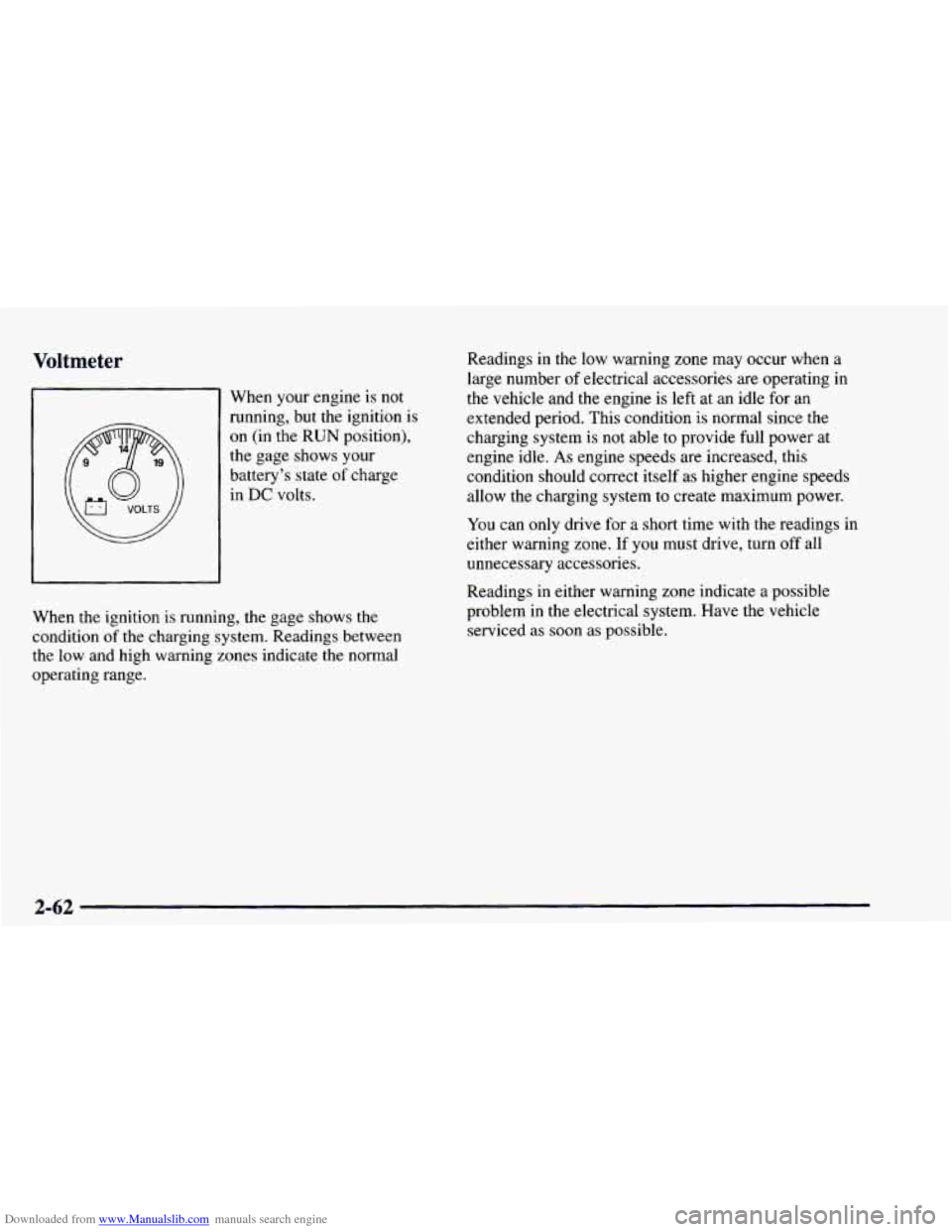
When your engine is not
running, but the ignition is
on (in the
RUN position).
the gage shows your
battery’s state
of charge
in DC volts. Readings
in the low warning zone
may occur when a
large number
of electrical accessories are operating in
the vehicle and the engine is left at an idle for an
extended period. This condition is normal since the
charging system is not able to provide full power at
engine idle.
As engine speeds are increased, this
condition should correct itself as higher engine speeds
allow the charging system to create maximum power.
You can only drive for a short time with the readings in
either warning zone.
If you must drive, turn off all
unnecessary accessories.
When the ignition is running, the gage shows the
condition
of the charging system. Readings between
the low and high warning zones indicate the normal
operating range. Readings in
either warning zone indicate a possible
problem in the electrical system. Have the vehicle
serviced as soon as possible.
2-62
Page 172 of 404
Downloaded from www.Manualslib.com manuals search engine Theft-Deterrent Feature
THEFTLOCK TM is designed to discourage theft of your
radio.
It works by using a secret code to disable all radio
functions whenever battery power
is removed.
The THEFTLOCK feature for the radio may be used or
ignored.
If ignored, the system plays normally and the
radio
is not protected by the feature. If THEFTLOCK is
activated, your radio will not operate if stolen.
When THEFTLOCK is activated, the radio
will display
LOC
to indicate a locked condition anytime battery
power
is removed. If your battery loses power for any
reason,
you must unlock the radio with the secret code
before
it will operate.
Activating the Theft-Deterrent Feature
The instructions which follow, explain how to enter your
secret code to activate the THEFTLOCK system.
It is
recommended that you read through
all nine steps
before starting the procedure.
NOTE:
If you allow more than 15 seconds to elapse
between any steps,
the radio automatically reverts to
time and you must start the procedure over at Step
4.
1. Write down any three or four-digit number from
000 to 1999 and keep it in a safe place separate from
the vehicle.
2. Turn the ignition to ACCESSORY or RUN.
3. Turn the radio off.
4. Press the 1 and 4 buttons together, Hold them down
until --- shows on the display. Next you will use the
secret code number which you have written down.
5. Press MN and 000 will appear on the display.
6. Press MN again to make the last two digits agree
with your code.
7. Press HR to make the first one or two digits agree
with your code.
8. Press AM-FM after you have confirmed that the
code matches the secret code
you have written down
The display will show
REP to let you know that you
need to repeat Steps 5 through 7 to confirm your
secret code.
9. Press AM-FM and this time the display will show
SEC to let you know that your radio is secure. The
indicator by the volume control
will begin flashing
when the ignition is turned off.
3-26
Page 173 of 404
Downloaded from www.Manualslib.com manuals search engine Unlocking the Theft-Deterrent Feature After a
Power
Loss
Enter your secret code as follows; pause no more than
15 seconds between steps:
1. LOC appears when the ignition is on.
2. Press MN and 000 will appear on the display.
3. Press MN again to make the last two digits agree
with your code.
4. Press HR to make the first one or two digits agree
with your code.
5. Press AM-FM after you have confirmed that the
code matches
the secret code you have written down.
The display will show SEC, indicating the radio is
now operable and secure.
If you enter
the wrong code eight times, INOP will
appear
on the display. You will have to wait an hour
with the ignition
on before you can try again. When you
try again, you will only have three chances to enter the
correct code before INOP appears.
If
you lose or forget your code, contact your dealer.
Disabling the Theft-Deterrent Feature
Enter your secret code as follows; pause no more than
15 seconds between steps:
1. Turn the ignition to ACCESSORY or RUN.
2. Turn the radio off.
3. Press the 1 and 4 buttons together. Hold them down
until
SEC shows on the display.
4. Press MN and 000 will appear on the display.
5. Press MN again to make the last two digits agree
with your code.
6. Press HR to make the first one or two digits agree
with your code.
7. Press AM-FM after you have confirmed that the
code matches the secret code
you have written down.
The display will show
---, indicating that the radio is
no longer secured.
If the code entered is incorrect, SEC will appear on the
display. The radio will remain secured
until the correct
code is entered.
When battery power is removed and later applied to
a
secured radio, the radio won’t turn on and LOC will
appear
on the display.
Page 203 of 404

Downloaded from www.Manualslib.com manuals search engine This can cause deadly CO (carbon monoxide) gas
to get inside.
CO could overcome you and kill
you.
You can't see it or smell it, so you might not
know
it is in your vehicle. Clear away snow from
around the base
of your vehicle, especially any
that
is blocking your exhaust pipe. And check
around again from time
to time to be sure snow
doesn't collect there.
Open
a window just a little on the side.of the
vehicle that's
away from the wind. This will help
keep
CO out.
Run your engine only as long as you must. This saves
fuel. When you run the engine, make it go a little faster
than just idle. That is, push the accelerator slightly. This
uses less fuel for the heat that you get and it keeps the
battery charged. You will need a well-charged battery to
restart the vehicle,
and possibly for signaling later on
with your headlamps. Let the heater run for awhile.
Then, shut the engine
off and close the window almost
all the way to preserve the heat. Start the engine again
and repeat this only
when you feel really uncomfortable
from the cold. But do it as little as possible. Preserve the
fuel as long as you can.
To help keep warm, you can get
out
of the vehicle and do some fairly vigorous exercises
every half hour or
so until help comes.
4-27