1997 CADILLAC SEVILLE check engine
[x] Cancel search: check enginePage 152 of 370
Downloaded from www.Manualslib.com manuals search engine k
soon as possible. If the brake warning light is on, follow
the directions in that part.
CHECK COOLANT LEVEL - 02: This message will
appear when there is a low level of engine coolant. Have
the cooling system serviced by a Cadillac technician as
soon
as possible.
CHECK FUEL GAGE - 39: This message will
appear when the fuel supply
is less than four gallons
(15.2 L) and the display is turned off (digital clusters
only). A single chime will also sound when this
message is displayed.
CHECK OIL LEVEL - 36: For correct operation of
the low oil sensing system, your vehicle should be on
a level surface.
A false CHECK OIL LEVEL message
may appear
if the vehicle is parked on grades. The oil
level sensing system does not check for actual oil level
if the engine has been
off for a short period of time, and
the oil level is never sensed while the engine is running.
If the CHECK OIL LEVEL message appears, and your
vehicle has been parked
on level ground with the engine
off for at least 30 minutes, the oil level should be
checked by observing the oil dipstick. Prior to checking
the oil level, be sure
the engine has been off for five
minutes and your vehicle is on a level surface. Then
check the dipstick and add oil if necessary. See “Engine
Oil” in the Index.
CHECK WASHER FLUID - 25: This message will
appear
for several seconds indicating that you need
washer solvent.
CRUISE ENGAGED - 43: This message will appear
for
a few seconds when you select a speed at which
to cruise.
DOOR OPEN - 141: The passenger’s door or rear
doors are open or ajar when this message appears. The
vehicle’s engine must be running and the transaxle not
in PARK
(P) for this message to display, A chime will
also sound when the vehicle’s speed is greater than
5 mph (8.1 km/h).
DRIVER DOOR OPEN - 140: This message will
display when the vehicle
is being shifted out of
PARK (P) with the engine running to signal that
the driver’s door
is open or ajar. A chime will also
sound when the vehicle’s speed is greater than
5 mph (8.1 kdh).
This message will appear when the engine coolant
temperature
is over 248°F ( 126°C). To avoid added
strain
on a hot engine turn off the climate control
system. Stop and allow your vehicle to idle
until it cools
down or the message is removed.
If it does not cool
down, turn off the engine and have it serviced before
driving it again. Severe engine damage can result
ENGINE COOLANT HOT-IDLE ENGINE - 44:
-9
Page 153 of 370
Downloaded from www.Manualslib.com manuals search engine from an overheated engine. See ”Engine Overheating”
in the Index.
ENGINE MISFIRE -- EASE OFF GAS
PEDAL - 114: An engine misfire has occurred. You’ll
need to
ease off the gas pedal.
FUEL LEVEL LOW - 11: This message serves as a
waming that the fuel level in the tank is critically low.
Stop for fuel soon.
HEADLAMPS SUGGESTED - 23: If it’s dark enough
outside and the twilight sentinel control is
off, a
€EADLAMPS SUGGESTED message will display on the
DIC.
This message info~lns the driver that turning on the
exterior lamps
is recommended even though the DRL are
still illuminated (it’s become dark enough outside
to
require the headlamps andor other exterior lamps).
ICE POSSIBLE - 13: This message appears when the
outside air temperature is cold enough to create icy road
conditions.
&iONITORED SYSTEhIS OK - 1: This message only
appears in the “recall” mode by pressing the RESET
button.
It lets you know that no other messages are
stored
or cumently active.
PASS KEY NOT PROGRAMMED - 31: This
warning message displays when the PASS-Key pellet information
has not
been programmed into your vehicle.
See your Cadillac dealership for service.
PCM FAULT - 110: The circuit in the Powertrain
Control Module
(PCM) has shorted or is loose when this
message appears. Have your Cadillac serviced by your
dealership at once.
REDUCED ENGINE POWER - 41: This message
informs the driver, that due to wheel slippage, your vehicle
is reducing engine power to compensate for the loss of
traction. Accelerating too fast, causing the tires to spin, is
an example of when this message would display.
REMOVE KEY - 70: This message will appear when
the Personalized Automotive Security System
(PASS-Key
11) is unable to read the pellet on the
ignition key or an improper key pellet
has bee.n inserted.
Wait for
the DIC to display STARTING DISABLED
DUE TO THEFT SYSTEM REMOVE IGNITION
KEY. The instrument panel cluster will then run a timer
and change the messages to WAIT
3 MINUTES, WAIT
2 MINUTES, WAIT 1 MINUTE and then START CAR.
When the REMOVE
KEY message is displayed, remove
the ignition key. Check the ignition key
for damage. If it
is damaged, it may need to be replaced. If you see no
damage, clean the pellet contacts with a soft cloth or
napkin before inserting the key back into the ignition.
Have your vehicle serviced if
the message still appears.
c
Page 155 of 370
Downloaded from www.Manualslib.com manuals search engine SERVICE TRANSMISSION - 100: If a problem is
detected with the transaxle, this message will appear.
Have your vehicle checked by your Cadillac dealership.
SPEED SENSOR FAULT - 109: A circuit problem
with the vehicle speed sensor will trigger this
message
to appear. Have your Cadillac dealership
service your vehicle.
STABILITY ENGAGED - 55: If you have the Seville
STS, you may see the STABILITY ENGAGED
rnessage on the Driver Information Center. It means
that an advanced, computer-controlled system has come
on to help your Cadillac continue to go in the direction
in which you’re steering. This stability enhancement
system activates when
the computer senses that your
Cadillac is just starting
to spin, as it might if you hit a
patch of ice or other slippery
spot on the road. When the
system is
on, you may hear a noise or feel a vibration in
the brake pedal. This is normal.
When the STABILITY ENGAGED message is on,
you
should continue to steer in the direction you want to go.
The system is designed to help you in bad weather or
other difficult driving situations by making the most
of whatever road conditions will permit. If the
STABILITY ENGAGED message comes on, you’ll
know that something has caused your Cadillac
to start
to spin, so you should consider slowing down.
STABILITY REDUCED - 54: If you ever see the
STABILITY REDUCED message, it means there may
be a problem with your stability enhancement system.
If you see this message, try to reset the system (stop;
turn off the engine; then start the engine again). If the
STABILITY REDUCED message still comes
on,
however, it means there is a problem, so you should
see your Cadillac dealer for service.
STARTING DISABLED DUE TO THEFT SYSTEM
REMOVE IGNITION KEY - 33: This message will
appear when the Personalized Automotive Security
System (PASS-Key 11) senses that an improper ignition
key
is being used to try to start the vehicle. Check the
ignition key for damage. If it is damaged,
it may need
to be replaced. If
you see no damage, clean the pellet
contacts with a soft cloth or napkin. Remove the ignition
key and wait for the
DTC to display WAIT 3 MINUTES.
The instrument panel cluster will then run a timer and
change the messages to WAIT
2 MINUTES, WAIT
1 MINUTE and then START CAR. When the START
CAR message is displayed, try again to start the engine.
STOP ENGINE ENGINE OVERHEATED - 42: This
message will appear when the engine has overheated.
Stop and
turn the engine off immediately to avoid
severe engine damage. See “Engine Overheating” in
the Index. A multiple chime will also sound when this
message
is displayed.
. -.
w-
Page 158 of 370
Downloaded from www.Manualslib.com manuals search engine The DIC may display a CHECK OIL LEVEL message.
Always keep a written record of the mileage and date
when
you changed your oil. For more information. see
the Cadillac Maintenance Schedule booklet. If you see
CHECK OIL LEVEL,
it means that you have less than
10 percent of the oil life left and you should consider
changing
your engine oil. If you see CHANGE
ENGINE OIL.
it means the oil life is gone and you
should change the oil right away.
The system should indicate changing the
oil between
3,000 miles (5 000 km) and 7,500 miles (12 SO0 km).
It may indicate changing the oil before 3.000 miles
(5 000 lunj depending on your driving habits. If the
vehicle has been driven
7,500 miles (1 2 500 krn), it
, .. . will indicate to change the oil. If you drive in a dusty
area.
you should change your oil every 3,000 miles
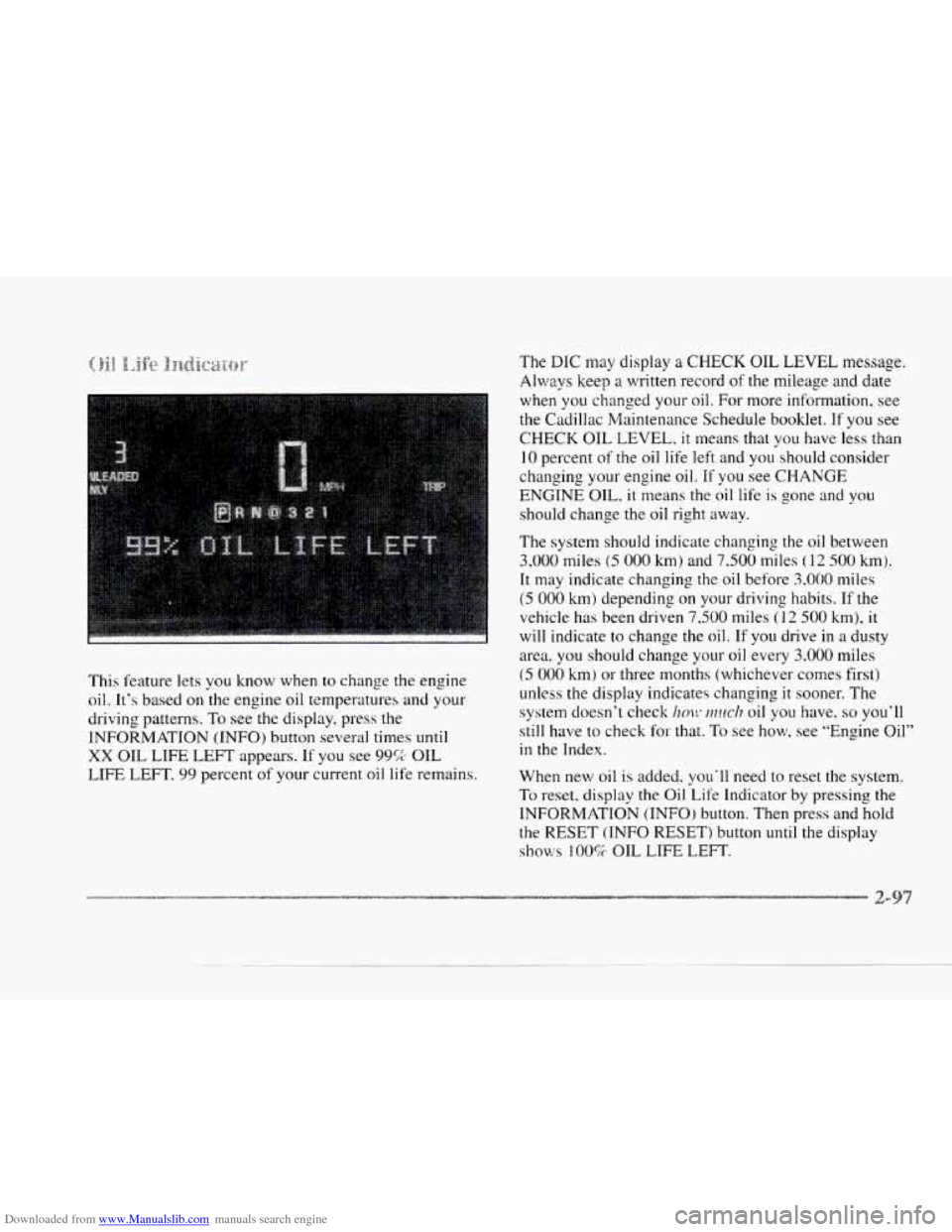
This feature lets
you know when to change the engine
oil. It's based on the engine oil temperatures and your
driving patterns.
To see the display, press the
INFORMATION (INFO) button
several times until
XX OIL LIFE LEFT appears. If you see 99% OIL
LIFE LEFT,
99 percent of your current oil life remains.
(5 000 km) or three months (whichever comes first)
unless
the display indicates changing it sooner. The
system doesn't check
im!~ ~?zuc/? oil you have. so you'll
still have to check
for that. To see how, see "Engine Oil"
in the Index.
When new
oil is added, you'll need to reset the system.
To reset. display the Oil. Life Indicator by pressing the
INFORMATION (INFO) button. Then press and hold
the RESET (INFO RESET) button until the display
shows 100% OIL LIFE LEFT.
Page 164 of 370
Downloaded from www.Manualslib.com manuals search engine c
~~~~~~~~~ ~~~~~~~,~~~~~
You may manually adjust the air delivery mode or
fan speed.
A*
fl AC: This setting directs airflow through the
middle instrument panel outlets.
be
BI-LEVEL: This setting directs air into your
vehicle in two
ways. Cool air is directed to the upper
portion
of your body through the four instrument panel
outlets while warmed air is directed to the floor.
'H HEATER/DEFROST: This setting directs air to
the floor outlets and toward the windshield.
we
e
HEATER: This setting directs warmed air
through
the floor outlets. Some warm air is diverted to
the windshield to minimize fogging.
DEFROST Press this button to quickly remove
fog or frost from the windshield.
This setting sends most
of
the airflow to the windshield with only a small
amount
to the floor outlets.
3f FAN SPEEDS: Press the button with the fan symbol
on it until AUTO is displayed on the screen. At this
setting. the
Fdn speed is autonratically controlled. If it is
cold outside. the blower may not run in the maximum high
fan speed right away. The system checks the temperature
of the engine coolant
to assure it is warm enough to
provide heat.
When the engine coolant is warrn, the
controller allows the
fan to gradually increase to a higher
speed. This prevznts cold air from blowing into the
passenger compartment.
If you want the blower fdn at a
high speed, press the up arl-ujw button until you see €31 on
the display.
If you want the fan speed to be automatic, but
you
Iike the fan speed to be higher than the AUTO setting,
press the fan
symbol button until HI AUTO is shown on
the display.
If you 'want the blower Fan at a low speed,
press the down
mow button until LO is shown on the
display.
If you want the fan speed to mn lower than the
AUTO setting, press the button until L,O AUTO is shown
on the display.
OFF: Press this button to turn the system off. Fresh air
will continue to flow through the vehicle, and the
system will try to maintain the previously set
temperature. The outside temperature will
show on the
display when the system
is OFF.
Page 171 of 370

Downloaded from www.Manualslib.com manuals search engine BASS: Press this knob lightly so it extends. Turn the
knob clockwise to increase and counterclockwise
to
decrease bass.
TREB: Press this knob lightly so it extends. Turn the
knob Clockwise to increase and counterclockwise to
decrease treble.
If a station is weak or noisy, you may
want to decrease the treble.
Push these knobs back into their stored positions when
you’re
not using them.
BAL: Press this knob lightly so it extends. Turn the
knob clockwise to adjust sound to
the right speakers and
counterclockwise
for the left speakers. The middle
position balances the sound between the speakers.
FADE: Press this knob lightly so it extends. Turn the
knob clockwise to adjust
the sound to the front speakers
and counterclockwise for
the rear speakers. The middle
position balances
the sound between the speakers.
Push these knobs back into their stored positions when
you’re
not using them. With
the radio on, insert a cassette tape. The tape will
begin playing as
soon as it is inserted.
While the tape is playing, use the
VOL, FADE, BAL,
BASS and TREB controls just as you do for the radio.
Other controls may have different functions when a tape
is inserted. The display will show
TAPE with an arrow
to indicate which side of the tape is playing. PLAY will
appear on the display temporarily when
a tape is
playing. The display will then revert back to showing
the time.
If an error occurs while trying to play a cassette tape, it
could be that:
0 The cassette tape is tight and the cassette player
cannot turn the hubs
of the tape. Hold the cassette
tape with the open end down and try turning the right
hub counterclockwise with
a pencil. Flip the tape
over and repeat.
If the hubs do not turn easily, your
cassette tape may be damaged and should not be
used
in the player. Try a new tape to be sure your
player is working properly.
The cassette tape is broken. (Check to see if your
tape
is broken. Try a new tape.)
Page 175 of 370
Downloaded from www.Manualslib.com manuals search engine If an error occurs while trying to play a cassette tape, it
could be that:
0 The cassette tape is tight and the cassette player
cannot turn the hubs
of the tape. Hold the cassette
tape with the open end down and try turning the right
hub counterclockwise with
a pencil. Flip the tape
over and repeat.
If the hubs do not turn easily, your
cassette tape may be damaged and should not
be
used in the player. Try a new tape to be sure your
player
is working properly.
tape is broken. Try
a new tape.)
0 The cassette tape is broken. (Check to see if your
REV: Press the left arrow to reverse the tape rapidly.
Press it again to return to playing speed. The radio will
play while the tape reverses and
REV will appear on the
display. You may use your station pushbuttons
to tune to
another radio station while
in REV mode.
FF: Press the right arrow to fast forward to another part
of the tape. Press it again to return to playing speed. The
radio will play while the tape advances and
FWD will
appear on the display. You may use your station
pushbuttons
to tune to another radio station while in
FF mode.
SEEK-TUNE: Press the right arrow to seek to the next
selection on the tape. Press the left arrow to search for
the previous selection on the tape (REP will appear
on
the display). Your tape must have at least three seconds
of silence between each selection for SEEK-TUNE to
work. The sound will mute while seeking.
SCAN: Press this button. SCAN will appear on the
display
until the next selection is found and then PLAY
will appear on the display. Use SCAN to listen to
selections for a few seconds. The tape will go to a
selection, stop for a few seconds. then go on to the next
station. Press this button again to stop scanning.
SIDE: Press this button to change the side of the tape
that is playing. (PLAY shows on the display.)
SOURCE: Press this button to switch from radio to
cassette taps play.
If no cassette tape is in the tape
player,
CASS appears on the display and then the radio
station appears briefly. The display then reverts back to
showing the time of day. Press this button again or
BAND
to switch back to the radio.
3-16
Page 179 of 370
Downloaded from www.Manualslib.com manuals search engine With the radio on, insert a cassette tape. The tape will
begin playing as soon as it is inserted.
While the tape is playing, use the
VOL, FADE, BAL,
BASS and TREB controls just as you do for the radio.
Other controls may have different functions when a tape
is inserted. The display will show TAPE with an arrow
to indicate which side of the tape is playing. PLAY will
appear on the display temporarily when
a tape is
playing. The display will then revert back to showing
the time.
If an error occurs while trying to play a cassette tape, it
could be that:
e
0
The cassette tape is tight and the cassette player
cannot turn the hubs
of the tape. Hold the cassette
tape with the open end down and try turning the right
hub counterclockwise with a pencil. Flip the tape
over and repeat.
If the hubs do not turn easily, your
cassette tape may be damaged and should not be
used in the player. Try
a new tape to be sure your
player is working properly.
The cassette tape is broken. (Check to see
if your
tape is broken. Try a new tape.)
REV: Press the left ITO OW to reverse the tape rapidly.
Press
it again to return to playing speed. The radio will
play while the tape reverses and
REV will appear on the
display. You may use your station pushbuttons to tune to
another radio station while in
REV mode.
FF: Press the right arrow to fast forward to another part of
the tape. Press it again to return to playing speed. The
radio will play while the tape advances and
FF will appear
on
the display. You may use your station pushbuttons to
tune
to another radio station while in FF mode.
SEEK-TUNE: Press the right arrow to seek to the next
selection on the tape. Press the left at-row to search for
the previous selection on the tape (REP will appear on
the display). Your tape must have at least three seconds
of silence between each selection for SEEK-TUNE to
work. The sound will mute while seeking.
SCAN: Press this button. SCAN FF will appear on the
display until the next selection is found and then SCAN
PLAY will appear on the display. Use
SCAN to listen to
selections for
a few seconds. The tape will go to a
selection, stop for a few seconds, then go on to the next
selection. Press this button again
to stop scanning.
SIDE: Press this button to change the side of the tape
that
is playing. (PLAY shows on the display.)
I
.4
-2