1997 CADILLAC SEVILLE light
[x] Cancel search: lightPage 37 of 370
Downloaded from www.Manualslib.com manuals search engine A CAUTION:
Air bags inflate with great force, faster than the
blink
of an eye. If you’re too close to an inflating
air bag,
it could seriously injure you. Safety belts
help keep you in position before and during a
crash. Always wear your safety belt., even with air
bags. The driver should sit as far back as possible
while still maintaining control
of the vehicle.
A CAUTION:
An inflating air bag can seriously injure small
children. Always secure children properly in your
vehicle.
To read how, see the part of this manual
called “Children”
and the caution label on the
right front passenger’s safety belt.
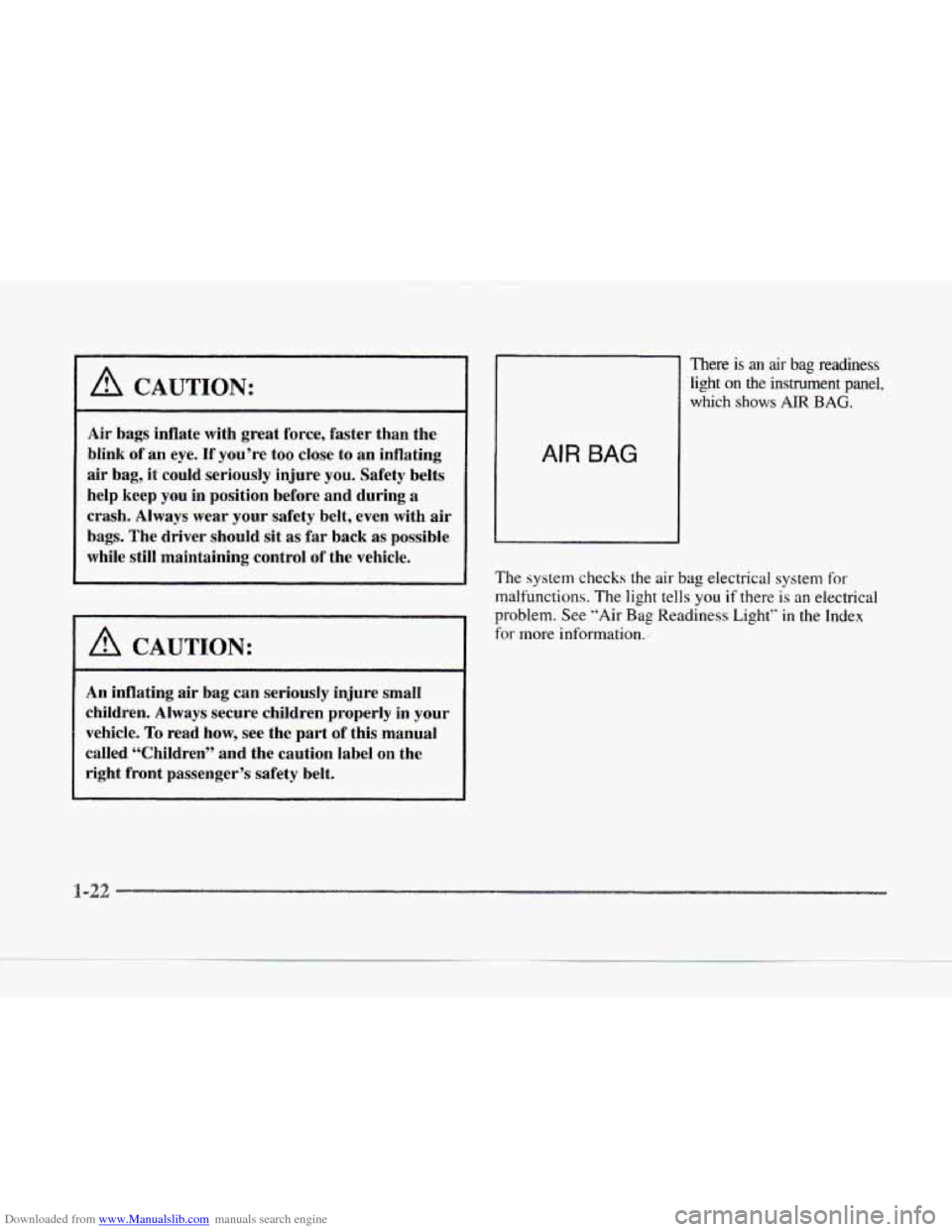
AIR BAG
There is an air bag readiness
light
on the instrument panel,
which shows
AIR BAG.
The system checks the air bag electrical system for
malfunctions.
The light tells you if there is an electrical
problem. See “Air
Bag Readiness Light” in the Index
for more information.
-22
Page 42 of 370
Downloaded from www.Manualslib.com manuals search engine i
i-
r
r
r
r
r
s
It’s very important for rear seat passengers to buckle up!
Accident statistics show that unbelted people in the rear
seat
are hurt more often in crashes than those who are
wearing safety belts.
Rear passengers who aren’t safety belted can be thrown
out
of the vehicle in a crash. And they can strike others
in
the vehicle who are wearing safety belts.
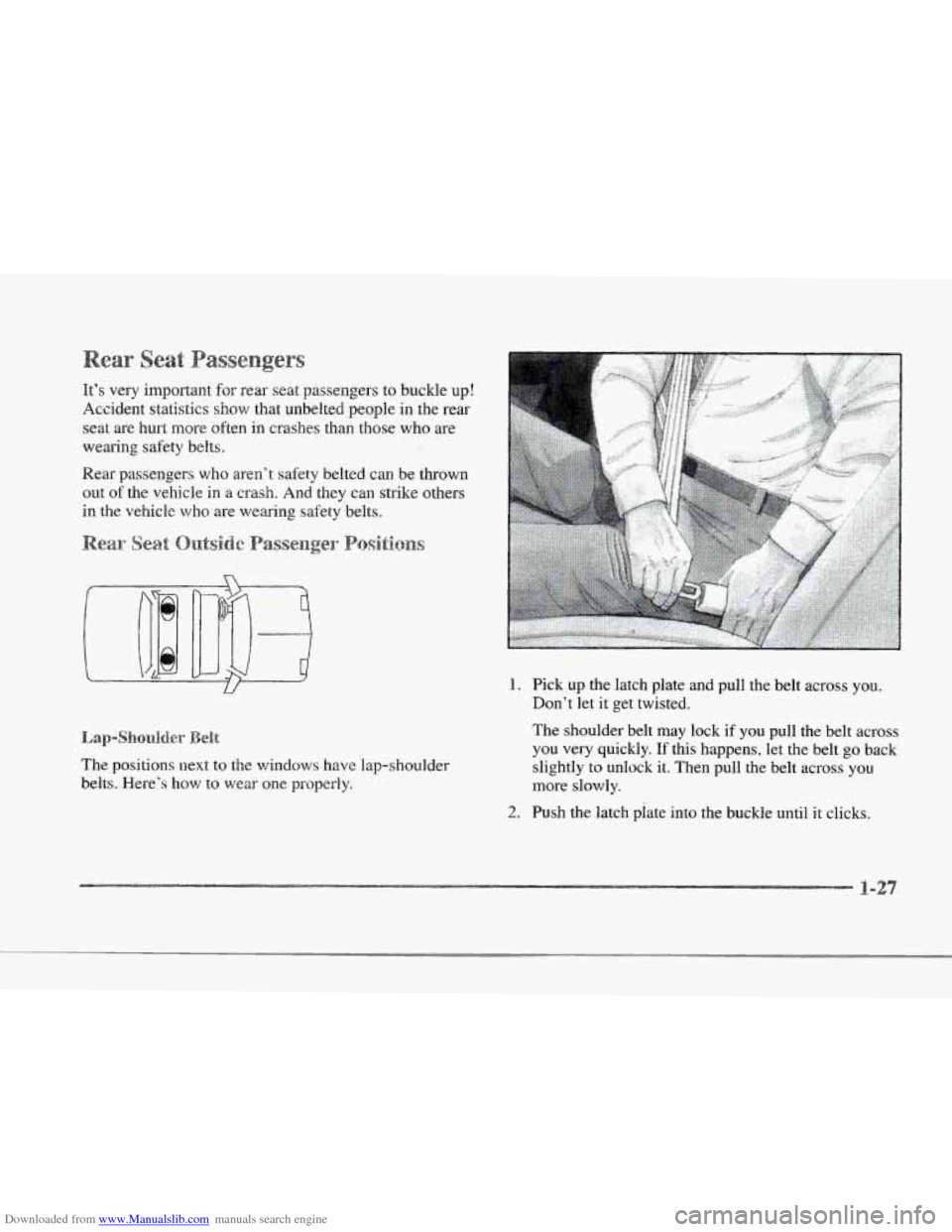
The positions
next to the windows have lap-shoulder
belts. Here’s how to wear one properly.
1. Pick up the latch plate and pull the belt across you.
Don’t let it get twisted.
The shoulder belt may lock if you pull the belt across
you very quickly.
If this happens, let the belt go back
slightly tu unlock it. Then pull the belt across
you
more slowly.
2. Push the latch piate into the buckle until it clicks.
i
Page 58 of 370
Downloaded from www.Manualslib.com manuals search engine c
If the vehicle’s safety belt will fasten aqound you, you
should we it.
But
if a safety belt isn’t long enough to fasten, your
dealer will order you an extender. It’s free. When you
go
in to order it, take the heaviest coat you wili wear, so the
c
1
L-
c
extender will be long enough for you. The extender wil
be just
for you, and just for the seat in your vehicle that
you choose. Don’t let someone else
use it, and use it
only for the seat it is made to fit. To wear it, .just attach
to the regular safety belt.
Now and then, make sure the safety belt reminder light
and
all your belts, buckles, latch plates, retractors and
anchorages are working properly.
Look for any other
loose or damaged safety belt system parts. If you see
anything that might keep a safety belt system fron?
doing its
job, have it repaired.
Torn
or frayed safety belts may not protect you in a
t
crash. They can rip apart under impact forces. If a belt is
torn or frayed. get a new one right away.
Also look for any opened
or broken air bag covers, and
have them repaired or replaced. (The air bag system
does
not need regular maintenance.) If
you’ ve had a crash, do you need
new belts?
After
a very minor collision. nothing may be necessary.
But
if the belts were stretched, as they would be if worn
during
a more severe crash, then you need new belts.
If belts are cut or damaged. replace them. Collision
damage also nay mean you will need to have safety belt
or seat parts repaired or replaced. New parts and repairs
may
be necessary even if the belt wasn’t being used at
the time
of the collision.
If
an. air bag inflates. you‘ll need to replace air bag
system parts. See
the part on the air bag system earlier in
this section.
Page 62 of 370
Downloaded from www.Manualslib.com manuals search engine c
c
c
c
2-2
2-4
2-7
2-12
2- 16
I 7-16
2-18
2- 19
2-20
2-2
1
2-23
2-24
2-28
2-29
2-32
2-33
2-33 Here
you can learn about the many standard and optional features on your Cadillac. mcl inf’ol-mation 011 starting,
shifting and braking. Also explained are
the instrument panel and the warning systems that tell y~ i 1‘ c\wything is
working properly -- and what to do if you have a problem.
Keys
Door Locks
Remote Keyless Entry (RKE) System
Trunk
Theft
Theft-Deterrent System
PASS-Key@
I1
New Vehicle “Break-In’’
Ignition Positions
Starting Your Engine
Engine Coolant Heater
Automatic Transaxle Operation
Parking Brake
Shifting Into PARK (P)
Shifting Out of
PARK (P)
Parking Over Things That Burn
Engine Exhaust 2-34
2-35
2-36
2-37
2-45
2-52
2-57
2-6
I
2-63
2-64
2-68
Running
Your Engine Whilc \’OLI.I-C Parked
Windows
Tilt Wheel
Turn Sigl.lal/MultitLInction
Le~tel-
Lamps
Mirrors
.
Storage Compartments
Cellular Telephone
Astroroof (Option)
Universal Transmitter
The Instrument Panel: Your
Information System
2-70 Digital Cluster
(SLS Only)
2-7
1 Analog Cluster (If Equipped)
2-74 Warning Lights. Gages and Indicators
2-85 Driver Information Center (DIC
j
Page 67 of 370
Downloaded from www.Manualslib.com manuals search engine DOORS UNLOCK IN PARK: All doors automatically
lock when shifted out
of PARK (P). All doors
automatically unlock when shifted into
PARK (Pi.
DRIVR UNLOCK IN PARK: All doors automatically
lock when shifted out of PARK
(P). Only the driver's
door automatically unlocks when shifted into
PARK (P).
A "yes" or "no" response must be made after each
prompt is displayed in order
to continue on to the next
prompt
or personalization feature. Press the TRIP SET
(TRIP RESET) button to choose yes, press the RESET
(INFO RESET) button to choose no or press the
INFORMATION (INFO) button to "skip" to the next
personalization feature.
FEATURE
ON appears when a yes response is made
and
FEATURE OW appears with a no response. allows
the
DOORS UNLOCK IN PARK prompt to
appear.
Choosing this prompt advances you to
REMOTE FLASH LIGHTS whereas a no response
will display the DRIVR UNLOCK
IN PARK prompt.
A yes or
no response here automatically brings up the
REMOTE FLASH LIGHTS feature.
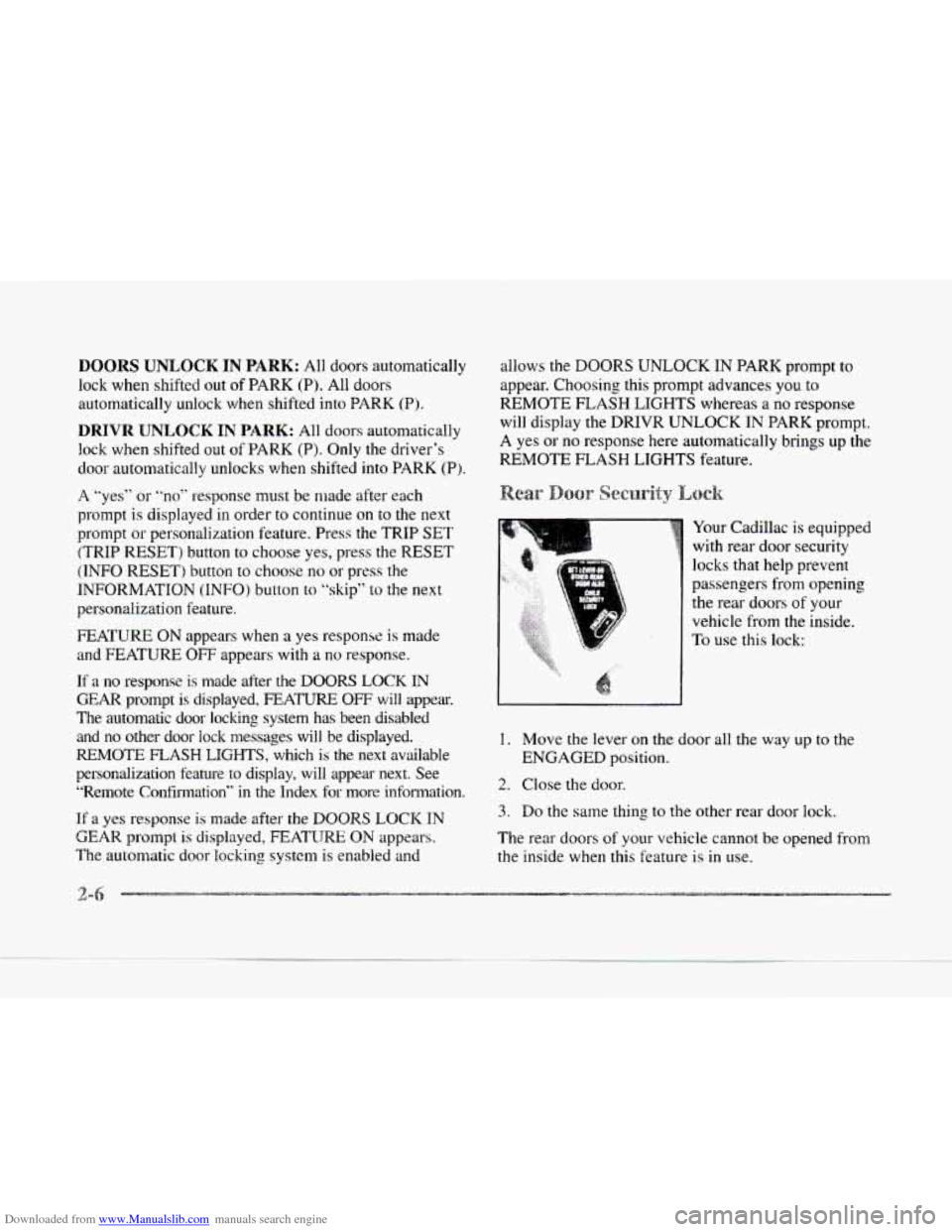
Your Cadillac is equipped
with rear door security
locks
that help prevent
passengers from opening
the rear doors
of your
vehicle from the inside.
To use this lock:
If a no response is made after the DOORS LOCK IN
GEAR prompt is displayed, FEATURE OFF will appear.
The automatic door locking system has been disabled and
no other door lock messages will be displayed. 1. Move the lever on the door all the way up to the
REMOTE FLASH LIGHTS, which is the next available ENGAGED position.
personalization feature
to display. will appear next. See
"Remote Confirmation"
in the Index for more infolmation.
If a yes response is made after the DOOR§ LOCK IN
GEAR prompt is displayed, FEATIJRE ON appears. The rear doors of your vehicle cannot be opened from
The automatic door locking system is enabled and the inside when this feature is in use.
2. Close the door.
3. Do the same thing to the other rear door lock.
2-6
Page 70 of 370
Downloaded from www.Manualslib.com manuals search engine c
L
c
e Pras this symbol to open the trunk.
Press this button
to open the fuel door.
The RKE transmitter can also be used to recall
the memory seats for up to two drivers.
For rnore
information, see “Memory Seat and Mirrors”
in
the Index.
Note that pressing the transmitter buttons numerous
times (approximately
500 times) out of the vehicle’s
operating range may cause the transmitter not to work.
Replacing the battery and pressing the transmitter
buttons
10 or more times out of range will also cause
the transmitter not to work. To reset the transmitter,
you must be within the vehicle’s operating range.
Press and hold the trunk button,
and within one second,
press and hold the lock button. Continue to hold both
buttons
for approximately three seconds. See your
Cadillac dealer for service
if your transmitter still
doesn’t work properly.
This personalization feature
allo\vs the drikw tc;
program the parking lamps to blink or to remain
off when the lock or unlock buttons on the RICE
transmitter are pressed. Press the TRIP SET (TRIP
RESET) button
to answer “yes,” press the RESET
(INFO RESET) button to indicate
“no” or press the
INFORMATION (INFO) button
to ”skip” to the
next personalization feature.
To begin programming, press the unlock button of the
RICE transmitter for the appropriate driver (1 or 2).
The ignition must be in the RUN position. Press and
hold the INFORMATION (INFO) and RESET (INFO
RESET) buttons at the same time. The first message
to appear refers to the programmable automatic door
loclts.
To skip this prompt. press the INFORMATION
(INFO) button.
When REMOTE FLASH
LIGHTS appears on the DIC
display, press the yes button to program the parking
lamps
to blink once when the lock button on the RKE
transmitter is pressed and
to blink twice when the
unlock button
is pressed. If you don‘t want the parking
lamps
to blink when using the RKE transmitter, press
the
no button.
FEATURE
ON will display if REMOTE FLASH
LIGH’TS
was selected and FEATURE OFF will show
it you answer no.
For a list of the other pe.rsonalization features available,
see “Memory
and Personalization Features” later in
this section.
Page 71 of 370
Downloaded from www.Manualslib.com manuals search engine This personalization feature enables the driver to
program the exterior lamps
to turn on or to remain off
when using the RKE transmitter to unlock your vehicle.
If exterior lighting is selected, the parking lamps.
taillamps, sidemarker lamps. license plate lamps,
low-beam headlamps, etc. will turn
on for about
20 seconds or until a door is opened or the key is
placed in your vehicle’s ignition.
To begin programming, press the INFORMATION
(INFO) and RESET (INFO RESET’) buttons at the same
time for about two seconds. Exterior lighting is
the third
feature to display. Press the INFORMATION (INFO)
button to “skip” past the first two features
-- DOOR
LOCKS IN GEAR and REMOTE FLASH LIGHTS.
When EXT LIGHTS AT UNLOCK appears, a “yes”
or
“no” response is required. Press the TRIP SET (TRIP
RESET) button to answer
yes 01- press the RESET
(INFO RESET) button
to indicate a no response.
FEATURE
ON displays when a yes response is made
and FEATURE OFF shows after
a no response.
For a list
of the other personalization features available,
see “Memory and Personalization Features” later
in
this section. Your
vehicle may have memory personalization. If
it
does, REMOTE RECALL MEMORY will be the fourth
personalization feature to display
on the DIC system.
Memory settings that have been previously programmed
(HVAC settings, radio preset settings, exterior lighting
choices, remote confirmation choices and programmable
automatic door lock choices) can be recalled by using
the RKE transmitter or by placing the key in your
vehicle’s ignition.
To begin programming, press the INFORMATION
(INFO) and RESET (INFO RESET) buttons at the same
time for about two seconds. As mentioned, memory
recall
is the fourth feature to appear. To “skip” past the
first three personalization features, press the
INFORMATION (INFO) button.
When REMOTE RECALL MEMORY appears,
the
driver is able to recall memory settings when the unlock
button on the RKE transmitter is pressed. Press the
TRIP SET (TRIP
RESET) button to select or press the
RESET (INFO RESET) button to answer no and to
continue
on to the next prompt. (FEATURE ON displays
when a yes response is made and FEATURE OFF shows
when a
no response is made.)
rrl
Page 77 of 370

Downloaded from www.Manualslib.com manuals search engine Vehicle theft is big business, especially in some cities.
Although your Cadillac has a number
of theft-deterrent
features,
we know that nothing we put on it can make
it impossible to steal. However, there are ways
you
can help.
If you leave your vehicle with the keys inside, it’s an
easy target
for joy riders or professional thieves -- so
don’t do it.
When you park your Cadillac and open the driver‘s
door, you’ll hear a chime reminding
you to remove
your key from the ignition and take
it with you. Always
do this. Your steering wheel will be locked, and so
will your ignition and transaxle. And remember to
lock the doors.
Park in a lighted spot, close all windows and lock your
vehicle. Remember to keep your valuables
out of sight.
Put them
in a storage area, or take them with you.
If you park in a lot where someone will be watching
your vehicle,
it’s best to lock it up and take your keys.
But what
if you have to leave your ignition key? What
if you have to leave something valuable in your vehicle?
Put your valuables in a storage area, like your trunk
or glove box.
Lock the glove box.
0 Lock all the doors except the driver’s.
Then take the door key and remote keyless entry
transmitter with you.
If the ignition is off and
any door is open, the
SECURITY light will flash.
reminding
you to activate
the system (the light will
also flash
if the battery has
been disconnected and
reconnected). SECURITY
2-3.6
-I.
d
1