1997 CADILLAC ELDORADO audio
[x] Cancel search: audioPage 6 of 361

Downloaded from www.Manualslib.com manuals search engine 1-1
2-1
5-1
6-1
7-1
8-1
Seats and Restraint Systems
This section tells you how to use your seats and safety belts properly. It also explains the “SIR’ system.
Features and Controls
This section explains how to stat and operate your Cadillac.
Comfort Contrds and Audio Systems
This section tells you how to adjust the ventilation and comfort controls and how to operate your audio system.
Your Driving sand the Road
Here you’ll find helpful information and tips about the road and how to drive under different conditions.
Problems on the Woad
This section tells what to do jf you have a problem while driving, such as a flat tire or overheated engine, etc.
Service and Appearance Care
Here the manual tells you how to keep your Cadillac running properly and looking good.
Customer Assistance InfmmtiaPm
This section tells you how to contact Cadillac for assistance and how to get service and owner publications.
It
also gives you information on “Reporting Safety Defects” on page 7- 12.
Index
Here’s an alphabetical listing of almost every subject in this manual. You can use it to quickly find
something
you want to read.
i
Page 128 of 361
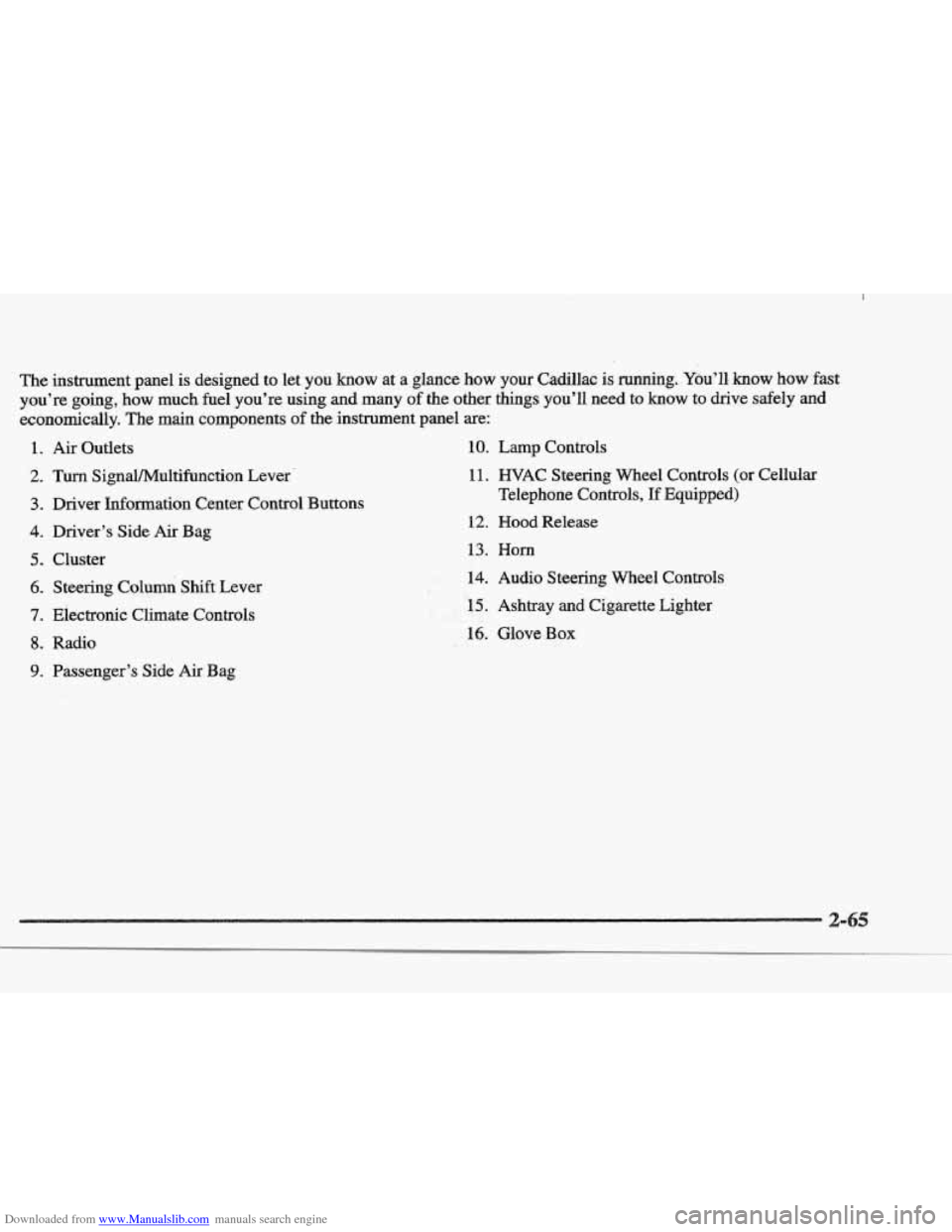
Downloaded from www.Manualslib.com manuals search engine The insbrument.pane1 is designed to let you know at a glance how your Cadillac is running. You’ll, know how fast
you’re going, how
much fuel you’re using and many of the other things you’ll need to know to drive safely and
economically. The main components of the instrument panel are:
1.
2.
3.
4.
5.
6.
7.
8.
9.
Air Outlets
Turn SignaVMultifbnction Lever.
Driver Information Center Control Buttons
Driver’s Side
Air Bag
Cluster Steering Columi Shift Lever
Electronic Climate Controls
Radio
Passenger’s Side
Air Bag
10. Lamp Controls
11. WAC Steering Wheel Controls (or Cellular
Telephone Controls,
If Equipped)
12. Hood Release
13. Horn
.#k. 14. Audio Steering Wheel Controls
F. , LI
- , .r 15. Ashtray and Cigarette Lighter I !i&&
16. Glove Box
Page 156 of 361

Downloaded from www.Manualslib.com manuals search engine 3-2
3-2
3-6
3-6
3-6
3-7
3-8 3-8
3-9
3-9
3 -9
3-9
3-10
3-13
Comfort Controls
Climate Control Panel
Electronic Solar Sensor
Air Conditioning
Heating
Ventilation System
Defrosting
Rear Window Defogger
HVAC Steering Wheel Controls
Climate Control Personalization
Audio Systems
Setting the Clock
AM-FM Stereo with Cassette Tape Player and
Optional Compact Disc Player
Bose
TM AM-FM Stereo with Cassette Tape
and Compact Disc Player
In this section, you’ll find out how to operate the comfort control and audio systems offered with your Cadillac. Be
sure to read about the particular systems supplied with your vehicle.
3- 17
3-2 1
3-24
3-24
3-25
3-25
3-25
3-26
3-27
3-27
Bose TM AM-FM Stereo with Cassette
Tape and Compact Disc Player with Digital
Signal Processing
Trunk Mounted CD Changer
Radio Personalization
Theft-Deterrent Feature
Audio Steering Wheel
Controls
Understanding Radio Reception
Tips About Your Audio System
Care
of Your Cassette Tape Player
Care of Your Compact Discs
Power Antenna Mast Care
Page 164 of 361

Downloaded from www.Manualslib.com manuals search engine Some heating and cooling
controls can be adjusted at
the steering wheel. Other
touch controls operate some audio controls. See “Audio
Steering Wheel Controls”
later
in this section.
8 FAN SPEED: Press the up arrow lever to increase
the
fan speed and the down arrow lever to decrease
fan speed.
TEMP: Press the up arrow lever to increase
the temperature and the down arrow lever to
decrease temperature.
With
this feature, your vehicle will recall the latest
climate control settings as adjusted the last time your
vehicle was operated.
This feature allows two different drivers-
to store and recall
their own climate control
settings. The settings recalled by the climate control
system
are determined by which RKE transmitter (“ 1 ”
or “2”) was used to enter the vehicle. The number on the.
back of the
RKE transmitter corresponds to driver 1 or
to driver
2. After the unlock button is pressed on the
RKE transmitter or the ignition key is placed in the
ignition, the climate control settings will automatically
adjust to where’ they were last set. The settings can
also
be changkd by briefly pressing the memory seat buttons
1 or 2 located on the driver’s door.
dio sys
Your Cadillac. audio system has been designed to operate
easily
and give years of listening pleasure. You will get
the most enjoyment
out of it if you acquaint yourself
with it first. Find out what your audio system can do
and how to operate
all its controls, to be sure you’re
getting the most out
of the advanced engineering that
went into it.
Press and hold
HR or MN until the time display begins
to change. Release the button as you get close
to the
correct time. The time may be set anytime. the clock
is
displayed.. There is a two-second delay before the clock
goes into time-set mode.
3-
Page 173 of 361
Downloaded from www.Manualslib.com manuals search engine 4. Press and hold one of the six numbered buttons until
you hear a chime.
A preset number will appear on
the display. The sound will mute. When it returns,
release the button. Whenever you press that
numbered button, the station
you set will return.
5. Repeat the steps for each pushbutton.
seconds until PRESET
SCAN appears on the display to
listen
to each of your preset stations for a few seconds
(Factory presets which have not been reprogrammed
with your stations will be ignored). The radio
will go to
the first preset station stored on your pushbuttons, stop
for a few seconds, then go on to the next preset station.
Press
SCAN again to stop scanning. If a preset station
has weak reception, the radio
will not stop at the
preset station.
ESET SCAN: Press and hold SCAN for two to three
ASS: Press this knob lightly so it extends. Turn the
knob clockwise to increase and counterclockwise to
decrease
bass.
T : Press this knob lightly so it extends. Turn the
knob clockwise to increase and counterclockwise to
decrease treble.
If a station is weak or noisy, you may
want to decrease the treble. Push
these knobs back into their stored positions when
you're not using them.
SP: The Digital Signal Processing (DSP) feature is
used to produce four audio effects. These include
TALK, DRIVER SEAT, LIVE and AUDITORIUM.
DSP can be used while listening to the radio, the
cassette tape player or the CD player. To activate DSP,
press the DSP button. Press this button again to go
through the
four effects. To turn the DSP feature off,
press OFF.
TALK: This setting is used when listening to
non-musical material such as baseball games, talk
shows
or news. TALK gives the best clarity of
spoken words. The high and low frequencies are
lowered, the mid-range is increased and the audio is
moved more toward the front speakers.
DRIVER SEAE This setting adjusts the audio to
give
the driver the best possible sound qualities. This
has been done by tailoring the sound arrival times
and equalization
for the driver seat. DRIVER SEAT
can be used at
any time for any material. Other
passengers
in the vehicle may not perceive the
same effect.
LIVE: This setting is used to imitate the sound of a
live performance.
Page 180 of 361
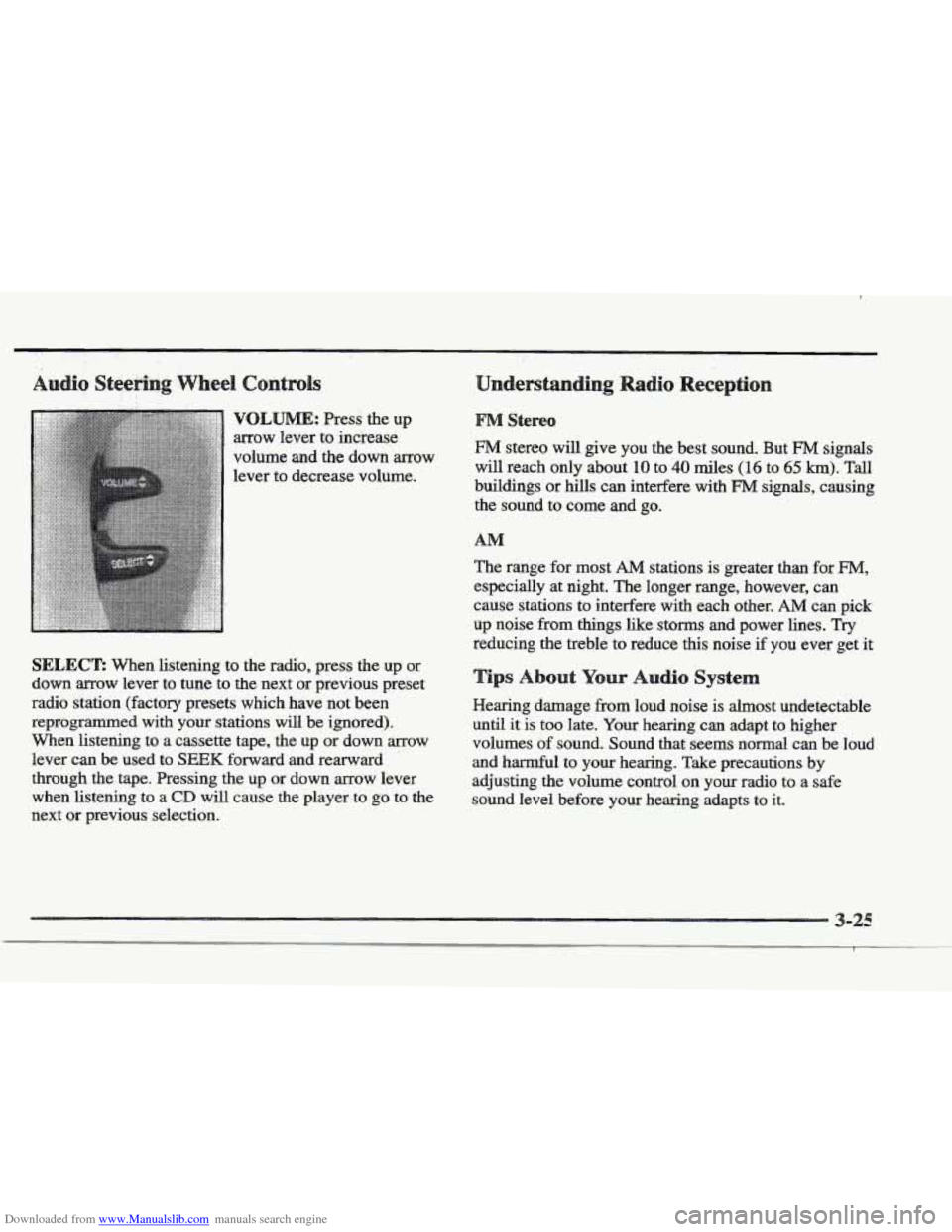
Downloaded from www.Manualslib.com manuals search engine VQLBJME: Press the up
arrow lever to increase
volume and the down arrow
lever to decrease volume.
SELECT: When listening to the radio, press the up or
down arrow lever to tune to the next or previous preset
radio station (factory presets which have not been
reprogrammed with your stations
will be ignored).
When listening to a cassette tape, the
up or down arrow
lever can be used to
SEEK forward and rearward
through the tape. Pressing the up
or down arrow lever
when listening to a
CD will cause the player to go to the
next or previous selection.
§&!reo
FM stereo will give you the best sound. But FM signals
will reach only about 10 to 40 miles (1 6 to 65 km). Tall
buildings or hills can interfere with
FM signals, causing
the sound to come
and go.
The range for most
AM stations is greater than for FM,
especially at night. The longer range, however, can
cause stations
to interfere with each other. AM can pick
up noise from
things like storms and power lines. Try
reducing the treble to reduce this noise if you ever get it
r Audio Syste
Hearing damage from loud noise is almost undetectable
until it
is too late. Your hearing can adapt to higher
volumes
of sound. Sound that seems normal can be loud
and harmful to
your hearing. Take precautions by
adjusting the volume control on your radio to
a safe
sound level before your hearing adapts to it.
Page 293 of 361
Downloaded from www.Manualslib.com manuals search engine The braking system on a modem vehicle is complex.
Its many parts have to be of top quality and work well
together if the vehicle
is to have really good braking.
Your vehicle was designed and tested with top-quality
GM brake parts. When you replace parts of your braking
system
-- for example, when your brake linings wear
down and you have
to have new ones put in -- be sure
you get new approved
CM replacement parts. If you
don’t, your brakes may no longer work properly. For
example, if someone puts
in brake linings that are wrong
for your vehicle, the balance between your front and
rear brakes can change
-- for the worse. The braking
performance you’ve come
to expect can change in many
other ways
if someone puts in the wrong replacement
brake parts.
e
Every new Cadillac has a Delco Freedom@ battery. YOU
never have to add water to one of these. When it’s time
for a new battery, we recommend a Delco Freedom
battery.
Get one that has the replacement number shown
on the original battery’s label.
If you’re not going to drive your vehicle for 25 days
or more, take
off the black, negative (-) cable from
the battery. This will help keep your battery from
running down.
Batteries have acid that can burn YOU and gas
aren’t careful. See “Jump Starting’’ in the Index
for tips
on working around a battery without
that
can explode. You can be badly hurt if you
Contact your
dealer to learn how to prepare your vehicle
for longer storage periods.
Also, for your audio system, see “Theft-Deterrent
Feature” in the Index.
Page 346 of 361
Downloaded from www.Manualslib.com manuals search engine ..........
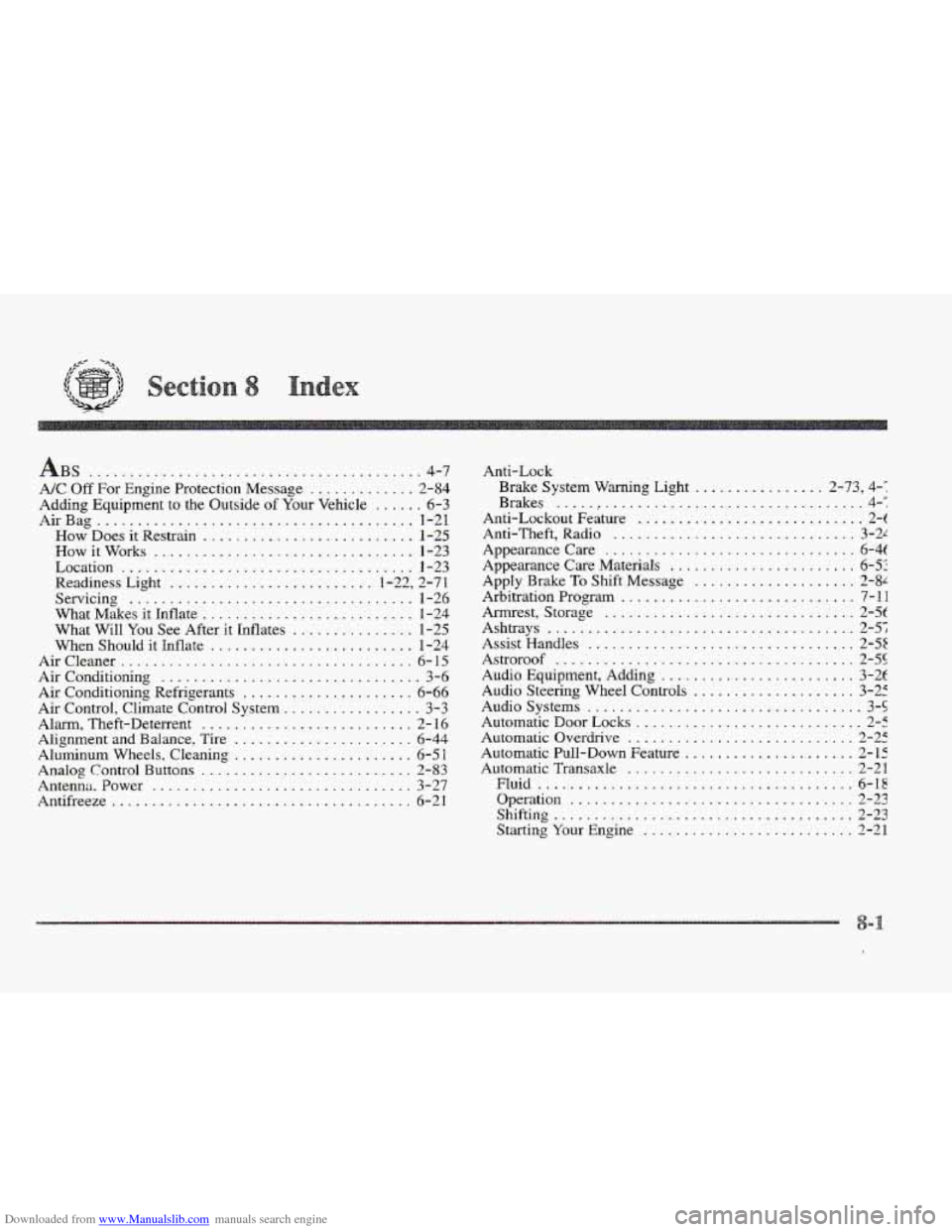
BS ......................................... 4-7
AK Off For Engine Protection Message ............. 2-84
Adding Equipment to the Outside
of Your Vehicle ...... 6-3
AirBag ....................................... 1-21
How Does it Restrain .......................... 1-25
How it Works ................................ 1-23
Location .................................... 1-23
Readiness Light
......................... 1.22. 2.71
Servicing
................................... 1-26
What Makes it Inflate
.......................... 1-24
What Will
You See After it Inflates ............... 1-25
When Should it Inflate
......................... 1-24
AirCIeaner
.................................... 6-15
Air Conditioning ................................ 3-6
Air Conditioning Refrigerants
..................... 6-66
Air Control, Climate Control System ................. 3-3
Alarm. Theft-Deterrent
.......................... 2- 16
Aluminum Wheels. Cleaning ...................... 6-51
Analog Control Buttons .......................... 2-83
Antenna . Power ................................ 3-27
Antifreeze
..................................... 6-21
Alignment and Balance.
Tire ...................... 6-44
Anti-Lock
Brake System Warning Light
................ 2.73. 4..
Brakes .....,................................ 4-:
Anti-Lockout Feature ............................ 2-t
Anti-Theft, Radio .............................. 3-21
Appearance Care ............................... 6-4t
Appearance Care Materials
....................... 6-5:
Apply Brake
To Shift Message .................... 2-8'
Arbitration Program ............................. 7-11
Arrnrest, Storage
............................... 2-5t
Ashtrays ...................................... 2-5;
Assist Handles ................................. 2-55
Astroroof ..................................... 2-55
Audio Equipment, Adding ........................ 3-2f
Audio Steering Wheel Controls
.................... 3-25
Audio Systems
.................................. 3-5
Automatic Door Locks
............................ 2-5
Automatic Overdrive ............................ 2-25
Automatic Pull-Down Feature
..................... 2-15
Automatic Transaxle ............................ 2-21
Fluid
....................................... 6-18
Shiftin ,o ..................................... 2-23
Starting Your Engine
.......................... 2-21
Operation
................................... 2-23