1997 BUICK REGAL manual radio set
[x] Cancel search: manual radio setPage 185 of 422
NEXT (2): Press this button to search for the next
selection on the tape. Your tape must
have at least three
seconds of silence between each selection for
NEXT to
work. The sound will mute while seeking.
The
SEEK down and up arrows will also find the
previous and next selections
on the tape.
44 (3): Press this button to reverse the tape rapidly.
Press it again to return to playing speed. The radio will
play while the tape reverses.
bb (4): Press this button to advance quickly to
another part of the tape. Press the button again to
return
to playing speed. The radio will play while the
tape advances.
EJECT: The system has two EJECT buttons. Press the
button near the CD slot
to remove a disc. Press the
button near the tape slot to remove a tape and the radio
will play. If you leave
a cassette tape in the player while
listening to the radio, it may become warm.
CLN: If this message appears on the display, the
cassette tape player needs to be cleaned. It will still play
tapes, but you should clean
it as soon as possible to
prevent damage to the tapes and player. See “Care of
Your Cassette Tape Player”
in the Index. After you clean
the player, press and hold EJECT for five seconds to
reset the CLN indicator. The radio will display
--- to
show the indicator was reset.
Your cassette tape player automatically reduces
background noise from tapes encoded with Dolby
NR.
You may turn Dolby off by pressing the number
six preset.
Dolby Noise Reduction
is manufactured under a license
from Dolby Laboratories Licensing Corporation. Dolby
and the double-D symbol are trademarks
of Dolby
Laboratories Licensing Corporation.
SIDE (5): Press this button to change the side of the
tape that is playing.
RAND (6): Press this button to reduce background
noise when playing
a cassette tape. The double-D
symbol will appear in the display.
SOURCE: Press this button to change to the tape or
disc function when the radio
is on. If both a tape and a
disc are installed, the system will first go to tape play;
TAPE SIDE and an arrow will appear on the display. If
SOURCE is pressed again, the system will go to disc
play; CD PLAY will appear on the display.
3-29
ProCarManuals.com
Page 189 of 422
Disabling the Theft-Deterrent Feature
Enter your secret code as follows; pause no more than
15 seconds between steps:
1. Turn the ignition to ACCESSORY or RUN.
2. Turn the radio off.
3. Press the 1 and 4 buttons together. Hold them down
4. Press MIN and 000 will appear on the display.
5. Press MTN again to make the last two digits agree
6. Press HRS to make the first one or two digits agree
7. Press AM-FM after you have confirmed that the
until
SEC shows on the display.
with your code.
with your code.
code matches the secret code you have written down.
The display will show
---, indicating that the radio is
no longer secured.
If the code entered is incorrect, SEC will appear on the
display. The radio will remain secured until the correct
code is entered.
When battery power
is removed and later applied to a
secured radio, the radio won’t turn on and LOC will
appear on the display.
To unlock a secured radio see “Unlocking the
Theft-Deterrent Feature After a Power
Loss” earlier in
this section.
Audio Steering Wheel Controls
(If Equipped)
If your vehicle has this feature, you can control certain
radio functions using the buttons
on your steering wheel.
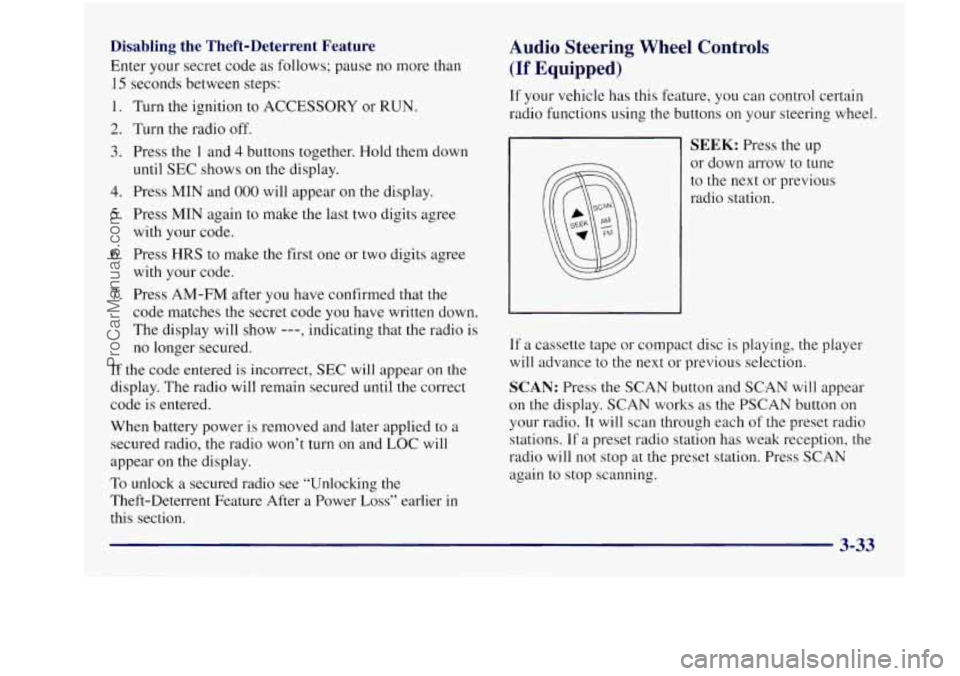
SEEK: Press the up
or down arrow to tune
to the next or previous
radio station.
If a cassette tape or compact disc is playing, the player
will advance to the next or previous selection.
SCAN: Press the SCAN button and SCAN will appear
on the display. SCAN works as the PSCAN button
on
your radio. It will scan through each of the preset radio
stations. If
a preset radio station has weak reception, the
radio will not stop at the preset station. Press
SCAN
again to stop scanning.
ProCarManuals.com
Page 190 of 422
AM-FM: Press this button to choose AM, FMl or FM2. Understanding Radio Reception
If a cassette tape or compact disc is playing, press this
button to stop it and the radio will play.
FM Stereo
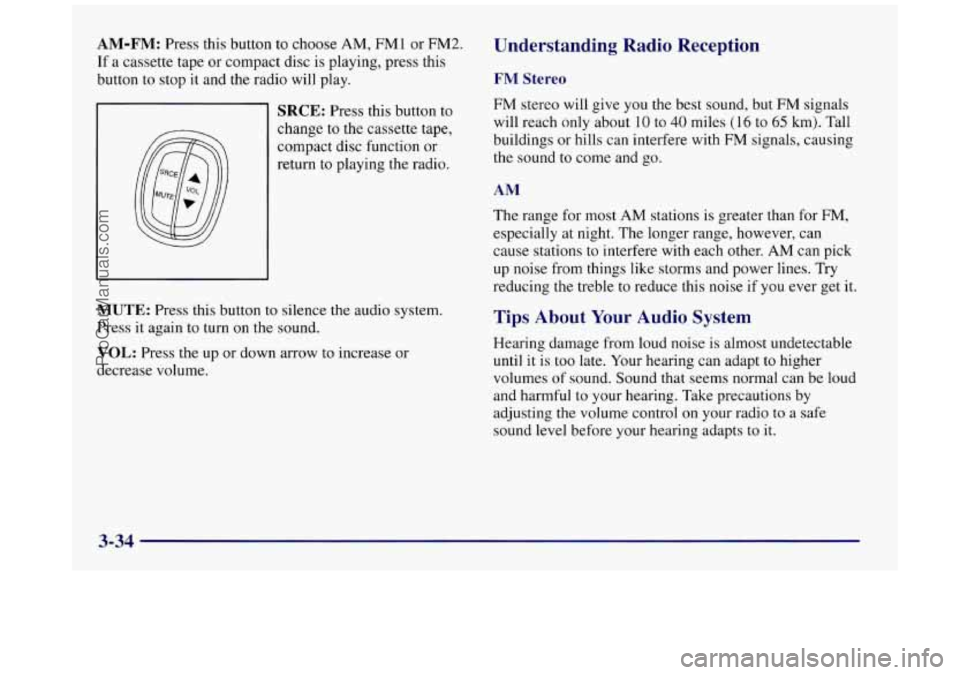
SRCE: Press this button to
change to the cassette tape,
compact disc function or
return to playing the radio. FM stereo will give you the best sound, but FM signals
will reach only about
10 to 40 miles (16 to 65 km). Tall
buildings or hills can interfere with
FM signals, causing
the sound to come and go.
AM
The range for most AM stations is greater than for FM,
especially at night. The longer range, however, can
cause stations to interfere with each other.
AM can pick
up noise from things like storms and power lines. Try
reducing the treble to reduce this noise if you ever get it.
MUTE: Press this button to silence the audio system.
Press it again to turn on the sound.
VOL: Press the up or down arrow to increase or
decrease volume.
Tips About Your Audio System
Hearing damage from loud noise is almost undetectable
until it is too late. Your hearing can adapt to higher
volumes of sound. Sound that seems normal can be loud
and harmful to your hearing. Take precautions by
adjusting the volume control
on your radio to a safe
sound level before your hearing adapts to it.
3-34
ProCarManuals.com
Page 191 of 422
To help avoid hearing loss or damage:
Adjust the volume control to the lowest setting.
Increase volume slowly until you hear comfortably
and clearly.
NOTICE:
Before you add any sound equipment to your
vehicle
-- like a tape player, CB radio, mobile
telephone or two-way radio
-- be sure you can
add what you want.
If you can, it’s very
important to do it properly. Added sound
equipment may interfere with the operation
of
your vehicle’s engine, Delco radio or other
systems, and even damage them. Your vehicle’s
systems may interfere with the operation
of sound equipment that has been
added improperly.
So, before adding sound equipment, check with
your dealer and be sure to check Federal rules
covering mobile radio and telephone units.
Care of Your Cassette Tape Player
A tape player that is not cleaned regularly can cause
reduced sound quality, ruined cassettes or a damaged
mechanism. Cassette tapes should be stored in their
cases away from contaminants, direct sunlight and
extreme heat. If they aren’t, they may not operate
properly or may cause failure of the tape player.
Your tape player should be cleaned regularly after every
50 hours of use. Your radio may display CLN to indicate
that you have used your tape player for
50 hours without
resetting the tape clean timer. If this message appears on
the display, your cassette tape player needs to be
cleaned. It will still play tapes, but you should clean it as
soon as possible to prevent damage to your tapes and
player. If you notice a reduction in sound quality, try a
known good cassette to see if it
is the tape or the tape
player at fault.
If this other cassette has no improvement
in sound quality, clean the tape player.
ProCarManuals.com
Page 192 of 422
Cleaning may be done with a scrubbing action,
non-abrasive cleaning cassette with pads which scrub
the tape head as the hubs of the cleaner cassette turn.
A
scrubbing action cleaning cassette is available through
your dealership.
You may also choose a non-scrubbing action, wet-type
cleaner which uses a cassette with a fabric belt to clean
the tape head. This type of cleaning cassette may not
clean as thoroughly as the scrubbing type cleaner.
After you clean the player, press and hold EJECT for
five seconds
to reset the CLN indicator. The radio will
display
--- to show the indicator was reset.
Cassettes are subject to wear and the sound quality
may degrade over time. Always make sure the cassette
tape
is in good condition before you have your tape
player serviced.
Care of Your Compact Discs
Handle discs carefully. Store them in their original cases
or other protective cases and away from direct sunlight
and dust. If the surface of a disc is soiled, dampen a
clean, soft cloth in a mild, neutral detergent solution and
clean it, wiping from the center to the edge.
Be sure never to touch the signal surface when handling
discs. Pick up discs by grasping the outer edges or the
edge of the hole and the outer edge.
Fixed Mast Antenna
The fixed mast antenna can withstand most car washes
without being damaged. If the mast should ever become
slightly bent,
you can straighten it out by hand. If the
mast is badly bent, as it might be by vandals, you should
replace
it.
Check every once in a while to be sure the mast is still
tightened to the fender.
3-36
ProCarManuals.com
Page 240 of 422
2.
3.
Get the vehicles close enough so the jumper cables
can reach, but be
sure the vehicles aren’t touching
each other.
If they are, it could cause a ground
connection you don’t want.
You wouldn’t be able to
start your Buick, and the bad grounding could
damage the electrical systems.
To avoid the possibility of the vehicles rolling, set
the parking brake firmly on both vehicles involved
in
the jump start procedure. Put your automatic
transaxle in
PARK (P) before setting the
parking brake.
Turn
off the ignition on both vehicles. Unplug
unnecessary accessories plugged into the cigarette
lighter
or accessory power outlet. Turn off all lamps
that aren’t needed as well as radios. This will avoid
sparks and help save both batteries. In addition,
it
could save your radio!
I NOTICE:
If you leave your radio on, it could be badly
damaged. The repairs wouldn’t be covered by
your warranty.
4. Open the hoods and locate the batteries. (Your
vehicle’s battery is located under the windshield
washer fluid reservoir.)
An electric fan can start up even when the engine
is not running and can injure you. Keep hands,
clothing and tools away from any underhood
electric fan.
5-4
ProCarManuals.com
Page 407 of 422
Section 9 Index
Accessory outlet .............................. 2-52
Adding Equipment to the Outside
of Your Vehicle ...... 6-3
AirBag
....................................... 1-19
How Does it Restrain .......................... 1-23
How
it Works ................................ 1-2 1
Location .................................... 1-21
Readiness Light
......................... 1-20. 2-60
Servicing
................................... 1-24
What Makes
it Inflate .......................... 1-22
What Will You See After
it Inflates ............... 1-23
When Should it Inflate ......................... 1-22
Aircleaner .................................... 6-16
Air Conditioning
........................ 3-3.3-6. 3-9
Air Conditioning Refrigerants ..................... 6-65
Alarm. Instant
................................. 2- 12
Alignment and Balance. Tire
...................... 6-45
Aluminum Wheels. Cleaning
...................... 6-53
AM-FMStereo ................................ 3-13
AM-FM Stereo with Cassette Tape Player and
AM-FM Stereo with Compact Disc Player and
AM-FM Stereo
with Cassette Tape and Compact
Antenna AM-FM Stereo
with Cassette Tape Player ........... 3- I5
Automatic Tone Control
...................... 3- 18
Automatic Tone Control
...................... 3-22
Disc Player
with Automatic Tone Control ........ 3-26
Backglass
................................... 3-37 Fixed Mast
.................................. 346
Antifreeze ..................................... 6-22
Anti-Lock
Brake System Active Light
................. 2.63. 4.9
Brake System Wa-ning Light
................ 2.62. 4.7
Brakes
...................................... 4-7
Using
....................................... 4-9
Anti.Theft. Radio .............................. 3-31
Appearancecare
............................... 6-47
Appearance Care Materials
....................... 6-56
Arbitration Program
.............................. 8-7
Ashtrays
...................................... 2-51
Audio Controls. Steering Wheel Touch Control
....... 3-33
Audio Equipment. Adding ........................ 3-35
AudioSyste~ns
................................. 3-12
Auto-Down Window
............................ 2-33
Automatic
Audio Systems.
Tips
............................ 3-34
Headlamp Control ............................ 2-42
Overdrive
(a) .......................... 2.25. 2.26
Power Door Locks
............................. 2-7
Transaxle Check
.............................. 7-40
Transaxle Fluid
............................... 6-19
Transaxle Operation ........................... 2-22
Transaxle PARK
(P) Mechanism Check ........... 7-42
Auxiliary Power Connection
...................... 2-53
ProCarManuals.com