1997 BUICK PARK AVENUE engine
[x] Cancel search: enginePage 146 of 420

ODO/TRIP
When this button is pressed, the display will show the
total mileage, and Trip
1 or Trip 2 miles. Trip 1 and
Trip
2 will display the miles traveled since the last reset.
To reset the trip odometer, press the ODO/TRIP button
until the trip miles are shown in the DIC display, then
press the RESET button. The trip odometer will now
accumulate miles until the next reset.
FUEL INFO
Average Fuel Economy:
Press the FUEL button until
the display shows FUEL ECONOMY AVERAGE.
Average fuel economy is viewed as a long term
approximation of your overall driving and driving
conditions. To learn the average fuel economy from a
new starting point, press the RESET button while the
average fuel economy is displayed in the DIC.
Instantaneous Fuel Economy: Press the FUEL button
until the display shows FUEL ECONOMY INST.
Instantaneous fuel economy varies with your driving
conditions, such as acceleration, braking and the grade
of
the road being traveled. The RESET button does not
function in this mode.
Fuel Range: Press the FUEL button until the display
shows FUEL RANGE. The fuel range will calculate the
remaining distance you can drive without refueling. This
calculation is based on the average fuel economy for the
last
25 miles driven, and the fuel remaining in the fuel
tank. The
RESET button does not function in this mode.
Fuel Used: Press the FUEL button until the display
shows FUEL USED. This display will show you how
much fuel has been used since the last reset. To learn
how much fuel is used from a new starting point, press
the RESET button while the fuel used is displayed in
the DIC.
GAGES
Oil Pressure:
Press the GAGES button until OIL
PRESSURE appears in the display. If there are no
problems detected with the oil pressure, the display will
show OIL PRESSURE NORMAL. If a low oil pressure
condition
is detected, the display will show OIL
PRESSURE LOW. If you see the OIL PRESSURE
LOW message, you could be low on oil or your oil is
not going through the engine properly. See your dealer
for service.
2-86
ProCarManuals.com
Page 147 of 420

Coolant Temperature: Press the GAGES button until
COOLANT TEMP appears in the display. If there are no
problems detected with the temperature, COOLANT
TEMP NORMAL will appear
in the display. If the
temperature is too high, COOLANT TEMP HOT will
appear in the display. If you see the COOLANT TEMP
HOT message, your engine is overheated. You should
pull off the road, stop your vehicle and turn off your
engine as soon as possible. This manual explains what to
do. See “Engine Overheating” in the Index.
Battery Volts: Press the GAGES button until the
display shows BATTERY STATE.
If the voltage is
normal the display will show BATTERY STATE
NORMAL.
If the voltage drops below 10.5 volts, the
display will show BATTERY STATE LOW. If the
voltage is above
16 volts, the display will show
BATTERY STATE HIGH. If the display shows the high
or low message, you need to have your battery checked.
Oil Life Index: Press the GAGES button until OIL
LIFE INDEX appears in the display. The OIL LIFE
INDEX NORMAL display will show an estimate of
the oil’s remaining useful life. When the oil life index
is less than
lo%, the display will show OIL LIFE INDEX CHANGE
OIL. When you have the oil
changed according to the maintenance schedule (see
“Maintenance Schedule” in the Index), you will have
to reset the oil life index. To do this, press and hold the
RESET button for more than five seconds while the oil
life index is being displayed on the DIC. The oil life
will change to
100%.
Tire Pressure Status: Press the GAGES button
until TIRE PRESSURE appears in the display.
TIRE
PRESSURE NORMAL is displayed when the Check
Tire Pressure System believes your vehicle’s tire
pressures are normal. If a potential tire pressure
problem is detected, the display will show TIRE
PRESSURE LOW: CHECK TIRES.
If you see the
TIRE PRESSURE LOW: CHECK TIRES message, you
should stop as soon as you can and check all your tires
for damage. (If a tire is flat, see “If a Tire Goes Flat”
in
the Index.) Also check the tire pressure in all four tires
as soon as you can. See “Inflation
- Tire Pressure” and
“Check Tire Pressure System”
in the Index.
There are times when you will have to reset (calibrate)
the Check Tire Pressure System. See “Check Tire
Pressure System” in the Index.
2-87
ProCarManuals.com
Page 148 of 420

Warnings and Messages
Other messages or warnings may appear in the DIC
display such as:
WINDSHIELD WASHER FLUID LOW
0 ENG COOLANT LOW - CHECK LEVEL
ENGINE OIL LOW - CHECK LEVEL
CHANGE ENGINE OIL SOON
CHECK TIRE PRESSURES
TRACTION CONTROL SYSTEM ACTIVE
DOOR AJAR
TRUNK AJAR
Pressing any
of the DIC buttons will remove the above
messages or warnings from the DIC display.
Driver Information Center
Personal Choice Programming
The DIC can be used to program personal choice
features available with your vehicle, such as memory
seats, memory door locks, security feedback, delayed
locking and perimeter lighting. See “Personal Choice
Features” in the Index.
The DIC is used to program the personal choices of
two drivers. The driver’s are recognized by DRIVER
#1
and DRIVER #2. You will let the DIC know which
driver you are by using your Remote Keyless Entry
transmitter or by pressing the appropriate memory
seat control button located on the driver’s door. The
remote transmitter was pre-programmed to belong
to
DRIVER #1 or DRIVER #2.
The last driver number remembered by the DIC will show
on the display each time the UNLOCK button on the same
transmitter is pressed, and the ignition is turned on.
When you press UNLOCK on your transmitter, the DIC
will automatically change driver numbers and the
vehicle will recall the personal choice settings that were
last made to correspond to your transmitter.
ProCarManuals.com
Page 154 of 420
Comfort Controls
This section tells you how to operate your comfort
controls. Your comfort control system uses
ozone-friendly
R- 134a refrigerant.
With these systems, you can control the heating, cooling
and ventilation in your Buick. Your vehicle also has a
flow-through ventilation system described later in
this section.
Personal Choice Comfort Controls
(If Equipped)
This feature allows two different drivers to store and
recall their own climate control settings for temperature, air delivery mode, fan and passenger climate control
(ordoff) status. The Personal Choice settings recalled
are determined by the transmitter used to enter the
vehicle. After the
UNLOCK button of a remote keyless
entry transmitter is pressed, and the ignition is in
RUN,
the climate control will adjust to the last settings of the
identified driver. The settings can also be changed by
briefly pressing one of the
MEMORY seat switches
located on the driver’s door panel. When adjustments
are made, the new settings
are automatically saved for
the driver.
Dual Automatic ComforTemp Climate Control
Your Buick has the dual automatic comfortemp climate
control system. The following information tells you how
it works.
You will hear a beep each time a button is pushed and a
small light on the button will indicate which buttons are
active. The lights are on all buttons except
TEMP, FAN
and
AIR FLOW. The display will show fan speed,
comfort level setting and airflow direction for a few seconds whenever any button, except for the rear
defog, is pushed, and then it will display the outside
temperature. The outside temperature reading is most
accurate when the vehicle is moving.
During stops, when driving slow, or when the engine is
first started after a short trip, the outside temperature
reading can be affected by road or engine heat. In order
to ensure proper automatic climate control operation, the outside temperature display may not update as quickly
as expected.
3-2
ProCarManuals.com
Page 156 of 420
To find your comfort setting, start with the system in
AUTO mode and the
TEMP button adjusted to a display
of
75 OF (24"C), give the vehicle about 20 minutes to
stabilize, and adjust your comfort setting if necessary, by
using the TEMP button. The display will show the
comfort setting, fan speed and airflow direction for a few
seconds, and then it will display the outside temperature.
In cold weather, the system will delay turning the fan on
high, to avoid blowing cold air. The length of the delay
depends on the engine coolant temperature and the
outside temperature. Pushing the FAN, AIR FLOW
or FRONT buttons will override this delay, turn
off the
AUTO setting and change the fan speed.
Manual Operation
You may also manually adjust the air delivery or fan speed.
AIR FLOW This button is used to change the direction
of the aifflow. The airflow choices available are FLOOR,
FLOOR-MID,
MID and WINDSHIELD-FLOOR. If the
system is set
for AUTO, pressing the AIR FLOW button
will display the current airflow direction, the comfort
setting and the fan speed. Press the AIR FLOW up or
down button again
to change the direction of the airflow.
If the AIR FLOW up button is selected while in the
FRONT defrost mode, the system will direct the air
toward the mid-position.
If the AIR FLOW down button is
selected while
in the FRONT defrost mode, the system
will direct the air toward the
FLOOR, and the FRONT
defrost mode will cancel. Notice the arrows in the display.
OFF: If the passenger comfort control is turned on, it
can be turned
off by pressing the OFF button once.
Pressing the OFF button a second time will turn
off the
main system. Turning
off the main system causes the fan
to turn off and the airflow to be directed to the FLOOR.
The system will still try to keep the interior of the
vehicle at the previous chosen comfort setting. The
outside temperature will show on the display when the
system is off.
The ventilation system always allows fresh air to flow
through your Buick when the vehicle is moving even
with the system in the OFF mode.
VENT: The VENT button allows outside air to flow
through your Buick without the air conditioning
compressor working. Selecting VENT and the AUTO
button at the same time allows the system to control
automatically without
the use of the air conditioning
compressor or the
use of the RECIRC mode. To turn
off the VENT selection, push the VENT button again.
3-4
ProCarManuals.com
Page 160 of 420
Defogging and Defrosting
On cool but humid days, use FRONT to keep the
windshield and side windows clear and to quickly
remove fog, frost or ice from the windshield.
The, fan speed will vary while in the AUTO mode. If a
manual fan speed setting is selected, the fan speed will
remain at that selection until the engine is turned off or
another selection has been made.
To turn off FRONT,
press AUTO or AIR
FLOW.
Rear Window Defogger
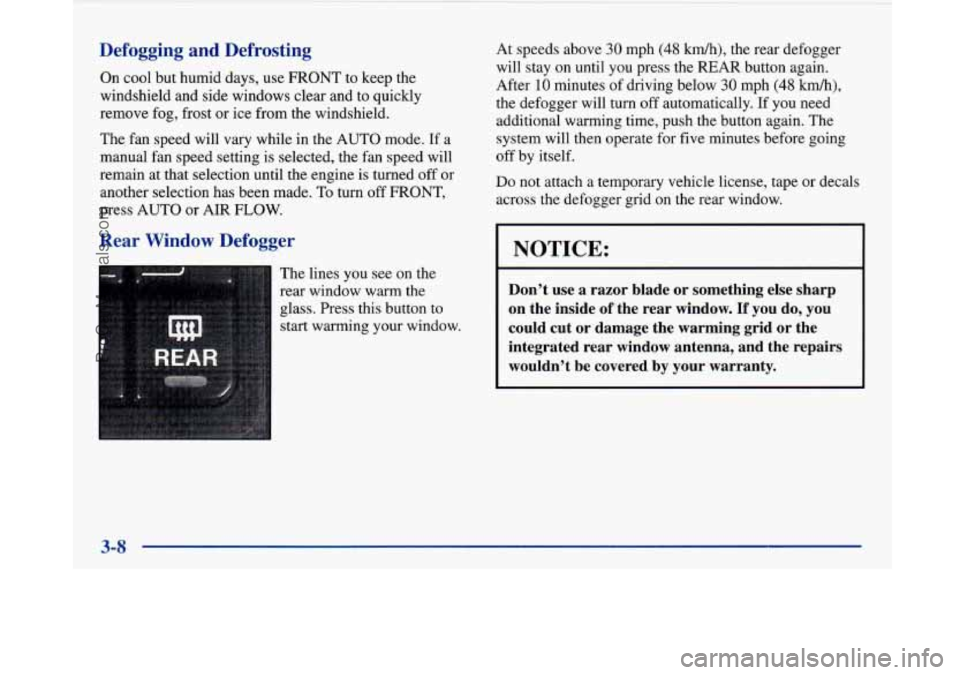
The lines you see on the
rear window warm the
glass. Press this button to
start warming your window. At
speeds above
30 mph (48 km/h), the rear defogger
will stay on until you press the
REAR button again.
After
10 minutes of driving below 30 mph (48 km/h),
the defogger will turn off automatically. If you need
additional warming time, push the button again. The
system will then operate for five minutes before going
off by itself.
Do not attach a temporary vehicle license, tape or decals
across the defogger grid on the rear window.
NOTICE:
Don’t use a razor blade or something else sharp
on the inside
of the rear window. If you do, you
could cut or damage the warming grid or the
integrated rear window antenna, and the repairs
wouldn’t be covered by your warranty.
3-8
ProCarManuals.com
Page 162 of 420
Audio Systems
Your Delco audio system has been designed to operate
easily and give years of listening pleasure. You will get the
most enjoyment out of it if you acquaint yourself with it
first. Find out what your Delco system can do and how to
operate all its controls, to be sure you’re getting the mos\
t
out
of the advanced engineering that went into it.
Setting the Clock
Press and hold HRS until the correct hour appears. Press
and hold
MIN until the correct minute appears.
You may set the clock with the ignition
off if you
press
RECALL first and follow the same procedure
described above.
Personal Choice Radio Controls
(If Equipped)
This feature allows two different drivers to store and recall
their
own radio settings for AM and FM presets, last tuned
station, volume, tone and audio source (radio, cassette or
CD). The Personal Choice settings recalled by the audio
system
are determined by the transmitter used to enter the
vehicle. After the
UNLOCK button of a remote keyless
entry transmitter is pressed and the ignition is in
RUN, the
radio will adjust to the last settings of the identified drive\
r. The settings can also
be changed by briefly pressing one of
the MEMORY seat switches located on the diver’s door
panel. When adjustments are made, the new settings are automatically saved for the driver.
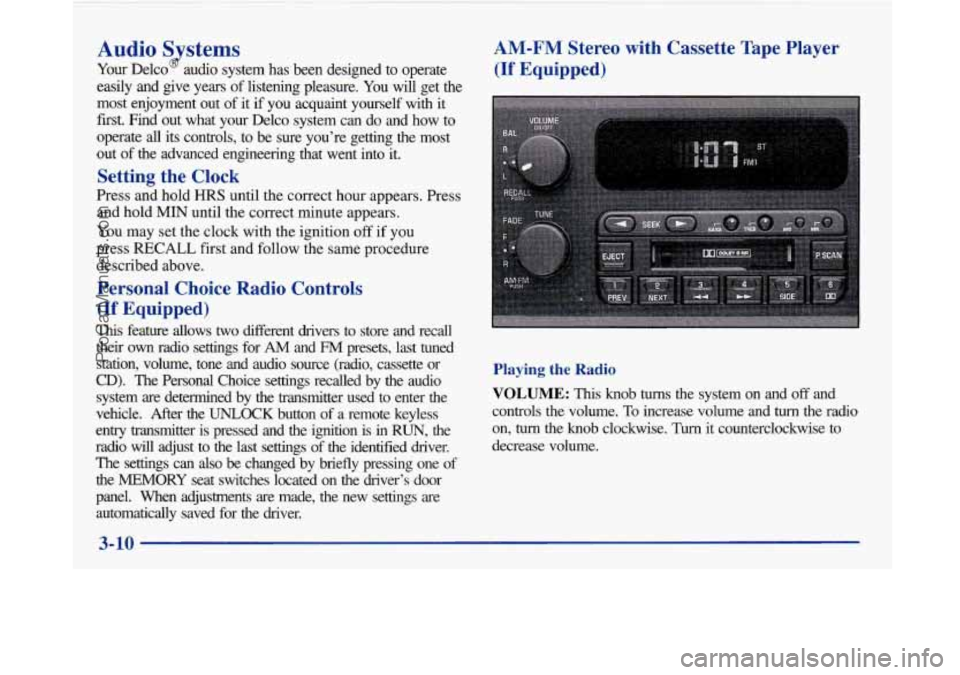
AM-FM Stereo with Cassette Tape Player
(If Equipped)
Playing the Radio
VOLUME: This knob turns the system on and off and
controls the volume.
To increase volume and turn the radio
on,
turn the knob clockwise. Turn it counterclockwise to
decrease volume.
3-10
-
ProCarManuals.com
Page 185 of 420
Understanding Radio Reception
FM Stereo
FM stereo will give you the best sound. But FM signals
will reach only about
10 to 40 miles (16 to 65 km). Tall
buildings or hills can interfere with FM signals, causing
the sound to come and go.
AM
The range for most AM stations is greater than for FM,
especially at night. The longer range, however, can
cause stations to interfere with each other. AM can pick
up noise from things like
stoms and power lines. Try
reducing the treble to reduce this noise if you ever get it.
Tips About Your Audio System
Hearing damage from loud noise is almost undetectable
until it is too late. Your hearing can adapt to higher
volumes of sound. Sound that seems normal can be loud
and harmful to your hearing. Take precautions by
adjusting the volume control on your radio to a safe
sound level before your hearing adapts to it. To
help avoid hearing loss
or damage:
0 Adjust the volume control to the lowest setting.
0 Increase volume slowly until you hear comfortably
and clearly.
NOTICE:
Before you add any sound equipment to your
vehicle
-- like a tape player, CB radio, mobile
telephone or two-way radio
-- be sure you can add
what you want.
If you can, it’s very important to
do it properly. Added sound equipment may
interfere with the operation
of your vehicle’s
engine, Delco radio or other systems, and even
damage them. Your vehicle’s systems may
interfere with the operation of sound equipment
that has been added improperly.
So, before adding sound equipment, check with
your dealer and be sure to check Federal rules
covering mobile radio and telephone units.
3-33
ProCarManuals.com