Page 109 of 420
Rear Reading Lamps Glove Box Lamp
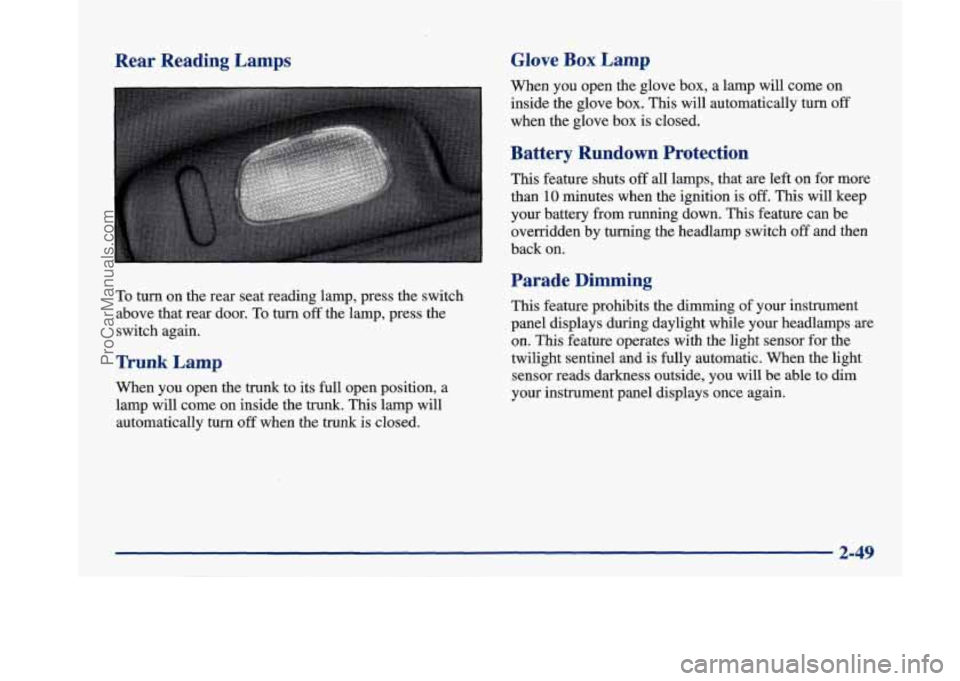
To turn on the rear seat reading lamp, press the switch
above that rear door.
To turn off the lamp, press the
switch again.
Trunk Lamp
When you open the trunk to its full open position, a
lamp will come on inside the trunk. This lamp will
automatically turn
off when the trunk is closed. When
you open the glove box, a lamp will come on
inside the glove box. This will automatically turn
off
when the glove box is closed.
Battery Rundown Protection
This feature shuts off all lamps, that are left on for more
than
10 minutes when the ignition is off. This will keep
your battery from running down.
This feature can be
overridden by turning the headlamp switch
off and then
back on.
Parade Dimming
This feature prohibits the dimming of your instrument
panel displays during daylight while your headlamps
are
on. This feature operates with the light sensor for the
twilight sentinel and is fully automatic. When the light
sensor reads darkness outside, you will be able to dim
your instrument panel displays once again.
2-49
ProCarManuals.com
Page 121 of 420
Convenience Net
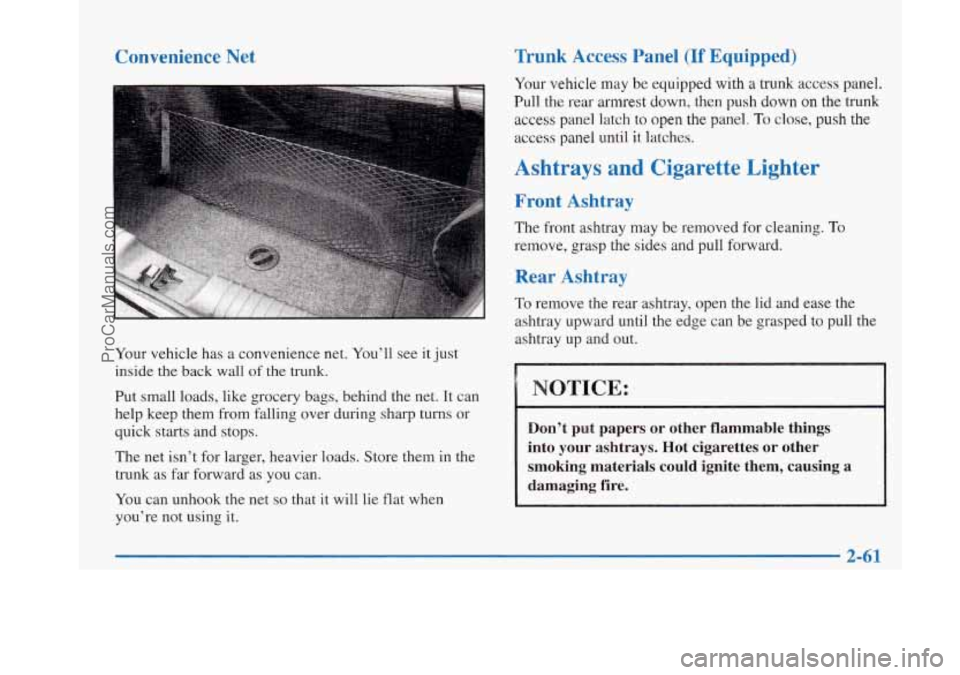
Your vehicle has a convenience net. You’ll see it just
inside the back wall
of the trunk.
Put small loads, like grocery bags, behind the net. It can
help keep them from falling over during sharp turns or
quick starts and stops.
The net isn’t for larger, heavier loads. Store them in the
trunk as far forward as you can.
You can unhook the net
so that it will lie flat when
you’re not using it.
Trunk Access Panel (If Equipped)
Your vehicle may be equipped with a trunk access panel.
Pull the rear armrest down, then push down on the
trunk
access panel latch to open the panel. To close, push the
access panel until it latches.
Ashtrays and Cigarette Lighter
Front Ashtray
The front ashtray may be removed for cleaning. To
remove, grasp the sides and pull forward.
Rear Ashtray
To remove the rear asnrray, open the lid and ease the
ashtray upward until the edge can be grasped to pull the
ashtray up and out.
NOTICE:
Don’t put papers or other flammable things
into your ashtrays. Hot cigarettes or other
smoking materials could ignite them, causing a
damaging fire.
2-61
ProCarManuals.com
Page 129 of 420
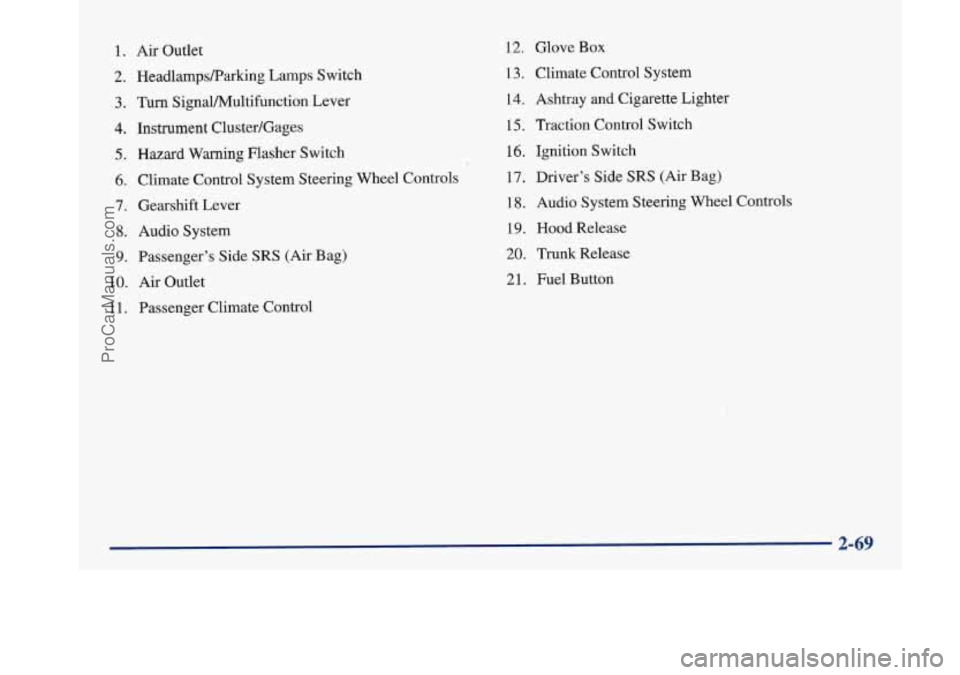
1. Air Outlet
2. HeadlampsRarking Lamps Switch
3. Turn SignaVPv4ultifunction Lever
4. Instrument Cluster/Gages
5. Hazard Warning Flasher Switch
6. Climate Control System Steering Wheel Controls
7. Gearshift Lever
8. Audio System
9. Passenger’s Side SRS (Air Bag)
10.
Air Outlet
1 1. Passenger Climate Control
12. Glove Box
13. Climate Control System
14. Ashtray
and Cigarette Lighter
15, Traction Control Switch
16. Ignition Switch
17. Driver’s Side
SRS (Air Bag)
18. Audio System Steering Wheel Controls
19. Hood Release
20. Trunk Release
21. Fuel Button
ProCarManuals.com
Page 148 of 420

Warnings and Messages
Other messages or warnings may appear in the DIC
display such as:
WINDSHIELD WASHER FLUID LOW
0 ENG COOLANT LOW - CHECK LEVEL
ENGINE OIL LOW - CHECK LEVEL
CHANGE ENGINE OIL SOON
CHECK TIRE PRESSURES
TRACTION CONTROL SYSTEM ACTIVE
DOOR AJAR
TRUNK AJAR
Pressing any
of the DIC buttons will remove the above
messages or warnings from the DIC display.
Driver Information Center
Personal Choice Programming
The DIC can be used to program personal choice
features available with your vehicle, such as memory
seats, memory door locks, security feedback, delayed
locking and perimeter lighting. See “Personal Choice
Features” in the Index.
The DIC is used to program the personal choices of
two drivers. The driver’s are recognized by DRIVER
#1
and DRIVER #2. You will let the DIC know which
driver you are by using your Remote Keyless Entry
transmitter or by pressing the appropriate memory
seat control button located on the driver’s door. The
remote transmitter was pre-programmed to belong
to
DRIVER #1 or DRIVER #2.
The last driver number remembered by the DIC will show
on the display each time the UNLOCK button on the same
transmitter is pressed, and the ignition is turned on.
When you press UNLOCK on your transmitter, the DIC
will automatically change driver numbers and the
vehicle will recall the personal choice settings that were
last made to correspond to your transmitter.
ProCarManuals.com
Page 153 of 420
Section 3 Comfort Controls and Audio Systems
In this section, you’ll find out how to operate the comfort control and audio systems offered with your Buick. Be sure
to read about the particular systems supplied with your vehicle.
3-2
3-2
3-5
3-5
3-6
3-7 3-8
3-8
3-9
3-9
3-10
3-10
3- 14 Comfort Controls
Personal Choice Comfort Controls
Air Conditioning
Heating
Ventilation System
Passenger Compartment Air Filter
Defogging and Defrosting
Rear Window Defogger
Passenger Climate Control Steering Wheel Controls for Climate Control
Setting the Clock
AM-FM Stereo with Cassette Tape Player
AM-FM Stereo with Cassette Tape Player
and Tone Control 3-18
3-21
3 -27
3-30
3-32
3-33
3-33
3-34 3-35
3-35 AM-FM Stereo
with Compact Disc Player
and Tone Control
AM-FM Stereo with Cassette, CD Player
and Tone Control
Trunk Mounted CD Changer
Theft-Deterrent Feature
Steering Wheel Controls
Understanding Radio Reception
Tips About Your Audio System
Care of Your Cassette Tape Player
Care
of Your Compact Discs
Heated Backlite Antenna
ProCarManuals.com
Page 179 of 420
Trunk Mounted CD Changer (Option)
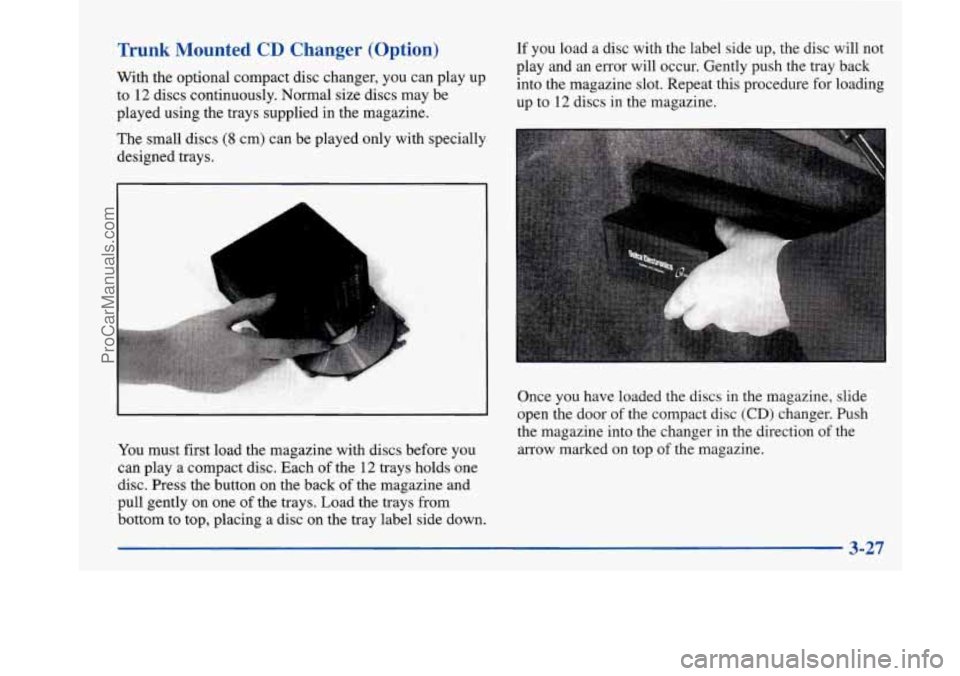
With the optional compact disc changer, you can play up
to
12 discs continuously. Normal size discs may be
played using the trays supplied in the magazine. If you
load a disc with the label side up, the disc will not
play and an error will occur. Gently push the tray back
into the magazine slot. Repeat this procedure for loading
up to 12 discs in the magazine.
The small discs
(8 cm) can be played only with specially
designed trays.
Once you have loaded the discs in the magazine, slide
open the door of the compact disc
(CD) changer. Push
the magazine into the changer in the direction of the
arrow marked on top of the magazine.
You must first load the magazine with discs before you
can play a compact disc. Each of the
12 trays holds one
disc. Press the button on the back of the magazine and
pull gently on one
of the trays. Load the trays from
bottom to top, placing a disc on the tray label side down.
3-27
ProCarManuals.com
Page 214 of 420
Winter Driving
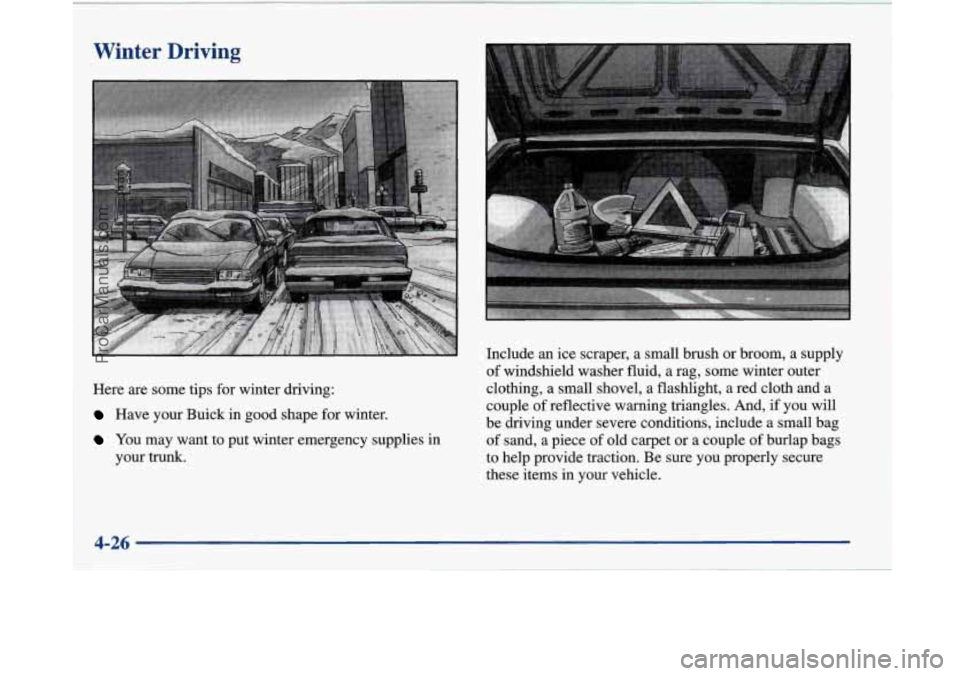
Here are some tips for winter driving:
Have your Buick in good shape for winter.
YOU may want to put winter emergency supplies in
your trunk. Include
an ice scraper, a small brush or broom, a supply
of windshield washer fluid, a
rag, some winter outer
clothing, a small shovel, a flashlight, a red cloth and a
couple
of reflective warning triangles. And, if you will
be driving under severe conditions, include a small bag
of sand, a piece of old carpet or a couple of burlap bags
to help provide traction. Be sure you properly secure
these items in your vehicle.
ProCarManuals.com
Page 219 of 420
THIS VEHICLE CONFORMS TO ALL APPLI-
CABLE
U.S. FEDERAL MOTOR VEHICLE
SAFETY, BUMPER, AND THEFT PREVENTION
STANDARDS IN EFFECT
ON THE DATE OF
MANUFACTURE SHOWN ABOVE.
MFD
BY GENERAL MOTORS CORP
DATE GVWR GAWR FRT GAWR RR
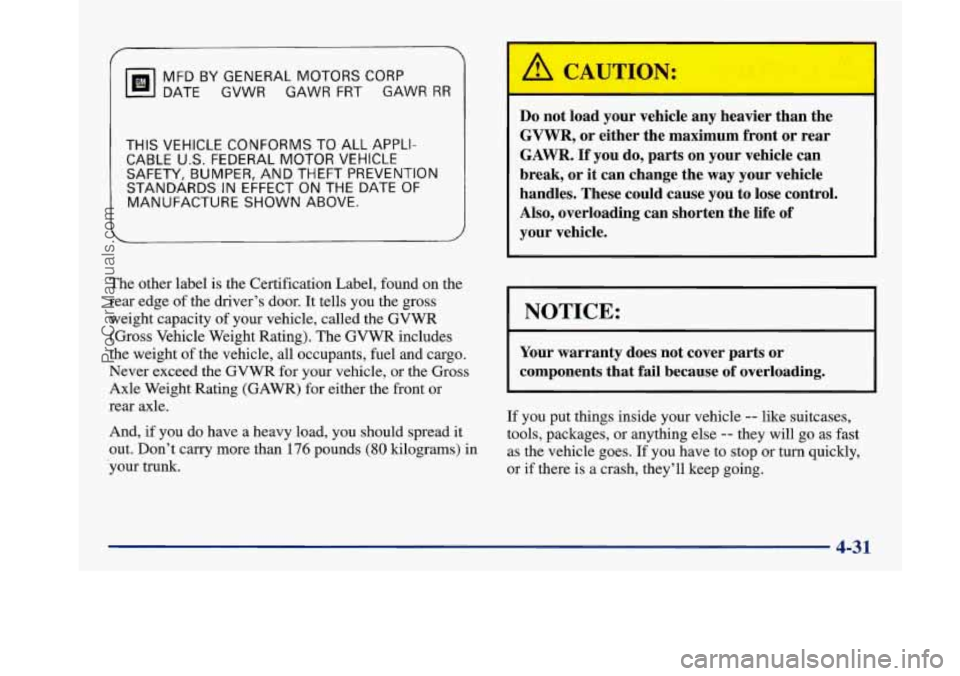
The other
label is the Certification Label, found on the
rear edge of the driver’s door.
It tells you the gross
weight capacity of your vehicle, called the
GVWR
(Gross Vehicle Weight Rating). The GVWR includes
the weight of the vehicle, all occupants, fuel and cargo.
Never exceed the GVWR for your vehicle, or the Gross
Axle Weight Rating (GAWR) for either the front or
rear axle.
And,
if you do have a heavy load, you should spread it
out. Don’t carry more than
176 pounds (80 kilograms) in
-your trunk.
Do not load your vehicle any heavier than the
GVWR, or either the maximum front or rear
GAWR.
If you do, parts on your vehicle can
break, or it can change the
way your vehicle
handles. These could cause you to lose control.
Also, overloading can shorten the life of
your vehicle.
NOTICE:
r
~~~ ~ ~
Your warranty does not cover parts or
components that fail because of overloading.
If you put things inside your vehicle -- like suitcases,
tools, packages, or anything else
-- they will go as fast
as the vehicle goes. If you have to stop or turn quickly,
or if there is a crash, they’ll keep going.
~- 4-31
ProCarManuals.com