Page 51 of 203

44
High-low beamsÐFor high beams, turn
the headlights on and push the lever away
from you (position 1). Pull the lever toward
you (position 2) for low beams.
The headlight high beam indicator light
(blue light) on the instrument panel will tell
you that the high beams are on.
Flashing the high beam headlights
(position 3)ÐPull the lever all the way
back. The high beam headlights turn off
when you release the lever.
You can flash the high beam headlights
with the knob turned to OFFº.TURN SIGNALS
To signal a turn, push the headlight/
turn signal lever up or down to posi-
tion 1.
The key must be in the ONº position.
The lever automatically returns after you
make a turn, but you may have to return
it by hand after you change lanes.
To signal a lane change, move the lever
up or down to the pressure point (position
2) and hold it.
If the turn signal indicator lights (green
lights) on the instrument panel flash faster
than normal, a front or rear turn signal bulb
is burned out.To turn on the emergency flashers,
push the switch.
All the turn signal lights will flash. To turn
them off, push the switch once again.
Turn on the emergency flashers to warn
other drivers if your vehicle must be
stopped where it might be a traf fic hazard.
Always pull as far off the road as possible.
The turn signal light switch will not work
when the emergency flashers are operat-
ing.
Emergency flashers
ProCarManuals.com
Page 52 of 203
45
NOTICE
To prevent the battery from being discharged, do not leave the switch
on longer than necessary when theengine is not running.
To adjust the brightness of the instru-
ment panel lights, turn the knob.To turn on the front fog lights, twist the
band of the headlight and turn signal
switch lever. They will come on when
the tail lights are turned on.
Instrument panel light control Front fog lights
ProCarManuals.com
Page 69 of 203
62
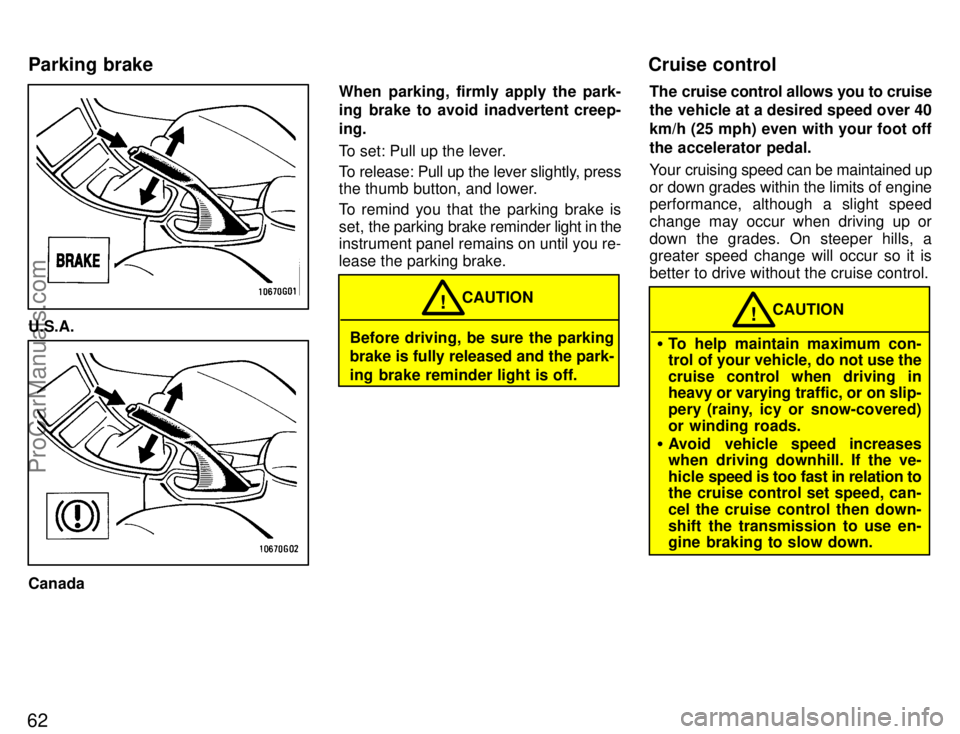
U.S.A.
CanadaWhen parking, firmly apply the park-
ing brake to avoid inadvertent creep-
ing.
To set: Pull up the lever.
To release: Pull up the lever slightly, press
the thumb button, and lower.
To remind you that the parking brake is
set,
the parking brake reminder light in the
instrument panel remains on until you re-
lease the parking brake.
Before driving, be sure the parking
brake is fully released and the park-
ing brake reminder light is off. CAUTION
!
The cruise control allows you to cruise
the vehicle at a desired speed over 40
km/h (25 mph) even with your foot off
the accelerator pedal.
Your cruising speed can be maintained up
or down grades within the limits of engine
performance, although a slight speed
change may occur when driving up or
down the grades. On steeper hills, a
greater speed change will occur so it is
better to drive without the cruise control.
�
To help maintain maximum con-
trol of your vehicle, do not use the
cruise control when driving in
heavy or varying traffic, or on slip-
pery (rainy, icy or snow-covered)
or winding roads.
� Avoid vehicle speed increases
when driving downhill. If the ve-
hicle speed is too fast in relation to
the cruise control set speed, can-
cel the cruise control then down-
shift the transmission to use en-
gine braking to slow down. CAUTION
!
Parking brake Cruise control
ProCarManuals.com
Page 72 of 203
Part 1Car audio systemÐ
ÐReference65
OPERATION OF
INSTRUMENTS AND
CONTROLSÐ
Chapter 1-7
Car audio system
and Air conditioning
system
Car audio system
�Reference
� Using your audio system: some
basics
� Using your audio system:
controls and features
� Anti-theft system
� Car audio system operating
hints
Air conditioning system
� Controls
� Operating tips
� Instrument panel vents
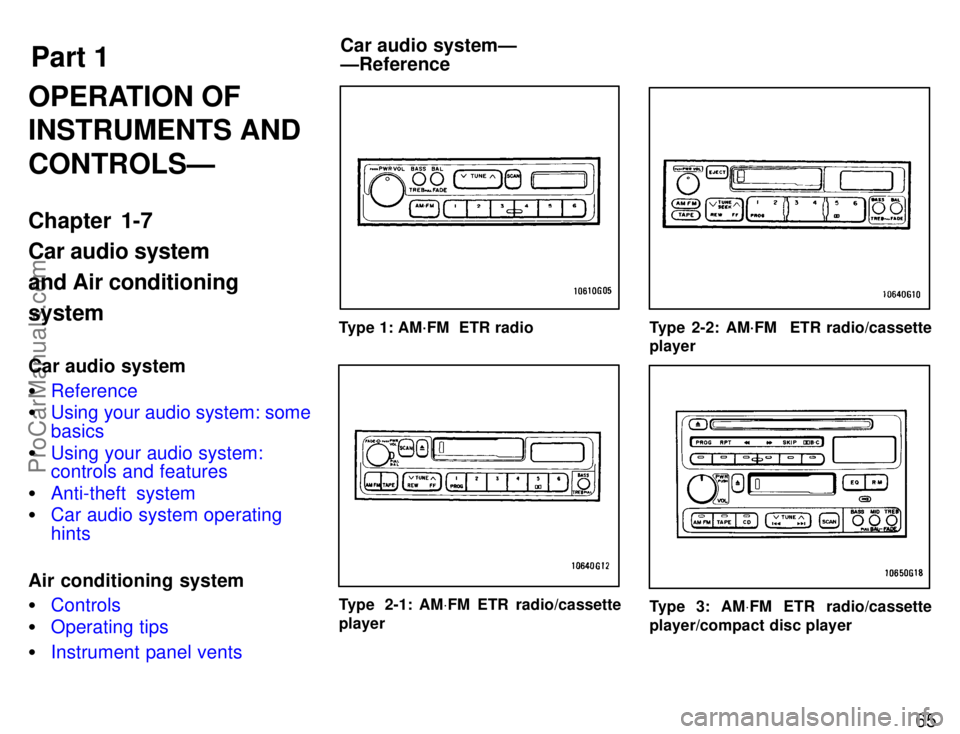
Type 1: AM´FM ETR radio
Type 2-1: AMV FM ETR radio/cassette
player
Type 2-2: AM´FM ETR radio/cassette
player
Type 3: AMV FM ETR radio/cassette
player/compact disc player
ProCarManuals.com
Page 101 of 203

94
Fan speed selector
Turn the knob to adjust the fan speed ± to
the right to increase, to the left to de-
crease.
Temperature selector
Turn the knob to adjust the temperature ±
to the right to warm, to the left to cool.
Air flow selector
Press one of the buttons to select the
vents used for air flow. An indicator light
will illuminate to show which air flow mode
is being selected.
1 Panel ÐAir flows mainly from the in-
strument panel vents.
2 Bi-level ÐAir flows from both the floor
vents and the instrument panel vents.
3 Floor ÐAir flows mainly from the floor
vents.
4 Floor/Windshield ÐAir flows mainly
from the floor vents and windshield vents.
5 Windshield ÐAir flows mainly from
the windshield vents. For details about air flow selector settings,
see the illustration after A/Cº button.
On models with air conditioning, pressing
the windshield button turns on the defrost-
er-linked air conditioning. This is to clean
up the front view more quickly. When the
windshield button is pressed, the air con-
ditioning and A/Cº button indicator come
on regardless of whether or not the A/Cº
button is pressed in.
Pressing another air flow button turns off
the air conditioning.
ProCarManuals.com
Page 105 of 203
98
The outside of the windshield
For best results, set controls to:Fan speedÐAny setting except OFFº
Temperature Ð Towards WARM
(red zone)
Air intakeÐ FRESH (outside air)
Air flowÐ WINDSHIELD
Pressing the windshield button turns on
the air conditioning. This is to clean up the
front view more quickly. When the wind-
shield button is pressed, the air condition-
ing and A/Cº button indicator always
come on regardless of whether or not the
A/Cº button is pressed in.
Pressing another button turns off the air
conditioning.
� To heat the vehicle interior while de-
frosting the windshield, choose floor/
windshield air flow.
If air flow control is not satisfactory, check
the instrument panel vents. The instru-
ment panel vents may be opened or
closed as shown.
ÐInstrument panel vents
ProCarManuals.com
Page 106 of 203
Part 1Clock99
OPERATION OF
INSTRUMENTS
AND CONTROLSÐ
Chapter 1-8
Other equipment
�Clock
� Cigarette lighter and ashtray
� Glovebox
� Cup holder
� Luggage cover
� Floor mat
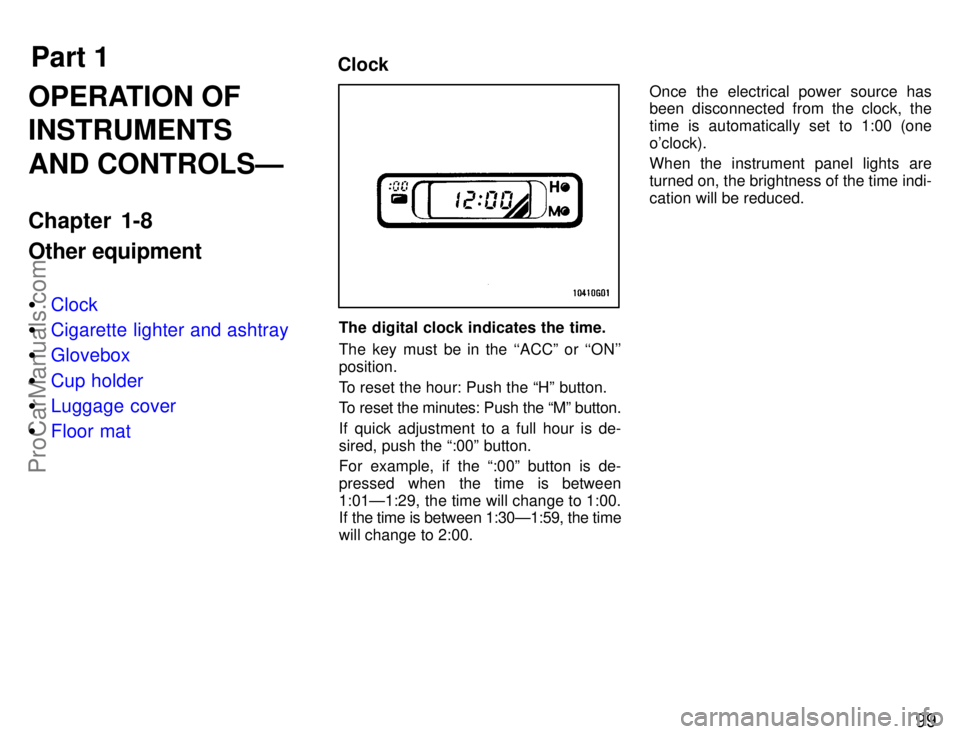
The digital clock indicates the time.
The key must be in the ``ACCº or ``ON''
position.
To reset the hour: Push the Hº button.
To reset the minutes: Push the Mº button.
If quick adjustment to a full hour is de-
sired, push the :00º button.
For example, if the :00º button is de-
pressed when the time is between
1:01Ð1:29, the time will change to 1:00.
If the time is between 1:30Ð1:59, the time
will change to 2:00. Once the electrical power source has
been disconnected from the clock, the
time is automatically set to 1:00 (one
o'clock).
When the instrument panel lights are
turned on, the brightness of the time indi-
cation will be reduced.
ProCarManuals.com
Page 107 of 203
100
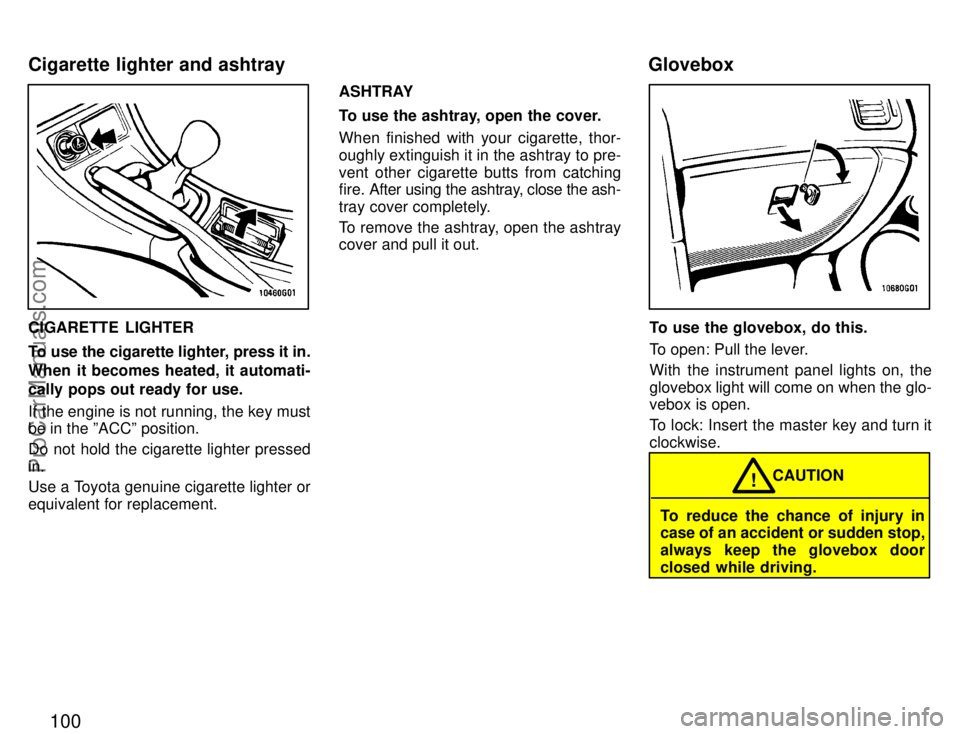
CIGARETTE LIGHTER
To use the cigarette lighter, press it in.
When it becomes heated, it automati-
cally pops out ready for use.
If the engine is not running, the key must
be in the ºACCº position.
Do not hold the cigarette lighter pressed
in.
Use a Toyota genuine cigarette lighter or
equivalent for replacement.ASHTRAY
To use the ashtray, open the cover.
When finished with your cigarette, thor-
oughly extinguish it in the ashtray to pre-
vent other cigarette butts from catching
fire. After using the ashtray, close the ash-
tray cover completely.
To remove the ashtray, open the ashtray
cover and pull it out.To use the glovebox, do this.
To open: Pull the lever.
With the instrument panel lights on, the
glovebox light will come on when the glo-
vebox is open.
To lock: Insert the master key and turn it
clockwise.
To reduce the chance of injury in
case of an accident or sudden stop,
always keep the glovebox door
closed while driving.
CAUTION
!
Cigarette lighter and ashtray Glovebox
ProCarManuals.com