Page 101 of 388
Interior Lamps
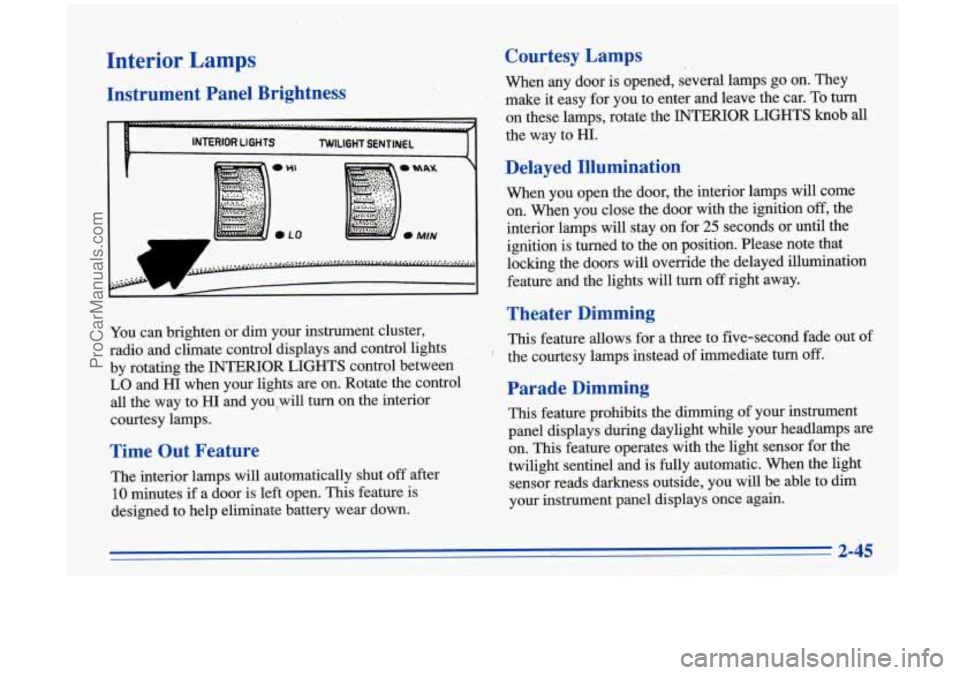
Instrument Panel Brightness
1
You can brighten or dim your instrument cluster,
radio and climate control displays and control lights
by rotating the INTERIOR LIGHTS control between
LO and HI when your lights are on. Rotate the control
all the way to HI and you,will turn on the interior
courtesy lamps.
Time Out Feature
The interior lamps will automatically shut off after
10 minutes if a door is left open. This feature is
designed to help eliminate battery wear down.
Courtesy Lamps
When any door is opened, several lamps go on. They
make it easy for you to enter and leave the car.
To turn
on these lamps, rotate the INTERIOR .LIGHTS knob all
the way to HI.
Delayed Illumination
When you open the door, the interior lamps will come
on. When you close the door with
the ignition off, the
interior lamps will stay
on for 25 seconds or until the
ignition is turned to the on position. Please note that
locking the doors will override the delayed illumination
feature and the lights will turn
off right away.
Theater Dimming
This feature allows for a three to five-second fade out of
the courtesy lamps instead of immediate
turn off.
Parade Dimming
This feature prohibits the dimming of your instrument
panel displays during daylight while your headlamps are
on. This feature operates with the light sensor for the
twilight sentinel and is
fully automatic. When the light
sensor reads darkness outside, you will be able to dim
your instrument panel displays once again.
t
ProCarManuals.com
Page 105 of 388

Power Remote Control Mirror
The controls on the far left
of the instrument panel
control both outside
rearview mirrors. Move the
center switch
to the left to
select the driver’s side
rearview mirror, or
to the
right to select the
passenger’s side rearview
/’/ I mirror.-
Then press the arrows to adjust each mirror
so that you
can just see the side of your vehicle when you are sitting
in a comfortable driving position.
To lock the controls, leave the selector switch in the
middle
position.
When,you operate the rear window defogger, a defogger
also warms the driver’s and passenger’s outside
rearview mirrors
to help clear them of ice and snow.
Convex Outside Mirror
Your passenger’s side mirror is convex. A convex
mirror’s surface is curved
so you can see more from the
driver’s seat.
-..
A convex mirror can make things (like other
vehicles) look farther away than they really are.
If you cut too sharply into the right lane, you
could hit a vehicle on your right. Check your
inside mirror or glance over your shoulder before
changing lanes.
2-49
ProCarManuals.com
Page 114 of 388
Instrument Panel
ProCarManuals.com
Page 115 of 388

15. Selectable Shift
The
Aurora instrument panel is designed to let you know at a glance how your vehicle is running. You’ll know how
fast you’re going, how much fuel you’re using, and many other things you’ll need to drive safely and economically.
The main components of your instrument panel are: 1. Power Mirrors Control Switch
2. Fog Lamp Switch
3. Turn Signal/Multifunction Lever
4. Instrument Cluster/Gages
5. Hazard Warning Flashers Switch
6. Horn
7. Windshield Wipermasher Control
8. Driver Information Center
9. Climate Controls
10. Audio System 11. Glove
Box (Trunk Security Override Switch inside)
12. Passenger Side Air Bag
13. Accessory Power Outlet
14. Gearshift Lever 16. Traction Control Button
17. Ashtray and Lighter
18. Fuel Door Release Switch
19. Trunk Release Switch
20. Steering
Wheel Touch Controls for Audio System
21. Ignition Switch 22. Driver Side Air Bag
23. Tilt Steering Wheel Lever
24. Steering Wheel Touch Controls for Climate
Control System
25, Twilight Sentinel Control
26. Instrument Panel Intensity Controlflnterior Lamp Control
ProCarManuals.com
Page 116 of 388
Instrument Panel Cluster
Your Aurora is equipped with this instrument panel cluster, which includes indicator warning lights and gages that are
explained on the following pages.
ProCarManuals.com
Page 120 of 388

Air Bag Readiness Light
There is an air bag readiness light on the instrument
panel, which shows AIR BAG. The system checks the
air bag’s electrical system for malfunctions. The light
tells you if there is an electrical problem. The system
check includes the air bag sensors, the air bag modules,
the wiring and the crash sensing and diagnostic module.
For more infoimation on the air bag system, see “Air
Bag” in the Index.
AIR BAG
You will see this light flash
for a few seconds when you
turn your ignition to RUN
or START. Then the light
should go out. This means
the system is ready.
If the air bag readiness light doesn’t come on when you
start your vehicle, or stays on, or comes
on when you
are driving, your air bag system may not work properly.
Have your vehicle serviced right away.
Battery Warnlng Light
VOLTS
This light will come on
briefly when you start the
vehicle, as a check to show
you it is working, then it
should
go out. If it stays on,
or comes on while
you are
driving, you may have a
problem with the electrical
charging system.
A warning chime and the message CHECK CHARGE
SYSTEM may also come on. Have it checked right
away. Driving while this light is on could drain your
battery.
If you must drive a short distance with the light on, be
certain to turn off all your accessories, such as the radio
and climate control.
ProCarManuals.com
Page 141 of 388

Automatic Operation
Press the AUTO-PUSH knob when you want the system
to automatically adjust to changes in the temperature
inside the vehicle, the outside temperature and the sun
load on the vehicle. When the system
is set for 4%
automatic operation, air will come from the floor, upper
or the windshield outlets depending on the temperature
inside the vehicle, the outside temperature and the sun
load. Fan speed will vary as the system reaches and
.................
maintains the comfort setting you have selected.
. 7* -
....................................................................... \
To find your comfort setting, start with the system in
automatic mode by depressing the AUTO-PUSH knob.
Adjust
the comfort setting by using the red and blue
buttons located below the digital display until you reach a
value of
75 OF (24"C), on the display. Give the vehicle
about
20 minutes to stabilize and then adjust the comfort
setting
if necessary, through the use of the red and blue
buttons. The display will show
the comfort setting for five
seconds and then it will show the outside temperature.
In cold weather, the system will delay turning on the fan
to avoid blowing cold air. The length
of the delay
depends on the engine coolant temperature and the
outside temperature. Rotating the AUTO FAN knob will
override this delay by turning off the automatic fan
mode and changing the fan speed. Your
automatic electronic climate control system has
two sun sensors located on the top of the instrument
panel that detect direct sunlight. To keep you and your
passengers comfortable, the system may supply cooler
air to the
side towards the sun. Be careful not to put
anything over these sun sensors. The automatic
electronic climate control system may not operate
correctly if these sensors are covered.
To change the automatic electronic climate control
display from an English display to a Metric display, hold
down the OFF button located in the Driver Information
Center for five seconds. The display in the Driver
Information Center will also change from an English to
a Metric display.
To return to an English display, repeat
the above procedure.
3-3
ProCarManuals.com
Page 142 of 388

11 up l1lC
You may override the automatic airflow distribution by
rotating the AUTO-PUSH knob. After you rotate this
knob, the comfort setting will be displayed for five
seconds then the outside temperature will be displayed.
The fan control will remain in the automatic control
mode unless you rotate the AUTO FAN knob to select a
manual fan speed.
@*
fl Upper: Directs airflow through the upper air
outlets located in the instrument panel and door panels.
fl Bi-Level: Directs the airflow through both the
upper air outlets and the lower floor outlets. There is
also a small amount
of air directed to the front defroster
and the side window defrosters.
$/ Heat: Directs most of the airflow to the lower
floor outlets with some airflow directed to the side
window defrosters. There is also a small amount of
airflow directed to the front defroster.
eo
@?
' / Defog: Directs the majority of the airflow to the
lower floor outlets and the front defroster. A small
amount of airflow is directed
to the side window
defroster outlets. This mode can be useful to remove the
moisture from the inside
of the windshield when the
outside temperature is cold or the humidity is high.
DEF (Defrost): Directs the majority of the airflow
to the windshield with some airflow to the side window
defrosters and lower floor outlets. To increase the fan
speed, rotate the AUTO FAN knob to the right.
RECIRC: Press this button to limit the amount of
outside air entering your vehicle. This is helpful when
you are trying to cool the interior of the vehicle quickly
or limit the amount of outside air entering your vehicle
for some other reason. The RECIRC button and the
AUTO-PUSH knob may be selected at the same time.
The system will remain in RECIRC
for 12 minutes or
until the ignition is turned off, then the system will
return back
to the previously selected mode. RECIRC
may be selected in all manual airflow modes except
FRONT Defrost.
ProCarManuals.com

