1996 GMC SIERRA wheel
[x] Cancel search: wheelPage 77 of 404
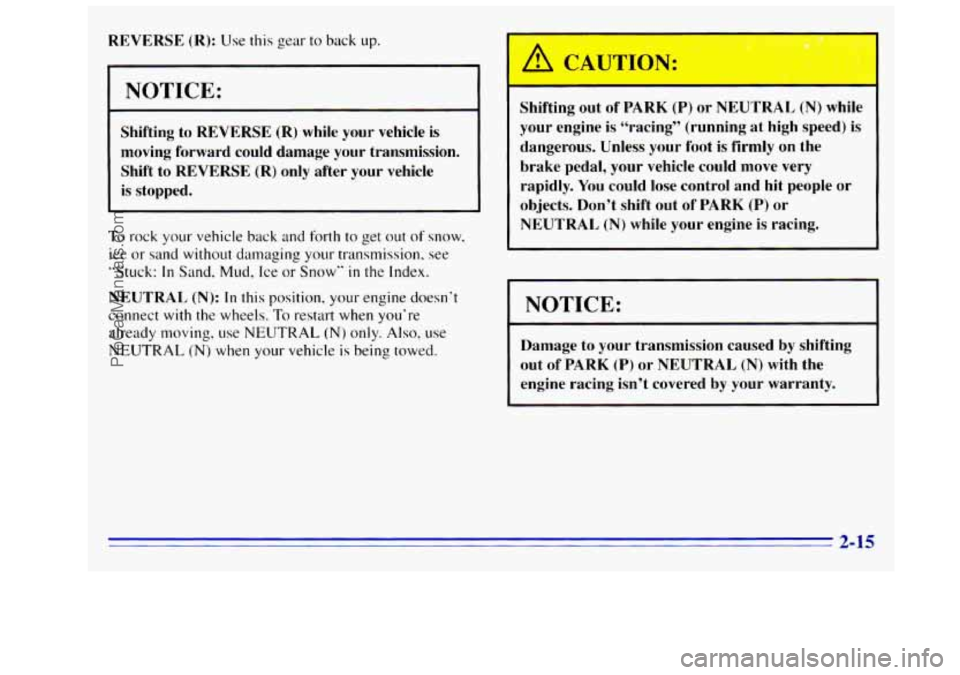
REVERSE (R): Use this gear to back up.
NOTICE:
Shifting to REVERSE (R) while your vehicle is
moving forward could damage your transmission.
Shift to
REVERSE (R) only after your vehicle
is stopped.
I rock your vehicle back and forth to get out of snow.
ice or sand without damaging your transmission, see
“Stuck:
In Sand. Mud, Ice or Snow” in the Index.
NEUTRAL (N): In this position, your engine doesn’t
connect with the wheels.
To restart when you’re
already moving, use
NEUTRAL (N) only. Also, use
NEUTRAL (N) when your vehicle is being towed.
I Shifting out of PARK (P) or NEUTRAL (N) while
your engine
is “racing” (running at high speed) is
dangerous. Unless your
foot is firmly on the
brake pedal, your vehicle could move very
rapidly. You could lose control and hit people
or
objects. Don’t shift out of PARK (P) or
NEUTRAL (N) while your engine is racing.
I NOTICE:
Damage to your transmission caused by shifting
out
of PARK (P) or NEUTRAL (N) with the
engine racing isn’t covered by your warranty.
2-15
ProCarManuals.com
Page 78 of 404
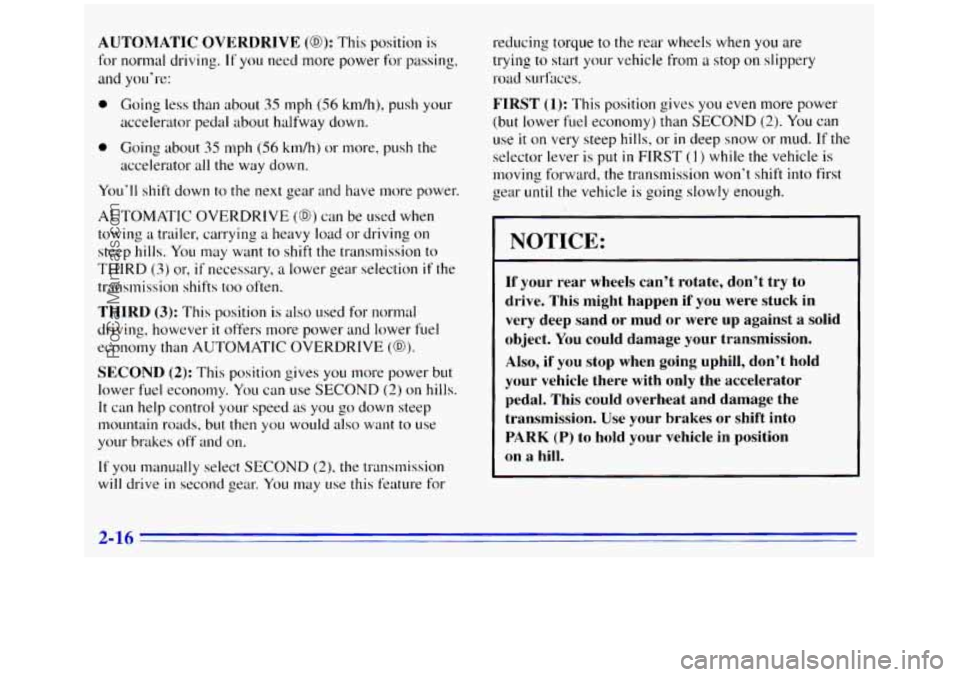
AUTOMATIC OVERDRIVE (0): This position is
for normal driving. If you need more power for passing,
and you’re:
0 Going less than about 35 mph (56 km/h), push your
accelerator pedal about halfway down.
accelerator all the way down.
0 Going about 35 mph (56 kdhj or more, push the
You’ll shift down to the next gear and have more power.
AUTOMATIC OVERDRIVE
(GO) can be used when
towing a trailer, carrying
a heavy load or driving on
steep hills. You may want to shift the transmission to
THIRD
(3) or, if necessary, a lower gear selection if the
transmission shifts
too often.
THIRD (3): This position is also used for normal
driving, however
it offers more power and lower fuel
economy than
AUTOMATIC OVERDRIVE (68).
SECOND (2): This position gives you more power but
lower fuel economy. You can use
SECOND (2) on hills.
It can help control your speed as you go down steep
mountain roads, but
then you would also want to use
your brakes off and on.
If you manually select SECOND (2), the transmission
will drive in second gear. You may use this feature for reducing torque to
the rear wheels when
you are
trying to start your vehicle
from a stop on slippery
road surfaces.
FIRST (1): This position gives you even more power
(but lower fuel economy) than
SECOND (2). You can
use it on very steep hills, or in deep snow or mud. If the
selector lever is put
in FIRST (1) while the vehicle is
moving forward, the transmission won’t shift into first
gear
until the vehicle is going slowly enough.
NOTICE:
If your rear wheels can’t rotate, don’t try to
drive. This might happen if you were stuck in
very deep sand or mud or were
up against a solid
object. You could damage your transmission.
Also, if you stop when going uphill, don’t hold
your vehicle there with only the accelerator pedal. This could overheat and damage the
transmission. Use your brakes
or shift into
PARK
(P) to hold your vehicle in position
on a hill.
2-16
ProCarManuals.com
Page 82 of 404
If your speed drops below 20 mph (32 km/h), or if the
engine
is not running smoothly, you should downshift to
the next lower gear. You may have to downshift two or
more gears to keep the engine running smoothly
or for
good performance.
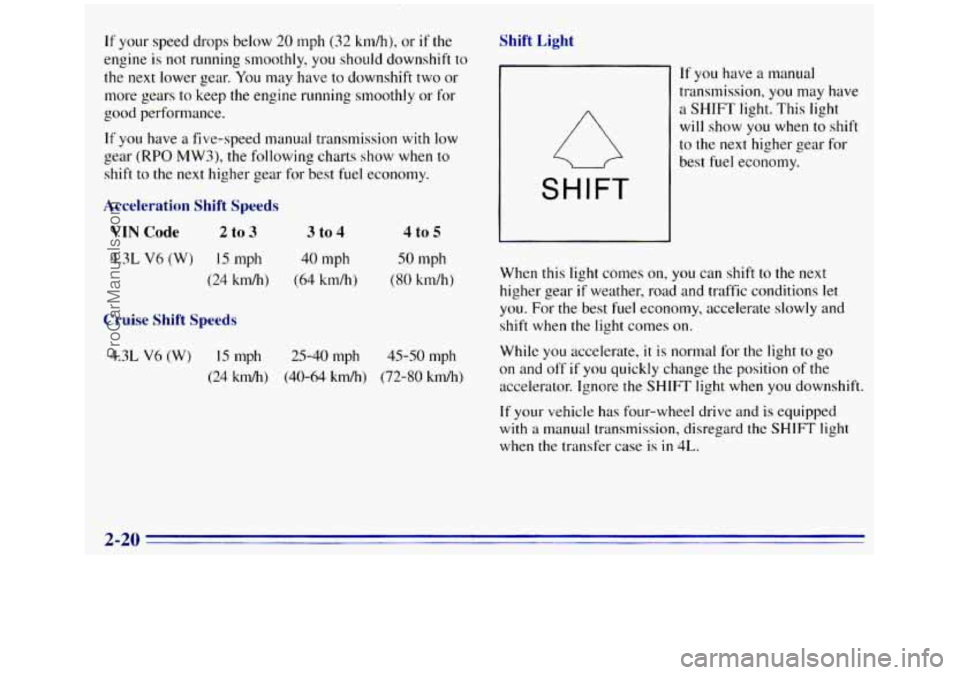
If you have a five-speed manual transmission with low
gear (RPO MW3), the following charts show when to
shift to the
next higher gear for best fuel economy.
Acceleration Shift Speeds
VIN Code 2 to 3 3 to 4
4.3L V6 (W) 15 mph 40 mph
(24 km/h) (64 km/h)
Cruise Shift Speeds
4 to 5
SO mph
(80 km/h)
4.3L V6 (W) 15 rnph 25-40 mph 45-SO mph
(24 hdh) (40-64 kdh) (72-80 km/h)
Shift Light
SHIFT
If you have a manual
transmission, you may have
a SHIFT light. This light
will show
you when to shift
to the next higher gear for
best fuel economy.
When this light comes
on, you can shift to the next
higher gear
if weather, road and traffic conditions let
you. For the best fuel economy, accelerate slowly and
shift when the light comes on.
While
you accelerate, it is normal for the light to go
on and off if you quickly change the position of the
accelerator. Ignore the
SHIFT light when you downshift.
If your vehicle has four-wheel drive and is equipped
with
a manual transmission, disregard the SHIFT light
when
the transfer case is in 4L.
2-20
ProCarManuals.com
Page 83 of 404
Locking Rear Axle (Option)
If you have this feature, your rear axle can give you
additional traction on snow, mud, ice, sand
or gravel. It
works like a standard axle most of the time, but when
one
of the rear wheels has no traction and the other does,
the locking feature will allow the wheel with traction to
move the
vehicle.
Four- Wheel Drive
If your vehicle has four-wheel drive, you can send your
engine's driving power to all four wheels for extra
traction.
To get the most satisfaction out of four-wheel
drive,
you must be Familiar with its operation. Read the
part that follows before using four-wheel drive. You
should use
2-WHEEL HIGH (2H) for most normal
driving conditions.
NOTICE:
Driving in the 4-WHEEL HIGH (4H) or
4-WHEEL LOW (4L) positions for a long
time on
dry or wet pavement could shorten
the life
of your vehicle's drivetrain.
Front Axle Locking Feature
The front axle locks and unlocks automatically when
you shift the transfer case. Some delay for the axle to
lock or unlock is normal. If the outside temperature
is very
hot, or the vehicle has been used under hard
driving conditions. there may be a slight delay
for the
axle
to unlock.
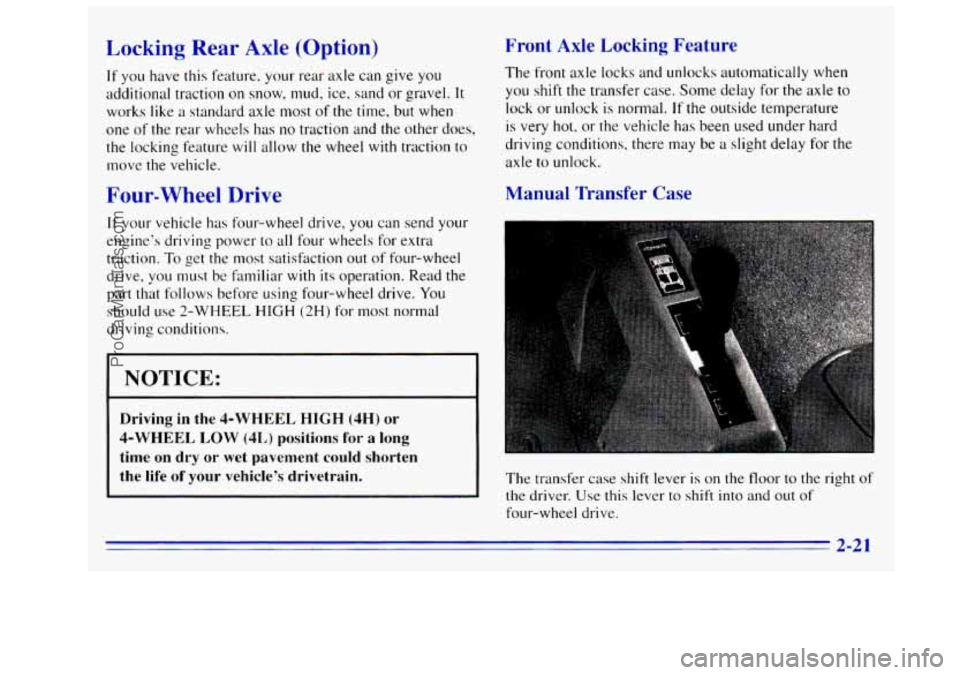
Manual Transfer Case
The transfer case shift lever is on the floor to the right of
the driver. Use this lever to shift into and out of
four-wheel drive.
2-21
ProCarManuals.com
Page 84 of 404
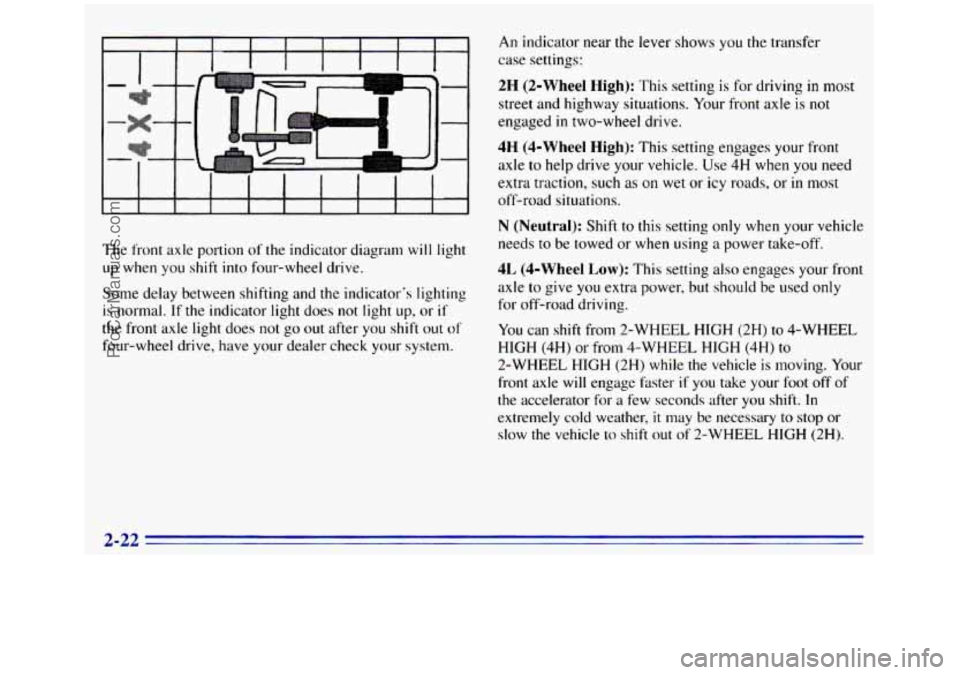
The front axle portion of the indicator diagram will light
up when
you shift into four-wheel drive.
Some delay between shifting and the indicator's lighting
is normal. If the indicator light does not light up, or if
the front axle light does not go out after you shift out of
four-wheel drive, have your dealer check your system.
An indicator near the lever shows you the transfer
case settings:
2H (2-Wheel High): This setting is for driving in most
street and highway situations. Your front axle is not
engaged
in two-wheel drive.
4H (4-Wheel High): This setting engages your front
axle to help drive your vehicle. Use 4H when
you need
extra traction, such as on wet
or icy roads, or in most
off-road situations.
N (Neutral): Shift to this setting only when your vehicle
needs
to be towed or when using a power take-off.
4L (4-Wheel Low): This setting also engages your front
axle
to give you extra power, but should be used only
for off-road driving.
You can shift from 2-WHEEL HIGH (2H) to 4-WHEEL
HIGH
(4H) or from 4-WHEEL HIGH (4H) to
2-WHEEL HIGH (2H) while the vehicle is moving. Your
front axle will engage hster if you take your foot
off of
the accelerator for a few seconds after
you shift. In
extremely cold weather,
it may be necessary to stop or
slow the vehicle
lo shift out of 2-WHEEL HIGH (2H).
2-22
ProCarManuals.com
Page 85 of 404
To shift into or out of 4-WHEEL LOW (4L) or
NEUTRAL
(N):
1. Slow the vehicle to a roll, about 1 to 3 mph
(2 to 5 km/h) and shift an automatic transmission
into NEUTRAL (N), or with a manual transmission
press the clutch pedal.
2. Shift the transfer case shift lever in one
continuous motion.
Don’t pause in NEUTRAL
(N) as you shift the
transfer case into 4-WHEEL LOW (4L), or your gears
could clash.
Remember that driving in 4-WHEEL HIGH (4H)
or 4-WHEEL LOW (4L) may reduce fuel economy.
Also, driving in four-wheel drive
on dry pavement could
cause your tires to wear faster and make your transfer
case harder to shift.
When
your headlamps or parking lamps are on,
rotate the thumb wheel next to the headlamp switch
up to brighten, or down
to dim, your transfer case
indicator light.
Electronic Transfer Case (Option)
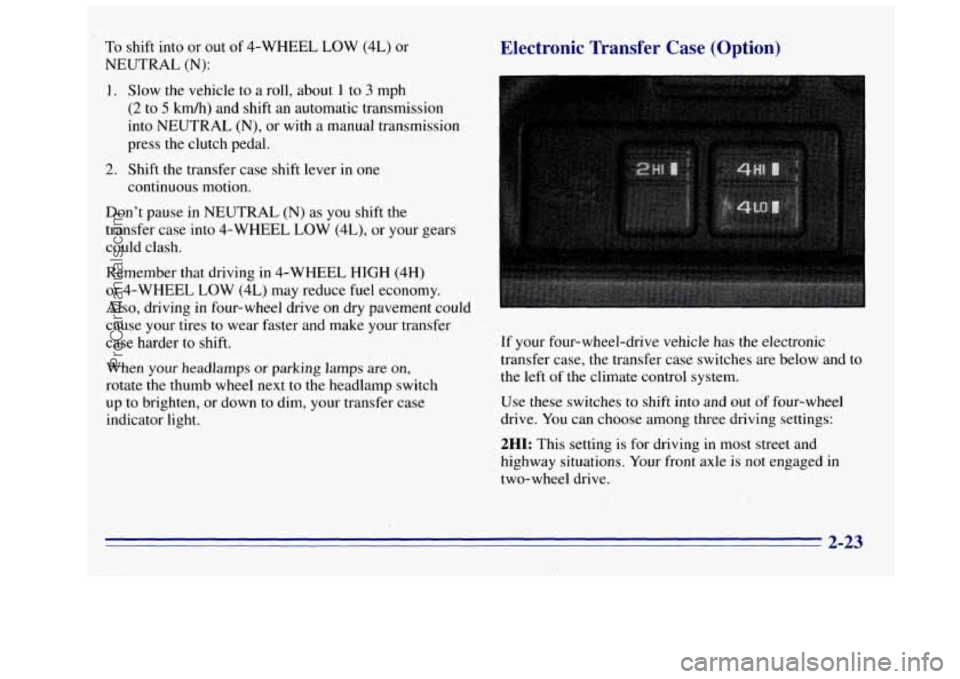
If your four-wheel-drive vehicle has the electronic
transfer case, the transfer case switches are below and to
the left
of the climate control system.
Use these switches to shift into and
out of four-wheel
drive. You can choose among three driving settings:
2HI: This setting is for driving in most street and
highway situations. Your front axle is not engaged in
two-wheel drive.
2-23
ProCarManuals.com
Page 86 of 404
4HI: This setting engages your front axle to help
drive your vehicle.
Use 4HI when you need extra
traction, such
as on snowy or icy roads, or in most
off-road situations.
4LO: This setting also engages your front axle to give
you extra traction. You may never need 4LO. It sends
the maximum power
to all four wheels. You might
choose 4LO
if you were driving off-road in sand, mud
or deep snow and climbing
or descending steep hills.
Indicator lights
in the switches show you which setting
you are in. The indicator lights will come on briefly
when you turn
on the ignition and one will stay on.
If the lights do not come
on, you should take your
vehicle
in for service. An indicator light will flash
while shifting.
It will remain illuminated when the
shift is completed.
Shifting from 2HI to 4HI
Press and release the 4HI switch. This can be done at
any speed, and the front axle will lock automatically.
Shifting from 4HI to 2HI
Press and release the 2HI switch. This can be done at
any speed, and
the front axle will unlock automatically.
Shifting from 2H1 or 4HI to 4LO
To shift from 2HI or 4HI to 4L0, the vehicle must
be stopped or moving less than
3 mph (4.8 kmh) with
the transmission in NEUTRAL
(N). The preferred
method for shifting
into 4LO is to have your vehicle
moving
1 to 2 mph (1.6 to 3.2 km/h). Press and release
the 4LO switch. You must wait for the 4LO indicator
light to stop flashing and remain illuminated before
shifting
your transmission into gear.
If the 4LO switch
is pressed when your vehicle is in
gear and/or moving, the 4LO indicator light
will flash
for 30 seconds and not complete the shift unless your
vehicle
is moving slower than 3 mph (4.8 km/h) and the
transmission is
in NEUTRAL (N).
2-24
ProCarManuals.com
Page 88 of 404
NOTICE:
Driving with the parking brake on can cause
your rear brakes to overheat.
You may have
to replace them, and you could also damage
other parts of your vehicle. Always check to be
sure your parking brake is fully released before
you drive.
If you are towing a trailer and are parking on any hill,
see “Towing a Trailer” in the Index. That section shows
what
to do first to keep the trailer from moving.
If you have a 3500 HD model, it is recommended that
the propshaft mounted parking brake be burnished as
part of the new vehicle break-in. The parking brake will
work best after it has been burnished following these
instructions.
Make
10 stops, using the parking brake foot pedal, from
20 mph (32 km/h) about 2 1/2 miles (4 km) apart. In
between stops, drive the vehicle at 20 mph (32 km/h).
Shifting Into PARK (P) (Automatic
Trawrission
Models Only)
It can be dangerous to get out of your vehicle if
the shift lever
is not fully in PARK (P) with the
parking brake firmly set. Your vehicle can
roll.
If you have left the engine running, the vehicle
can move suddenly. You or others could be
injured.
To be sure your vehicle won’t move,
even when you’re on fairly level ground, use
the steps that follow. If you have four-wheel
drive and your transfer case is in NEUTRAL
(N)?
your vehicle will be free to roll, even if your shift
lever
is in PARK (P). So, be sure the transfer case
is in
a drive gear -- not in NEUTRAL (N). If
you’re pulling a trailer, see “Towing a Trailer’’
in the Index.
2-26
ProCarManuals.com