1996 CADILLAC SEVILLE start stop button
[x] Cancel search: start stop buttonPage 80 of 354
Downloaded from www.Manualslib.com manuals search engine r
I’
i
r“.
f
r.
r
PARK (P): This locks the front wheels. It’s the best
position to use when you start the engine because your
vehicle can’t move easily.
I A CAUTION:
It is dangerous to get out of your vehicle if the
shift lever
is not fully in PARK (P) with the
parking brake firmly set. Your vehicle can roll.
Don’t leave your vehicle when the engine is
running unless you have to.
If you have left the
engine running, the vehicle can move suddenly.
You or others could be injured.
To be sure your
vehicle won’t move, even when you’re on
fairly
level ground, always set your parking brake and
move the shift lever to
PARK (P).
See “Shifting Into PARK (P)” in the Index. If
you’re pulling a trailer, see “Towing a Trailer” in
the Index.
Ensure the shift lever is fully
in PARK (P) range before
starting the engine. Your Cadillac has a brake-transaxle
shift interlock. You have to fully
apply your regular brakes
before you can
shift from PARK (P) when
the ignition key is in the
RUN position. If you cannot
shift out
of PARK (P), ease pressure on the shift
lever -- push the shift lever all the way into PARK (P)
and release the shift lever button
on the floor shift
console models as
you maintain brake application. Then
move the shift lever into the gear you wish. (Press the
shift lever button before moving the shift lever on floor
shift console models.) See “Shifting Out of PARK (P)”
in this section.
REVERSE (R): Use this gear to back up.
NOTICE:
Shifting to REVERSE (R) while your vehicle is
moving forward could damage your transaxle.
Shift to
REVERSE (R) only after your vehicle
has stopped.
Also use
this gear to rock your vehicle back and forth to
get out of snow, ice or sand without damaging your
transaxle. See
“If You’re Stuck in Sand, Mud, Ice or
Snow” in the Index for additional information.
2-21
Page 117 of 354
Downloaded from www.Manualslib.com manuals search engine Your vehicle’s engine should be turned off while
programming the transmitter. Follow these steps to
program up to three channels:
1. If you have not previously programmed a universal
channel, proceed to Step
2. Otherwise, hold down
the two outside buttons on the universal transmitter
until the red light begins to flash rapidly
(approximately
20 seconds). Then release the
buttons. This procedure initializes the memory and
erases any previous settings for
all three channels.
2. Hold the end of the hand-held transmitter against the
bottom surface of the universal transmitter
so that
you can still see the red light.
3. Decide which one of the three channels you want to
program. Using both hands, press the hand-held
transmitter button and the desired button on the
universal transmitter. Continue to hold both buttons
through Step
4.
4. Hold down both buttons until you see the red light
on the universal transmitter flash rapidly and then
stop. The rapid flashing, which could take up to
90 seconds, indicates that the universal transmitter
has been programmed. Release both buttons once the
light starts to flash rapidly.
If you have trouble programming the universal
transmitter, make sure that
you have followed the
directions exactly
as described and that the battery in the
hand-held transmitter is not dead.
If you still cannot
program it, rotate the hand-held transmitter end over end
and
try again. The universal transmitter may not work
with older garage door openers that do
not meet current
Federal Consumer Safety Standards.
If you cannot
program the transmitter after repeated attempts, consult
your Cadillac dealer.
Be sure to keep the original hand-held transmitter in
case
you need to erase and reprogram the universal
transmitter.
Note to Canadian Owners: During programming, the
hand-held transmitter may stop transmitting after one or
two seconds.
If you are programming from one of these
transmitters, you should
press and repress the button on
the hand-held transmitter every two seconds without
ever releasing the button on the universal transmitter.
Release both buttons when the red light
on the universal
transmitter begins to flash rapidly.
2-58
a
I
Page 137 of 354
Downloaded from www.Manualslib.com manuals search engine TIMER: This feature is like a stopwatch, in that
you can clock the
time it takes to get from one point
to another.
To operate, press the TIMER button until TIMER
0O:OO:OO is displayed on the DIC. Each of the fields for
the hours, minutes and seconds are two numeric digits.
Once TIMER OFF
0O:OO:OO is displayed, press the
TIMER buttonto start the timing feature. Press the
TIMER button again to stop it.
If you will be starting
and stopping your Cadillac, during
a trip for instance,
the TIMER feature will automatically start timing where
it left off when you last stopped.
To reset it, press and
hold the RESET button until the display reads TIMER
0O:OO:OO. Press the INFORMATION button to exit from
the TIMER function.
RESET Pressing this button will reset the MPG AVG,
FUEL USED, AVG MPH and
OIL LIFE LEFT. Pre.ssing
RESET when a non-resettable display appears
will
cause a “recall” mode to occur. When this happens, all
DIC warning messages that have been displayed since
the ignition key was turned to RUN will redisplay. If no
messages were displayed,
a MONITORED SYSTEMS
OK message will appear.
MPG AVG (Average Fuel Economy) Reset: Press the
INFORMATION button to display the MPG AVG, then
press and
hold the RESET button until 0.0 MPG AVG
is displayed.
Fuel Used Reset: Press the INFORMATION button to
display the
FUEL USED on the DIC, then press and hold
the RESET button until FUEL USED
0.0 is displayed.
AVG MPH (Average Speed) Reset: Press the
INFORMATION button to display the AVG MPH, then
press and hold
the RESET button until 0.0 AVG MPH is
displayed.
Oil Life Left Reset: Press the INFORMATION button
to display the OIL LIFE LEFT, then press and hold the
RESET button until
100% OIL LIFE LEFT is displayed.
2-78
Page 138 of 354
Downloaded from www.Manualslib.com manuals search engine Analog Control Buttons
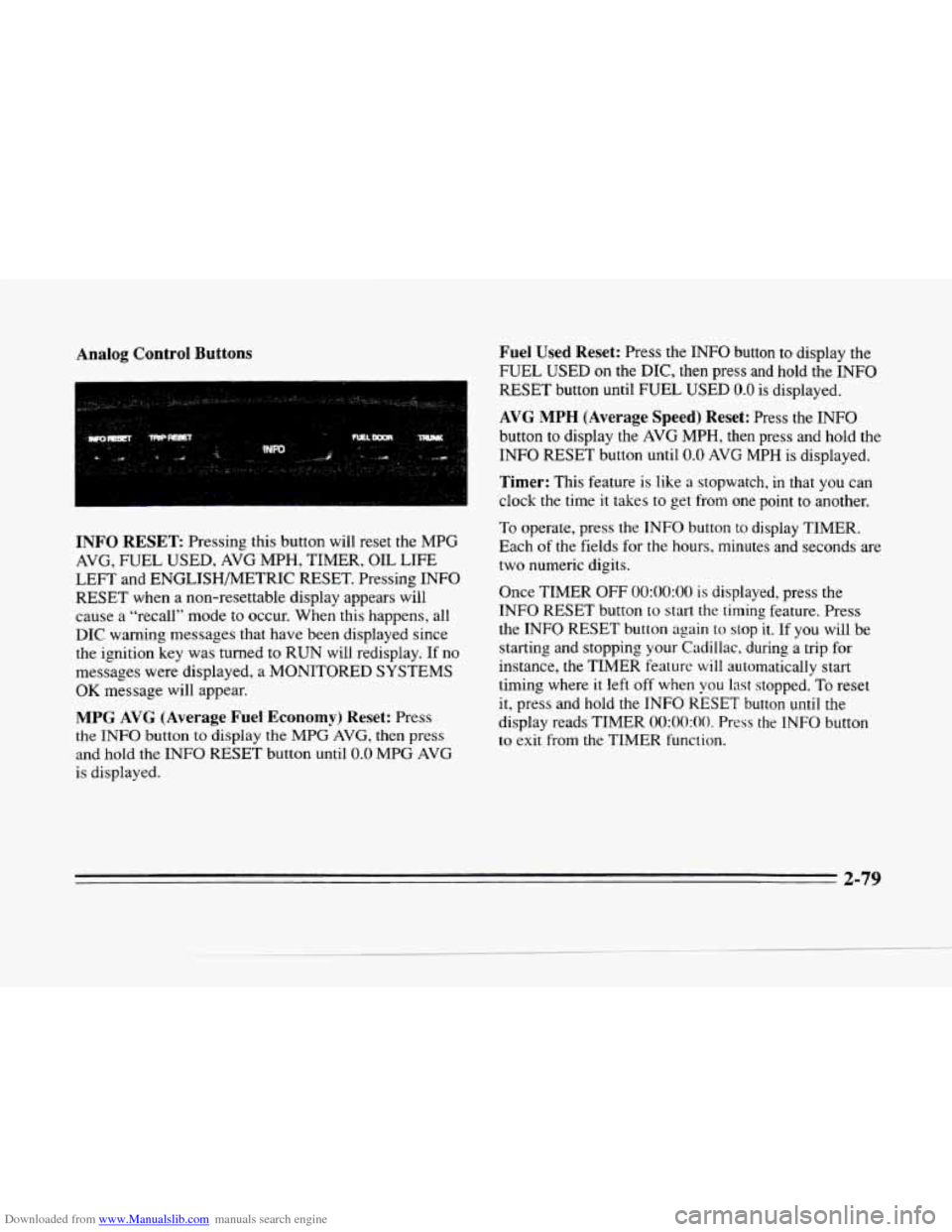
INFO RESET Pressing this button will reset the MPG
AVG, FUEL USED, AVG MPH, TIMER, OIL LIFE
LEFT and ENGLISHMETRIC RESET. Pressing INFO
RESET when a non-resettable display appears will
cause a “recall” mode
to occur. When this happens, all
DIC warning messages that have
been displayed since
the ignition key was turned
to RUN will redisplay. If no
messages were displayed,
a MONITORED SYSTEMS
OK message will appear.
MPG AVG (Average Fuel Economy) Reset: Press
the
INFO button to display the MPG AVG, then press
and
hold the INFO RESET button until 0.0 MPG AVG
is displayed.
Fuel Used Reset: Press the INFO button to display the
FUEL USED
on the DIC, then press and hold the INFO
RESET button until FUEL USED 0.0 is displayed.
AVG MPH (Average Speed) Reset: Press the INFO
button
to display the AVG MPH, then press and hold the
INFO RESET button
until 0.0 AVG MPH is displayed.
Timer: This feature is like a stopwatch, in that you can
clock the time it takes
to get from one point to another.
To operate, press the INFO button
to display TIMER.
Each
of the fields for the hours. minutes and seconds are
two numeric digits.
Once TIMER OFF
0O:OO:OO is displayed, press the
INFO RESET button to start the timing feature. Press
the INFO RESET button again to
stop it. If you will be
starting and stopping your Cadillac, during
a trip for
instance,
the TIMER feature will automatically start
timing where it left off when
you last stopped. To reset
it, press and hold the INFO RESET button until the
display reads TIMER
0O:OO:OO. Press the INFO button
to exit from the TIMER function.
2-79
Page 142 of 354
Downloaded from www.Manualslib.com manuals search engine FUEL LEVEL VERY LOW - 11: This message serves
as a warning that the fuel level in the tank is critically
low. Stop for fuel immediately.
MONITORED SYSTEMS OK - 1: This message only
appears in the “recall” mode by pressing the RESET
button. It
lets you know that no other messages are
stored
or currently active.
PASS KEY NOT PROGRAMMED - 31: This
warning message displays when the PASS-Key pellet
information has not been programmed into your vehicle.
See your Cadillac dealership for service.
PCM FAULT - 110: The circuit in the Powertrain
Control Module (PCM) has shorted
or is loose when this
message appears. Have your Cadillac serviced by your
dealership at once.
REDUCED ENGINE POWER - 41: This message
informs the driver that due
to wheel slippage your
vehicle is reducing engine power
to compensate for the
loss of traction. Accelerating too fast causing the tires to
spin is an example of when this message would display.
REMOVE KEY - 70: This message will appear when
the Personalized Automotive Security System
(PASS-Key
11) is unable to read the pellet on the
ignition key
or an improper key pellet has been inserted.
Wait for the
DIC to display STARTING DISABLED
DUE TO THEFT SYSTEM REMOVE IGNITION
KEY. The instrument panel cluster will then run a timer
and change the messages to WAIT
3 MINUTES, WAIT
2 MINUTES, WAIT 1 MINUTE and then START CAR.
When the REMOVE
KEY message is displayed, remove
the ignition key. Check the ignition
key for damage. If it
is damaged, it may need to be replaced. If you see no
damage, clean the pellet contacts
with a soft cloth or
napkin before inserting
the key back into the ignition.
Have your vehicle serviced
if the message still appears.
SERVICE A/C SYSTEM A/C COMPRESSOR
OFF - 14: This message appears when the electronic
sensors that control the A/C and heating systems are no
longer workmg. Have the climate control system serviced
if you notice a drop in heating and A/C efficiency.
2-83
Page 144 of 354
Downloaded from www.Manualslib.com manuals search engine SPEED SENSOR FAULT - 109: A circuit problem with
the vehicle speed sensor
will trigger this message to appear.
Have
your Cadillac dealership service your vehicle.
STARTING DISABLED DUE TO THEFT SYSTEM
REMOVE IGNITION KEY
- 33: This message will
appear when the Personalized Automotive Security
System (PASS-Key
11) senses that an improper ignition
key is being used to
try to start the vehicle. Check the
ignition key for damage.
If it is damaged, it may need to
be replaced. If you see no damage, clean the pellet
contacts with
a soft cloth or napkin. Remove the ignition
key and wait for the
DIC to display WAIT 3 MINUTES.
The instrument panel cluster will then run a timer and
change the messages to WAIT
2 MINUTES, WAIT
1 MINUTE and then START CAR. When the START
CAR message is displayed, try again to start the engine.
STOP ENGINE ENGINE OVERHEATED - 42: This
message will appear when the engine has overheated.
Stop and turn the engine off immediately to avoid severe
engine damage. See “Engine Overheating” in the Index.
STOP ENGINE LOW OIL PRESSURE - 35:
If this message appears while the engine is running, stop
the engine and do not operate it until the cause of low
oil pressure is corrected. Severe damage to the engine
can result.
THEFT SYSTEM PROBLEMKAR MAY NOT
RESTART
- 34: This message means there is a problem
in the Personalized Automotive Security System
(PASS-Key
11). A fault has been detected in the system
which means that the PASS-Key
I1 system is disabled
and is not protecting the vehicle. The vehicle usually
restarts however, you may want to take your vehicle to a
proper service center before turning off the engine.
TOP SPEED FUEL CUT-OFF - 111: This message
will appear when the
PCM senses that the maximum
speed for your Cadillac has been reached. The speed
of your vehicle will decrease several mph as the fuel
supply is cutoff. This allows your vehicle to stay in a
stable operating range.
TRACTION READY - 91: This message informs the
driver that the traction control system is available. This
occurs when the traction on/off button in the glove box
has been returned to an on position (pressing the button
once turns the traction control system off; pressing the
button again turns the system back
on).
TRACTION OFF - 89: This message will be displayed
after the traction control has been turned off.
TRANS FLUID RESET - 48: With the engine not
running and the ignition on, press and hold the
OFF and
rear defog buttons until the
TRANS FLUID RESET
message appears on the
DIC (between 5 and 20 seconds).
2-85
Page 150 of 354
Downloaded from www.Manualslib.com manuals search engine c
If your vehicle is sitting out on a hot day and you have it
set on
AUTO, the air will first flow out the floor air
outlets for a few seconds. That is normal. This is
to
expel hot air in the air outlets. As the air is cooled, the
airflow will move through the
A/C outlets. If you start
vour vehicle with the fan setting on
HI, it will skip the
i/~ Purge.
To avoid blowing cold air in cold weather, the system
will delay turning on the fan until warm air is available.
The length
of delay depends on the outside air
temperature, engine coolant temperature or the time
since the engine was last started.
As the coolant warms
up, the blower fan speed will gradually increase and air
will flow from the heater outlets, with some airflow
to
the windshield to prevent fogging under most normal
conditions.
If you leave your vehicle, the system will remember the
control setting the next time
you start your engine,
except for recirculation and defrost. Each ignition cycle
cancels recirculation, whereas,
DEFROST will change
to
AUTO when the ignition is shut off and then turned
back on.
Manual Operation
RECIRCULATION:
Press this button to limit the
amount
of fresh air entering your vehicle. This is helpful
when you are trying
to cool the air quickly or ’limit odors
entering your vehicle. In
the AUTO mode, the system
will use recirculation
as necessary to cool the air.
Pressing
the recirculation button will change the
operation
to a manual mode and the air will recirculate
non-stop. Press this button again to turn off the
recirculation feature.
If you notice the windows fogging, press the
recirculation button
to exit the recirculation moae.
OFF: Press this button to turn the system off. Fresh
air will continue
to flow through the vehicle, and
the system will
try to maintain the previously set
temperature.
The outside temperature will show in
the display when the
system is off.
@ DE-ICE (Option): Pressing this button helps to
remove ice or frost from the windshield. See “Heated
Windshield’’ later
in this section.
Page 165 of 354
Downloaded from www.Manualslib.com manuals search engine SCAN: Press this button. SCAN wi11 appear on the
display until the next selection is found and then
PLAY
will appear on the display. Use SCAN to listen to
selections for a few seconds. The tape will go to a
selection, stop for
a few seconds, then go on to the next
selection. Press this button again to stop scanning.
A (EJECT): Press the upward triangle button to
remove a tape. The radio will play. Eject may be
activated with the radio off if the ignition is on. Cassette
tapes may
be loaded with the radio off but they will not
start playing until the
PWR button is turned on. Press
PWR or turn the ignition key OFF to stop the cassette
tape player.
The tape will stay in the player and resume
play at the point where
it stopped.
CLN: This message may appear on the display. If it
does, your cassette tape player needs to be cleaned. It
will still play tapes, but you should clean it as soon as
possible to prevent damage to your tapes and player.
See "Care
of Your Cassette Tape Player" in the Index.
After you clean the player, press and hold
EJECT for
five seconds to reset the CLN indicator. The radio will
display
--- to show the indicator was reset.
Dolby@ Noise Reduction is manufactured under
a
license from Dolby Laboratories Licensing Corporation.
Dolby and
the double-D symbol are trademarks of
Dolby Laboratories Licensing Corporation.
Base@ AM-FM Stereo with Cassette Tape
and Compact Disc Players with Digital
Signal Processing (Option)
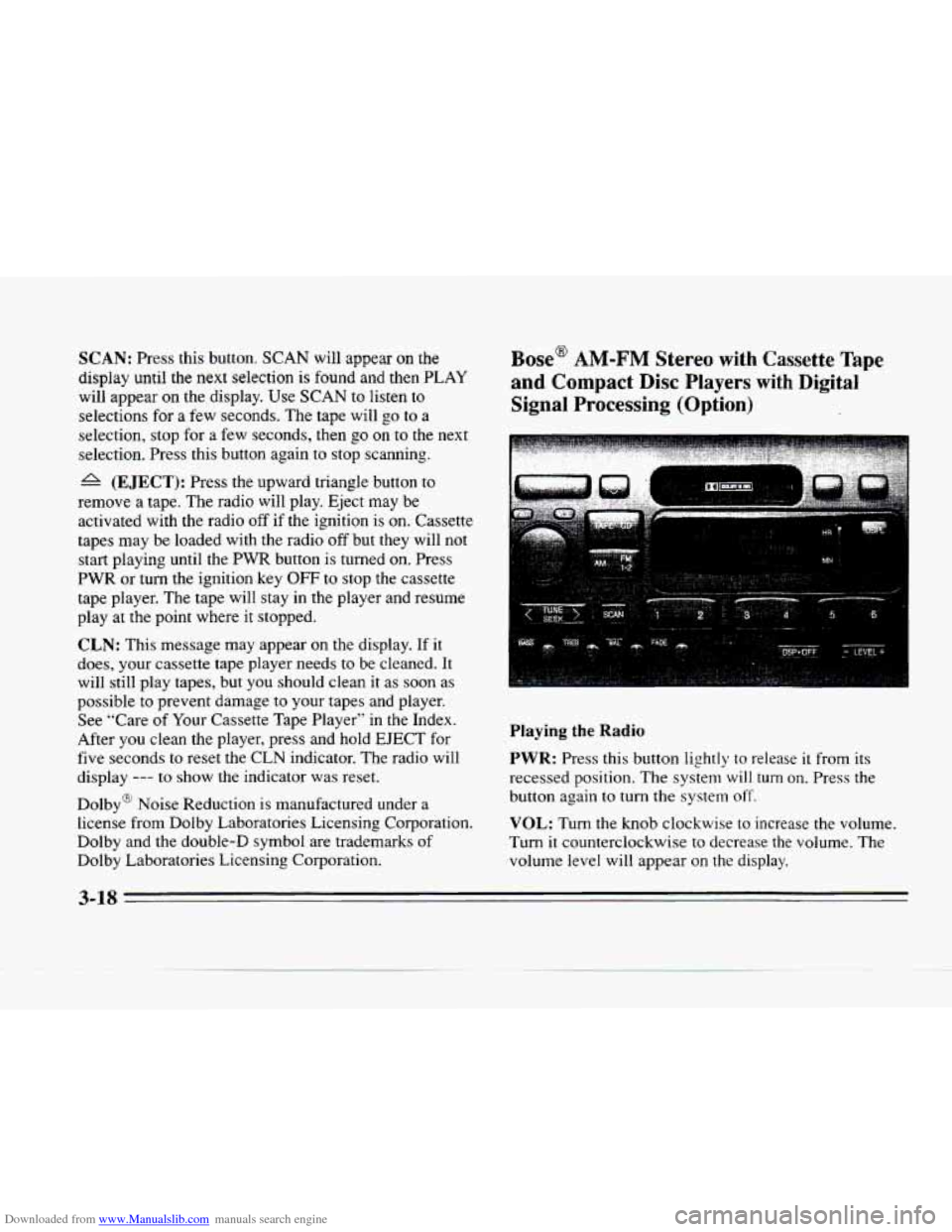
Playing the Radio
PWR: Press this button lightly to release it from its
recessed position. The system
will turn on. Press the
button again
to turn the system off.
VOL: Turn the knob clockwise to increase the volume.
Turn it counterclockwise
to decrease the volume. The
volume level will appear
on the display.
3-18