1996 CADILLAC ELDORADO ESP
[x] Cancel search: ESPPage 19 of 354

Downloaded from www.Manualslib.com manuals search engine While your vehicle is in PARK (P), briefly press the
EXIT button followed by either the
1 or 2 button to
recall your programmed exit position. The exit position
may also be recalled if the vehicle is not in
PARK (P) by
briefly pressing the EXIT button and then pressing and
holding either the
1 or 2 button until seat movement is
complete. Releasing the buttons will stop seat
adjustment.
Automatic seat movement will occur if the Remote
Keyless Entry (RKE) transmitter is used to enter the
vehicle. The number
on the back of the transmitter
corresponds to the
1 or 2 seat position. After the unlock
button is pressed on the
RKE transmitter and the key is
placed in the ignition and turned on, the seat will
automatically adjust to the appropriate position.
Heated Front Seat (Option)
1-4
Page 27 of 354
Downloaded from www.Manualslib.com manuals search engine Here Are Questions Many People Ask
About Safety Belts -- and the Answers
Q: Won’t I be trapped in the vehicle after an
accident if I’m wearing a safety belt?
A: You codcl be -- whether you’re wearing a safety
belt or not. But you can unbuckle a safety belt,
even if you’re upside down. And your chance of
being conscious during and after an accident,
so
you CUIZ unbuckle and get out, is tm4c-h greater if
you are belted.
If my vehicle has air bags, why should I have to
wear safety belts‘?
A: Air bags are in many vehicles today and will
be in most of them in the future. But they are
supplemental systems
only; so they work M-ith
safety belts -- not instead of them. Every air bag
system ever offered for sale has required the use
of
safety belts. Even if you’re in a vehicle that has air
bags,
you still have to buckle up to get the most
protection. That’s true not only in frontal collisions,
but especially
in side and other collisions.
Q: If I’m a good driver, and I never drive far from
home, why should I wear safety belts?
A: You may be an excellent driver, but if you’re in an
accident
-- even one that isn’t your fault -- you and
your passengers can be hurt. Being a good driver
doesn’t protect you from things beyond your
control, such as bad drivers.
Most accidents occur
within 25 miles (40 km) of
home. And the greatest number
of serious injuries
and deaths occur at speeds
of less than 40 mph
(65 km/h).
Safety belts are for everyone.
1-12
Page 64 of 354

Downloaded from www.Manualslib.com manuals search engine Door Locks
Unlocked doors can be dangerous.
Passengers
-- especially children -- can easily
open the doors and fall out. When
a door is
locked, the inside handle won’t open it.
Outsiders can easily enter through an unlocked
door when you slow down or stop your vehicle.
This may not be
so obvious: You increase the
chance of being thrown out of the vehicle in
a
crash if the doors aren’t locked. Wear safety belts
properly, lock your doors, and you will be
far
better off whenever you drive your vehicle.
There are several ways
to lock and unlock your vehicle.
From the outside, use your door key.
If your vehicle has the optional theft-deterrent system,
unlock the doors with the key or Keyless Entry system.
This will avoid setting
off the alarm. Slide the
lock lever down to lock the door from the
inside.
To unlock the door, slide the lock lever up.
Central Door Unlocking System
Your vehicle will have this feature if it is equipped with
the optional theft-deterrent system. When unlocking
either door, you can also unlock the other door by
holding the key in the turned position for a few seconds
or by quickly rotating the door key twice
in the
lock cylinder.
Page 66 of 354

Downloaded from www.Manualslib.com manuals search engine Programmable Automatic Door Locks
With the ignition in the RUN position, the door locks
can be programmed through the Driver Information
Center (DIC) to allow the driver to choose various lock
settings. Press the RESET button to answer “yes” and
press the INFO button to indicate a “no” response.
To begin programming, press the INFO and RESET
buttons at the same time. The first prompt to appear is
AUTOMATIC DOOR LOCK?.
You must press the
RESET button when this prompt appears to continue
programming the doors. The next prompt to appear is
ENABLE ALL DOORS FOR LOCK AND UNLOCK?.
This selection locks all doors when shifting out of
PARK (P) and unlocks all doors when shifting back into
PARK (P). DISABLE ALL DOORS FOR LOCK AND
UNLOCK? is used when you do not want any automatic
lock functions. The ENABLE ALL LOCKS AND
DRIVER DOOR
UNLOCK? prompt locks all doors
when shifting out of PARK (P) and unlocks only the
driver’s door when shifting back into PARK (P).
ENABLE ALL DOORS FOR LOCK ONLY? selection
appears next. This prompt is used to lock all doors when
shifting out of PARK (P) and keeps the doors locked
when you shift back into PARK (P).
N yes or no response must be programmed when a
prompt is displayed. A yes response selects the prompt
and a no response displays the next prompt.
When you finish programming the door locks, the next
prompt to appear is for the vehicle storage mode. For
more information on vehicle storage, see “Battery Guard
Storage” later in this section.
Anti-Lockout Feature
Leaving your key in any ignition position with the
driver’s door open will disable the use of the power door
lock switches. The anti-lockout feature is disabled when
the ignition is on. If you close the door, you can lock it
using the Keyless Entry system. It is always
recommended that you remove your ignition key when
locking your vehicle.
Note that this feature is only available with the driver’s
door open.
Also note that the anti-lockout feature can be overridden
by holding the power door lock switch for three seconds
or longer.
Leaving Your Vehicle
If you are leaving the vehicle, open the door, set the
locks from the inside, get out and close the door.
Page 71 of 354

Downloaded from www.Manualslib.com manuals search engine Security Override
r
Pressing the VALET button
located inside
of the glove
box will disable the use of
the trunk, fuel door and
garage door opener.
Pressing this button again
will make these features
reusable. Locking the glove box with
the door key
will also help to secure
your vehicle.
Note that the Keyless Entry transmitter can not be used
to open the trunk or fuel door if the VALET button is
pressed
in.
Trunk Lid Automatic Pull-Down Feature
Your car has an automatic pull-down feature that
helps close the trunk electronically. Your fingers
can be trapped under the trunk lid
as it goes
down. Your fingers could be injured, and
you
would need someone to help you free them. Keep
your fingers away from the trunk lid as you close
it and as it is going down.
Theft
Vehicle theft is big business, especially in some cities.
Although your Cadillac has a number
of theft-deterrent
features. we know
that nothing we put on it can make
it impossible to steal. However, there are ways you
can help.
Key in the Ignition
If you leave your vehicle with the keys inside, it’s an
easy target for joy riders or professional thieves -- so
don’t do it.
2-10
Page 101 of 354
Downloaded from www.Manualslib.com manuals search engine Lamps On Reminder
You will hear a warning chime if you pull the key from
the ignition while leaving the lamps on,
if the manual
headlamp control is activated. An exception to this
is
when you’re using twilight sentinel.
Daytime Running Lamps
Daytime Running Lamps (DRL) can make it easier for
others to see the front of your vehicle during
the day.
DRL can be helpful in many different driving
conditions, but they can be especially helpful
in the
short periods after dawn and before sunset.
A light sensor on top of the instrument panel makes the
DRL work,
so be sure it isn’t covered.
The DRL system will make the high-beam headlamps
come on at reduced brightness when:
the ignition is on,
0 the headlamp switch is off and
0 the transaxle is not in PARK (P).
When DRL are on, only your high-beam headlamps (at
reduced brightness) will be on.
No other exterior lamps
such as the parking lamps, taillamps, etc. will be on
when the DRL are being used. Your instrument panel
won’t be
lit up either.
When it’s dark enough outside, the high-beam
headlamps (at reduced intensity) will change to
low-beam headlamps. When it’s bright enough outside,
the regular lamps will go off, and the high-beam
headlamps change to the reduced brightness of DRL.
To idle your vehicle with the DRL off, turn off the
twilight sentinel switch and shift the transaxle into
PARK (P). Placing your vehicle in PARK
(P) disables
the
DRL. The DRL will stay off until you shift out of
PARK (P).
As with any vehicle, you should turn on the regular
headlamp system when you need
it.
Page 105 of 354
Downloaded from www.Manualslib.com manuals search engine Inadvertent Power Battery Saver
This feature is designed to protect your vehicle's battery against drainage from the interior lamps, trunk lamp,
glove
box lamp, cigarette lighters or the garage door
opener. When the ignition is turned
OFF, the power to
these features will automatically
turn off' after 10 minutes
(three minutes if a new car has 15 miles or less). Power
will be restored for an additional
10 minutes if either
door is opened, the trunk
is opened or the courtesy lamp
switch is turned
on.
Battery Guard Storage
This feature is for long term use and must be
programmed through the
DIC while the ignition is in the
RUN position. Battery guard storage protects the battery
by placing the vehicle in a storage mode so that the
radio, amplifiers, instrument cluster
and Remote Keyless
Entry
(RKE) will not drain the battery over a long
period of time.
To begin programming, press the INFO and RESET
buttons at the same time for approximately two seconds.
Press the RESET button to answer "yes" and press the
INFO button to indicate
a "no" response. The first prompt
to appear relates to the automatic
door
locks.
This feature can be bypassed by pressing the
INFO button. The STORAGE MODE? prompt appears
next.
To select, press the RESET button. ENABLE
STORAGE
MODE? will then appear. A yes or no
response must be give.n. If the
INFO (no) button is
pressed, the DISABLE STORAGE MODE? prompt will
appear. Oncc again,
a yes or no response is required.
Once the battery guard has been programmed, your
vehicle
will enter the storage mode approximately
20 minutes after the ignition key has been turned off.
The RKE will also be disabled at this point. The RKE
will reactivate when a door or the trunk is opened,
however.
if your vehicle is left inactive for another
20 minutes the RKE will re-enter the storage mode.
Your vehicle will stay in the storage mode until the
ignition
key is turned out of LOCK. The system will
"wake-up" when the door key is inserted into the door
however, your vehicle
will remain in the storage mode.
The ignition must
5 ~~~ard is disabled. be
out of LOCK before the battery
2-44
Page 146 of 354
Downloaded from www.Manualslib.com manuals search engine Traction Active
When your traction control system is limiting wheel spin,
the TRACTION ACTIVE message will
be displayed.
Slippery road conditions may exist
if this message is
displayed,
so adjust your driving accordingly. This
message will stay on for a few seconds after the traction
control system stops limiting wheel spin.
Road Sensing Suspension
The Road Sensing Suspension (RSS) and the optional
Continuous Variable-Road Sensing Suspension
(CV-RSS) automatically adjust the ride of your vehicle,
with the CV-RSS having a wider range of control.
Automatic ride control is achieved through the RSS
controller, a computer used to control and monitor the
suspension system. The controller receives inputs from
various sensors to determine the proper system response.
If the controller detects a problem within the system, the
DIC will display
a SERVICE RIDE CONTROL
message. If this message appears, have your vehicle
serviced at your Cadillac dealership.
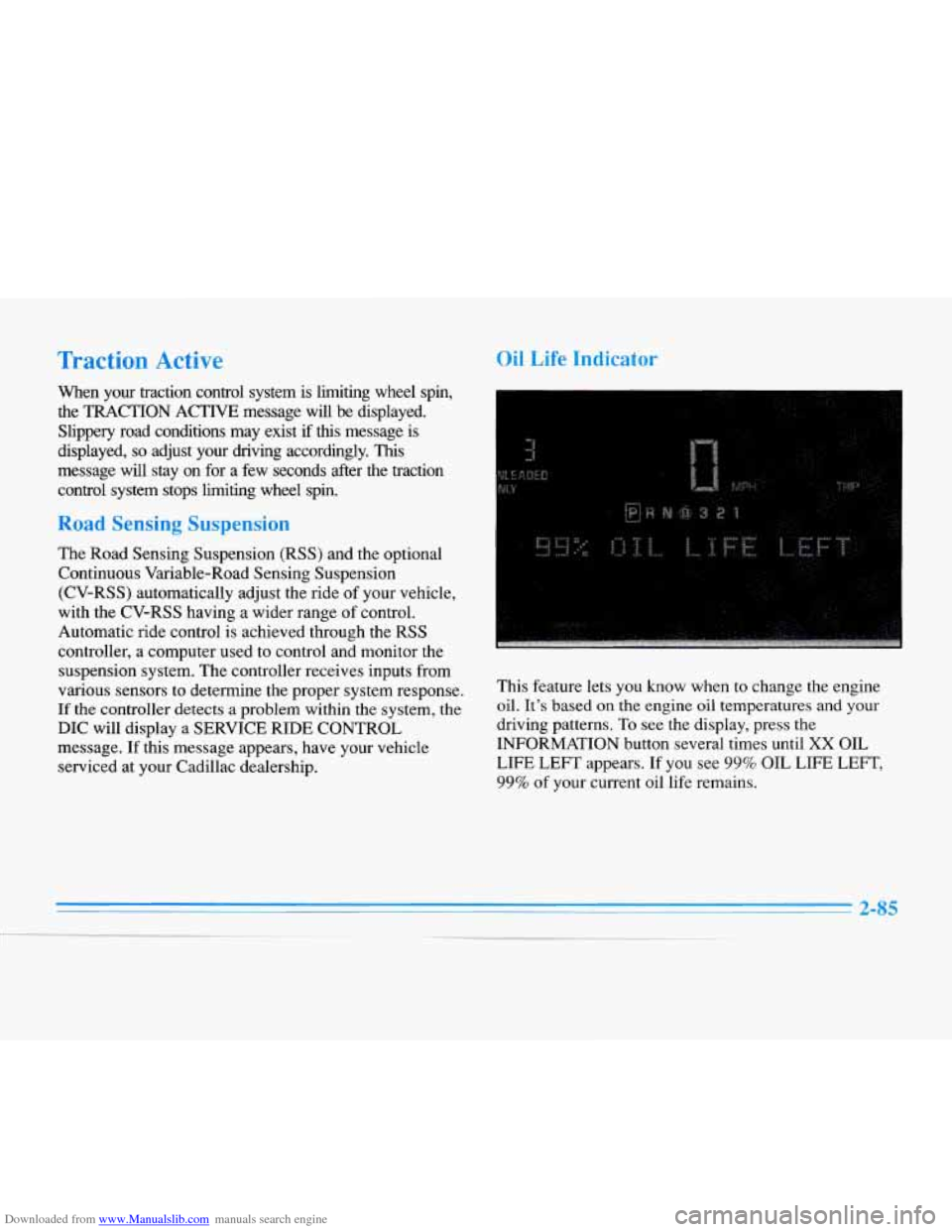
Oil Life Indicator
This feature lets you know when to change the engine
oil.
It’s based on the engine oil temperatures and your
driving patterns. To see the display, press the
INFORMATION button several times until
XX OIL
LIFE
LEFT appears. If you see 99% OIL LIFE LEFT,
99% of your current oil life remains.
2-85
-__