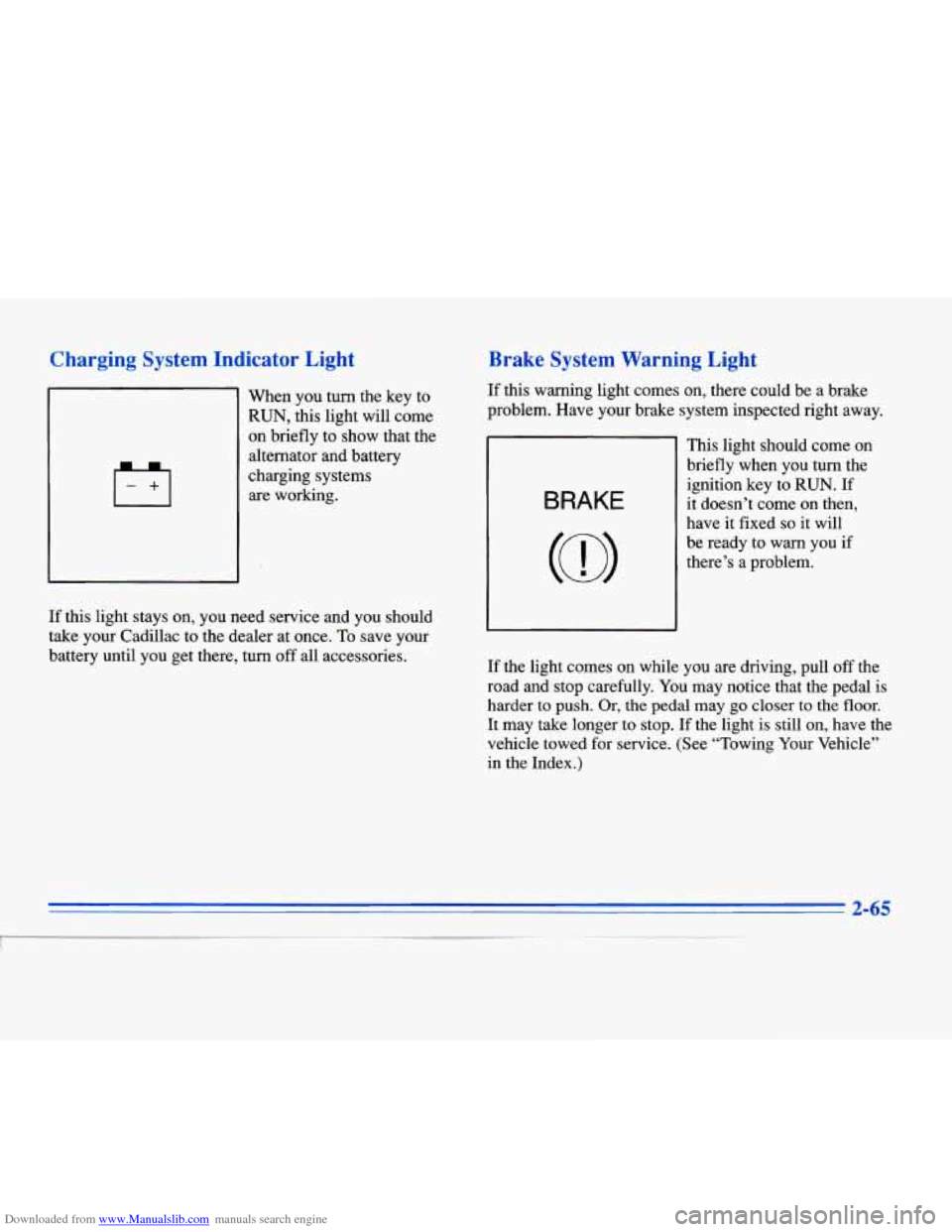
Downloaded from www.Manualslib.com manuals search engine Charging System Indicator Light
When you turn the key to
RUN, this light will come
on briefly to show that the
alternator and battery
charging systems are working.
Brake System Warning Light
If this warning light comes on, there could be a brake
problem. Have your brake system inspected right away.
BRAKE
This light should come on
briefly when you turn the
ignition key to
RUN. If
it doesn’t come on then,
have it fixed
so it will
be ready to warn you if
there’s a problem.
If this light stays on, you need service and you should
take your Cadillac to the dealer at once. To save your
battery until you get there, turn
off all accessories.
If the light comes on while you are driving, pull off the
road and stop carefully.
You may notice that the pedal is
harder
to push. Or, the pedal may go closer to the floor.
It may take longer to stop. If the light is still on, have the
vehicle towed for service. (See “Towing Your Vehicle”
in the Index.)
2-65
Downloaded from www.Manualslib.com manuals search engine INFORMATION: Pressing this button repeatedly will
display the AVG MPG, FUEL
USED, AVG MPH, OIL
LIFE LEFT, ENGINE RPM, BATTERY VOLTS and
COOLANT TEMP.
TIMER: This feature is like a stopwatch, in that you
can clock the time it takes to get from one point to
another.
To operate, press the TIMER button until TIMER
0O:OO:OO is displayed on the DIC. Each of the fields for
the hours, minutes and seconds are two numeric digits.
Once TIMER OFF
0O:OO:OO is displayed, press the
TIMER button to start
the timing feature. Press the
TIMER button again
to stop it. If you will be starting
and stopping your Cadillac, during
a trip for instance,
the TIMER feature will automatically start timing where
it left off when you last stopped. To reset it, press and
hold the RESET button until the display reads TIMER
0O:OO:OO. Press the INFORMATION button to exit from
the TIMER function.
RESET Pressing this button will reset the MPG AVG,
FUEL USED, AVG MPH and OIL LIFE LEFT. Pressing
RESET when
a non-resettable display appears will
cause
a “recall” mode to occur. When this happens, all
DIC warning messages that have been displayed since
the ignition key was turned to RUN will redisplay.
If no
messages were displayed, a MONITORED SYSTEMS
OK message will appear.
MPG AVG (Average Fuel Economy) Reset: Press the
INFORMATION button to display the MPG AVG, then
press and hold the RESET button until
0.0 MPG AVG
is displayed.
Fuel Used Reset: Press the INFORMATION button
to display the
FUEL USED on the DIC, then press
and hold
the RESET button until FUEL USED 0.0
is displayed.
AVG MPH (Average Speed) Reset: Press the
INFORMATION button to display the AVG MPH, then
press and hold the RESET button until
0.0 AVG MPH
is displayed.
Oil Life Left Reset: Press the INFORMATION button
to display the OIL LIFE LEFT, then press and hold the
RESET button
until 100% OIL LIFE LEFT is displayed.
A n/
Downloaded from www.Manualslib.com manuals search engine ........
Section 8 Index
. .
.
A/C Off For Engine Protection Message ............ 2-78
AirBag
....................................... 1-20
How Does it Restrain
.......................... 1-24
How it Works
................................ 1-22
Location
.................................... 1-22
Readiness Light
......................... 1.22. 2.64
Servicing
................................... 1-26
What Makes
it Inflate .......................... 1-24
What Will You See After it Inflates
............... 1-25
When Should it Inflate
......................... 1-24
Air Cleaner
.................................... 6- 13
Air Conditioning
................................ 3-9
Air Conditioning Refrigerants
................ 6.65. 6.66
Air Control. Climate Control System
............. 3.2. 3.6
Alarm. Theft-Deterrent
.......................... 2- 11
Alignment and Balance. Tire
...................... 6-42
Aluminum Wheels. Cleaning
...................... 6-50
Antenna. Power
................................ 3-36
Antifreeze
..................................... 6- 19
Anti-Lock
Brakes
...................................... 4-6
Brake System Warning Light
................ 2.67. 4.6
Anti-Lockout Feature
............................ 2-5
Anti.Theft. Radio
.............................. 3-33
Appearance Care
............................... 6-44
Appearance Care Materials Chart
.................. 6-52
Apply Brake to Shift Message
..................... 2-78 Arbitration Program
.............................. 7-8
Armrest. Storage ............................... 2-51
Ashtrays
...................................... 2-52
Assist Handles
................................. 2-54
Astroroof
..................................... 2-54
Audio Controls. Steering Wheel Touch Control
....... 3-33
Audio Equipment. Adding
........................ 3-34
Audio Systems
................................. 3-13
Automatic
DoorLocks
................................... 2-4
Overdrive
................................... 2-21
Pull-Down Feature
............................ 2-10
Shifting
..................................... 2-18
Transaxle Fluid
............................... 6-16
Transaxle Operation
........................... 2-18
Battery
...................................... 6-28
ChargeLight
................................ 2-65
Guard Storage
............................... 2-44
Inadvertent Power Saver
....................... 2-44
Jump Starting
................................. 5-3
Replacement. Keyless Entry
..................... 2-8
Volts High Message
........................... 2-79
Volts Low Message
........................... 2-79
Warnings
................................ 5-3. 5-5
No Charge Message ........................... 2-79
8-1
I