Make sure the shift lever is fully into PARK Cp)
range before starting the engine. Your Pontiac has a
brake-transaxle sWt interlock. You must
fully apply
your regular brakes before you can shift from PARK
‘(I?)
when the ignition is in RUN. If you cannot shift out of
PARK (P), ease pressure on the shift lever by pushing it
all the way into PARK (9) while keeping the brake pedal
pushed down. Release the shift lever button if you have
a
console shift. Then move the shift lever out of PARK (P),
being sure to press the shift lever button if you have a
console shift. See “Shifting Out of
PARK (P)” in
the Index.
REVERSE (R): Use this gear to back up.
NOTICE:
Shifting to REVERSE (R) while your vehicle is
moving forward could damage your transaxle.
Shift to
REVERSE (R) only after your vehicle is
stopped.
To rock your vehicle back and forth to get out of snow,
ice or sand without damaging your transaxle, see
“Stuck: In Sand, Mud, Ice
or Snow” in the Index.
NEUTRAL (N): In this position, your engine
doesn’t connect with the wheels. To restart when you’re
already moving, use NEUTRAL
(N) only. Also, use
NEUTRAL
(N) when your vehicle is being towed.
NOTICE:
Damage to your transaxle caused by shifting out
of
PARK (P) or NEUTRAL (N) with the engine
racing isn’t covered by your warranty.
2-17
ProCarManuals.com
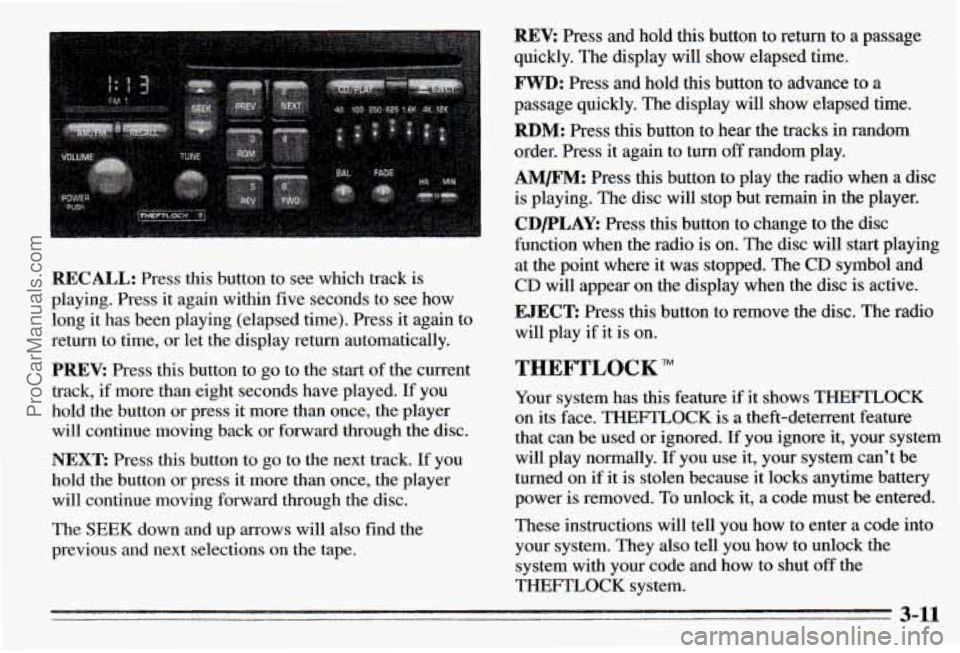
REV: Press and hold this button to return to a passage
quickly. The display will show elapsed time.
FWD: Press and hold this button to advance to a
passage quickly. The display will show elapsed time.
RBM: Press this button to hear the tracks in random
order. Press it again to turn
off random play.
AM/FM: Press this button to play the radio when a disc
is playing. The disc will stop but remain in the player.
CDPLAY: Press this button to change to the disc
function when the radio is on. The disc will start playing
at the point where it was stopped. The CD symbol and
CD will appear on the display when the disc is active.
RECALL: Press this button to see which track is
playing. Press it again within five seconds to see how
long
it has been playing (elapsed time). Press it again to
return to time, or let the display return automatically.
PREV: Press this button to go to the start of the current
track, if more than eight seconds ha.ve played. If you
hold the button or press it more than once, the player
will continue moving back or forward through the disc.
NEXT: Press this button to go to the next track. If you
hold the button
or press it more than once, the player
will continue moving forward through the disc.
The SEEK down and
up arrows will also find the
previous and next selections on the tape.
EJECT: Press this button to remove the disc. The radio
will play if it is on.
THEFTLOCK
Your system has this feature if it shows THEFTLOCK
on its face. THEFTLOCK is a theft-deterrent feature
that can be used or ignored. If you ignore it, your system
will play normally. If you use it, your system can’t be
turned on if
it is stolen because it locks anytime battery
power is removed. To unlock it,
a code must be entered.
These instructions will tell you how to enter a code into
your system. They also tell you how to unlock the
system with your code and how to shut
off the
THEFTLOCK system.
3-11
ProCarManuals.com