1995 CHEVROLET SUBURBAN engine
[x] Cancel search: enginePage 159 of 486
fuel economy. This setting also cools the air the fastest and can be used to
keep “unwanted odors” and/or dust from entering the vehicle. When using
the air conditioner, turn off recirculation after the vehicle reaches
a
comfortable interior temperature.
When the right knob
on the control panel is between HEAT and DEFROST,
the recirculation feature will not function.
NC - This button, between the middle and right knobs, allows the air
coming into your vehicle
to be cooled and directed through the instrument
panel vents. This setting
is useful for normal cooling on hot days. When you
first
use A/C with the recirculation button pushed in, turn off recirculation
as soon as the vehicle reaches a comfortable interior temperature.
Engine Coolant Heater
If your vehicle has a diesel engine, it is equipped with an engine coolant
heater. An engine coolant heater is optional
on gas engine vehicles. If you
use the engine coolant heater before starting your engine (in cold weather
(20” F, (-8” C), or lower) your heating system will produce warmer air
faster, to heat
the passenger compartment in cold weather.
The use of an engine coolant heater also reduces
the time it takes for the
engine to reach normal operating temperature, and shortens the time it takes
the heater
to reach full output. For more information, See “Engine Coolant
Heater” in the Index.
Diesel Engine Heater Output
If you idle your diesel engine for a long time when it’s cold outside, your
heater may blow out cool air. This is normal. When you increase the engine
speed, your heater should blow
out warmer air. If it doesn’t, your coolant
level may be too low. See “Engine Coolant” in the Index to see how to
check your coolant level.
Rear Air Conditioning and Heating Systems (Suburban)
If your vehicle has either or both of these systems, you can increase and
decrease the air flow at the rear vents. Depending
on the system you have
and the setting selected, you can send cooled or heated air to the rear of the
vehicle.
Rear Air Conditioning (Without Rear Heater)
If your vehicle has rear air conditioning (without rear heater), the controls
are located above the front and second seats. The front and rear overhead
controls let
you increase and decrease the air flow at the rear vents.
3-4
ProCarManuals.com
Page 164 of 486
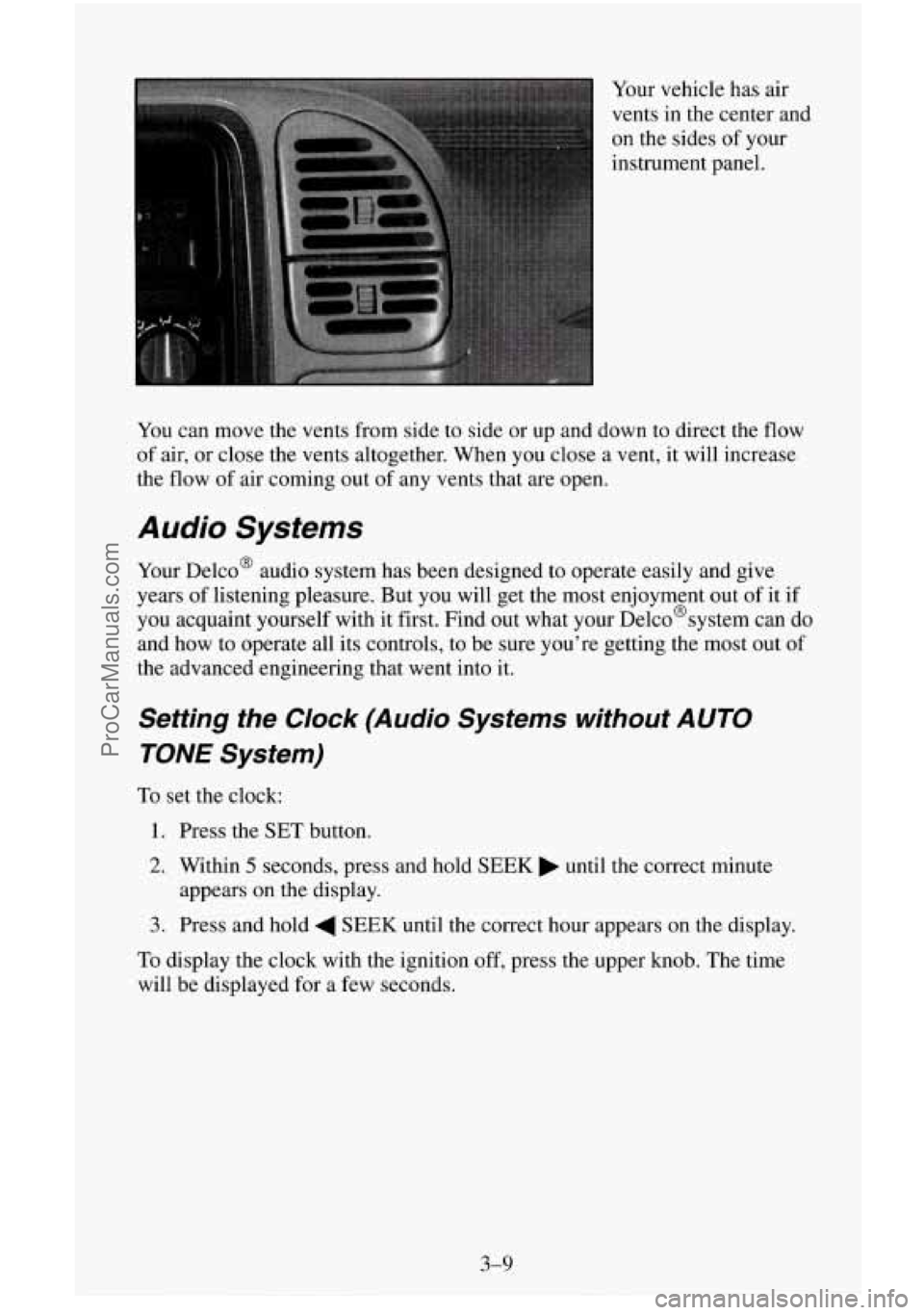
Your vehicle has air
vents in the center and
on the sides of your
instrument panel.
You can move the vents from side to side or up and down to direct the
flow
of air, or close the vents altogether. When you close a vent, it will increase
the flow of air coming out of any vents that are open.
Audio Systems
Your Delco@ audio system has been designed to operate easily and give
years of listening pleasure. But
you will get the most enjoyment out of it if
you acquaint yourself with it first. Find out what your Delco@systern can
do
and how to operate all its controls, to be sure you’re getting the most out of
the advanced engineering that went into it.
Setting the Clock (Audio Systems without AUTO
TONE System)
To set the clock:
1. Press the SET button.
2. Within 5 seconds, press and hold SEEK until the correct minute
3. Press and hold 4 SEEK until the correct hour appears on the display.
appears
on the display.
To display the clock with the ignition off, press the upper knob. The time
will be displayed for a few seconds.
3-9
ProCarManuals.com
Page 182 of 486
To help avoid hearing loss or damage:
1. Adjust the volume control to the lowest setting.
2. Increase volume slowly until you hear comfortably and clearly.
NOTICE:
Before you add any sound equipment to your vehicle - like a
tape player, CB radio, mobile telephone or two-way radio - be
sure you can add what you want.
If you can, it’s very important
to do it properly. Added sound equipment may interfere with the
operation of your vehicle’s engine, Delco@ radio or other
systems, and even damage them. And, your vehicle’s systems
may interfere with the operation of sound equipment that has
been added improperly.
So, before adding sound equipment, check with your dealer and
be sure to check Federal rules covering mobile radio and
telephone units.
Care of Your Cassette Player and Tapes
A tape player that is not cleaned regularly is subject to reduced sound
quality, ruining the cassette, or damaging the mechanism. Tape cassettes that
are not properly stored
in their plastic cases away from contaminants, direct
sunlight, and extreme heat may not operate properly and could cause
premature failure
of the tape player.
Your tape player should be cleaned with every
50 hours of use to provide
optimum performance. Your radio may display “Cln” (Clean)
to indicate
that you have used your tape player for 50 hours without re-setting the tape
clean timer. If you notice a reduction
in sound quality, regardless of when
the tape player was last cleaned, try playing a different cassette to see if the
tape or tape player is at fault.
If the second cassette results in no
improvement
in sound quality, try cleaning the tape player.
Proper tape player cleaning should be done with
a scrubbing action,
non-abrasive cleaning cassette. This is a wet-type cleaning system that uses
a cleaning cassette with pads which scrub
the tape head as the hubs of the
cleaner cassette turn. To properly clean your tape player, follow instructions
with the cleaning cassette. If
you use this type of cleaner, the radio may
display an error and eject the cartridge. This
is normal and is the result of an
added feature
in the tape player that detects broken tapes. If an error occurs,
you will need to insert the cleaning cassette at least 3 times to thoroughly
clean the tape player.
3-27
ProCarManuals.com
Page 188 of 486
Braking
Braking action involves perception time and reaction time.
First, you have to decide to push on the brake pedal. That’s perception time.
Then you have to bring up your foot and do it. That’s reaction time.
Average reaction time is about 3/4 of a second. But that’s only an average. It
might be less with one driver and as long as two or three seconds or more
with another. Age, physical condition, alertness, coordination, and eyesight
all play a part.
So do alcohol, drugs and frustration. But even in 314 of a
second, a vehicle moving at
60 mph (100 kdh) travels 66 feet (20 m). That
could be a lot of distance in an emergency,
so keeping enough space
between your vehicle and others is important.
And, of course, actual stopping distances vary greatly with the surface
or me
road (whether it’s pavement or gravel);
the condition of the road (wet, dry,
icy); tire tread; and the condition
of your brakes.
Avoid needless heavy braking. Some people drive in spurts
- heavy
acceleration followed by heavy braking
- rather than keeping pace with
traffic.
This is a mistake. Your brakes may not have time to cool between
hard stops. Your brakes will wear
out much faster if you do a lot of heavy
braking. If you keep pace with the traffic and allow realistic following
distances,
you will eliminate a lot of unnecessary braking. That means better
braking and longer brake life.
If your engine ever stops while you’re driving, brake normally but don’t
pump your brakes. If
you do, the pedal may get harder to push down. If
your engine stops,
you will still have some power brake assist. But you will
use it when you brake. Once the power assist
is used up, it may take longer
to stop and the brake pedal will be harder
to push.
Anti-Lock Brakes (ABS)
Your vehicle has an advanced electronic braking system that can help you
keep it under control. When you start your vehicle and begin to drive away,
you may hear a momentary motor or clicking noise. This is the ABS system
testing itself.
4-5
ProCarManuals.com
Page 190 of 486
To Use Anti-Lock
Don’t pump the brakes. Just hold the brake pedal down and let anti-lock
work for
you. You may feel the brakes vibrate, or you may notice some
noise, but this is normal. On vehicles with four-wheel drive, your anti-lock
brakes work at all times
- whether you are in two-wheel drive or
four-wheel drive.
Braking in Emergencies
Use your anti-lock braking system when you need to. With anti-lock, you
can steer and brake at the same time. In many emergencies, steering can
help
you more than even the very best braking.
Steering
Power Steering
If you lose power steering assist because the engine stops or the system is
not functioning, you can steer but it will take much more effort.
Steering Tips
Driving on Curves
It’s important to take curves at a reasonable speed.
A lot of the “driver lost control” accidents mentioned on the news happen
on curves. Here’s why:
Experienced driver or beginner, each
of us is subject to the same laws of
physics when driving on curves. The traction
of the tires against the road
surface makes it possible for the vehicle to change its path when
you turn
the front wheels.
If there’s no traction, inertia will keep the vehicle going in
the same direction. If you’ve ever tried to steer a vehicle on wet ice, you’ll
understand this.
The traction
you can get in a curve depends on the condition of your tires
and the road surface,
the angle at which the curve is banked, and your
speed. While you’re in a curve, speed is the
one factor you can control.
Suppose you’re steering through a sharp curve. Then you suddenly
accelerate. Both control systems
- steering and acceleration - have to do
their work where the tires meet the road. Adding
the sudden acceleration
can demand
too much of those places. You can lose control.
What should you do if this ever happens? Ease up on the accelerator pedal,
steer the
vehicle the way you want it to go, and slow down.
4-7
ProCarManuals.com
Page 194 of 486
The three types of skids correspond to your vehicle’s three control systems.
In the braking skid your wheels aren’t rolling. In the steering or cornering
skid, too much speed or steering
in a curve causes tires to slip and lose
cornering force. And in the acceleration skid too much throttle causes the
driving wheels to spin.
A cornering skid and an acceleration skid are best handled by easing your
foot off the accelerator pedal.
If your vehicle starts
to slide, ease your foot off the accelerator pedal and
quickly steer the way you want the vehicle to go. If
you start steering
quickly enough, your vehicle may straighten out. Always be ready for a
second skid if it occurs.
Of course, traction is reduced when water, snow, ice, gravel, or other
material is on the road. For safety,
you’ll want to slow down and adjust your
driving to these conditions. It is important to slow down on slippery
surfaces because stopping distance will be longer and vehicle control more
limited.
While driving
on a surface with reduced traction, try your best to avoid
sudden steering, acceleration, or braking (including engine braking by
shifting
to a lower gear). Any sudden changes could cause the tires to slide.
You may
not realize the surface is slippery until your vehicle is skidding.
Learn to recognize warning clues
- such as enough water, ice or packed
snow
on the road to make a “mirrored surface” - and slow down when you
have any doubt.
Remember: Any anti-lock brake system (ABS) helps avoid
only the braking
skid.
Driving Guidelines
This multipurpose passenger vehicle is defined as a utility vehicle in
Consumer Information Regulations issued by the National Highway Traffic
Safety Administration (NHTSA)
of the United States Department of
Transportation. Utility vehicles have higher ground clearance and a
narrower track to make them capable
of performing in a wide variety of
off-road applications. Specific design characteristics give them a higher
center of gravity than ordinary cars. An advantage of the higher ground
clearance is a better view
of the road allowing you to anticipate problems.
They are
not designed for cornering at the same speeds as conventional
2-wheel drive vehicles any more than low-slung sports cars are designed
to
perform satisfactorily under off-road conditions. If at all possible, avoid
sharp turns or abrupt maneuvers. As with other vehicles of this type, failure
to operate this vehicle correctly may result
in loss of control or vehicle
rollover.
4-1 1
ProCarManuals.com
Page 196 of 486
You’ll find other important information in this manual. See “Vehicle
Loading,” “Luggage Carrier’’ and “Tires”
in the Index.
Traveling to Remote Areas
It makes sense to plan your trip, especially when going to a remote area.
Know the terrain and plan your route. You are much less likely to get bad
surprises. Get accurate maps
of trails and terrain. Try to learn of any
blocked or closed roads.
It’s also
a good idea to travel with at least one other vehicle. If something
happens to one
of them, the other can help quickly.
Does your vehicle have a winch? If so, be sure to read the winch
instructions. In a remote area, a winch can be handy if you get stuck. But
you’ll
want to know how to use it properly.
Getting Familiar with Off-Road Driving
It’s a good idea to practice in an area that’s safe and close to home before
you go into the wilderness. Off-road driving does require some new and
different driving skills. Here’s what we mean.
Tune your senses to different kinds of signals. Your eyes, for example, need
to constantly sweep the terrain for unexpected obstacles. Your ears need to
listen for unusual tire or engine sounds. With your arms, hands, feet, and
body you’ll need to respond to vibrations and vehicle bounce.
4-13
ProCarManuals.com
Page 200 of 486
Q: What should I do if my vehicle stalls, or is about to stall, and I
can’t make it up the hill?
A: If this happens, there are some things you should do, and there are
some things you must not do. First, here’s what you should do:
0 Push the brake pedal to stop the vehicle and keep it from rolling
0 If your engine is still running, shift the transmission into reverse,
backwards.
Also, apply the parking brake.
release the parking brake, and
slowly back down the hill in reverse.
If your engine has stopped running, you’ll need to restart it. With the
brake pedal depressed and the parking brake still applied, shift the
transmission to
PARK (P) (or, shift to NEUTRAL (N) if your vehicle
has a manual transmission) and restart the engine. Then, shift to
reverse, release the parking brake, and slowly back down
the hill as
straight
as possible in reverse.
0 As you are backing down the hill, put your left hand on the steering
wheel at
the 12 o’clock position. This way, you’ll be able to tell if your
wheels are straight and maneuver as you back down. It’s best that you
back down the
hill with your wheels straight rather than in the left or
right direction. Turning
the wheel too far to the left or right will
increase the possibility of a rollover.
Here are
some things you must not do if you stall, or are about to stall,
when going up
a hill.
0 Never attempt to prevent a stall by shifting into NEUTRAL (N) (or
depressing the clutch, if you have a manual transmission) to “rev-up”
the engine and regain forward momentum. This won’t work. Your
vehicle
will roll backwards very quickly and you could go out of
control.
4-17
ProCarManuals.com