Page 74 of 354
Downloaded from www.Manualslib.com manuals search engine The front axle portion of the diagram on the indicator will light up when
you shift into four-wheel drive. A slight delay between shifting and the
pattern’s lighting is normal. If the pattern does not light up, or
if the front
axle lights do not go out after you shift out of four-wheel drive, have your
dealer check your system. Turn the INT LIGHTS switch located to the right
of your headlight switch
to dim your transfer case indicator light when your
headlights or parking lights are
on. This will also cause your instrument
panel lights to dim.
2HI - This setting is for driving in most street and highway situations.
Your front axle is not engaged in two-wheel drive.
4HI - This setting engages your front axle to help drive your vehicle. Use
4HI when you need extra traction, such as on snowy or icy roads, or in most
off-road situations.
N SET PARK BRAKE - Shift to this neutral setting only when your
vehicle needs to be towed.
4LO - This setting also efigziges your front axle to give you extra traction
and provides extra gear reduction. You may never need 4LO. It
sends the
maximum power to all four wheels. You might choose 4LO if you were
driving off-road in sand, mud, or deep snow and climbing or descending
steep hills.
You can shift from 2HI to 4HI
or from 4HI to 2HI while the vehicle is
moving.
Do not press the transfer case shift lever button when shifting from
2HI to
4HI or from 4HI to 2HT. Your front axle will engage faster if you
take your foot off of the accelerator for a few seconds after you shift.
To shift your transfer case into N SET PARK BRAKE:
1. Stop the vehicle and shift your transmission into NEUTRAL
(N).
2. Set the parking brake. Your vehicle can roll unless the brakes are
applied.
3. Pull the transfer case shift lever into N SET PARK BRAKE.
To shift into or out of 4LO:
1. The vehicle must be stopped or moving less than 3 mph (4.8 km/h)
with the transmission in NEUTRAL
(N) for an automatic transmission
or the clutch pedal depressed with a manual transmission.
2. Press the transfer case shift button and shift in one continuous motion.
Don’t pause in
N SET PARK BRAKE as you shift into or out of 4L0, or
your gears could clash.
Remember that driving in 4HI or 4LO may reduce fuel economy. Also,
driving in four-wheel drive
on dry pavement could cause your tires to wear
faster and make your transfer case harder to shift and reduce powertrain
longevity.
2-29
Page 78 of 354
Downloaded from www.Manualslib.com manuals search engine Sliding Rear Window
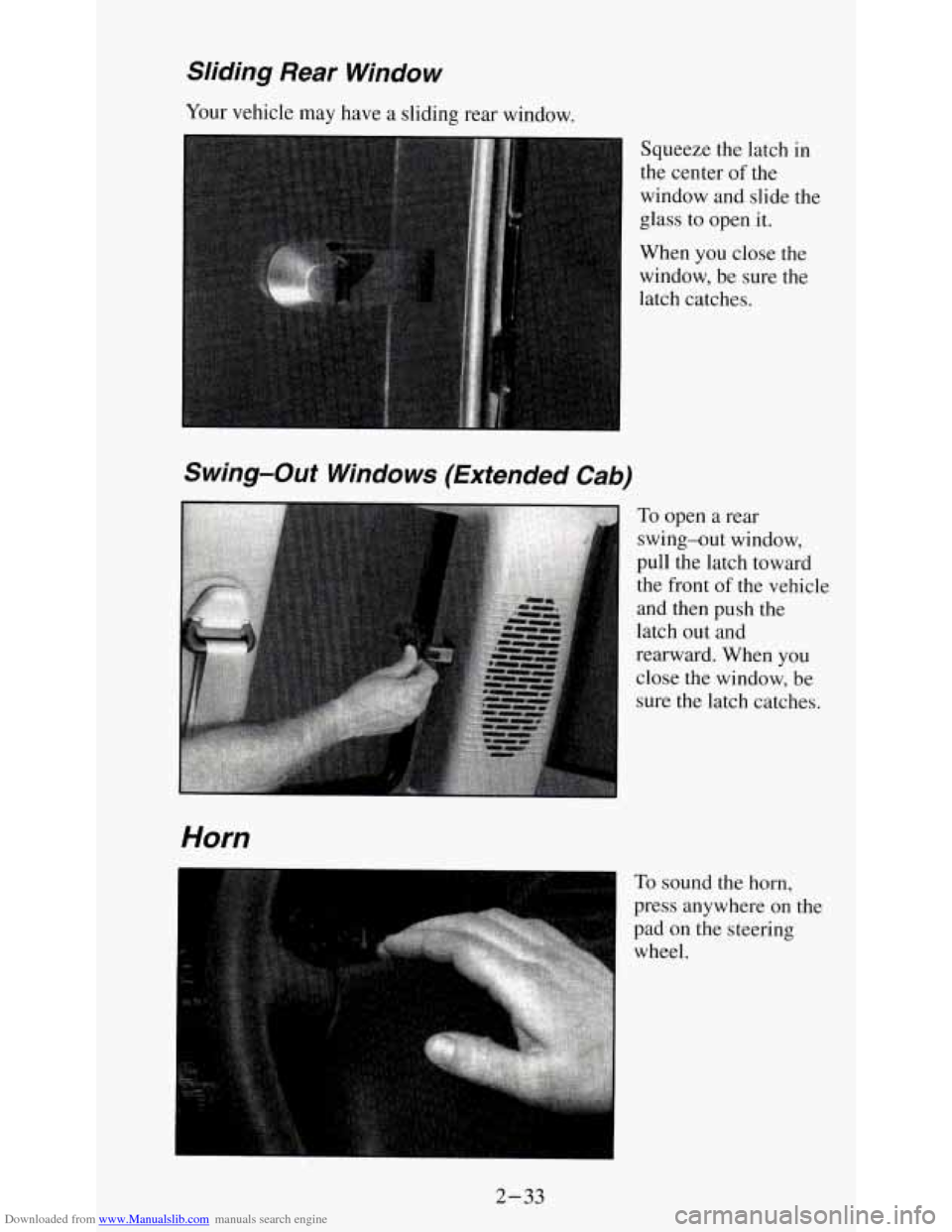
Your vehicle may have a sliding rear window.
Squeeze the latch in
the center
of the
window and slide the
glass
to open it.
When you close the
window,
be sure the
latch catches.
Swing-Out Windows (Extended Cab)
To open a rear
swing-out window,
pull the latch toward
the front
of the vehicle
and then push the
latch out and
rearward. When you close the window, be
sure the latch catches.
Horn
' To sound the horn,
press anywhere on the
pad
on the steering
wheel.
2-33
Page 80 of 354
Downloaded from www.Manualslib.com manuals search engine Turn Signal and Lane Change Indicator
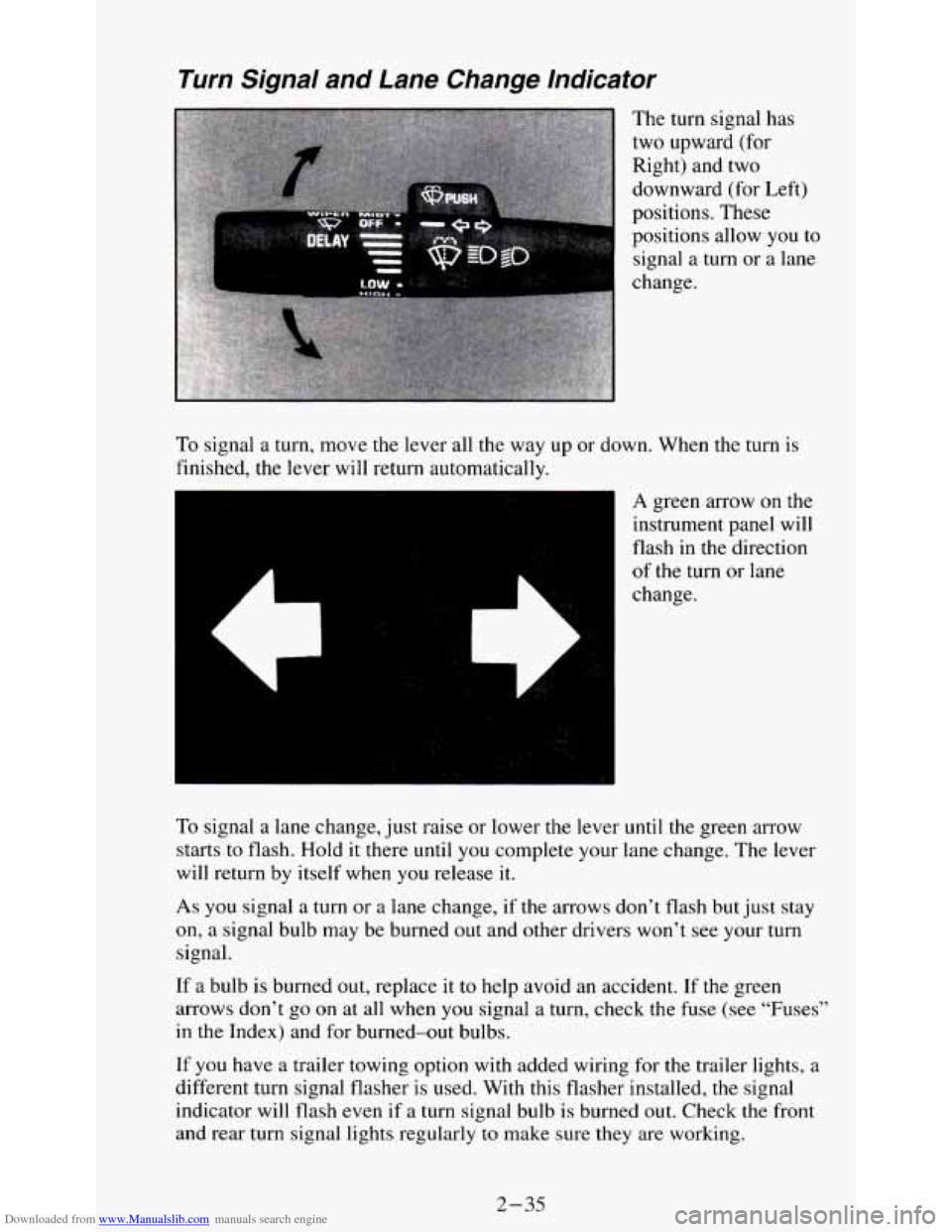
The turn signal has
two upward (for
Right) and two
downward (for Left)
positions. These
positions allow you
to
signal a turn or a lane
change.
To signal a turn, move the lever all the way up or down. When the turn is
finished, the lever will return automatically.
es
A green arrow on the
instrument panel will
flash in the direction
of the turn or lane
change.
To signal a lane change, just raise or lower the lever
until the green arrow
starts
to flash. Hold it there until you complete your lane change. The lever
will return by itself when
you release it.
As you signal a turn or a lane change, if the arrows don’t flash but just stay
on, a signal bulb may be burned out and other drivers won’t see your turn
signal.
If a bulb is burned out, replace it to help avoid an accident. If the green
arrows don’t go on at all when
you signal a turn, check the fuse (see “Fuses”
in the Index) and for burned-out bulbs.
If you have a trailer towing option with added wiring for the trailer lights, a
different turn signal flasher is used. With this flasher installed, the signal
indicator will flash even
if a turn signal bulb is burned out. Check the front
and rear turn signal lights regularly
to make sure they are working.
2-35
Page 81 of 354
Downloaded from www.Manualslib.com manuals search engine Headlamp High-Low Beam
To change the
headlamps from low
beam to high or high
to low, pull the
multifunction lever all
the way toward you.
Then release it.
When the high beams
are on, this blue
Windshield Wipers
indicator light on the
instrument panel also
will be on.
You control the
windshield wipers by
turning the band with
the wiper symbol on
it.
For a single wiping cycle, turn the band to MIST. Hold it there until the
wipers start, then let
go. The wipers will stop after one wipe. If you want
more wipes, hold the band
on MIST longer.
2-36
Page 92 of 354
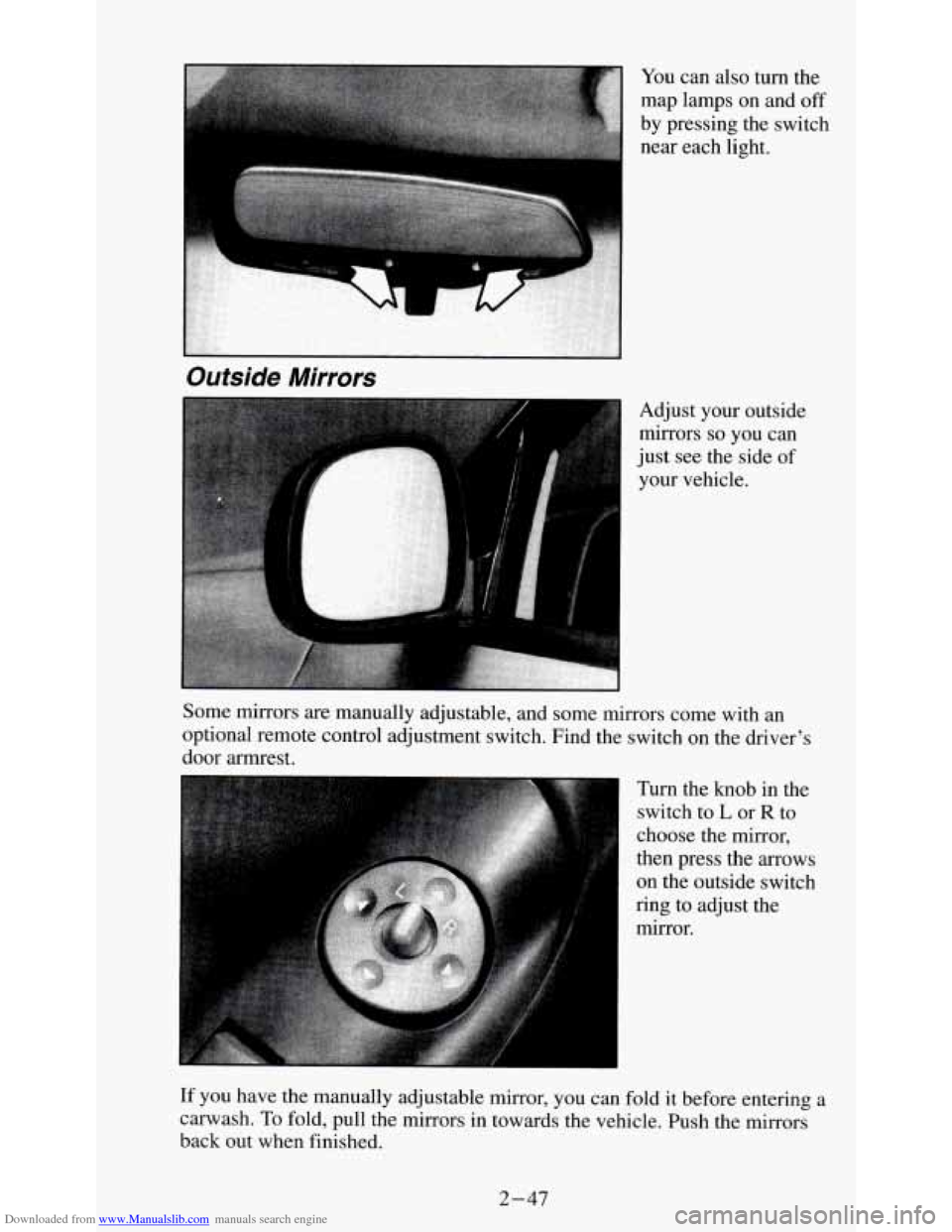
Downloaded from www.Manualslib.com manuals search engine Adjust your outside
mirrors
so you can
just see the side
of
your vehicle.
Outside Mirrors
Some mirrors are manually adjustable, and some mirrors come with an
optional remote control adjustment switch. Find the switch on the driver's
door armrest.
Turn the knob
in the
switch to
L or R to
choose the mirror,
then press the arrows
on the outside switch
ring to adjust the
mirror.
If you have the manually adjustable mirror, you can fold it before entering a
carwash. To fold, pull the mirrors in towards the vehicle. Push the mirrors
back out when finished.
2-47
Page 103 of 354

Downloaded from www.Manualslib.com manuals search engine You will see this light flash for a few seconds when you turn your ignition
to RUN or START. Then the light should go out. This means the system is
ready.
If the air bag readiness light doesn’t come
on when you start your vehicle,
or stays on, or comes
on when you are driving, your air bag system may not
work properly. Have your vehicle serviced right away.
Brake System Warning Light
-1
BRAKE
Your vehicle’s hydraulic brake system is divided into two parts. If one part
isn’t working, the other part can still work and stop you. For good braking,
though, you need both parts working well.
Your vehicle also has rear-wheel or four-wheel anti-lock brakes. See
“Anti-Lock Brakes” in the Index. If the warning light comes on, there could
be a brake problem with either your regular or rear-wheel anti-lock brakes,
or both. Have your brake system inspected right away.
This light should come
on briefly as you start the vehicle. If it doesn’t come
on then, have it fixed
so it will be ready to warn you if there’s a problem.
If the light comes on while you are driving, pull off the road and stop
carefully. You may notice that the pedal is harder
to push. Or, the pedal may
go closer to the floor. It may take longer to stop. If the light
is still on, have
the vehicle towed for service. (See “Towing Your Vehicle” in the Index.)
2-58
Page 114 of 354
Downloaded from www.Manualslib.com manuals search engine Comfort Controls & Audio Systems
Section
In this section you'll find out how to operate the comfort control systems
and audio systems offered with your vehicle. Be sure to read about the
particular system supplied with your vehicle.
Comfort Controls
Heater Controls
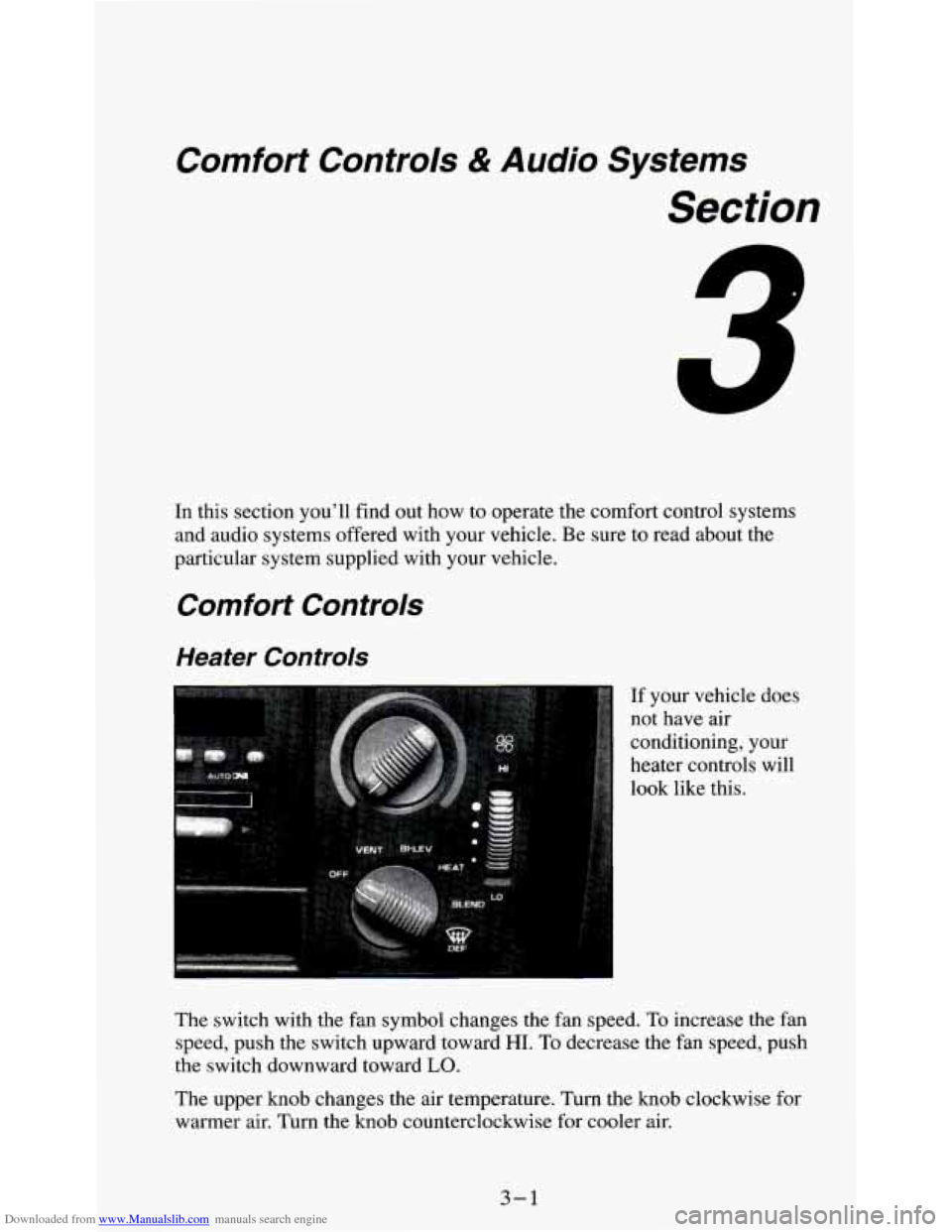
If your vehicle does
not have air
conditioning, your
heater controls will
look like this.
The switch with the fan symbol changes the fan speed.
To increase the fan
speed, push the switch upward toward
HI. To decrease the fan speed, push
the switch downward toward
LO.
The upper knob changes the air temperature. Turn the knob clockwise for
warmer air. Turn the knob counterclockwise for cooler air.
3-1
Page 115 of 354
Downloaded from www.Manualslib.com manuals search engine The lower knob changes the heater function and determines which outlets
the air will flow through (instrument panel, defroster, heater, etc.).
OFF - This setting turns off all heating functions. Some outside air will
still come out of the heater outlet whenever the vehicle is moving forward.
VENT - Airflow is through the instrument panel vents. Set the upper knob
to the temperature desired. This setting is useful for mild outside
temperatures, when little heating or cooling is desired.
BI-LEV - Outside air comes in through the heater floor vents and the
instrument panel vents. This setting is useful
in cool weather with bright
sunlight.
HEAT
- Heated air comes out through the heater floor vents and
windshield defroster vents. This setting is useful for cold weather.
BLEND - Airflow is divided equally between the heater floor vent and the
windshield defroster vents. This setting is useful
in cool weather when you
have fog
or ice on the windshield or side windows.
DEF - This setting directs most air through the windshield defroster vents
and some through the heater vents. This setting
is useful when you have fog
or ice on the windshield.
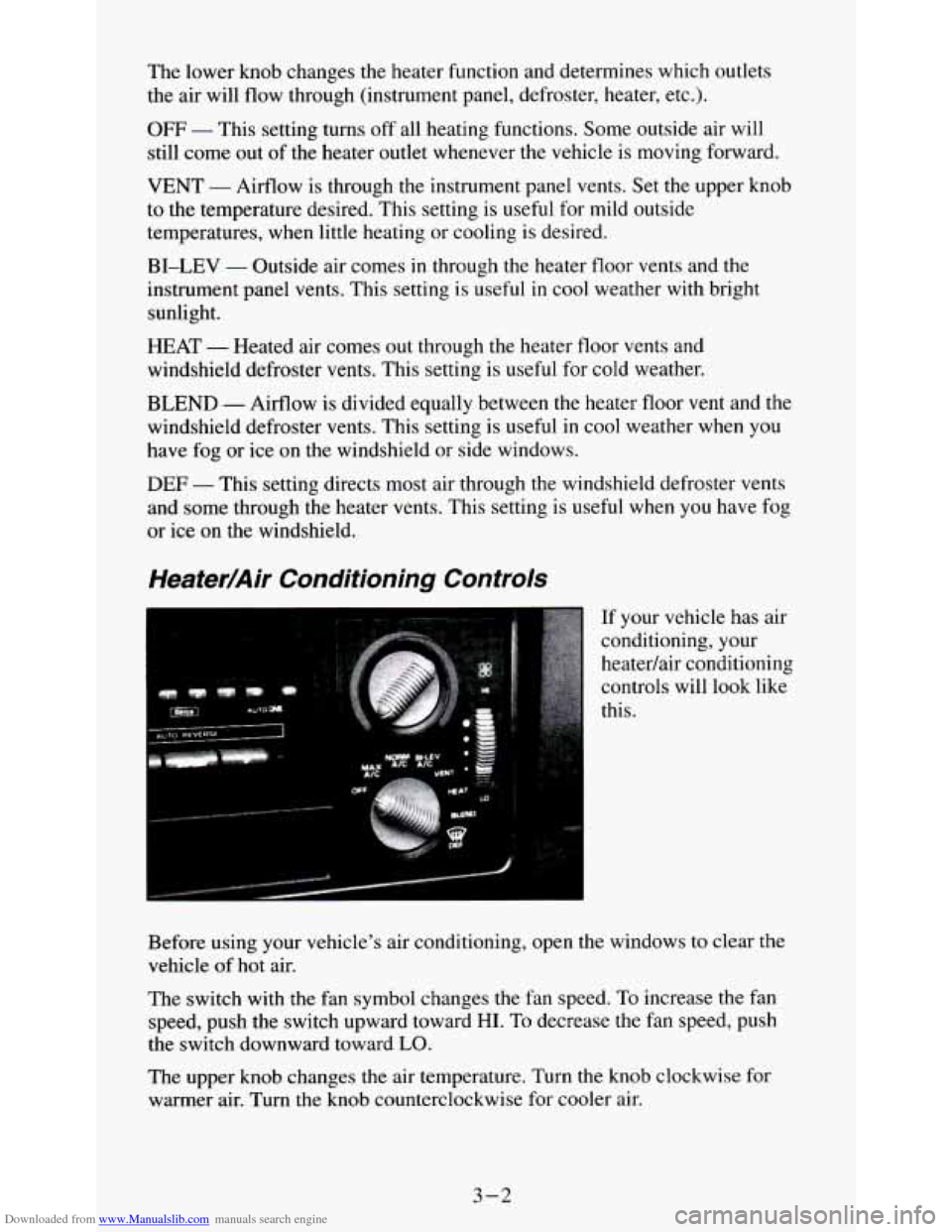
Heater/Air Conditioning Controls
If your vehicle has air
conditioning, your
heatedair conditioning
controls will look like
this.
Before using your vehicle's air conditioning, open the windows to clear the
vehicle of
hot air.
The switch with the fan symbol changes the fan speed. To increase the fan
speed, push the switch upward toward
HI. To decrease the fan speed, push
the switch downward toward
LO.
The upper knob changes the air temperature. Turn the knob clockwise for
warmer air. Turn the knob counterclockwise for cooler air.
3-2