1995 CHEVROLET S10 ECU
[x] Cancel search: ECUPage 129 of 354
Downloaded from www.Manualslib.com manuals search engine To Lock The System:
1. Write down any 6 digit number and keep it in a safe place.
2. Turn the ignition to the ACC (Accessory) or RUN position.
3. Press the PWR knob to turn the radio off.
4. Press the 1 and 4 buttons together. Hold them down until “- - -” shows
on the display.
You are now ready to enter your secret code. Don’t wait more than
15
seconds between steps.
5. Press SET and “000” will appear on the display.
6. Press the SEEK or 4 button to make the first number appear.
7. Press SCAN to make the next two numbers agree with your code.
8. Press BAND and “000” will appear again. Now you are ready to enter
the last three digits
of your code.
9. Repeat steps 6 and 7 for the last three digits of your code.
10. Press BAND and “rEP’ will appear for 5 seconds and then “OOO” will
11. Repeat steps 6 through 10. This time “SEC” will appear - indicating
appear.
that the radio
is secure.
To Unlock The System After A Power Loss
When battery power is reapplied to a secured radio, the radio won’t turn on
and
“LOC” will appear on the display.
Enter your secret code as follows. Pause
no more than 15 seconds between
steps.
1. Turn the ignition on. (Radio off.)
2. Press the SET button. The display will show “000”.
3. Enter the six digits of the code following steps 6-9 above. The display
4. Press the BAND knob and the time appears - indicating that the
will
show the numbers as entered.
disabling sequence was successful. If the display indicates
“SEC”, the
numbers did
not match and the unit is still secured.
3-16
Page 130 of 354

Downloaded from www.Manualslib.com manuals search engine Disabling The Theft System
1.
2.
3.
4.
5.
6.
Press presets 1 and 4 for 5 seconds with ignition on and radio off. The
display will show “SEC”, indicating the unit is in the secure mode.
Press the SET button. The display will show
“000”.
Enter the first three digits of the code following steps 6 and 7 of the
preceding paragraphs (To Lock the System). The display will show the
numbers as entered.
Press the BAND knob. The radio will display
“OOO”.
Enter the second three digits of the code. The display will show the
numbers as entered.
Press the BAND knob.
If the display shows “- - - ”, the disabling
sequence was successful. The numbers matched the user-selected code
or the factory back-up code, and the unit is in the UNSECURED
mode.
If the display shows “SEC”, the disabling sequence was
unsuccessful and the numbers did not match either of the codes and the
unit will remain
in the SECURED mode.
Understanding Radio Reception
FM stereo will give you the best sound. But FM signals will reach only
about 10 to
40 miles (16 to 65 km). And, tall buildings or hills can interfere
with
FM signals, causing the sound to come and go.
The range for most AM stations is greater than for
FM, especially at night.
The longer range, however, can cause stations to interfere with each other.
AM can pick up noise from things like storms and power lines. Try reducing
the treble to reduce this noise if you ever get it.
AM Stereo means the Delco@ system can receive C-QUAM@stereo
broadcasts. Many AM stations around the count use C-QUAM@ to
produce stereo, though some do not. (C-QUAM is a registered trademark
of Motorola, Inc.) If your Delco@ system can get C-QUAM@, your
“STEREO” light will come on when you’re receiving
it.
Be aware that hearing damage from loud noise is almost undetectable until
it is too late. Your hearing can adapt to higher volumes
of sound. Sound that
seems normal can be loud and harmful to your hearing. Take precautions by
adjusting the volume control on your radio to a safe sound level before your
hearing adapts to it.
3
To help avoid hearing loss or damage:
1. Adjust the volume control to the lowest setting.
2. Increase volume slowly until you hear comfortably and clearly.
3-17
Page 146 of 354
Downloaded from www.Manualslib.com manuals search engine Loading Your Vehicle for Off-Road Driving
There are some important things to remember about how to load your
vehicle.
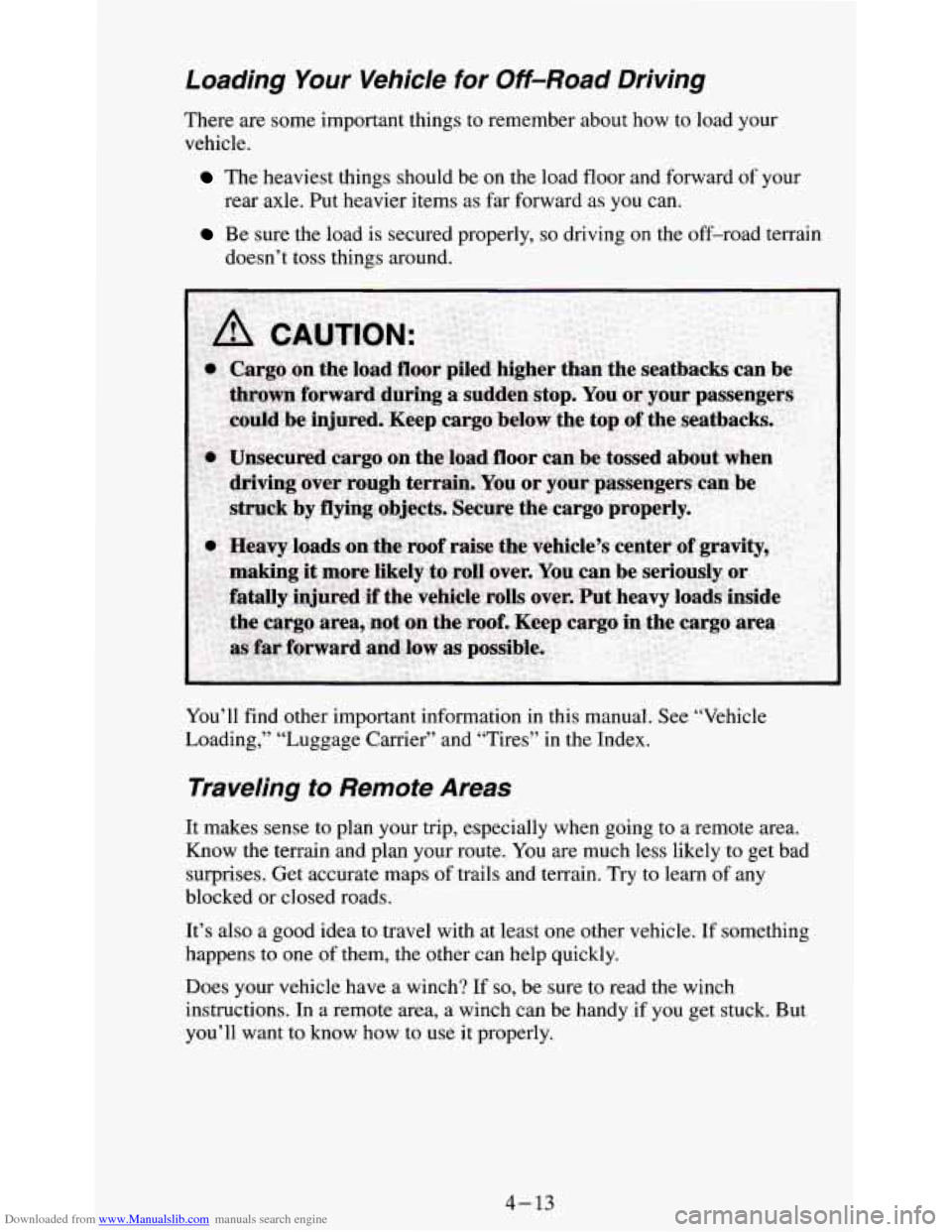
The heaviest things should be on the load floor and forward of your
rear axle. Put heavier items as far forward as you can.
Be sure the load is secured properly, so driving on the off-road terrain
doesn’t toss things around.
You’ll find other important information in this manual. See “Vehicle
Loading,” “Luggage Carrier’’ and “Tires” in the Index.
Traveling to Remote Areas
It makes sense to plan your trip, especially when going to a remote area.
Know the terrain and plan your route. You are much less likely to get bad
surprises. Get accurate maps
of trails and terrain. Try to learn of any
blocked or closed roads.
It’s also a good idea to travel with at least one other vehicle. If something
happens to one of them, the other can help quickly.
Does your vehicle have a winch?
If so, be sure to read the winch
instructions. In a remote area, a winch can be handy if
you get stuck. But
you’ll want to know how
to use it properly.
4-13
Page 165 of 354
Downloaded from www.Manualslib.com manuals search engine Include an ice scraper, a small brush or broom, a supply of windshield
washer fluid, a rag, some winter outer clothing, a small shovel, a flashlight,
a red cloth, and a couple
of reflective warning triangles. And, if you will be
driving under severe conditions, include a small bag of sand, a piece of old
carpet
or a couple of burlap bags to help provide traction. Be sure you
properly secure these items in your vehicle.
Driving on Snow or Ice
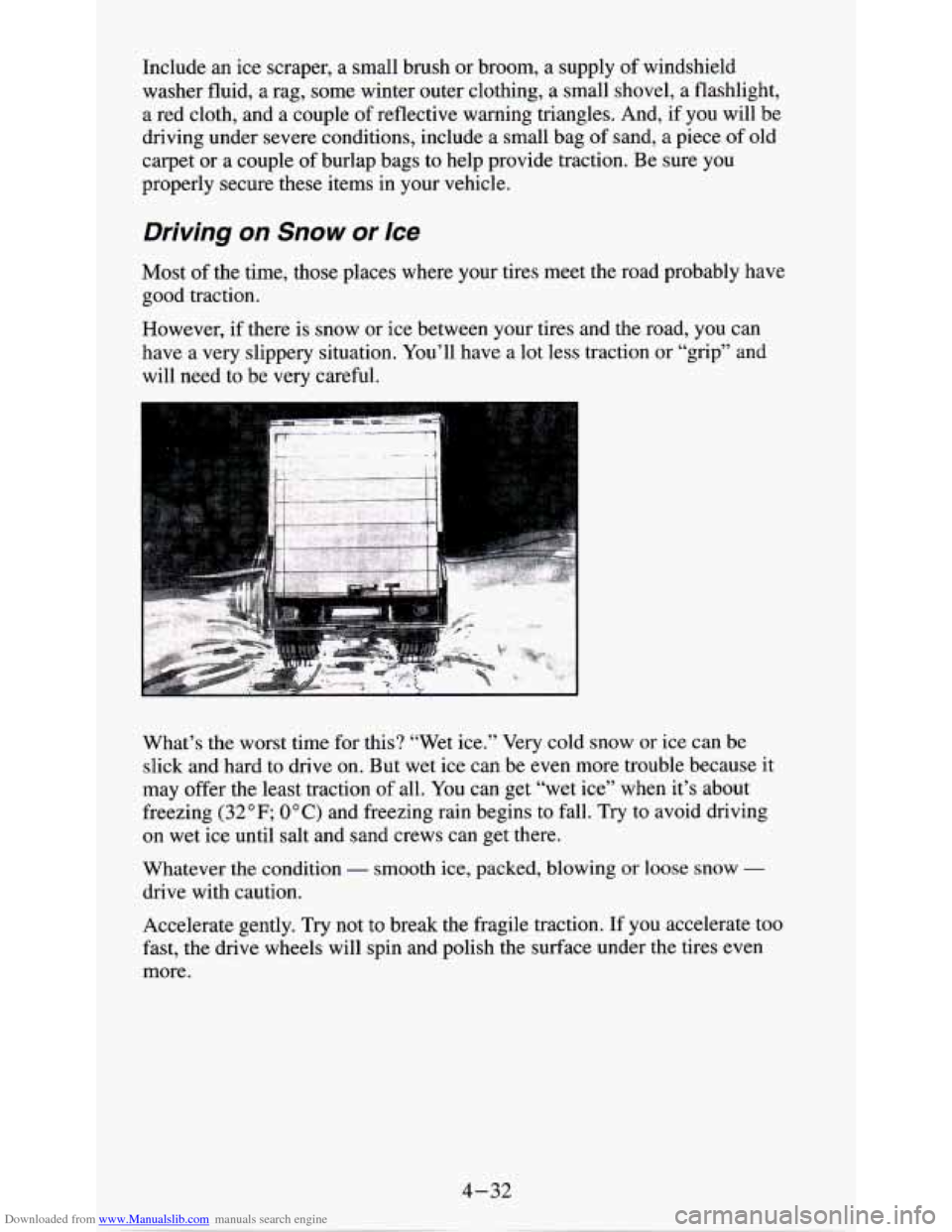
Most of the time, those places where your tires meet the road probably have
good traction.
However, if there is snow
or ice between your tires and the road, you can
have a very slippery situation. You’ll have a lot less traction or “grip” and
will need to be very careful.
What’s the worst time for this? “Wet ice.” Very cold snow or ice can
be
slick and hard to drive on. But wet ice can be even more trouble because it
may offer the least traction
of all. You can get “wet ice” when it’s about
freezing
(32 OF; OOC) and freezing rain begins to fall. Try to avoid driving
on wet ice until salt and sand crews can get there.
Whatever the condition
- smooth ice, packed, blowing or loose snow -
drive with caution.
Accelerate gently. Try not to break the fragile traction.
If you accelerate too
fast,
the drive wheels will spin and polish the surface under the tires even
more.
4-32
Page 171 of 354

Downloaded from www.Manualslib.com manuals search engine There’s also important loading information for off-road driving in this
manual. See “Loading Your Vehicle”
in the Index.
Two-Tiered Loading
By positioning four 2” x 6” wooden planks across the width of the pickup
box,
you can create an upper load platform. The planks must be inserted in
the pickup box depressions. The length
of the planks must allow for at least
3/4“ bearing surface on each end of the plank.
When using this upper load platform, be sure the load
is securely tied down
to prevent it from shifting. The load’s center of gravity should be positioned
in a zone over the rear axle. The zone is located in the area between the
front
of each fenderwell and the rear of each fenderwell. The center of
gravity height must
not extend above the top of the pickup box flareboard.
Any load that extends beyond the vehicle’s taillamp area must be properly
marked according to local laws and regulations.
Remember
not to exceed the Gross Axle Weight Rating (GAWR) of the rear
axle. See “Loading Your Vehicle”
in the Index.
Payload
The Payload Capacity is shown on the CertificatiodTire label. This is the
maximum load capacity that your vehicle can carry. Be sure to include
the
weight of the people inside as part of your load. If you added any
accessories or equipment after your vehicle
left the factory, remember to
subtract the weight
of these things from the payload. Your dealer can help
you with
this.
4-38
Page 179 of 354
Downloaded from www.Manualslib.com manuals search engine Safety Chains
You should always attach chains between your vehicle and your trailer.
Cross the safety chains under the tongue of the trailer
so that the tongue will
not drop to the road if it becomes separated from the hitch. Instructions
about safety chains may be provided by the hitch manufacturer or by the
trailer manufacturer. Follow the manufacturer’s recommendation for
attaching safety chains and do not attach them to the bumper. Always leave
just enough slack
so you can turn with your rig. And, never allow safety
chains to drag on the ground.
Trailer Brakes
If your trailer weighs more than 1,000 pounds (450 kg) loaded, then it needs
its own brakes
- and they must be adequate. Be sure to read and follow the
instructions for the trailer brakes
so you’ll be able to install, adjust and
maintain them properly.
Your trailer brakes system can tap into vehicle’s hydraulic brake system
except:
Don’t tap into your vehicle’s brake system if the trailer’s brake system will
use more than 0.02 cubic inch (0.3~~) of fluid from your vehicle’s master
cylinder. If it does, both braking systems won’t work well. You could even
lose your brakes.
Will the trailer parts take 3,000 psi (20 650 kPa)
of pressure? If not, the
trailer brake system must not be used with your vehicle.
If everything checks out this far, then make the brake fluid tap at
the port on
the master cylinder that sends fluid to the rear brakes. But don’t use copper
tubing for this. If you do, it will bend and finally break off. Use steel brake
tubing.
Driving with a Trailer
Towing a trailer requires a certain amount of experience. Before setting out
for the open road, you’ll want to get
to know your rig. Acquaint yourself
with the feel
of handling and braking with the added weight of the trailer.
And always keep
in mind that the vehicle you are driving is now a good
deal longer and not nearly as responsive as your vehicle
is by itself.
Before
you start, check the trailer hitch and platform (and attachments),
safety chains, electrical connector, lights, tires and mirror adjustment. If the
trailer has electric brakes, start your vehicle and trailer moving and then
apply the trailer brake controller by hand to be sure
the brakes are working.
This lets you check your electrical connection at
the same time.
During your trip, check occasionally
to be sure that the load is secure, and
that the lights and any trailer brakes are still working.
4-46
Page 214 of 354
Downloaded from www.Manualslib.com manuals search engine Tightening Wheel Nut Tightening Sequence
,
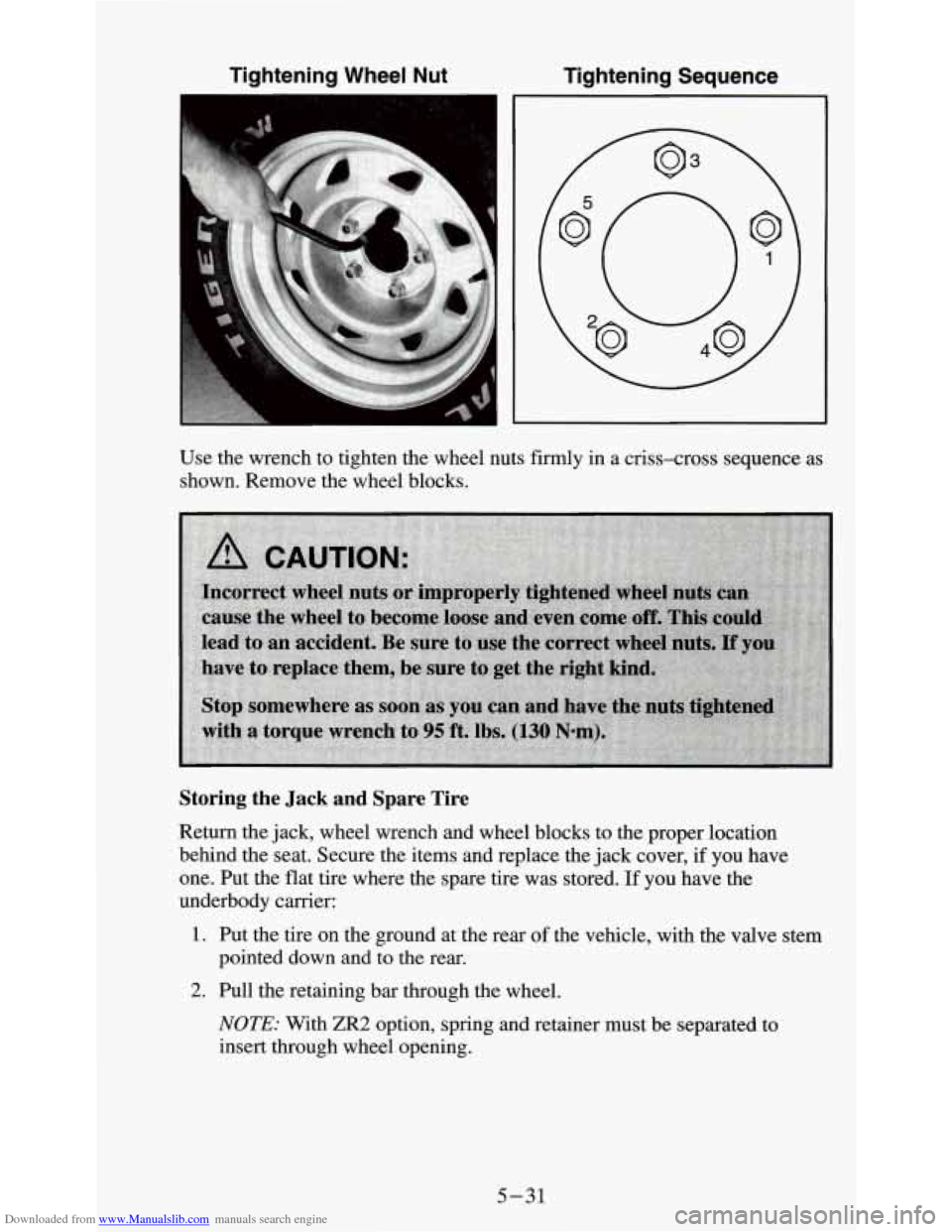
Use the wrench to tighten the wheel nuts firmly in a criss-cross sequence as
shown. Remove the wheel blocks.
Storing the Jack and Spare Tire
Return the jack, wheel wrench and wheel blocks to the proper location
behind the seat. Secure the items and replace the jack cover,
if you have
one. Put the flat tire where the spare tire was stored.
If you have the
underbody carrier:
1. Put the tire on the ground at the rear of the vehicle, with the valve stem
pointed down and to the rear.
2. Pull the retaining bar through the wheel.
NOTE: With ZR2 option, spring and retainer must be separated to
insert through wheel opening.
5-31
Page 215 of 354
Downloaded from www.Manualslib.com manuals search engine 3. Put the chisel end of the wheel wrench, on an angle, through the hole in
the rear bumper and into the hoist shaft. Turn the wheel wrench
clockwise until the tire is raised against the underside
of the vehicle.
You will hear two “clicks” when the tire is secure, but pull on the tire to
make sure.
I NOTICE:
Don’t use the existing hoist to store a tire with an alumi\
num
wheel
or it could damage the wheel. Secure the tire in the pickup
bed.
If You’re Stuck: In Sand, Mud, Ice or Snow
What you don’t want to do when your vehicle is stuck is to spin your wheels
too fast. The method known as “rocking” can help
you get out when you’re
stuck, but you must use caution.
5-32