Page 47 of 380
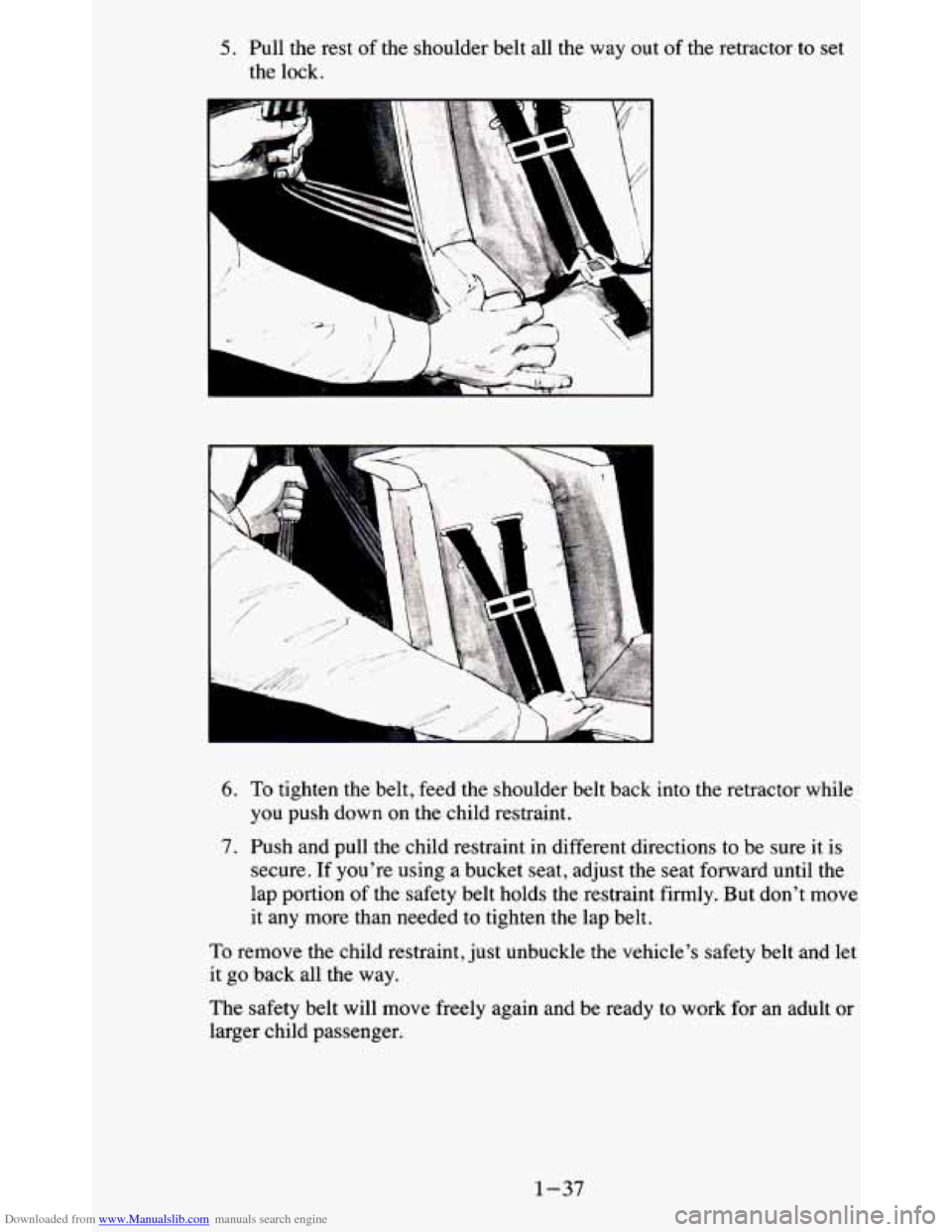
Downloaded from www.Manualslib.com manuals search engine 5. Pull the rest of the shoulder belt all the way out of the retractor to set
the lock.
Lsi
II
11
-, -
1
I
i
6. To tighten the belt, feed the shoulder belt back into the retractor while
you push down on the child restraint.
7. Push and pull the child restraint in different directions to be sure it is
secure. If you're using a bucket seat, adjust the seat forward until the
lap portion
of the safety belt holds the restraint firmly. But don't move
it any more than needed to tighten the lap belt.
To remove the child restraint, just unbuckle the vehicle's safety belt and let
it
go back all the way.
The safety belt will move freely again and be ready to work for an adult or
larger child passenger.
1-37
Page 58 of 380
Downloaded from www.Manualslib.com manuals search engine Child Security Locks
7
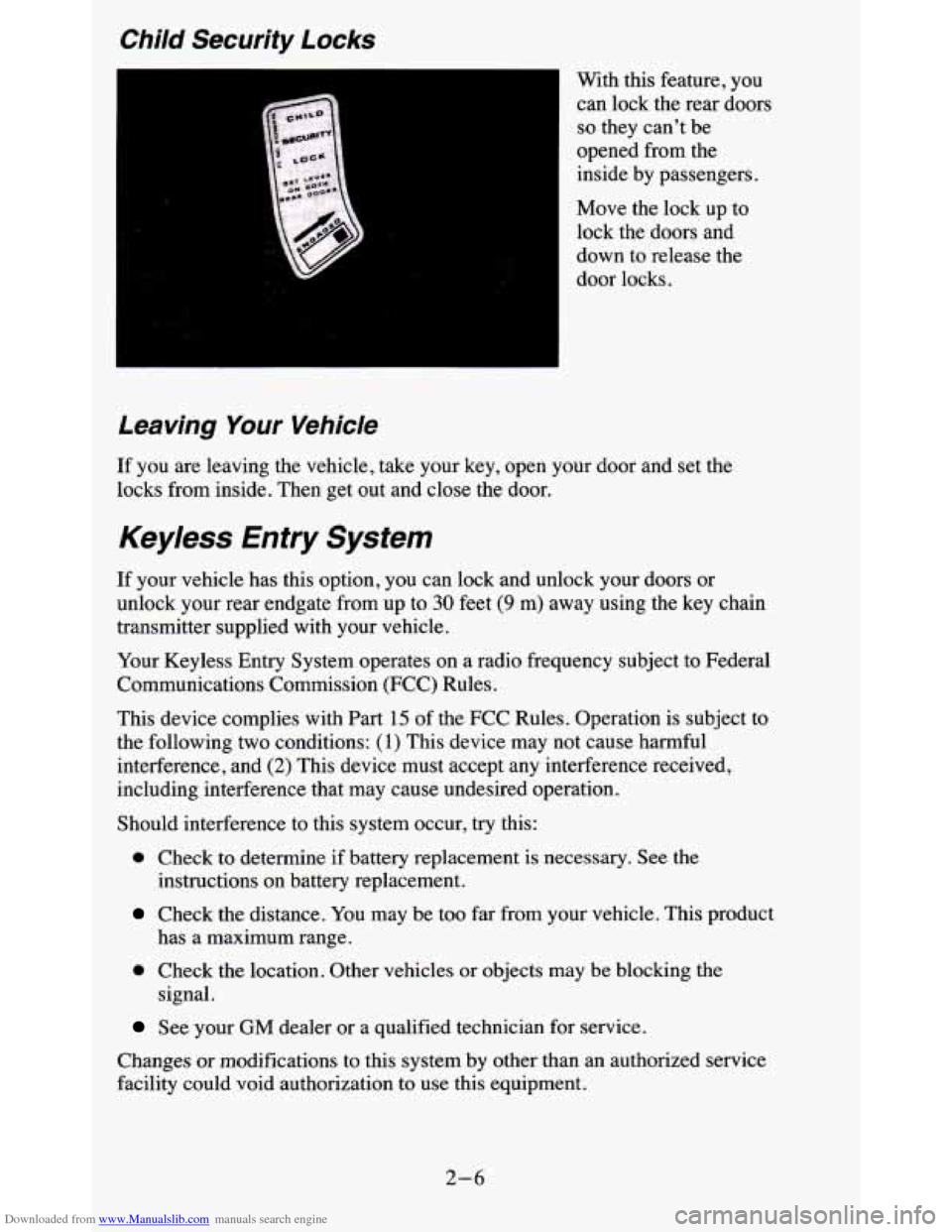
With this feature, you
can lock the rear doors
so they can’t be
opened from the
inside by passengers.
Move the lock up to
lock the doors and
down to release the
door locks.
Leaving Your Vehicle
If you are leaving the vehicle, take your key, open your door and set th\
e
locks from inside. Then get out and close the door.
Keyless Entry System
If your vehicle has this option, you can lock and unlock your doors or
unlock your rear endgate from up to
30 feet (9 m) away using the key chain
transmitter supplied with your vehicle.
Your Keyless Entry System operates on a radio frequency subject to Federal
Communications Commission (FCC) Rules.
This device complies with Part
15 of the FCC Rules. Operation is subject to
the following
two conditions: (1) This device may not cause harmful
interference, and
(2) This device must accept any interference received,
including interference that may cause undesired operation.
Should interference
to this system occur, try this:
0 Check to determine if battery replacement is necessary. See the
Check the distance. You may be too far from your vehicle. This product
instructions on battery replacement.
has a maximum range.
0 Check the location. Other vehicles or objects may be blocking the
signal.
See your GM dealer or a qualified technician for service.
Changes
or modifications to this system by other than an authorized service
facility could void authorization to use this equipment.
2-6
Page 64 of 380
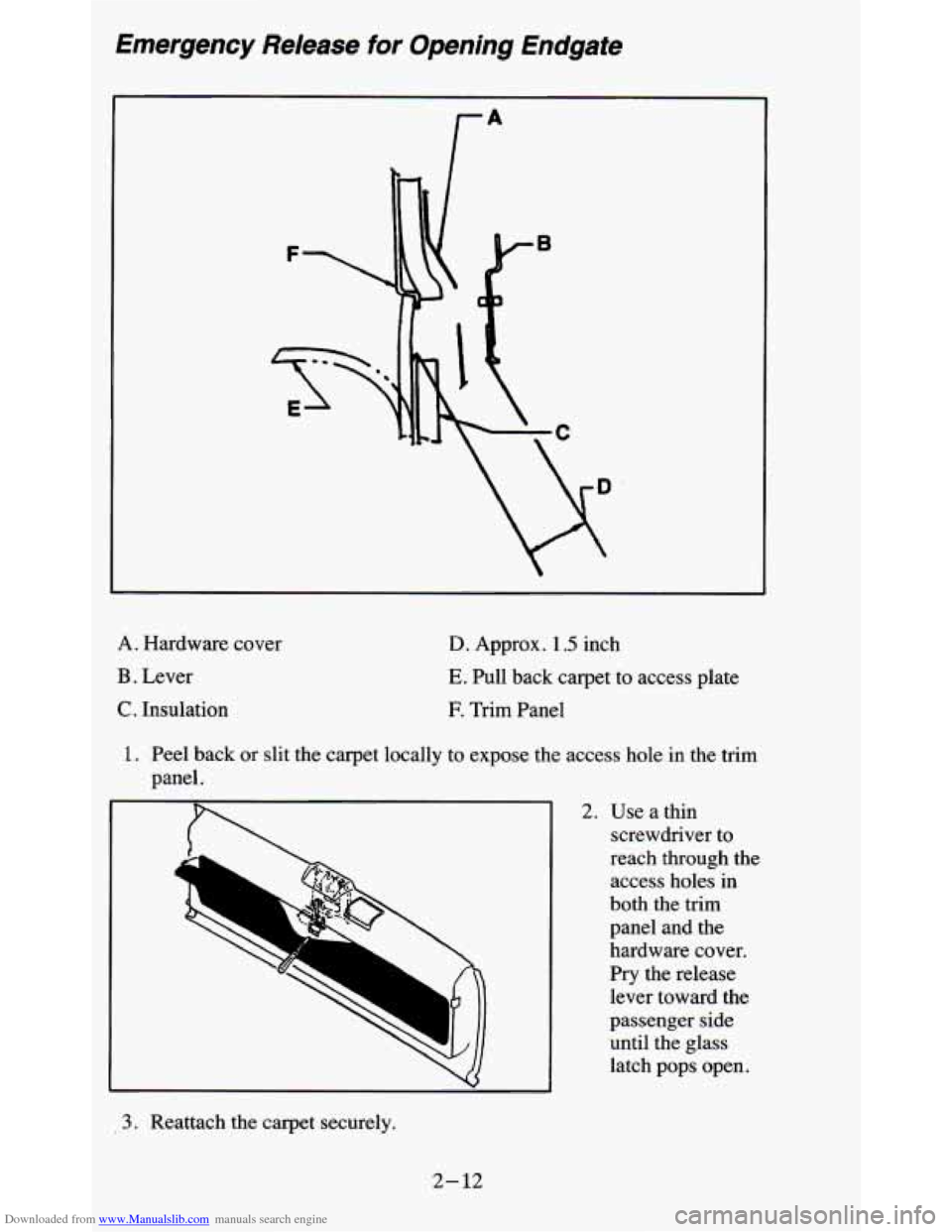
Downloaded from www.Manualslib.com manuals search engine Emergency Release for Opening Endgate
A. Hardware cover
B . Lever
C. Insulation
D. Approx. 1.5 inch
E. Pull back carpet to access plate
E Trim Panel
1. Peel back or slit the carpet locally to expose the access hole in the trim
panel.
2. Use a thin screwdriver to
reach through the access holes in
both the trim
panel and the
hardware cover.
Pry the release
lever toward the
passenger side
until the glass
latch pops open.
3. Reattach the carpet securely.
2-12
Page 116 of 380
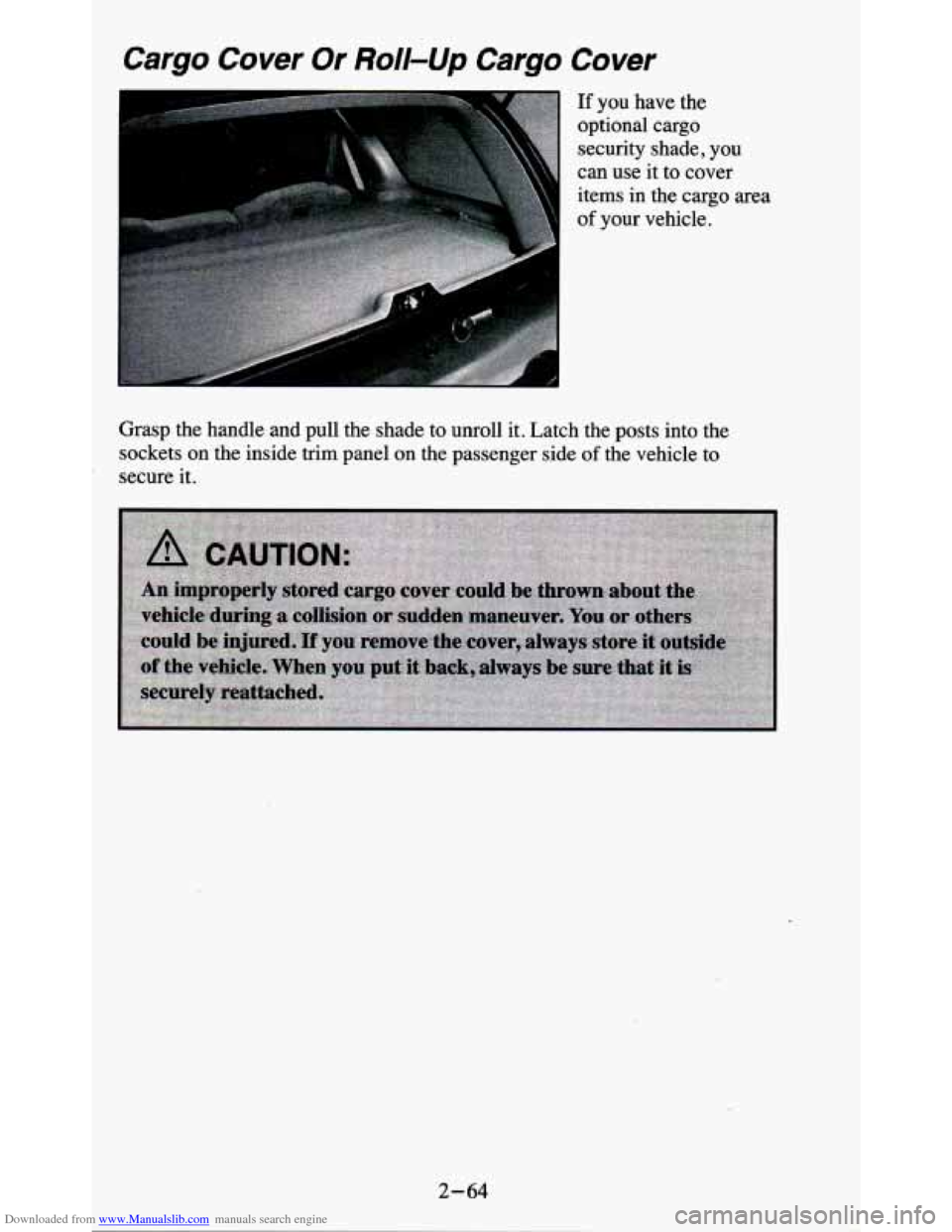
Downloaded from www.Manualslib.com manuals search engine Cargo Cover Or Roll-Up Cargo Cover
If you have the
optional cargo security shade,
you
can use it to cover
items in the cargo area
of your vehicle.
Grasp the handle and pull the shade
to unroll it. Latch the posts into the
sockets on the inside trim panel on the passenger side
of the vehicle to
secure it.
2-64
Page 131 of 380
Downloaded from www.Manualslib.com manuals search engine Voltmeter
14
49
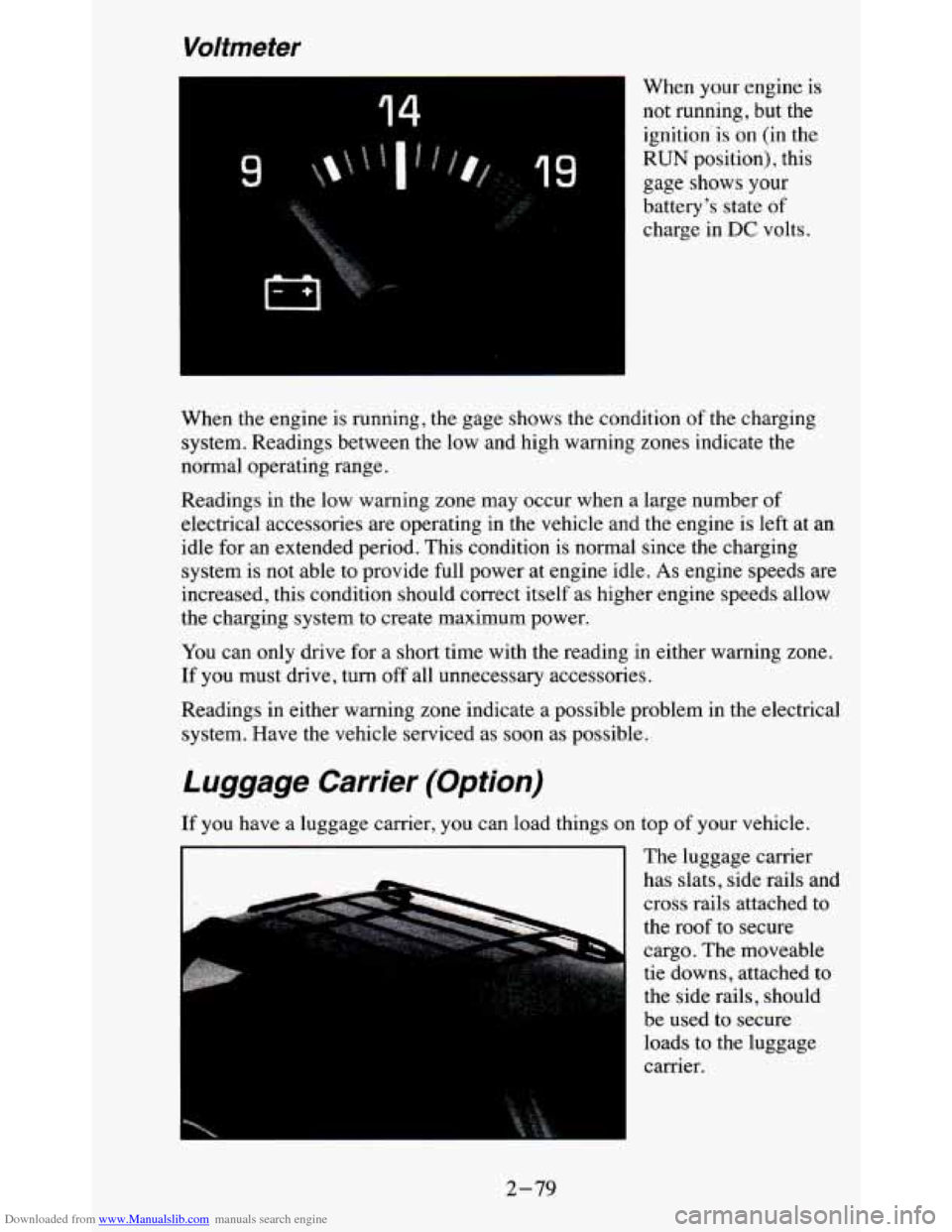
When your engine is
not running, but the ignition'is on (in the
RUN position), this
gage shows
your
battery's state of
charge in DC volts.
When the engine is running, the gage shows the condition of the charging
system. Readings between the low and high warning zones indicate the
normal operating range.
Readings in the low warning zone may occur when a large number of
electrical accessories are operating in the vehicle and the engine is left at an
idle for an extended period. This condition is normal since
the charging
system is not able to provide full power at engine idle.
As engine speeds are
increased, this condition should correct itself as higher engine speeds allow
the charging system to create maximum power.
You can only drive for
a short time with the reading in either warning zone.
If you must drive, turn
off all unnecessary accessories.
Readings in either warning zone indicate a possible problem in the electrical
system. Have the vehicle serviced as soon as possible.
Luggage Carrier (Option)
If you have a luggage carrier, you can load things on top of your vehicle.
The luggage carrier
has slats, side rails and
cross rails attached to
the roof to secure
cargo. The moveable
tie downs, attached to
the side rails, should
be used to secure loads to the luggage
carrier.
I I
2-79
Page 132 of 380
Downloaded from www.Manualslib.com manuals search engine Use GM accessory racks that are compatible with your luggage carrier for
transporting sports equipment. These are available through your
GM dealer.
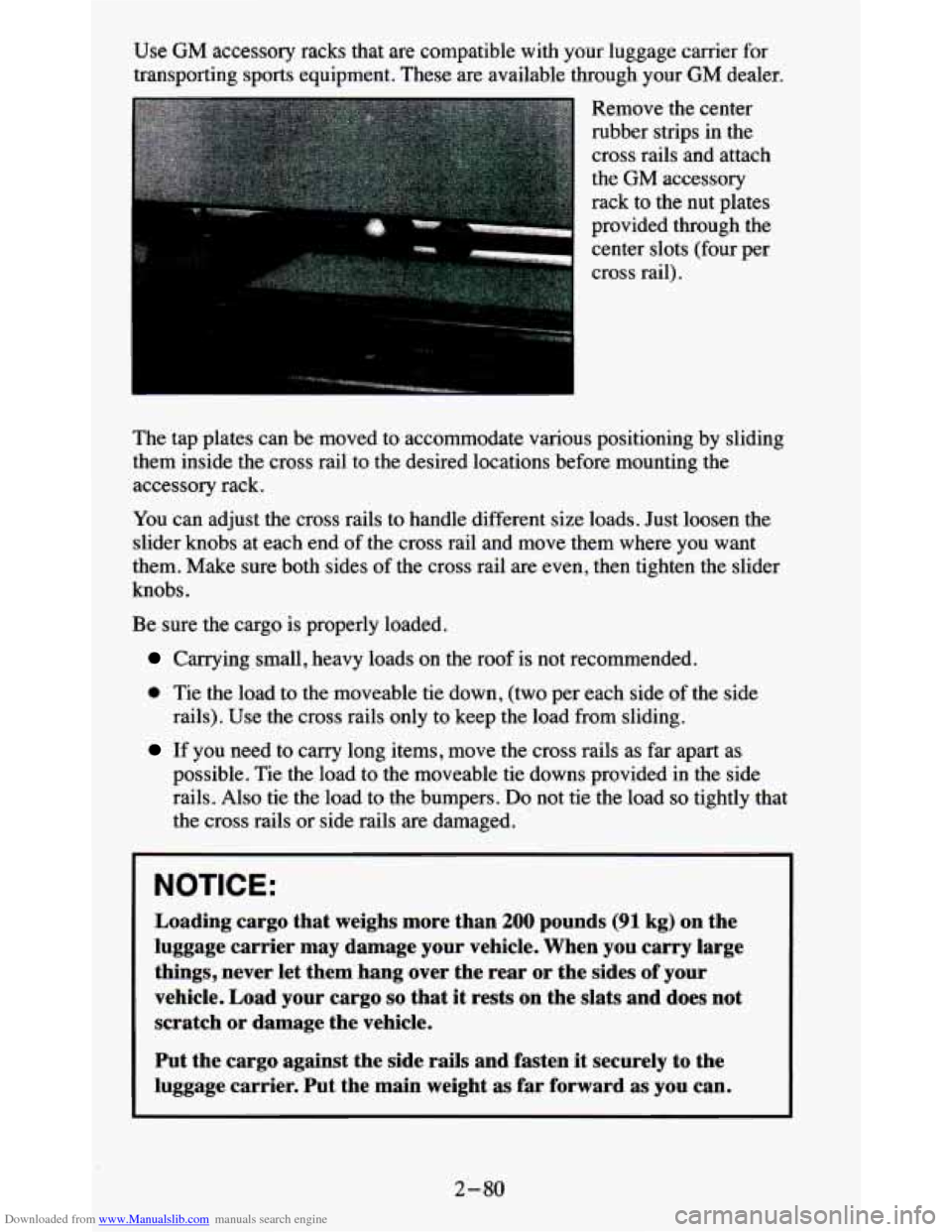
Remove the center
rubber strips
in the
cross rails and attach
the
GM accessory
rack to the nut plates
provided through the center slots (four per
cross rail).
The tap plates can be moved to accommodate various positioning by sliding
them inside the cross rail to the desired locations before mou\
nting the
accessory rack.
You can adjust the cross rails to handle different size loads. Just loosen the
slider knobs at each end of the cross rail and move them where you want
them. Make sure both sides of the cross rail are even, then tighten the slider
knobs.
Be sure the cargo is properly loaded.
Carrying small, heavy loads on the roof is not recommended.
0 Tie the load to the moveable tie down, (two per each side of the side
rails). Use the cross rails only to keep the load from sliding.
If you need to carry long items, move the cross rails as far apart as
possible. Tie the load to the moveable
tie downs provided in the side
rails. Also tie the load to the bumpers.
Do not tie the load so tightly that
the cross rails or side rails are damaged.
NOTICE:
Loading cargo that weighs more than 200 pounds (91 kg) on the
luggage carrier may damage your vehicle. When you carry large
things, never let them hang over the rear or the sides of your
vehicle. Load your cargo
so that it rests on the slats and does not
scratch
or damage the vehicle.
Put the cargo against the side rails and fasten it securely to the
luggage carrier. Put the main weight as far forward as you can.
2-80
Page 133 of 380
Downloaded from www.Manualslib.com manuals search engine Don’t exceed the maximum vehicle capacity when loading your vehicle. For
more information on vehicle capacity and loading,
see “Loading Your
Vehicle’’ in the Index.
To prevent damage or loss of cargo as you’re driving, check
now and then to
make sure the luggage carrier and cargo are still securely fastened.
Trailer Wiring Harness
Your vehicle will have a 5-wire and may have a 7-wire harness.
The light duty trailer wiring is a 5-wire harness assembly taped and bundled
at the left corner
of the vehicle. The harness has no connector, and you
should have
a qualified service person wire your harness for you.
The heavy duty trailer wiring is
a 7-wire harness assembly. It is stored
under the vehicle, along the passenger-side frame crossmember on
two-door vehicles and on the driver-side corner frame crossmember on
four-door vehicles. It has a 30-amp feed wire with an inline fuse located by
the junction block. See “Fuses and Circuit Breakers” in
the Index.
Both the 5-wire harness and the 7-wire harness have no connector and
should be wired by a qualified service person. Attach the harness to the
trailer, then tape or strap
it to your vehicle’s frame rail. Be sure you leave it
loose enough
so the wiring doesn’t bend or break, but not so loose that it
drags on the ground.
Store the harness
in its original place. Wrap the harness together and tie it
neatly
so it won’t be damaged.
2-81
Page 150 of 380
Downloaded from www.Manualslib.com manuals search engine Anti-Theft Feature
Delco LOC II@ is an Anti-Theft feature for the compact disc player. It can
be
used or ignored. If ignored, the system plays normally. If it is used, your
player won’t be usable
if it is ever stolen, because it won’t turn on.
The instructions below tell you how to enter a secret code into the system. If
your car loses battery power for any reason, you must unlock the system
with the secret code before the radio will turn
on.
To Lock The System:
1. Write down any 6 digit number and keep it in a safe place.
2. Turn the ignition to the ACC (Accessory) or RUN position.
3. Press the PWR knob to turn the radio off.
4. Press the 1 and 4 buttons together. Hold them down until “- - - ” shows
on the display.
You are now ready to enter your secret code. Don’t wait more than
15
seconds between steps.
5. Press SET and “000” will appear on the display.
6. Press the SEEK or 4 button to make the first number appear.
7. Press SCAN to make the next two numbers agree with your code.
8. Press BAND and “000” will appear again. Now you are ready to enter
9. Repeat steps 6 and 7 for the last three digits of your code.
the
last three digits of your code.
10. Press BAND and “rEF”’ will appear for 5 seconds and then “000” will
11. Repeat steps 6 through 10. This time “SEC” will appear - indicating
appear.
that the radio is
secure.
To Unlock The System After A Power Loss
When battery power is reapplied to a secured radio, the radio won’t turn on
and
“LOC” will appear,on the display.
Enter your secret code as follows. Pause
no more than 15 seconds between
steps.
1. Turn the ignition on. (Radio off.)
2. Press the SET button. The display will show “000”.
3. Enter the six digits of the code following steps 6-9 above. The display
will show the numbers as entered.
3-16