1995 CADILLAC SEVILLE stop start
[x] Cancel search: stop startPage 152 of 410
Downloaded from www.Manualslib.com manuals search engine - Traction Control System Active Message
When your traction control system is limiting wheel spin, the TRACTION
ACTIVE message will be displayed. Slippery road conditions may exist
if
will stay on for a few seconds after the traction control system stops
limiting wheel spin.
/-. .- this message is displayed, so adjust your driving accordingly. This message
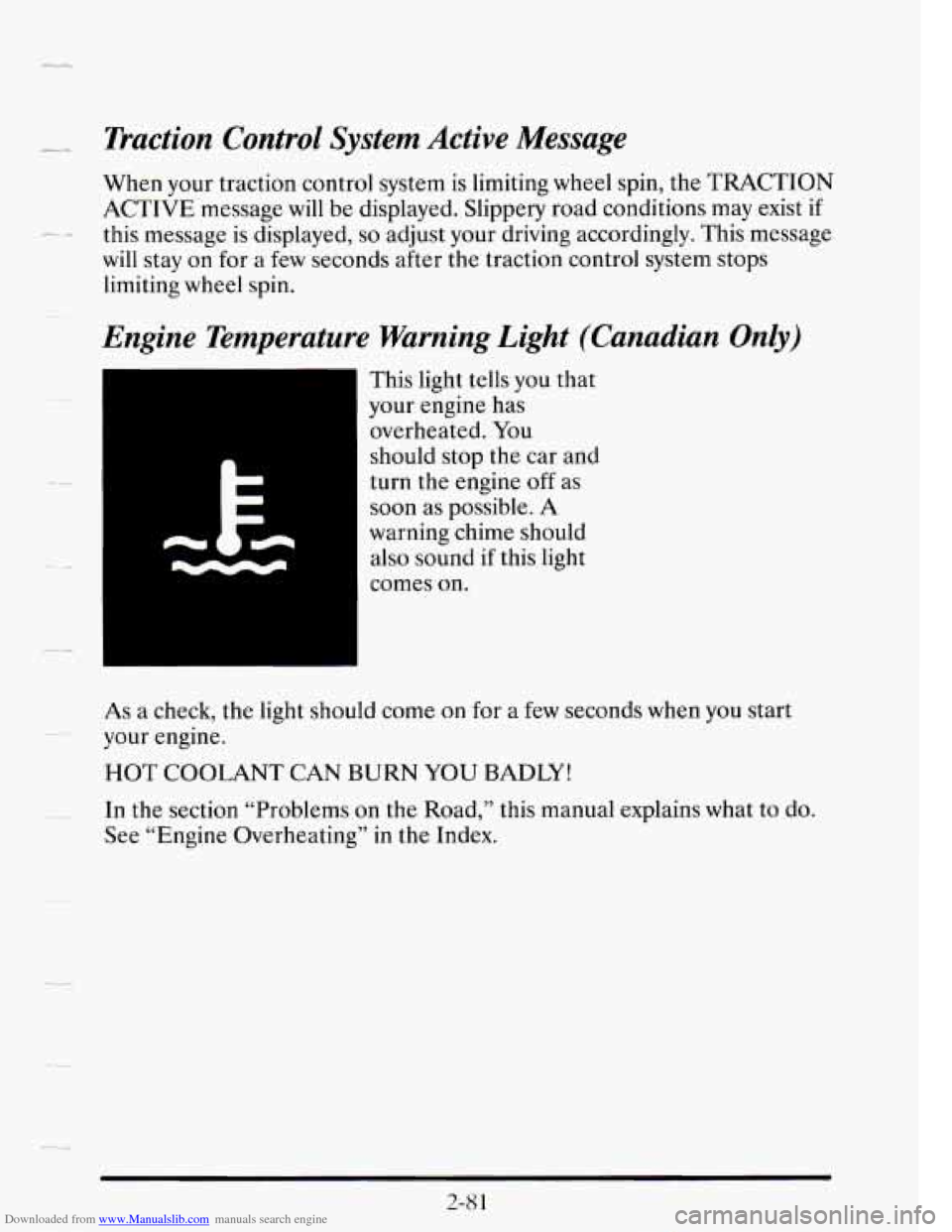
Engine Temperature Warning Light (Canadian Only)
This light tells you that
your engine has
overheated. You
should stop the car and
turn the engine
off as
soon as possible.
A
warning chime should
also sound if this light
comes
on.
As a check, the light should come on for a few seconds when you start
your engine.
HOT COOLANT CAN BURN YOU BADLY!
In the section “Problems on the Road,” this manual explains what to do.
See “Engine Overheating” in the Index.
..
2-8 1
Page 159 of 410
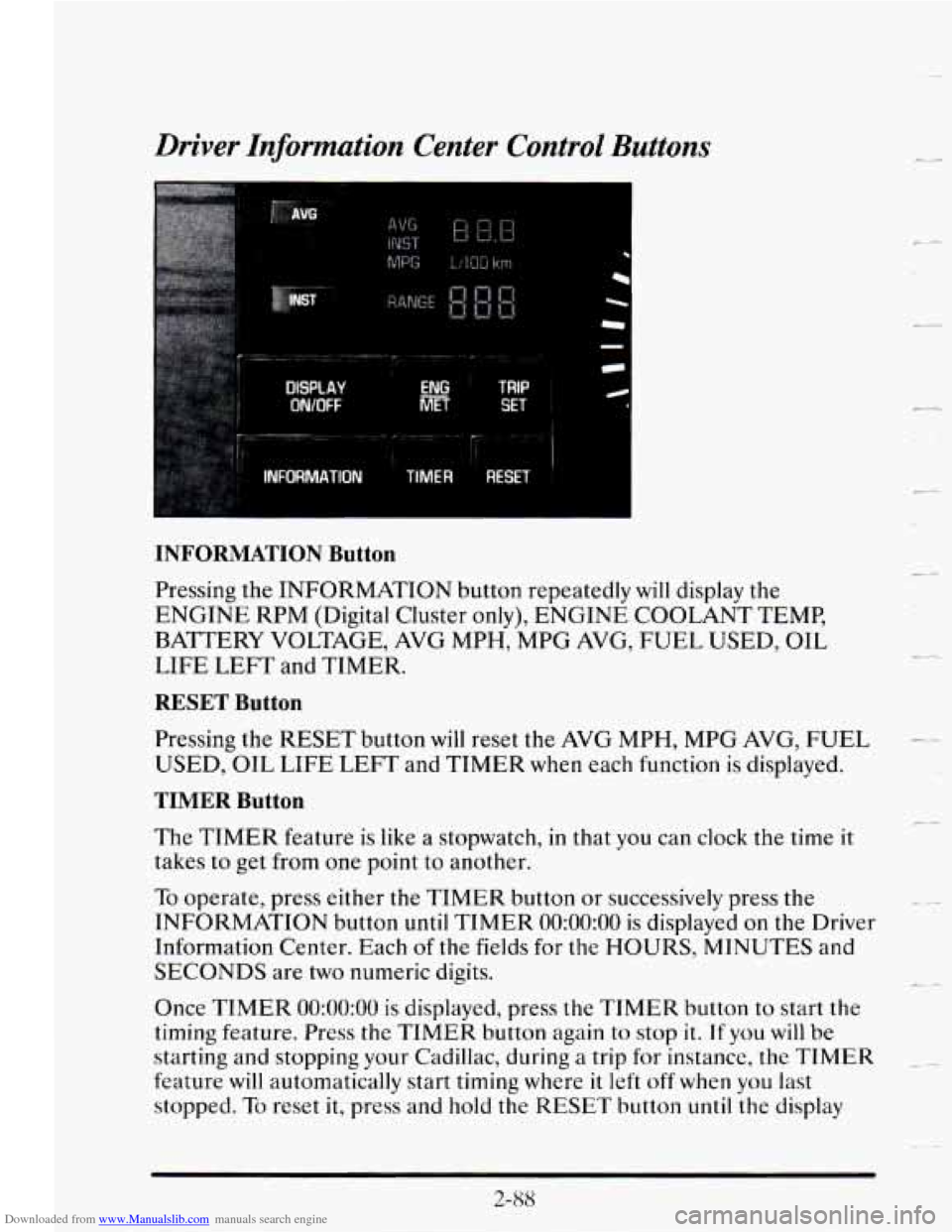
Downloaded from www.Manualslib.com manuals search engine Driver Information Center Control Buttons
AVG
DtSPtAV
WOFF
TRIP
SET
INFORMATION Button
Pressing the INFORMATION button repeatedly will display the
ENGINE RPM (Digital Cluster only), ENGINE COOLANT TEMP,
BATTERY VOLTAGE, AVG MPH, MPG AVG, FUEL USED, OIL
LIFE
LEFT and TIMER.
RESET Button
Pressing the RESET button will reset the AVG MPH, MPG AVG, FUEL
USED, OIL LIFE LEFT and TIMER when each function is displayed.
TIMER Button
The TIMER feature is like a stopwatch, in that you can clock the time it
takes to get from one point to another.
To operate, press either the TIMER button or successively press the
INFORMATION button
until TIMER 0O:OO:OO is displayed on the Driver
Information Center. Each
of the fields for the HOURS, MINUTES and
SECONDS are two numeric digits.
Once
TIMER 0O:OO:OO is displayed, press the TIMER button to start the
timing feature.
Press the TIMER button again to stop it. If you will be
starting and stopping
your Cadillac, during a trip for instance, the TIMER
feature will automatically start timing where it left off when you last
stopped.
To reset it, press and hold the RESET button until the display
(L4
L.
_4
t
c-
2-88
Page 164 of 410
Downloaded from www.Manualslib.com manuals search engine ENGINE HOT - A/C COMPRESSOR OFF - 16
-_ ..
This message will appear when the Climate Control is in AUTO or
DEFROST and the engine coolant is hotter than the normal operating
temperature. To avoid added strain on a hot engine the air conditioning
compressor is automatically turned off. When that happens, air
conditioned air is not delivered.
If the coolant temperature returns to
normal, you must select AUTO,
DEFOG or DEFROST to return to a
normal A/C compressor operation.
I_ -
FUEL LEVEL VERY LOW - 11
This message serves as a warning that the fuel level in your tank is
critically low. It means you should stop for fuel immediately.
SERVICE A/C SYSTEM A/C COMPRESSOR OFF - 14
- This message appears when the electronic sensors that control the A/C
and heating system are
no longer working. Have your Climate Control
system serviced
if you notice a drop in heating and A/C efficiency.
STARTING DISABLED DUE TO THEFT SYSTEM REMOVE
IGNITION
KEY - 33
This message will a pear when the Personalized Automotive Security
System (PASS-Key
8 11) senses that an improper ignition key is being used
to
try to start the vehicle. Check the ignition key for damage. If it is
damaged,
it may need to be replaced. If you see no damage, clean the
~ pellet contacts with a soft cloth or napkin. Remove the ignition key and
wait for the Driver Information Center
to display WAIT 3 MINUTES.
The Instrument Panel Cluster
will then run a timer and change the
messages to WAIT
2 MINUTES, WAIT 1 MINUTE, and then START
CAR. When the START CAR message is displayed,
try again to start the
engine.
SERVICE NOW - REFER TO OWNERS MANUAL - 02
This message appears if you have a problem with the Powertrain Control
Module (PCM). To correct this problem have your vehicle serviced at
your Cadillac dealership.
---
2-93
Page 165 of 410
Downloaded from www.Manualslib.com manuals search engine SERVICE RIDE CONTROL - 84
This message is displayed to indicate that the Suspension System
is not
operating properly.
To correct this problem have your vehicle serviced at
your Cadillac dealership.
CI
c d’
STOP ENGINE ENGINE OVERHEATED - 42
-
This message will appear when your engine has overheated. Stop and turn
your engine off immediately to avoid severe engine damage. See “Engine
__
Overheating” in the Index.
-2
SERVICE VEHICLE SOON - 03
’-
This message will appear if there is a problem with your Emission Control
System. If the
SERVICE ENGINE SOON light on the instrument panel
appears and then turns off, it is an indication that a temporary problem
has cleared itself.
Have your vehicle checked at your earliest convenience. -
-
STOP ENGINE LOW OIL PRESSURE - 35
If this message appears while the engine is running, stop the engine and
do not operate it until the cause of
low oil pressure is corrected. Severe
damage to the engine can result.
SERVICE AIR BAG SYSTEM - 83
If this message appears, there is a problem with your Supplemental
Inflatable Restraint (Air Bag) system. Let
only a qualified technician
work
on your vehicle. See your Cadillac dealer for service at once.
THEFT SYSTEM PROBLEM/CAR MAY NOT RESTART - 34
This message means there is a problem in the Personalized Automotive
Security System (PASS-Key%). PASS-Key@II
will prevent the vehicle
from restarting
if it is turned off, so you should take the vehicle to a
proper service center before turning the engine off. Never leave an
unattended vehicle with the engine running. Once you are where you can
get service, turn the engine
off and then try to restart it. If the vehicle
does not restart, the PASS-Key@II system
will need servicing.
TRACTION ACTIVE - 91
This message will be displayed if Traction Control is being used to reduce
wheel slippage.
c_
c
2-94
Page 182 of 410
Downloaded from www.Manualslib.com manuals search engine --
Your Cassette Tape Player
Your cassette tape player works best with tapes that are 30 to 45 minutes
long on each side. Tapes longer than that are
so thin that they may not
work well in this player.
If you look at the tape, or on its label
or box, it should say whether its bias,
or “equalization,” is
70 microseconds (70 p) or 120 microseconds (120 p).
Chrome and metal tapes are 70 p sec and standard iron tapes are 120 p sec.
Your tape player will adjust automatically for either type of cassette tape.
To Play a Cassette Tape
1. Turn the radio on.
2. Insert the cassette through the tape door. (The TAPE indicator in the
display
will light.)
If you hear nothing or hear just a garbled sound, the cassette may not be
in squarely. Press the EJCT button to remove the tape and start over. The
tape equalization
is automatically sensed and set. Inserting the cassette
also activates DOLBY
@ noise reduction.
DNR@ is the Dynamic Noise Reduction. It helps remove background hiss
noise from the radio.
“DNR’ is a registered trademark of National Semiconductor
Corporation.
3. Once the tape is playing, use the upper and lower knobs to adjust the
volume and balance, just as you do for the radio. Press the upper knob
to change tape direction. The arrow in the display shows which
direction the tape is being played.
FWD: Press this button to go forward rapidly to another part of the tape.
The radio will play during fast forward.
To stop the tape, press the same
button and
the tape will start to play.
REV: Press this button to reverse the tape. To stop the tape, press the
same button lightly or any
of the other buttons. The radio will play during
this reverse function.
3-13
Page 186 of 410
Downloaded from www.Manualslib.com manuals search engine FWD: Press this button to go forward rapidly to another part of the tape.
The radio will play during fast forward.
To stop the tape press the same
button and the tape will start to play.
REV: Press this button to reverse the tape. To stop the tape press the same
button lightly or any
of the other buttons. The radio will play during this
reverse function.
PREV: Press this button to go back to the beginning of the last selection.
If the player has played less than
10 seconds into the current selection,
pressing the PREV button will cause the player to find the beginning of
the previous selection and resume play from that point. If the player is
more than
10 seconds into the current selection, pressing the PREV
button will cause the player to find the beginning of the current selection
and resume play from that point.
If PREV is pressed while the first
selection on the tape is being played, the player will return to the
beginning
of that side of the tape.
NEXT: Press this button to advance to the next selection. If the selection
is at the end of the tape, the tape will reverse directions and begin playing
at a normal speed.
ST/PL Press this button to switch back to the radio without ejecting the
tape. Press it
a second time to start playing the tape again.
EJCT Press this button to remove the tape.
To Play a Compact Disc
Before you begin, please note: don’t use the mini-discs that are called
“singles” (even with an adapter). They won’t eject. Use full-size compact
discs only.
1. Turn the radio on.
2. Insert a CD (label side up) partway into the slot. The player will pull it
in.
Wait a few seconds and the CD will play. Then only the time of day
and
CD will display.
If the
CD comes back out, check to see if
0 The disc is upside down.
0 The disc is dirty, scratched or wet.
0 There’s too much moisture in the air. If there is, wait about one hour
and
try it again.
Page 187 of 410
Downloaded from www.Manualslib.com manuals search engine ERR: This error message is displayed if you have a condition of either
extreme temperature, moisture
or an incorrect CD. The CD will
automatically be ejected. When conditions are back to normal the CD
should play again.
RCL/PROG: Press this recall/program button once to see what track is
being played. Within
five seconds press it a second time to see how long
the track has been playing. Press it a third time to see the time of day.
REV: Press and hold the reverse button to return rapidly within a track.
Release it to play the passage. The elapsed time
will be displayed to show
the reverse progress
of the CD.
FWD: Press and hold this forward button to advance rapidly within a
track. Release it to resume playing. Elapsed time will be displayed to show
the forward progress of the CD.
PREV: Press this button to go back to the beginning of the track. Pressing
this button when in the pause period between tracks
will take it back to
the start
of the track preceding the pause.
NEXT: Press this button to advance to the next track.
ST/PL: Press this button and the tape or CD will stop without ejecting and
the radio will start to play. Press it again and the tape or CD will start to
play again.
EJCT Press this button to remove the tape or CD. If you have both a CD
and a tape in the player, then the other playback media
will start to play.
Press it again and the other media
will eject.
COMP: Pressing this button makes soft and loud passages more equal in
volume. For example, classical or jazz music has very quiet and very loud
passages in the same tune. The COMP display
will light as long as COMP
is
on.
LI
Page 209 of 410
Downloaded from www.Manualslib.com manuals search engine If your vehicle starts to slide, ease your foot off the accelerator pedal and
quickly steer the way you want the vehicle
to go. If you start steering
quickly enough, your vehicle may straighten out. Always be ready for a
second skid
if it occurs.
Of course, traction is reduced when water, snow, ice, gravel, or other
material is on the road. For safety, you’ll want to
slow down and adjust
your driving to these conditions. It is important to slow down on slippery
surfaces because stopping distance will be longer and vehicle control
-
more limited.
r
While driving on a surface with reduced traction, try your best to avoid
sudden steering, acceleration, or braking (including engine braking by
shifting to a lower gear). Any sudden changes could cause the tires to
slide. You may not realize the surface is slippery until your vehicle is
skidding. Learn to recognize warning clues
-- such as enough water, ice or --
packed snow on the road to make a “mirrored surface” -- and slow down .
when you have any doubt.
Remember: Any anti-lock brake system
(ABS) helps avoid only the
braking skid.
4-18
c