1995 CADILLAC ELDORADO reset
[x] Cancel search: resetPage 159 of 395
Downloaded from www.Manualslib.com manuals search engine LOW OIL LEVEL - 36
For correct operation of the low oil sensing system, the vehicle should be
on a level surface. A false LOW OIL LEVEL message may appear if the
vehicle is parked
on grades. The oil level sensing system does not check
for actual oil
level if the engine has been off for a short period of time,
and the
oil level is never sensed while the engine is running. If the LOW
OIL LEVEL message appears, and your vehicle has been parked on level
ground with
the engine off for at least 30 minutes, your oil level should be
checked by observing the oil dipstick. Prior to checking your oil level be
sure your engine has
been off for five minutes and your vehicle is on a
level surface. Then check your dipstick and add oil if necessary. See
“Engine
Oil” in the Index.
CHECK WASHER FLUID - 25
This message will appear for a few seconds indicating that you need
washer solvent.
CHANGE OIL SOON - 40
This message will appear when you have used 90% of the engine oil’s
expected life, based on your driving patterns.
CHANGE ENGINE OIL - 82
This means that the life of your engine oil has expired and it should be
changed within 200 miles. See “Engine Oil” and “Filter
Recommendations”
in the Maintenance Schedule. After an oil change the
Oil Life Index must be resct. See “Oil Life Indicator” in the Index on how
to reset it.
CRUISE ENGAGED - 43
This message will appear for a few seconds when you select a speed at
which to cruise.
ENGINE COOLANT HOT - 44
This message will appear when your engine coolant temperature is over
248’ F (126’ C). To avoid added strain on a hot cngine turn off your
Climate Control system. Stop and allow your vehicle
to idle until it cools
down or the message is removed.
If it does not cool down, turn off your
engine and have it serviced before driving
it again. Severe engine damage
can result from an overheated engine. See “Engine Overheating” in the
Index.
2-88
Page 162 of 395
Downloaded from www.Manualslib.com manuals search engine TRACTION DISABLED - 88
m This message will be displayed if a problem is noted in the Traction
Control System. Have your vehicle serviced as soon as possible.
TRANS FLUID RESET - 48
With the engine not running and
the ignition ON, press and hold the OFF
and REAR DEFOG buttons until the TRANS FLUID RESET message
appears
in the Information Center (between five and 20 seconds).
TURN SIGNAL ON - 20
This message is a reminder, after driving about a mile, that you have your
turn signal on.
TRUNK OPEN - 24
This message indicates that your trunk is open when the ignition is ON.
VERY LOW REFRIGERANT A/C COMPRESSOR OFF - 12
This message means that the Air Conditioning system detects a
refrigerant level that is
low enough to cause damage to the A/C
compressor. To avoid damage the A/C compressor automatically turns off
and the Electronic Climate Control will automatically switch from AUTO
to ECON and remain there. Have your A/C system serviced
if this
message appears.
Speed Sensitive Steering (SSS)
This system varies the amount of steering effort proportionate to your
vehicle speed. Steering
is easier at a lower speed for increased
maneuverability and parking ease. As your vehicle speed increases, the
steering effort is also increased proportionately. At highway speeds the
amount
of steering effort is greatly increased to provide a manual-like
steering feel for maximum control and enhanced vehicle stability.
2-9 1
Page 164 of 395
Downloaded from www.Manualslib.com manuals search engine The Oil Life Indicator may say to change the oil sooner than your
Maintenance Schedule. This can happen
if driving conditions, such as
short trips in cold weather, cause shorter oil life. Always keep a written
record
of the mileage and date when you last changed your oil. For more
information on when to change your oil, see the Cadillac Maintenance
Schedule Booklet.
If you see CHANGE
OIL SOON, it means that you have less than 10% of
your oil life left and you should consider changing your engine oil.
If you see CHANGE ENGINE OIL, it means the oil life is gone and
you should change the oil right away (certainly within 200 more miles
E320 km]).
The system should indicate to change the oil between 3,000 miles
(5 000 km) and 7,500 miles (12 500 km), but it may even indicate to
change it before 3,000 miles under very severe conditions. It all depends
on your driving patterns. If it’s been
7,500 miles (12 500 km), it indicates
to change the oil.
There are two things the system doesn’t do:
It can’t sense heavy dust in the places where you drive. If you drive in a
dusty area, you should change your oil
every 3,000 miles (5 000 km) or
three months (whichever comes first) unless the display says
to change
it even sooner than that.
It doesn’t check how much oil you have, so you’ll still have to check for
that. To see how, see “Engine Oil” in the Index.
When You’ve Changed the Oil
When new oil is put in, you’ll need to reset your system. To do this, display
the OIL LIFE INDEX by pressing the INFORMATION button. Then
press and hold the
RESET buttons until the display shows 100 OIL LIFE
LEFT
2-93
Page 239 of 395
Downloaded from www.Manualslib.com manuals search engine ENGINE OKEMEATING
The Driver Information Center will display either ENGINE COOLANT
HOT-IDLE ENGINE or
STOP ENGINE ENGINE OVERHEATING.
In addition you will find the warning light about a hot engine on your
instrument panel on Canadian vehicles.
Overheated Engine Protection Operating Mode
Should a low coolant condition exist and the message STOP ENGINE
ENGINE OVERHEATING is displayed, an overheat protection mode
which alternates firing groups of four cylinders helps prevent engine
damage. This operating
mode allows your vehicle to be driven to a safe
place
in an emergency; you may drive up to 50 miles (80 km). Towing a
trailer in the overheat protection mode should be avoided.
NOTICE:
After driving in the “Overheated Engine Protection Operating
Mode,” to avoid engine damage, allow the engine
to cool before
attempting any repair. The engine oil may be severely degraded.
Change the oil and reset the
oil life indicator. See “Engine Oil,
When
to Change” in the Index.
5-12
Page 274 of 395
Downloaded from www.Manualslib.com manuals search engine Engine Oil Additives
c
Don’t add anything to your oil. Your Cadillac dealer is ready to advise if
you think something should be added.
When to Change Engine Oil
Your Cadillac has an “Oil Life Indicator.” This feature will let you know
when to change your oil and filter
-- usually between 3,000 miles (5 000
km) and 7,500 miles (12 500 km) since your last oil change. Under severe
conditions, the indicator may come
on before 3,000 miles (5 000 km).
Never drive your vehicle more
than 7,500 miles (12 500 km) or 12 months
without an oil change.
The system won’t detect dust in the oil.
So, if you drive in a dusty area, be
sure to change your oil every
3,000 miles (5 000 km) or sooner if the
CHANGE OIL
SOON light comes on. Remember to reset the Oil Life
Indicator when the
oil has been changed. For more information, see “Oil
Life Indicator” in the Index.
How to Reset the Oil Life Indicator
After the oil has been changed, display the OIL LIFE LEFT message by
pressing the INFORMATION button. Then press and hold the
RESET
button until the display shows “loo”. This resets the oil life index. The
message will remain off until the next
oil change is needed. The
percentage
of oil life remaining may be checked at any time by pressing
the INFORMATION button several times until the OIL LIFE LEFT
message appears. For more information on the
Oil Life Index feature, see
“Oil Life Index” in the Index.
Engine Coolant Heater
An engine coolant heater can be a big help if you have to park outside in
very cold weather, 0°F (-18OC) or colder. If your vehicle has this option,
see “Engine Coolant Heater” in the Index.
6- 15
Page 281 of 395
Downloaded from www.Manualslib.com manuals search engine How to Add Fluid
If the fluid level is low, add only enough of the proper fluid to bring the
level
into the cross-hatched area on the dipstick.
1. Pull out the dipstick.
2. Using a long-neck funnel, add enough fluid at the dipstick hole to
bring it to the proper level. It doesn’t take much fluid, generally less
than a pint (OSL). Don’t overfill. We recommend you use only fluid
labeled DEXRON@-111, because fluid with that label is made
especially
for your automatic transaxle. Damage caused by fluid other
than DEXRON@-111
is not covered by your new vehicle warranty.
0 After adding fluid, recheck the fluid lcvel as described under “How to
Check.”
0 When the correct fluid level is obtained, push the dipstick back in all
the way.
How to Reset Transaxle Fluid Change Indicator:
Your vehicle is equipped with a transaxle fluid change indicator. A
CHANGE TRANS FLUID message will display on the Information
Center when the powertrain computer determines that the transaxle fluid
needs to be changed or at each
100,000 miles (160 000 krn) interval,
whichever occurs first. When
this message appears, change the transaxle
fluid and reset the transaxle fluid life indicator
as follows:
1. Turn the key ON with the engine stopped.
2. Press and hold the OFF and REAR DEFOG buttons on the climate
control simultaneously until
the TRANS FLUID RESET message
appears
in the Information Center (between five and 20 seconds).
6-22
Page 285 of 395
Downloaded from www.Manualslib.com manuals search engine THERMOSTAT
Engine coolant temperature is controlled by a thermostat in the engine
coolant system. Thc thcrrnostat stops
the flow of coolant through the
radiator until the coolant reaches a preset temperature.
If your thermostat needs to be replaced an AC@ thermostat is
recommended.
POWER STEERING FLUID
a
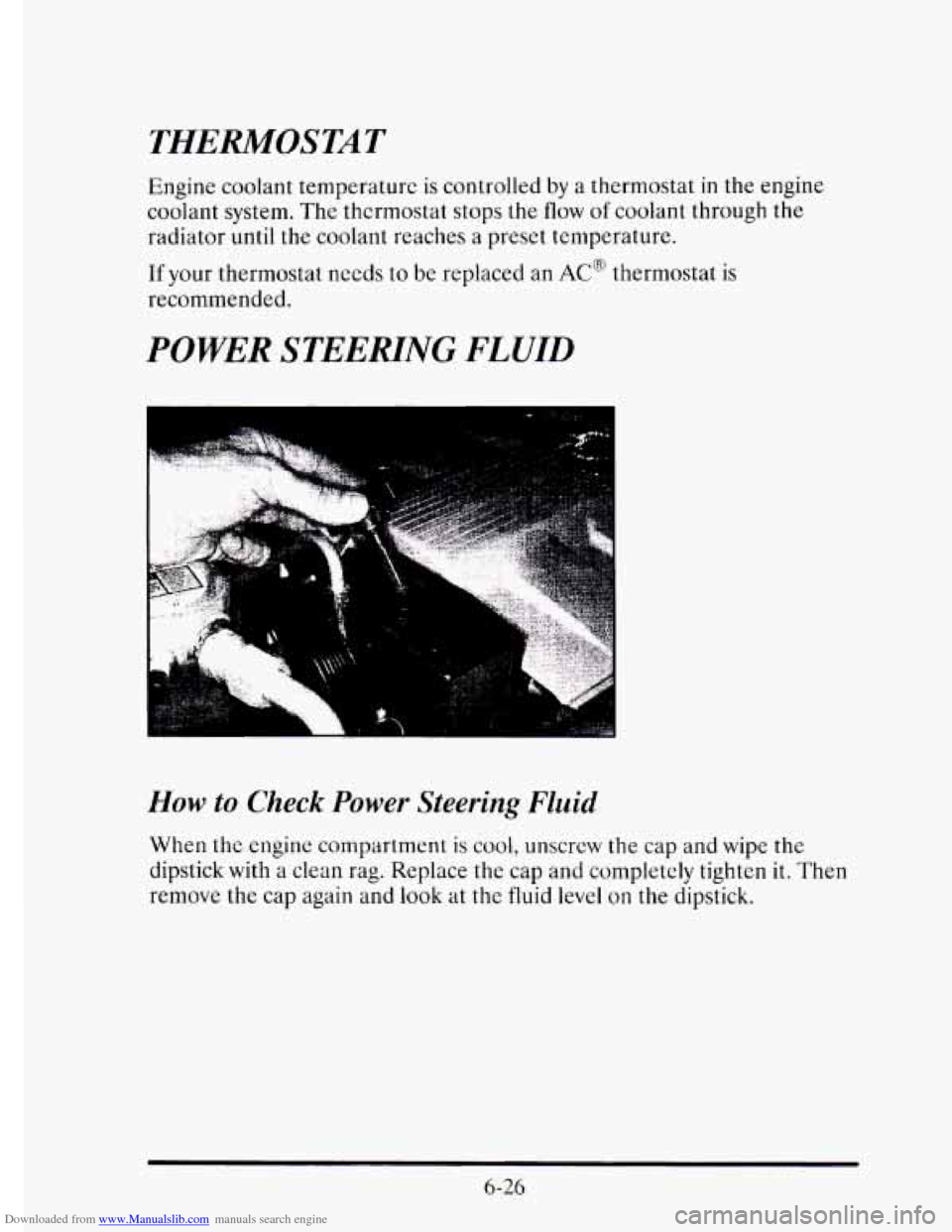
How to Check Power Steering Fluid
When the engine compartment is cool, unscrew the cap and wipe the
dipstick with a clean rag. Replace the cap and completely tighten it.
Then
remove the cap again and look at the fluid level on the dipstick.
6-26
Page 307 of 395
Downloaded from www.Manualslib.com manuals search engine Temperature - A, B, C
The temperature grades are A (the highest), B, and C, representing the
tire’s resistance to the generation of heat and its ability to dissipate heat
when tested under controlled conditions on a specified indoor laboratory
test wheel. Sustained high temperature can cause the material
of the tire
to degenerate and reduce tire life, and excessive temperature can lead to
sudden tire failure. The grade
C corresponds to a level of performance
which all passenger car tires must meet under
the Federal Motor Vehicle
Safety Standard
No. 109. Grades B and A represent higher levels of
performance on the laboratory test wheel than the minimum required by
law.
Warning:
The temperature grade for this tire is established for a tire that
is properly inflated and not overloaded. Excessive speed, underinflation,
or excessive loading, either separately or
in combination, can cause heat
buildup and possible tire failure.
These grades are molded on the sidewalls
of passenger car tires.
While the
tires available as standard or optional equipment on General
Motors vehicles may vary with respect
to these grades, all such tires meet
General Motors performance standards and have been approved for use
on General Motors vehicles. All passenger type
(P Metric) tires must
conform to Federal safety requirements
in addition to these grades.
wheel Alignment and Tire Balance
The wheels on your vehicle were aligned and balanced carefully at the
factory to give
you the longest tire life and best overall performance.
In most cases, you
will not need to have your wheels aligned again.
However,
if you notice unusual tire wear or your vehicle pulling one way
or the other, the alignment may need to be reset.
If you notice your
vehicle vibrating when driving on
a smooth road, your wheels may need to
be rebalanced.
6-48