Downloaded from www.Manualslib.com manuals search engine Comfort Controls and Audio Systems
Fade: Turn the “FADE” knob to move
the sound between the front and rear
speakers. Note that if you turn the knob
all the way to
“F” or “R,” you may still
get some sound from the opposite
speakers.
To Play a Cassette Tape
Your tape player is built to work best with
tapes that are
30 to 45 minutes long on
each side. Tapes longer than that are
so
thin they may not work well in this player.
The longer side with the tape visible goes
in first.
If you hear nothing or hear just a
garbled sound, it may not be in squarely.
Press “EJCT” to remove the tape and
start over.
Once the tape is playing, use the knobs
for volume and fade, just as you do for
radio. If both a tape and a compact disc
are loaded into
the system, press
“CNCD’ to select
the one you want.
Reverse: Press “REV” to return to a
favorite passage rapidly. Press it again to
play the passage. The radio will play
while the tape is rewinding.
Fast Forward: Press “FF” to advance
the tape rapidly. Press it again to play.
The radio will play while the tape is
advancing.
. . .I16
Repeat: Press “REPT” to go to the
beginning of
the current selection after
ten seconds or more of play. After five
seconds or less of play,
the player will
return to
the beginning of the previous
selection.
Search: Press “SRCH’ to go to the
beginning of the next selection.
Scan: Press “SCAN’ to listen to the first
eight seconds of each passage. Press it
again to stop scanning.
Program: Press the upper knob to change
the side of the tape that is playing. The
lighted arrows show which side is
currently playing.
Eject: Press “EJCT” to remove the tape.
Stop: Press “STOP-PLAY” to listen to the
radio without ejecting the cassette tape.
Press it again to go back to the tape.
Metal Tapes: Press “CrO;! ” when
playing high bias chrome or metal tapes.
To Play a Compact Disc
Don’t use the mini-discs (3” singles).
They will eject, but they won’t play. Use
only full-size compact discs. With
the audio system
on, insert a disc
into
the slot with the label side up. “CD”
will appear on the display and track
1 will
begin to play. If both
a tape and a
compact disc are loaded into the system,
press “CNCD’ to select the one you
want.
If the disc comes back out and “ERR”
appears on the display, it could be that:
The disc is upside down.
It is dirty, scratched, or wet.
0 There’s too much moisture in the air.
(Wait about an hour and try again.)
You are driving on a very rough road.
The temperature is too hot or too cold.
Recall: Press “RCL“’ to see what track is
playing. Press it again within five seconds
to see how long it has been playing, the
elapsed time (“EL TIME’).
Reverse: Press and hold “REV” to return
to a favorite passage rapidly. The
decreasing elapsed time will show on
the
display.
Fast Forward: Press and hold “FF” to
advance through passages. The increasing
elapsed time will show on the display.
Downloaded from www.Manualslib.com manuals search engine Comfort Controls and Audio Systems
Clean your tape player with a
wiping-action, non-abrasive cleaning
cassette
(GM Part No. 12344600), and
follow the directions provided with
it.
Cassettes are subject to wear and the
sound quality may degrade over time.
Always make sure that the cassette tape is
in good condition before you have your
tape player serviced.
. . .I18
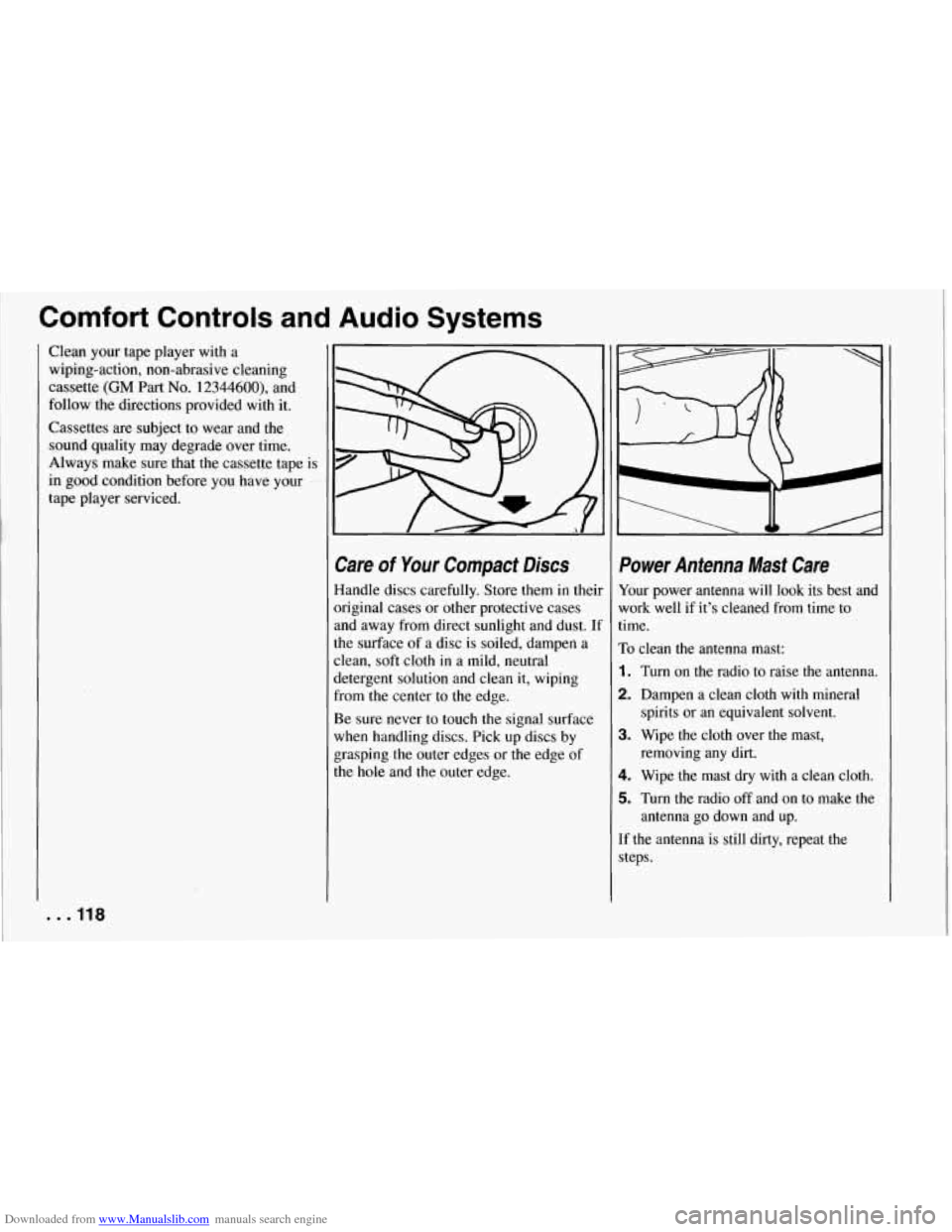
Care of Your Compact Discs
Handle discs carefully. Store them in theil
original cases or other protective cases
and away from direct sunlight and dust.
U
the surface of a disc is soiled, dampen a
clean, soft cloth in a mild, neutral
detergent solution and clean it, wiping
from the center to
the edge.
Be sure never to touch the signal surface
when handling discs. Pick up discs by
grasping the outer edges or the edge of
the
hole and the outer edge.
Power Antenna Mast Care
Your power antenna will look its best and
work well if it’s cleaned from time to
time.
To clean the antenna mast:
1. Turn on the radio to raise the antenna.
2. Dampen a clean cloth with mineral
spirits or an equivalent solvent.
3. Wipe the cloth over the mast, removing any dirt.
4. Wipe the mast dry with a clean cloth.
5. Turn the radio off and on to make the
antenna go down and up.
If the antenna is still dirty, repeat the steps.