1994 CHEVROLET BLAZER display
[x] Cancel search: displayPage 121 of 348
Downloaded from www.Manualslib.com manuals search engine The trip odometer can tell you how far your vehicle has been driven since
you last set the trip odometer to zero.
Make sure the button is completely
depressed
to reset the trip odometer.
To set the trip odometer on the standard cluster to zero, fully depress the
button near the readout.
The trip odometer on
the digital cluster will appear in place of your regular
odometer when
you press down on the Trip button. To reset the trip
odometer
on the digital cluster, press down on the Reset button. To change
back
to the regular odometer, press down on the Trip button again.
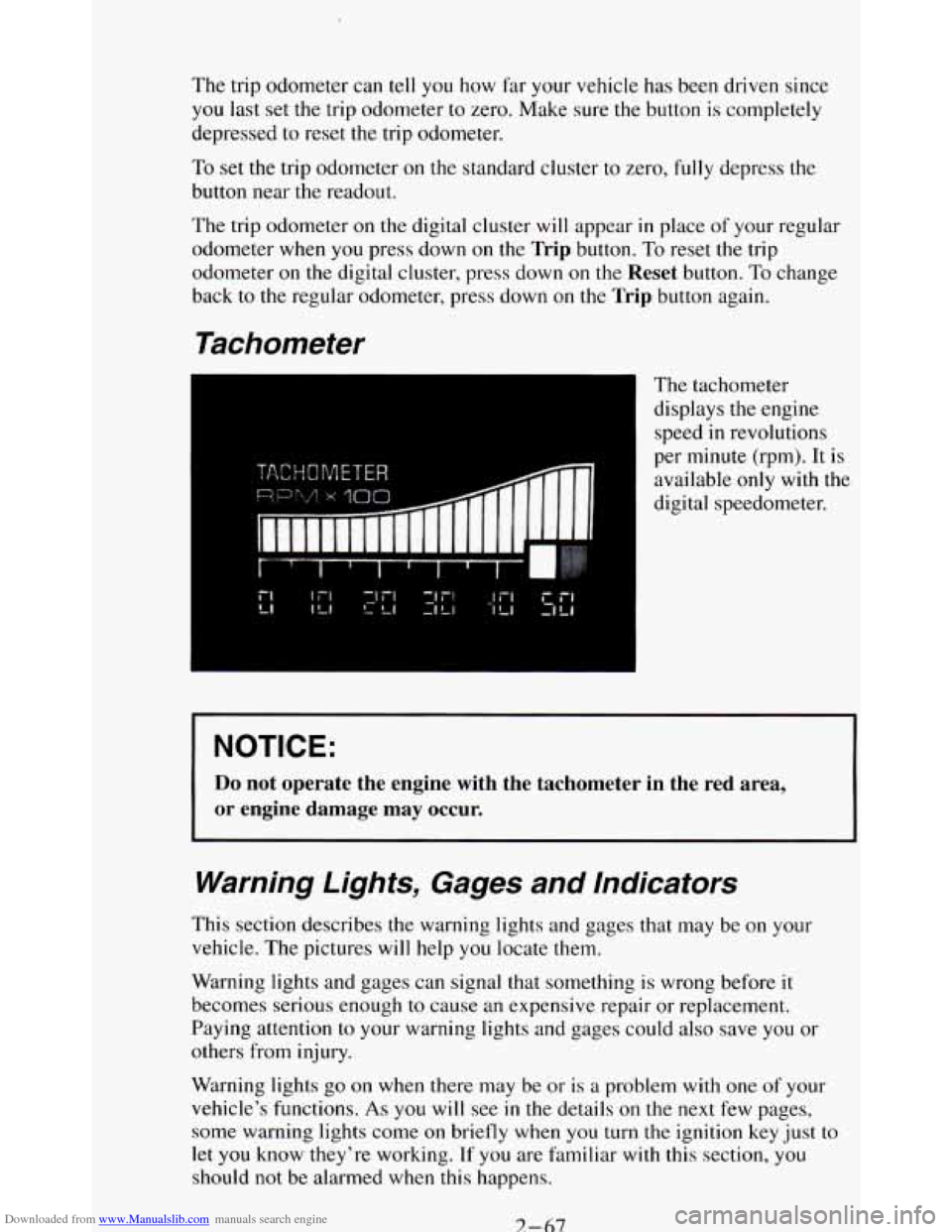
Tachometer
The tachometer
displays the engine
speed
in revolutions
per minute (rpm). It is
available
only with the
digital speedometer.
NOTICE:
Do not operate the engine with the tachometer in the red area,
or engine damage may occur.
Warning Lights, Gages and Indicators
This section describes the warning lights and gages that may be on your
vehicle. The pictures
will help you locate them.
Warning lights and gages can signal that something is wrong before it
becomes serious enough
to cause an expensive repair or replacement.
Paying attention
to your warning lights and gages could also save you or
others from injury.
Warning lights
go on when there may be or is a problem with one of your
vehicle’s functions.
As you will see in the details on the next few pages,
some warning lights come
on briefly when you turn the ignition key just to
let
you know they’re working. If you are familiar with this section, you
should not be alarmed when this happens.
7-67
Page 138 of 348
Downloaded from www.Manualslib.com manuals search engine Temperature Lever:
The lever on the left of the system lets you select the temperature of the air
flowing into your vehicle. Move the lever up for warmer air. Move the lever
down for cooler air.
Mode Function Lever:
The lever on the right of the system can be moved to three different heating
functions.
DEFROST: This setting operates the defroster. Most of the air comes out
near the windshield,
with some going to the floor vents and side window
defrost vents. Use this when you get fog or ice on the windshield.
HTR (Heater): Most of the air comes out near the floor. The rest comes out
from the defroster vents under the windshield and at the front side windows.
This
is best for cold weather.
VENT: The air comes out at the vents on your instrument panel and at your
front side windows.
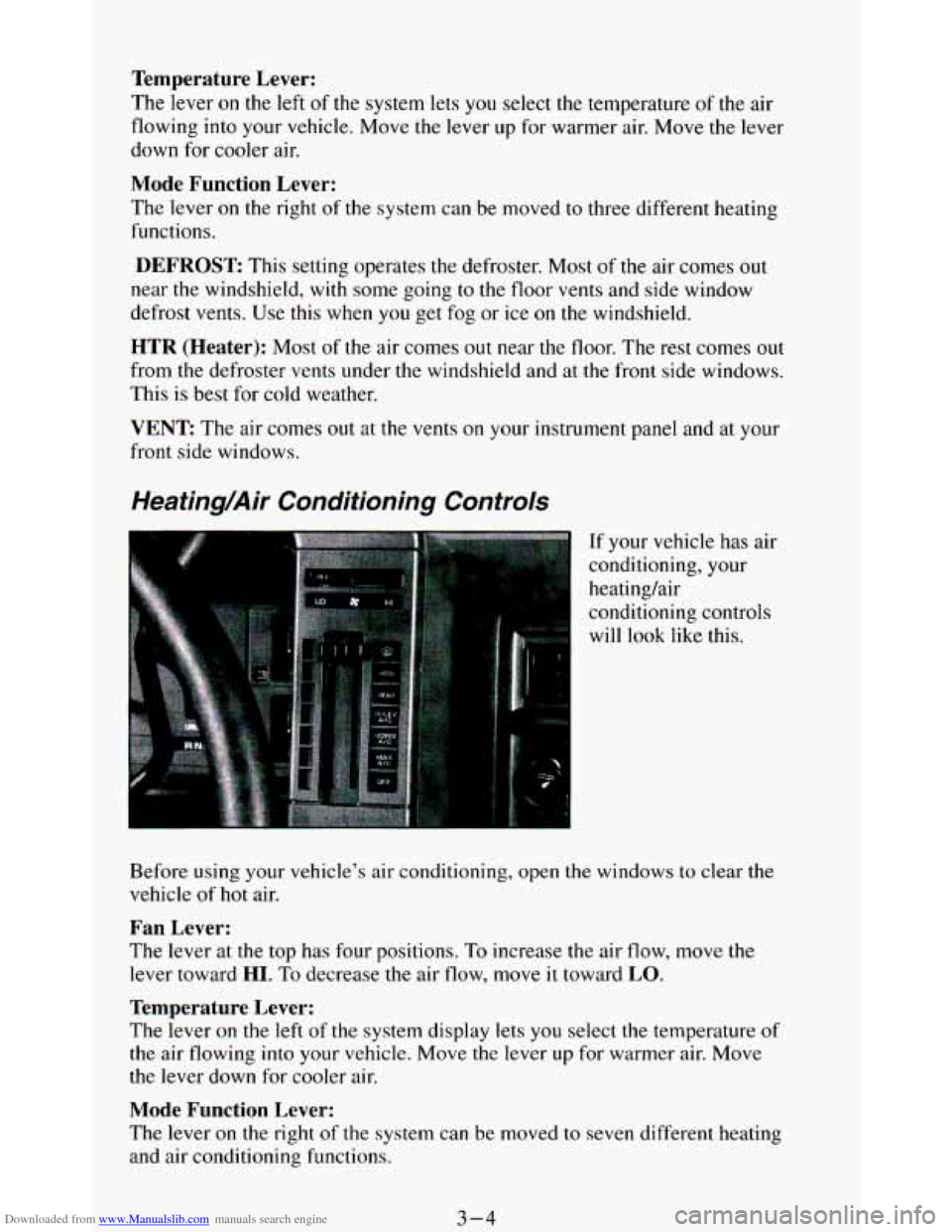
Heating/Air Conditioning Controls
If your vehicle has air
conditioning, your
heating/air
conditioning controls
will look like this.
Before using
your vehicle’s air conditioning, open the windows to clear me
vehicle of hot air.
Fan Lever:
The lever at the top has four positions. To increase the air flow, move the
lever toward
HI. To decrease the air flow, move it toward LO.
Temperature Lever:
The lever on the left of the system display lets you select the temperature of
the air flowing into your vehicle. Move the lever up for warmer air. Move
the lever down for cooler
air.
Mode Function Lever:
The lever on the right of the system can be moved to seven different heating
and air conditioning functions.
3-4
Page 142 of 348
Downloaded from www.Manualslib.com manuals search engine How to Operate Your ETW AM Radio
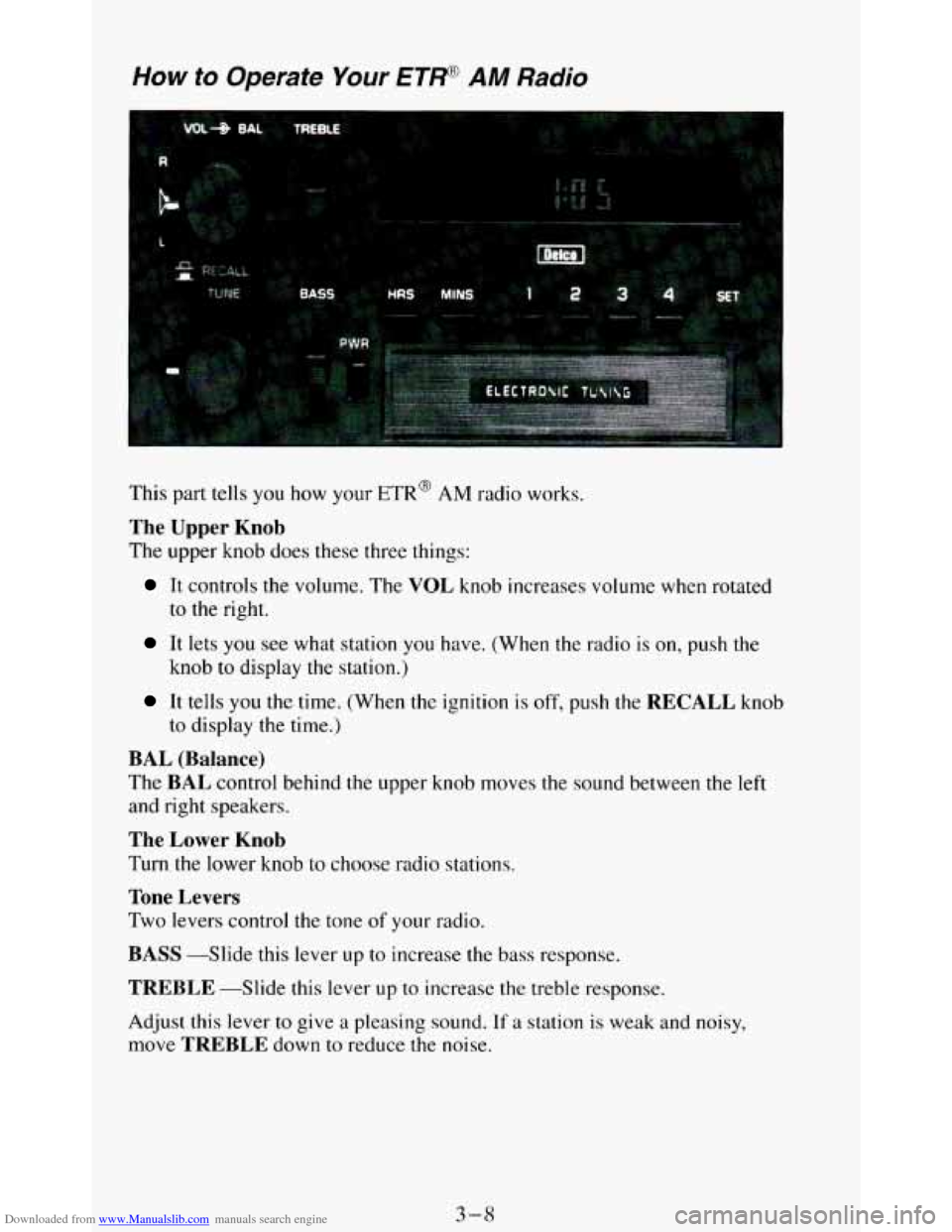
This part tells you how your ETR@ AM radio works.
The Upper Knob
The upper knob does these three things:
It controls the volume. The VOL knob increases volume when rotated
to the right.
It lets you see what station you have. (When the radio is on, push the
knob to display the station.)
It tells you the time. (When the ignition is off, push the RECALL knob
to display the time.)
BAL (Balance)
The BAL control behind the upper knob moves the sound between the left
and right speakers.
The Lower Knob
Turn the lower knob to choose radio stations.
Tone Levers
Two levers control the tone of your radio.
BASS --Slide this lever up to increase the bass response.
TREBLE -Slide this lever up to increase the treble response.
Adjust this lever to give a pleasing sound.
If a station is weak and noisy,
move
TREBLE down to reduce the noise.
3-8
Page 143 of 348
Downloaded from www.Manualslib.com manuals search engine PWR (Power)
The PWR button turns your system on and off.
Pushbuttons
The four pushbuttons let you return to favorite stations. To set the
pushbuttons, just:
0 Tune in the station.
Push SET. (SET appears in the VF display for a few seconds.)
0 Within 5 seconds, push one of the four pushbuttons. Whenever you
push that button, the preset station
will return.
NOTE: Up to three additional stations may be preset by pressing two adjoining
buttons at the same time.
Tune in the station.
0 Push SET. (SET appears in the VF display for a few seconds.)
Within 5 seconds, push any two adjoining buttons at the same time.
(The station will return when the same two buttons are pressed again.)
Clock
To set the clock, just:
Push SET.
0 Within 5 seconds, push and hold HRS (time will be displayed) until the
0 Push and hold MINS until the correct minute appears.
correct
hour appears.
To display the clock with the ignition off, push the upper knob. The time
will be displayed for a few seconds.
3-9
Page 144 of 348
Downloaded from www.Manualslib.com manuals search engine How to Operate Your
ETW AM-FM Siereo Audio Sysiem
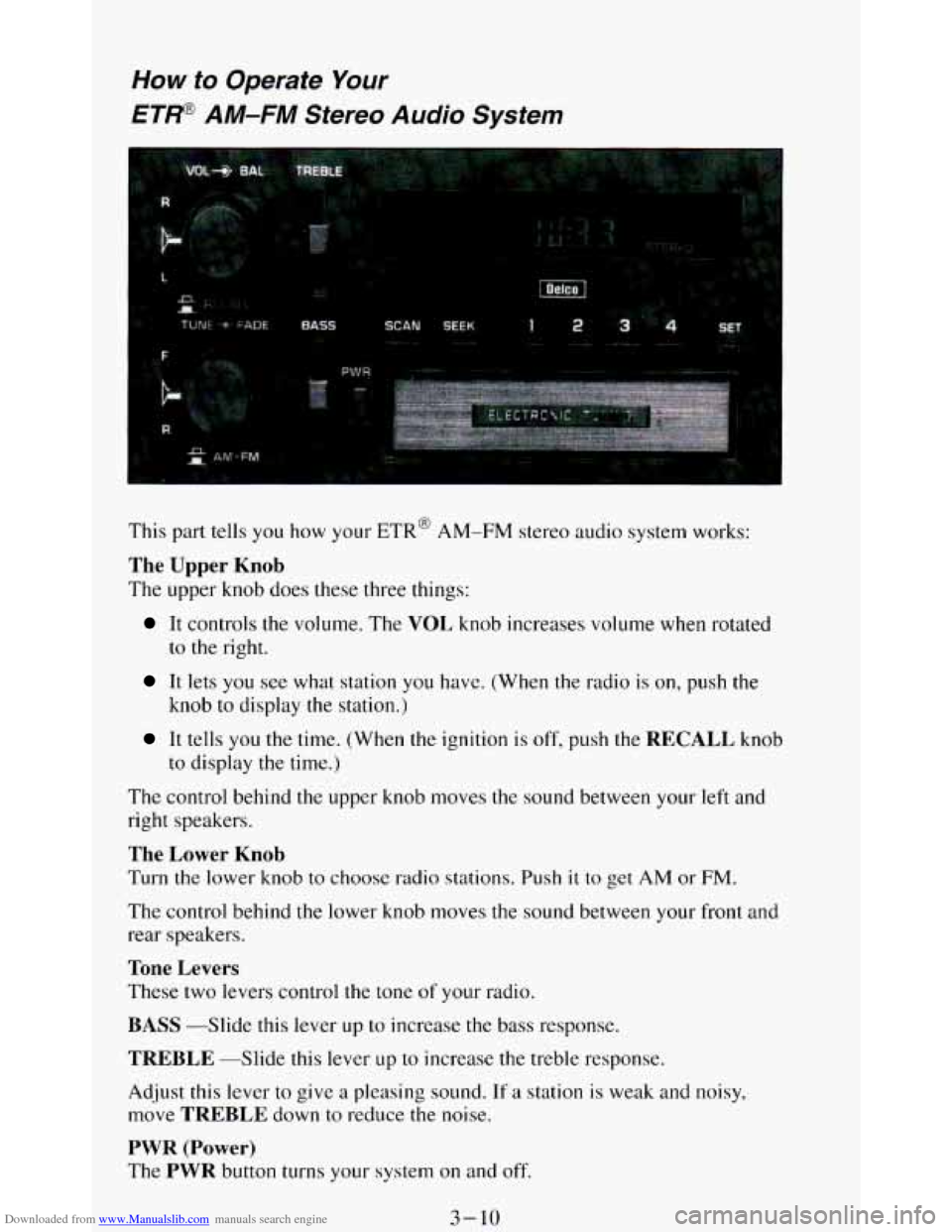
This part tells you how your ETR@ AM-FM stereo audio system works:
The Upper Knob
The upper knob does these three things:
It controls the volume. The VOL knob increases volume when rotated
to
the right.
It lets you see what station you have. (When the radio is on, push the
knob
to display the station.)
It tells you the time. (When the ignition is off, push the RECALL knob
to display
the time.)
The control behind the upper knob moves the sound between your left and
right speakers.
The Lower Knob
Turn the lower knob to choose radio stations. Push it to get AM or FM.
The control behind the lower knob moves the sound between your front and
rear speakers.
Tone Levers
These two levers control the tone of your radio.
BASS -Slide this lever up to increase the bass response.
TREBLE --Slide this lever LIP to increase the treble response.
Adjust this lever to give
a pleasing sound. If a station is weak and noisy,
move
TREBLE down to reduce the noise.
PWR (Power)
The PWR button turns your system on and off.
3-10
Page 145 of 348
Downloaded from www.Manualslib.com manuals search engine Pushbuttons
The four pushbuttons let you return to favorite stations.
You
can set the pushbuttons for up to eight favorite stations (4 AM and 4
FM). Just:
Tune in the station.
0 Push SET. (SET appears in the VF display for a few seconds.)
Within 5 seconds, push one of the four pushbuttons to store the station.
Whenever you push
that button, the preset station will return.
Repeat these steps for each pushbutton.
NOTE:
You can preset 3 more stations on each band by pushing a pair of buttons
next to each other at the same time. Just:
Tune in the station.
0 Push SET. (SET appears in the VF display for a few seconds.)
0 Within 5 seconds, push two buttons next to each other at the same time.
Whenever you push that pair of buttons, the preset station
will return.
Repeat these steps for each pair of buttons.
Scan Button
When you push this, the radio will go to the next station and stay there a
few seconds. Then it
will go to the next station and pause, and keep doing
that. Press
SCAN again to stop scanning.
Seek Button
This chooses station also, but it doesn’t keep moving as SCAN does. When
you push
SEEK the radio goes to the next station and stays there.
Clock
To set the clock, just:
Push SET.
Within 5 seconds, push and hold SCAN until the correct hour appears.
Press and hold SEEK until the correct minute appears.
To display the clock
with the ignition off, push the upper knob. The time
will be displayed for a few seconds.
3-1 1
Page 146 of 348
Downloaded from www.Manualslib.com manuals search engine How to Operate Your
ETP AM-FM Stereo Audio Cassette System
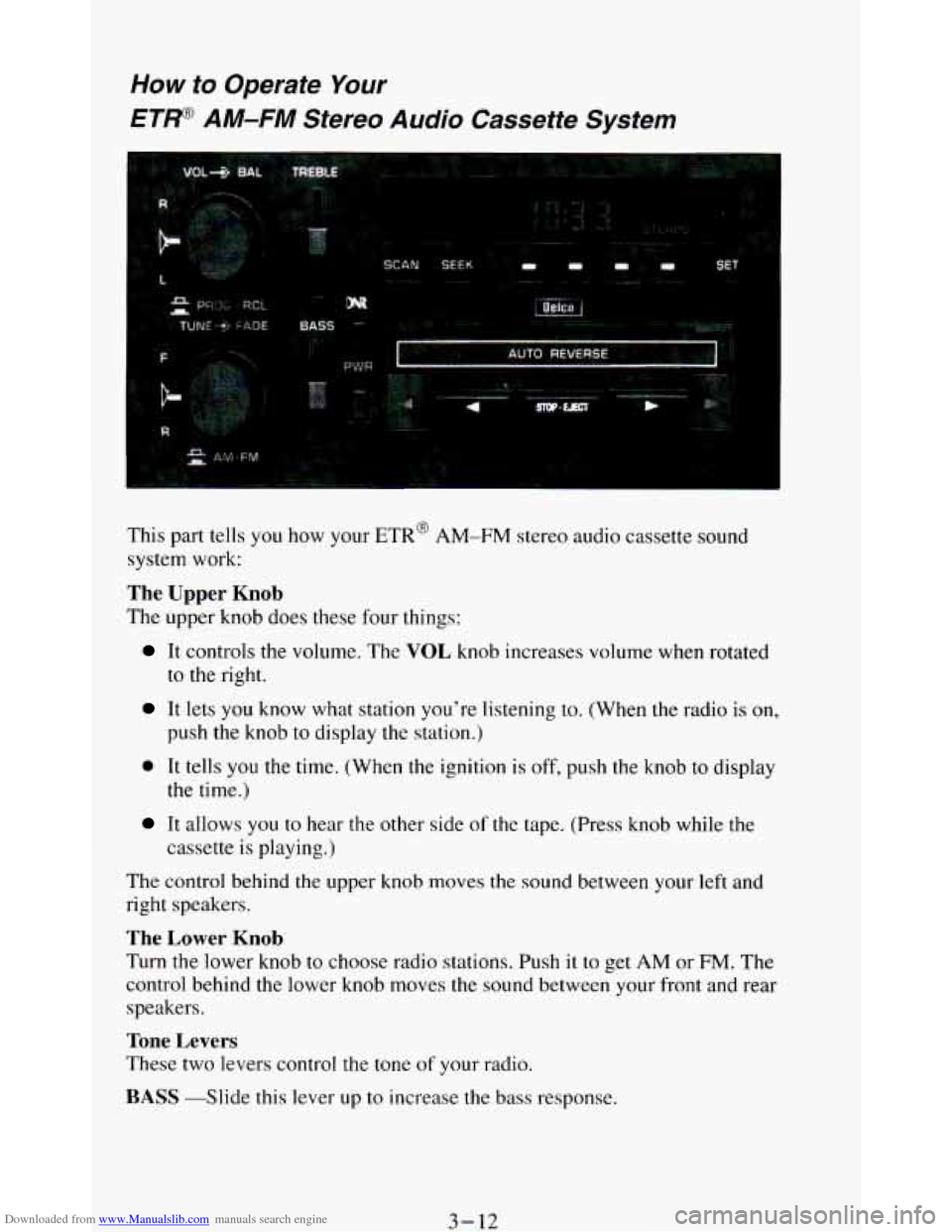
This part tells you how your ETR’ AM-FM stereo audio cassette sound
system work:
The Upper Knob
The upper knob does these four things:
It controls the volume. The VOL knob increases volume when rotated
to the right.
It lets you know what station you’re listening to. (When the radio is on,
push the knob to display the station.)
0 It tells you the time. (When the ignition is off, push the knob to display
It allows you to near the other side of the tape. (Press knob while the
the time.)
cassette
is playing.)
The control behind the upper knob moves
the sound between your left and
right speakers.
The Lower Knob
Turn the lower knob to choose radio stations. Push it to get AM or FM. The
control behind the lower knob moves the sound between your front and rear
speakers.
Tone Levers
These two levers control the tone of your radio.
BASS -Slide this lever up to increase the bass response.
3-12
Page 147 of 348
Downloaded from www.Manualslib.com manuals search engine TREBLE -Slide this lever up to increase the treble response.
Adjust these levers to give
a pleasing sound. If a station is weak and noisy,
move
TREBLE down to reduce the noise.
PWR (Power)
The PWR button turns your system on and off.
DNR @
This is the Dynamic Noise Reduction button. It helps remove background
hiss noise from the radio or tape player. You may want
to leave it pushed in
all the time.
DNR@ is
a registered trademark of National Semiconductor Corporation.
Pushbuttons
The four pushbuttons let you return to favorite stations.
You
can set the pushbuttons for up to eight favorite stations (4 AM and 4
FM). Just:
Tune in the station.
Push SET. (SET appears in the VF display for a few seconds.)
Within 5 seconds, push one of the four pushbuttons. Whenever you
push that button, the preset station will return.
Repeat these steps for each pushbutton.
NOTE: You can preset
3 more stations on each band by pushing a pair of buttons
next to each other at the same time.
Just:
Tune in the station.
Push SET. (SET appears in the VF display for a few seconds.)
Within 5 seconds, push two buttons next to each other at the same time.
Whenever
you push that pair of buttons, the preset station will return.
Repeat these steps for each pair of buttons.
Scan Button
When you push this, the radio will go to the next station and stay there a
few seconds. Then it will go to the next station and pause, and keep doing
that. Press
SCAN again to stop scanning.
Seek Button
This chooses station also, but it doesn’t keep moving as SCAN does. When
you push
SEEK the radio goes to the next station and stays there.
3-13