Page 81 of 348
Downloaded from www.Manualslib.com manuals search engine 3. If you have four-wheel drive with a manual transfer case shift lever, be
sure
the transfer case is in a drive gear - not in “N” (Neutral).
4. Move the ignition key to LOCK.
5. Remove the key and take it with you. If you can walk away from your
vehicle with the ignition
key in your hand, your vehicle is in “P”
(Park).
Leaving Your Vehicle With the Engine Running
(Automatic Transmission Models Only)
Torque Lock (Automatic Transmission)
If you are parking on a hill and you don’t shift your transmission into “P”
(Park) properly,
the weight of the vehicle may put too much force on the
parking pawl
in the transmission. You may find it difficult to pull the shift
lever
out of “P’ (Park). This is called “torque lock.” To prevent torque lock,
set the parking brake and then
shift into “P” (Park) properly before you
leave the driver’s seat. To find out how, see “Shifting Into ‘P’ (Park)” in the
Index.
When
you are ready to drive, move the shift lever out of “P” (Park)
BEFORE you release the parking brake.
If “torque
lock” does occur, you may need to have another vehicle push
yours a
little uphill to take some of the pressure from the transmission, so
you can pull the shift lever out of ‘Y’ (Park).
3 31
Page 112 of 348
Downloaded from www.Manualslib.com manuals search engine Storage Compartments
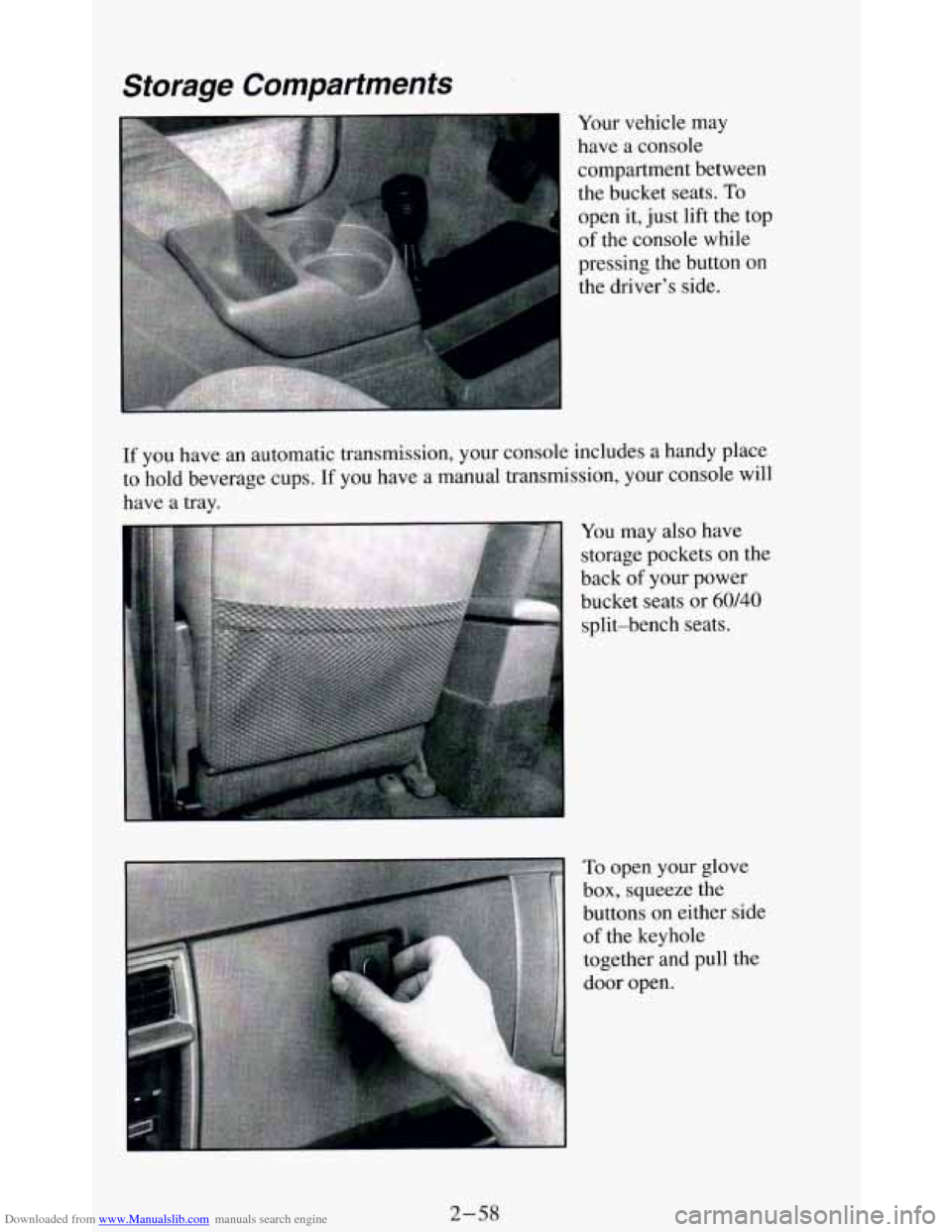
Your vehicle may
have a console
compartment between
the bucket seats.
To
open it, just lift the top
of the console while
pressing the button
on
the driver’s side.
If you have an automatic transmission, your console includes a handy place
to hold beverage cups.
If you have a manual transmission, your console will
have a tray.
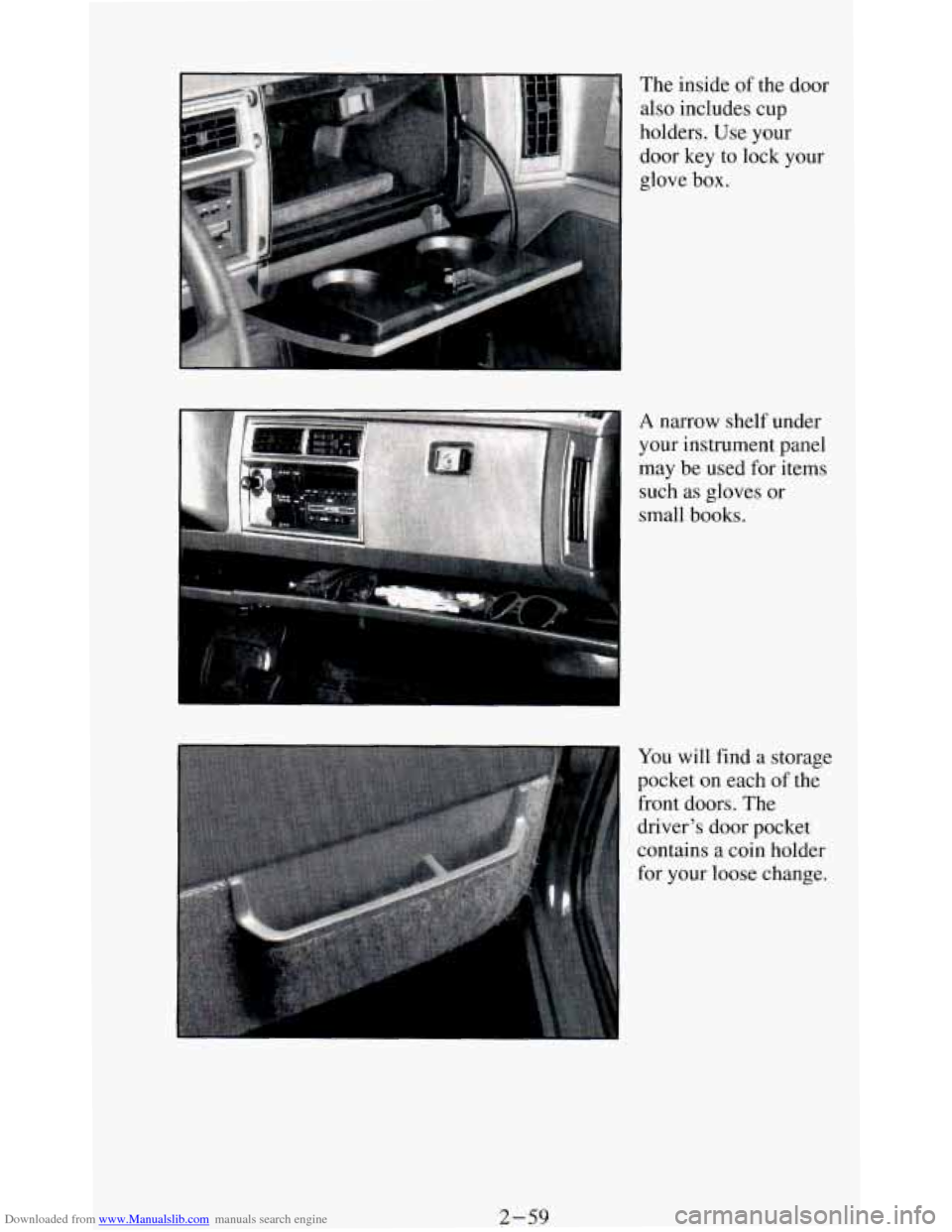
You may also have
storage pockets on the
back
of your power
bucket seats or
60140
split-bench seats.
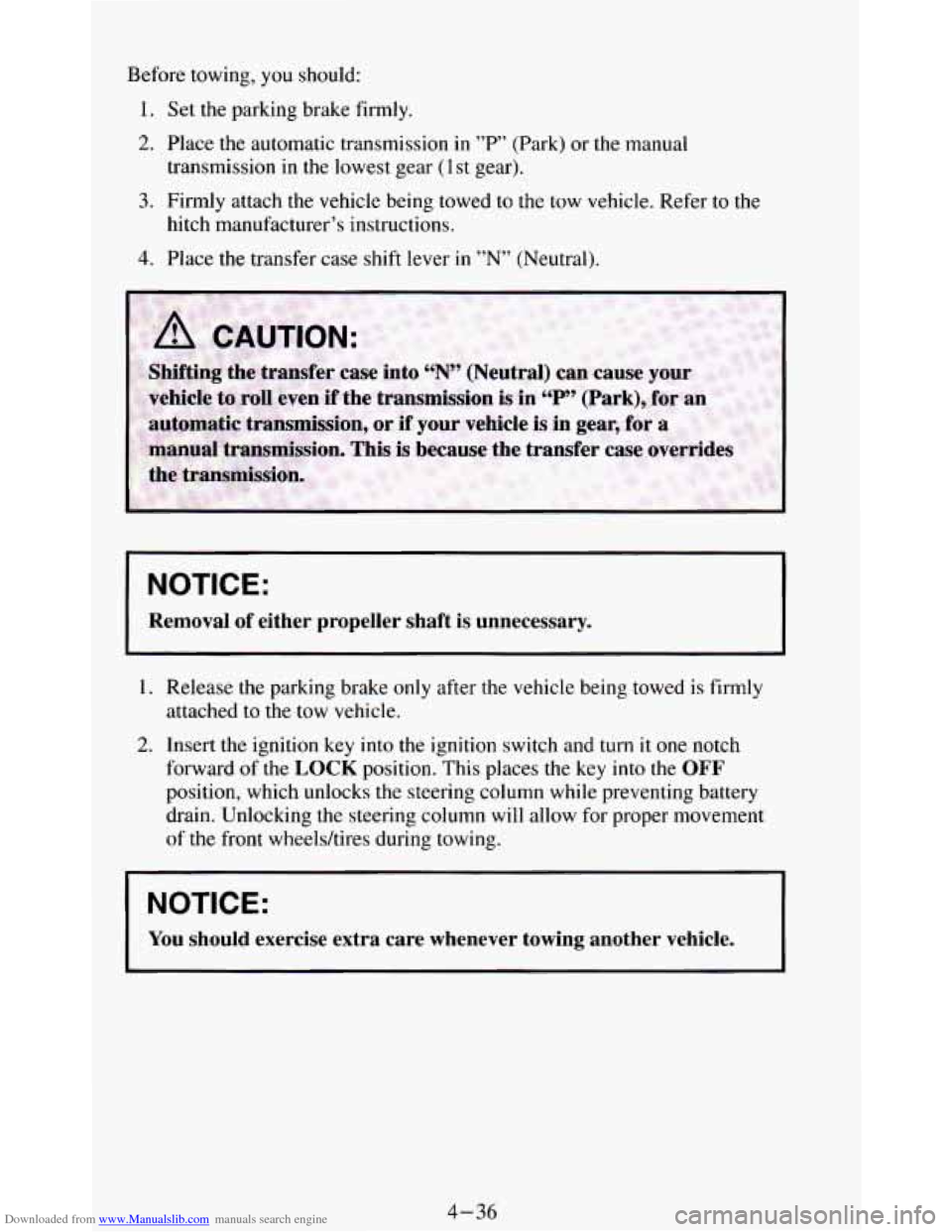
To open your glove
box, squeeze the
buttons
on either side
of the keyhole
together and pull the
door open.
2-58
Page 113 of 348
Downloaded from www.Manualslib.com manuals search engine The inside of the door
also includes cup
holders. Use your
door key to lock your
glove
box. I
A narrow shelf under
your instrument panel
may be
used for items
such
as gloves or
small books.
You will find a storage
pocket on each of the
front doors. The
driver's door pocket
contains a coin holder
for your loose change.
2-59
Page 121 of 348
Downloaded from www.Manualslib.com manuals search engine The trip odometer can tell you how far your vehicle has been driven since
you last set the trip odometer to zero.
Make sure the button is completely
depressed
to reset the trip odometer.
To set the trip odometer on the standard cluster to zero, fully depress the
button near the readout.
The trip odometer on
the digital cluster will appear in place of your regular
odometer when
you press down on the Trip button. To reset the trip
odometer
on the digital cluster, press down on the Reset button. To change
back
to the regular odometer, press down on the Trip button again.
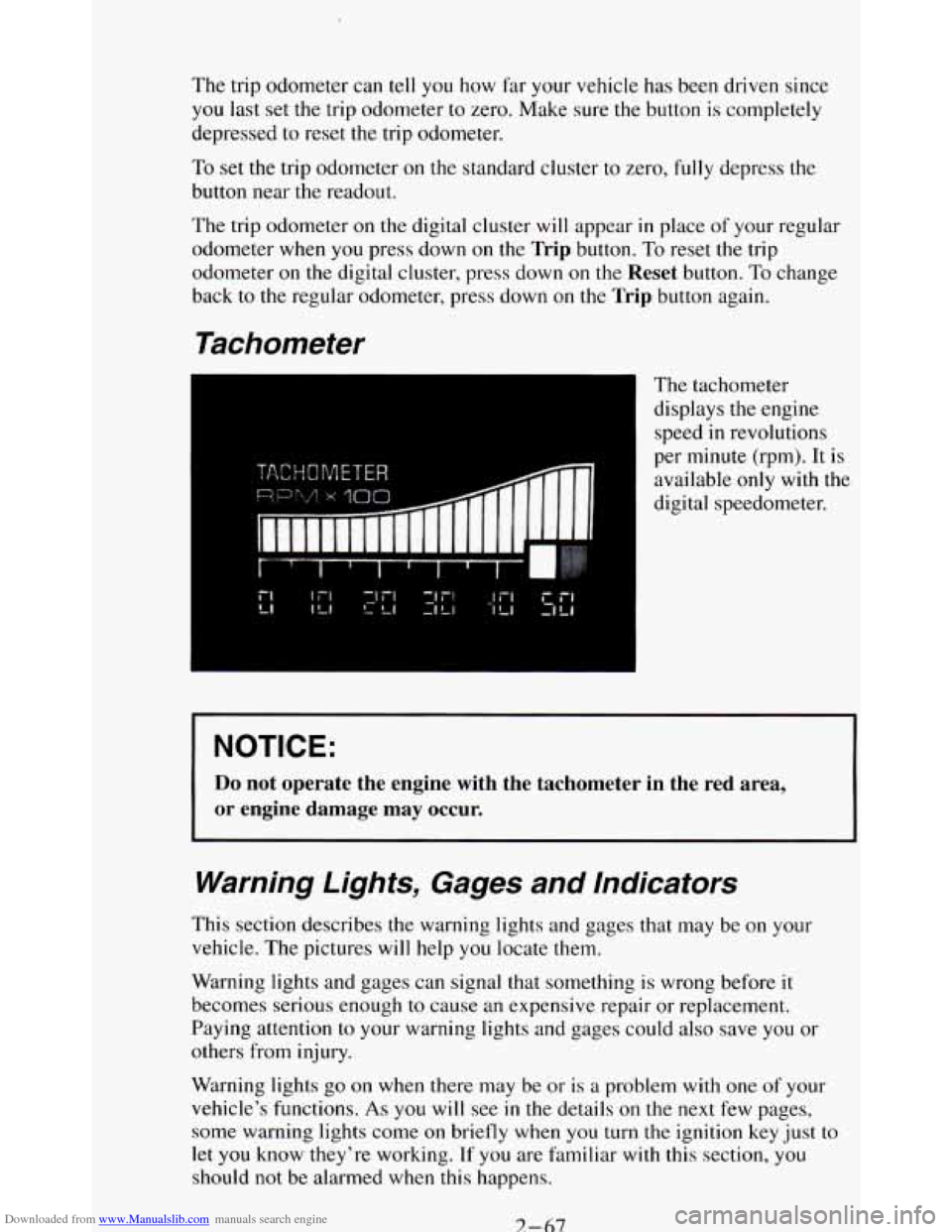
Tachometer
The tachometer
displays the engine
speed
in revolutions
per minute (rpm). It is
available
only with the
digital speedometer.
NOTICE:
Do not operate the engine with the tachometer in the red area,
or engine damage may occur.
Warning Lights, Gages and Indicators
This section describes the warning lights and gages that may be on your
vehicle. The pictures
will help you locate them.
Warning lights and gages can signal that something is wrong before it
becomes serious enough
to cause an expensive repair or replacement.
Paying attention
to your warning lights and gages could also save you or
others from injury.
Warning lights
go on when there may be or is a problem with one of your
vehicle’s functions.
As you will see in the details on the next few pages,
some warning lights come
on briefly when you turn the ignition key just to
let
you know they’re working. If you are familiar with this section, you
should not be alarmed when this happens.
7-67
Page 156 of 348
Downloaded from www.Manualslib.com manuals search engine SCAN
Press SCAN to sample each track for approximately 10 seconds. Scanning
will continue until the
RDM, SCAN or any other motion button is pressed
again.
PREV
If you hold the PREV (4 .SEEK ) button, or press it more than once, the
disc will return
to previous tracks.
NEXT
Press NEXT (SEEK ) to hear the next track now instead of waiting until
the present track is finished. If you hold this button or press it more than
once, the disc will advance further.
ST-PL
Press ST-PL (Stop-Play) to make the disc stop and the radio play. Press
ST-PL again to restart the disc at the point where it stopped.
Press
PWR or turn the ignition key off to stop the disc player. The disc
stays
in the player and will resume playing at the point where it stopped.
Press
EJCT to eject the disc and make the radio play. The disc will start at
track
1 when you reinsert it.
Anti-Theft Feature
Delco LOC II@ is an Anti-Theft feature for the compact disc player. It can
be used or ignored. If ignored, the system plays normally. If
it is used, your
player won’t be usable
if it is ever stolen, because it won’t turn on.
The instructions below tell you how to enter a secret code into the system. If
your car loses battery power for any reason,
you must unlock the system
with the secret code before the radio will turn
on.
To Lock The System:
1.
2.
3.
4.
5.
6.
7.
Write down any 6 digit number and keep it in a safe place.
Turn the ignition
to the ACC (Accessory) or RUN position.
Press
the PWR button to turn the radio off.
Press the
1 and 4 buttons together. Hold them down until “- - -” shows
on the display.
You are now ready
to enter your secret code. Don’t wait more than
15 seconds between steps.
Press SET and 000 will appear on the display.
Press the
SEEK or 4 button to make the first number appear.
Press
SCAN to make the last two numbers agree with your code.
3-22
Page 161 of 348
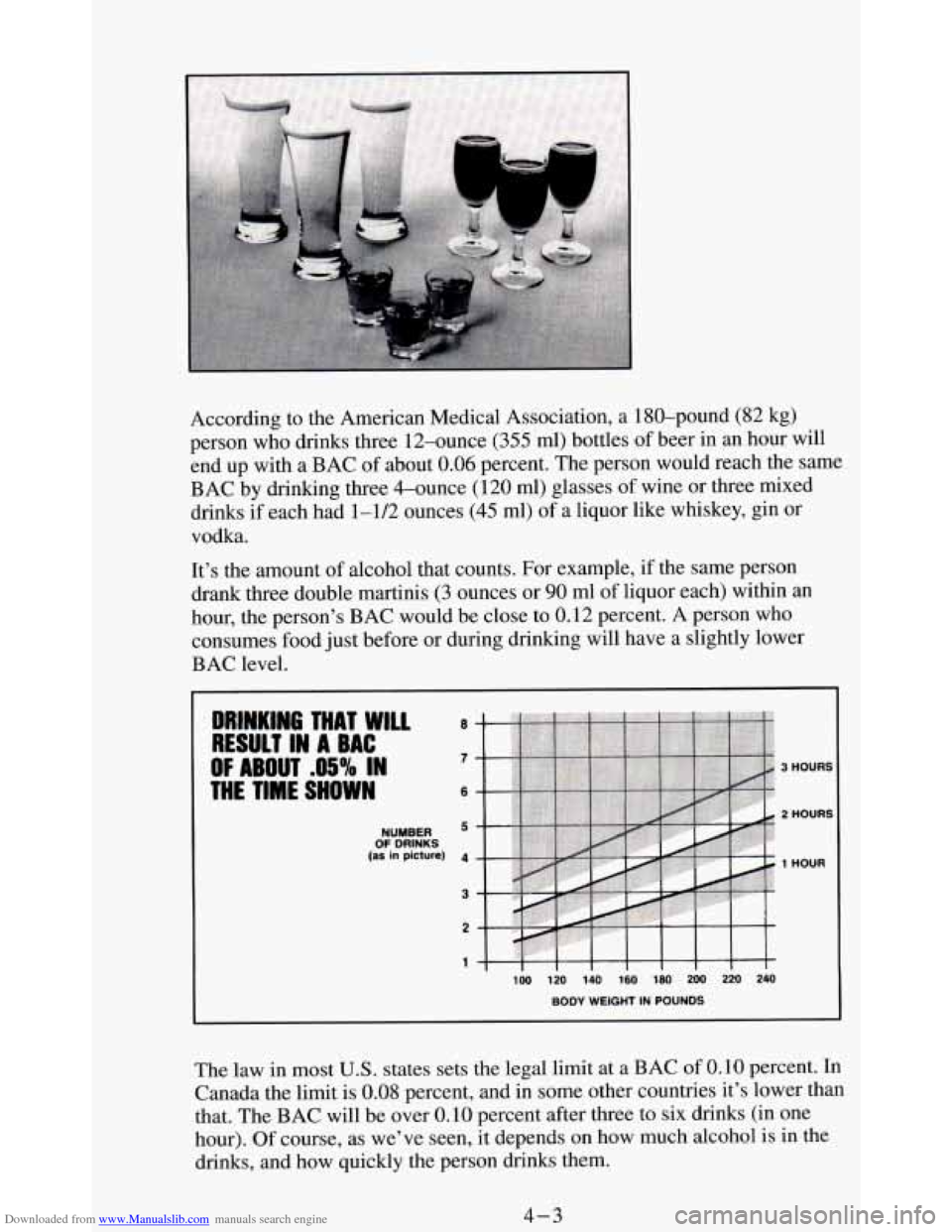
Downloaded from www.Manualslib.com manuals search engine According to the American Medical Association, a 180-pound (82 kg)
person who drinks three 12-ounce
(355 ml) bottles of beer in an hour will
end up with a BAC
of about 0.06 percent. The person would reach the same
BAC by drinking three &ounce (120
ml) glasses of wine or three mixed
drinks if each had 1-1/2 ounces
(45 ml) of a liquor like whiskey, gin or
vodka.
It’s the amount of alcohol that counts. For example, if the same person
drank three double martinis
(3 ounces or 90 ml of liquor each) within an
hour, the person’s BAC would be close to 0.12 percent. A person who
consumes food
just before or during drinking will have a slightly lower
BAC level.
OF DRINKS NUMBER
(as in picture) 1 HOUR
The law in most U.S. states sets the legal limit at a BAC of 0.10 percent. In
Canada the limit is 0.08 percent, and in some other countries it’s lower than
that. The BAC will be over
0.10 percent after three to six drinks (in one
hour).
Of course, as we’ve seen, it depends on how much alcohol is in the
drinks, and how quickly the person drinks them.
4-3
Page 173 of 348
Downloaded from www.Manualslib.com manuals search engine Controlling your vehicle is the key to successful off-road driving. One of
the best ways to control your vehicle is
to control your speed. Here are some
things to keep
in mind. At higher speeds:
you approach things faster and you have less time to scan the terrain for
obstacles.
you have less time to react.
0 you have more vehicle bounce when you drive over obstacles.
0 you’ll need more distance for braking, especially since you’re on an
unpaved surface.
Scanning the Terrain
Off-road driving can take you over many different kinds of terrain. You
need to be familiar with
the terrain and its many different features. Here are
some things
to consider.
Surface Conditions. Off-roading can take you over hard-packed dirt,
gravel, rocks, grass, sand, mud, snow or ice. Each of these surfaces affects
the steering, acceleration, and braking of your vehicle in different ways.
Depending upon the kind of surface
you are on, you may experience
slipping, sliding, wheel spinning, delayed acceleration, poor traction, and
longer braking distances.
Surface Obstacles. Unseen or hidden obstacles can be hazardous. A rock,
log, hole, rut, or bump can startle you
if you’re not prepared for them. Often
these obstacles are hidden by grass, bushes, snow or even the rise and fall
of
the terrain itself. Here are some things to consider:
Is the path ahead clear?
0 Will the surface texture change abruptly up ahead?
0 Does the travel take you uphill or downhill? (There’s more discussion
of these subjects later.)
0 Will you have to stop suddenly or change direction quickly?
When you drive over obstacles or rough terrain, keep a firm grip on the
steering wheel. Ruts, troughs, or
other surface features can jerk the wheel
out of your hands
if you’re not prepared.
4-15
Page 194 of 348
Downloaded from www.Manualslib.com manuals search engine Before towing, you should:
1. Set the parking brake firmly.
2. Place the automatic transmission in "P" (Park) or the manual
3. Firmly attach the vehicle being towed to the tow vehicle. Refer to the
transmission
in the lowest gear (1st gear).
hitch manufacturer's instructions.
4. Place the transfer case shift lever in "N" (Neutral).
NOTICE:
Removal of either propeller shaft is unnecessary.
1. Release the parking brake only after the vehicle being towed is firmly
attached to the tow vehicle.
2. Insert the ignition key into the ignition switch and turn it one notch
forward
of the LOCK position. This places the key into the OFF
position, which unlocks the steering column while preventing battery
drain. Unlocking the steering
column will allow for proper movement
of the front wheeldtires during towing.
NOTICE:
You should exercise extra care whenever towing another vehicle.
4-36