1994 CHEVROLET BLAZER warning
[x] Cancel search: warningPage 121 of 348
Downloaded from www.Manualslib.com manuals search engine The trip odometer can tell you how far your vehicle has been driven since
you last set the trip odometer to zero.
Make sure the button is completely
depressed
to reset the trip odometer.
To set the trip odometer on the standard cluster to zero, fully depress the
button near the readout.
The trip odometer on
the digital cluster will appear in place of your regular
odometer when
you press down on the Trip button. To reset the trip
odometer
on the digital cluster, press down on the Reset button. To change
back
to the regular odometer, press down on the Trip button again.
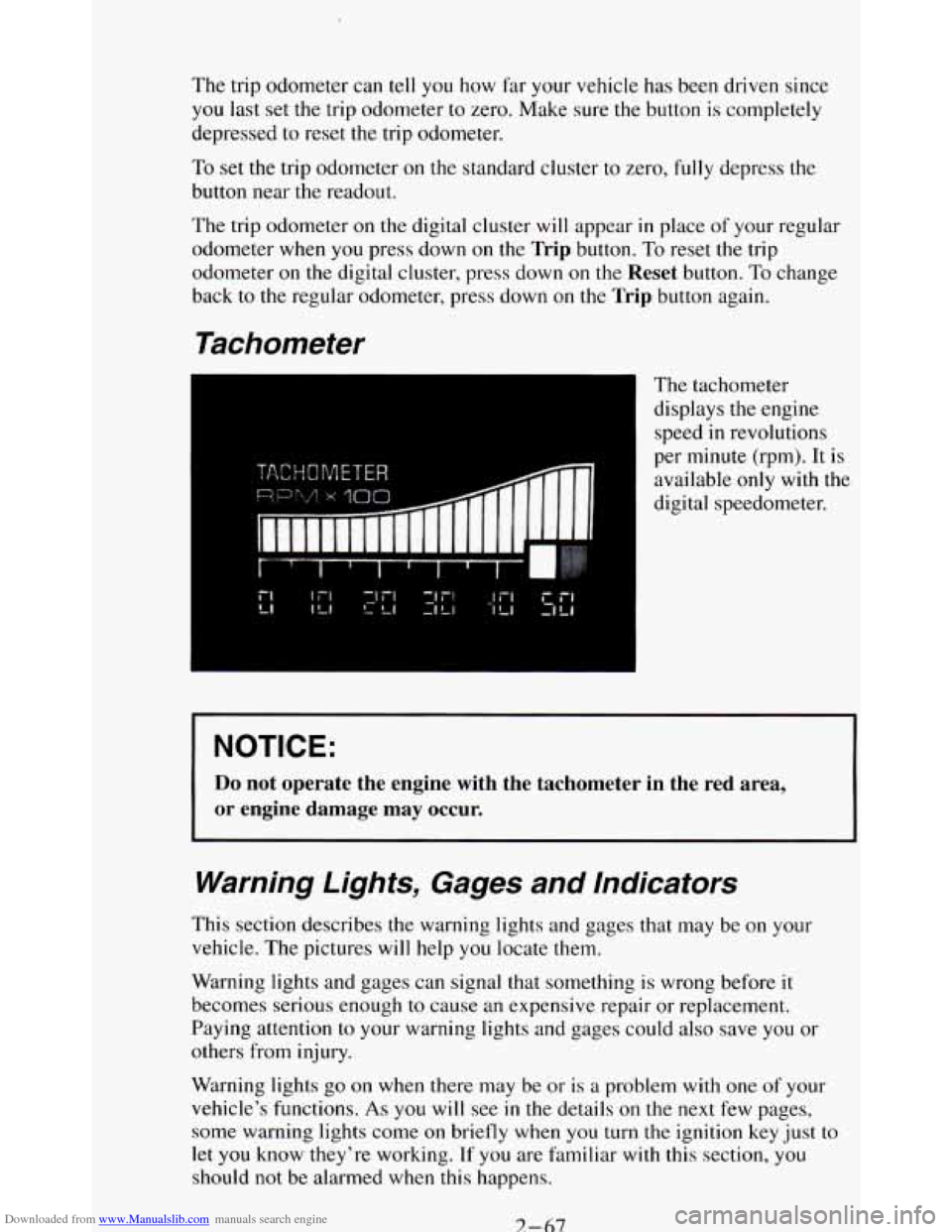
Tachometer
The tachometer
displays the engine
speed
in revolutions
per minute (rpm). It is
available
only with the
digital speedometer.
NOTICE:
Do not operate the engine with the tachometer in the red area,
or engine damage may occur.
Warning Lights, Gages and Indicators
This section describes the warning lights and gages that may be on your
vehicle. The pictures
will help you locate them.
Warning lights and gages can signal that something is wrong before it
becomes serious enough
to cause an expensive repair or replacement.
Paying attention
to your warning lights and gages could also save you or
others from injury.
Warning lights
go on when there may be or is a problem with one of your
vehicle’s functions.
As you will see in the details on the next few pages,
some warning lights come
on briefly when you turn the ignition key just to
let
you know they’re working. If you are familiar with this section, you
should not be alarmed when this happens.
7-67
Page 122 of 348
Downloaded from www.Manualslib.com manuals search engine Gages can indicate when there may be or is a problem with one of your
vehicle’s functions. Often gages and warning lights work together to let you
know when there’s
a problem with your vehicle.
When
one of the warning lights comes on and stays on when you are
driving, or when
one of the gages shows there may be a problem, check the
section that tells you what to do about it. Please follow the manual’s advice.
Waiting
to do repairs can be costly - and even dangerous. So please get to
know your warning lights and gages. They’re a big help.
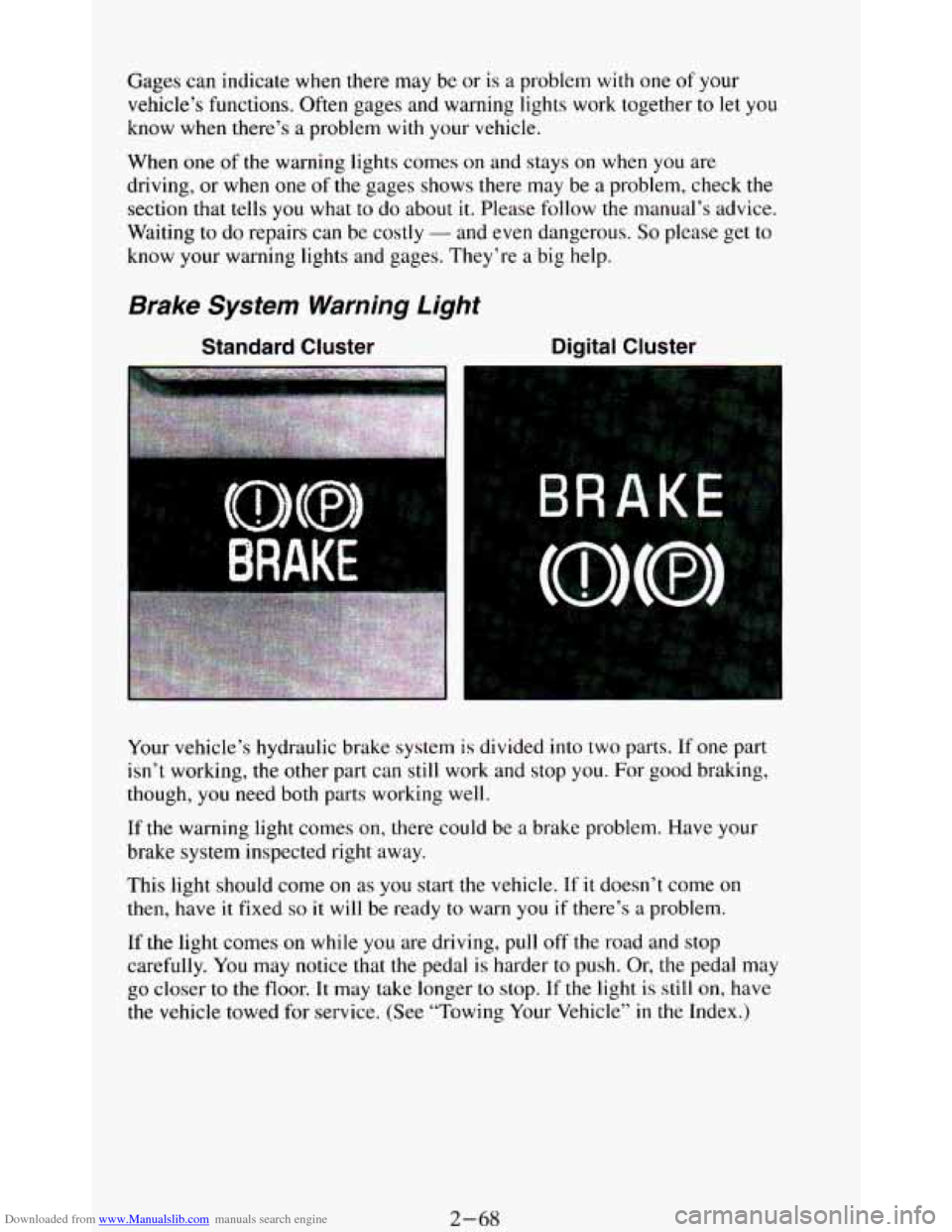
Brake System Warning Light
Standard Cluster Digital Cluster
Your vehicle’s hydraulic brake system is divided into two parts. If one part
isn’t working,
the other part can still work and stop you. For good braking,
though,
you need both parts working well.
If the warning light comes on, there could be a brake problem. Have your
brake system inspected right away.
This light should come
on as you start the vehicle. If it doesn’t come on
then, have it fixed so it will be ready to warn you if there’s a problem.
If
the light comes on while you are driving, pull off the road and stop
carefully.
You may notice that the pedal is harder to push. Or, the pedal may
go closer to the floor. It may take longer to stop. If the light is still on, have
the vehicle towed for service. (See “Towing Your Vehicle’’
in the Index.)
2-68
Page 123 of 348
Downloaded from www.Manualslib.com manuals search engine The brake system warning light will also come on when you set your
parking brake, and it will stay on if your parking brake doesn’t release fully.
If it stays on after your parking brake
is fully released, it means you have a
brake problem.
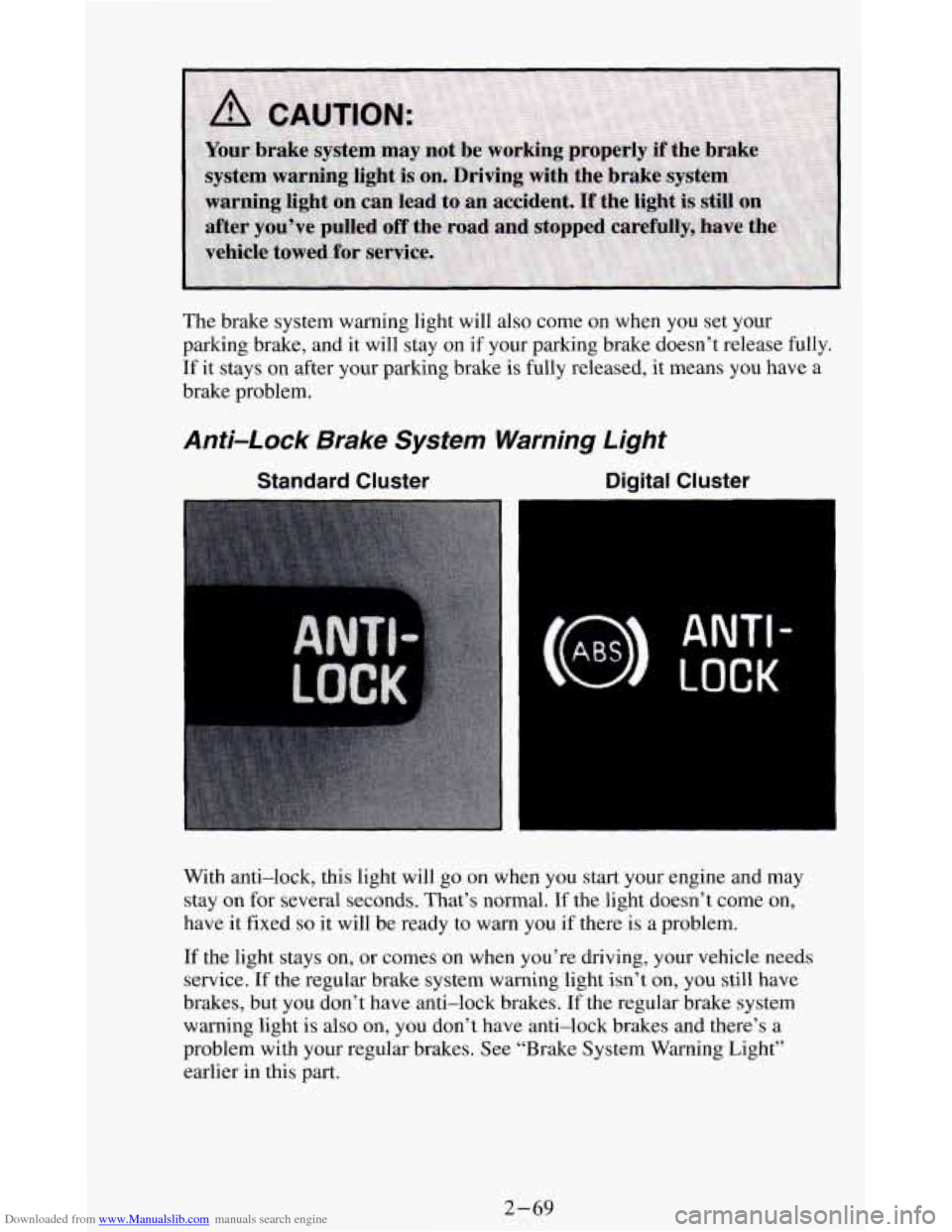
Anti-Lock Brake System Warning Light
Standard Cluster Digital Cluster
ANTI -
LOCK
With anti-lock, this light will go on when you start your engine and may
stay on for several seconds. That’s normal.
If the light doesn’t come on,
have
it fixed so it will be ready to warn you if there is a problem.
If the light stays on, or comes
on when you’re driving, your vehicle needs
service.
If the regular brake system warning light isn’t on, you still have
brakes, but you don’t have anti-lock brakes. If the regular brake system
warning light
is also on, you don’t have anti-lock brakes and there’s a
problem with your regular brakes. See “Brake System Warning Light’’
earlier in this
part.
2-69
Page 127 of 348
Downloaded from www.Manualslib.com manuals search engine Indicator Lights
Indicator lights go on when you use your turn signals, change from low
beam headlights to high beams, or when you use
your hazard flashers. The
next few pages will also
tell you about the indicator lights on your vehicle
and help you locate them.
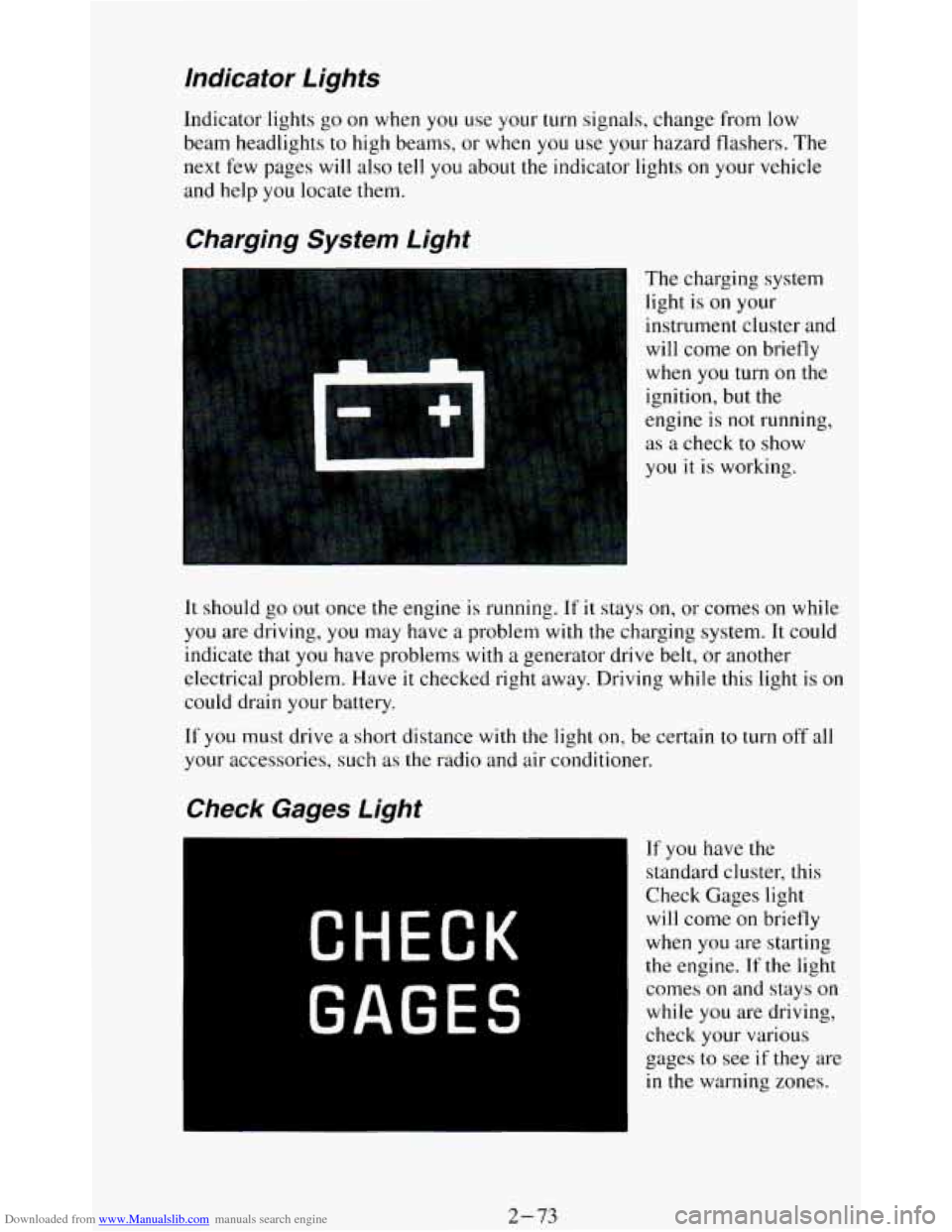
Charging System Light
The charging system
light is
on your
instrument cluster and
will come
on briefly
when
you turn on the
ignition, but the
engine is
not running,
as a check to show
you it
is working.
It should go out once the engine is running. If it stays on, or comes on while
you are driving, you may have a problem with the charging system. It could
indicate that you have problems with
a generator drive belt, or another
electrical problem. Have
it checked right away. Driving while this light is on
could drain your battery.
If
you must drive a short distance with the light on, be certain to turn off all
your accessories, such as the radio and air conditioner.
If you have the
standard cluster, this
Check Gages light
will come on briefly
when you are starting
the engine. If the light
comes
on and stays on
while you are driving,
check your various
gages to see
if they are
in the warning zones.
2-73
Page 131 of 348
Downloaded from www.Manualslib.com manuals search engine Voltmeter
Standard Cluster Digital Cluster
I
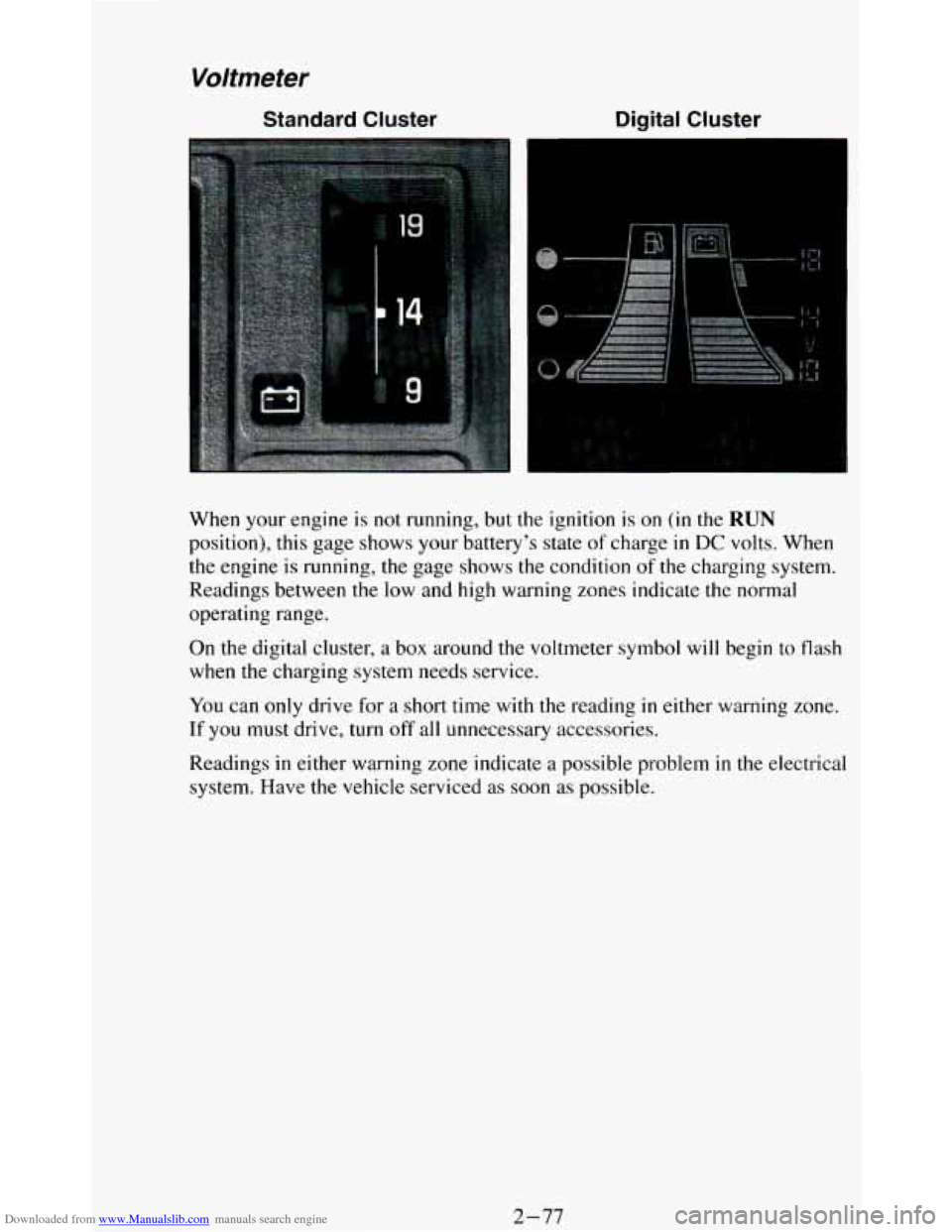
When your engine is not running, but the ignition is on (in the RUN
position), this gage shows your battery’s state of charge in DC volts, When
the engine is running, the gage shows
the condition of the charging system.
Readings between the low and
high warning zones indicate the normal
operating range.
On the digital cluster, a box around the voltmeter symbol will begin to flash
when the charging system needs service.
You can only drive for a short time with the reading in either warning zone.
If you must drive, turn off all unnecessary accessories.
Readings in either warning zone indicate a possible problem
in the electrical
system. Have the vehicle serviced as soon as possible.
2-77
Page 170 of 348
Downloaded from www.Manualslib.com manuals search engine Skidding
In a skid, a driver can lose control of the vehicle. Defensive drivers avoid
most skids by taking reasonable care suited to existing conditions, and
by
not “overdriving” those conditions. But skids are always possible.
The three types of skids correspond
to your Vehicle’s three control systems.
In the braking skid your wheels aren’t rolling.
In the steering or cornering
skid, too much speed or steering
in a curve causes tires to slip and lose
cornering force. And in the acceleration skid too much throttle causes the
driving wheels
to spin.
A cornering skid and an acceleration skid are best handled by easing your
foot off the accelerator pedal.
If your vehicle starts to slide, ease your foot off the accelerator pedal and
quickly steer the way you want
the vehicle to go. If you start steering
quickly enough, your vehicle may straighten out. Always be ready for a
second skid
if it occurs.
Of course, traction is reduced when water, snow, ice, gravel, or other material
is on the road. For safety, you’ll want to slow down and adjust your driving to
these conditions. It is important to slow down on slippery surfaces because
stopping distance will be longer and vehicle control more limited.
While driving on a surface
with reduced traction, try your best to avoid
sudden steering, acceleration, or braking (including engine braking by
shifting to a lower gear). Any sudden changes could cause the tires to slide.
You may not realize the surface is slippery until your vehicle is skidding.
Learn to recognize warning clues
- such as enough water, ice or packed
snow on the road to make a “mirrored surface” - and slow down when you
have any doubt.
Remember: Any anti-lock braking system (ABS) helps avoid only the
braking skid.
Driving Guidelines
This multipurpose passenger vehicle is defined as a utility vehicle in
Consumer Information Regulations issued by the National Highway Traffic
Safety Administration (NHTSA) of the United States Department of
Transportation. Utility vehicles have higher ground clearance and a narrower
track to make them capable of performing
in a wide variety of off-road
applications. Specific design characteristics give them a higher center of
gravity than ordinary cars.
An advantage of the higher ground clearance is a
better view of the road allowing you to anticipate problems. They are not
designed for cornering at the same speeds as conventional 2-wheel drive
vehicles any more than low-slung sports cars are designed to perform
satisfactorily under off-road conditions. If at
all possible, avoid sharp turns or
abrupt maneuvers.
As with other vehicles of this type, failure to operate this
vehicle correctly may result
in loss of control or vehicle rollover.
4-12
Page 186 of 348
Downloaded from www.Manualslib.com manuals search engine 0 Try to use the freeways that rim and crisscross most large cities. You’ll
save time and energy. (See the
next section, “Freeway Driving.”)
0 Treat a green light as a warning signal. A traffic light is there because
the corner
is busy enough to need it. When a light turns green, and just
before
you start to move, check both ways for vehicles that have not
cleared the intersection or may be running the red light.
Freeway Driving
-.
Mile for mile, freeways (also called thruways, parkways, expressways,
turnpikes, or superhighways) are the safest of all roads. But they have their
own special rules.
The most important advice on freeway driving is: Keep up with traffic and
keep to the right. Drive at the same speed most of
the other drivers are
driving. Too-fast or too-slow driving breaks
a smooth traffic flow. Treat the
left lane
on a freeway as a passing lane.
At the entrance there is usually a ramp that leads to the freeway.
If you have
a clear view of the freeway as
you drive along the entrance ramp, you
should begin to check traffic. Try
to determine where you expect to blend
with the flow. Try to merge into
the gap at close to the prevailing speed.
Switch
on your turn signal, check your mirrors and glance over your
shoulder as often as necessary. Try
to blend smoothly with the traffic flow.
Once you are
on the freeway, adjust your speed to the posted limit or to the
prevailing rate if it’s slower. Stay in the right lane unless you want to pass.
Before changing lanes, check your mirrors. Then use your turn signal.
Just before
you leave the lane, glance quickly over your shoulder to make
sure there isn’t another vehicle
in your “blind” spot.
4-28
Page 190 of 348
Downloaded from www.Manualslib.com manuals search engine Winter Driving
Here are some tips for winter driving:
Have your vehicle in good shape for winter. Be sure your engine
coolant mix is correct.
You may want to put winter emergency supplies in your vehicle.
Include
an ice scraper, a small brush or broom, a supply of windshield
washer fluid,
a rag, some winter outer clothing, a small shovel, a flashlight,
a red cloth, and a couple
of reflective warning triangles. And, if you will be
driving under severe conditions, include a small bag of sand,
a piece of old
carpet
or a couple of burlap bags to help provide traction. Be sure you
properly secure these items in your vehicle.
Driving on Snow or /ce
Most of the time, those places where your tires meet the road prob\
ably have
good traction.
However, if there
is snow or ice between your tires and the road, you can
have a very slippery situation. You’ll have a
lot less traction or “grip” and
will need to be very careful.
4-32