1994 CHEVROLET BLAZER stop start
[x] Cancel search: stop startPage 122 of 348
Downloaded from www.Manualslib.com manuals search engine Gages can indicate when there may be or is a problem with one of your
vehicle’s functions. Often gages and warning lights work together to let you
know when there’s
a problem with your vehicle.
When
one of the warning lights comes on and stays on when you are
driving, or when
one of the gages shows there may be a problem, check the
section that tells you what to do about it. Please follow the manual’s advice.
Waiting
to do repairs can be costly - and even dangerous. So please get to
know your warning lights and gages. They’re a big help.
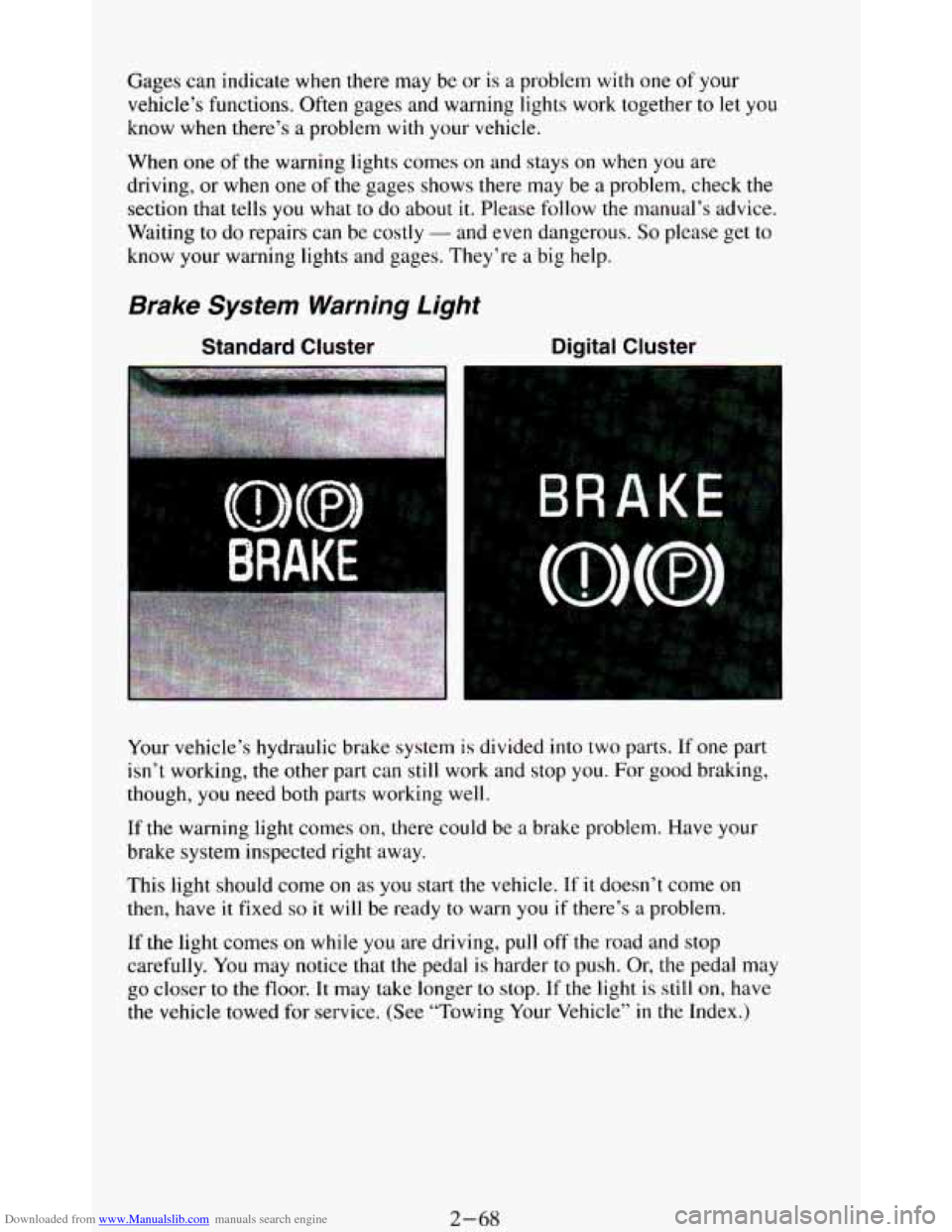
Brake System Warning Light
Standard Cluster Digital Cluster
Your vehicle’s hydraulic brake system is divided into two parts. If one part
isn’t working,
the other part can still work and stop you. For good braking,
though,
you need both parts working well.
If the warning light comes on, there could be a brake problem. Have your
brake system inspected right away.
This light should come
on as you start the vehicle. If it doesn’t come on
then, have it fixed so it will be ready to warn you if there’s a problem.
If
the light comes on while you are driving, pull off the road and stop
carefully.
You may notice that the pedal is harder to push. Or, the pedal may
go closer to the floor. It may take longer to stop. If the light is still on, have
the vehicle towed for service. (See “Towing Your Vehicle’’
in the Index.)
2-68
Page 148 of 348
Downloaded from www.Manualslib.com manuals search engine Clock
To set the clock, just:
Push SET.
Within 5 seconds, push and hold SCAN until the correct hour appears.
Press and hold SEEK until the correct minute appears.
To display the clock with the ignition off, push the upper knob. The time
will be displayed for
a few seconds.
To Way A Cassette
Your tape player is built to work best with tapes that are 30 to 45 minutes
long
on each side. Tapes longer than that are so thin they may not work well
in this player.
To play a cassette tape:
Have the radio on.
Insert the tape squarely through the tape door.
The longer side with the tape visible goes in first. If you hear nothing or
hear just garbled sound, it may not be in squarely. Push STOP-EJECT to
remove the tape and start over.
Once the tape is playing, use the upper and lower knobs for volume and
balance, just as you
do for radio. The arrows show which side of the tape is
playing.
0 To go forward to another part of the tape, push the button with an
arrow pointing toward the lighted arrow. To stop the tape, push the
STOP-E JECT button lightly.
To go backward, push the button with an arrow pointing away from
the lighted arrow. To stop the tape, push the STOP-EJECT button
lightly.
To go from one side of the tape to the other, push in the upper knob on
To remove or stop the tape, push STOP-EJECT.
your radio.
3-14
Page 151 of 348
Downloaded from www.Manualslib.com manuals search engine Clock
To set the clock, just:
Press SET. (SET appears in the VF display for a few seconds.)
Within 5 seconds, push and hold SCAN until the correct hour appears.
Press and hold SEEK until the correct minute appears.
To display the clock with the ignition off, push the upper knob. The time
will be displayed for a few seconds.
To Play A Cassette
Your tape player is built to work best with tapes that are 30 to 45 minutes
long on each side. Tapes longer
than that are so thin they may not work well
in this player.
To play a cassette tape:
Have the radio on.
Insert the tape squarely through the tape door.
The longer side
with the tape visible goes in first. If you hear nothing or
hear just garbled sound,
it may not be in squarely.
Push
STOP-EJECT to remove the tape and start over.
Once the tape is playing, use the upper and lower knobs for volume and
balance, just as
you do for radio. The arrows show which side of the tape is
playing.
0 To go forward to another part of the tape, push b.
0 To go backward, push 4. To stop the tape, push the other button
lightly.
your radio.
To remove or stop the tape, push STOP-EJECT.
0 To go from one side of the tape to the other, push in the upper knob on
APS (Automatic Program Search)
Press this button to activate the automatic program search. When the b
button is pressed, the tape will rapidly advance to the beginning of the next
selection. When
the 4 button is pressed, the tape will rapidly reverse to the
beginning of the current selection.
Press
STOP-E JECT to remove the cassette and start the radio.
3-17
Page 155 of 348
Downloaded from www.Manualslib.com manuals search engine To PIay A Compact Disc (CD)
NOTICE:
Before you begin, please note: DO NOT use mini-discs that are
called singles. They won’t eject. USE FULL-SIZE COMPACT
DISCS.
If the disc player is very hot, or if you’re driving on a very rough
road,
a disc may come out or just not play. If you see the word
HOT
on the display, the disc player is too hot to play the disc.
Press RCL to make the word HOT go
off the display. When
things get back to normal, the disc should play again. Press
PWR to turn the system
on.
Insert a disc partway into the slot, label side up. The player will pull it in.
Wait a few seconds and the disc should play.
If the disc comes back out, check whether:
The disc is upside down.
It is dirty, scratched, or wet.
0 Too much moisture is in the air. (If there is, wait about one hour and try
again.)
RCL
Press RCL to see what track is playing. Press it again within 5 seconds to
see how long it has been playing. The track number also appears when
you
change the volume or when a new track starts to play.
COMP
Press the COMP button to make soft and loud passages more nearly equal
in volume.
COMP appears in the display while using this command.
RDM
The RDM button means random and when it is pressed, it causes the CD
mechanism to play the tracks in a random order rather than in the sequential
1,2,3 order.
REV
Press and hold the REV button to quickly return to a favorite passage. The
counter reading will be displayed when using this control.
FWD
Press and hold the FWD button to advance quickly within a track. Release it
to resume playing. Watch the display
to stop at a specific passage.
3-21
Page 156 of 348
Downloaded from www.Manualslib.com manuals search engine SCAN
Press SCAN to sample each track for approximately 10 seconds. Scanning
will continue until the
RDM, SCAN or any other motion button is pressed
again.
PREV
If you hold the PREV (4 .SEEK ) button, or press it more than once, the
disc will return
to previous tracks.
NEXT
Press NEXT (SEEK ) to hear the next track now instead of waiting until
the present track is finished. If you hold this button or press it more than
once, the disc will advance further.
ST-PL
Press ST-PL (Stop-Play) to make the disc stop and the radio play. Press
ST-PL again to restart the disc at the point where it stopped.
Press
PWR or turn the ignition key off to stop the disc player. The disc
stays
in the player and will resume playing at the point where it stopped.
Press
EJCT to eject the disc and make the radio play. The disc will start at
track
1 when you reinsert it.
Anti-Theft Feature
Delco LOC II@ is an Anti-Theft feature for the compact disc player. It can
be used or ignored. If ignored, the system plays normally. If
it is used, your
player won’t be usable
if it is ever stolen, because it won’t turn on.
The instructions below tell you how to enter a secret code into the system. If
your car loses battery power for any reason,
you must unlock the system
with the secret code before the radio will turn
on.
To Lock The System:
1.
2.
3.
4.
5.
6.
7.
Write down any 6 digit number and keep it in a safe place.
Turn the ignition
to the ACC (Accessory) or RUN position.
Press
the PWR button to turn the radio off.
Press the
1 and 4 buttons together. Hold them down until “- - -” shows
on the display.
You are now ready
to enter your secret code. Don’t wait more than
15 seconds between steps.
Press SET and 000 will appear on the display.
Press the
SEEK or 4 button to make the first number appear.
Press
SCAN to make the last two numbers agree with your code.
3-22
Page 164 of 348
Downloaded from www.Manualslib.com manuals search engine Avoid needless heavy braking. Some people drive in spurts - heavy
acceleration followed by heavy braking
- rather than keeping pace with
traffic. This is a mistake. Your brakes may not have time to cool between
hard
stops. Your brakes will wear out much faster if you do a lot of heavy
braking. If
you keep pace with the traffic and allow realistic following
distances, you will eliminate a
lot of unnecessary braking. That means better
braking and longer brake life.
If your engine ever stops while you’re driving, brake normally but don’t
pump your brakes. If
you do, the pedal may get harder to push down. If
your engine stops, you will still have some power brake assist. But you will
use it when you brake. Once the power assist is used up, it may take longer
to stop and the brake pedal will be harder to push.
Anti-Lock Brakes (ABS)
Your vehicle has an advanced electronic braking system that can help you
keep it under control. When you start your vehicle and begin to drive away,
you may hear
a momentary motor or clicking noise. This is the ABS system
testing
itself.
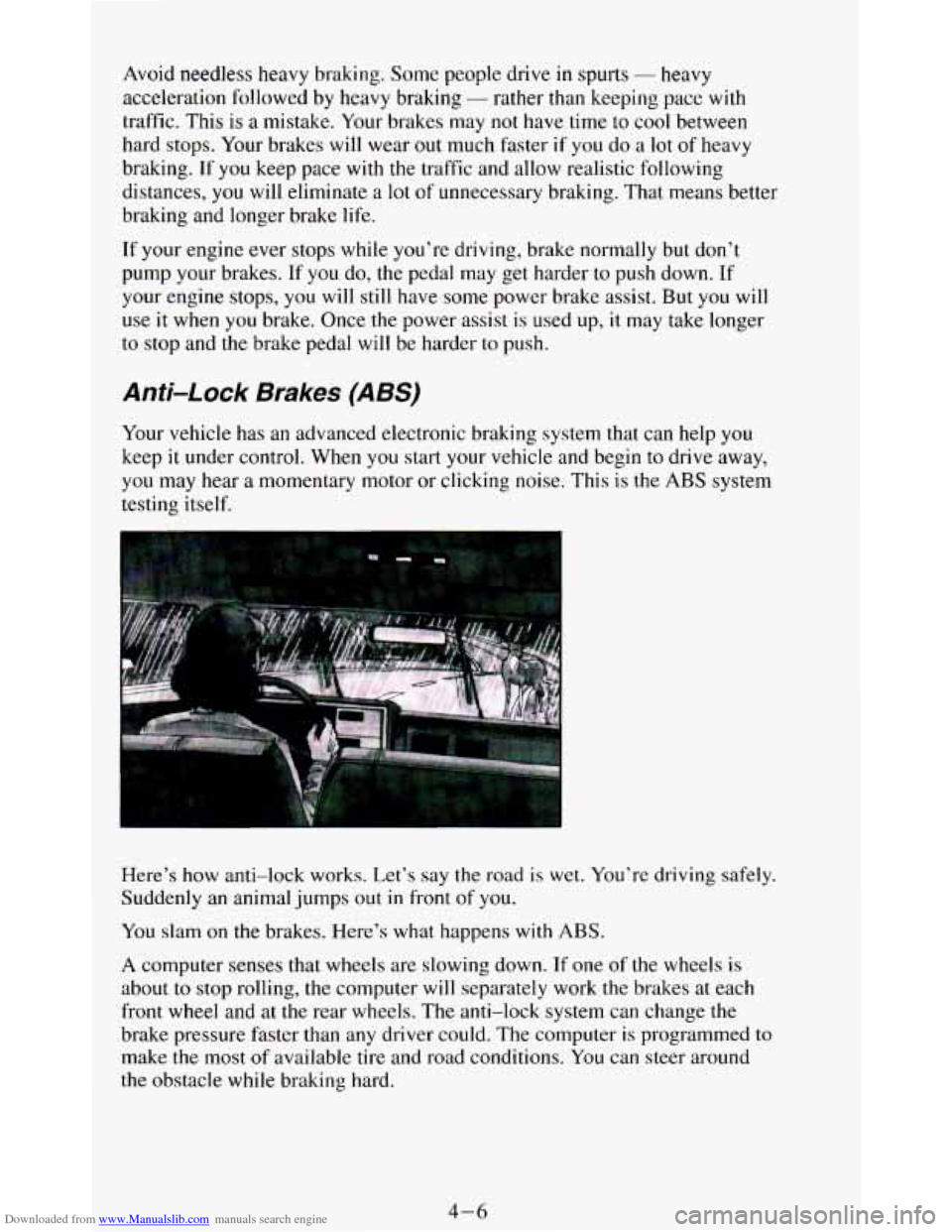
Here’s how anti-lock works. Let’s say the road is wet. You’re driving safely.
Suddenly
an animal jumps out in front of you.
You slam
on the brakes. Here’s what happens with ABS.
A computer senses that wheels are slowing down. If one of the wheels is
about to stop rolling, the computer will separately work the brakes at each
front wheel and at the rear wheels. The anti-lock system can change the
brake pressure faster than any driver could. The computer
is programmed to
make the most of available tire and road conditions. You can steer around
the obstacle while braking hard.
4-6
Page 169 of 348
Downloaded from www.Manualslib.com manuals search engine 0
0
0
0
0
0
0
0
Watch for traffic signs, pavement markings, and lines. If you can see a
sign up ahead
that might indicate a turn or an intersection, delay your
pass.
A broken center line usually indicates it’s all right to pass
(providing the road ahead is clear). Never cross a solid line
on your
side
of the lane or a double solid line, even if the road seems empty of
approaching traffic.
Do not get too close to the vehicle you want to pass while you’re
awaiting an opportunity. For one thing, following too closely reduces
your area
of vision, especially if you’re following a larger vehicle.
Also,
you won’t have adequate space if the vehicle ahead suddenly
slows or stops. Keep back a reasonable distance.
When
it looks like a chance to pass is coming up, start to accelerate but
stay
in the right lane and don’t get too close. Time your move so you
will be increasing speed as the time comes to move into the other lane.
If the way is clear to pass,
you will have a “running start” that more
than makes up for
the distance you would lose by dropping back. And
if something happens to cause you to cancel your pass, you need only
slow down and drop back again and wait for another opportunity.
If other cars are lined up to pass a slow vehicle, wait your turn. But
take care that someone isn’t trying to pass you as
you pull out to pass
the slow vehicle. Remember
to glance over your shoulder and check
the blind spot.
Check your mirrors
, glance over your shoulder, and start your left lane
change signal before moving out of the right lane to pass. When
you
are far enough ahead of the passed vehicle to see its front in your inside
mirror, activate your right lane change signal and move back
into the
right lane. (Remember that your right outside mirror is convex. The
vehicle
you just passed may seem to be farther away from you than it
really is.)
Try
not to pass more than one vehicle at a time on two-lane roads.
Reconsider before passing the next vehicle.
Don’t overtake a
slowly moving vehicle too rapidly. Even though the
brake lights are not flashing,
it may be slowing down or starting to turn.
If you’re being passed, make it easy for the following driver to get
ahead
of you. Perhaps you can ease a little to the right.
Loss of Control
Let’s review what driving experts say about what happens when the three
control systems (brakes, steering and acceleration) don’t have enough
friction where the tires meet the road to do what the driver has asked.
In any emergency, don’t give up. Keep trying to steer and constantly seek an
escape route or area of less danger.
4- 11
Page 170 of 348
Downloaded from www.Manualslib.com manuals search engine Skidding
In a skid, a driver can lose control of the vehicle. Defensive drivers avoid
most skids by taking reasonable care suited to existing conditions, and
by
not “overdriving” those conditions. But skids are always possible.
The three types of skids correspond
to your Vehicle’s three control systems.
In the braking skid your wheels aren’t rolling.
In the steering or cornering
skid, too much speed or steering
in a curve causes tires to slip and lose
cornering force. And in the acceleration skid too much throttle causes the
driving wheels
to spin.
A cornering skid and an acceleration skid are best handled by easing your
foot off the accelerator pedal.
If your vehicle starts to slide, ease your foot off the accelerator pedal and
quickly steer the way you want
the vehicle to go. If you start steering
quickly enough, your vehicle may straighten out. Always be ready for a
second skid
if it occurs.
Of course, traction is reduced when water, snow, ice, gravel, or other material
is on the road. For safety, you’ll want to slow down and adjust your driving to
these conditions. It is important to slow down on slippery surfaces because
stopping distance will be longer and vehicle control more limited.
While driving on a surface
with reduced traction, try your best to avoid
sudden steering, acceleration, or braking (including engine braking by
shifting to a lower gear). Any sudden changes could cause the tires to slide.
You may not realize the surface is slippery until your vehicle is skidding.
Learn to recognize warning clues
- such as enough water, ice or packed
snow on the road to make a “mirrored surface” - and slow down when you
have any doubt.
Remember: Any anti-lock braking system (ABS) helps avoid only the
braking skid.
Driving Guidelines
This multipurpose passenger vehicle is defined as a utility vehicle in
Consumer Information Regulations issued by the National Highway Traffic
Safety Administration (NHTSA) of the United States Department of
Transportation. Utility vehicles have higher ground clearance and a narrower
track to make them capable of performing
in a wide variety of off-road
applications. Specific design characteristics give them a higher center of
gravity than ordinary cars.
An advantage of the higher ground clearance is a
better view of the road allowing you to anticipate problems. They are not
designed for cornering at the same speeds as conventional 2-wheel drive
vehicles any more than low-slung sports cars are designed to perform
satisfactorily under off-road conditions. If at
all possible, avoid sharp turns or
abrupt maneuvers.
As with other vehicles of this type, failure to operate this
vehicle correctly may result
in loss of control or vehicle rollover.
4-12