1994 CADILLAC ELDORADO change time
[x] Cancel search: change timePage 152 of 398
Downloaded from www.Manualslib.com manuals search engine reading may change as your driving habits change (going from city to
highway driving may increase the range reading).
If the range display shows
“Lo”, you should stop for fuel as soon as
possible.
Your computer needs enough data for
the “RANGE” reading to work,
however,
so it will read “Lo” for a while when your vehicle is brand new
(under
25 miles). Also, it may show “Lo” for a while if your battery has
been disconnected.
Driver Information Center
// RhNGE
ii
E 8.8 1
I
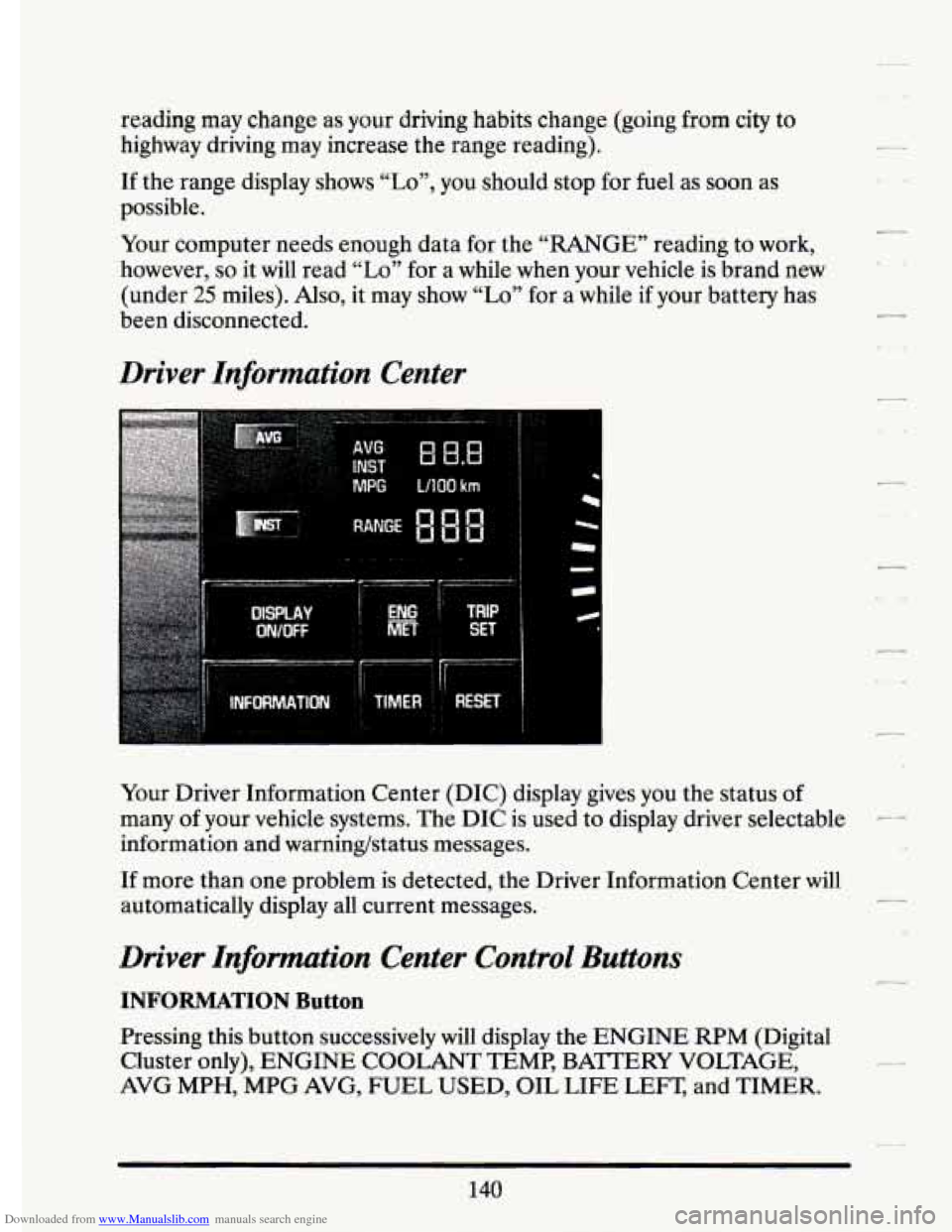
Your Driver Information Center (DIC) display gives you the status of
many of your vehicle systems. The DIC is used to display driver selectable --
information and warninghtatus messages.
If more than one problem is detected, the Driver Information Center will
automatically display all current messages.
.L1
Driver Information Center Control Buttons
INFORMATION Button
Pressing this button successively will display the ENGINE RPM (Digital
Cluster only),
ENGINE COOLANT TEMP, BA?TERY VOLTAGE,
AVG MPH, MPG AVG, FUEL USED, OIL LIFE LEFT, and TIMER.
Page 155 of 398
Downloaded from www.Manualslib.com manuals search engine I-
r- I
i
BATTERY NO CMGE - .07 r,
This message will appear if your battery is not b.eing charged. Have your
electrical ,system checked by your Cadillac dealership at your earliest
convenience.
BATTERY VOLTS HIGH - 08
This .message shows that the electrical charging system is overcharging,
(more than
16 volts). To.avoid being stranded have. the electrical system
checked by your Cadillac dealership at your earliest convenience. You can
reduce the charging overload by using.the accessories. Turn on the lights,
radio,
set the Climate ‘Control on .“AUTO” and ,the.fan speed on “HI’’
and turn the rear window defogger.on. Youcan monitor battery voltage
on the Driver Information Center by toggling the“‘1NFORMATION”
button. When the engine is running, -the normal range is
11.5 to
1.5.5 volts.
BATTERY VOLTS LOW - 06
.This .message will appear when the.electrica1 system is charging less than
10 volts, or if the battery has been drained. If this message appears
immediately.after starting it .is possible that the .generator can still
recharge the battery. The. battery should recharge after driving a,few
miles and the message should go out.
If this .message appears while
driving or. after starting your vehicle and stays on,’have it, checked
immediately.to determine.the cause
of this problem. To help the
generatorrecharge the,,battery quickly, you can .reduce,the load.on the
electrical system by turning
off your accessories. You can monitor battery
voltage on the Driver Information Center. by toggling the
“INFORMATION” button. The. normal range
is 11.5 to 15.5 volts.
CHANGE TRANS FLUID - 47
This message will appear when it is time to replace the transaxle fluid.
See your maintenance booklet for the proper -fluid and change intervals.
CHECKBRAKEFLUID - 37
This.message. is displayed to inform the-driver that the brake.reservoir
fluid level .is low. Check.the brake reservoir level and add as needed.
Have the brake system serviced by a. Cadillac technician
-as soon as
.possible.
IT the brake warning light is on, €0110~ the directionsin that
section.
r L
143
Page 157 of 398

Downloaded from www.Manualslib.com manuals search engine n
r
Ir
r
b”
n I t-
compressor,.is ,automatically $Urned.o€L =tlaat.;hap.pgns, air
conditioned air is not delivered.
If the coolant temperature returns to
normal, you must select “AUTO”, “DEFOG” or Defrost to return to a
normal A/C compressor operation.
FUEL LEVEL VERY LOW - 11
This message serves as a warning that the fuel level in your tank is
critically low. It means you should stop for fuel immediately. I
CHECK WASHER FLUID - 25
This message shows that the washer fluid reservoir is nearly empty.
SERVICE A/C SYSTEM A/C COMPRESSOR OFT - 14 I
This message appears when the electronic sensors that control the A/C
and heating system are no longer working. You may notice a drop in
heating and
A/C efficiency when this message appears. Have your
Climate Control system serviced
if this message appears.
STARTING DISABLED DUE TO THEFT SYSTEM REMOVE
IGNITION KEY - 33
This message will a ear when the Personalized Automotive Security
System (PASS Key
gp 11) senses that an improper ignition key is being used
to try to start the vehicle. Check the ignition key for damage.
If it is
damaged, it may need to be replaced.
If you see no damage, clean the Ii
pellet contacts with a soft cloth or napkin. Remove the ignition key and
wait for the Driver Information Center to display “WAIT
3 MINUTES”.
The Instrument Panel Cluster
will then run a timer and change the
messages to “WAIT
2 MINUTES ”, “WMT 1 MINUTE”, and then
“START CAR”. When the “START
CAR” message is displayed, try again
to start the engine.
SERVICE NOW - REFER TO OWNERS MANUAL - 02
This message appears if you have a problem with the Powertrain Control
Module
(PCM). To correct this problem have your vehicle serviced at
your Cadillac dealership.
SERVICE RIDE CONTROL - 84
This message is displayed to indicate that the Suspension System is not
operating properly. To correct this problem have your vehicle serviced at
your Cadillac dealership at your earliest convenience.
145.
Page 160 of 398
Downloaded from www.Manualslib.com manuals search engine from the various components to determine proper system operation. If the
computer receives an incorrect feedback from the system, an error code will
be set in memory and a “SERVICE RIDE CONTROE’ message will display
on the Driver Information Center. If
this message should appear, have your
vehicle serviced at your Cadillac dealer at your earliest conve\
nience.
Oil Life Indicator
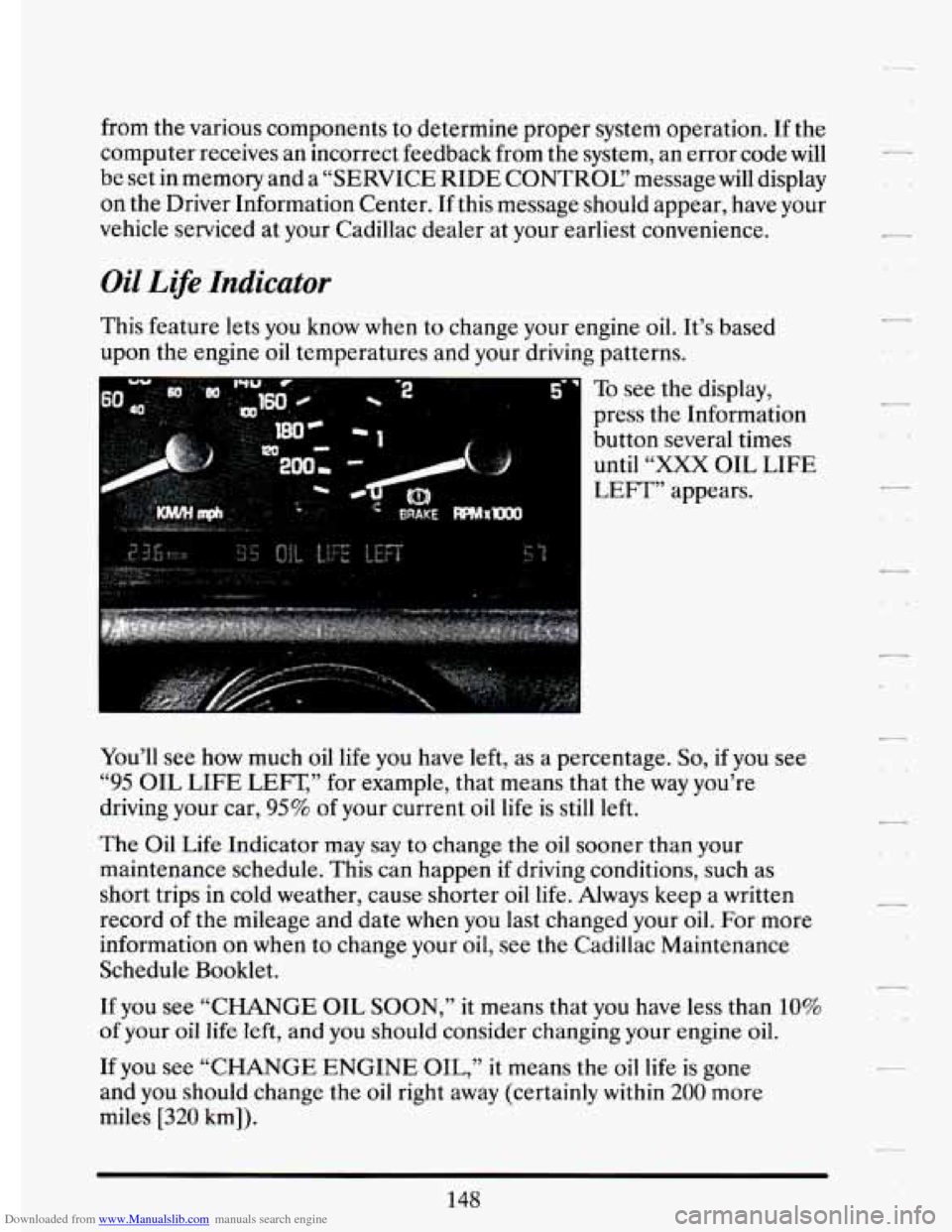
This feature lets you know when to change your engine oil. It’s based
upon the engine oil temperatures and your driving patterns.
To see
the display,
press the Information
button several times until
“XXX OIL LIFE
LEFT” appears.
You’ll see
now much oil life you have left, as a percentage. So, if you see
“95 OIL LIFE LEFT,’’ for example, that means that the way you’re
driving your car,
95% of your current oil life is still left.
The Oil Life Indicator may
say to change the oil sooner than your
maintenance schedule.
This can happen if driving conditions, such as
short trips in cold weather, cause shorter oil
life. Always keep a written
record of the mileage and date
when you last changed your oil. For more
information on when to change your oil, see
the Cadillac Maintenance
Schedule Booklet.
If you see “CHANGE OIL SOON,”
it means that you have less than 10%
of your oil life left, and you should consider changing your engine oil.
If you see “CHANGE ENGINE
OIL,” it means the oil life is gone
and you should change the oil right away (certainly
within 200 more
miles
[320 km]).
148
-
.. .
Page 161 of 398

Downloaded from www.Manualslib.com manuals search engine n n
r
I-- .,
I
r
r
r
The system probably will say. to change .& d between ,3000 miles
(5000 km) and ,7500 *miles. (125OO km), but it may even sary to change it
before
3000 under very severe conditions. It all depends on .your drivirrg
pattims.
If it’s been 7500 miles (12500 km) it,always says to’ change the oil.
There are two.thingslhe system doesn?t do:
0 It can’t sense. heavy dust in the.places where you- drive. If you -drive in
a dusty area, you should change your
oil -every 3000 miles (5000 km)
or 3 months (whichever comes first), unless the display says to chinge
it even sooner than that.
I
It doesn’t check how much oil you have, so you’ll still have to check
for that. To see how, see “Engine Oil.’’ in the Index.
men You’ve Changed the Oil
When new oi€ is,put in, you’ll need .to reset.your.system. To: do it, display
the “OIL LIFE
.INDEX’’ by pressing the INFORMATION button. Then
press -and;hold the RESET buttons until the display shows “POO-OIL
LIFE LEFT.”
Electronic Level .Control
This keeps your car level.
The ignition’has to be
“ON” for the level control to work. When,you turn
the ignition off, you may hear the level control exhausting. The,system
consists
of an electronic rear position sensor, a smalldectric air
compressor, and air adjustable
SI kabsorbers mounted on the rear of
the vehicle.
If the system has .a slight leak, the air compressor will run frequently for a
few seconds each time.
i For a massive air leak, the air ‘compressor will stay on for. approximately
7 minutes. You should see your.deal.er for service, but.you can keep
driving ,your Cadillac.
149
Page 190 of 398
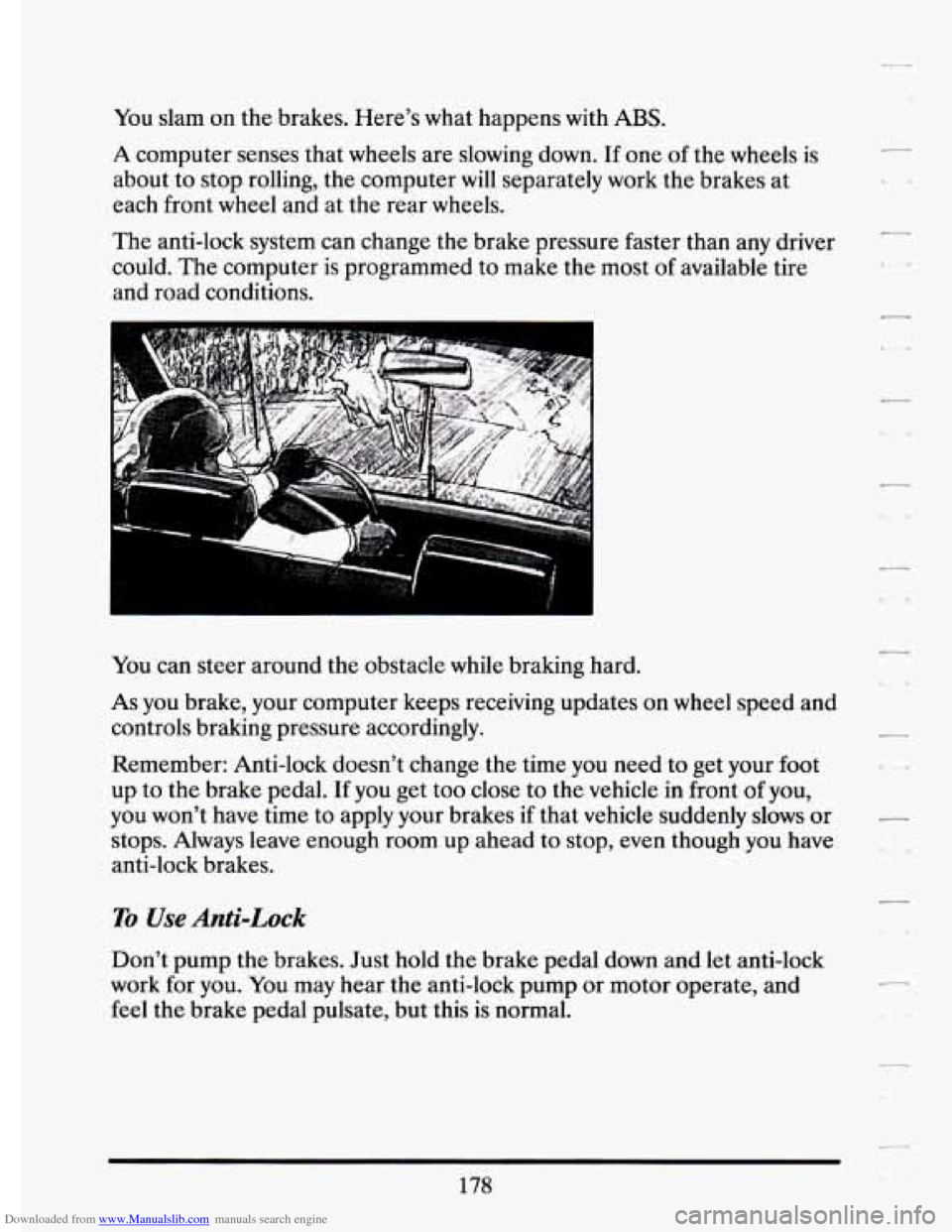
Downloaded from www.Manualslib.com manuals search engine You slam on the brakes. Here’s what happens with ABS.
A computer senses that wheels are slowing down. If one of the wheels is
about to stop rolling, the computer will separately work the brakes at
each front
wheel and at the rear wheels.
The anti-lock system can change the brake pressure faster than any driver
could.
The computer is programmed to make the most of available tire
and road conditions.
-
fou can steer around the obstacle while braking hard.
As you brake, your computer keeps receiving updates on wheel speed and
controls braking pressure accordingly.
Remember: Anti-lock doesn’t change the time you need to get your
foot
up to the brake pedal. If you get too close to the vehicle in front of you,
you won’t have time to apply your brakes
if that vehicle suddenly slows or
stops. Always leave enough room up ahead to stop, even though you have
anti-lock brakes.
1
To Use Anti-Lock
Don’t pump the brakes. Just hold the brake pedal down and let anti-lock
work for you. You may hear the anti-lock pump or motor operate, and
feel the brake pedal pulsate, but this
is normal.
c
..
178
Page 195 of 398
Downloaded from www.Manualslib.com manuals search engine So here are some tips for passing: . .
r I
r
0
0
0
0
r
F
0
F i
0
c
r
“Drive. ahead.” Look down the road, to the sides, and to crossroads
.for situations that might affect your passing patterns.
If you have any
doubt ,whatsoever about making a successful. pass, wait for a.better
time.
.Watch- for traffic signs, pavement markings, and lines.
’If you can see .a
sign up ahead that might indicate a turn or an intersection, delay your
pass.
A broken center line usually .indicates it’s all right to pass
‘(providing the road ahead isclear.):Never cross
a solid line on your
side
of the lane or a double solid line, even if ‘the road. seems empty of
approaching traffic.
Do not :get
too closelo the,vehicle you want.to pass while you’re
awaiting- an opportunity. For .one lthmg, following too closely reduces
your
area ,of vision, especially if you’re .following a ‘larger vehicle. Also,
you-won’t have adequate space if the vehicle ahe:ad suddenly slows or
stops. Keep back a reasonable distance.
When it looks like a .chance: to ,pass
is coming. up, start to. accelerate
.but stay in the.right 1ane.and.don’t.get too dose. Time your move
so
.you wiIl.be .increasing speed as the time comes to move into the other
.lane.
If the way is clear to pass, you will have a .‘‘running, start” that
more than makes up for the distance you would lose
by .dropping back.
And
if something happensto.cause:youto cancel your pass, you need I
only slow down and drop back again and wait for another opportunity.
-If other cars are 1ined.u~ to pass a slow vehicle, wait your turn. But
take care that someone isn’t trying
to pass you as you:,pull outto pass
the slow vehicle. -Remember
to ‘glance over. your shoulder-and check
theblind spot.
Check your mirrors, glance over your shoulder, and start your left lane
change signal before moving.out
of the right .lane to pass,. When you
:are far:enough ahead
of ,the passed vehicle to see its front in. your
inside mirror, activate your right. lane change signal
and move back I
into the right lane. (Remember that your right outside mirror is
convex.
The vehicle you just passed may seem to be farther away from
you than itreally is.)
!,, 1 - ’ - ,- . ..
183
Page 269 of 398
Downloaded from www.Manualslib.com manuals search engine Engine Oil Additives
k Don’t add anything to your oil. Your Cadillac dealer is ready to advise if
you think something should be added.
‘C When to Change Engine Oil
r
r
3 r
r
r
r
Your Cadillac has an “Oil Life Indicator.” This feature will let you know
when to change your oil
-- usually between 3,000 miles (5 000 km) and
7,500 miles (12 500
km) since your last oil change. Under severe
conditions, the indicator may come on before
3,000 miles (5 000 km).
Never drive your vehicle more than 7,500 miles (12 500 km) or 12 months
without an oil change.
The system won’t detect dust in the oil.
So, if you drive in a dusty area, be
sure to change your oil every 3,000 miles (5 000 km) or sooner if the
“CHANGE ENGINE OK’ message is displayed. Remember to reset the
Oil Life Indicator when the oil has been changed. For more information,
see “Oil Life Indicator” in the Index.
How to Reset the Oil Life Indicator
r
After the oil has been changed, display the “OIL LIFE LEFT” message
by pressing the INFORMATION button. Then press and hold the
RESET button until the display shows
“loo”.. This resets thle.,oil life index.
The message will remain
off until the next oil change is needed. The
percentage of oil life remaining may be checked at any time by pressing
the INFORMATION button several times until the
“OIL LE% LEFT”
message appears. For more information on the Oil Life Index feature, see
“Oil Life Index” in the Index.
Engine Coolant Heater (Engine Block Heater)
An engine coolant heater can be a big help if you have to park outside in
very cold weather, O°F (-18O C) or colder. If your vehicle has this option,
see “Engine Coolant Heater” in the Index.
257