Page 12 of 370
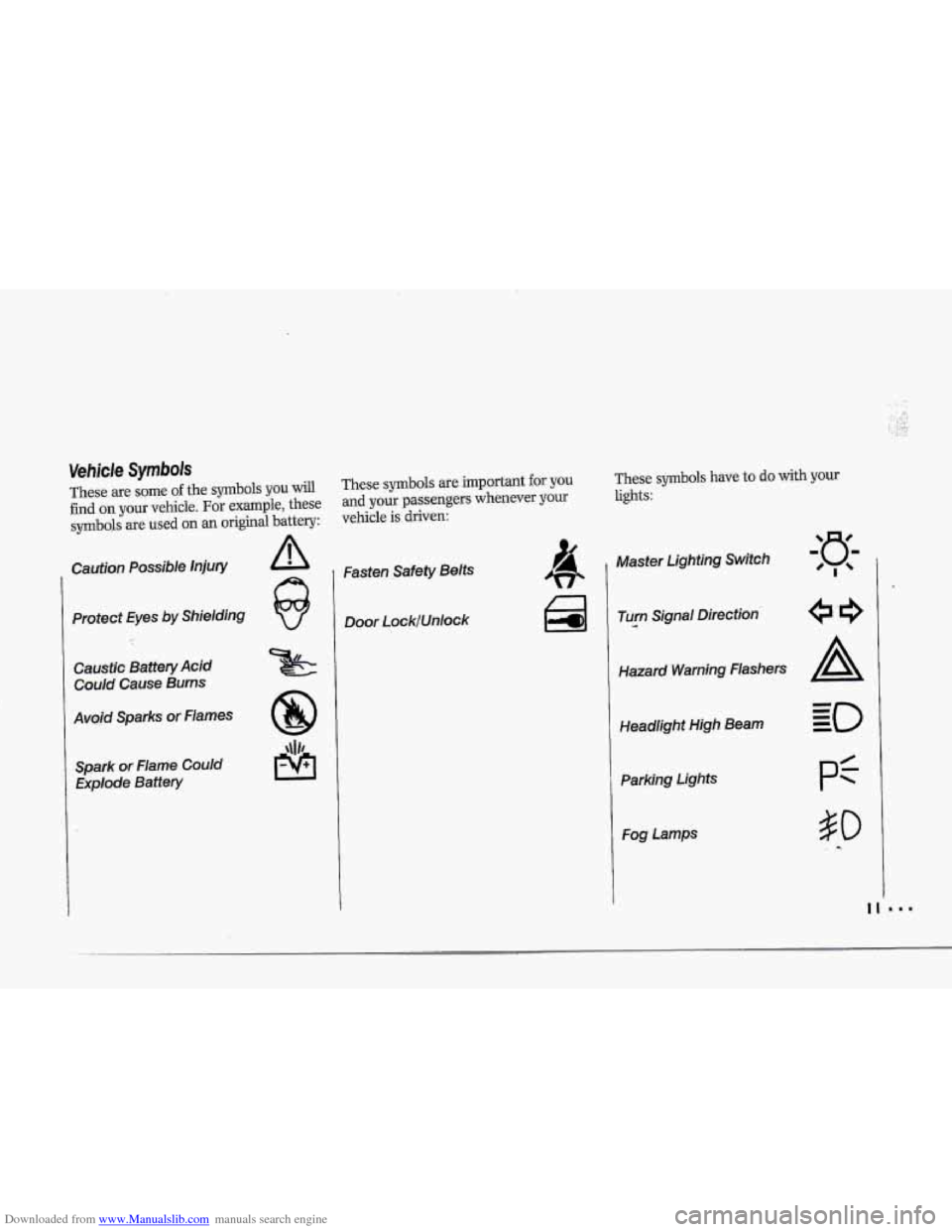
Downloaded from www.Manualslib.com manuals search engine These are some of the symbols you will
find on your vehicle. For example, these
symboJs are used on an original battery:
Caution Possible injury
Protect Eyes by Shielding
Caustic Battery Acid
Could Cause Burns
Avoid Sparks or Flames Spark or Flame Could Explode Battery
These symbols are important for you These symbols have to do with yow
and your passengers whenever your lights:
vehicle is driven:
Fasten Safety Belts
Door LocklUnlock 1 Master Lighting Switch
Turn
.--a Signal Direction
Hazard Warning flashers
Headlight High
Beam
Parking Lights
Fog Lamps
Page 13 of 370
Downloaded from www.Manualslib.com manuals search engine H6w to Use this Manual
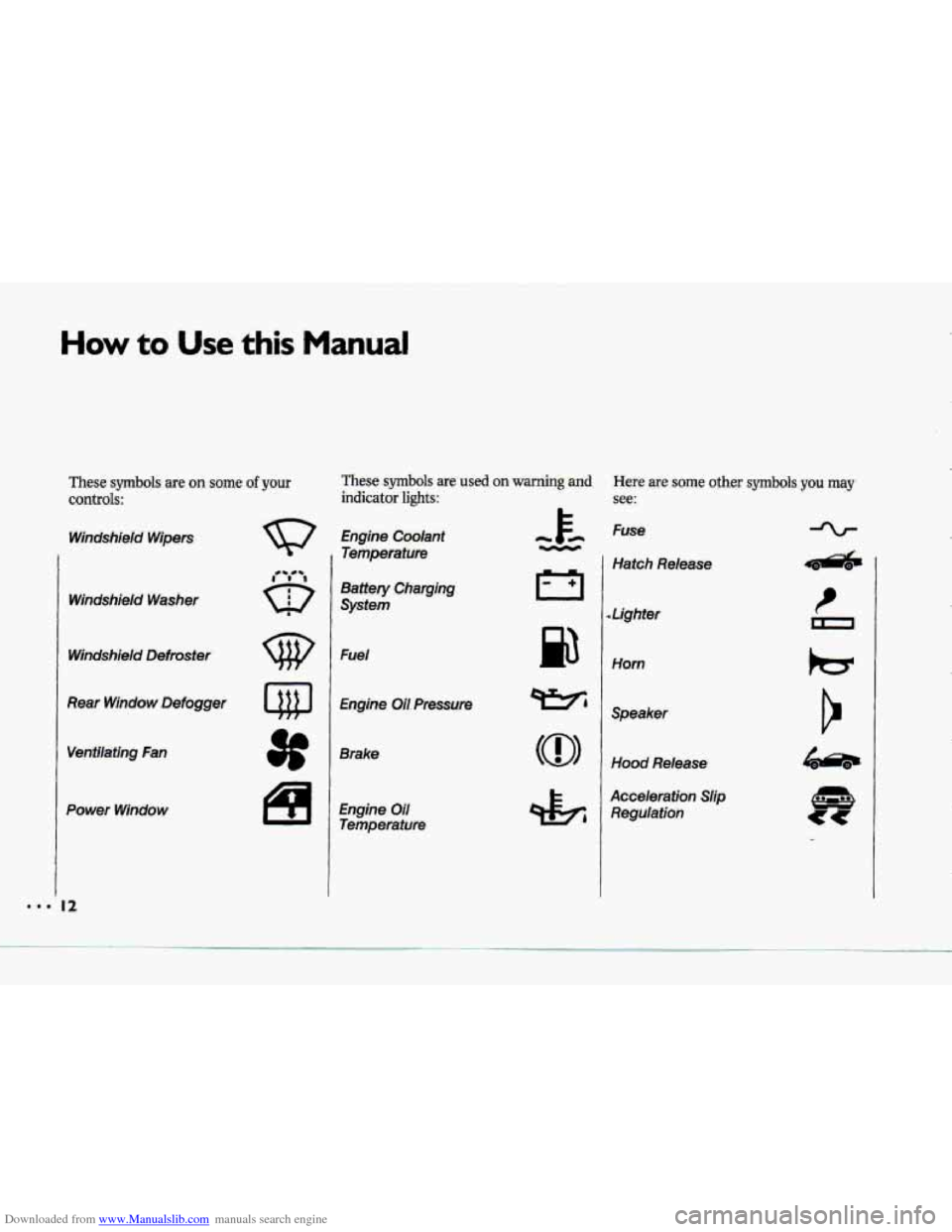
These s~nrbob are on some.of your
controls:
Windshieid Wipers
Windshield
Washer
Windshield Defroster
Rear Window Defogger
Power Winduw
Here .are :some other symbols,you may
see:
Engine Coolant
Temperature
Battery Charging
System
Fuel
Brake'
Fuse
Hatch Release
I Lighter
Horn
Spmker
Acceleiation Shp
Reguiaiiun
hzr
Page 91 of 370

Downloaded from www.Manualslib.com manuals search engine us.
Features & Controls
Operation of Lights
Although your vehicle’s lighting system
(headlamps, parking lamps,
fog lamps,
side marker lamps and taillamps) meets
all applicable federal lighting
requirements, certain states
and
provinces may apply their own lighting
regulations that may require special
attention before
you operate these
lamps. For exampk, some jurisdictions
may require
that you operate your lower
beam lamps with fog lamps at all times,
or that headlamps be turned on
whenever
you must use your windshield
wipers. In addition, most jurisdictions
prohibit driving solely
with parking
lamps, especially at dawn or dusk It is
recommended that you check with your
own state or provincial highway
authority
for applicable lighting
regulations.
?O
Concealed Headlights
The headlights of your vehicle are
concealed behind protective doors. The
doors open when the headlights are
turned
on.
Do not force the doors open or closed.
To open them manually, turn the
manual hob
on the inside of each
headlight assembly countercloclnvise
until the doors are open.
Daytime Running Lights
(CANADA ONLY)
, The Canadian Federal Government has
decided that Daytime Running Lights
(Dm) are a useful feature, in that DRL
can make your vehicle more visible to
pedestrians and other drivers during
daylight hours.
DRL are required on
new vehicles sold in Canada,
Your
DRL work with a light sensor on
tap of the instrument panel. Don’t
1 come
cover
it
up.
Both front turn. signal lightswil
on in daylight when:
The ignition is on
The headlight switch.is &,-and
The parking brake is released.
Page 93 of 370
Downloaded from www.Manualslib.com manuals search engine Features & Controls
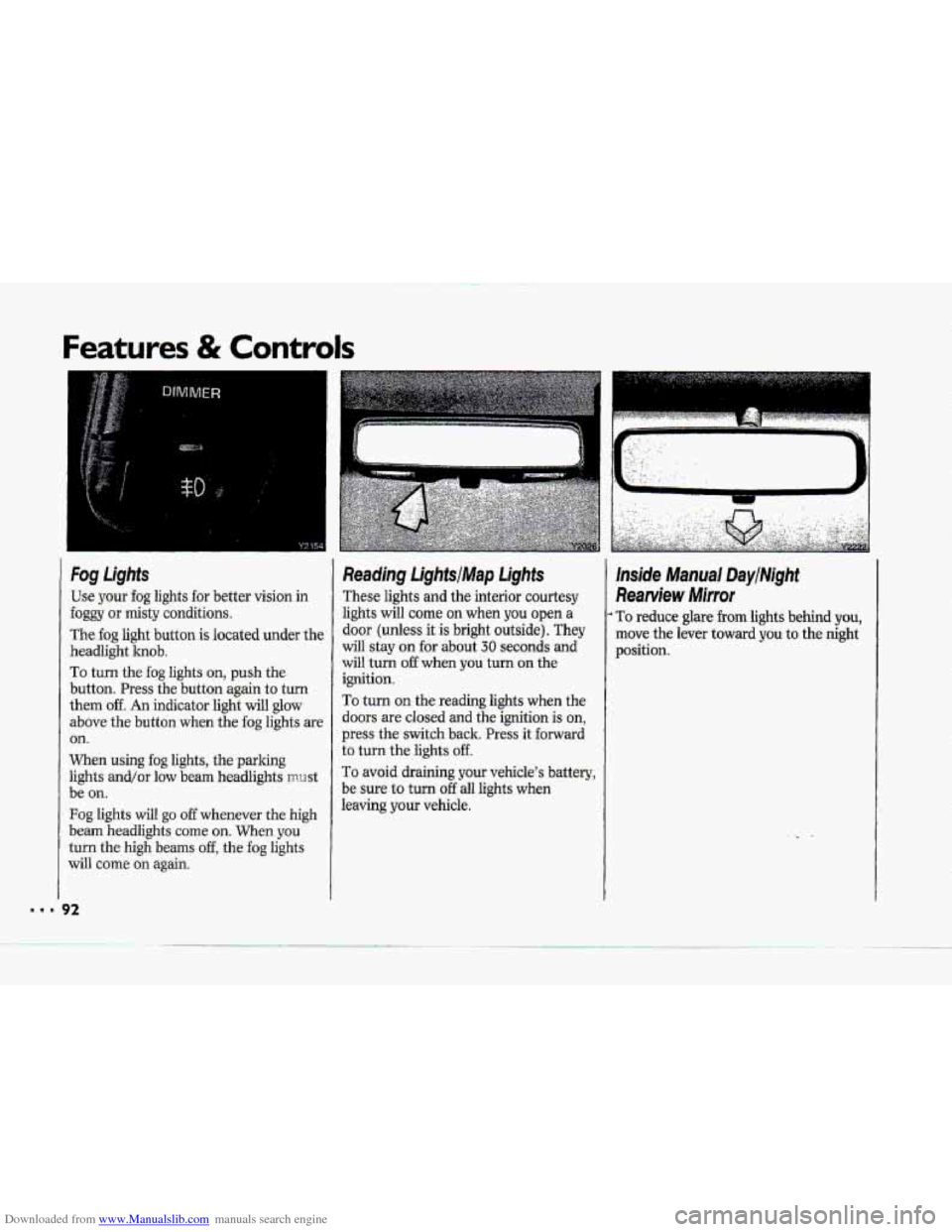
Fog Lights
Use your fog lights for better vision in
foggy or misty conditions.
The fog light button is located under the
headlight knob.
To turn the fog lights on, push the
button. Press the button again
to turn
them off. An indicator light will glow
above the button when the fog lights are
on.
When using fog lights, the parlung
lights and/or low beam headlights mrrst
be
on.
Fog lights will go off whenever the high
beam headlights
come on. When you
turn the high beams off, the fog lights
will come
on again.
Reading LightsIMap Lights
These lights and the interior courtesy
lights will corne
on when you open a
door (unless it is bright outside). They
will stay on for about 30 seconds and
will turn
off when you turn on the
ignition.
To turn on the reading lights when the
doors
are closed and the ignition is on,
press the switch back. Press it forward
to turn the lights off.
To avoid draining your vehicle's battery,
be sure to turn
off all lights when
leaving
your vehicle.
lnside Manual DaytMght
Rearview Mirror
To reduce glare from lights behind you,
move the lever toward you to the night
position.
Page 100 of 370
Downloaded from www.Manualslib.com manuals search engine i
P
r
F"
i I
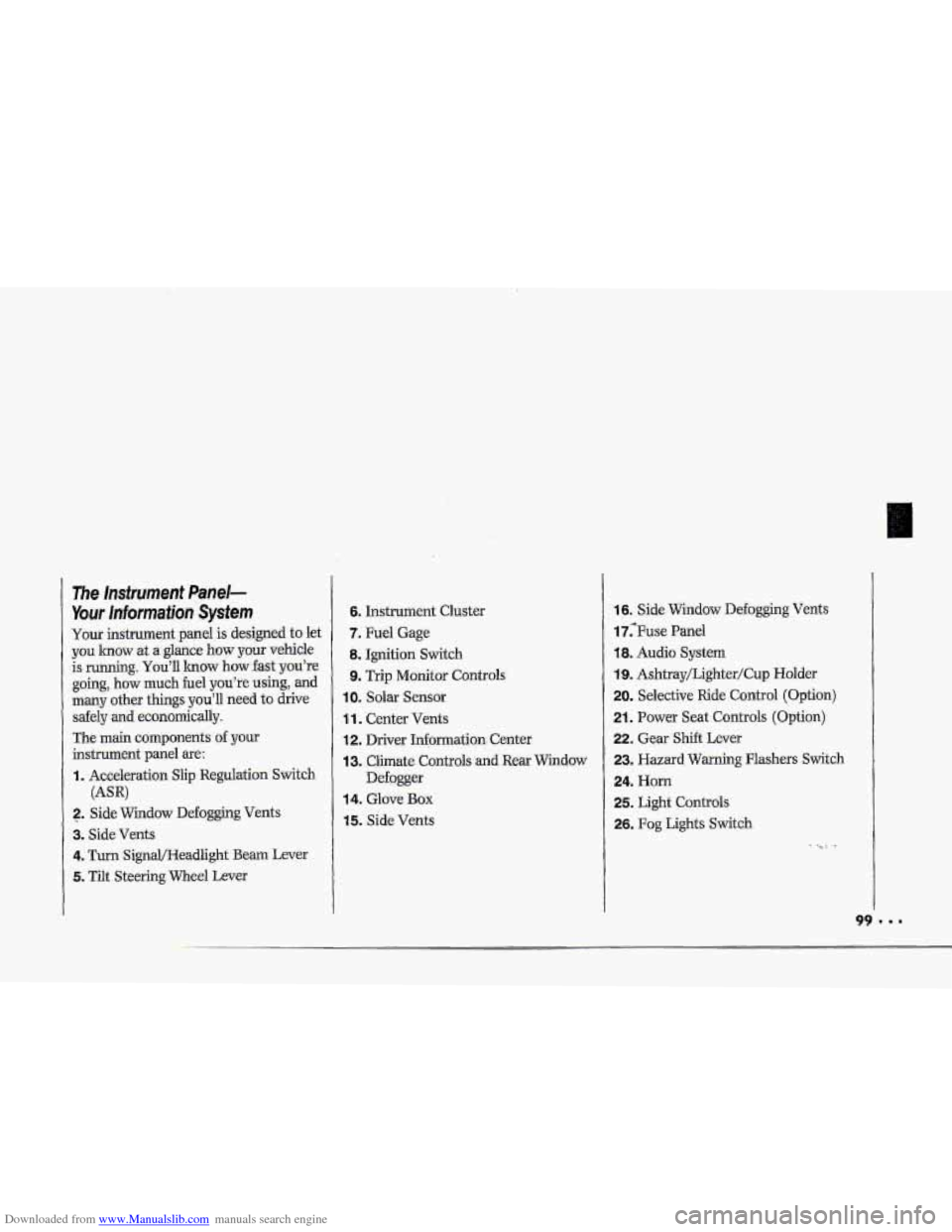
The Insfrument Panel-
Your lnformaiion System
Your instrument panel is designed to let
you lmow at a glance how your vehicle
is running.
You'll lrnow how fast you're
going, how much fuel
you're using, and
many other things you'll need to drive
safely
and economically.
The main components
of your
instrument panel are:
I. Acceleration Slip Regulation Switch
2. ,Side Widow Defogging Vents
3. Side Vents
4. Turn SignQHeadlight Beam Lever
5. Tilt Steering Wheel Lever
(AW
6. Instrument Cluster
7. Fuel Gage
8. Ignition Switch
9. Trip Monitor Controls
IOm Solar Sensor
1 1. Center Vents
12. Driver Information. Center
13. Climate Controls and Rear Window
Defogger
14. Glove Box
15. Side Vents
16. Side Window Defogging Vents
17;Fuse Panel
18. Audio System
19. Ashtray/Lighter/Cup Holder
20. Selective Ride Control (Option)
21. Power Seat Controls (Option)
22. Gear Shift Lever
23. Hazard Warning Flashers Switch
24. Horn
25. Light Controls
26. Fog Lights Switch
-. .
Page 131 of 370
Downloaded from www.Manualslib.com manuals search engine ..I
Features & Controls
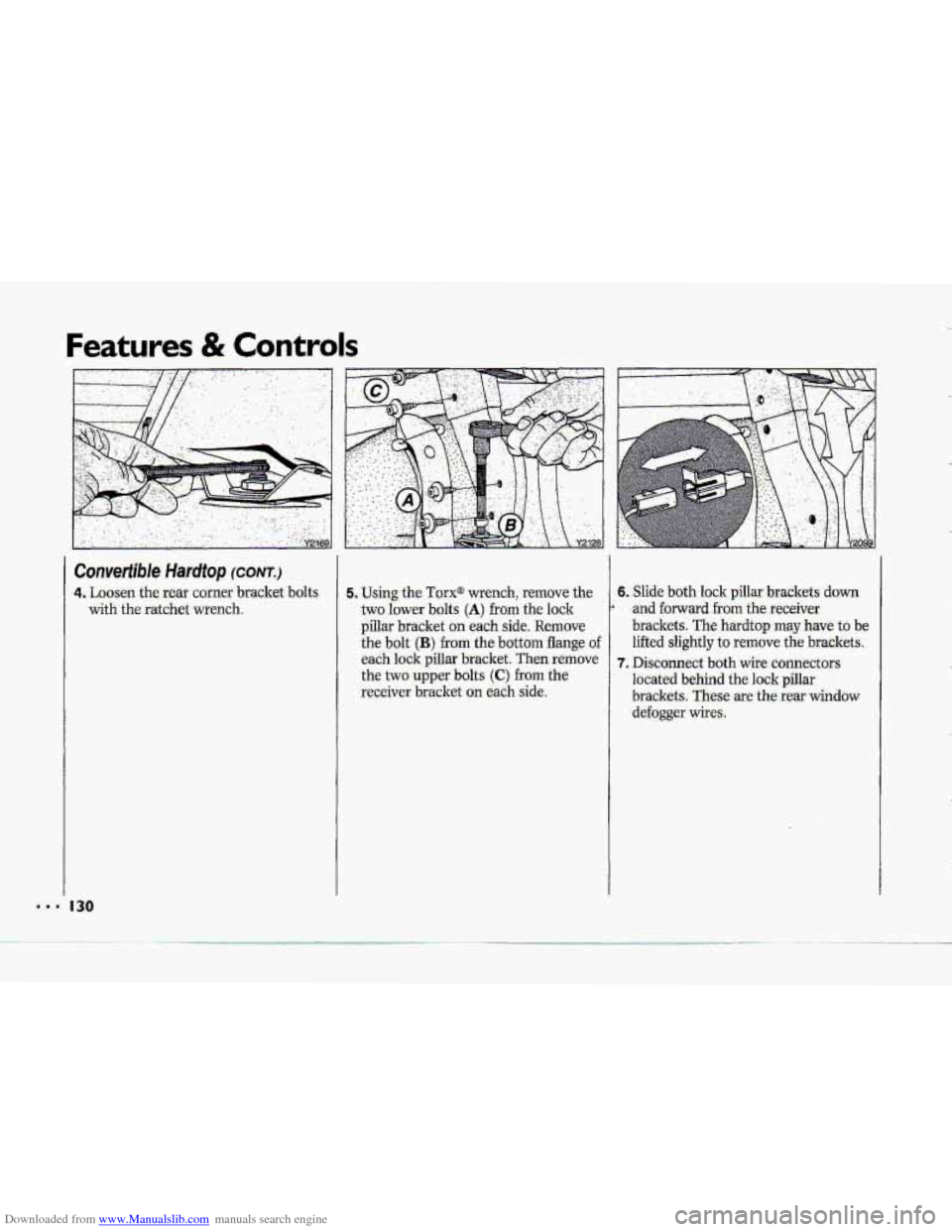
Convertiible Hardtop (CONT.)
4. Loosen the rear comer bracket bolts
with the ratchet wrench.
130
5. Using the Torx@ wrench, remove the 6. Slide both lock pillar brackets down
two lower bolts
(A) from th-e lock
brackets.
These are the rear window -receiver bracket on each side. located behind the lock pillar
the two upper
bolts (C) from the
7. Disconnect both wife connectors
each lock pillar bracket. Then remove lifted slightly
to remove
the brackets.
the bolt (B) from the bottom flange of
brackets. The hardtop may have to be
pillar bracket on each side, Remove
* and forward from the receiver
defogger wires.
Page 144 of 370
Downloaded from www.Manualslib.com manuals search engine h
P
To Reset Your System:
1. Turn your ignition.lrey to Off or
Lock.
2. Pull the Courtesy Lights Fuse and
Radio Fuse .out of the- main fuse
panel for
one minute.
3. Put-the fuses back in and start your
vehicle. Your system shuuld be
working.
If you still have a problem,
see your deder,
.For
fuse location, see the Index under
Fuses E. CircuitBreakers and Fuse
.Panel.
Directional Controls
When the €allowing buttons are pressed,
an indicator light.
will glow above .the
button and the fan speed will go to
AUTO 3f unless you select a dBerent
speed. When the system is'changed
€rum
OFF tu any mode, the inside
temperature setting is displayed for
several seconds before the .outside
temperature is again displayed.
& (Maximum A/C): Use for
maximum cooling
or quick cool-down
on very hot days..
This setting will not
operate when outside temperatures are
below
40°F (5°C) I
-2 (Bi-Level): This setting lets air
inte the vehicle only through the
.heater and air conditioner outlets and
brings.the temperature
to the range
you choose. It controls the fan blower
speed by using t-he input signals.
Bi-Level al.so
defogs the side windows,
You can. override the,fan blower speed
by using
the V and A buttons.
a(Vent): In this setting, the
compressor
will not. mn. The-system
will adju-st
to the temperature you
choose, but it cannot cool the vehicle
to a temperature colder than the
outside air temperature, This setting
Page 145 of 370
Downloaded from www.Manualslib.com manuals search engine ...
Comfort Controls & Audio Systems
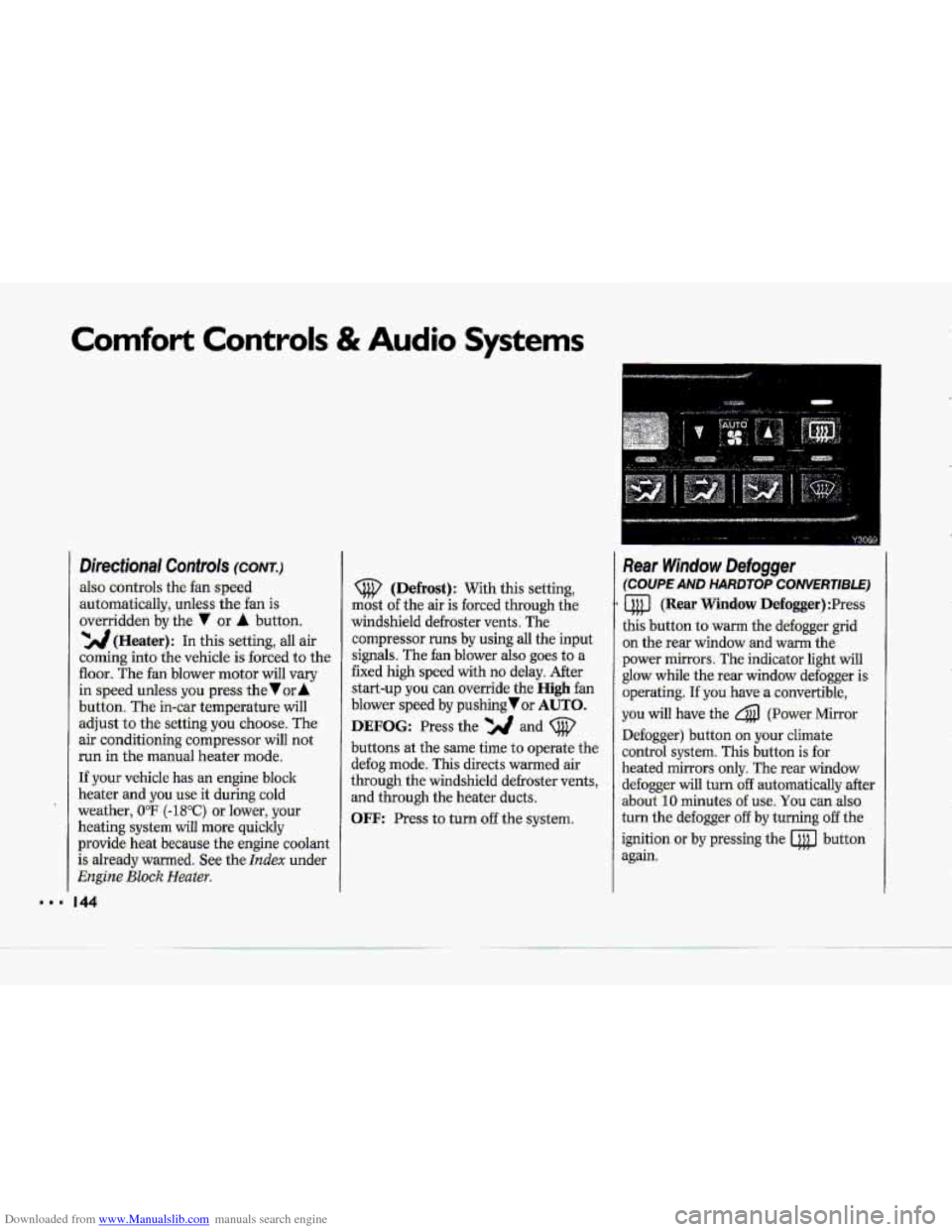
Directional Controls (CONT.)
also controls the fan speed
-automaticallyy, unless the fan is
overridden
by the 7 or A button.
'YJJ(Heater): In this setting, all air
coming into the vehicle. is forced to the
floor. The fan blower motor will vary
in speed unless yowpress the Vur A
button. The in-car temperature will
adjust to the setting you choose. The
air conditioning compressor will not.
run in the manual heater mode.
If .your vehicle has an
engine block
heater
and you.use .it during cold
weather,
UoF (-18°C) or lower, your
heating system will .more quickly
provide heat became the engine coolant
is already warmed. See the
Index under
Engine Bluck Heater.
44
(Defrost): With this setting,
mast
of the air is forced. through the
windshield defroster vents. The
cornpressor
runs by using all the input
signals. The fan blower also .goes to a
fixed
high speed with no delay. After
start-up you can override the High fan
blower speed by pushing or AUTO.
DEFOG: Press the and (@'
buttons at the same time to operate the
defog mode. This directs warmed air
through the windshield defroster
vents,
and through the heater ducts.
OFF: Press to turn off the system.
Rear Window Defogger
(COUPE AND HARDTOP CONVERTlBLE)
a (Rear Window Defogger) :Press
this button to warm the defogger grid
on the rear window and
warm the
power mirrors. The indicator light will
glow while the rear window defogger is
operating.
If you have a convertible,
you. will have the 4 (Power Mirror
Defogger) button .on your climate
control system. This button
is for
heated mirrors only. The -rear window
defogger
will turn:off automatically after.
about
10 minutes. of use, You can also-
turn the defogger
off by turning off the
ignition
or by pressing the @ button
again.