1993 CHEVROLET CORVETTE ignition
[x] Cancel search: ignitionPage 155 of 370
Downloaded from www.Manualslib.com manuals search engine Comfort Controls & Audio Systems
'I
AMIFM Stereo with Cassette
Player (Delco-Bose@ Music
System) ~conrr.)
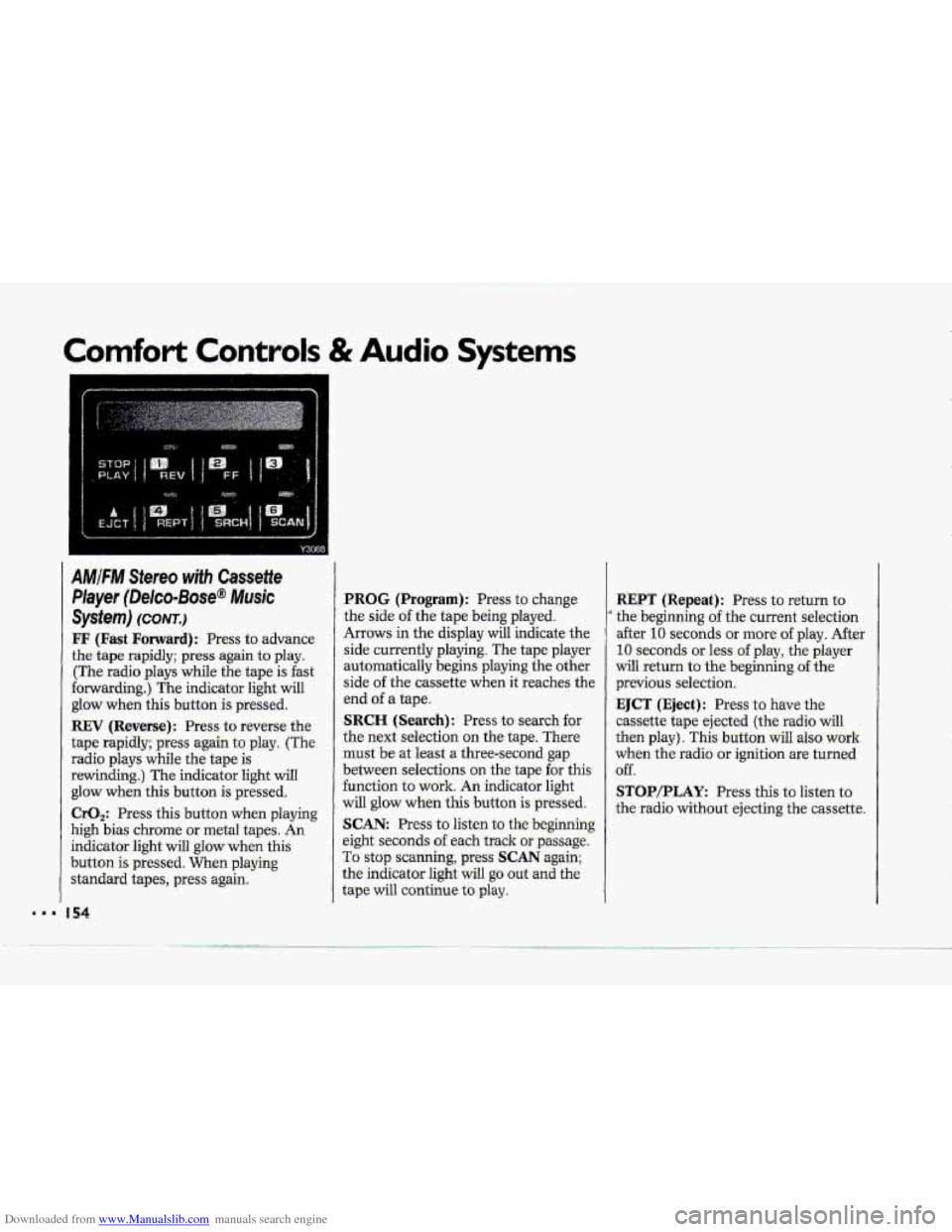
FF (Fast Forward): Press to advance
the tape rapidly; press again to play.
(The radio plays while the tape is fast
forwarding.) The indicator light will
glow when this button
is pressed.
REV (Reverse): Press to reverse the
tape rapidly; press again to play. (The
radio plays while the tape
is
rewinding.) The indicator light will
glow when this button is pressed.
CrO,: Press this button when playing
high bias chrome
or metal tapes. An
indicator light will glow when this
button
is pressed. When playing
standard tapes, press again.
I54
PROG (Program): Press to change
the side
of the tape being played.
Arrows in the display will indicate the
side currently playing. The tape player
automatically begins playing the other
side
of the cass-ettg. W&n it xeahez, the
end
of a tape.
SRCH (Search): Press to search for
the next selection on the tape. There
must be at least a three-second gap
between selections on the tape for this
function to work. An indicator light
will glow when this button is pressed.
SCAN: Press to listen to the beginning
eight seconds
of each track or passage.
To stop scanning, press SCAN again;
the indicator light will
go out and the
tape will continue
to play.
.. --
REPT (Repeat): Press to return to
' the beginning of the current selection
after
10 seconds or more of play. After
10 seconds or less of play, the player
will return to the beginning of the
previous selection.
EJCT (Eject): Press to have the
cassette tape ejected (the radio
will
then play). This button wilI also work
when the radio or ignition are turned
off.
STOP/PLAY: Press this to listen to
the radio without ejecting the cassette.
Page 156 of 370
Downloaded from www.Manualslib.com manuals search engine i
F
I
p4
I
AMIFM Stereo with CassettelCD
Player (Delco-Bose@ Musk
System)
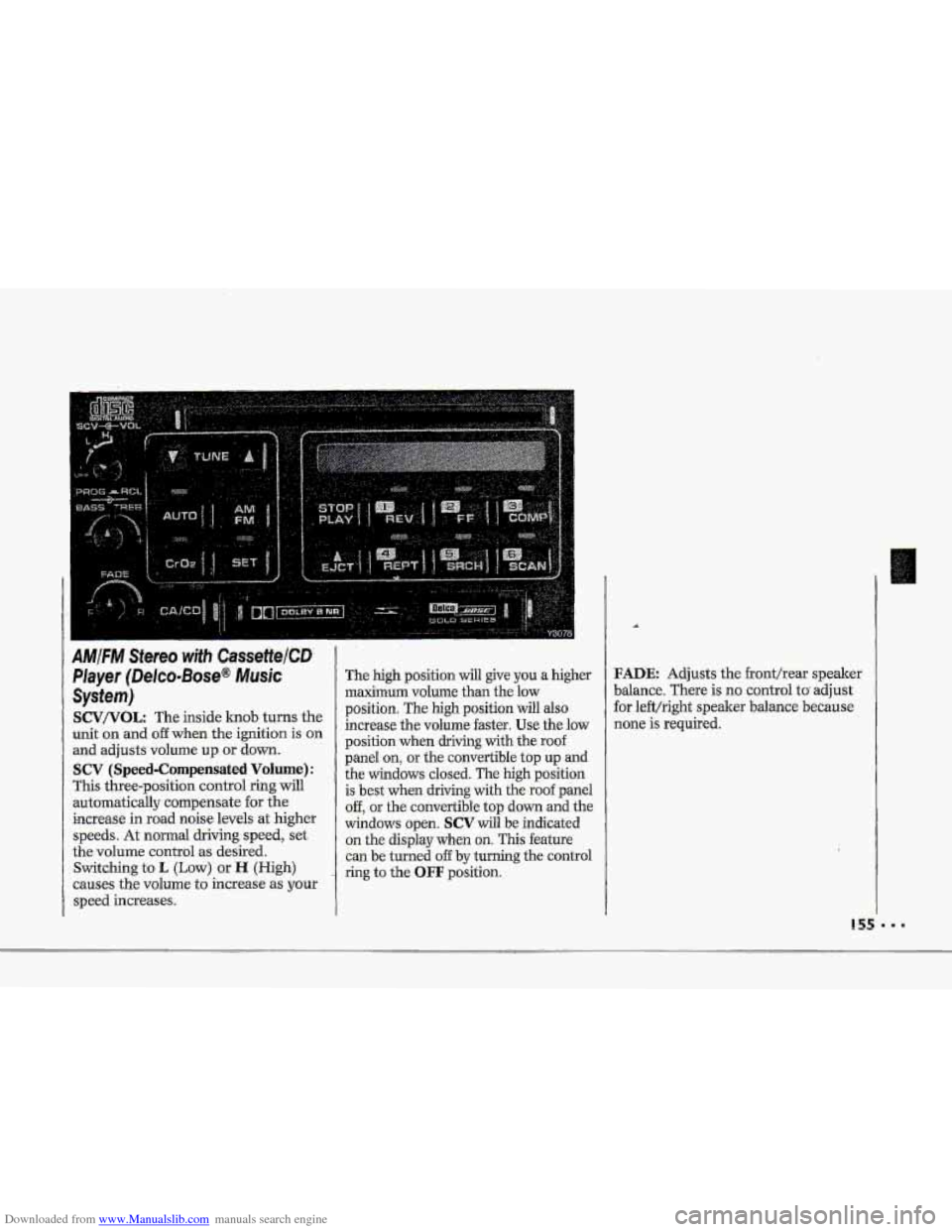
SCV/VOL: The inside lcnob turns the
unit on and
off when the ignition is on
and adjusts volume up or down.
SCV (Speed-Compensated Volume):
This three-position control ring will
automatically compensate for the
increase in road noise levels
at higher
speeds. At normal driving speed, set
the volume control
as desired.
Switching to
L (Low) or H (High)
causes the volume
to increase as your
speed increases.
The high position will give you a higher
maximum volume than the low
position. The
high position will also
increase the volume faster.
Use the low
position when driving with the roof
panel
on, or the convertible top up and
the windows closed. The high position
is best when driving with the roof panel
off, or the convertible top down and the
windows open.
SCV will be indicated
on the display when on. This feature
can be turned
off by turning the control
ring to the
OFF position.
FADE Adjusts the fronthear speaker
balance. There is
no control to adjust
for left/right speaker balance because
none is required.
... .... ... .. ...
.... ... ... .... . :.. .. .... .. ..
Page 158 of 370
Downloaded from www.Manualslib.com manuals search engine c
A
4
To Play ,a Cassette Titpe:
This audio system hits automatic
00- Dolby B NR@ to feduce-.baclground
hoke on' Dolby encoded tapes. .Dolby@
Noise Reduction is manufactured u.nder
license from Dolby Laboratorie's
Licensing Corporation.
Doby@ and the
011 symbol are trademarks uf Dolby
Laboratories Licensing Corporation.
Turn the VOL knob to turn the radio
-on. Then push a cassette into the
Cassette
entry door (the-tape side goes
in first). Do Bot use tapes:that are
longer..t€ian
45 minutes on each side.
FF (Fast Forward): Press to advame
-the-:tape, rapidly;. press again to play.
(The radio plays- while the tape is fsst
forwarding.) The indicator light will
glow when this button is .pressed.
.REV (Reverse-): Press to reverse the
-tape rapidly; press .again to play. (The
radio plays while the tape is
rewinding.)
The indicator light will
glow when this button is pressed.
CrO,: -Press. this button when playing
high bias
chrome or metal tapes. Ah
indicator light will glow when this
button-is
pressed. When playing
standard tapes, press again.
PROG (Program): Press to change
the side afthe tape being played..
Arkows- in the- display wiil .indicate the
side currently playing, The-tape player
automatically basins :playing the other
side ofthe cassette when it reaches the
end of a tape:
SCAN: Press this-to sample the
beginning
of eadh track or passage. An
indicator light will come on when the
button.
is, pres.sed. Press agtiih to stop
scanning-.
SRCH (.Search): Press to search €Or
the next select-ion on ihe tape. There
must be at
least a three-second :gap
between selections
on the tape for this
function to,
work. An indicaior light
will'glow when this. button
is presmi.
REPT (Repeat): Press to .return to the
beginnhg
of the current selection-after
10 seconds or more of play. After 10
seconds or 1,ess of pray, the player will
return to the beginning &he previous
selection.
EJCT (Eject): Press to have the
cassette tape ejected (the radio -wilJ
then play). This-button will also-work
when the radio
or ignition are turned
6ff.
STUP/PLAY Press .this to list-en. to
the radio without ejecting the cas'sette..
Page 160 of 370
Downloaded from www.Manualslib.com manuals search engine c
COMP (Compres,sion): Pressing this
button makes soft -and
loud passages
more
,equal in volume. An indicator
light
will come on when the button is
pres-sed. Press again to resume normal
Play.
SCAN: Press this-to sample the
beginning
of each track or passage. An
indicator light will
come on when. the
button is pressed. Press again
to stop
scanning,
REFT (Repeat): Press to return to
the beginning of a selection aftex' 10
seconds or more of play. After 10
seconds or less of play, the player will
return to the beginning of the previom
selection.
When. Finished with the Compact
Disc Player:
If you rotate the SCV/V-OL hob to
OFF or turn. off the ignition, the disc
will stay in the player :and- start again
when
you turn on the ignition or power
switch, The disc will. begin playing at
the point where it had been stopped.
STOP/PLAY: Press to stop the disc
player; the radio
will play. Press again
to play the disc (the player will start
playing the disc where it was stopped
earlier).
EJCT (Eject) : Press to eject the disc;
the
radio will play. This button will
also work when the radio or ignitidn is
o€€. The disc will be automatically
pul1e.d
back into. the CD pl-ayer if it is
not. removed from the CD opening
after 30 seconds, when the ignitioni--s
off or the SCV/VOL knob is rotated to
OFF.
Undersfandjng-Radio Reception
FM Stereo
FM stereo will give you the best sound,
but
FM-. signals will reach only about 10
to 40 miles (16 to. 65 lm) . Tall buildings
or hills can interfere with
FM signals,
causing the sound tocome-and go.
AM
The range for -most AM stations, is
greater
than for FM, especially ahight.
The longer range, however, can cause
statbns to interfere with each other.
AM can also pick up noise from things
like: storms and power lines. To lower
this noise,
try reducing the-treble level.
159 8.
Page 162 of 370
Downloaded from www.Manualslib.com manuals search engine p"
i"
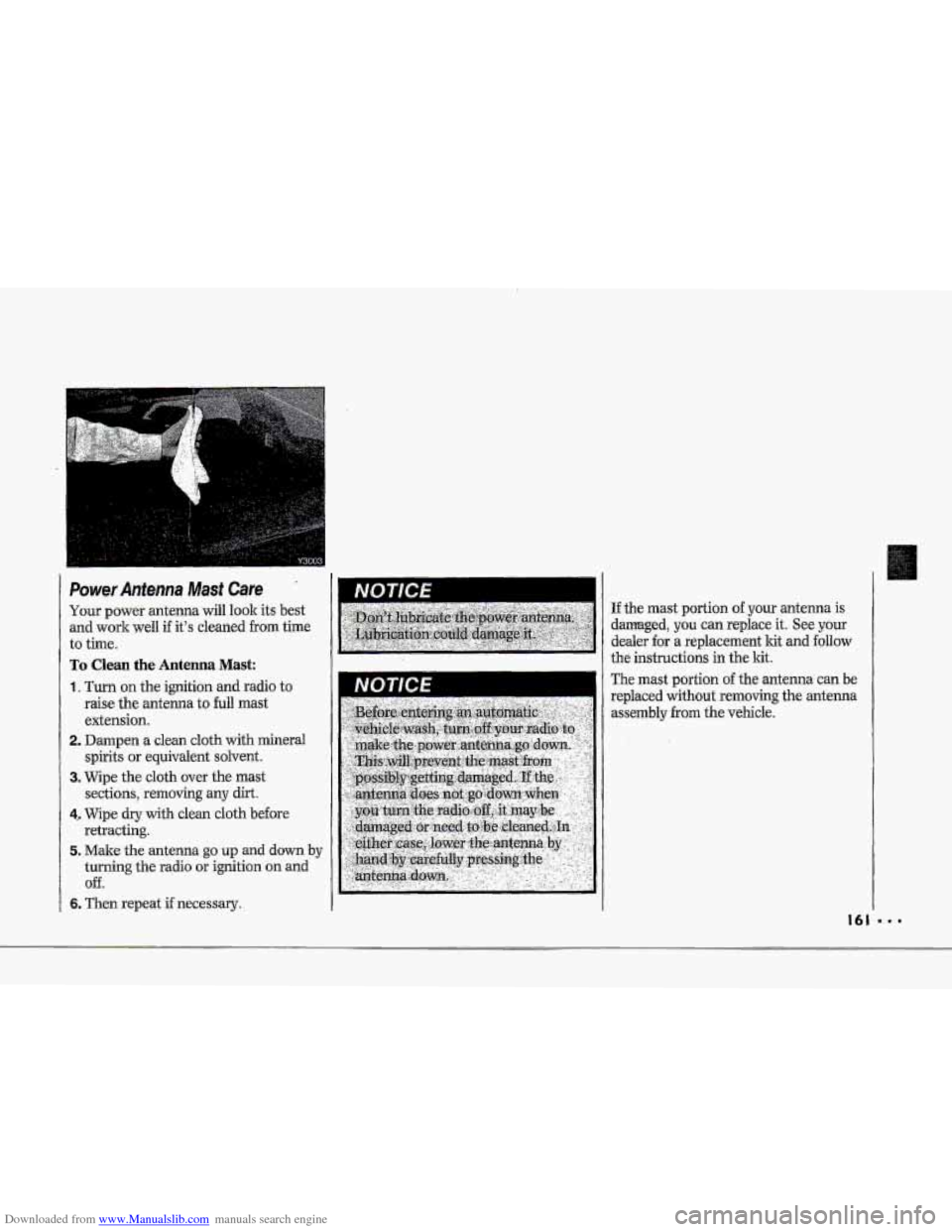
Power Antenna Mast care
I I
To Clean the Antenna Mast:
1. Turn on the ignition and radio to
raise the antenna to full mast
extension.
2. Dampen a clean cloth with mineral
spirits or equivalent solvent.
3. Wipe the cloth over the mast
sections, removing
any dirt.
4. Wipe dry with clean cloth before
retracting.
5. Make the antenna go up and down by
turning the radio or ignition an and
Off.
6. Then repeat if necessary.
I -.
If the mast portion -of your antenna is
damaged, you can replace it. See your
dealer
for a replacement .kit and follow
the instructions in the lit.
The mast
portion of the antenna can be
replaced without removing the antenna
assemblyfrom the
vehicle.
Page 177 of 370
Downloaded from www.Manualslib.com manuals search engine Your Driving and the Road
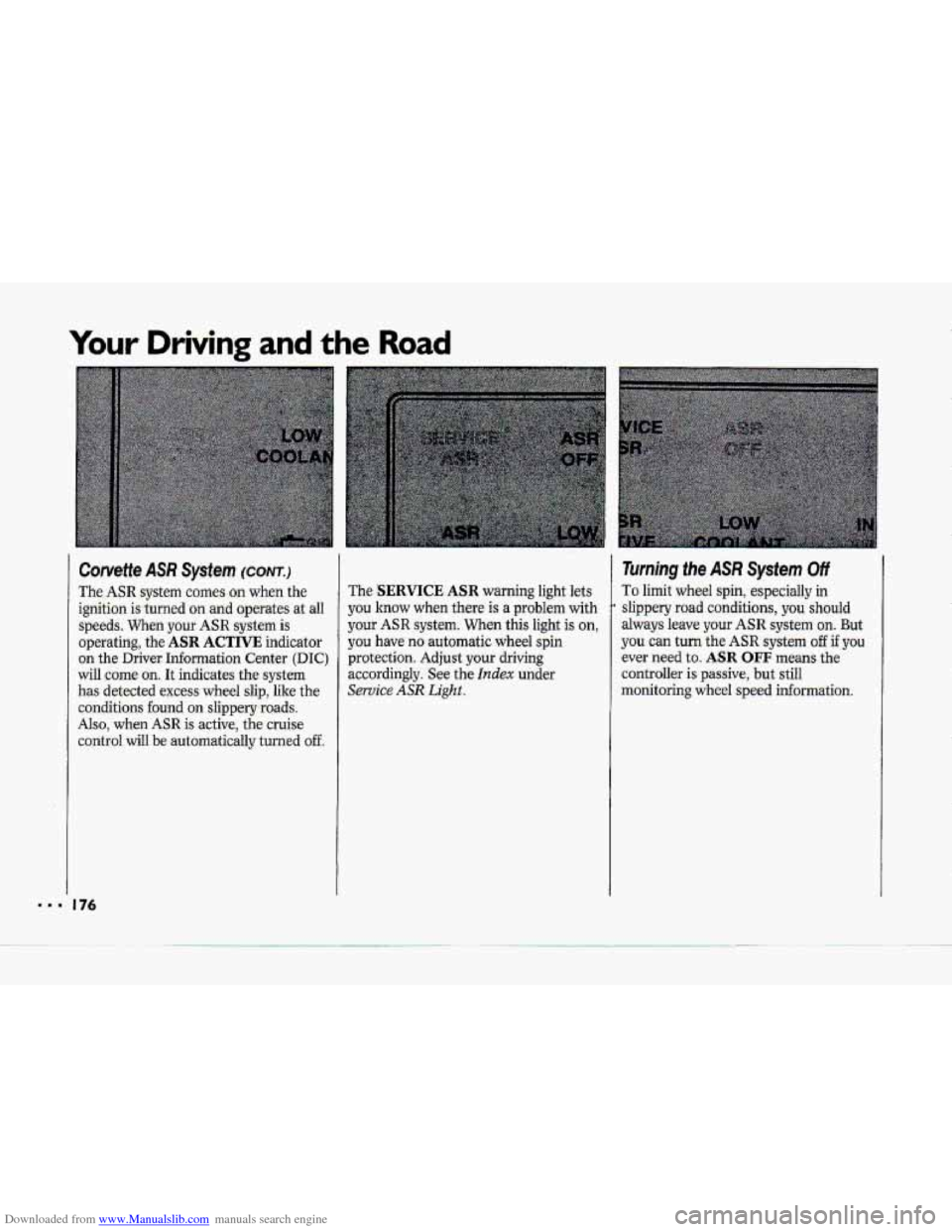
Corvette ASR System (CONT.)
The ASR system comes on when the
ignition is -turned
on and operates at all
speeds. When your ASR system is
operating, the
ASR ACTIVE indicator
on the Driver Information Center
(DIC)
will come on. It indicates the system
has detected excess wheel slip, like the
conditions found on slippery-roads.
Also, when ASR is active, the cruise
control
will be automaticaIly turned off
The SERVICE ASR warning light lets
you know
when there is a problem with
your ASR system. When this light is on,
you have no-automatic wheel spin
protection. Adjust your driving
accordingly, See the
Index under
Service ASR Light..
Turning the ASR System Off
To limit wheel spin, especially in
slippery road conditions, you should
always leave your ASR. system on. But
you can turn the ASR system off if you
ever need to. ASR OFF means the
controller is passive, but still
monitoring wheel
speed informauon.
Page 207 of 370
Downloaded from www.Manualslib.com manuals search engine Problems on the Road
3. Turn off the ignition on both
vehicles. Turn off all lights that aren’t
needed, and radios.
This will avoid
sparks and help save both batteries.
And it could save your radio!
4. Open the hoods and locate the
batteries.
Find the positive
{ + j and, negative
(-) terminals on each battery.
Page 211 of 370
Downloaded from www.Manualslib.com manuals search engine Towhg Your Corvette (CONT.)
When your vehicle is being towed, have
the ignition key
off. The steering wheel
should-be.
clamp,ed in a straight-ahead
position, with a clamping device
designed fur towing s-ervice. DO not use
the vehicle's stewing column iock for
this. The transmission shoLild be in
N [Neutral), and the.parlepg brake
released.
Don't have your vehicle tqwed on the
rear wheels,. unless you must. If the
vehicle
must. be t0we.d on the rear
wheels, dan't go more than 3mph
I
(56 km/h) or farther than 50 miles
(80.h) or your transmission will be
-damaged. Go slow over rough ground,
and position one wheel at a time
(angled 450j if you have- to go over
eurbs.and
rises. .Wheels &the lifted end
should be-
at. least 4 inches (10 cm)
above the ground. If these limits must
be
exceeded, then the rear wheels have
to be supported .on-a dolly.
I
.,
A
A vehicle can faH~~~m~a:c~
carrier if ,it isn't propgilp '
secured., This can cause a.colii$ion,
serious. pelrsonal injury .and:.vehicle.
damage.
The vehicle..shou[d be
t-ightly secured with chains or--sted -'
cables before it is transported-'
Don't use substitutes '(ropes,
leather straps, canvas webbing,
etc:.) that- can be cut by sharp edges
underneath the t.owed vehicle,