1993 CHEVROLET CORVETTE reset
[x] Cancel search: resetPage 151 of 370
Downloaded from www.Manualslib.com manuals search engine Comfort Controls & Audio Systems
AMlFM Stereo with Cassette
PIayer (cum)
TUNE. Press this control to tune in.
stations higher or lower on the AM.or
FM radio band. For rapid tuning, press
and hold one side of.TUNE., then:press
the other side. The display will revert
to time if the tuning activity has
ceased for approximately five sec0nd.s.
BASWXREB (Treble): The inside
knob adjusts the bass level up or
down. The autside ring;adjQsts the
treble level up or down.
To Preset Radio Stations:
The six numbered- pushbuttons can be.
used to preset up to twelve-radio
stations (six AM -and six FM stati.ons).
1. Tune in the desired station.
2, Press SET. The SET indicator light
will glow.
3. While the SET indicator. light- glows,
press one. of the six pushbuttons.
Whenever
you press this button again,
the preset station will be tuned in.
4. Repeat steps 1-3 -for each of six AM
and six FM stations,
To Play a Cassette Tape:
This audio system has automatic.
on Dolby B NR@- to reduce background
noise. on Dolby encoded tapes. Dolby"
Noise Re:du.ction is manufactured under
license from Dolby Laboratories
Licensing Corporation.
Dolby@ and the
00 symbol are trademarks of Dolby
Laboratories Licensing Corporation.
Turn the VOL 1Znd.b.ts turn the radio
on. Then push a Cassetteinto the
cassette entry door (the tape side goes
in :first). Do not use tapes-that are
loQger- than 45 minutes on each,:side.
The
display will indicate CA IN when a
cassette tape is in tkplayer.
Page 153 of 370
Downloaded from www.Manualslib.com manuals search engine Comfort Controls & Audio Systems
AMIFIW Stereo wifh Cassette
Player (Delco-Bose@ Music
System)
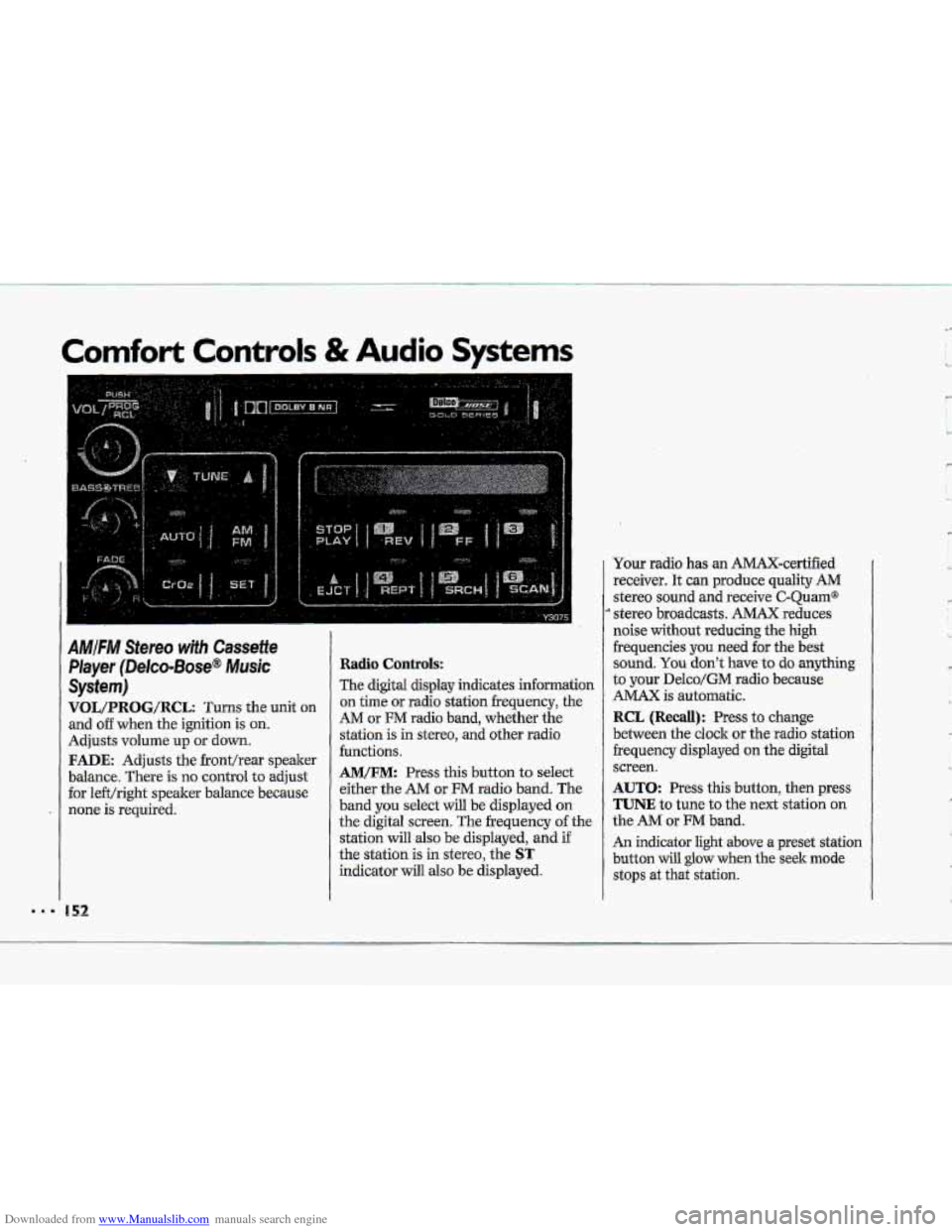
VOL/PRBG/R@L: Turns the unit on
and o€€ when the ignition is on.
Adjusts volume up or down.
FADE: Adjusts the fronthear speaker
balance. There is no control
to adjust
for le€t/right speaker balance because
none is required.
Radio Controls:
The digital display indicates information
on time or radio station frequency, the
AM or FM radio band, whether the
station is in stereo,
and other radio
functions.
AM/FM: Press this button to select
either the
AM or FM radio band. The
band
you select will be displayed on
the digital screen. The frequency of the
station
will also be displayed, and if
the station is in stereo, the
ST
indicator will also be displayed. Your radio
has an AMAX-certified
receiver. It can produce quality
AM
stereo sound and receive C-Quam@
stereo broadcasts. AMAX reduces
noise
without reducing the high
frequencies you
need for the best
sound.
You don't have to do anything
to your Delco/GM radio because
AMAX is automatic.
RCL (Recall): Press to change
between the clock or the radio station
frequency displayed
on the digital
screen.
AUTO: Press this button, then press
TUNE to tune to the next station on
the AM or FM band.
An indicator light above a preset station
button will
glow when the seek mode
stops at that station.
'w
' ,- I
c
L,
R
'k
Page 154 of 370
Downloaded from www.Manualslib.com manuals search engine TUNE: Press this control to tune in
stations higher
dower on the AM or
%M radio b-and. For rapid tuning, press
and hold one side of TUNE, theirpress
the other
side. The di-splay will revert
to time if the tuning -activity has
ceased for approximately five seconds.
BASS/TREB (Treblej: -The. inside
knob adjusts the
bass .level up or
down. The outside rin,g adjusts the
treble ievel
up or down.
To Preset Radio Stations:
The six numbered pushbuttons can be
used to preset-up
to twelve Eadio,.
stations (six AM ad six FM.stations).
1. Tune in the desired station.
2. Press SET. The SET indicator light
3. While the SET indicator light glows,
press one of the six .pushbuttons.
Whenever
you.press this button
again, the preset station will 'be tuned
in.
and six FM stations.
will
glow.
4. Repeat
steps 1-3 for each of six AM
To Play a Cassette Tape:
TGs audio system has automatic
UI Ddby B NR@ to reduce backpurid
noise on Dolby encoded tapes*
Dolby@
Noise Redudtion is.manufactwed under
license
fr~m Dolby Laboratories
Licensing Corporation. Dolby" and the
00 symbol are trademarks of Dolby
Laboratories Licensing- Corporation.
Turn the.VOL
knob to. turn t.he fadio:
on. Then
push a cassette into the
cassette entry door (the tape
side goes
in first).. Do not use tapes that .are
longer than
45 minutes on each side.
The,
display will indicate CA IN when a
cassette tape.& in the player.
Page 157 of 370
Downloaded from www.Manualslib.com manuals search engine .I.
Comfort Controls & Audio Systems
AMIFM Stereo with CassettelCD
Player (Delco-Bose@ Music
System) (CONT.)
Radio Contro~s:
-The digitd display indicates information
on- time or radio station frequency, the
AM or FM radio- band, whether the
station
is in stereo, and other radio
functions..
AMtFM: Press this button to select
either
-the AM OF FM radio- band. The
band you -select-will be displayed on
the digital screen. The frequency -of the
station will also
be displayed, and if
the station is in. stereo,
ST will-:also be
displayed.
Ywr radio has an AMAX-certified
.receiver. .It can produce quality AM
stereo sound and receive C-Qu.am@
stereo broadcasts. AMAX reduces
noise with0u.t reducing
the high
frequencies. you need
for the best
sound. You don't Jiave,to do anything
to your Delco/GM radio because.
AMAX is automatic.
156
RCL (Recall): Press to change
between the clock or the radio station
frequency displayed
on the digital
screen.
AUTO: Press this button, then press
TUNE to tune to the next station on
the
AM or FM band.
An indicator light above a preset station
b-utton will glow when the seekmode
stops .at that station.
TUNE: Press this control to tune in
stations higher or lower
on the AM or
FM radio band. .For rapid tuning, press
and hold one side of TUNE, then press
the other side.
BASS/TREB (Treble): The inside
knob adjusts the bass level up or
down. The outside ring adjusts the
treble bel up or down,
GA/cD: The .display will indicate
CA IN when a cassette is loaded into the unit, or
CD IN when a CD is
loaded into the unit. Cassette play is
also indicated in
the display by an
arrow. CD play.is also .indicated by the
track number
that is displayed when
RCL is pressed. An indicator light will
glow when the button is pressed. Press
,to alternate between cassette and CD
if both are loaded in the unit.
To Preset Radio Stations:
The six numbered pushbuttons can be.
used to preset up to twelve radio
:stations
(six AM and six FM stations).
1. Tune in the desired station.
-2. Press: SET. The SET indicator light
3. While the SET indicator light glows,
press one of the six pushbuttons.
Whenever
you press this button
again,
the preset station will be tuned
in.
will glow.
4. Repeat steps 1 --? for each o€.sirr AM
Page 269 of 370
Downloaded from www.Manualslib.com manuals search engine Service & Appearance Care
Adding Caalant-LT5 Enghe
(CONT,)
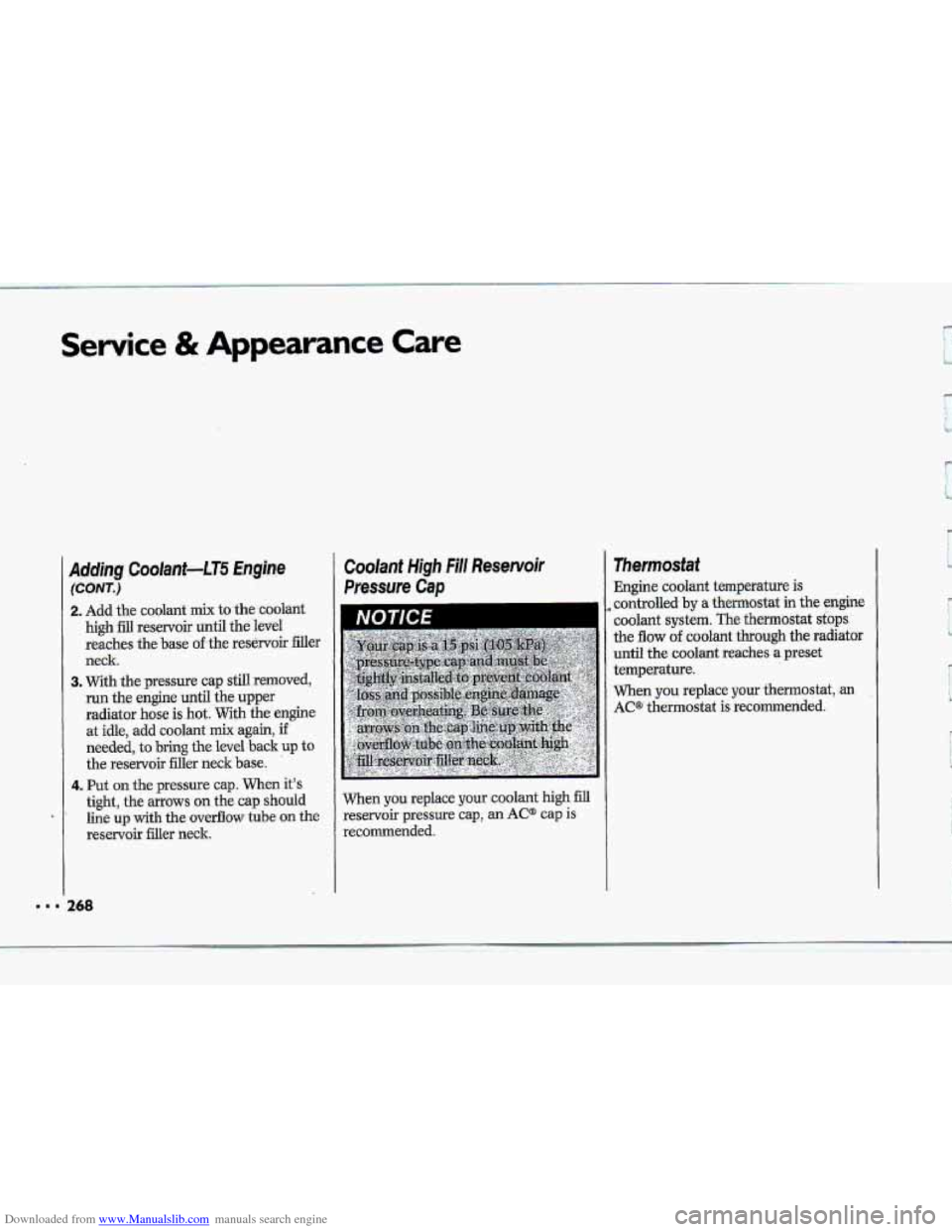
2. Add the coolant mix to the coolant
high fill reservoir until the level
reaches the
base of the res&voir filler
neck
3. With the pressure cap still removed,
run the engine until the upper
radiator
hose is hot. With the engine
at idle, add coolant
mix again, if
needed, to bring the level back up to
the reservoir filler neck base.
4. Put on the pressure cap. When it’s
tight, the arrows on the cap should
line up with the overflow tube on the
reservoir filler neck.
Coolant High Fill Reservoir
Pressure Cap
I
When you replace your coolant high fill
reservoir pressure cap, an AC@ cap is
recommended. Engine
coolant temperature
is
controlled by a thermostat in the engine
coolant
system. The thermostat sfops
the flow of coolant through the radiator
until the .coolant reaches a preset
temperature.
When you replace your thermostat, -an
AC* thermostat is recommended.
Page 288 of 370
Downloaded from www.Manualslib.com manuals search engine s
Wheel Alignment and
Tire Balance
The wheels on your vehicle were aligned
and balanced carefully at. the
factory
to give you the longest tire life
and best overall performance.
In most cases, you will'not need to ha
your wheels aligned again. However,
if
you notice unusual tire wear or your
vehicle
pulling.one way or the. other, the
alignment may need
to be reset. 'If you
notice your vehicle vibrating when
driving on a smooth road, your wheels
may need to be rebalanced.
Wheel Replacement
Replace any wheel that is bent, cracked
or badly ruste-d.
If wheel nuts keep
coming loose, the wheel, wheel bolts,
and wheel nuts should be replaced.
If
the wheel leaks air out, replace it
(except some aluminum wheels, which
can sometimes be repaired). See your
Chevrolet dealer
if any of these
conditions exist.
Your dealer will know
the lund
of wheel you need.
Each new wheel should have the same
load carrying capacity, diameter, width,
offset, and
be mounted the same way as
the one it replaces.
If you need to replace any of your
wheels, wheel bolts,
or wheel nuts,
replace them only with new GM original
equipment parts..This way, you will be
sure
to have the right wheel, wheel
bolts, and wheel
nuts for your Corvette.
A
Using the twmg replaiement. '
wheels, wkl bolts, or.wheel
nuts: on your .vehicle an be
dangerous. It mu14 afi& &e
braking and handling of.your
vehicle, make yourtires lose air and
make you.lose
control. You could
have. a
collision in which you or
others could be injured. Always use
the correct wheel: wheel bolts, and
wheel nuts for replacement.
rl
287 w Q
Page 367 of 370
Downloaded from www.Manualslib.com manuals search engine Index
111. 3
Theft Deterrent . System ...................... 53
Themostat ........................................ 268
Throttle Cable Adjusters ................... 256
Tilt Steering wheel.. ............................ 8 1.
Time, Setting the ............................. 148
Tires .................................................. 281
‘fBlow Out” ....................!............... 224
Buying New ..................................... 284
Chains ................................... 236, 288
Flat, Changing .............................. 225 .
Idition .......................................... 282
Inspection ....................................... 284
Loading .......................................... 280
Low Pressure Warning Light ........... 113
Pressure ......................................... 282
Quality Grading ............................. 285
Rotation ......................................... 283
Spare, Compact ............................ 236
Special Wheel Nut Socket- ............. 226
Storing a Flat .......................... 233, 234
Wear Indicators ............................. 284
Wheel Alignment & Tire Bal an= ... 287
Wheel LO& Key .................... 226, 233’
Wheel Replacement ...................... 287
‘when to Replace Wheels .............. 287
Winter Driving ............................... 198
166
Torque Lock ..................................... 198
Towing a Trailer ............................... 201
‘Towing Your Corvette ...................... 208
Traf€ic Lights ................................... 166
.Transmission, Automatic ............ 67, 78
Transmission, Manual ................. 70, 79
Trip Monitor ..................................... 11 0
ENG MET ..................................... 111
FUEL INFO ................................... 11 0
Gauge ............................................. 111
Trip Odo ........................................ 111
Trip Reset ....................................... 11 1
Trip Odometer ................................. 11 1
Twn and Lane Change Indicator ..... 82
Turn SignaVHeadlight Beam Lever .... 82
Acceleration Slip Regulation
Button
............................................ 89
Cruise Control .................................. 84
Headlight High-Low Beam
Changer ............................... .‘91
Turn & Lane Change Indicator ...... 82
Turn Signal Indicator ..................... 82
Turn Signal Replacement
Front
............................................ 276
Rear ............................................. 276
Windshield-Washer ........................... 83
Windshield Wipers .......................... 83
Turn Signal Indicator ........................ 82
Underhood Engine Lights -and
Fuse ........................................ 249, 309
Universal The8 Deterrent ................... 53
Unleaded Gasoline .......................... 241
Upholstery Care ............................... 290
Urban Driving .................................. 190
‘Vehicle Identification Number
(V~) .............................................. 303
Vehicle Loading ............................ .- ... 280
Vehicle Storage ................................ 272
Ventilation ........................ 137, 143, 1.45
VIN ................................................... 303
Visor Vanity Mirrors ......................... 94
Voltmeter .......................................... 105
wming Flashers. Hazard ........... 204
Warning. Lights
Anti-Lock Brake
System ............... 117
ASR System .......... .......................... 115