1993 CADILLAC ELDORADO reset
[x] Cancel search: resetPage 117 of 398
Downloaded from www.Manualslib.com manuals search engine r - --
!-
I
i
r
r
To Resume a Set Speed..
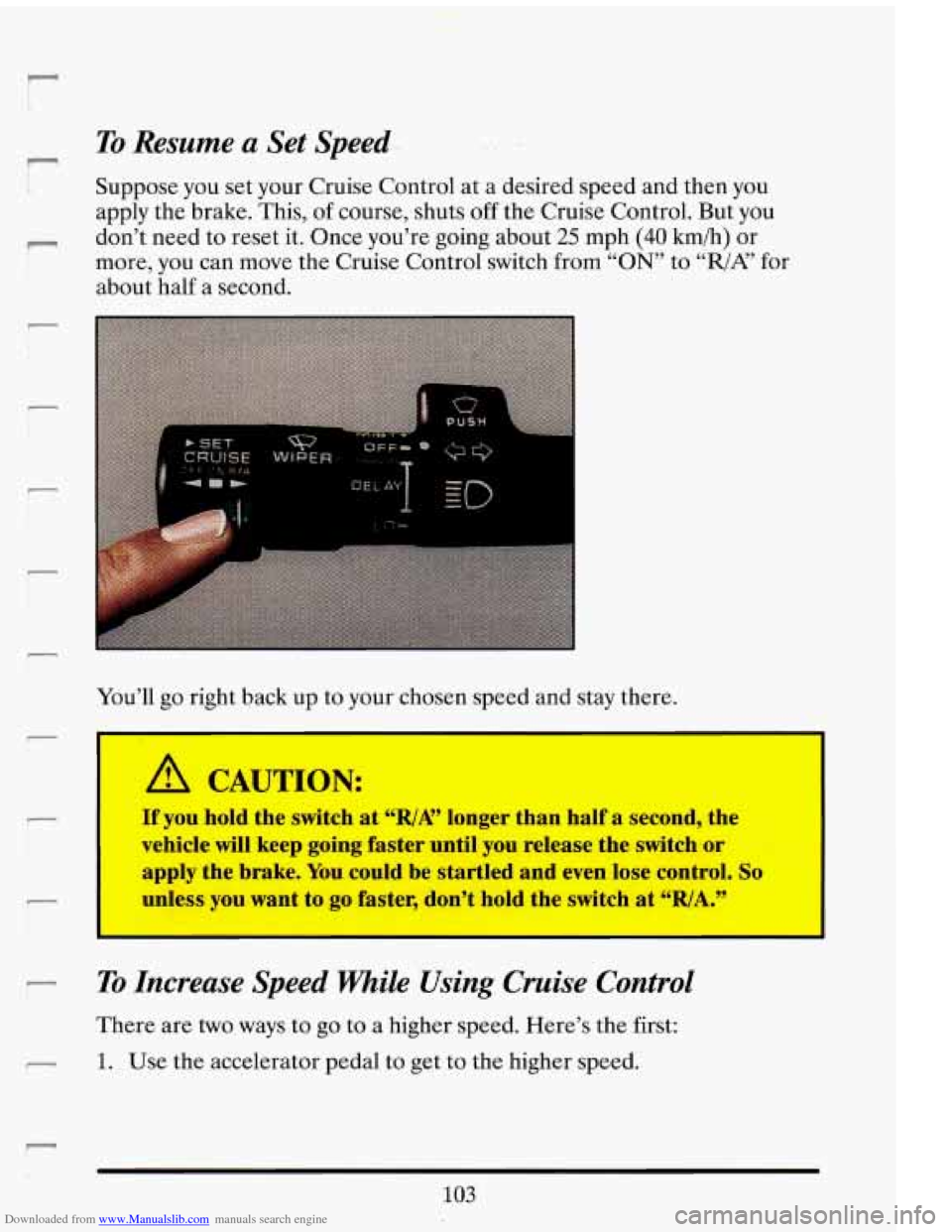
Suppose you set your Cruise Control at a desired speed and then you
apply the brake. This, of course, shuts off the Cruise Control. But you
don’t need to reset it. Once you’re going about
25 mph (40 kmih) or
more, you can move the Cruise Control switch from
“ON” to ‘‘,/A? for
about half a second.
You’ll go right back up to your chosen speed and stay there.
I I
A CAUTION:
If you hold the switch at %/A” longer than half a second, the
vehicle will keep going faster until you release the switch or
apply the brake. You could be startled and even lose control.
So
unless you want to go faster, don’t hold the switch at “RIA.”
I I
To Increase Speed FWaile Using Cruise Control
There are two ways to go to a higher speed. Here’s the first:
1. Use the accelerator pedal to get to the higher speed.
103
Page 137 of 398
Downloaded from www.Manualslib.com manuals search engine The same button also makes other readings (like temperature, fuel and
odometer)
go between English and metric.
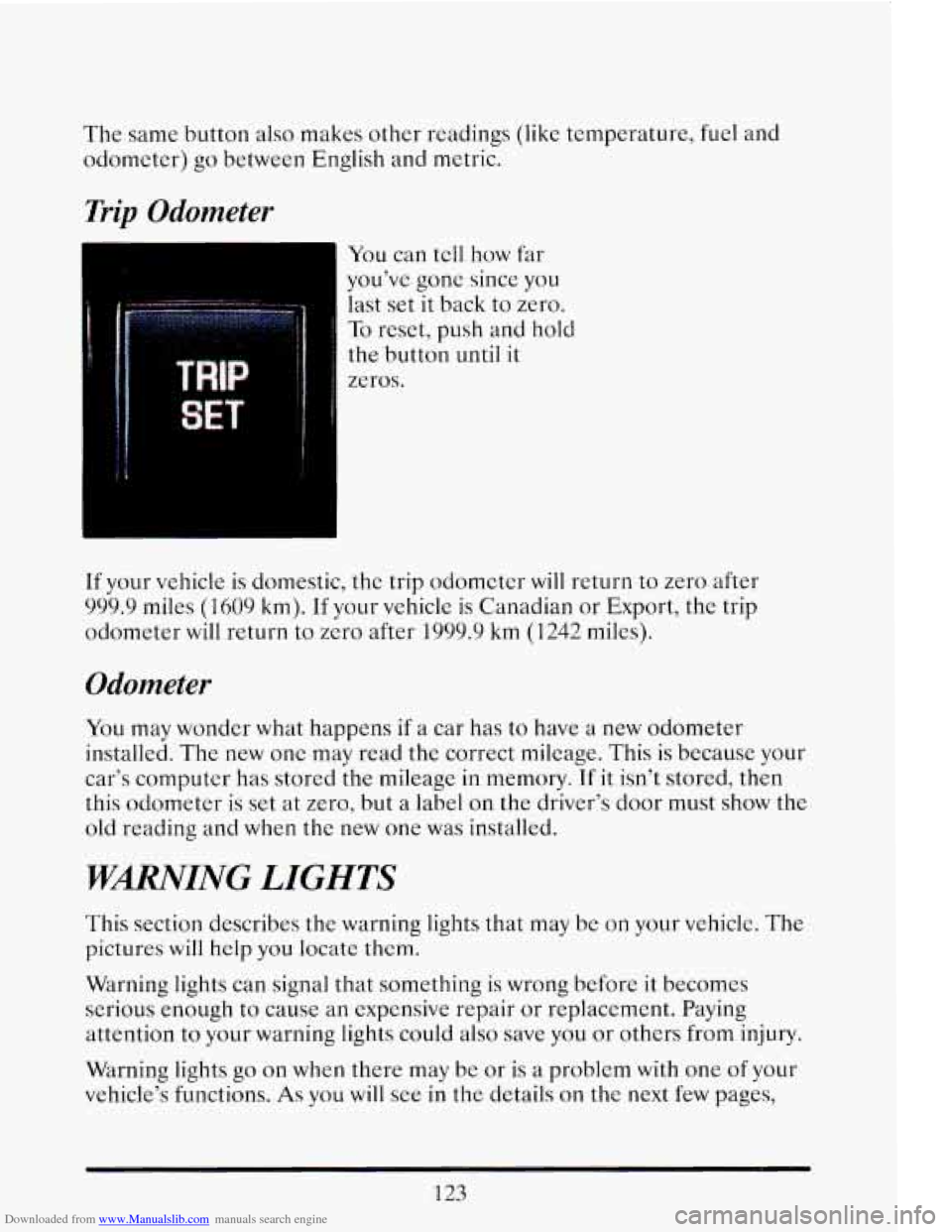
Trip Odometer
You can tell how far
you’ve
gonc since you
last set it back to zero.
To reset, push and hold
the button until it
zeros.
If your vehicle
is domestic, the trip odometer WIII return to zero after
999.9 miles (1609 km). If your vehicle is Canadian or Export, the trip
odometer will return
to zero after 1999.9 km (1242 miles).
Odometer
You may wonder what happens if a car has to have a new odometer
installed. The new one may read the correct mileage. This is because your
car’s computer has stored the mileage in memory.
If it isn’t stored, then
this odometer is set at zero, but
a label on the driver’s door must show the
old reading and when the new one was installed.
‘WARNING LIGHTS
This section describes the warning lights that may be on your vehicle. The
pictures will help you locate them.
Warning lights can signal that something is wrong before it becomes
serious enough
to cause an expensive repair or replacement. Paying
attention
to your warning lights could also save you or others from injury.
Warning lights
go on when there may be or is a problem with one of your
vehicle’s functions.
As you will see in the details on the next few pages,
123
Page 139 of 398
Downloaded from www.Manualslib.com manuals search engine I
A CAUTION:
Your brake system may not be working properly if the brake
warning light is
on. Driving with the brake warning light on can
lead to an accident. If the light is still
on after you've pulled off
service. e road and
stopped carefully, have the vehicle towed for
I
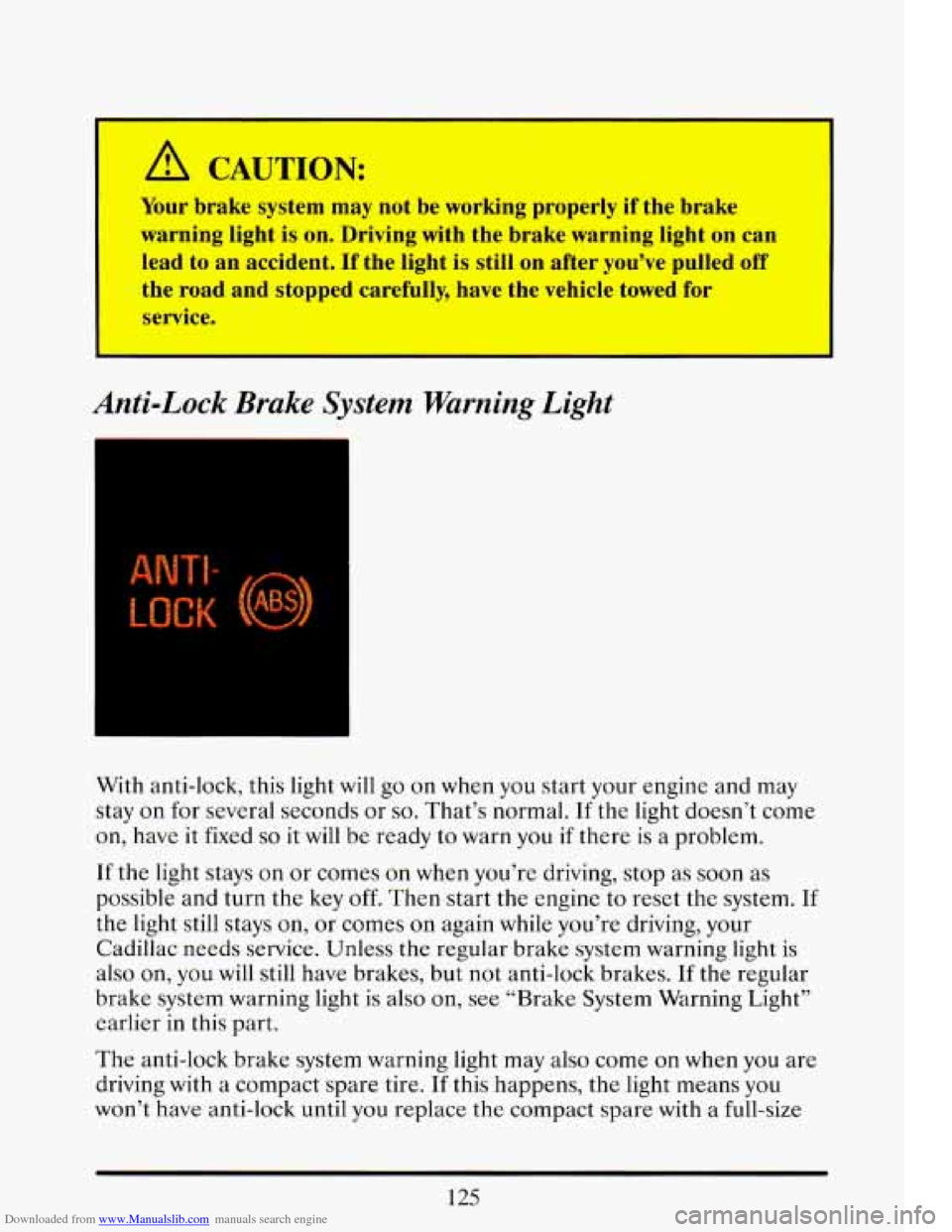
Anti-Lock Brake System Warning Light
=
With anti-lock, this light will go on when you start your engine and may
stay
on for several seconds or so. That's normal. If the light doesn't come
on, have it fixed
so it will be ready to warn you if there is a problem.
If the light stays on or comes on when you're driving, stop as soon
as
possible and turn the key off. Then start the engine to reset the system. If
the light still stays on, or comes on again while you're driving, your
Cadillac needs service. -Unless the regular brake system warning light is
also on,
you will still have brakes, but not anti-lock brakes. If the regular
brake system warning light is also on, see "Brake System Warning Light"
earlier in this part.
The anti-lock brake system warning light may also come
on when you are
driving with a compact spare tire.
If this happens, the light means you
won't have anti-lock until you replace the compact spare with a full-size
125
Page 145 of 398

Downloaded from www.Manualslib.com manuals search engine Fuel Data Panel
DATA
Your Fuel Data Panel tells you all you want to know about your fuel
economy and
how far you can travel with the fuel remaining. Here's how
it works.
DATA: Push this button to toggle between " INST MPG" (instantaneous
miles per gallon) or
the "AVG MPG" (average mile per gallon) displays.
You can also display
it in metric units by pressing the "ENG MET"
button.
RESET Push this button to reset the " AVG MPG" to zero.
AVG MPG (Average Fuel Economy): When '' AVG MPG" is selected, the
total distance is divided by
thc total fuel used.
INST (Instantaneous Fuel Economy): When " INST MPG" is selected,
you will see what your fuel economy is at that instant. The computer
takes
a new reading twicc every second. It will show economy up to 70
miles per gallon (or 2 liters per 100 Kilomctcrs).
RANGE: This display shows how far the computer thinks you can go with
the fuel that is in your tank. The computer does not know what driving
conditions will be like
for the rest of your trip, so the range is estimated
based on your previous fuel economy. Thcrcforc, your range reading may
change
as your driving habits change (going from city to highway driving
may increase
the range reading).
131
Page 147 of 398

Downloaded from www.Manualslib.com manuals search engine STORE/RECALL
Pressing this button will store any currently displayed message that is
indicating a system problem. Once a message has been stored the next
message
of normal information is displayed.
When
a message is stored it is saved in the computer, but once the
ignition
is turned off the message is lost. All messages stored when your
engine is running can be viewed one at a time by pressing
“STORE/RECALIY button.
FUEL USED RESET
Display the fuel used, then press and hold the STORE/RECALL button
until
0 is displayed.
DISPLAY ON/OFF
Pressing this button will turn off the Driver Information Center,
Electronic Climate Control and Fuel Data Center displays. While
displays are
off, pressing the “INFORMATION” button will turn on only
the Driver Information Center. If any other button is pressed or a driving
warning message needs
to be displayed, or fuel level falls below 4 gallons,
all the displays will come back on.
TRIP SET
Press and hold this button to set the Trip Odometer back to zero.
ENG/MET (English/Metric)
Press this button to switch from English (miles) to metric (kilometers).
Driver Information Center Messages
These messages will appear if there is a problem sensed in one of your
vehicle’s systems. Vehicles that
are first sold in Canada or are export
vehicles will have a number after each message. This number helps to
identify that message, which is only displayed in English.
APPLY BRAKE TO SHIFT
This message will appear if your vehicle is in “P” (Park) for about 5
seconds and the brake is not depressed. If you do not want this message
to appear, you can cancel this message by pressing the
OFF and the Blue
(cooler) button on the Electronic Climate control panel. Push \
the same
2
buttons again to have this message displayed again.
133
Page 149 of 398

Downloaded from www.Manualslib.com manuals search engine CHANGE TRANS FLUID (Northstar Only)
This message will appear when it is time to replace the transaxle fluid.
See your maintenance booklet for the proper fluid and change i\
ntervals.
CHECK BRAKE FLUID
This message is displayed to inform the driver that the brake reservoir
fluid level
is low. Check the brake reservoir level and add as needed.
Have the brake system serviced by
a Cadillac technician as soon as
possible.
If the brake warning light is on, follow the directions in that
section.
CHECK COOLANT LEVEL (Northstar Only)
This message will appear when there is a low level of engine coolant.
Have the cooling system serviced by a Cadillac technician as soon as
possible.
CHECK FUEL GAGE
This message will appear when your fuel supply is less than 4 gallons and
your display is turned
off.
CHECK OIL LEVEL (Northstar Only)
This message will appear when your engine oil is approximately a quart
low. If this message is displayed, check the oil and add as needed.
CHANGE OIL SOON
This message will appear when your engine oil is less than 10 percent or
the mileage since the last oil change is more than 6750 miles.
CHANGE ENGINE OIL
135
This means that the life of your engine oil has expired and it should be
changed immediately. See engine
oil and filter recommendations in the
Maintenance Schedule. After an
oil change, the Oil Life Index must be
reset. See “Oil Life Indicator”
in the index on how to reset it.
Page 152 of 398
Downloaded from www.Manualslib.com manuals search engine STOP ENGINE LOW OIL PRESSURE
If this message appears while the engine is running, stop the engine and
do not operate it until the cause of low oil pressure is corrected. Severe
damage to the engine can result.
SERVICE SUPPLEMENTAL INFLATABLE RESTRAINT
If this message appears, there is a problem with your Supplemental
Inflatable Restraint (Air Bag) system. Let only a qualified technician
work on your vehicle. See your Cadillac dealer for service at once.
THEFT SYSTEM PROBLEM/CAR MAY NOT RESTART
This message means there is atroblem in the Personalized Automotive
Security System (PASS Key
I1 ). PASS Key I1 TM will prevent the vehicle
from restarting if it is turned off,
so you should take the vehicle to a
proper service center before turning the engine off. Never leave an
unattended vehicle with the engine running. Once you are where you can
get service, turn the engine
off and then try to restart it. If the vehicle
does not restart, the PASS Key
I1 TM system will need servicing.
TRACTION ACTIVE
If your vehicle is equipped with Traction Control, this message will be
displayed if Traction Control is being used to reduce wheel slippage.
TRACTION DISABLED
If your vehicle is equipped with Traction Control, this message will be
displayed if
a problem is noted in the Traction Control System. Have your
vehicle serviced as soon as possible.
TRANS FLUID RESET (Northstar Only)
With the engine not running and the ignition ON, press and hold the
OFF and REAR DEFOG buttons until the TRANS FLUID RESET
message appears in the Information Center (between 5 and 20 seconds).
TRANS OVERHEATED (Northstar Only)
This message indicates that your transaxle is running too hot. You should
stop and turn your engine
off as soon as possible. Let the engine and
transaxle cool and have the problem corrected. Severe transaxle damage
can result from an overheated transaxle
138
Page 155 of 398

Downloaded from www.Manualslib.com manuals search engine The system probably will say to change the oil between 3000 miles (5000
km) and 7500 miles (12500
km), but it may even say to change it before
3000 under
very severe conditions. It all depends on your driving
patterns. If it’s been 7500 miles
(12500 km) it will say to change oil.
There are two things the system doesn’t do:
It can’t sense heavy dust in the places whcre you drive. If you drive in
a dusty area, you should change your oil every 3000 miles (5000 krn)
or
3 months (whichever comes first), unless thc display says to change
it even sooner than that.
0 It doesn’t check how much oil you have, so you’ll still have to check
Also, for the system
to work right, it is important that you use SG oil, as
discussed earlier.
for that.
To see
how, see Index under “Engine Oil.”
When You’ve Changed the Oil
When new oil is put in, you‘ll need to reset your system. To do it, display
the
“OIL LIFE INDEX” by pressing the “Information” button. Then
press and hold the “STORE/RECALL? buttons
until the display shows
6‘ 100. 77
Speed Sensitive Suspension
The Speed Sensitive Suspension automatically controls the firmness of
your Cadillads ride. An actuator in each of the four struts will change
ride firmness depending
on vehicle speed and other driving conditions.
As
the vehicle speed increases, the firmness of the suspension changes to
one or three damping modes “Comfort”, for speeds !ess than 40 mph,
“Normal” for speeds between
40 and 60 rnph, and “Firm” for speeds
greater than 60 mph.
The system also stiffens damping during hard
acceleration, braking and cornering ,for increased control,
A computer is used to control and monitor the system. The computer
receives speed, acceleration and determines optimum mode strut valving
(or suspension stiffness) for your current operating conditions. The
computer also receives feedback from the struts to determine proper
system operation.
If the computer receives an incorrect feedback from
the system, an error code will
be set in memory and a message
“SERVICE RIDE CONTROL? will be displayed until the problem is
141