1993 BUICK ROADMASTER buttons
[x] Cancel search: buttonsPage 133 of 340
Defrost Rear Window Defogger (Option)
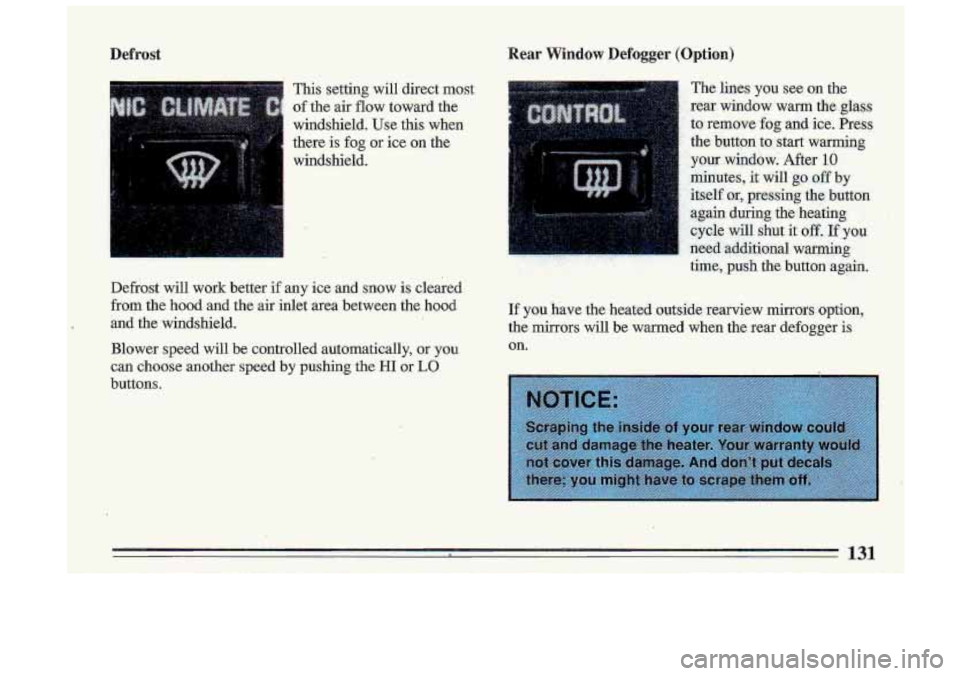
This setting will direct most
of the air flow toward the
windshield. Use this when
there is fog
or ice on the
windshield.
Defrost will work better
if any ice and snow is cleared
from the hood and the air inlet area between the hood
and the windshield.
Blower speed will be controlled automatically,
or you
can choose another speed by pushing the HI or LO
buttons.
If you have the heated outside rearview mirrors option,
the mirrors will be warmed when the rear defogger
is
on.
131
Page 138 of 340
..
How To, Operate Y0u.r' Audio System . :.. .> ,
To Play This Radio'
' ., ... . ,. ..
,1
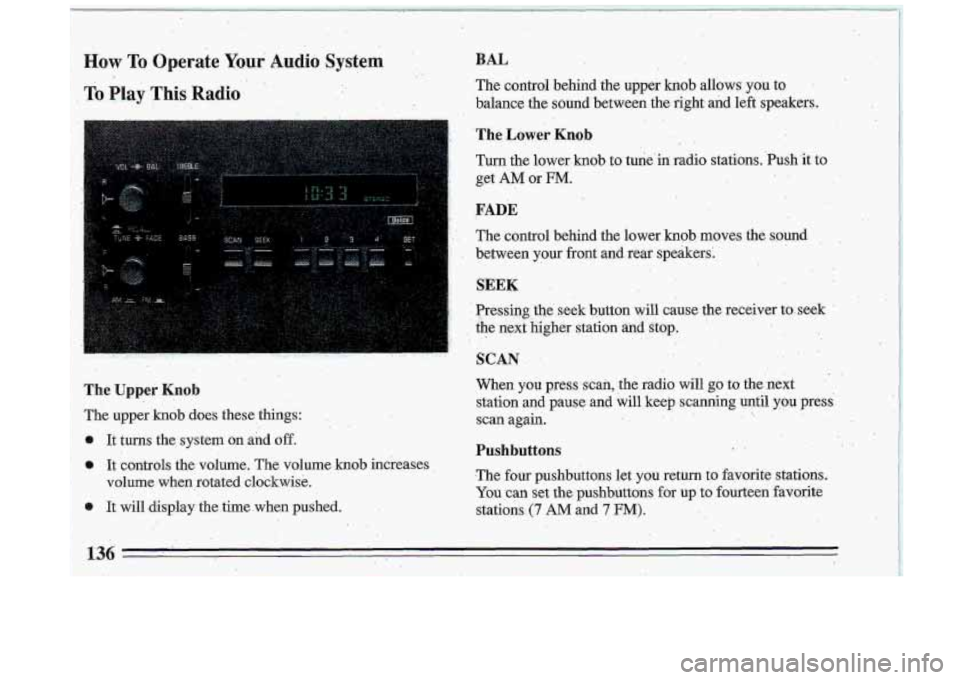
The Uppei Knob
The upper .knob does these things:
It tums the system
on and off.
o It controls the volume. The volume knob increases
volume when rotated clockwise.
0 It will display the time, when pushed.
..
BAL
The cdntrol behind the upper knob allows you to
,balance the sound bet,ween the
right and left speakers.
The Lower Knob . .
Turn the lower knob to tune'in. radio stations. .Push'it to
get
AM 'or FM.
..
..
FADE
'. The control behind the lower knob mpves the sound,
between
your front and rear speakers:
., . I
SEEK .
. Presshg'the ,. seek button will 'cause the receiver toseek '
. the '. b. next . .'. , .kigher station anclstop.. , :".. . ,..: - . . ,>
. :.. '
SCAN
.. ..
When you press scan, the radio will go to the next.
station and pause and will keep scanning until you press:
scan again.
. -. ,.
,. .. .
136
-
Pushbuttons ..
.The four pushbuttons let you return to favorite stations.
You can set the pushbuttons for up. to fourteen favorite
stations. (7 AM and 7 FM):
Page 139 of 340

e Tune in the desired station.
0 Press the SET pushbutton. (SET appears in the
display)
..
Within 5 seconds, push one of the four pushbuttons
to.store the- station. Whenever you press that button
again, the preset station will return.
In addition
to the 4 stations set as above, up to three
additional stations may be preset on each band by
pressing two adjoining buttons at the same time.
T.REBLE
Slide. the TREBLE lever up to increase the TREBLE.
response.
If the station is weak or noisy, slide the treble
lever
down to reduce the noise.
BASS
Tune in the desired station.
0 Press the SET pushbutton. (SET appears in the
display).
e Within 5 seconds, press 'any two adjoining
pushbuttons at the same time. The station- will return
when the. same two pushbuttons are pressed again.
Clock '.'
To set the clock:
0 'Press the SET pushbutton.
0 Within 5 'seconds, press and hold SCAN until the
correct hour appears on the display. Slide the
BASS lever up-to increase the bass response.
Adjust the
BASS lever to give a pleasing sound to your
ear. I
To Play This Radio
o Press and hold SEEK until the correct minute . :, ,,,~ . - ., _..^. , , I
appellss on the display. .- I
137, i
Page 141 of 340

up to three additional stations on each band may be
preset, by pressing two adj.oining pushbuttons at the
sitme time.
TREBLE
Slide the.TREBLE lever up to increase the trewe
response.
If the station is weak or noisy, slide the
TREBLE lever down to reduce the noise.
BASS
Slide the BASS.lever up to increase the bass response.,
Adjust the
BASS lever to give a pleasing sound to your
ear.
DNR@
This is the Dynamic Noise Reduction button, Dm@
helps remove background hiss from the radio or tape
player. You may want to leave it pushed in all the time.
To Play A Cassette
Your tape player is built-to work best with tapes that are
3.0 to 45 minutes long on each side. Tapes longer than
that, are
so thin they may not. work well in this player.
With the radio on, press
.a ta#e into the slot marked
AUTO REVERSE (tap~e side goes in first).
Once the tape is playing, use the upper and lower knobs
for volume, balance and fade just
as you did for radio.
The arrows indicate which side
of the tape is bein,g
played.
139
Page 143 of 340
The Upper Knob
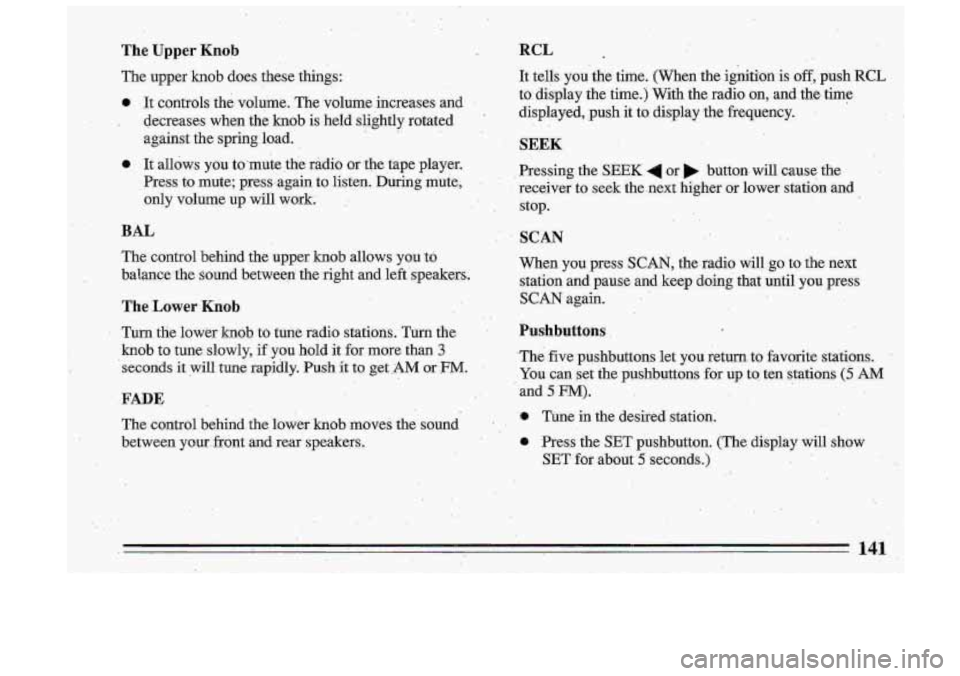
The upper knob does these things:
0 It controls the volume. The volume increases and I
I decretises when the knob is held slightly rotated
against the spring load.
e It allows you to.mute the radio or the tape player.
Press to mute; press:again to listen. During
mute;
only volume up will work: .
BAL
The coiltrol behind the upper h0.b allows you 'to
balance-the sound between the right and left'speakers.
The Lower -Knob
' Turn the lower knob to tune radio statians. Turn the .
knob to tune slowly, if you hold it for more than 3
'seconds it will tune rapidly. Push it to get .AM OF .FM.
FADE
The control behind the lower knob moves the sound
between your, front and. rear speakers.
RCL _.
It tells you.the time. (When the,ignition-is off, push RCL
to display the time.); With the radio on, and the time
displayed, push it to, display the frequency.
- .
SEEK &
Pressing the SEEK 4 or button, will cause the
rec-eiver
to seek the.next higher or lower station and
stop.
SCAN
When you press SCAN, the radio will go to .the next
station and pause and keep doing that ,until you press
SCAN again.
Pushbuttons
.The. five. pushbuttons let you return. to favorite stations ..
You can .set the pushbuttons for up to ten stations (5 AM
and 5 FM).
Tune in the desired' station.
0 .Press the SET pushbutton. (The display will show
SET-for abiouf
5 seconds.)
. .. 141
Page 147 of 340
Within 5 seconds, push one of the five pushbuttons.
SET will disappear from the display when the station
is set.
Whenever you press that button, the preset station
will
return.
Clock
To set the clock:
0 Press the SET pushbutton. ..
a Within .5 seconds, press and .hold SCAN until the
Press and hpld SEEK 4.m .until the correct
correct hour appears
on the display.
minute appears on the di,splay.
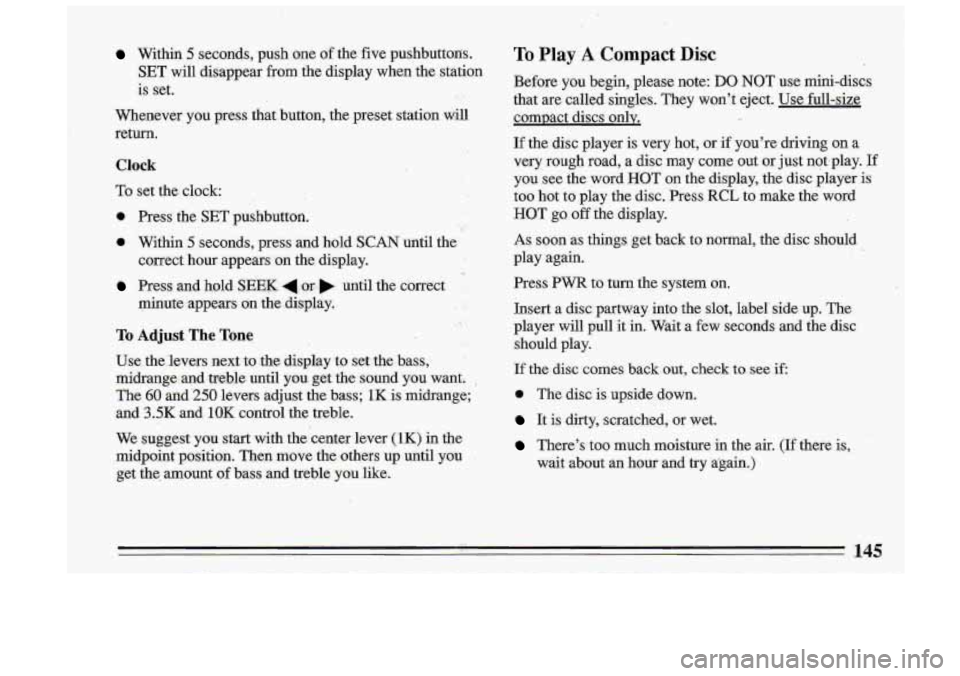
To Adjust The Tone
Use the'levers next to .the display to set the bass,
midrange and treble until y0.u get the sound you want.
,
The 60 and 250 levers hdjust the. bass; 1K is ,midrange;
and
3.5K and 1OK control the treble.
We suggest you start w.ith the center lever
(1K) in the
midpoint position. Then move the others
up until you
get the. amount .of bass and treble you like.
To Play A Compact Disc
Before you begin, please note: DO NOT use mini-discs
that are called singles. They won't eject. Use full-size
compact discs only.
I1
If the disc player is very hot, or if you're driving on a
very rough road, a disc may come out or just not.play. If
you see the- word HOT on the display, the disc player
is
too hot to play the disc. .Press RCL to make the word
HOT go off the display.
As soon as things get back to normal, the disc should
play again.
Press
PWR to turn the system on.
Insert a disc partway into the slot, label'side up. The
player will pull it in. Wait a few seconds and the disc
should play.
If the disc comes back out, check to see if,
0 The disc is upside down.
It is dirty, scratched, or wet.
There's too much moisture in the air. (If there is,
wait about an hour and try again.) '!
i
.I .
145
Page 149 of 340
Anti-Theft Feature
Delco-Loc I1 is a security feature for the compact disc
player. It can be used or ignored. If ignored, the system
plays normally.
If it is used, your player won’t be usable
if it’s ever stolen, because it won’t turn on.
The instructions below tell you how
to enter your
personal secret code into the system.
If your vehicle
looses battery power for any reason,
you must unlock
the system with the secret code before the system will
turn on.
Be sure to read through the entire procedure and become
familiar with the appropriate buttons and
knobs before
starting.
Step
1. Write down any 6-digit number and keep it in a
safe place.
Step
2. Turn the ignitioin to the ACCESSORY or RUN
position.
Step
3. Press PWR to turn the radio off.
Step 4. Press presets 1 and 4 buttons together. Hold
them until
“- - -” shows on. the display.
You are
now ready to enter your secret code. If you
pause more than
15 seconds between steps you may
have to,start over.
1